
Chose Hotjar
Hotjar vs. Optimizely Web Experimentation vs. VWO
Hotjar vs. Optimizely Web Experimentation vs. VWO
| Product | Rating | Most Used By | Product Summary | Starting Price |
|---|---|---|---|---|
 Hotjar | N/A | Hotjar is a conversion rate optimization tool for digital marketers. Features include heatmapping, visual session recording, conversion funnel analytics, form analytics, feedback polls and surveys, and usability testing. The tool is used by digital analysts, UX designers, web developers and product marketers. Hotjar was acquired by Contentsquare September 2021, and is now a Contentsquare brand. | $39 per month 100 daily sessions | |
 Optimizely Web Experimentation | N/A | Whether launching a first test or scaling a sophisticated experimentation program, Optimizely Web Experimentation aims to deliver the insights needed to craft high-performing digital experiences that drive engagement, increase conversions, and accelerate growth. | N/A | |
 VWO | N/A | VWO is an A/B testing and conversion optimization platform that enables growing businesses to conduct qualitative and quantitative visitor research, build an experimentation roadmap and run continuous experiments on their digital properties. With its 5 capabilities Plan, Track, Test, Analyze, and Target, it brings the entire CRO (conversion rate optimization) process at one place. VWO helps online businesses follow the process- and data-driven conversion… | $49 per month |
| Hotjar | Optimizely Web Experimentation | VWO | ||||||||||||||||||||||
|---|---|---|---|---|---|---|---|---|---|---|---|---|---|---|---|---|---|---|---|---|---|---|---|---|
| Editions & Modules |
| No answers on this topic |
| |||||||||||||||||||||
| Offerings |
| |||||||||||||||||||||||
| Entry-level Setup Fee | No setup fee | Optional | No setup fee | |||||||||||||||||||||
| Additional Details | Discount available for annual pricing. | — | — | |||||||||||||||||||||
| More Pricing Information | ||||||||||||||||||||||||
| Hotjar | Optimizely Web Experimentation | VWO | |
|---|---|---|---|
| Considered Multiple Products | Hotjar  Rachel Harrison UX & CRO Analyst Chose Hotjar I have moved jobs, so that is why I am now using Hotjar. I think that Decibel Insight has more functionality than what Hotjar does, as it allows you to be able to automatically view pages and heatmaps, rather than needing to wait for the data to gather.  Markus Kapferer Head of E-Commerce Chose Hotjar We used different tools but Hotjar combines several functionalities in one tool. So we used and are still using SurveyMonkey for bigger Surveys but it's handy to also have a tool where we can create short single questions surveys. We selected Hotjar because it is a good …  Sarah O'Donnell UX & CRO Executive Chose Hotjar I did not choose Hotjar but would recommend it.  Andrew Richardson UX Designer Chose Hotjar Hotjar is robust and incredibly affordable. It's insane how cheap it is for what it provides. Recordings and heatmaps alone are worth the price tag. Add on the other feedback gathering functionality and it's a really good bargain. It comes at a slight cost at the manual …  Mirzet Kadric Vice President Chose Hotjar Hotjar provides a lot of functionalities under one roof that are typically available in multiple other software programs. We use it to replace several other products and it's not the best at every single feature, but Hotjar is the best all-around tool, especially for the price.  Christine Austin Creative Lead, Marketing Team Chose Hotjar Hotjar offers a much more comprehensive service and more tools for a lower value than Crazy Egg. We've also found that there intuitive and easy to use interface makes the software a much more attractive option for us as it's something anyone within the organization can begun … |  Optimizely Web Experimentation  Fabien Caublot XO Director Chose Optimizely Web Experimentation > Adobe's pretty cool for its recomentation / AI / ML engine > VWO's wysiwyg is pretty solid and the heatmapping is nice > abtasty's consent features are pretty cool to launch patch and AB Test Consent Rate > Monetate & Dynamic Yield's pre-built personalization features help …  Diego Polanco Data & CRO Consultant Chose Optimizely Web Experimentation Optimizely Web Experimentation is perfect for medium or advance use but not for basic use. For basic use or new users VWO would be a better fit, or for users who would do a test once per month with low traffic. Optimizely is more for users or companies who use cro or do …  Audrey Ortiz CRO Marketing Manager Chose Optimizely Web Experimentation The largest thing is that we've had an excellent experience working with Optimizely Web Experimentation's team of people. While competitors may have a novel solution that leverages the hottest in LLM/AI/or what have you, Optimizely Web Experimentation's approach has been tried …  Drew Seman EVP Growth Strategy Chose Optimizely Web Experimentation Ultimately, we are able to build faster, have a better site experience for end users, and have cleaner results reporting on Optimizely. |  VWO  Michel Zurkirchen Content manager Chose VWO I used Google Optimize when it had just launched. It was therefore not yet a competitor to VWO. I haven't used it in roughly half a year time, so a lot has probably changed. I still use Hotjar for certain features that VWO offers, but which I think function better in Hotjar. I …  Dominic Walker Trainee Marketing Manager Chose VWO We use VWO not in competition with, but alongside other tools, as we believe a mixture is the best recipe for success. Hotjar is a slightly different offering and has some very strong heatmap/ journey mapping capabilities. We tend to use it for that, with the insight feeding …  Lee Preston Conversion Rate Optimisation Lead Chose VWO As I mentioned, VWO is a great all-in-one tool that lets clients research & test all within one tool. It's a little on the expensive side so it might not deliver the desired ROI for smaller clients and can also encourage the small clients to run small, insignificant A/B tests … Diego Polanco CRO Consultant Chose VWO VWO is by far the easiest tool to use among all experimentation tools. It is like the experimentation tool for dummies and works as well as the others. A highlight would be the reports on every test because compared to the others, in VWO is way much easier to understand the …  Joseph Collins Account Supervisor Chose VWO While there are many free or cheap options for A/B and multivariate testing out there (and we have tried several), VWO provides the right balance between cost and capability for our agency. That, and the level of customer service provided when we need it makes VWO our choice …  Kevin McLallen Program Manager Chose VWO There are significant differences in each platform when it comes to Optimizely and vwo. From a functionality and performance perspective they each have their pros and cons. It is important to go through the feature sets of each and ensure the solution you select will work …  Megan Lattanzi Web Developer Chose VWO I was not involved in Optimizely, nor did we implement it outside a free trial I believe, but VWO seemed to do generally the same things with a lower cost, though I could be mistaken. I have used Qualtrics in the past. It is very good for survey creation and logic. I know some …  Mark Harding CRO | UX Manager Chose VWO We enquired and looked into using Optimizely and Qubit before deciding on VWO. All appear to be great tools that would have done the job required, however, when compared, we didn't hit the level of traffic for Qubit to consider a partnership, and Optimizely was a lot more …  Taylor Marmie Internet Marketing Manager Chose VWO VWO was a better fit for our four companies fiscally and feature-wise.  Ryan Bennion Digital Marketing Director Chose VWO VWO is better in price for sure, and I would say it has much better functionality than Crazy Egg. Optimizely is more expensive than the two and I think its UI is much better than VWO. However, I think you get the same with VWO that you do with Optimizely. Once VWO catches up in …  Thomas Frenkiel Senior SEO & CRO Consultant Chose VWO VWO does seem to be as good as, or better, than Optimizely. And VWO is certainly not as expensive. But I must say that we have not really used Optimizely - we have only compared it with VWO when doing research before choosing for VWO as our tool of choice.  Marijn Tijhuis Senior Conversie specialist Chose VWO VWO is much cheaper than Optimizely, while most of the features offered are similar.  Dobs Totev Lead UI/UX Designer (Remote) Chose VWO We chose VWO because it combines all the features that we need in one. All of the other products we have looked at have been missing something.  Parker Boyack Business Analyst Chose VWO VWO has come a long way since we first started using their software. With their new full-featured conversion optimization platform, we are able to connect things at a deeper level than ever before. Because of this we have ended our contracts with several vendors in order to … |
| Hotjar | Optimizely Web Experimentation | VWO | |||||||||||||||||||||||||||||||||||||||||||||||||||||||||||||||||||||||||||||||
|---|---|---|---|---|---|---|---|---|---|---|---|---|---|---|---|---|---|---|---|---|---|---|---|---|---|---|---|---|---|---|---|---|---|---|---|---|---|---|---|---|---|---|---|---|---|---|---|---|---|---|---|---|---|---|---|---|---|---|---|---|---|---|---|---|---|---|---|---|---|---|---|---|---|---|---|---|---|---|---|---|---|
| Testing and Experimentation |
| ||||||||||||||||||||||||||||||||||||||||||||||||||||||||||||||||||||||||||||||||
| Audience Segmentation & Targeting |
| ||||||||||||||||||||||||||||||||||||||||||||||||||||||||||||||||||||||||||||||||
| Results and Analysis |
|
| Hotjar | Optimizely Web Experimentation | VWO | |
|---|---|---|---|
| Small Businesses |  Smartlook Score 8.7 out of 10 |  Convert Experiences Score 9.9 out of 10 | Convert Experiences Score 9.9 out of 10 |
| Medium-sized Companies |  Siteimprove Score 9.1 out of 10 |  Dynamic Yield Score 9.0 out of 10 | Dynamic Yield Score 9.0 out of 10 |
| Enterprises |  Contentsquare Score 7.5 out of 10 | Dynamic Yield Score 9.0 out of 10 | Dynamic Yield Score 9.0 out of 10 |
| All Alternatives | View all alternatives | View all alternatives | View all alternatives |
| Hotjar | Optimizely Web Experimentation | VWO | |
|---|---|---|---|
| Likelihood to Recommend | 10.0 (103 ratings) | 8.7 (253 ratings) | 7.7 (108 ratings) |
| Likelihood to Renew | 5.1 (2 ratings) | 9.5 (51 ratings) | 8.7 (20 ratings) |
| Usability | 9.7 (6 ratings) | 10.0 (58 ratings) | 8.7 (5 ratings) |
| Availability | - (0 ratings) | 10.0 (7 ratings) | 9.1 (3 ratings) |
| Performance | - (0 ratings) | 7.3 (6 ratings) | 8.2 (1 ratings) |
| Support Rating | 9.6 (4 ratings) | 10.0 (16 ratings) | 9.1 (4 ratings) |
| Online Training | - (0 ratings) | 3.0 (1 ratings) | 6.4 (1 ratings) |
| Implementation Rating | - (0 ratings) | 8.0 (11 ratings) | 9.1 (3 ratings) |
| Configurability | - (0 ratings) | 6.0 (1 ratings) | 8.2 (1 ratings) |
| Ease of integration | 9.0 (1 ratings) | - (0 ratings) | 3.6 (1 ratings) |
| Product Scalability | - (0 ratings) | 8.0 (162 ratings) | 8.2 (1 ratings) |
| Vendor post-sale | - (0 ratings) | - (0 ratings) | 9.1 (1 ratings) |
| Vendor pre-sale | - (0 ratings) | - (0 ratings) | 8.2 (1 ratings) |
| Hotjar | Optimizely Web Experimentation | VWO | |
|---|---|---|---|
| Likelihood to Recommend | Contentsquare
| Optimizely
| Wingify Pvt Ltd
Diego Polanco CRO Consultant |
| Pros | Contentsquare
Sarah O'Donnell UX & CRO Executive | Optimizely
| Wingify Pvt Ltd
|
| Cons | Contentsquare
 Zach Ettelman Director, Digital Innovation | Optimizely
| Wingify Pvt Ltd
Joseph Collins Account Supervisor |
| Likelihood to Renew | Contentsquare
 Patrick Eng Marketing Technologist | Optimizely
| Wingify Pvt Ltd
 Tom Kerwin Head of User Experience |
| Usability | Contentsquare
 Halima Satheya Digital Optimisation Lead | Optimizely
Audrey Ortiz CRO Marketing Manager | Wingify Pvt Ltd
|
| Reliability and Availability | Contentsquare No answers on this topic | Optimizely
 Katie Goh Digital Marketing Manager | Wingify Pvt Ltd
|
| Performance | Contentsquare No answers on this topic | Optimizely
Katie Goh Digital Marketing Manager | Wingify Pvt Ltd
|
| Support Rating | Contentsquare
Zach Ettelman Director, Digital Innovation | Optimizely
| Wingify Pvt Ltd
|
| Online Training | Contentsquare No answers on this topic | Optimizely
| Wingify Pvt Ltd
|
| Implementation Rating | Contentsquare No answers on this topic | Optimizely
| Wingify Pvt Ltd
|
| Alternatives Considered | Contentsquare
| Optimizely
| Wingify Pvt Ltd
Kevin McLallen Program Manager |
| Scalability | Contentsquare No answers on this topic | Optimizely
| Wingify Pvt Ltd
|
| Return on Investment | Contentsquare
 Santiago Valdés Cofounder / Marketing, Growth, Technology, Experience | Optimizely
| Wingify Pvt Ltd
|
| ScreenShots | Optimizely Web Experimentation Screenshots 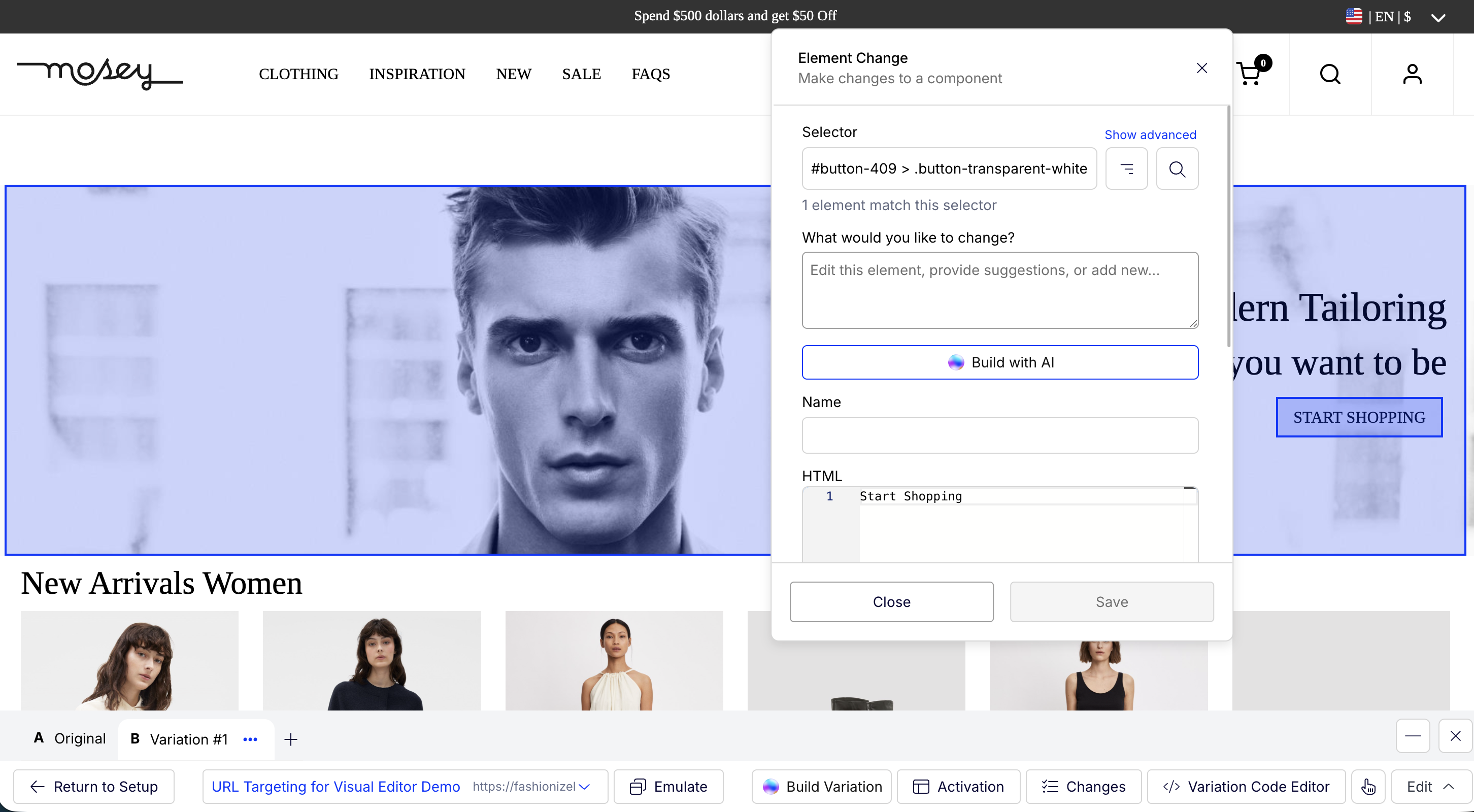 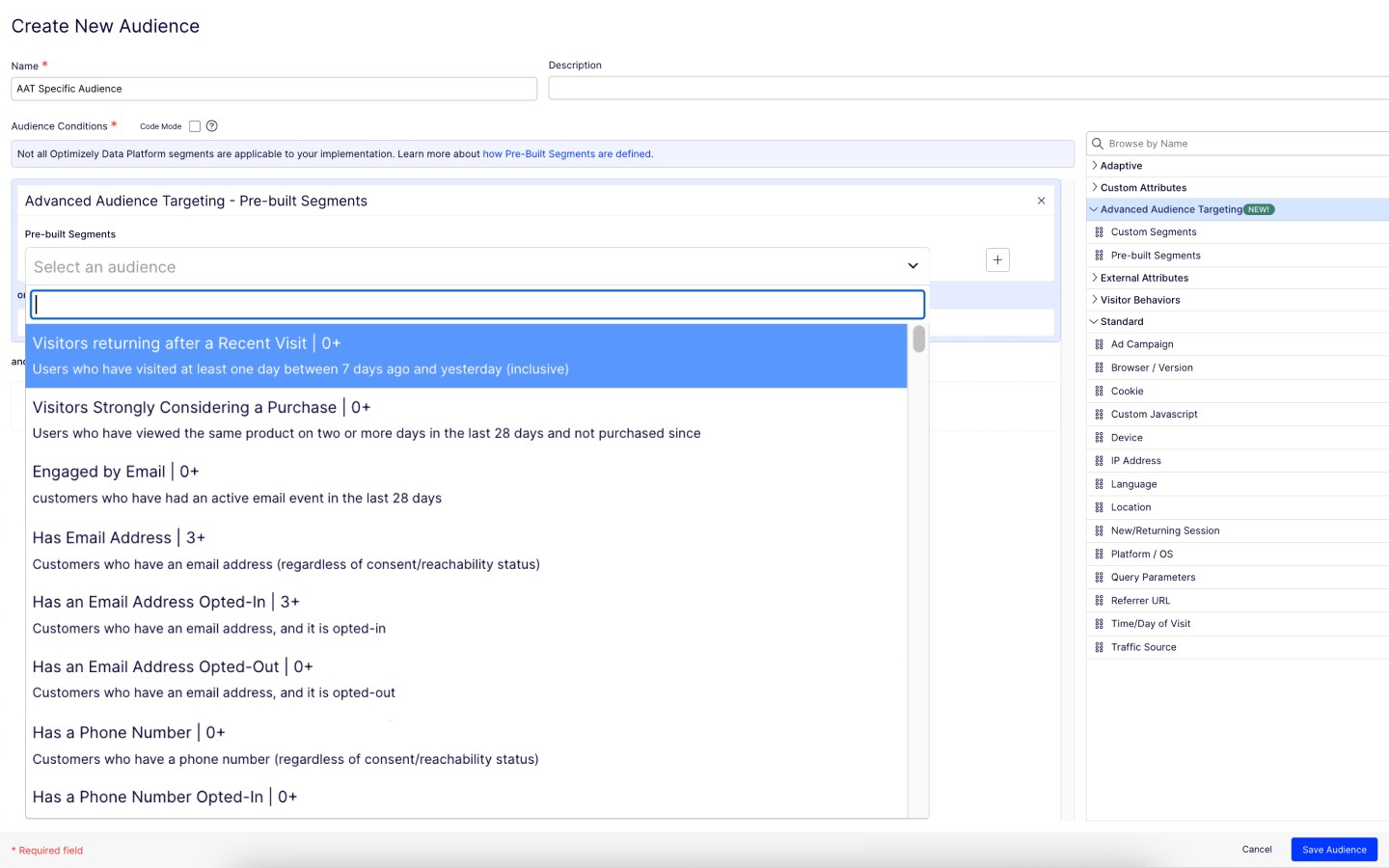  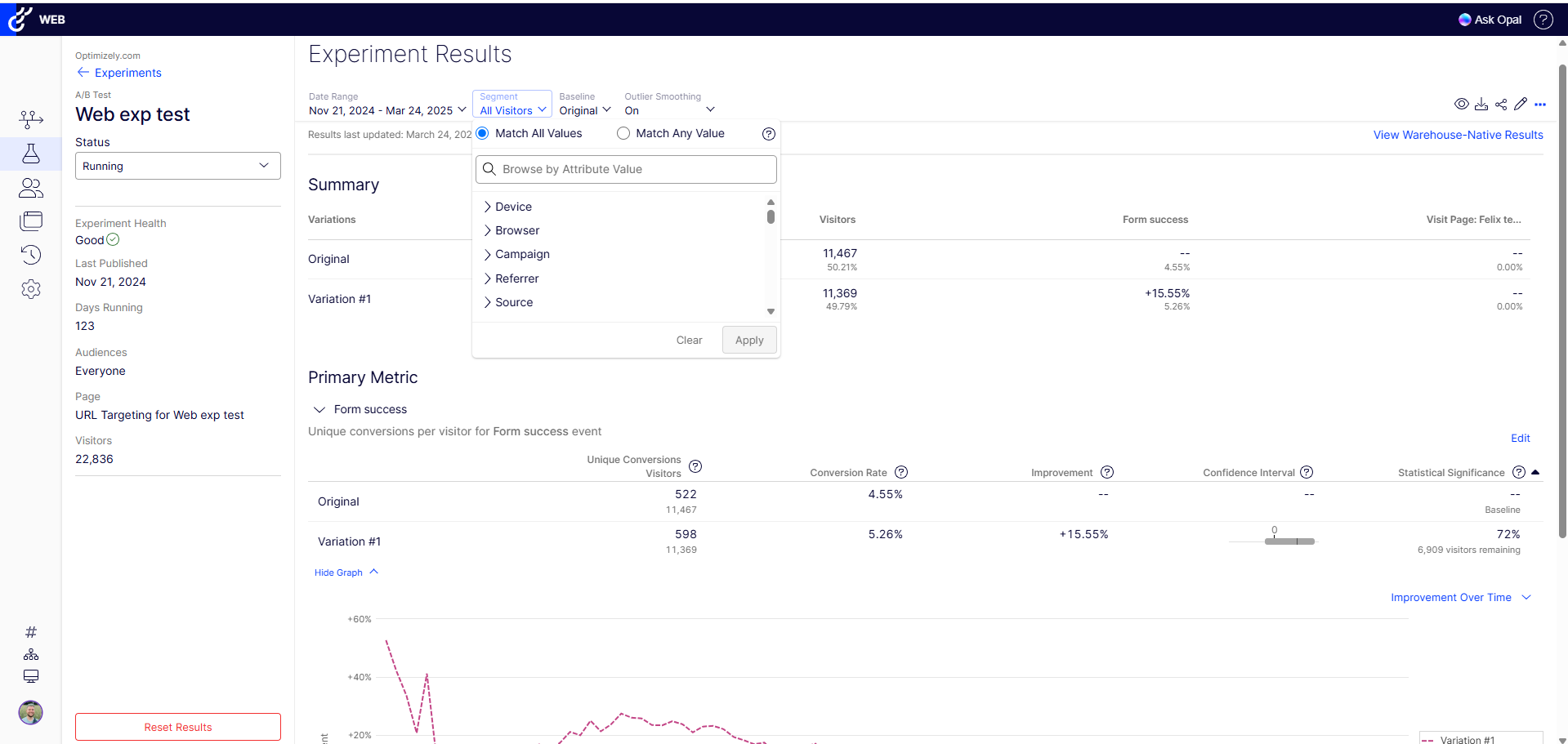 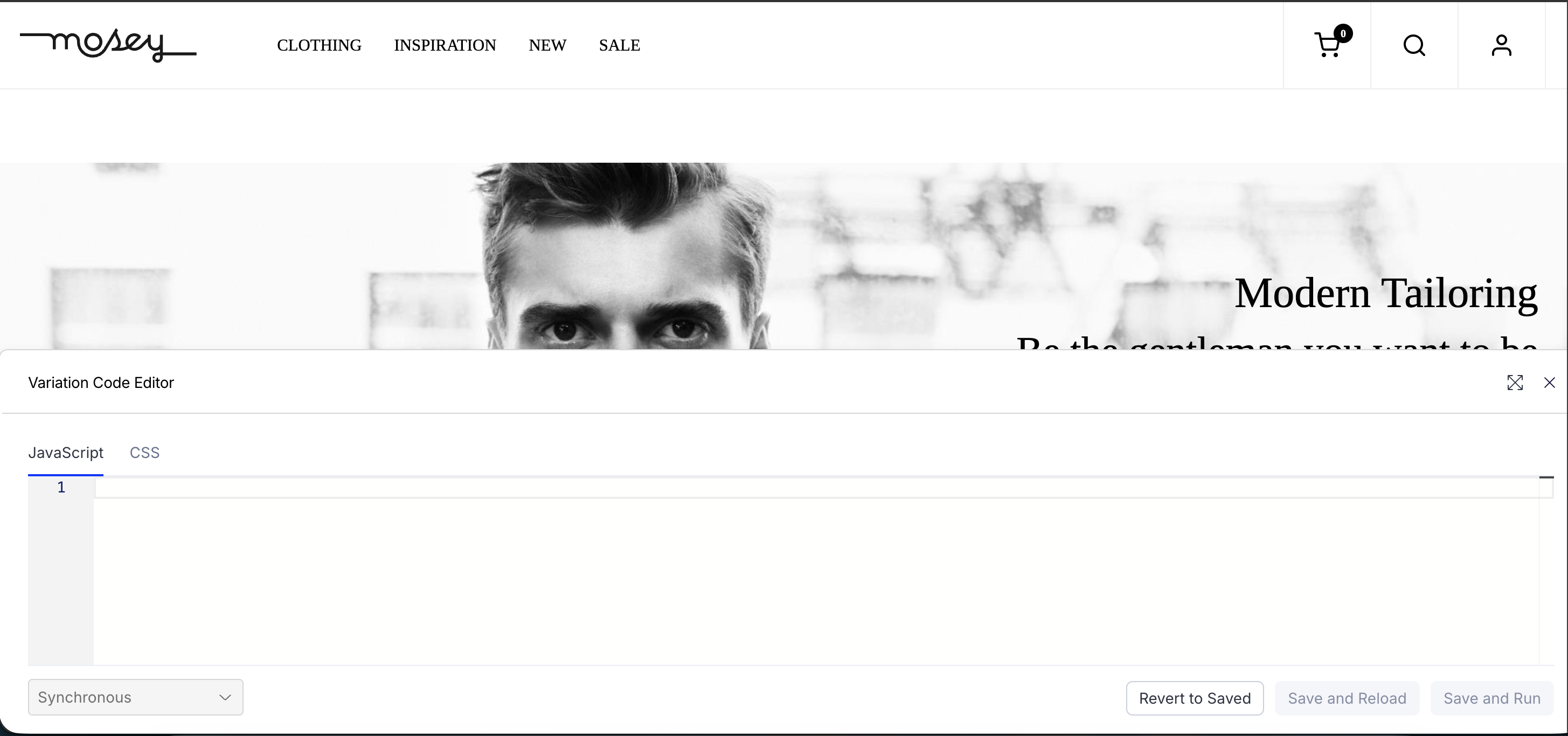 | VWO Screenshots  |