LinkedIn Sales Navigator is a sales intelligence software solution offered by LinkedIn.
$79.99
per month
Outreach
Score8.3 out of 10
N/A
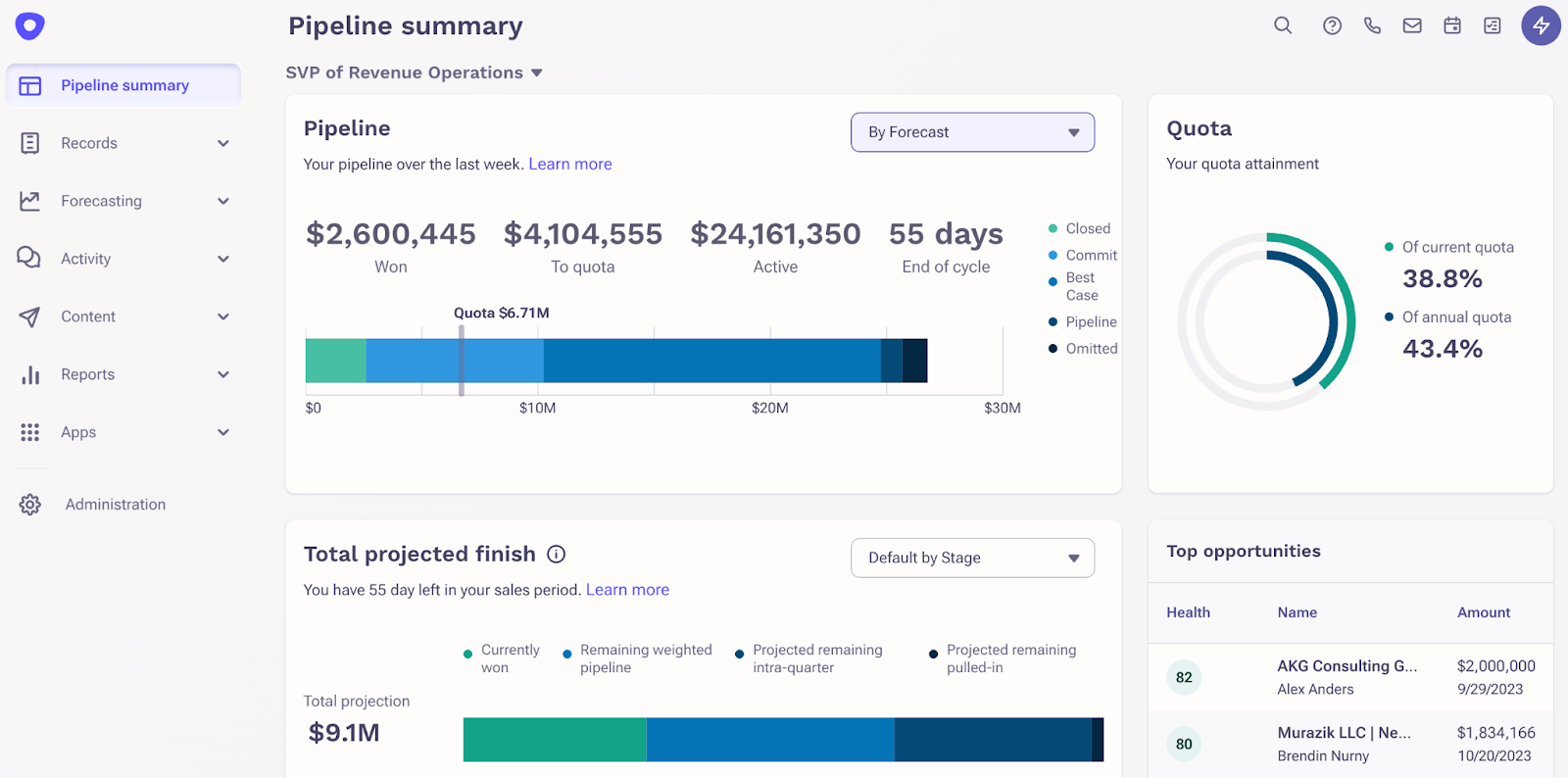
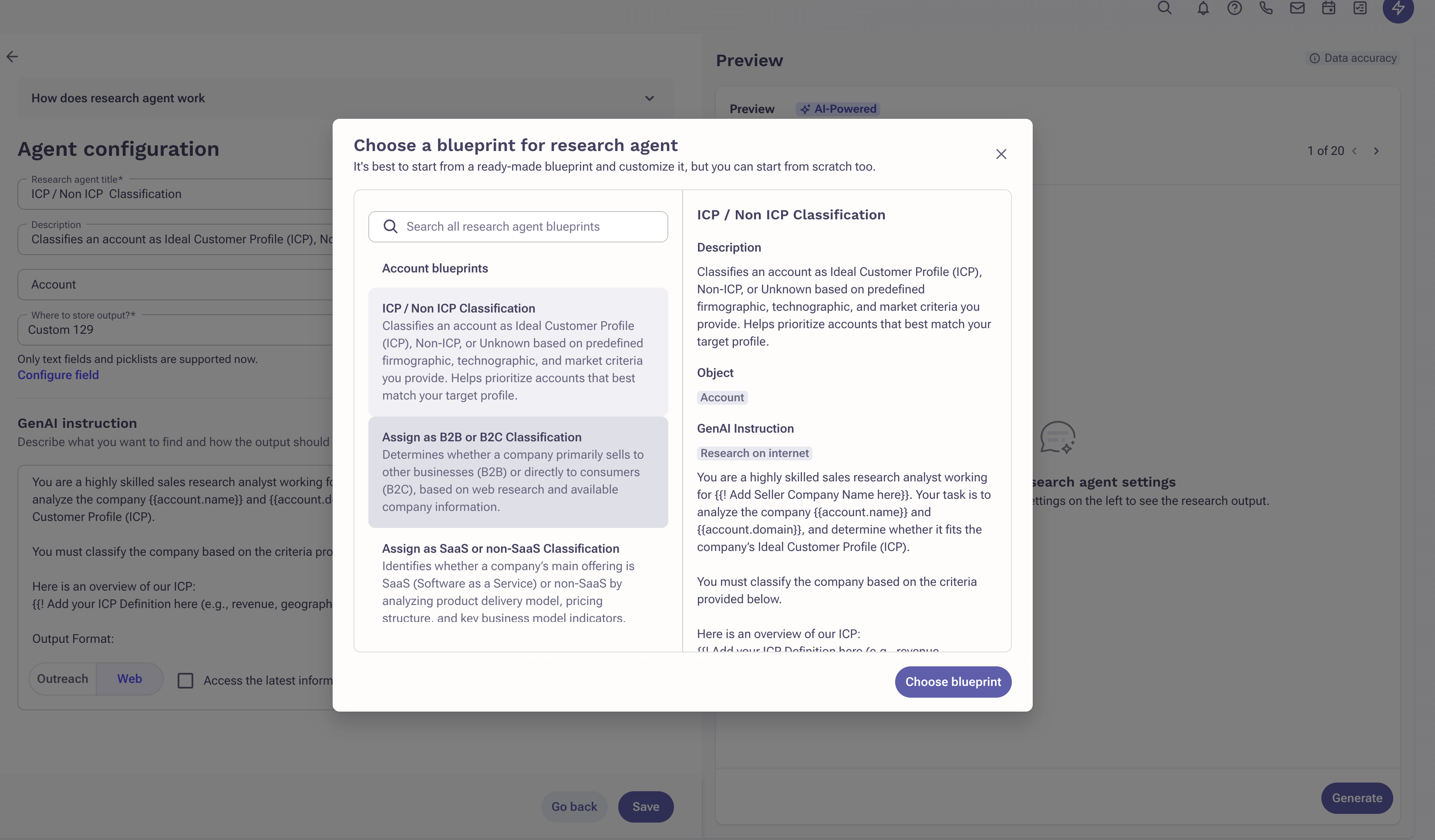
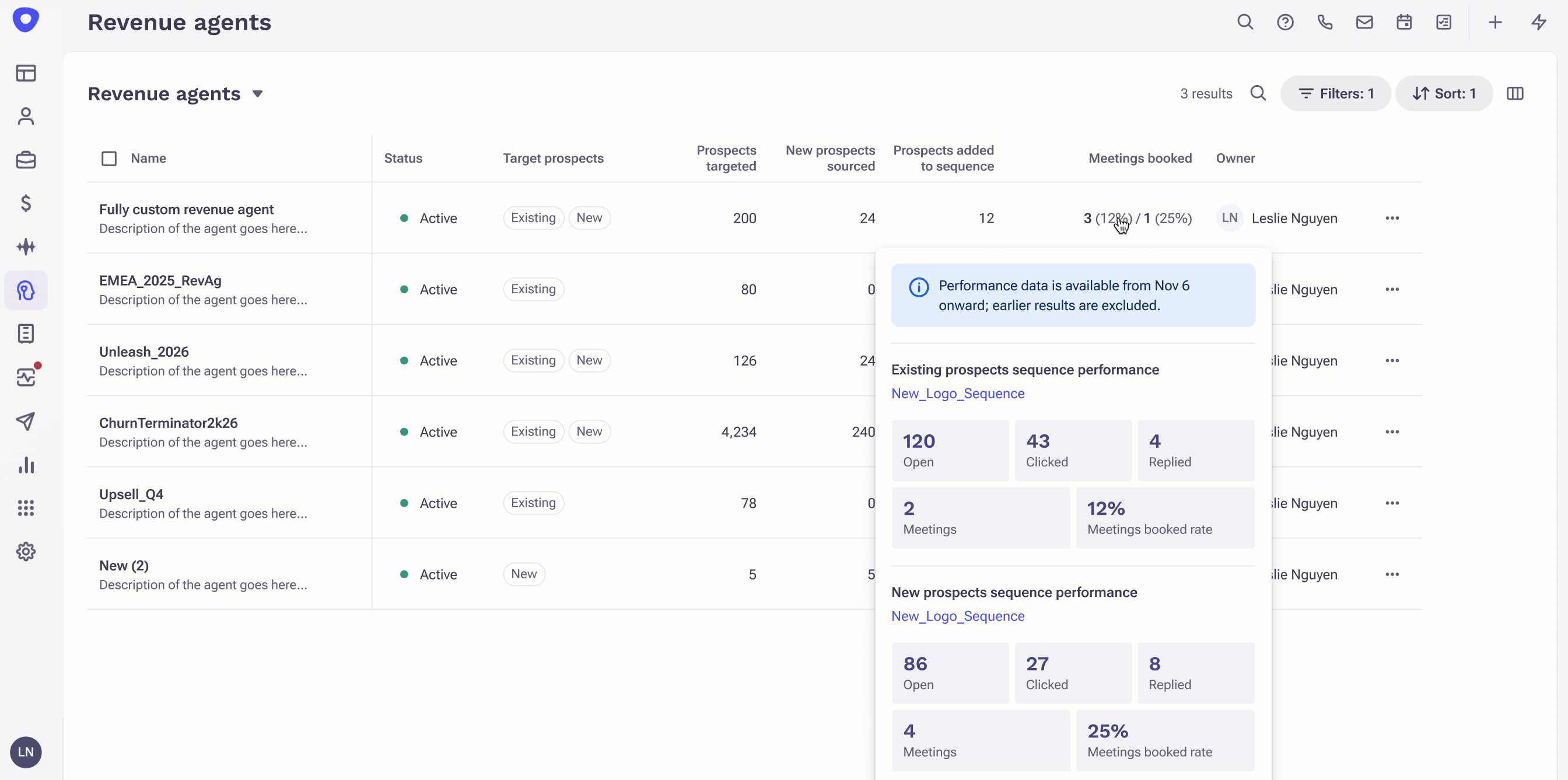
Outreach is an agentic AI platform for revenue teams that infuses purpose-built agents, conversation intelligence, and assistive insights to power use cases across revenue motions, from new logo prospecting to expansions, deal acceleration, driving retention, and forecasting.
We preferred LinkedIn Sales Navigator because of its brand recognition, brand value and preference among our sales and marketing leadership to use the product. The price was a bit on the higher side but we still chose it over competitors because we were getting lot more value …
A de minimis incentive was given to thank the reviewer for their time. The incentive was not used to bias or drive a particular response, nor was the incentive contingent on a positive endorsement. More Info
Verified User
Chose LinkedIn Sales Navigator
LinkedIn Sales Navigator is the best at finding leads, in my opinion. However, it's not the best at finding contact information. You need a combination of ZoomInfo + LinkedIn Sales Navigator + Outreach in order to actually contact leads. Apollo.io does all of that for you in …
A de minimis incentive was given to thank the reviewer for their time. The incentive was not used to bias or drive a particular response, nor was the incentive contingent on a positive endorsement. More Info
Director Of Business Development in Sales at AXDRAFT (Computer Software, 11-50 employees)
Chose LinkedIn Sales Navigator
LinkedIn is really the only major player in the social business space. Compared with data tools like ZoomInfo, LinkedIn Sales Navigator provides more up to date data. Overall prospecting is better when using both ZoomInfo and LinkedIn Sales Navigator. We selected Sales …
A de minimis incentive was given to thank the reviewer for their time. The incentive was not used to bias or drive a particular response, nor was the incentive contingent on a positive endorsement. More Info
Account Executive in Sales at Route (Marketing and Advertising, 201-500 employees)
Chose LinkedIn Sales Navigator
I've used Zoom Info and Etailinsights. Etailinsights is better in the SMB (e-commerce space) but LinkedIn Sales Navigator beats them in all other areas. It also is very different from these other tools because you are able to contact prospects on the platform as well.
A de minimis incentive was given to thank the reviewer for their time. The incentive was not used to bias or drive a particular response, nor was the incentive contingent on a positive endorsement. More Info
Verified User
Chose LinkedIn Sales Navigator
We have not evaluated other tools similar to LinkedIn as there are not many similar options out there.
A de minimis incentive was given to thank the reviewer for their time. The incentive was not used to bias or drive a particular response, nor was the incentive contingent on a positive endorsement. More Info
A de minimis incentive was given to thank the reviewer for their time. The incentive was not used to bias or drive a particular response, nor was the incentive contingent on a positive endorsement. More Info
Enterprise Account Development Manager in Sales at KeyedIn Solutions, Inc. (Computer Software, 51-200 employees)
Chose LinkedIn Sales Navigator
The benefit of Sales Navigator against any of these is you have the social aspect of selling which is really lacking in other platforms. While it's not a bulk list building tool, this can really strengthen relationships and immediately allow the end user to connect with …
A de minimis incentive was given to thank the reviewer for their time. The incentive was not used to bias or drive a particular response, nor was the incentive contingent on a positive endorsement. More Info
Verified User
Chose LinkedIn Sales Navigator
DiscoverOrg is much better for searching, filtering, and uploading leads. I use DO when I am looking for mass leads and I use LinkedIn Sales Navigator when I am looking for one specific person. I believe having both is very helpful in finding success.
A de minimis incentive was given to thank the reviewer for their time. The incentive was not used to bias or drive a particular response, nor was the incentive contingent on a positive endorsement. More Info
Enterprise Business Development in Sales at Adobe (Marketing and Advertising, 51-200 employees)
Chose LinkedIn Sales Navigator
The only other tool I've used similar to Sales Navigator is the free LInkedin. As I've said, it is a great tool for networking and can be used for prospecting. I feel like Linkedin has really spent a lot of time trying to make Sales Navigator a better, more powerful tool for …
A de minimis incentive was given to thank the reviewer for their time. The incentive was not used to bias or drive a particular response, nor was the incentive contingent on a positive endorsement. TR verified that a representative sample of customers was invited. More Info
Enterprise Select Sales Development Rep in Sales at Nutanix (Computer Software, 1001-5000 employees)
Chose LinkedIn Sales Navigator
We currently also have access to Discover.Org but I prefer to use Linkedin Sales Navigator first before checking Discover.Org because for the most part LinkedIn is more up to date than even Discover.Org. Now I like Discover for different uses and normally I can't get contact …
A de minimis incentive was given to thank the reviewer for their time. The incentive was not used to bias or drive a particular response, nor was the incentive contingent on a positive endorsement. More Info
Verified User
Chose LinkedIn Sales Navigator
It is great because it leverages an already wide network of contacts on LinkedIn.
It is better quality than generic data aggregators and more cost effective with timelier data than tools like DiscoverOrg
A de minimis incentive was given to thank the reviewer for their time. The incentive was not used to bias or drive a particular response, nor was the incentive contingent on a positive endorsement. More Info
Corporate Sales Executive, Strategic Accounts in Corporate at Talend (Computer Software, 1001-5000 employees)
Chose LinkedIn Sales Navigator
LinkedIn is far superior to all of its competition, if for no other reason, simply because it is the unparalleled industry leader when it comes to finding out relevant information pertaining to employees, companies, and to a slightly lesser degree industries. LinkedIn Sales …
A de minimis incentive was given to thank the reviewer for their time. The incentive was not used to bias or drive a particular response, nor was the incentive contingent on a positive endorsement. More Info
Verified User
Chose LinkedIn Sales Navigator
Most people are on LinkedIn these days and for the most part keep their information up to date. It's a source that I trust and know that the information will be pretty relevant. Having someone's picture as well is a big plus. For me it's great to be able to know what that …
A de minimis incentive was given to thank the reviewer for their time. The incentive was not used to bias or drive a particular response, nor was the incentive contingent on a positive endorsement. More Info
Enterprise Account Executive in Sales at Cipher | Competitive Strategy & Technology (Market Research, 11-50 employees)
Chose LinkedIn Sales Navigator
Sales Navigator has by far superior data to ZoomInfo (most job titles are up to date and there are few contacts missing) but ZoomInfo gives an email address, which is critical. We actually use both tools for this reason.
A de minimis incentive was given to thank the reviewer for their time. The incentive was not used to bias or drive a particular response, nor was the incentive contingent on a positive endorsement. More Info
A de minimis incentive was given to thank the reviewer for their time. The incentive was not used to bias or drive a particular response, nor was the incentive contingent on a positive endorsement. More Info
Strategic Account Representative in Sales at SparkPost (Computer Software, 51-200 employees)
Chose LinkedIn Sales Navigator
ZoomInfo - LinkedIn Sales Navigator does not show contact information like ZoomInfo does, but maybe that is just because of the version our company uses.
A de minimis incentive was given to thank the reviewer for their time. The incentive was not used to bias or drive a particular response, nor was the incentive contingent on a positive endorsement. More Info
Senior Market Development in Sales at Simply Measured, A Sprout Social Company (Internet, 51-200 employees)
Chose LinkedIn Sales Navigator
I use LinkedIn Sales Nav way, way more - the company information is better and the prospects are better and not outdated. EverString has trouble with understanding context or truly related companies, where LinkedIn, while more manual, allows for better data quality. LISN …
A de minimis incentive was given to thank the reviewer for their time. The incentive was not used to bias or drive a particular response, nor was the incentive contingent on a positive endorsement. More Info
Verified User
Chose LinkedIn Sales Navigator
Linkedin Sales Navigator is the best tool that I have seen to enable sales teams. It is great for sales teams to stay up with the information they need to effectively support their accounts. It is also a great prospecting tool for sales teams to access lists of current accounts …
A de minimis incentive was given to thank the reviewer for their time. The incentive was not used to bias or drive a particular response, nor was the incentive contingent on a positive endorsement. More Info
A de minimis incentive was given to thank the reviewer for their time. The incentive was not used to bias or drive a particular response, nor was the incentive contingent on a positive endorsement. More Info
Verified User
Chose LinkedIn Sales Navigator
I personally enjoy the user experience and overall quality effectiveness of Linkedin Sales Navigator much more than the other providers that I have worked with and utilized throughout my sales career. The ease of use of the system has made my life a lot easier and also for my …
A de minimis incentive was given to thank the reviewer for their time. The incentive was not used to bias or drive a particular response, nor was the incentive contingent on a positive endorsement. TR verified that a representative sample of customers was invited. More Info
A de minimis incentive was given to thank the reviewer for their time. The incentive was not used to bias or drive a particular response, nor was the incentive contingent on a positive endorsement. More Info
Mid-Market Account Executive in Sales at Grovo (E-Learning, 51-200 employees)
Chose LinkedIn Sales Navigator
You know data on LinkedIn Sales Navigator is much more up to date because prospects keep their data updated personally. While it often does not have email addresses or phone numbers, it at least is super up to date with what org a person is at. That's a big difference between …
A de minimis incentive was given to thank the reviewer for their time. The incentive was not used to bias or drive a particular response, nor was the incentive contingent on a positive endorsement. More Info
Cherwell Business Development Manager in Information Technology at Be Relevant Group (Information Technology and Services, 11-50 employees)
Chose LinkedIn Sales Navigator
From my experience, Sales Navigator is user friendly, even for those who are not great with technology. It also has a news feed to stay up to date with leads/accounts that you choose to want to know more from. Not many others can provide that.
A de minimis incentive was given to thank the reviewer for their time. The incentive was not used to bias or drive a particular response, nor was the incentive contingent on a positive endorsement. More Info
Verified User
Chose LinkedIn Sales Navigator
I thought it would open me up to all current employees but the search is weak and includes the word from other companies as well.
A de minimis incentive was given to thank the reviewer for their time. The incentive was not used to bias or drive a particular response, nor was the incentive contingent on a positive endorsement. More Info
Outreach
Verified User
Chose Outreach
I would say it's pretty comparable. I think Outreach is probably more robust and customizable.
A de minimis incentive was given to thank the reviewer for their time. The incentive was not used to bias or drive a particular response, nor was the incentive contingent on a positive endorsement. More Info
A de minimis incentive was given to thank the reviewer for their time. The incentive was not used to bias or drive a particular response, nor was the incentive contingent on a positive endorsement. TR verified that a representative sample of customers was invited. More Info
Verified User
Chose Outreach
Outreach is more detailed and gives you mroe abilility to drill down than Apollo. Apollo may be better for fidning outbound data source but it falls short in other areas and overall is a lesser tool in my opinion. Outreach also is more visual with showing responses and …
A de minimis incentive was given to thank the reviewer for their time. The incentive was not used to bias or drive a particular response, nor was the incentive contingent on a positive endorsement. More Info
Verified User
Chose Outreach
Outreach is designed with a workflow-first approach, which helps ensure that reps adopt the process and allows AI and machine learning to understand the full funnel. On top of this, Outreach offers more robust functionality, reporting, and integrations than other competitors. …
A de minimis incentive was given to thank the reviewer for their time. The incentive was not used to bias or drive a particular response, nor was the incentive contingent on a positive endorsement. More Info
Marketing Manager in Marketing at Avalere Health (Hospital & Health Care, 201-500 employees)
Chose Outreach
We found that Outreach was superior to Salesloft and Gong, and a better fit for our organization for the following reasons: User interface and overall experience: it's just a cleaner platform and easier to work in than the other two. Feature set: the other two tools had more …
A de minimis incentive was given to thank the reviewer for their time. The incentive was not used to bias or drive a particular response, nor was the incentive contingent on a positive endorsement. More Info
Verified User
Chose Outreach
Outreach has more capability with local dialers and in the calling area. Outreach allows you to mark which phone numbers are verified, questionable, or invalid which makes the calling process much more efficient for sellers as they can ignore the numbers that they already …
A de minimis incentive was given to thank the reviewer for their time. The incentive was not used to bias or drive a particular response, nor was the incentive contingent on a positive endorsement. More Info
Verified User
Chose Outreach
The Outreach user interface and integrations with Outlook email are best in class. The integration with Outlook is seamless and allows you to perform many tasks directly from Outlook without having to engage with the Outreach app.
A de minimis incentive was given to thank the reviewer for their time. The incentive was not used to bias or drive a particular response, nor was the incentive contingent on a positive endorsement. More Info
A de minimis incentive was given to thank the reviewer for their time. The incentive was not used to bias or drive a particular response, nor was the incentive contingent on a positive endorsement. More Info
Verified User
Chose Outreach
I was in the early stages of implemented Salesloft and it seemed very complicated to get off the ground so outreach is a lot easier for users to use. The support from the Outreach CSM side has been tremendous though.
A de minimis incentive was given to thank the reviewer for their time. The incentive was not used to bias or drive a particular response, nor was the incentive contingent on a positive endorsement. More Info
Verified User
Chose Outreach
It is always improving and evolving. The on-boarding team is so useful and they always provide detailed updates and information how to improve already used Outreach techniques.
A de minimis incentive was given to thank the reviewer for their time. The incentive was not used to bias or drive a particular response, nor was the incentive contingent on a positive endorsement. More Info
Verified User
Chose Outreach
Honestly, we did look at Sales Loft. We trialed it and went down that path. While it is still a good tool and platform and does a lot similar to Outreach, when it came down to making a decision, we based our decision on a few things: 1. referrals from our other vendors, 2. ease …
A de minimis incentive was given to thank the reviewer for their time. The incentive was not used to bias or drive a particular response, nor was the incentive contingent on a positive endorsement. More Info
Verified User
Chose Outreach
They are very similar. Outreach has some added bells and whistles but most of them have remained unused and SalesLoft might be evidence that simpler is better.
A de minimis incentive was given to thank the reviewer for their time. The incentive was not used to bias or drive a particular response, nor was the incentive contingent on a positive endorsement. More Info
Regional Sales Manager in Sales at Lucid (Computer Software, 501-1000 employees)
Chose Outreach
We don't use any other outreach like tools other than our Gmail accounts. Outreach does the job fine so we haven't considered competitors as far as I can tell.
A de minimis incentive was given to thank the reviewer for their time. The incentive was not used to bias or drive a particular response, nor was the incentive contingent on a positive endorsement. More Info
Verified User
Chose Outreach
I've used Salesloft in the past and Outreach is by far my preference. I found it to be much more customizable, easier to use from a UX standpoint, and better at its core function of managing day to day tasks. I don't have insight into cost, but based on value, I'd choose …
A de minimis incentive was given to thank the reviewer for their time. The incentive was not used to bias or drive a particular response, nor was the incentive contingent on a positive endorsement. More Info
Director Of Inside Sales in Sales at Nasuni (Information Technology and Services, 201-500 employees)
Chose Outreach
These products are very similar. At the time of my evaluation Outreach had a slight edge when it came to product innovation and integrations. I selected Outreach because they had more customers (more viability in my mind), offered a straightforward POC option, and I had a …
A de minimis incentive was given to thank the reviewer for their time. The incentive was not used to bias or drive a particular response, nor was the incentive contingent on a positive endorsement. More Info
A de minimis incentive was given to thank the reviewer for their time. The incentive was not used to bias or drive a particular response, nor was the incentive contingent on a positive endorsement. More Info
Verified User
Chose Outreach
I was not a part of the evaluation of SalesLoft. My team felt that the Outreach product armed us with the ability to do more with one tool.
A de minimis incentive was given to thank the reviewer for their time. The incentive was not used to bias or drive a particular response, nor was the incentive contingent on a positive endorsement. More Info
Verified User
Chose Outreach
Similar to HubSpot, I found Outreach to be a tad easier to use and simple to create sequences, manage tokens for canned responses, etc.
A de minimis incentive was given to thank the reviewer for their time. The incentive was not used to bias or drive a particular response, nor was the incentive contingent on a positive endorsement. More Info
A de minimis incentive was given to thank the reviewer for their time. The incentive was not used to bias or drive a particular response, nor was the incentive contingent on a positive endorsement. More Info
Mid Market Account Executive in Sales at AdRoll (Online Media, 501-1000 employees)
Chose Outreach
Outreach has so many more features than I was ever able to find when using Yesware. The support team is an even keel and I was able to do similar things but with less automation. Storing and creating templates and snippets in Yesware was easier and it integrated more …
A de minimis incentive was given to thank the reviewer for their time. The incentive was not used to bias or drive a particular response, nor was the incentive contingent on a positive endorsement. More Info
Verified User
Chose Outreach
I've only used Outreach so my experience is limited.
A de minimis incentive was given to thank the reviewer for their time. The incentive was not used to bias or drive a particular response, nor was the incentive contingent on a positive endorsement. More Info
International Business Development Manager in Sales at Pluralsight (Computer Software, 501-1000 employees)
Chose Outreach
Like I had mentioned before, our company had been using Cirrus Insights before rolling to a more comprehensive tool like Outreach. Outreach has made it easy for users to create and craft messaging through templates and snippets and be able to track the success of each. We …
A de minimis incentive was given to thank the reviewer for their time. The incentive was not used to bias or drive a particular response, nor was the incentive contingent on a positive endorsement. More Info
Verified User
Chose Outreach
Honestly, I have not used any other program like Outreach, but I have a somewhat small sample size since this is my first role as BDR. One tool I did use for a while that was too clunky and not customizable enough was an email return service. You would have to email out a cc'd …
A de minimis incentive was given to thank the reviewer for their time. The incentive was not used to bias or drive a particular response, nor was the incentive contingent on a positive endorsement. More Info
Enterprise Sales in Sales at UserTesting (Computer Software, 501-1000 employees)
Chose Outreach
It has been 2 years since I evaluated, but the main differences were the integrations with SFDC. You weren't able just live inside SalesLoft at that point, you still had to have a contact page open
A de minimis incentive was given to thank the reviewer for their time. The incentive was not used to bias or drive a particular response, nor was the incentive contingent on a positive endorsement. More Info
LinkedIn Sales Navigator is hands down the best tool for identifying targeted contacts or leads. You can drill down on a company and look at its entire workforce, or search by the exact title that is your key target. The information is up to date, as people tend to keep their LinkedIn profiles current. In terms of other marketing functions LI Sales Navigator is extremely limited. BUT if you are looking to identify contacts for prospecting purposes, then this tool is what you need.
A de minimis incentive was given to thank the reviewer for their time. The incentive was not used to bias or drive a particular response, nor was the incentive contingent on a positive endorsement. More Info
Outreach is very useful for all aspects of work organization. I can keep my tasks organized and complete them quickly and efficiently. I'd like to see an app-based tracking feature to keep my tasks up-to-date with reminders, which would make things much more efficient and eliminate the need to constantly check the website. Outreach es muy útil en todo lo que refiere a organización de trabajo, puedo mantener un orden de actividades y me permite completarlas de manera ágil y rápida. Quisiera un seguimiento desde aplicativo para tener siempre al dia las tareas con recordatorios lo que haría mucho más eficiente y así no ingresar todo el tiempo a la pagina This review was originally written in Spanish and has been translated into English using a third-party translation tool. While we strive for accuracy, some nuances or meanings may not be perfectly captured.
A de minimis incentive was given to thank the reviewer for their time. The incentive was not used to bias or drive a particular response, nor was the incentive contingent on a positive endorsement. More Info
Search Functionality: LinkedIn Sales Navigator has one of the most powerful search functions. The filters are not unnecessary and some are very well thought of. You can drill down to finding a needle in a haystack of 20000 employee company when it comes to using LinkedIn Sales Navigator if done in the right manner.
Smart Links: Gone are the days of attached Decks. One can simply create their deck online using this feature on LinkedIn Sales Navigator, or even upload an existing ppt. A smart link is shareable as well as trackable for opens and clicks.
Fewer Clicks: With a single click, I can filter out decision-makers in any company. With a single click, I can import contacts from LinkedIn Sales Navigator to Salesforce. Lesser clicks are actually less stressful if you think.
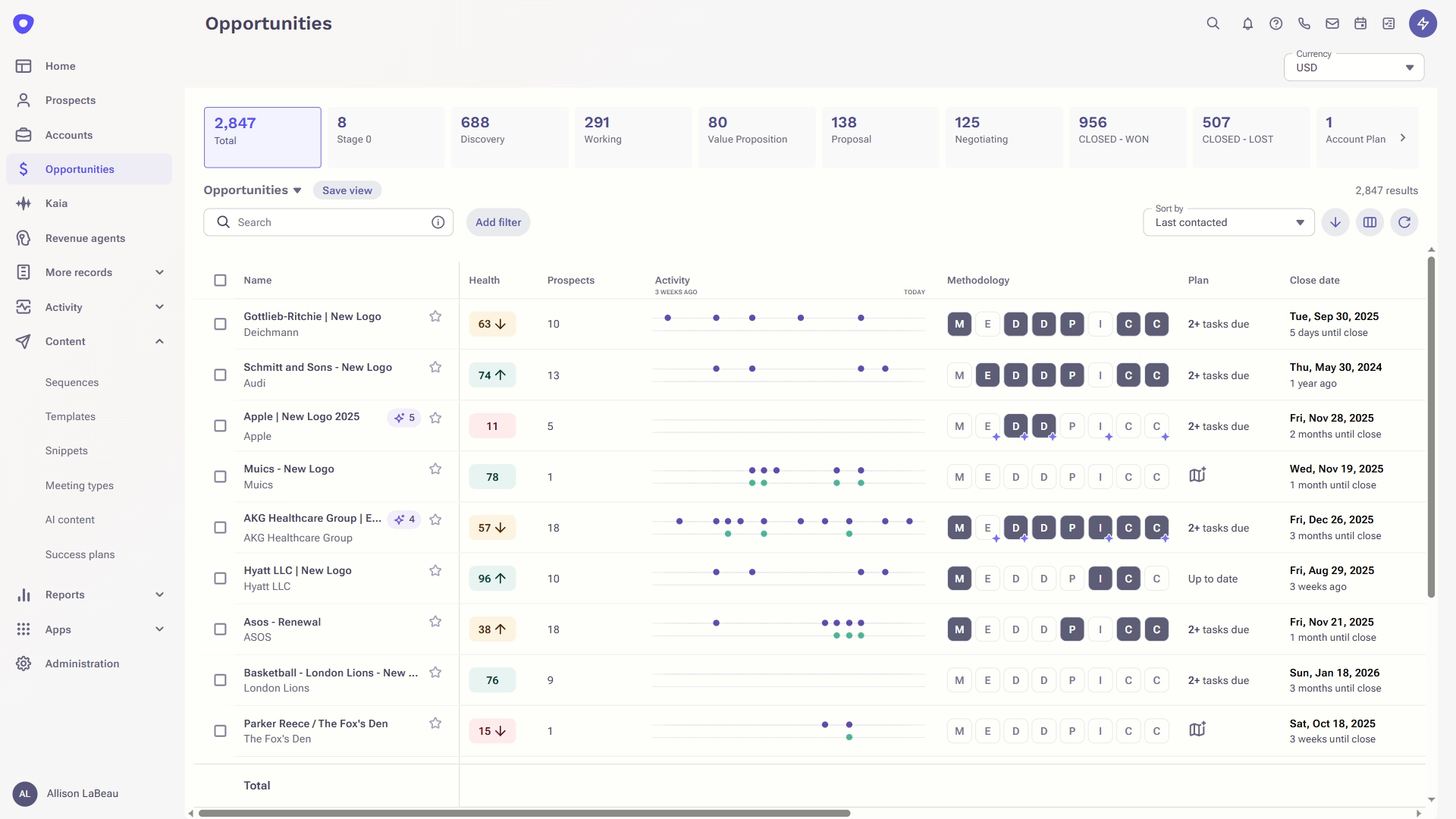
Outreach is great at managing my data to day tasks and reminders for next steps with prospects
The click to dial works great from Salesforce, and I love the integration with Salesforce where I can upload contacts into Outreach to start a sequence
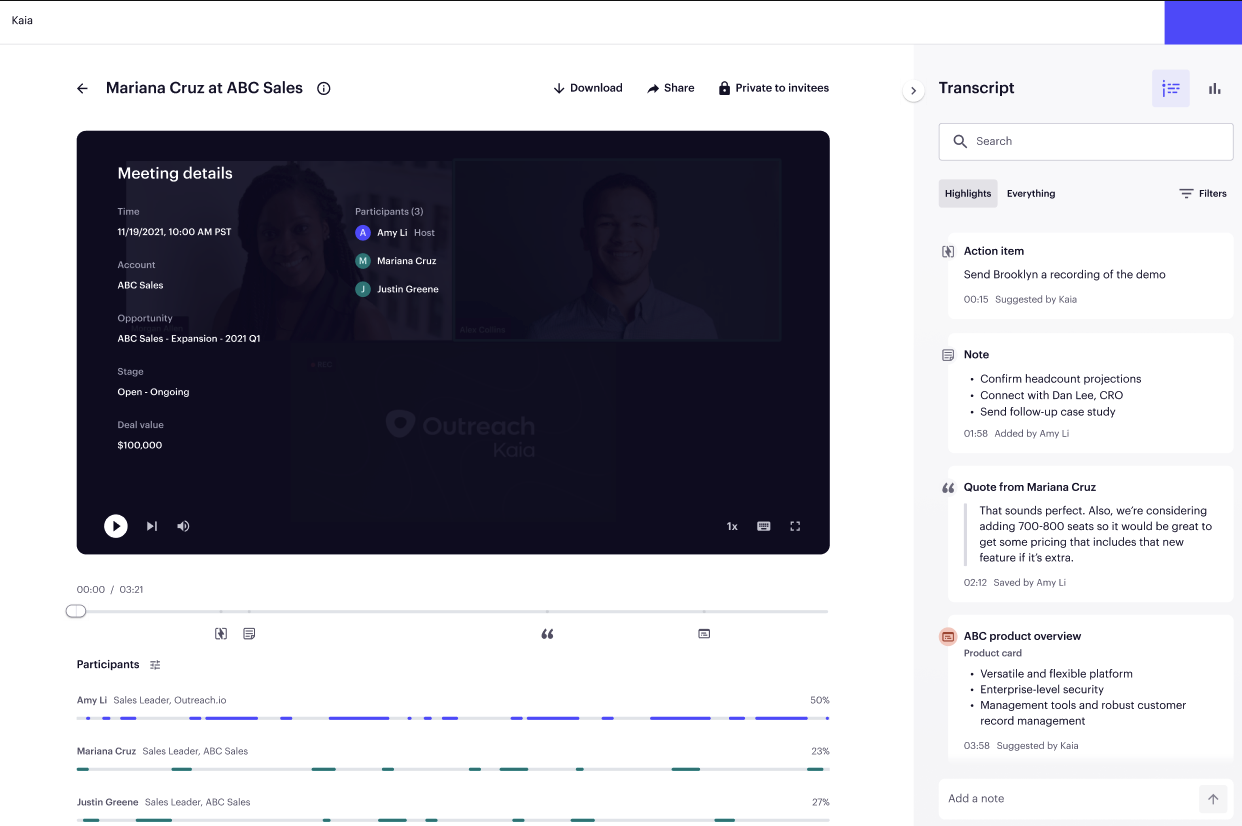
Outreach Kaia is perfect to capture calls and search provide actionable next steps. I also like going in and listening to other reps calls
I like the overview section for reports where I can see how I am doing compared to my peers. Especially on all metrics
The accounts tab is great to see at a glance which accounts have had the most engagement
A de minimis incentive was given to thank the reviewer for their time. The incentive was not used to bias or drive a particular response, nor was the incentive contingent on a positive endorsement. TR verified that a representative sample of customers was invited. More Info
A de minimis incentive was given to thank the reviewer for their time. The incentive was not used to bias or drive a particular response, nor was the incentive contingent on a positive endorsement. More Info
A de minimis incentive was given to thank the reviewer for their time. The incentive was not used to bias or drive a particular response, nor was the incentive contingent on a positive endorsement. TR verified that a representative sample of customers was invited. More Info
This question is a no-brainer. The tool is the industry standard for anyone tied to sales and marketing. The name "LinkedIn Sales Navigator" is synonymous with streamlining relevant customer and account data in an easy to use format that is actionable and intelligent. The focus on continuous improvement and richer means of communicating with customers and prospects is evident each time new features are rolled out. The social component of the tool even includes a gamification component to ensure that peers remain relevant among each other, which is refreshing and enjoyable for those who engage the tool on a daily basis.
A de minimis incentive was given to thank the reviewer for their time. The incentive was not used to bias or drive a particular response, nor was the incentive contingent on a positive endorsement. More Info
It's a strong tool that helps our sales development team manage a large number of qualified leads. The sequence framework ensures that every lead receives enough contact attempts that we have confidence that we're not abandoning our prospecting too early without the overhead of managing those activities manually.
A de minimis incentive was given to thank the reviewer for their time. The incentive was not used to bias or drive a particular response, nor was the incentive contingent on a positive endorsement. More Info
Overall, it's very user-friendly. It's hard for a tool to make sorting through loads of data easy, but Sales Nav does this very well. Its advanced search features enable us to be selective in finding the right people to talk to and connect with.
A de minimis incentive was given to thank the reviewer for their time. The incentive was not used to bias or drive a particular response, nor was the incentive contingent on a positive endorsement. More Info
It's not as simple as it used to be -- getting pretty bloated, and I'm not a fan of the UI. I think it could be a far more usable product (and indeed, at one point it was) if the most important things for a seller were the most prominent. Take cold emailing, for example: the window where messages are being composed is tiny, and it's frustrating to use—maybe that's just me, though.
A de minimis incentive was given to thank the reviewer for their time. The incentive was not used to bias or drive a particular response, nor was the incentive contingent on a positive endorsement. More Info
In our years as Outreach customers, I can count the number of outages we've experienced on one hand. Generally, outages have been very brief and have not completely frozen our access to the platform. Scheduled maintenance is always proactive communicated and the hours never interfere with standard business hours or scheduled sequences.
A de minimis incentive was given to thank the reviewer for their time. The incentive was not used to bias or drive a particular response, nor was the incentive contingent on a positive endorsement. More Info
Outreach's performance overall is very high quality. Pages load right away. Occasionally it might take a minute to generate a report, but not any slower than in other platforms I've used. Outreach is integrated into many of our other tools and seems to be a very clean integration. Everything runs very quickly.
A de minimis incentive was given to thank the reviewer for their time. The incentive was not used to bias or drive a particular response, nor was the incentive contingent on a positive endorsement. More Info
I would recommend LinkedIn Sales Navigator entirely. It has been the most user-friendly tool to use starting off in a sales role. I genuinely enjoy the navigation of the tool and how easy it is to save lists and see job changes within those lists. Generating leads and finding the most up to date information on prospects is all housed within this tool.
A de minimis incentive was given to thank the reviewer for their time. The incentive was not used to bias or drive a particular response, nor was the incentive contingent on a positive endorsement. More Info
There is almost zero customer support. What they do offer is a live chat feature which is active during "normal" business hours which is nice for instant inquiries if someone is available. However, you do not have a dedicated representative to address questions or concerns and their billing process is confusing and messy without any support.
A de minimis incentive was given to thank the reviewer for their time. The incentive was not used to bias or drive a particular response, nor was the incentive contingent on a positive endorsement. More Info
We were trained in person and it was very easy to understand. And if we missed any pointers there was more training given to us. So i always like this tool. The drafts were also prepared for us to sync outreach with our devices so it was straightforward. Highly recommend
A de minimis incentive was given to thank the reviewer for their time. The incentive was not used to bias or drive a particular response, nor was the incentive contingent on a positive endorsement. More Info
Lots of attention from the Outreach training team, with a great willingness to customize to our needs. To be clear, you get out what you put in. If you don't work with them, you'll get cookie-cutter training. But we asked for a lot of customization, and they delivered what we asked for.
I am unsure of the rollout, as I was not involved. I was an early adopter, and I have had a lot of success with the tool personally at multiple organizations, but I have no idea whether the implementation process encountered any errors. I can personally say that it works, and that I have not encountered significant issues with the tool since adoption, although a few issues like messages showing up as being unread even though they have been opened have been an on-again/off-again issues throughout the past few years. Overall, the company is doing a great job, and our implementation seems to have been effective.
A de minimis incentive was given to thank the reviewer for their time. The incentive was not used to bias or drive a particular response, nor was the incentive contingent on a positive endorsement. More Info
I expected more assistance in connecting Outreach with Salesforce. We have a basic connection, but many fields were left without a sync. We can apparently sync data without adding the app into Salesforce, but believe we could get more functionality with a better integration. The basics of setting up our sequences and using Outreac to run them was was fine.
A de minimis incentive was given to thank the reviewer for their time. The incentive was not used to bias or drive a particular response, nor was the incentive contingent on a positive endorsement. More Info
LinkedIn Sales Navigator is much more valuable than Dice or Cognism, as we do most of our prospecting on LinkedIn. Therefore, it means we can build lists of our prospects based on activity, connections, and buying intention. With Cognism and Dice, you cannot do this as they do not work alongside the LinkedIn platform and, therefore, lack the functionality that is essential to what we are using the platform for.
A de minimis incentive was given to thank the reviewer for their time. The incentive was not used to bias or drive a particular response, nor was the incentive contingent on a positive endorsement. More Info
They're not direct competitors, but they share many of the same functionalities. Gong has a greater focus on spoken communications, such as calls and demos, rather than emails. I think Gong also has stronger AI capabilities at the moment. However, I don't believe so, Gong would be ideal for prospecting and mass outreach, as Outreach is. Outreach is more suitable for exploration and outbound communications management, whereas Gong is better suited for deal and pipeline management and analysis.
A de minimis incentive was given to thank the reviewer for their time. The incentive was not used to bias or drive a particular response, nor was the incentive contingent on a positive endorsement. TR verified that a representative sample of customers was invited. More Info
As a business of 100+ people, we are on the smaller side. We took it on when we were 50 people overall with 15 sellers. We are now double that it has scaled brilliantly. We would completely trust the system to scale with us if we doubled in size
A de minimis incentive was given to thank the reviewer for their time. The incentive was not used to bias or drive a particular response, nor was the incentive contingent on a positive endorsement. More Info
A de minimis incentive was given to thank the reviewer for their time. The incentive was not used to bias or drive a particular response, nor was the incentive contingent on a positive endorsement. More Info
Increase in call metrics as it is easy to make more calls using Outreach features. Basically cutting down admin work time before the call.
Prospect journey and experience has been a positive flowing through a set amount of emails and calls rather than just being blasted with random emails. Helps BDRS stay focused on more important parts of the job.
A de minimis incentive was given to thank the reviewer for their time. The incentive was not used to bias or drive a particular response, nor was the incentive contingent on a positive endorsement. TR verified that a representative sample of customers was invited. More Info