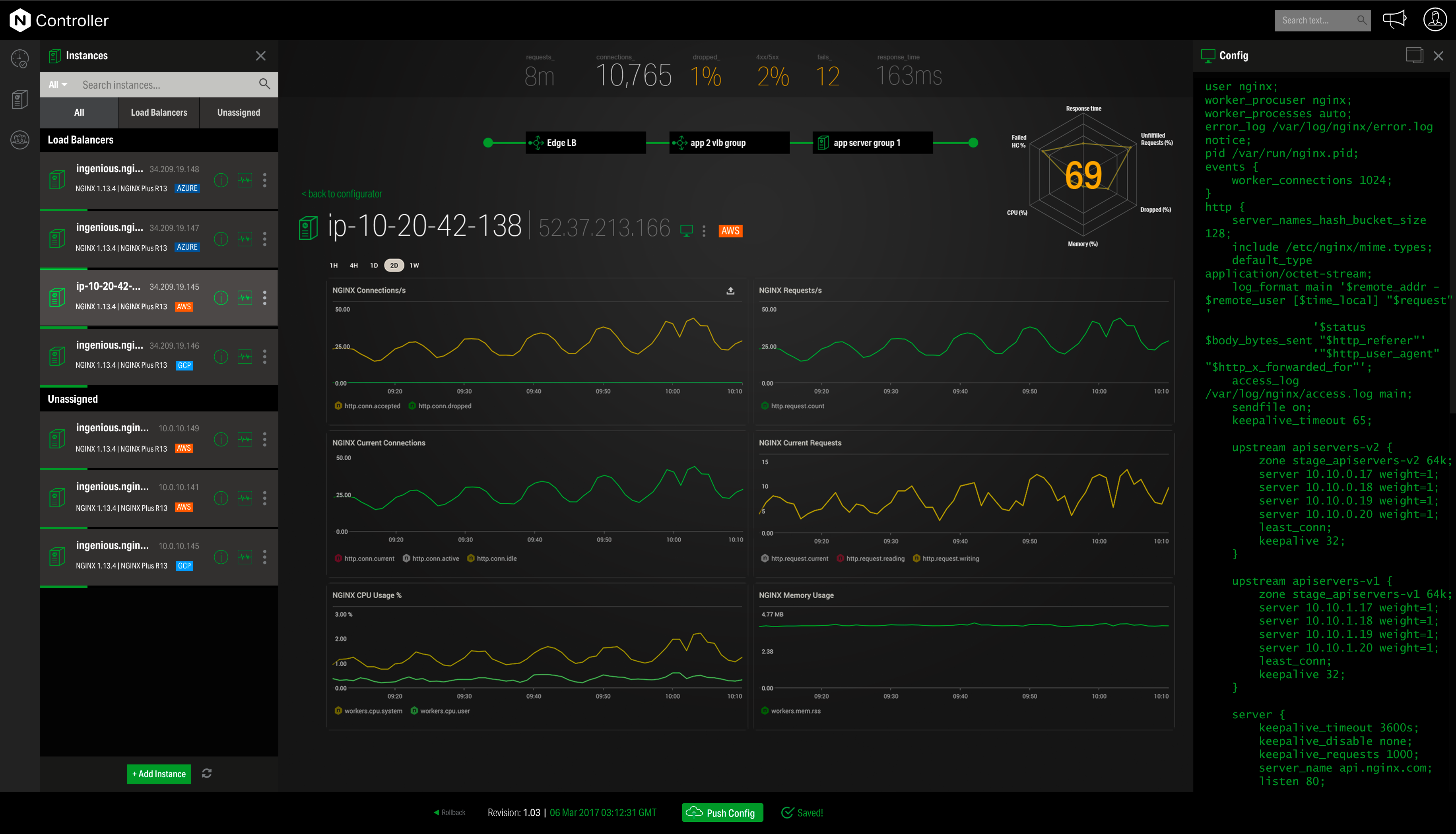
NGINX, a business unit of F5 Networks, powers over 65% of the world's busiest websites and web applications. NGINX started out as an open source web server and reverse proxy, built to be faster and more efficient than Apache. Over the years, NGINX has built a suite of infrastructure software products o tackle some of the biggest challenges in managing high-transaction applications. NGINX offers a suite of products to form the core of what organizations need to create…
N/A
Ubuntu
Score8.2 out of 10
N/A
Ubuntu Linux is a Linux-based operating system for personal computers, tablets and smartphones. There is also a Server version which is used on physical or virtual servers in the data center.
Director of Technology in Information Technology at Global Brigades, Inc. (Philanthropy, 51-200 employees)
Chose NGINX
Other Web servers are either not performant enough or locked to a platform. The main competitor in my opinion is the Apache Web Server, that can be extended in functionality through a diverse set of modules to perform almost any task related to a network server. But at scale, I …
A de minimis incentive was given to thank the reviewer for their time. The incentive was not used to bias or drive a particular response, nor was the incentive contingent on a positive endorsement. More Info
A de minimis incentive was given to thank the reviewer for their time. The incentive was not used to bias or drive a particular response, nor was the incentive contingent on a positive endorsement. More Info
Instructor in Information Technology at Plum Hill Productions (E-Learning, 5001-10,000 employees)
Chose Ubuntu
We chose Ubuntu largely because of the large user base and because desktop setups can be easy to learn for people used to Windows computers and, of course, other distributions of Linux. Not a single one of the people we work with has had formal education or training with …
A de minimis incentive was given to thank the reviewer for their time. The incentive was not used to bias or drive a particular response, nor was the incentive contingent on a positive endorsement. More Info
Director of Technology in Information Technology at Global Brigades, Inc. (Philanthropy, 51-200 employees)
Chose Ubuntu
Historically Ubuntu has been one step forward from Red Hat and CentOS distributions about software versions and tools usability. In the last years they've caught up and it's very comparable, but at this point, my decision was already made and I will continue choosing Ubuntu, …
A de minimis incentive was given to thank the reviewer for their time. The incentive was not used to bias or drive a particular response, nor was the incentive contingent on a positive endorsement. More Info
A de minimis incentive was given to thank the reviewer for their time. The incentive was not used to bias or drive a particular response, nor was the incentive contingent on a positive endorsement. More Info
Nginx is well-suited for any web server scenarios, such as web applications, backend or reverse proxy for both application and HTTP requests, and distribution. It is less appropriate for Windows-based applications that run directly on a Windows Server host. In any case, it is very easy to manage, through separate conf files for each application or site you want to host with it.
A de minimis incentive was given to thank the reviewer for their time. The incentive was not used to bias or drive a particular response, nor was the incentive contingent on a positive endorsement. TR verified that a representative sample of customers was invited. More Info
If somebody whishes to be an IT professional, learning the basics of Linux is amust. Ubuntu [Linux] is one of the most beginner-friendly, widely supported, easy-to-use-relative-to-the-fact-that-its-still-linux OS on the market. As somebody who learned the basics of UNIX/LINUX on Ubuntu, it was a very good experience. It is customizable, has a lot of improvements over the years, and live up to be a viable alternative to any modern OS in 2021 as well.
A de minimis incentive was given to thank the reviewer for their time. The incentive was not used to bias or drive a particular response, nor was the incentive contingent on a positive endorsement. More Info
A de minimis incentive was given to thank the reviewer for their time. The incentive was not used to bias or drive a particular response, nor was the incentive contingent on a positive endorsement. More Info
A de minimis incentive was given to thank the reviewer for their time. The incentive was not used to bias or drive a particular response, nor was the incentive contingent on a positive endorsement. More Info
Customer support can be strangely condescending, perhaps it's a language issue?
I find it a little weird how the release versions used for Nginx+ aren't the same as for open source version. It can be very confusing to determine the cross-compatibility of modules, etc., because of this.
It seems like some (most?) modules on their own site are ancient and no longer supported, so their documentation in this area needs work.
It's difficult to navigate between nginx.com commercial site and customer support. They need to be integrated together.
I'd love to see more work done on nginx+ monitoring without requiring logging every request. I understand that many statistics can only be derived from logs, but plenty should work without that. Logging is not an option in many environments.
A de minimis incentive was given to thank the reviewer for their time. The incentive was not used to bias or drive a particular response, nor was the incentive contingent on a positive endorsement. More Info
A de minimis incentive was given to thank the reviewer for their time. The incentive was not used to bias or drive a particular response, nor was the incentive contingent on a positive endorsement. More Info
A de minimis incentive was given to thank the reviewer for their time. The incentive was not used to bias or drive a particular response, nor was the incentive contingent on a positive endorsement. More Info
This tool is really easy to use and configure. Consumes very less system resources. It is highly modular and configurable. You can easily use it with other tools like certbot for SSLs. You can configure basic security with configuration and headers
A de minimis incentive was given to thank the reviewer for their time. The incentive was not used to bias or drive a particular response, nor was the incentive contingent on a positive endorsement. TR verified that a representative sample of customers was invited. More Info
I gave it 10 out of 10 because it allows me to do the work I need on a server, such as running a website and database, and making developments. In addition, thanks to its easy and useful interface during installation, it can be easily installed. In addition, thanks to its easily accessible documents, when a problem occurs, it can be solved easily and quickly.
A de minimis incentive was given to thank the reviewer for their time. The incentive was not used to bias or drive a particular response, nor was the incentive contingent on a positive endorsement. More Info
Community support is great, and they've also had a presence at conferences. Overall, there is no shortage of documentation and community support. We're currently using it to serve up some WordPress sites, and configuring NGINX for this purpose is well documented.
A de minimis incentive was given to thank the reviewer for their time. The incentive was not used to bias or drive a particular response, nor was the incentive contingent on a positive endorsement. More Info
We did not use the managed commercial support, but instead relied on community forums and official documentation. Ubuntu is very well documented across both instructional documentation from the developers themselves as well as informal support forums [ServerFault, YCombinator, Reddit]. It's easy enough to find an answer to any question you may have
A de minimis incentive was given to thank the reviewer for their time. The incentive was not used to bias or drive a particular response, nor was the incentive contingent on a positive endorsement. More Info
A de minimis incentive was given to thank the reviewer for their time. The incentive was not used to bias or drive a particular response, nor was the incentive contingent on a positive endorsement. More Info
I have found that [NGINX] seems to perform better throughout the years with less issues although I've used Apache more. I would definitely recommend [NGINX] for any high volume site and I've seen this to usually be the case from most provided web hosts who will pick [NGINX] over alternatives
A de minimis incentive was given to thank the reviewer for their time. The incentive was not used to bias or drive a particular response, nor was the incentive contingent on a positive endorsement. More Info
Windows 10: Expensive, with more security problems, more difficult to keep updated and less variety of free / open source applications. Its use encourages bad information security practices. OpenSuse Linux: A different distribution at source (Suse Linux), use of rpm packages (with fewer repositories and incompatible with Ubuntu Linux dpkg packages), and whose main objective is to be a "testing ground" for its paid version / professional, SUSE enterprise Linux.
A de minimis incentive was given to thank the reviewer for their time. The incentive was not used to bias or drive a particular response, nor was the incentive contingent on a positive endorsement. More Info
By using Nginx, we can host multiple web services on a single server, keeping our infrastructure costs lower.
Nginx maintains our HTTPS connections, allowing us to keep our promise to our customers that their data is safe in transit.
Due to Nginx's extremely low failure rate, our web addresses always return something meaningful, even when individual services go down. In sense, this means we are "always online" and allows us to maintain brand and support our customers even in the face of catastrophe.
A de minimis incentive was given to thank the reviewer for their time. The incentive was not used to bias or drive a particular response, nor was the incentive contingent on a positive endorsement. More Info
Systems administration with Ubuntu is easy with little deep knowledge about it. Docs and community publications are great resources for any task you need to perform on any Ubuntu server and the organization can save several salaries of specialized sys admins in favor of more active roles.
Having been an Ubuntu user for many years personally, setting up new Ubuntu servers on my organization came with zero cost for me. I just deployed one instance from my hosting/cloud provider and started working right after it was running, no need to ask support or hire new staff for these tasks.
Replacing paid options with Ubuntu have also saved thousands of dollars on Windows Server licenses. I've migrated Windows/SQL Server based systems to Ubuntu/MySQL/PostgreSQL several times during my career and saved about USD 5000/year in licenses to many of them.
A de minimis incentive was given to thank the reviewer for their time. The incentive was not used to bias or drive a particular response, nor was the incentive contingent on a positive endorsement. More Info