Overview
ProductRatingMost Used ByProduct SummaryStarting Price
Adobe Connect
Score 6.9 out of 10
N/A
Adobe Connect is a web conferencing platform that enables users to create presentations, online training materials, and learning modules. The product is entirely Adobe Flash-based and has several add-ons for customizing its software to suit each users’ unique needs.
$50
per host/per month
TeamViewer
Score 8.6 out of 10
N/A
TeamViewer provides software for both remote management and online collaborations. With TeamViewer, users have access to fully integrated online conference solutions for audio and video communication, including interactive screen sharing and remote access features.
$299
per year
RealVNC Connect
Score 8.4 out of 10
N/A
RealVNC® Connect is a secure remote access solution from RealVNC. It can be used to connect to a remote device anywhere in the world to view its desktop in real-time and take control as though sitting in front of it.
$99
per year (one concurrent session)
Pricing
Adobe ConnectTeamViewerRealVNC Connect
Editions & Modules
Meetings
$50
per host/per month
Webinars & Learning
$130
per host/per month
Small Meetings
Free
Forever free for up to 3 participants
Remote Access
$24.90
per month (billed annually) 1 Licensed User
Business
$50.90
per month (billed annually) 1 Licensed User
Premium
$102.90
per month (billed annually) 15 Licensed Users
Corporate
$206.90
per month (billed annually) 30 Licensed Users
Essentials
$8.25
per month (billed annually) per concurrent session
Plus
$16.50
per month (billed annually) per concurrent session (add up to 3)
Premium
$29.75
per month (billed annually) per concurrent session (add up to 5)
Enterprise
Custom Pricing
per year
Enterprise
Custom Pricing
Offerings
Pricing Offerings
Adobe ConnectTeamViewerRealVNC Connect
Free Trial
YesYesYes
Free/Freemium Version
NoYesYes
Premium Consulting/Integration Services
NoYesNo
Entry-level Setup FeeNo setup feeOptionalNo setup fee
Additional DetailsPlans work on a Per Concurrent Session basis. Each plan gives access to a bundled number of devices, but limits apply to the amount of devices that can be connected at any given time. The Premium plan includes On-Demand Assist, a useful tool for providing just-in-time remote support to end-users without them needing RealVNC Connect installed on their device.
More Pricing Information
Community Pulse
Adobe ConnectTeamViewerRealVNC Connect
Considered Multiple Products
Adobe Connect
Chose Adobe Connect
I was not involved in purchasing Adobe Connect, but if I have to give one reason why I would select it among other similar apps it would be because of its device compatability.
TeamViewer
Chose TeamViewer
RealVNC is an alternative to TeamViewer that we like a lot. However, we tend to only use RealVNC for our own in-house access, and TeamViewer for everything else, including access to customer machines. The main reason for this is because RealVNC is just slightly more complicated …
Chose TeamViewer
TeamViewer is a go-to product for almost all newbies and smaller organizations, allowing multiple simultaneous connections and the ability to transfer files, letting you serve multiple clients at once.
Chose TeamViewer
Pricing wise, the TeamViewer license is a lot more costly, but makes up for it in feature-richness and reliability. Pulseway has the benefit of having the possibility to keep an eye the IT infrastructure so you can catch things before they go wrong but our main focus was a …
Chose TeamViewer
Compared to other similar tools, teamviewer stands out for its simplicity of deployment, and easy management of users and devices. I can manage access centrally, there is not so much complexity for firewall releases on customers. In addition, for the end user, the installation …
Chose TeamViewer
In the various tests we conducted for about a month with ten users with different roles and responsibilities, TeamViewer scored best in all parameters of our evaluation matrix. Cost/benefit and ease of use were the highest rated. All applications suffer a lot in Internet …
Chose TeamViewer
it stacks up cause for the price TeamViewer is easy to use and work really great
Chose TeamViewer
TeamViewer is a one click solution that doesn’t require the client to be a networking tech savvy to set it up. With TeamViewer, no need to worry about private and public IPs nor firewalls and reverse proxies as the connection can be established through the TeamViewer servers …
Chose TeamViewer
Better security, stack of features, much better user friendliness and so on and so forth. Also the mobile support is a good edge. They keep updating the product and securing it.
Chose TeamViewer
The ease of use and application compatibility made the choice an easy one. The quick support module allows us to support our agents without the need for installation, which a lot of users appreciate. Connecting using an ID and password is much easier than trying to configure …
Chose TeamViewer
I have selected TeamViewer over AnyDesk, because AnyDesk remote address was duplicated with our 2 or more organization computers. Because of this we are facing remote connectivity issues and were not be able to connect to our Users. So we advised our users to download and …
Chose TeamViewer
TeamViewer is a 10 compared to the alternative. In office sessions are easy to set up but mobile and other users not within our organization takes too much time to set up for remote sessions. TeamViewer is ahead of the game compared to most features offered. Installation is …
Chose TeamViewer
fairly easy installation in any environment picked Teamviewer because we heard good reports
Chose TeamViewer
When I tried LogMeIn and VNC, I discovered that TeamViewer was more reliable, quicker to set up, and more consistent in terms of connection stability and reliability. All in all, it is a more cost-effective and efficient solution that can be deployed without the need to open …
Chose TeamViewer
Security is a major concern for any organization as well as clients. Choosing a remote access solution comes with its risks. TeamViewer is so far the best option and has a good safety track record to ensure that you and your data and client are safe. Other competitors didn't …
Chose TeamViewer
TeamViewer works really well and is easy to use when all versions are in sync. So our choice for overall ease of use would be TeamViewer but due to version issues and pricing issues, it is not our primary remote support platform. Should they improve the versioning issues and …
Chose TeamViewer
Teamviewer does everything the others do, if not more, but the cost was much better at the time of our purchase. I don't know what the price difference is currently.
Chose TeamViewer
I think the TeamViewer app is the most popular among IT professionals because of its simplicity. It has an interface that anyone who will use it for the first time will feel familiar [with]. During the period we supported users, it even offered an application that we could …
Chose TeamViewer
I have used LogMeIn and versions of VNC in the past, but I found that TeamViewer is more stable, easier to implement, and provides consistent connectivity. Overall it is cost-effective and a more efficient product that can be implemented without the need to open firewall ports …
Chose TeamViewer
TeamViewer is the middle-man between the enterprise tool Kaseya NOC Services and the lightweight tool LogMeIn Pro. TeamViewer provides the functionality of monitoring and reporting while easy to use and easy to deploy - sometimes with one click on a button you're connected. …
Chose TeamViewer
TeamViewer had a better performance on the company's use cases, so it was the chosen option.
Chose TeamViewer
Teamviewer generally is a good software with high usability qualities. It is also easier to use when all the devices are connected. However, the pricing of this software is posing a problem. Since AnyDesk is a free source software, we opt for it. Also, the versioning of …
Chose TeamViewer
Go with VNC. A much better option that does not deploy the auto renewal scheme that TeamViewer favors.
Chose TeamViewer
Team Viewer is one of the easiest and most powerful products that I have used for remote support, particularly the unattended support element to remotely access a machine without an end user. It is a market leader for a reason, it does what you need and so really it sells …
RealVNC Connect
Chose RealVNC Connect
RealVNC existed before TeamViewer, and that's why we stay with RealVNC. Now it seems like when we try to connect from outside the network, only TeamViewer can do that job very well. So far I don't see RealVNC has a similar feature that we need without changing any setting from …
Chose RealVNC Connect
TeamViewer seems to crash often, causing the TeamViewer host to have to be restarted. The performance isn't comparable to RealVNC and the GUI isn't very intuitive. TeamViewer does shine better when using it for external connections, but RealVNC is moe lightweight and adaptable …
Chose RealVNC Connect
VNC Connect stacks up very well to other competitors. With this simple program, you can remotely connect and access other computers with the same VNC Connect agent installed. The only reason we're moving away from using this is that our current Ninja RMM Tools computer …
Chose RealVNC Connect
Overall the VNC Connect software outperforms the TeamViewer software in most areas however, the TeamViewer billing model can be more appropriate for some situations.
Chose RealVNC Connect
I have used TeamViewer and while both are great programs, VNC just seem more minimalist and tuned to doing EXACTLY what I need it to do.
Chose RealVNC Connect
I like VNC over TeamViewer and Microsoft Remote Desktop Services. TeamViewer seems slower than VNC and is more expensive. Microsoft RDP takes over the console so users cannot interact in any way.
Chose RealVNC Connect
TeamViewer is another easy to use remote connectivity software that I like for fast connection and little lag. TeamViewer is good for screen sharing. I often prefer VNC Connect for its cross platform compatibility and its mobile access capability. TeamViewer is a little …
Chose RealVNC Connect
VNC is light and sleek with the quick setup, was impressed with the quick setup despite poor Internet connection outdoor. TeamViewer is good, but the pricing is not as good as VNC. Both do the basic job, but VNC still outperform TeamViewer in terms of performance and ease of use.
Chose RealVNC Connect
Security is a big deal, even more so these days. We needed a remote access tool that we could trust to be secure and constantly evolve to modern standards. VNC Connect came at eh right price for us and provides all the tools we need.
Chose RealVNC Connect
We selected RealVNC Connect due to their support of different OS's and having a mobile client.
Chose RealVNC Connect
The best part is that [the] VNC Connect application supports multi-platform compatibility with Windows and Linux systems. In addition, it is simple, and the session is approved or unapproved, which enables us to provide quick support in the business process. The running service …
Chose RealVNC Connect
It is good for one-shot use and not having to pre-configure remote devices, but we felt that the interface for connecting was not as simple.
Chose RealVNC Connect
With so many things tech-related we have many options and ways to accomplish the same thing. I think one of the important things to remember is the companies track record and support record for their users. In our experience, VNC Connect has been able to be competitive in all …
Chose RealVNC Connect
Teamviewer has a lot of unnecessary windows and menus that sometimes makes difficult to click your mouse in the right spot.

Web based remote control is pretty slow (e.g. logmein, AMMYY)
Features
Adobe ConnectTeamViewerRealVNC Connect
Performance & Compatibility of Online Events Software
Comparison of Performance & Compatibility of Online Events Software features of Product A and Product B
Adobe Connect
7.7
66 Ratings
3% below category average
TeamViewer
-
Ratings
RealVNC Connect
-
Ratings
High quality audio8.065 Ratings00 Ratings00 Ratings
High quality video7.065 Ratings00 Ratings00 Ratings
Low bandwidth requirements6.855 Ratings00 Ratings00 Ratings
Mobile support9.042 Ratings00 Ratings00 Ratings
Screen Sharing
Comparison of Screen Sharing features of Product A and Product B
Adobe Connect
7.5
65 Ratings
5% below category average
TeamViewer
-
Ratings
RealVNC Connect
-
Ratings
Desktop sharing7.065 Ratings00 Ratings00 Ratings
Whiteboards8.055 Ratings00 Ratings00 Ratings
Online Meetings / Events
Comparison of Online Meetings / Events features of Product A and Product B
Adobe Connect
5.6
66 Ratings
37% below category average
TeamViewer
-
Ratings
RealVNC Connect
-
Ratings
Calendar integration6.042 Ratings00 Ratings00 Ratings
Meeting initiation5.057 Ratings00 Ratings00 Ratings
Integrates with social media4.029 Ratings00 Ratings00 Ratings
Record meetings / events6.061 Ratings00 Ratings00 Ratings
Slideshows7.052 Ratings00 Ratings00 Ratings
Online Events Collaboration
Comparison of Online Events Collaboration features of Product A and Product B
Adobe Connect
6.7
65 Ratings
19% below category average
TeamViewer
-
Ratings
RealVNC Connect
-
Ratings
Live chat7.063 Ratings00 Ratings00 Ratings
Audience polling7.056 Ratings00 Ratings00 Ratings
Q&A6.053 Ratings00 Ratings00 Ratings
Online Events Security
Comparison of Online Events Security features of Product A and Product B
Adobe Connect
8.4
61 Ratings
5% above category average
TeamViewer
-
Ratings
RealVNC Connect
-
Ratings
User authentication7.953 Ratings00 Ratings00 Ratings
Participant roles & permissions8.061 Ratings00 Ratings00 Ratings
Confidential attendee list9.348 Ratings00 Ratings00 Ratings
VoIP system collaboration
Comparison of VoIP system collaboration features of Product A and Product B
Adobe Connect
6.5
1 Ratings
14% below category average
TeamViewer
-
Ratings
RealVNC Connect
-
Ratings
Video conferencing8.01 Ratings00 Ratings00 Ratings
Audio conferencing7.01 Ratings00 Ratings00 Ratings
Video screen sharing8.01 Ratings00 Ratings00 Ratings
Instant messaging3.01 Ratings00 Ratings00 Ratings
Security
Comparison of Security features of Product A and Product B
Adobe Connect
-
Ratings
TeamViewer
8.7
51 Ratings
3% above category average
RealVNC Connect
-
Ratings
Role-based user permissions00 Ratings8.751 Ratings00 Ratings
Remote Administration
Comparison of Remote Administration features of Product A and Product B
Adobe Connect
-
Ratings
TeamViewer
8.6
534 Ratings
3% above category average
RealVNC Connect
7.3
32 Ratings
8% below category average
File transfer00 Ratings8.8502 Ratings8.015 Ratings
Instant message00 Ratings8.6462 Ratings6.119 Ratings
Access to sleeping/powered-off computers00 Ratings7.3352 Ratings6.09 Ratings
Session record00 Ratings8.3361 Ratings8.02 Ratings
Annotations00 Ratings8.0129 Ratings5.36 Ratings
Screen sharing00 Ratings00 Ratings9.128 Ratings
Secure remote access with Smart Card authentication00 Ratings00 Ratings7.05 Ratings
Over-the-Internet remote session00 Ratings00 Ratings9.030 Ratings
Initiate remote control from mobile00 Ratings00 Ratings8.919 Ratings
Remote management of servers & workstations00 Ratings00 Ratings4.76 Ratings
Centralized management dashboard00 Ratings00 Ratings7.116 Ratings
Monitoring and Alerts00 Ratings00 Ratings7.03 Ratings
Multi-platform remote control00 Ratings00 Ratings9.011 Ratings
Platform & Infrastructure
Comparison of Platform & Infrastructure features of Product A and Product B
Adobe Connect
-
Ratings
TeamViewer
7.9
37 Ratings
1% above category average
RealVNC Connect
-
Ratings
Third-party software integrations00 Ratings7.937 Ratings00 Ratings
Remote Access
Comparison of Remote Access features of Product A and Product B
Adobe Connect
-
Ratings
TeamViewer
8.3
62 Ratings
6% above category average
RealVNC Connect
-
Ratings
Attended device access00 Ratings9.061 Ratings00 Ratings
Unattended device access00 Ratings8.557 Ratings00 Ratings
Mobile device access00 Ratings7.754 Ratings00 Ratings
Virtual device access00 Ratings8.351 Ratings00 Ratings
Multiple-display support00 Ratings8.352 Ratings00 Ratings
Multiple concurrent sessions00 Ratings8.351 Ratings00 Ratings
Best Alternatives
Adobe ConnectTeamViewerRealVNC Connect
Small Businesses
Intermedia AnyMeeting Pro
Score 7.1 out of 10
Getscreen.me
Getscreen.me
Score 9.7 out of 10
Getscreen.me
Getscreen.me
Score 9.7 out of 10
Medium-sized Companies
JioMeet
JioMeet
Score 9.8 out of 10
Action1
Action1
Score 9.5 out of 10
Remote Desktop Manager
Score 9.5 out of 10
Enterprises
Webex Meetings
Webex Meetings
Score 8.6 out of 10
Remote Desktop Manager
Score 9.5 out of 10
Remote Desktop Manager
Score 9.5 out of 10
All AlternativesView all alternativesView all alternativesView all alternatives
User Ratings
Adobe ConnectTeamViewerRealVNC Connect
Likelihood to Recommend
5.5
(94 ratings)
8.7
(553 ratings)
8.0
(37 ratings)
Likelihood to Renew
10.0
(27 ratings)
10.0
(64 ratings)
8.0
(8 ratings)
Usability
8.5
(38 ratings)
9.0
(57 ratings)
8.0
(4 ratings)
Availability
5.5
(1 ratings)
9.1
(5 ratings)
-
(0 ratings)
Performance
-
(0 ratings)
9.1
(5 ratings)
-
(0 ratings)
Support Rating
7.5
(31 ratings)
9.6
(50 ratings)
8.0
(2 ratings)
In-Person Training
-
(0 ratings)
9.1
(2 ratings)
-
(0 ratings)
Online Training
7.5
(2 ratings)
9.1
(4 ratings)
7.0
(2 ratings)
Implementation Rating
7.9
(4 ratings)
8.9
(114 ratings)
8.0
(2 ratings)
Configurability
-
(0 ratings)
9.1
(4 ratings)
-
(0 ratings)
Ease of integration
-
(0 ratings)
9.1
(5 ratings)
-
(0 ratings)
Product Scalability
5.0
(1 ratings)
9.1
(5 ratings)
-
(0 ratings)
Vendor post-sale
-
(0 ratings)
8.4
(5 ratings)
-
(0 ratings)
Vendor pre-sale
-
(0 ratings)
9.1
(5 ratings)
-
(0 ratings)
User Testimonials
Adobe ConnectTeamViewerRealVNC Connect
Likelihood to Recommend
Adobe
Adobe Connect is wonderful for repeatable branded learning experiences or webinars. They allow for creating an event with a series of similar layouts. The ability to alter these are easy, and duplicating layouts makes for fast alterations. Changing between layouts also creates visual interest as learners see things shift. Adobe Connect also is great for accessibility, the captions allow for resizing and placing the captions in various sections. The recordings also can have a searchable transcript to get to the information you want fast. Adobe Connect allows for running fun games/events as well, there are lots of apps that make the experience unique, and allows for managing content on screen as you'd like.
Read full review
TeamViewer
I think it works well for IT management and help desk support of end users. I find it very useful to help users and send files to their desktop. Remote Workers still run into some problems with MFA and updates, both to the TV Host app and OS updates. However, it does give us secure direct access without the need of a VPN.
Read full review
RealVNC
It is very easy to use if the remote device is already set up to receive connections, so if you are setting up devices before deploying them, it is a great tool to have. It is well-suited to use when shadowing users or using it as a teaching tool. There are other products that are better if you are trying to help someone on a one-use basis.
Read full review
Pros
Adobe
  • It's a quick method to exchange files, file, documents, and videos from a web app. Real-time conversation, and screen-sharing are all supported. It has a highly user-friendly interface. It is really simple to assist the teams.
  • Even team engagements is beneficial since it allows them to share their expertise with others, and the big benefit is the security of the rooms' access is fairly simple to manage.
  • The interface, which include features like notes, chat, pods, etc. When we're trying to gather rapid and exact information, simplify our work as much as possible.
  • Adobe Connect's features since they allow team members to express their ideas during meetings without causing disruptions, thereby bypassing the current international boundary of distance.
Read full review
TeamViewer
  • It is secure and eliminates the need for VPN for remote users.
  • It offers a 2FA to insure that security is strong for our system.
  • Can save time with file transfer syncs for labels, batches and other files.
  • It supports multi device and cross platform usage within our warehouse.
Read full review
RealVNC
  • VNC Connect does an excellent job in remotely connecting to a computer through either your local area network or even another computer on the internet. As long as the VNC Connect services is installed and the client is running in the background.
  • VNC Connect provides password protection to prevent unauthorized users from attempting to remotely access your computer. There's an option to have a separate password to remotely view vs view & access a computer. You can even add an additional level of security by turning on the feature to require Windows login credentials.
  • VNC Connect provides an additional set of controls after a remote connection has been established with another computer. You can have special keystrokes like Ctrl+Alt+Del sent as a command sequence to the other computer as well as access more than a single screen when in use at the remote computer location.
Read full review
Cons
Adobe
  • Nonetheless, Adobe Connect lacks the engagement monitoring, which can be critical for the management to oversee.
  • Besides, Adobe Connect has no certification management, which is essential in the current education or training field.
  • Lastly, Adobe Connect has no offline editing tool, hence, when the internet connection is not there, many things can not be conducted effectively.
Read full review
TeamViewer
  • With an iPad, you can't take control of the device, so you have to tell someone what to do. Which can be a challenge because the end user doesn't know what to do
  • With the free version of TeamViewer you cant enter Admin credentials because TeamViewer blocks the windows to fill in the credentials
  • The free version can be really limited which can be putting off people because they don't see the full potential of TeamViewer
Read full review
RealVNC
  • Its a pretty straight forward product - I would like to see more tools with a "wow" factor.
  • Panel colors are blah - I would like more eye-catching colors.
  • A more consistent look with all platforms - like Mac & PC.
Read full review
Likelihood to Renew
Adobe
The longer you use Adobe Connect, the longer you are likely to use it. Because you can build more and more resources over time, creating rooms that you re-use, recorded content you can repurpose, and tools that form the basis of ever increasing productivity, the more you use Connect, the more productive you become. Unlike competing products where, with every meeting you essentially start over -- setting up your resources for each meeting -- in my Connect rooms, I have highly tuned tools to accomplish my knowledge transfer goals. When I want to conduct another session - I send a link out to the appropriate room and instantly we are all focusing on getting a job done together. This ability of Adobe Connect to make you productive at an ever quickening rate is a competitive advantage
Read full review
TeamViewer
We need this tool in our day to day business. It is what we do all day remoting into clients devices. In this day and age we can access devices all over the world as long as we have secure internet connection. It certainly saves money in gas, and even if you are away you can help.
Read full review
RealVNC
VNC is a solid product for the price. It simply works and its reliable across different platforms. Some products state they work well in the Mac environment but don't deliver. This one does what it says. Connections are reliable, but of course, this depends on internet connections. The product works well over wireless connections as well. It delivers on what a remote tool should deliver on. My technicians are happy with the product and customers appreciate the ease of use when letting us connect to their systems. Some also appreciate the remote support while they are multi-task.
Read full review
Usability
Adobe
I gave it a 6 because it does have lots of functionality, has a strong brand and reputation following, etc. but it does have its glitches and experiences with low bandwidth issues. I believe it has more features than my organization fully leverages, so some of those pieces haven't been explored yet. But there are opportunities for improvement in their online resource support, stability at high usages as well.
Read full review
TeamViewer
TeamViewer is a reliable and really strong tool for accessing remote IT platforms secure and fast. We don't know any product that provide us such strong functionality to make our life as a internationally recognized MES provider with DIAMES with an international clientele so easy. We look forward for any new TeamViewer functionality that supports us even more.
Read full review
RealVNC
It's a niche product and in that niche they try to cater to as many use cases as they can. Other as a TCO aspect i don't see many use cases where you can't use this product as the one tool for all remote session use cases in your company
Read full review
Reliability and Availability
Adobe
No answers on this topic
TeamViewer
Always available if setup correctly.
Read full review
RealVNC
No answers on this topic
Performance
Adobe
No answers on this topic
TeamViewer
The application is built on VNC which is a very stable technology.
Read full review
RealVNC
No answers on this topic
Support Rating
Adobe
The customer support of Adobe connect is professional and well-skilled for resolving our minor and major issues. Moreover, it has almost all the features that will provide you a secure connection, with people across the world. Education institutes can also implement this software. On the basis of its quality and technology, I will surely advise you to try it once.
Read full review
TeamViewer
the few times i have had to contact teamviewer support, they were very responsive and give me quick answers and seemed to understand my problems quickly and easily. I did not have to sit on the phone for hours on hold or get passed around to multiple phone support techs before finding a solution to my issues, so i would rate their support very highly.
Read full review
RealVNC
VNC Connect is a reliable product that has been around for a long time. It is reasonably priced and works well in the Mac & PC environment. When you have a small team that supports many users we need tools that we can rely upon and that will get the job done on the first try. Many customers appreciate the quick assistance and can multi-task while our team works on their computer issues remotely. From a customer service point of view, this tool gives us transparency and efficient effectiveness.
Read full review
In-Person Training
Adobe
No answers on this topic
TeamViewer
As expected without any problem! Alternate in-person training is another efficient way to learn how a product works. There are many third party supporters for TeamViewer courses available that can give additional ideas how to use TeamViewer for specific functions and features as we did require in respect of our usage.
Read full review
RealVNC
No answers on this topic
Online Training
Adobe
The ability to have most of the functionality of a full LMS at a fraction of the cost is huge. I can create manage and deploy both synchronous and asynchronous training based on the situation and all of my training is tracked through a series of easily created reports
Read full review
TeamViewer
I have never used the online training either. I have watched a few informational videos that were helpful when learning how to do a specific procedure within TeamViewer and get the most out of the software by utilizing one of the many features that are available with the software. Again, 5 if for neutral.
Read full review
RealVNC
The training is very informative, quick and to the point. All of the details one would need are present so the user doesn't have to go searching for additional information just to use the application. The layout of the training was also neat and concise, some of the other training sessions for other companies I've done in the past were confusing and not well thought out, this one is much more superior
Read full review
Implementation Rating
Adobe
Prices do not seem to vary much among resellers of the Adobe Connect hosted license; the only price variation you're likely to find are among the audio providers. When implementing, you may also wish to look into expanding the amount of storage you are allowed on the server to avoid any problems later on as your library of files starts to build up
Read full review
TeamViewer
TeamViewer installation and deployment to other devices is pretty straightforward and does not require much technical know-how. This makes ease of use attractive when supporting both new and existing clients with limited technical knowledge. I think ease of use is a huge factor in getting new clients. TeamViewer handles that extremely well.
Read full review
RealVNC
No problem at all, love the product.
Read full review
Alternatives Considered
Adobe
Actually, it was the other way around....we were using Adobe Connect, company-wide, then switched over to Zoom, mostly, I think, as a cost-cutting measure. But some Learning & Development folks campaigned to be allowed to retain some Adobe Connect licenses (for example, one L&D area had literally over 250 room layouts that their course facilitators could just jump into and use to deliver a course on short notice), which also allows some of us to continue to publish Presenter and Captivate modules to the Adobe server. (But, even those of us who still have Adobe Connect licenses use Zoom for most regular business meetings.)
Read full review
TeamViewer
TeamViewer's cost is much lower than that of other solutions, and its security is far superior to RemotePC's. TeamViewer is also a request-based remote session manager, unlike other software that allows indefinite connection time. TeamViewer's free version makes it even better for one end of the group to find support, while the other end has the paid version.
Read full review
RealVNC
VNC is light and sleek with the quick setup, was impressed with the quick setup despite poor Internet connection outdoor. TeamViewer is good, but the pricing is not as good as VNC. Both do the basic job, but VNC still outperform TeamViewer in terms of performance and ease of use.
Read full review
Scalability
Adobe
No answers on this topic
TeamViewer
Stay up working. Easy to connect and disconnect. easy way to transfer files to another desktop
Read full review
RealVNC
No answers on this topic
Return on Investment
Adobe
  • Save on time - our instructors and people that use the platform can teach more classes and more often than in-person training and time traveling.
  • We cut down on spending. When we offer training using Connect - we do not have to spend on meals, hard copy materials, and reserving a venue to deliver training.
  • We increase our training sales significantly but offering Connect as an alternative - any unforeseen cancellations to a public class can result in transferring to a remote online Connected class.
Read full review
TeamViewer
It took about 3 months.
  • Customer Support of our business has become more interactive with customers, leading to faster resolution of their problems.
  • Remotely accessing devices in our office allows employees to stay productive while working from home.
  • TeamViewer helps us to collaborate with other firms for projects we're doing.
Read full review
RealVNC
  • I have just used the software for about 1 month and so far so god. I am saving time whenever I can access my client's computers from my desk as opposed to having to leave my office to go to their offices. Saves me time and the client money.
Read full review
ScreenShots

TeamViewer Screenshots

Screenshot of how TeamViewer lets users connect to devices and provide remote support.Screenshot of AI, automation and remediation.Screenshot of the interface to monitor and manage devices proactively.Screenshot of some of TeamViewer's integrations.

RealVNC Connect Screenshots

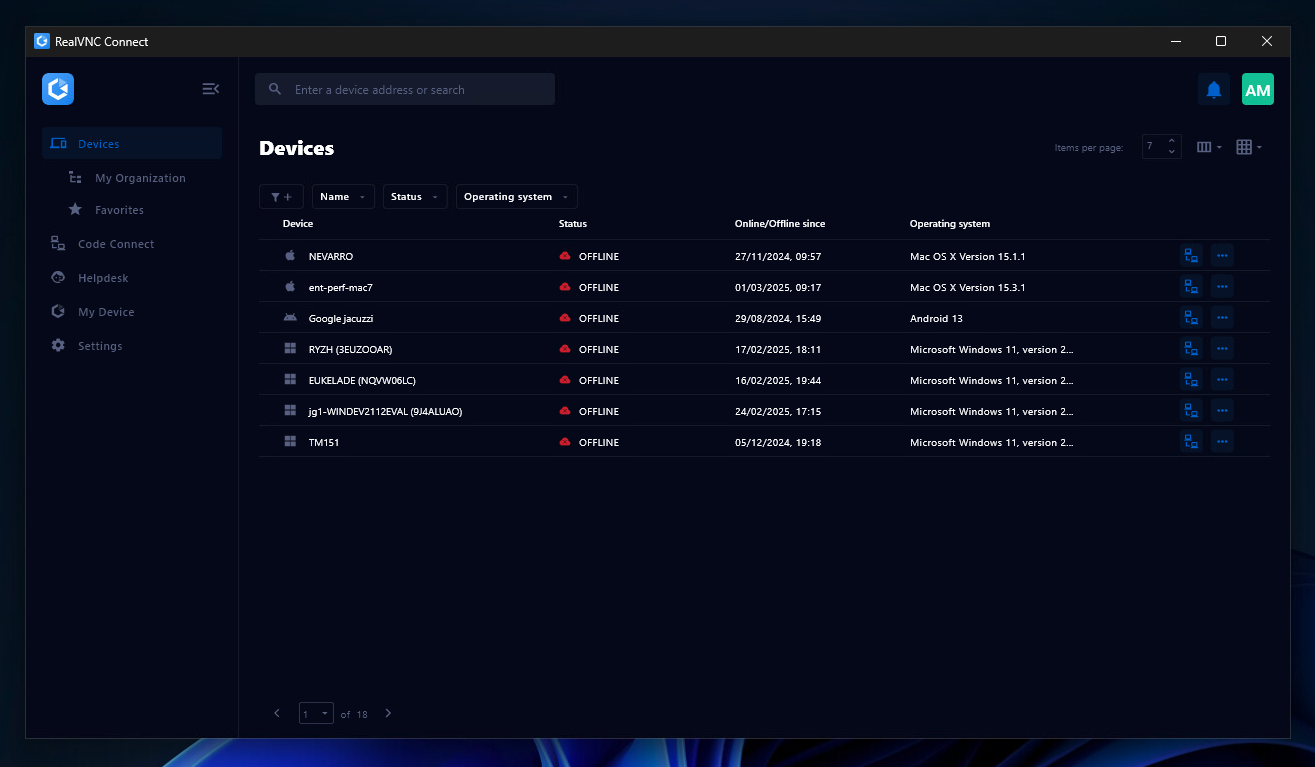
Screenshot of the Device List in the Connect v8 desktop appScreenshot of On-Demand Assist, which can be used to start a remote support session using a single-use code.