From GoTo (formerly LogMeIn), GoToMeeting is an online meeting, desktop sharing, and video conferencing software that enables users to connect via the internet. It hosts a suite of online meeting tools, including real-time screen sharing and integrated audio.
$12
per month
GoTo Webinar
Score 8.3 out of 10
N/A
GoToWebinar is GoTo’s webinar and online conferencing solution, and offers features like audience polling and Q&A, flexible scheduling experiences, and webinar templates. It offers CRM integrations and reporting & analytics tools to help engage clients’ audiences.
$49
per month per organizer
Webex App
Score 8.5 out of 10
N/A
The Webex App brings together Webex Calling, Meetings, and Messaging into a single application, fostering collaboration and unlocking more productive ways to work.
$0
user/month
Pricing
GoTo Meeting
GoTo Webinar
Webex App
Editions & Modules
Professional
$12.00
Per Organizer / Per Month for 150 Participants [billed annually]
Business
$16.00
Per Organizer / Per Month for 250 Participants [billed annually]
Enterprise
Custom Pricing
3,000 Participants
Lite
$49/month
per month per organizer
Standard
$99/month
per month per organizer
Pro
$199/month
per month per organizer
Enterprise
$399/month
per month per organizer
Basic Plan
$0.00
user/month
Meet Plan
$13.50
user/month
Meet + Call Plan
$25.00
user/month
Enterprise Plan
Contact Sales
Offerings
Pricing Offerings
GoTo Meeting
GoTo Webinar
Webex App
Free Trial
Yes
Yes
Yes
Free/Freemium Version
No
Yes
Yes
Premium Consulting/Integration Services
Yes
Yes
Yes
Entry-level Setup Fee
No setup fee
No setup fee
Optional
Additional Details
Pricing available by monthly or annual subscription, with discounts for annual commitments.
At first, I never thought that this platform is existing because I have been exposed to different platform before, not until I was employed in my current company and I can say that it helps me to communicate with my colleague . If there's an urgent concern regarding the task, I …
GoTo Meetings has no time limit for sessions with more than x attendees. GoTo Meetings provides an easy way to allow attendees to share their screens. GoTo Meeting does not require membership/license/registration attendees; they are not required to download the desktop …
GoTo Meeting is better than Zoom in terms of price and time/steps needed to join calls/meetings. In terms of brand value and awareness, many users and customers still prefer Zoom and Google Meet to GoTo Meeting. For GoTo to scale up and have more pie-share they need to position …
When exploring virtual meeting solutions, we evaluated alternatives such as Zoom and Microsoft Teams. GoTo Meeting stood out for its user-friendly interface, robust features, and a reputation for reliability, making it the preferred choice for our organization's diverse virtual …
easy to use rather another tools, improve performance in my solutions to my customers, when i use zoom has issues with guest machine because rare characters are typed with some disgusting with my customers, and we are not productive because lost several time correcting my …
I am end user. GoTo Meeting helped to remote sharing with on low bandwidths. The audio quality is better when we have low bandwidths and from Mobile data. Our OEM provides GoTo Meeting to attend their webinars, trainings and support assistance.
It's comparative but in a lot of the places I have worked GO TO is considered not as advanced as the bigger players but I think its come a long way. I think the other big players have there hands in the game more but it has the potential to move up. I think more people need to …
Zoom uses same technology for Meetings but to me zoom seems a bit less secure. zoom has chat feature which I like better as it helps chatting with individuals on the meetings. Webex is also same technology but seems slower for meetings.Webex seems to use a lot of internet …
GoTo Meeting does not offer end-to-end encryption as Zoom does. However, meeting experiences are all comparable among GoTo Meeting, Zoom, and Webex. GoTo Meeting is probably the least expensive of all these products. The screen-sharing experience is also about equal between …
Functionality amongst all the standard video/chat conference collaboration tools is about the same with the exception of better integration of other companies' software applications in their portfolio. I ran into issues with buffering with users on low bandwidth or "hot spot" …
Other than business and organization calls and conference applications like MS Teams, GoTo Meeting provides the possibility of having a larger number of participants and also having the option to have external parties join as well. And it allows a user to have full control over …
GoToMeeting competes head-to-head to competitors like Cisco's WebEx. There really is no difference currently between what GoToMeeting offers vs. WebEx.
We actually use several products. Google Meet for our classroom teachers to use with students because it is cheaper. GoTo Meeting offers a better quality experience but uses more bandwidth. Zoom has some great features that are comparable to GoTo Meeting. Zoom provides a better …
GoToMeeting has greater flexibility in live streaming, file sharing and collaborative work. Zoom does well when there is the need for only one person to be in control of the meeting. GoToMeeting has become the product that is easiest to use and train new employees how to use.
GoToMeeting is a solid basic option for remote meetings/teleconferencing. Although my team uses Zoom now, we had great experiences with GoToMeeting. I rarely if ever experienced poor video or audio quality, and I never heard my logistics team complain about GoToMeeting's …
GoToMeeting allows staff to create seminars and run them as a class where Skype can be used for a call and tends to glitch when adding others to create a full conference. GoToMeeting allows for more of a group setting, which helps grow a program and audience.
We selected GoToMeeting for its recording capabilities, but Skype now offers the same functionality without the cluttered/confusing GoToMeeting UI, and with a good degree of user competency from folks using it in their personal lives. Compared to the competition, GoToMeeting …
GoToMeeting is about as easy to use as Zoom and BlueJeans. It is comparable to Amazon Chime, but less integrated than Google Hangouts/Chat. Almost all these solutions include file sharing, screen sharing, chat, and polling. The most helpful features are dial-in numbers and …
Cisco WebEx > GoToMeeting > Microsoft Teams > Skype for Business. Cisco WebEx still remains one of the best technically available tools in the market, but it's expensive as well. And Microsoft Teams, bundled with Office 365 makes it a very attractive proposition to have. Still, …
In all honesty, there is very little difference from features and functionality standpoint from GoToMeeting and their primary competitors. It boils down to interface and ease of use for me. GoToMeeting is highly reliable and has evolved enough over time to keep me as an 8-year …
It stacks up very well for what it is designed for. I found no alternative that I could do as good of job at registration, conferencing, and capturing responses in one platform. I prefer the join.me interface and desktop UI to gotomeeting, but they do not have a competing tool …
GoTo Webinar simply looks much much more professional - it is the standard and professional go-to (quite literally) when it comes to presenting information in an easy, secure, accessible way. We also attempted to/used to following: Vimeo, GoTo Meeting, Google Hangouts Meet, …
We tried GoTo Meeting before and I think that GoTo Webinar stacks up against GoTo Meeting by being quite similar. They both share a lot of similar features but I beleive Goto Webinar targets those who have larger groups within the meeting. GoTo Webinar also allows for …
We needed more participant seats. Plus you can either buy a GoTo Meeting, or buy a GoTo Webinar and get a free GoTo Meeting with it. It is more cost effective that way.
I was only introduced to GoTo Webinar in my current role, I would always give this a 10/10 rating because it is a work from home workers friendly, easy to use and to set up. I am encountering any trouble using it. Just clicking the generated link and there, I am already in the …
GoTo provides features that others vendors don't have, analytics dashboard is exclusive for webinars sessions and it provides value to the complete solution, styling invite emails is another feature that will not find on other solutions. The advantage of other vendors is the …
GoToWebinar has quite a few competitors however the pre-, during, and post-webinar features that GoToWebinar offers helps it to soar over these other options. GoToWebinar's email reminders to clients, Q/A during the session, and post-survey follow-up keep your client engaged …
We preferred the GoToWebinar interface over WizIQ. GoToWebinar controls are simple and intuitive. Our teaching staff are scattered around the globe, so we have to have a platform that is super easy to use. We don't have resources for a lot of face-to-face training. We haven't …
I've used GoToWebinar at multiple different organizations, and it continues to be the most affordable, functional and easy to use remote desktop tool on the market. Webex has grown more and more expensive over the last decade, and BlueJeans is complicated and confusing to use.
I have used BlueJeans' video conferencing service for some of our work with other agencies. BlueJeans, unlike GoToWebinar, requires a separate software download, which is quite cumbersome. The sharing of controls is also far more difficult and often leads to long pauses while …
I selected gotowebinar as it was offering trial mode and I liked it. But I still think with number of participants that gotowebinar is allowing comparing to others they will need to think about lowering price and extending their capacities.
Webex had better connectivity in comparison to the other two. GoTo Meeting has a little complicated layout and Zoom's annoying feature of connecting to the audio every time you join a meeting. Webex had no such things, it joins meetings and doesn't ask you if you want to …
The user interface of Webex is way too good compared to GoToMeeting. There is no copy-paste option on the latter whereas Webex supports that like a charm. The audio clarity on Webex is nothing compared to what I saw in the GoToMeeting app. Webex does not require very high data …
It has more features, a LOT more security, ROI is in the region of up to 10x cheaper than our existing PBXes that are at sites. The Spaces and Teams set up is very easy to do, the extended features, once enabled, are even more so. The fact you can also manage it from a web …
Verified User
Technician
Chose Webex App
Webex App is better than other tools because it can be easily used both by employee and internal partners and external ones. Other tools ask for credential passcode or tailor made permission, Webex App doesn’t work in this sense and this is a plus. Also Webex App reminds you …
Webex App stands out in this crowded space of similar products due to it's high audio and video quality during meetings. It's transcript generation, video recording and other AI features makes it a great product for team collboration and communication. However, it's cost and …
Webex App offers high-quality audio and video so it is comparable to other web conferencing tools. It has strong end-to-end encryption for security and data privacy settings that are important when working in higher education. Unlike Zoom or Meet, Webex also provides persistent …
Webex is as good as any of these competitors, and because the messaging, calling and conferencing features are integrated, it is actually better than some of these, which are stand-alone for only one of the features. Also, since we are a Microsoft house and use Outlook for …
Webex Meetings proved to be better when stacked against Zoom and Microsoft Teams when it comes to hosting large meetings and providing documents to audiences. Also, not like MS Teams, Webex app have the capability to provide control over to the attendees outside of the …
I had to choose Webex App, my company uses it. It stacks up very poorly in the UI/UX department. The whole app is a mess. If it wasn’t a mess it would’ve taken over as the app of the pandemic. It needs a fundamental redesign. I hate using it.
Webex is definitely more user-friendly than most other platforms. There are a lot more controls than the basic Google Meet platform and definitely a lot easier than LogMeIn.
It was not my choice, but some customers have it for conference rooms or simply communication or support so I am always acting as a user for this app and it will be difficult to replace it with any other app as they don't have the same functionalities or the whole capabilities …
More features available for collaboration, sharing ideas, and design thinking. Design thinking as a problem-solving framework is used in the business. I’ve found Miro boards to be a great way to emulate design thinking activities virtually during a Webex [App] meeting (and they …
WebEx and WebEx Teams offers many more features and functionality that the other solutions could not. With our large investment in CUCM we saw WebEx Teams and the best platform to integrate with our existing investment. Cisco has proven to be a leader in this type of …
Similar features between all of the various products. The interface on the other products seem much more intuitive and easier to use. New users prefer other products as they find the Webex (formerly Webex Teams) interface dated and difficult to navigate. Good security …
Webex Teams is one of the industry standards among business collaboration tools. Our business has utilized Cisco products for a long time and have continued to utilize the service as the platform as evolved. Webex Teams stacks up well against the competition and even exceeds in …
I provide regular training as a big portion of my job. There is weekly training with an infinite number of users in attendance on any given date—GoTo Meeting is not the best option for this because I would have to mute users as they join the meeting. However, I also provide frequent training sessions to a small number of users that feature more individualized content, and having them able to mute/unmute at will is a better fit for a smaller group with in-depth materials.
It is great for big events like training or product demos. It's good for marketing webinars with features like polls and Q&A. It's not ideal for small, casual meetings. It can be too expensive for some businesses. For smaller events, other tools might be better.
It can be useful for organizations which uses hybrid and work from home model. By using this application we can seamlessly connect with each and every person in the organization. Used to conduct meetings about progress of project and can be able to present our data to others by screensharing option.
The online meeting within the internal team using Webex App is always a good experience as it helps well in sharing screen, and any content for that matter.
It helps in arranging online interviews and it is also very good experience using the web version of Webex App.
It also helps in arranging online training sessions and webinars which generally involve huge number of participants generally over 200+ participants and Webex App handles it very well.
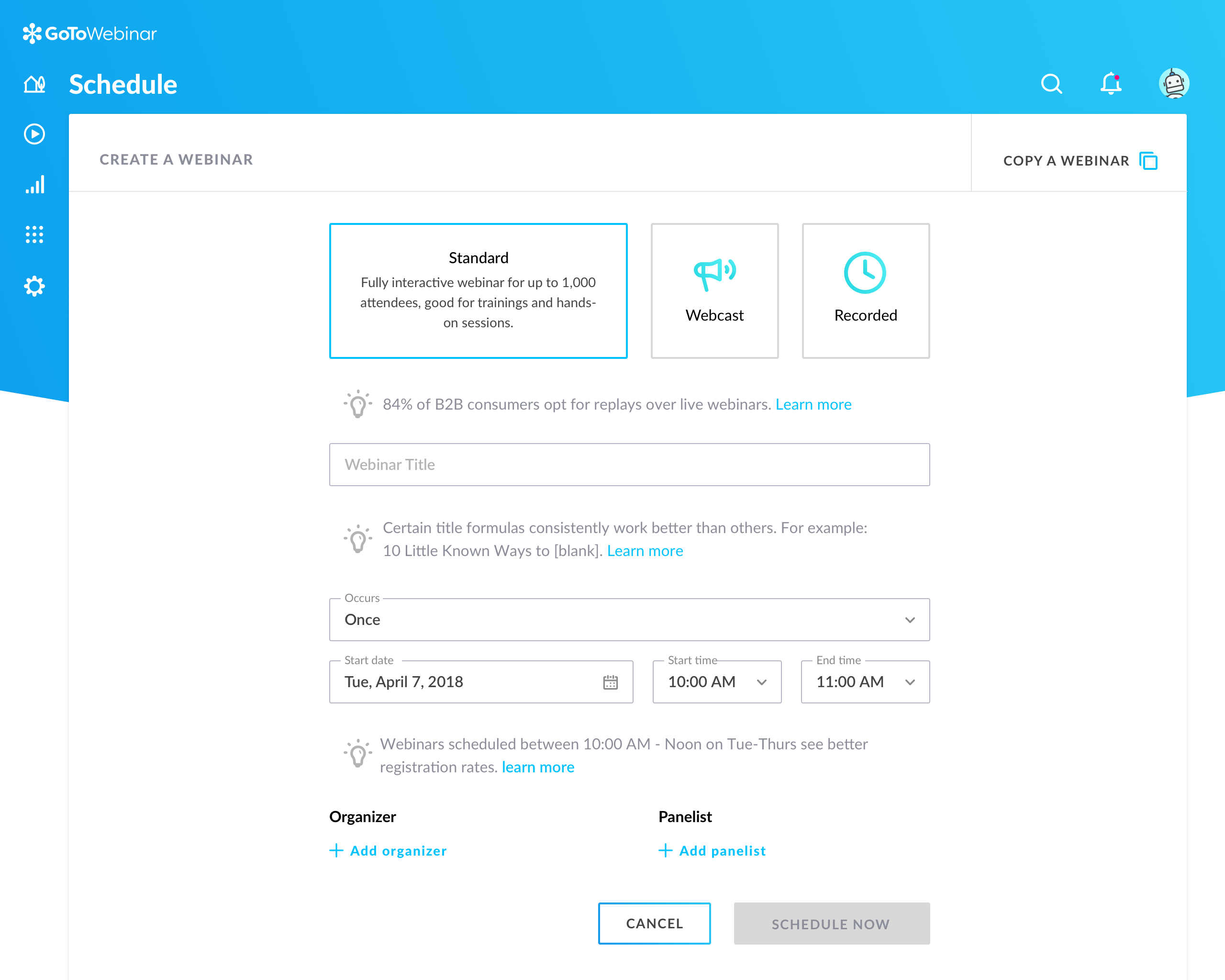
Can't schedule recurring webinars twice per week or every other week--must manually add or delete instances.
Can't schedule recurring webinars more than 'x' number of instances (less than a year's worth).
If you want a recurring webinar to continue past the last instance (in order to keep the same link), your only option is to manually add future instances before the last one occurs. If the last instance occurs, the webinar (and corresponding link) are archived with no recourse and you must recreate it from scratch and update every bit of external collateral with a new link. So I have to have reminders on my calendar every 6 months to go in and add additional dates for all my recurring webinars in order to keep my links active.
Canceling/changing seats is a huge pain.
The default 'join' screen is app-based rather than web based, so registrants often have to download GTW. I have a lot of clients whose computers are locked down from unapproved apps and have missed the webinar because the ability to join on the web is very unintuitive.
We used other software like goto meetings but found it best because of its user friendly interface and easy interfacing. It helped us in COVID and now we can say we are depending on it and love it. We recommend it to our friends company and they are also using it. It is very affordable and easy to integrate with system
Our largest issue with GoTo have been the limitations on recording and using recordings to host a webinar, and the biggest of those is the ability to record. We have had most of our webinars recorded successfully, but when it failed to save, it failed in a big way. Their customer service team was there to help, but they were unable to truly fix the problem. There are, of course, other providers, but as we are still seeing where hosted webinars fit in our marketing strategy, cost is an important factor. Since our company already uses GoToMeeting, it makes more sense for us to stay with the entire suite of products, especially while we are testing the strategy as a whole.
While Webex has strong adoption on the administrative side, the LTI tool for Webex is lacking some important support for teaching and learning. Therefore, faculty do not see much value in Webex and prefer to use other tools that are easier to access and more likely to benefit their students within the LMS. Webex has not been the easiest to work with for identifying pedagogical roadmap improvements, especially compared to competitors who work closely in the education space
The simplicity of GoToMeetings desktop, mobile, and web-based applications make it a very robust and user-friendly meeting solution. At times, it may be more complex than needed, but it is nice to have so many features that can be used if needed. Once installed, it is very easy to use and navigate.
This is very easy to set up, configure, onboard, and use. The features can be explored without much ado. In-webinar and post-webinar features are also used seamlessly. Any new person can self-train in minutes and be hands-on. I love the overall usability of this tool.
Webex is quite usable, and it is, in fact very easy to use as well. You don't need a lot of documentation to learn how to use the app as it's mostly self-explanatory. The user interface is easy on the eyes, and people can see buttons without issues. Overall, WebEx's front-end design is great and I don't have much issue with it.
I rated GoTo Webinar a 9 out of 10 for availability because it generally performs reliably, with minimal application errors or unplanned outages. The platform’s high uptime ensures that it’s usually accessible when needed, supporting a seamless experience for scheduling and conducting webinars. While occasional minor issues may arise, they are infrequent and typically well-managed, contributing to a strong overall rating for availability.
I would say every time I open it, it is there, there are times that our users have to sign out and back in to get it to work or even do a full exit as the app will disconnect from the controlling the desk phone, but some easy steps to sign-out or fully exit the app gets the user back up and running quickly.
I rated GoTo Webinar an 8 out of 10 for performance due to its generally robust capabilities. Pages load quickly, and reports are generated efficiently, even for complex data sets. The platform’s integration with other systems typically doesn’t introduce significant latency or performance issues. However, during peak usage times or when handling very large data volumes, there can be occasional slowdowns. Despite these instances, GoTo Webinar consistently provides strong performance and reliability in its core functions.
On standalone it works fine, it used to consume a considerable amount of system resources in the past, but with updates and upgrades, this has improved quite a lot. As far as integrations with other systems, we have not come across any critical issues with the app.
When we have issues, they seem to respond quickly and do everything they can to help us. They have even tried to find other ways we could get more use out of their product, or improve the way we are currently using it. Overall, their support has been fairly good for us.
I was always able to get someone on the phone when I needed to. They were very thorough and ensuring my questions were answered. And if I was asking for a solution or request that they didn't offer, they told me so I could at least stop trying to search for it.
Talking about Webex App technical support is talking about the quality because they are always attentive and willing to attend to our needs, and the response is immediate; every time we have needed help to solve a problem or find out a function, they have not responded quickly, Cisco has always been characterized by being efficient and deserving 10 points.
I am very satisfied with my experience with Webex App in online training. The creation of the event is very easy with the possibility of scheduling it in advance. The management of participants, organizers, and animators is complete. The invitations are automated and by simply using emails we can create all the schedules of the training session
I would rate the online training 8/10. It provided clear and well-structured content, making it easy to understand the core features of Webex. However, I believe it could have been more interactive, with practical exercises or real-life scenarios to enhance user engagement. More advanced topics or troubleshooting guides could also be helpful for deeper learning.
I didn't participate in the implementation nor did my company. As far as I know we have an IT office running alla these projects and we just use the final products for our educational purposes. I also didn't notice implementation at any level while using the desktop interface, but would immediately recognize it, if so.
There was quite a bit of back and forth with TAC and Cisco Reps to get it fully up and running but we did get there. Some of which had to do with documentation was not fully understandable. But with Cisco TAC we were able to get fully up and running.
Many times, it seems like GoTo Meeting requires less bandwidth to run. We noticed with a few test machines that if you have over twenty video streams, this product could handle the load better than if we used Microsoft Teams and had many video streams.
GoToWebinar has a user-friendly interface and intuitive controls. When comparing it with other platforms, assess how easily you can navigate through features, set up events, and engage with participants. Connection stability, audio and video quality seem pretty much ok. Interactive polls, Q&A sessions, recording options are also working fine and provide to the user experience
Microsoft Teams, while being built for more file sharing, completely misses the mark. I prefer Webex App which focuses on being a great chat tool, rather than trying to become something it is not. Slack is preferred over Webex App, but just barely, and it is only because Slack has a slightly more intuitive group discussion function.
I rated GoTo Webinar an 8 out of 10 for scalability because it effectively supports deployment across multiple departments and sites with its flexible features. It allows for easy management of large-scale webinars and integration with various systems, accommodating a growing number of users and sessions. However, some users might find limitations in advanced customization or specific integration needs as their requirements become more complex. Overall, its robust capabilities and adaptability make it a strong choice for scalable webinar solutions.
Once everything is in place on the back end getting Webex on a user's PC is now very easy and with single sign-on, users are able to sign in without having to remember another password. Just make sure you have all the user settings in CUCM, CUC set right, and that they have the needed licenses in Webex Control Hub.
Any collaboration app these days are now a great addition for those organizations which have more than one office and they need to collaborate with each other.
GoTo Meeting can contribute to cost savings by reducing the need for extensive travel, accommodation, and related expenses associated with in-person meetings especially in case like us as we have multiple branches.
Comfort in switching multiple OS platforms, when there is similar UI design.
HD video quality and HD screen share, make up presentations look more professional and standardized.
Less call/meeting drops as seen in other platforms applications.
Builds a level of trust, when we connect on Cisco's application platform with customers who are having their whole communication infrastructure shifted to Cisco Webex App.