Overview
ProductRatingMost Used ByProduct SummaryStarting Price
HipChat (discontinued)
Score 9.7 out of 10
N/A
Hipchat was discontinued by Atlassian. Users are being migrated to Slack.
$0
per user
SharePoint
Score 7.6 out of 10
N/A
Microsoft's SharePoint is an Intranet solution that enables users to share and manage content, knowledge, and applications to empower teamwork, quickly find information, and collaborate across the organization.
$5
Per User Per Month
Slack
Score 9.1 out of 10
N/A
Slack is a group messaging or team collaboration app that aims to simplify communication for businesses. Features include open discussions, private groups, and direct messaging, as well as deep contextual search and message archiving, and file sharing. Slack integrates with a number of other tools, such as MailChimp, Dropbox, and Google Drive. Slack was acquired by Salesforce in December 2020. The product is free to use, and also has paid plans with more features and greater controls. The…
$8.75
per month per user
Pricing
HipChat (discontinued)Microsoft SharePointSlack
Editions & Modules
HipChat Basic
$0
per user
HipChat Plus
$2
per user
Plan 1
$5.00
Per User Per Month
Plan 2
$10.00
Per User Per Month
Office 365 E3
$20.00
Per User Per Month
Free
$0
Pro
$7.25*
per month per user
Business+
$12.50*
per month per user
Enterprise
Contact Sales
Offerings
Pricing Offerings
HipChat (discontinued)SharePointSlack
Free Trial
YesYesYes
Free/Freemium Version
YesNoYes
Premium Consulting/Integration Services
YesNoNo
Entry-level Setup FeeNo setup feeNo setup feeNo setup fee
Additional DetailsFor Server pricing info please visit https://www.hipchat.com/server (Only $1.20/user/month at the highest user tier!)*Per active user, per month, when paying once a year. Pro is $8.75 USD per active user when paying month to month. Business+ is $15.00 USD per active user when paying month to month.
More Pricing Information
Community Pulse
HipChat (discontinued)Microsoft SharePointSlack
Considered Multiple Products
HipChat (discontinued)
Chose HipChat (discontinued)
Slack is way better, although it may be cost prohibitive for our team.
Chose HipChat (discontinued)
HipChat might have a slight edge over Flowdock because of the larger number of integrations available in the marketplace. Otherwise Flowdock is a way better tool out of the box. It has the best solution for separating multiple conversations/threads in the same room. It's email …
Chose HipChat (discontinued)
Slack is more fun to use, however, each channel you open doesn't feel like something you want to close, so they stack up quickly. Hipchat feels much more focused.
Chose HipChat (discontinued)
HipChat stacks up really well against Slack. Many of the same features, look and feel and performance. Although we have about half of us on Mac and half on PC and several times we hear complaints of the desktop app not connecting soon after updates are released. Slack also …
Chose HipChat (discontinued)
Hipchat was selected by my superiors and works fine, though we are limited to the free version with only 10k message history. I prefer Slack or Telegram, though Telegram would require quite a bit of customization, Slack is a superior, cheaper option to Hipchat.
Chose HipChat (discontinued)
At the time we looked at Slack there wasn't an on-premise option. Hipchat also had a better client at the time. We had issues with notifications on Slack.
Chose HipChat (discontinued)
We left HipChat because of ongoing support issues and it didn't seem to be exactly, cutting edge. We now use Slack which seems to be much more in line with our organization as a whole. The features we use on slack were not offered at the time on HipChat and I think they had …
Chose HipChat (discontinued)
HipChat offers a good advantage for organizations looking for a low cost communication tool. The integration is easy and widely supported by many forums. Though, the technical issues are less reliable. Due to technical failures, Slack and Skype take the cake. Slack offers many …
Chose HipChat (discontinued)
Slack is by far a better alternative, and HipChat was only developed as an alternative to Slack. It certainly falls short. The platform is not user-friendly, it is generally a bit buggy, and it doesn’t organize conversation threads in an efficient way like Slack does.
Chose HipChat (discontinued)
At the time, our organization was using Jabber for communication, which wasn't suited well for teams. HipChat brought a ton of great features when moving from Jabber, such as the ability to make rooms for each of our projects.

Rocket Chat is an open-source Slack clone, which …
Chose HipChat (discontinued)
Slack is better developed then HipChat. It's better and faster for connecting with people. HipChat is also good but needs to be developed. The company has to update their software regularly to reach the level where Slack is now.
Chose HipChat (discontinued)
HipChat really cannot compete with Slack so it doesn't surprise me that they've purchased the code base from Atlassian. As I mentioned earlier in the review it's screen sharing, video/audio quality and file transfers abilities are almost universally done better by the …
Chose HipChat (discontinued)
I've used Slack and it's much better app in comparison with HipChat. Slack is much faster than HipChat. Slack has strong user community and lot of documentation around how to use it. Product functionality and performance is superb with Slack compared to HipChat. Slack has more …
Chose HipChat (discontinued)
We selected HipChat because it was an enterprise solution to our organization. It allowed us to connect our enterprise ticketing software (which was used for everything) to communicate updates/patches and solutions to our clients. HipChat was a great tool because we were able …
Chose HipChat (discontinued)
Aside from HipChat we used Slack and Cisco Spark. Cisco Spark doesn't look as outdated as Hipchat but still is very limited with integrations and requires a paid version to take full advantage of it. Mobile version of Cisco Spark is limited and doesn't have many settings. Slack …
Chose HipChat (discontinued)
I used HipChat in a company which was pro "open source" and another one which is pro Atlassian.
For the "open source" company I was not involved in the decision of selecting HipChat but I know that the integration with Jenkins and other internal tools were drivers for selecting …
Chose HipChat (discontinued)
We used hipchat because it is part of the Atlassian family of products, so integration was probably the easiest than if we went with something else. It's easy to for non-technical people to pick up and start using without much difficulty and allows flexibility in customization, …
Chose HipChat (discontinued)
Hipchat works about as well as the other products (Skype and Google Chat). The other products have the advantage of video chat embedded into the system. I couldn't see HipChat as a stand alone product, we mainly use it because it matches with other software like JIRA, though …
Chose HipChat (discontinued)
I haven't evaluated any similar products. HipChat is really just perfect for the Atlassian user. Before my company used HipChat we were using Google Hangouts.
Chose HipChat (discontinued)
Hipchat behaves equally good among several other platforms used at my company (OSX, Windows, Linux). It brings us the possibility to integrate with most of our used tools, and the cost is lower than other options. Chat history and encryption makes it easier to find previous …
Chose HipChat (discontinued)
Now using Slack and it kicks ass over HipChat for so many things. It's worth the expensive price.
SharePoint
Chose Microsoft SharePoint
Slack is not great for document sharing, but it does integrate with SharePoint and One Drive when we need to post links. Slack is better at the chat function though, which is definitely missed from SharePoint.
Chose Microsoft SharePoint
Egnyte is the superior solution due to the way it segments data and provides a holistic approach to sharing and access. Microsoft SharePoint provides this a bit but could improve but the value of Microsoft SharePoint is greater given it is included in our subscription.
Chose Microsoft SharePoint
There are many tools in the collaborative space and SharePoint is a solid choice among them. The deep integration to Microsoft tools and O365 makes it a good choice for any company that is already invested in the Microsoft suites; better than the others in that respect.
Chose Microsoft SharePoint
For my time\money, Google Drive is an infinitely better investment than SharePoint, including in a business setting. Although it may not integrate with existing infrastructure (e.g. Active Directory) as well as SharePoint, Google Drive is much more efficient and effective for …
Chose Microsoft SharePoint
They are about as equally usable. We used SharePoint because it was included with our 365 license.
Chose Microsoft SharePoint
While SharePoint isn't as easy to use as Igloo or Squarespace, it comes bundled with Office 365 and drives the backend of those tools. I don't see SharePoint as a place people want to go and see stuff, but rather as a glue that supports all the other Office Products. If we …
Chose Microsoft SharePoint
  • It is part of the Office platform and integrates with other MS applications.
  • From the point of view of performance and security, SharePoint is the best product for any organization.
  • It is a versatile tool, allows creating workflows that support and streamline project management.
Chose Microsoft SharePoint
Is not a document depository but does allow for sharing of documents and collaboration and is much cheaper.
Slack
Chose Slack
Slack is definitely the marketplace leader for chat / digital communication. Overall Slack has done a very good job of making communication and collaboration easy and non-disruptive. The biggest feature that sets Slack apart from the other tools is the clean interface and …
Chose Slack
Slack has better integration than HipChat and better mobile apps and mobile notifications.
Chose Slack
HipChat would be Slack's biggest competition, Slack has it beat in reliability and set-up time, if only Slack could adopt some of the features HipChat provides, such as the ability to edit typos and change the layout it would be much better. In my team, I chose Slack over HipCh…
Chose Slack
Slack has very useful and nice capabilities within its channels and integrations, but more sometimes can be less. Distraction can be a very bad factor for busy channels, and that might lead indirectly to losing information, especially since many users can set "snooze" on …
Chose Slack
I hated HipChat. It was clunky, not userfriendly, and just didn't work for us. Slack is the standard in this industry and we'd never go to a different option.
Chose Slack
HipChat is the first chat tool that I learned and still use to this day. I am most comfortable with its interface and the team I use it with is trained to communicate there consistently. Slack was introduced to me later as we expanded into working with other teams within our …
Chose Slack
I find that even though Slack is more expensive, it is way more simple, organized and straightforward than HipChat. Also, Slack has a much better performance on most mobile devices. Togther with that, HipChat has way less interations with other softwares than Slack, and these …
Chose Slack
I like Slack better than the competitors I know of. HipChat had a superior search if I recall correctly. Otherwise, Slack is a cleaner and more fun version of the chat system.
Chose Slack
We selected Slack because HipChat was being deprecated, and we needed to migrate to something else. Slack was the closest product in comparison to what we had tested. There were pains in migrating, but after all, was completed, it was pretty close to the same functionality and …
Chose Slack
If the recipient is not online then Skype doesn't work properly. Similarly, we missed some notifications on HipChat so Slack is much better these.
Chose Slack
Slack is better suited for actual work teams rather than communities, so it wins against Discord. About HipChat - in my opinion, it was a dinosaur that is not discounted, and it's obvious why, considering the type of product Slack delivered!
Chose Slack
Partial to Slack due to longevity of using the platform.
Chose Slack
Slack blows Teams out of the water with its simplicity and fun vibe. I used to work with a team before, but Slack is faster, smoother, and more intuitive—no clunky menus or endless clicks. It is also packed with playful features like custom emojis and integrations, making work …
Chose Slack
Slack is another level. It integrates well with a great variety of third-party services. The huddle feature is great for starting a discussion quickly. The way channels and messages are organized is better.
Chose Slack
Slack is 1000 times better that Microsoft Teams in my opinion. I find teams very outdated and not visually appealing. It almost looks likes its from the early 2000s. Slack is much more modern and sleek. Better emojis and reactions with Slack. Also even easier to navigate than Mi…
Chose Slack
I prefer Slack over Teams for example.
Slack is a bit more modern and easier to use
Chose Slack
Due to the notification systems of the other tools, we shifted to Slack. Sometimes HipChat was showing duplicate messages and sometimes the order was messed up. Similarly with Skype, if the other guy is online then the message was delivered but if not, they did not have a good …
Chose Slack
Slack is far and away much better. It's quick and reliable. Something simple like having more emojis has made it much better just from that standpoint not to mention the other functions to be able to have a web call or set up groups and/or various channels, etc...
Chose Slack
Slack works a lot better than its alternatives. It has smart notifications and a lot less bugs. It is easy to search through messages and files. Also you can pin the message in the channel and start a thread from any message you want in order not to bother others with your reply.
Chose Slack
Because of the notifications, we used to use another tool and that tool does not alert you when you have new messages.
Chose Slack
Overall I think it has the best collection of features in an easy to use interface that feels familiar to most people. I believe it is the only one that allows you to be a part of multiple teams and toggle between that with a simple click, which is great for our organization.
Chose Slack
Slack has a much easier to understand interface, less loading time and overall a faster/cleaner feel, also provide few additional functionalities to make usage even easier, faster and productive. Nicer to the eye also.
Chose Slack
Slack blows its competition out of the water, especially the voice call quality: it's second-to-none. Also, it has the most thorough integration support in the business.
Chose Slack
Slack was an easy-to-use, fun way to collaborate with colleagues. It definitely has a different feel from email communications and "more serious" project management and collaboration tools. We selected Slack because it fit the personalities of the people who were going to use …
Features
HipChat (discontinued)Microsoft SharePointSlack
Project Management
Comparison of Project Management features of Product A and Product B
HipChat (discontinued)
7.3
106 Ratings
6% below category average
Microsoft SharePoint
-
Ratings
Slack
7.9
625 Ratings
2% above category average
Mobile Access7.397 Ratings00 Ratings9.4598 Ratings
Search7.2103 Ratings00 Ratings8.3605 Ratings
Task Management00 Ratings00 Ratings7.7428 Ratings
Gantt Charts00 Ratings00 Ratings6.961 Ratings
Scheduling00 Ratings00 Ratings7.8361 Ratings
Workflow Automation00 Ratings00 Ratings8.1394 Ratings
Visual planning tools00 Ratings00 Ratings7.4273 Ratings
Communication
Comparison of Communication features of Product A and Product B
HipChat (discontinued)
7.3
132 Ratings
9% below category average
Microsoft SharePoint
-
Ratings
Slack
8.8
633 Ratings
9% above category average
Chat7.7132 Ratings00 Ratings9.6632 Ratings
Notifications7.7130 Ratings00 Ratings8.8629 Ratings
Discussions6.5110 Ratings00 Ratings9.2617 Ratings
Surveys7.834 Ratings00 Ratings8.1410 Ratings
Internal knowledgebase7.043 Ratings00 Ratings7.8409 Ratings
Integrates with GoToMeeting7.023 Ratings00 Ratings8.9110 Ratings
Integrates with Gmail and Google Hangouts00 Ratings00 Ratings8.7182 Ratings
Integrates with Outlook00 Ratings00 Ratings8.9120 Ratings
File Sharing & Management
Comparison of File Sharing & Management features of Product A and Product B
HipChat (discontinued)
6.3
95 Ratings
24% below category average
Microsoft SharePoint
-
Ratings
Slack
8.4
600 Ratings
5% above category average
Video files6.585 Ratings00 Ratings8.3538 Ratings
Audio files6.873 Ratings00 Ratings8.5525 Ratings
Access control6.660 Ratings00 Ratings8.3409 Ratings
Advanced security features5.949 Ratings00 Ratings8.3360 Ratings
Integrates with Google Drive6.027 Ratings00 Ratings9.0211 Ratings
Device sync6.055 Ratings00 Ratings9.0452 Ratings
Versioning00 Ratings00 Ratings8.2324 Ratings
Document collaboration00 Ratings00 Ratings8.0426 Ratings
Best Alternatives
HipChat (discontinued)Microsoft SharePointSlack
Small Businesses
Stackby
Stackby
Score 8.9 out of 10
HCL Connections
HCL Connections
Score 9.0 out of 10
Stackby
Stackby
Score 8.9 out of 10
Medium-sized Companies
Troop Messenger
Troop Messenger
Score 9.8 out of 10
RWS Tridion Sites
RWS Tridion Sites
Score 9.0 out of 10
Troop Messenger
Troop Messenger
Score 9.8 out of 10
Enterprises
HCL Connections
HCL Connections
Score 9.0 out of 10
RWS Tridion Sites
RWS Tridion Sites
Score 9.0 out of 10
HCL Connections
HCL Connections
Score 9.0 out of 10
All AlternativesView all alternativesView all alternativesView all alternatives
User Ratings
HipChat (discontinued)Microsoft SharePointSlack
Likelihood to Recommend
6.8
(133 ratings)
7.9
(269 ratings)
9.1
(626 ratings)
Likelihood to Renew
9.8
(2 ratings)
9.8
(26 ratings)
10.0
(25 ratings)
Usability
7.2
(8 ratings)
8.2
(31 ratings)
9.0
(248 ratings)
Availability
-
(0 ratings)
-
(0 ratings)
10.0
(2 ratings)
Performance
-
(0 ratings)
-
(0 ratings)
10.0
(2 ratings)
Support Rating
7.1
(7 ratings)
8.8
(13 ratings)
9.9
(68 ratings)
In-Person Training
-
(0 ratings)
4.5
(1 ratings)
-
(0 ratings)
Online Training
-
(0 ratings)
6.4
(1 ratings)
-
(0 ratings)
Implementation Rating
8.4
(3 ratings)
6.0
(5 ratings)
8.7
(5 ratings)
Configurability
-
(0 ratings)
-
(0 ratings)
10.0
(2 ratings)
Contract Terms and Pricing Model
-
(0 ratings)
-
(0 ratings)
10.0
(1 ratings)
Ease of integration
7.6
(8 ratings)
-
(0 ratings)
9.2
(2 ratings)
Product Scalability
7.2
(10 ratings)
-
(0 ratings)
10.0
(1 ratings)
Professional Services
-
(0 ratings)
-
(0 ratings)
10.0
(1 ratings)
Vendor post-sale
-
(0 ratings)
-
(0 ratings)
10.0
(1 ratings)
Vendor pre-sale
-
(0 ratings)
-
(0 ratings)
10.0
(1 ratings)
User Testimonials
HipChat (discontinued)Microsoft SharePointSlack
Likelihood to Recommend
Atlassian
Well suited for
Cross-teams communication.
Webhooks support. Easy integrations with Atlassian products and other systems as well. File sharing directly or in a group. Video/Audio calls.
Not suited for:
Lacks apps integration like Slack.
Lacks quality with video calls.
Slow file transfer for large files.
Frequent downtime due to app instability.
Read full review
Microsoft
SharePoint Document Management excels as a central repository for storing, organising, and retrieving documents. It supports version control, metadata tagging, secure access, and integration with tools like Power Automate. At our organisation, it's used for managing contracts, policies, and supplier documents. SharePoint Workflow Automation integrates with Power Automate to streamline approvals, gather feedback, and automate recurring tasks. This reduces reliance on email chains and manual trackers.
Read full review
Salesforce
Slack is great for tracking commits to new coding projects. You can take parts of code that still need to be implemented later and easily search through the history of comments if there is something that goes wrong with a code commitment. It can be difficult for people that only like Teams to adjust to a new platform if you are using both to communicate.
Read full review
Pros
Atlassian
  • HipChat is very stable and reliable. I have never had issues with not being able to connect or being able to communicate with others on HipChat.
  • HipChat integrates quite well with other applications, such as Jira and Stash. This is a main selling point for my team. It provides a convenient feed of actions on a JIRA story or Stash pull request.
  • HipCat does a good job of allowing 1-1 and group chats. It is simple to start a new conversation and it is easy to hold a group conversation and keep track of who is in the room.
  • I like how HipChat has away/here/on mobile statuses. This makes it easy to see if a person is available to be contacted.
Read full review
Microsoft
  • We track employees' performance sheets, which are accessible to the employee, his manager, and HR, and this helps with transparency.
  • We maintain technical process documents and SOPs, which help us quickly provide relevant documents during audits.
  • We maintain incident documents change request forms in SharePoint, which helps us in tracking the changes.
Read full review
Salesforce
  • Huddles Run smoothly without any interferences.
  • Smooth individual calls quick and easy without any interruptions.
  • seamless notifications across multiple devices
  • The ability to easily tag a team member to urgently attend to a specific escalation.
  • Slack being user friendly and able to integrate easily with other platforms and apps.
  • How to easily open up different channels for different escalations and needs.
  • a safe direct messaging option.
Read full review
Cons
Atlassian
  • Mobile app is not very responsive on iOS. Sometimes connection to Hipchat servers is taking too long even on good networks.
  • Both mobile and desktop versions have no alphabetical or recent sorting for groups and chat rooms.
  • Video and audio calls are pretty useless, they're slow and not always work.
  • The whole user interface is simple but very outdated - apparently Atlassian didn't focus too much on Hipchat even though they tried in the last 2 years.
Read full review
Microsoft
  • Windows Explorer users have some difficulty having to constantly UPLOAD / DOWNLOAD files. Specifically on the DOWNLOAD when they are used to Drag & Drop in & out of LOCAL folders via Window's explorer.
  • Microsoft SharePoint supports multiple "library" types. When implementing our "image" library the search function is done via "tags" and boolean logic. This is challenging to most end users. I'd like our users to be able to search our Microsoft SharePoint image library without having to enter KEYWORD or other BOOLEAN logic.
  • Microsoft SharePoint can also be an internal website for each department or company wide communication tool but I believe these features are geared for much larger organizations. Since we are a SMB we really aren't using these features. So maybe something more useful to SMBs would be nice.
Read full review
Salesforce
  • Would love a better integration with GitHub. For example, notifications when your PR is updated, when review is requested, @-mention in comments, etc.
  • Improved "Later" tab, for example the ability to create to-do lists or making the "Later" tab into a more powerful to-do list (annotate items with notes)
  • More powerful integrations, e.g. Google Calendar could render a calendar view within Slack, rather than sending the daily schedule
Read full review
Likelihood to Renew
Atlassian
If they fix the bugs the last update gave that are causing hipchat to crash more often.
Read full review
Microsoft
It's integral to our business. It's already included with most of the Office 365 licensing we buy, so the cost is effectively zero. It stores our files, it is the foundation for custom applications, and Microsoft only continues to enhance its functionality and its connections to other Microsoft tools. SharePoint just keeps getting better and better.
Read full review
Salesforce
To be more transparent, I give 10 because Slack serves our collaboration needs. It provide us a good platform for team communication relaying important update within the company, it has even mobile app where you can install in your phone to monitor any updates within that team that needs your immediate attention and intervention.
Read full review
Usability
Atlassian
The app itself had a pleasant if not generic interface. As a user experience expert and engineer I can say the interface is fairly intuitive if not bland. It does what you expect it to do and it's available on iOS and Android devices. If I recall it was generally pretty light weight in terms of installation size.
Read full review
Microsoft
No usability issues reported. Individual teams also have allocated areas which replace legacy shared drives on local LANs. Access to Sharepoint resources is fully integrated with corporate Active Directory with additional two-factor authentication required for administrative users. Users have access to Microsoft Services Hub which allows you to create, manage, and track support requests while staying current on Microsoft technologies with access to select self-paced learning paths
Read full review
Salesforce
My rating was 7. Its intuitive interface and user-friendly features like channels, threads, and integrations make it excellent for team communication and onboarding. However, its usability is held back by the resource-intensive desktop app and cluttered feeling in large workspaces. The mobile app's performance and unreliable notifications have also been noted as weaknesses.
Read full review
Reliability and Availability
Atlassian
No answers on this topic
Microsoft
No answers on this topic
Salesforce
Yes, the app works 24/7. I don't even recall having any period that we could not use since the implementation. Even the maintenance periods are barely noticeable and our work is not impacted by it when it happens.
Read full review
Performance
Atlassian
No answers on this topic
Microsoft
No answers on this topic
Salesforce
Slack is a soft app, we don't have many issues with it. I recall one or two people complaining about something during our usage period, but I didn't have a bad experience. When the app is slow, usually the problem is with my computer or my internet. The app works just fine.
Read full review
Support Rating
Atlassian
HipChat support is good . Responds in timely manner when ever we have raised the request via email , phone and gives us continue update on the request .Though most of the questions are answered by HipChat FAQs , but they can still improve it and add more to the knowledge base .
Read full review
Microsoft
Support for SharePoint is quite good. Microsoft provides good support. Microsoft offers
  • Quick turnaround time for issues
  • A range of support services
  • Access to a network of resources
  • Escalation of issues
  • Ongoing development and commitment to produce enhancement
The majority of support is required for initial installation. Once complete and the system is operating we have had very few support issues.
Read full review
Salesforce
Whenever I've had to troubleshoot an issue with Slack (which, to be honest, has not happened very often), their online documentation has been easy to locate, easy to understand, and effective in resolving my issue. Slack's ever-growing popularity also means that there's a large community of practice out there that can be depended upon.
Read full review
In-Person Training
Atlassian
No answers on this topic
Microsoft
The face to face training I received was on SharePoint Administration. It was rushed as there was a lot of information to cover and the application of the labs weren't that great either. I like to be able to relate what I am learning to what I am currently doing.
Read full review
Salesforce
No answers on this topic
Online Training
Atlassian
No answers on this topic
Microsoft
I like to learn at my own pace and online training allows for that. Additionally, you can skip through pieces of content that you already know or are already comfortable with. Microsoft actually offers great videos on their website for basic fundamental SharePoint Training. I have used these training videos in some of my own training sessions with end users.
Read full review
Salesforce
No answers on this topic
Implementation Rating
Atlassian
I don't have insights as I was not a part of the implementation. However, I love the end product
Read full review
Microsoft
Planning to the last detail would be advised. SharePoint is a very large application that takes a lot of finesse to get operational
Read full review
Salesforce
I was not part of the implementation team, but I recall being 100% happy and excited to learn and use a new tool. I'm still am to be honest.
Read full review
Alternatives Considered
Atlassian
We tried a lot of chat clients before choosing HipChat. The Skype for Business UI on the Mac side was 5 years old and terrible. Mac users hated the app including our CTO. Cisco Jabber was expensive to license and maintain; Skype was open to the public which took time away due to users dealing with spam and could allow viruses and malware. HipChat being a closed product, centrally managed and available to try without an upfront investment was perfect for our environment. All our Agile teams have their own room, chat and can communicate with others quickly and easily.
Read full review
Microsoft
The reasons for selecting MS SharePoint are: SharePoint provides ease of use and web design assistance and support SharePoint helps you schedule your content for publishing. enables users to share documents with external parties and offers a better internal structure of the content and better indexing and searching capabilities.
Read full review
Salesforce
I like Slack better than ClickUp, because I would spend 30-60 minutes a day updating my ClickUp tasks. The way ClickUp was used was very micromanaging. I billed by the hour, so I was willing to put in the time to alert the boss what tasks I was working on.
One of my jobs used Hive - I mostly just ran it in the background in case anyone messaged me. I did not use it often.
Read full review
Scalability
Atlassian
Actually I never shared of HipChat using with more than 25 persons in team simultaneously, but I believe it can be scaled for much largest collaboration teams. At least it works flawlessly for us, with transparent integration with Jira, and I am not see any reasons for some troubles for work at big scale.
Read full review
Microsoft
No answers on this topic
Salesforce
No answers on this topic
Return on Investment
Atlassian
  • HipChat has increased the effiency with which I am able to communicate with my coworkers, particularly those who work out of other offices. Having a light, portable messaging solution has been beneficial for checking in on small things without the need to send emails or schedule phone calls.
Read full review
Microsoft
  • It comes with Office 365. It won't cost you any additional charges.
  • It will help you to streamline your communication and work as a central hub for all tasks, files[,] and events[.]
  • Setting it up will need a bit [of] planning. If you jump blindly it will become a confusing place for your team members and make them frustrated[.]
Read full review
Salesforce
  • Slack has been incredibly helpful in connecting various tech apps and ecosystems, creating a more streamlined and responsive process.
  • Slack has made it significantly easier to communicate with our team members across multiple time zones, creating a more engaging environment for our all-remote team.
Read full review
ScreenShots

HipChat (discontinued) Screenshots

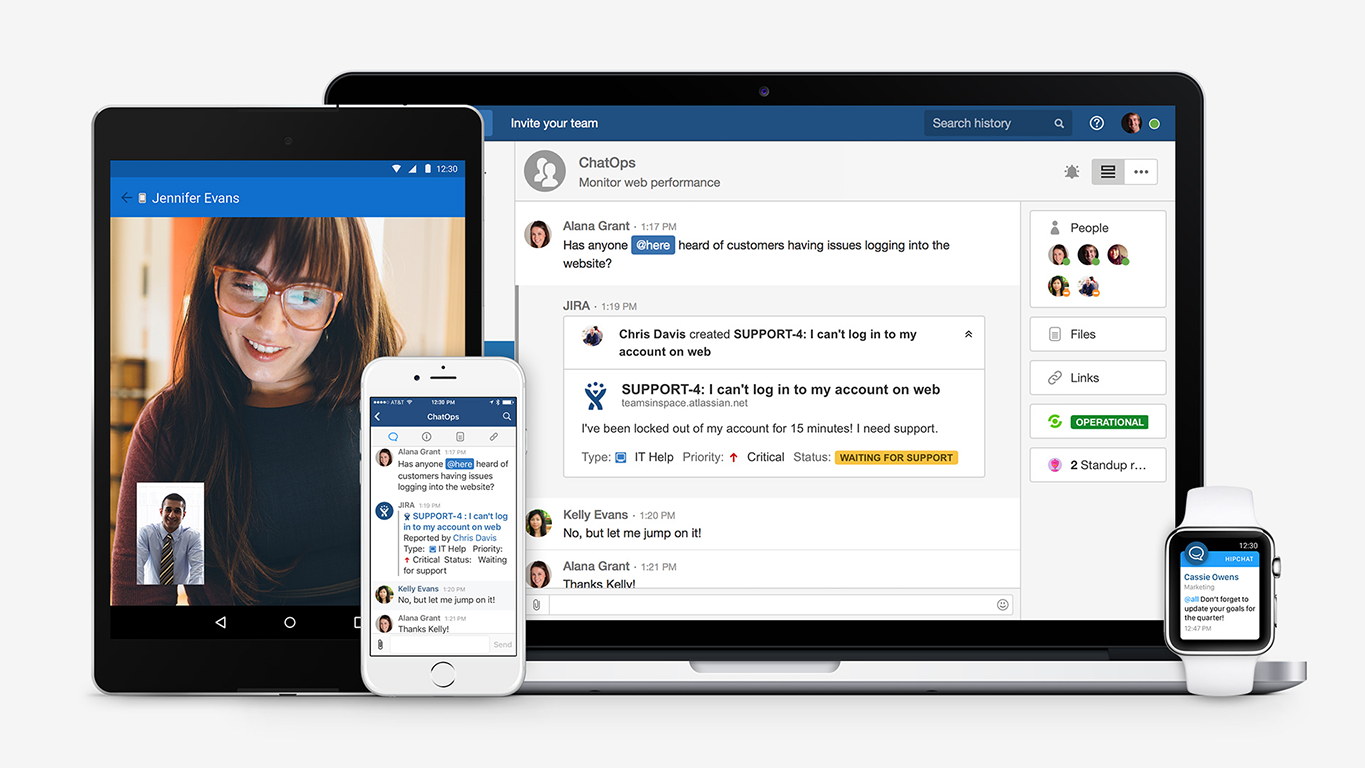
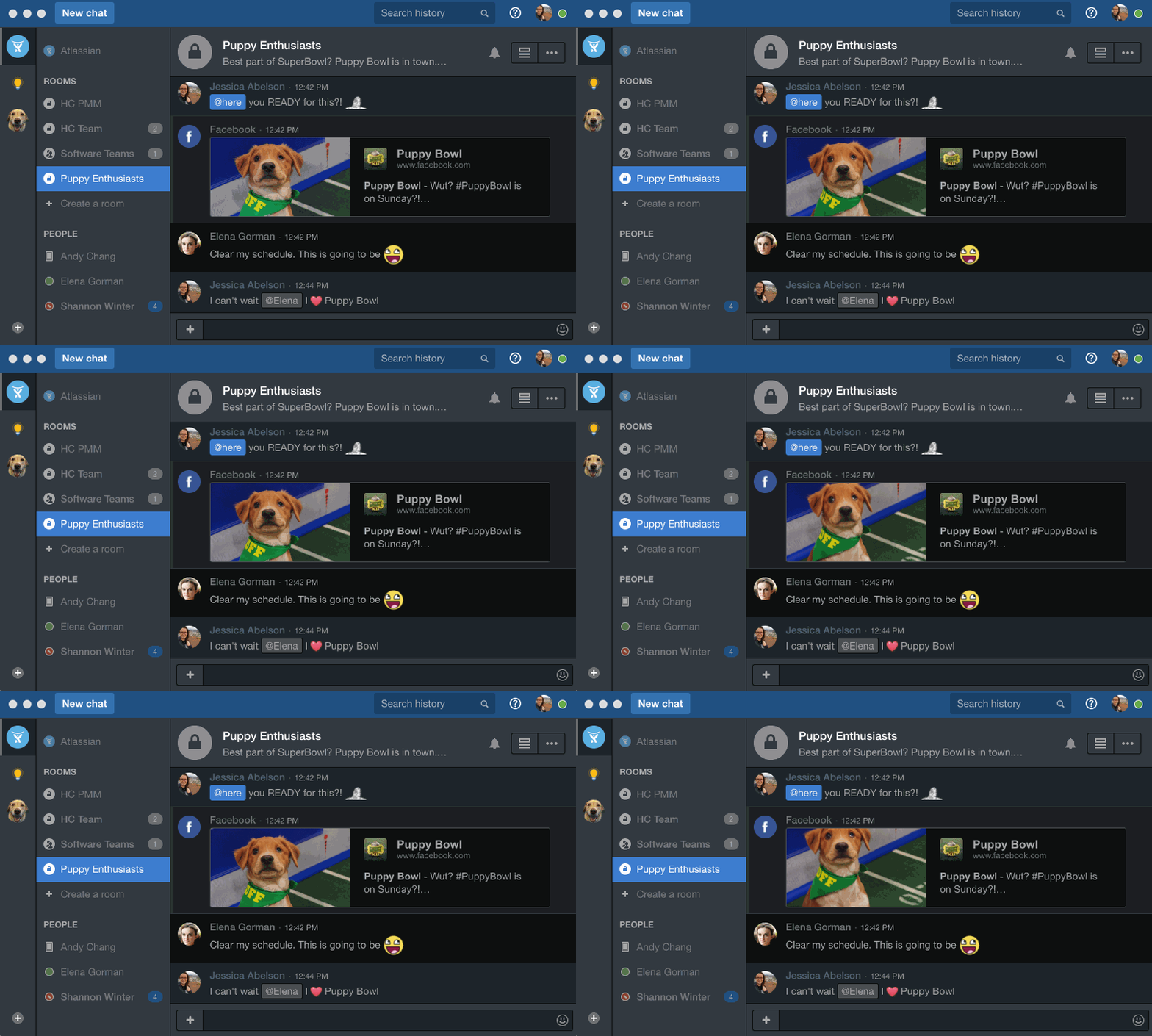
Screenshot of HipChat is with your team, whenever, wherever. Try it on your desktop, web, mobile, tablet, & wearable.Screenshot of Give your eyes the respite they deserve from your blaring white screen with HipChat dark mode!Screenshot of HipChat becomes your command center by integrating with over 100 awesome apps/tools your team already loves (like Uber!).