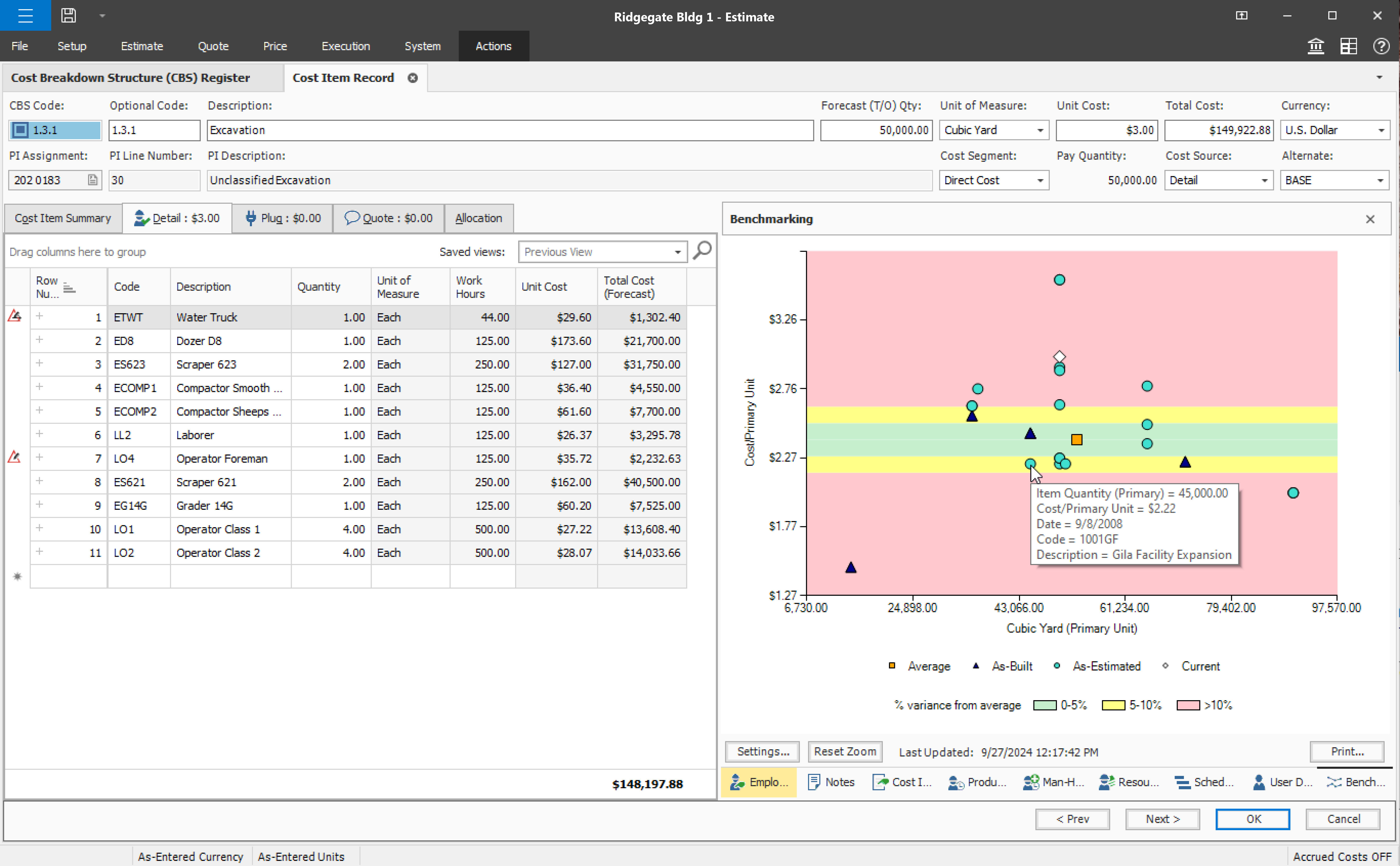
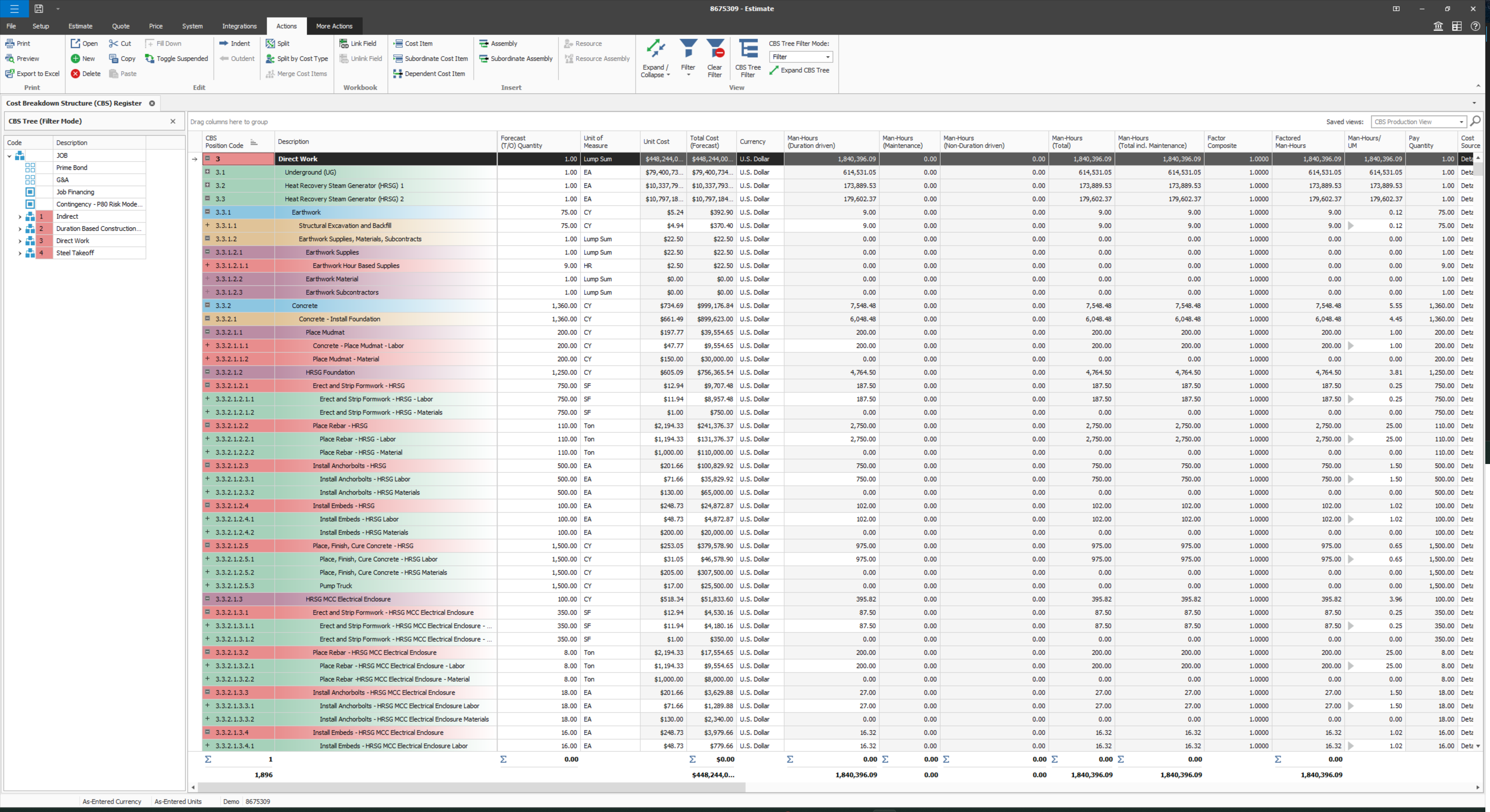
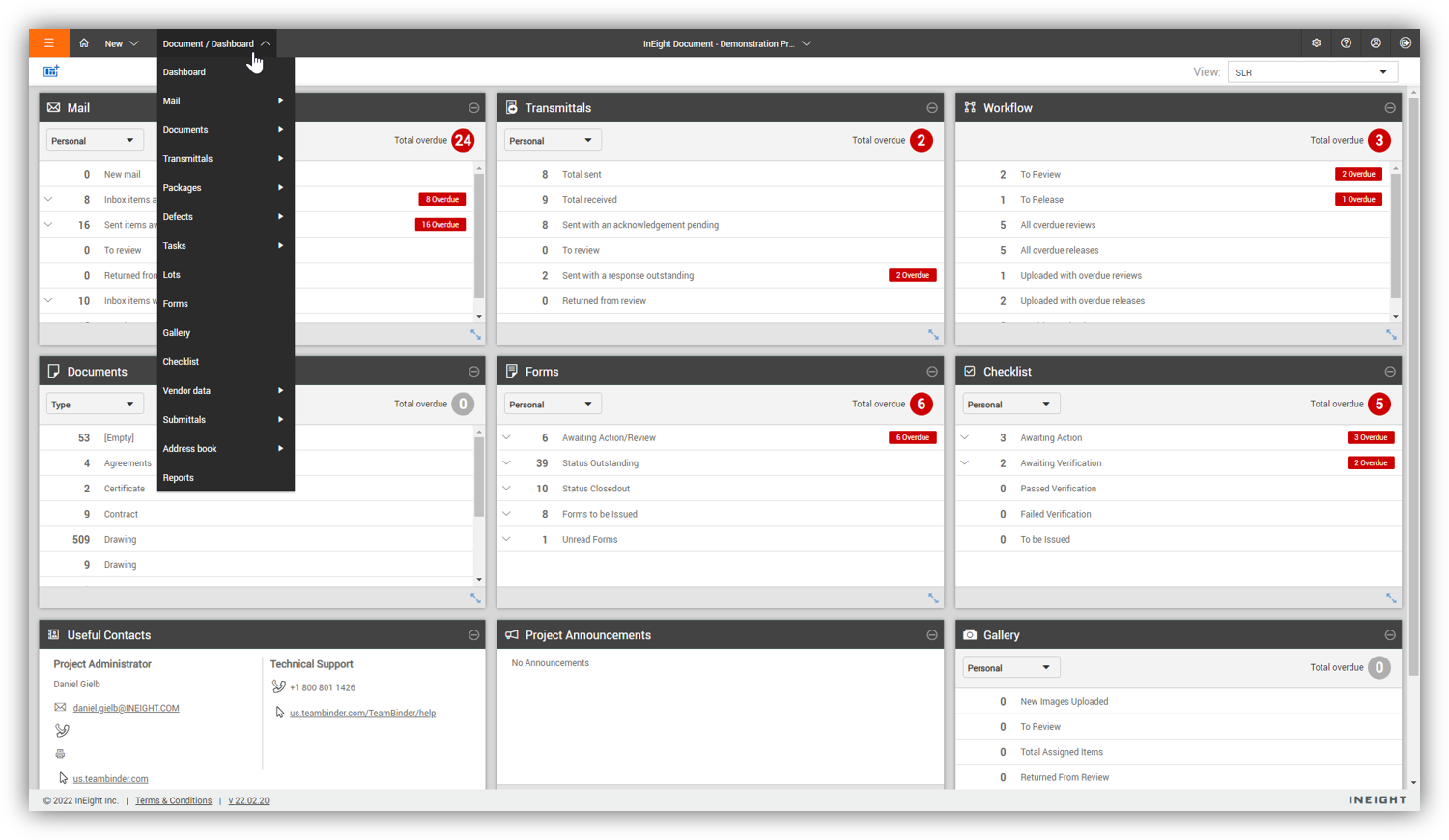
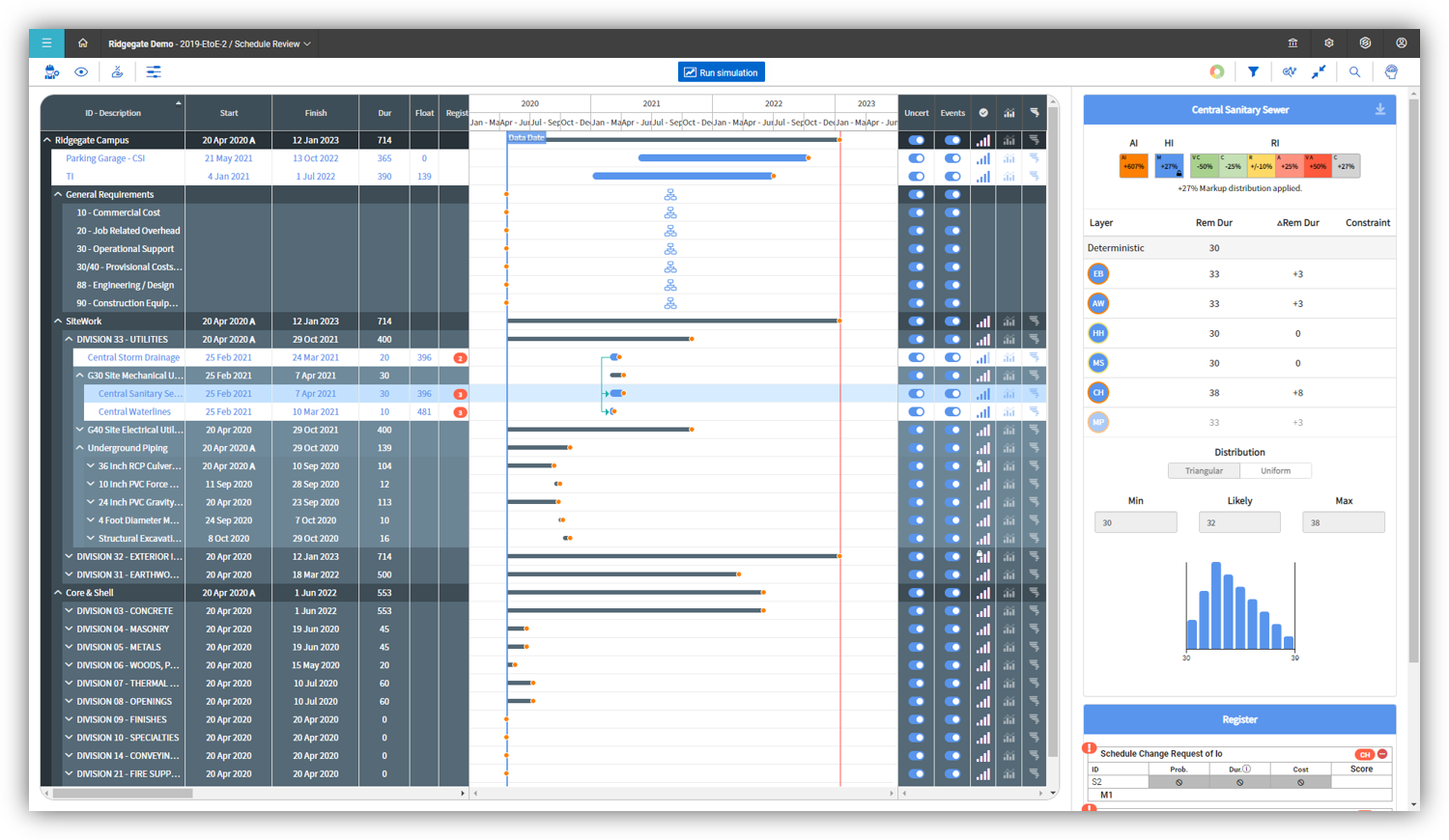
InEight's modular project controls software connects complex project data to improve visibility and delivery in capital construction.
N/A
Procore
Score 8.7 out of 10
N/A
Procore is a project management software designed specifically for the construction industry. Procore is cloud-based and allows unlimited users per instance, so that construction team members and stakeholders can all access project information and documents.
N/A
Vista
Score 8.3 out of 10
N/A
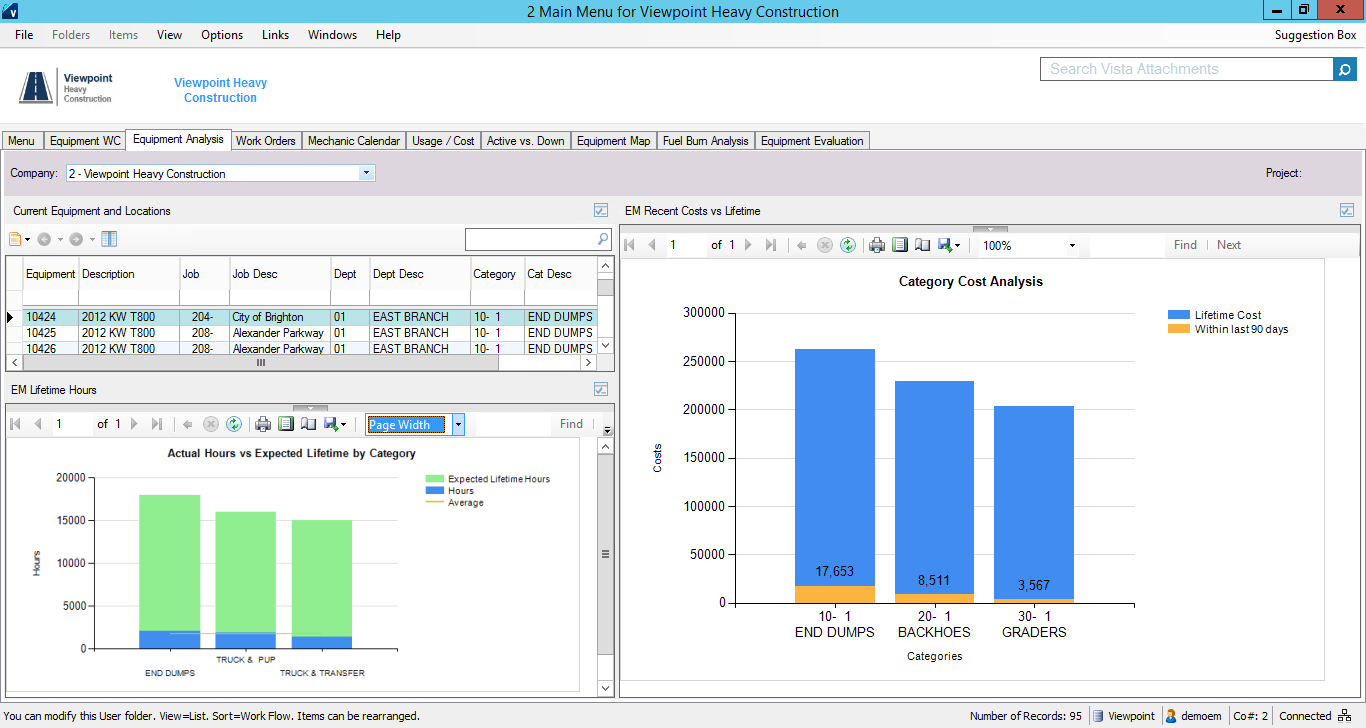
Viewpoint’s Vista is a construction accounting software. Vista’s core accounting features include accounts receivable and payable, general ledger, payroll and time management, and cash management. It also provides tools for document management, including document templates and reporting.
N/A
Pricing
InEight
Procore
Viewpoint Vista
Editions & Modules
No answers on this topic
Custom Bundle
Custom Quote
annually
No answers on this topic
Offerings
Pricing Offerings
InEight
Procore
Vista
Free Trial
No
No
No
Free/Freemium Version
No
No
No
Premium Consulting/Integration Services
No
No
No
Entry-level Setup Fee
No setup fee
No setup fee
No setup fee
Additional Details
InEight offers a modular, integrated project controls platform. Because the InEight platform covers the entire construction lifecycle, customers purchase the software based on their specific needs – purchasing stand-alone products, a bundle of products, or the entire platform. As a result, the pricing will vary depending on the specific product, number of users and length of contract. Once InEight has identified the highest impact areas, they offer potential customers a custom proposal. The options they consider include:
Per user pricing: typically annual subscriptions.
Revenue-based: using a percentage of the customer’s revenue.
Project-based: software use dedicated to a specific project or program of work.
Procore charges an upfront annual fee by product and based upon Annual Construction Volume (ACV) - the aggregate dollar value of the construction work across the customer's projects. Procore contracts include access for unlimited users, customer support, unlimited data storage, and product enhancements, at no additional cost.
Multi-year pools: Contract volume is set for the entire multi-year term and can be consumed at any time during that period to help smooth out variability in consumption.
Volume opt-in: Up-front contractual pricing is put in place for additional volume that might need to be added mid-term, to increase predictability of costs.
Renewal rate protection: Up-front setting of rates is locked now, so businesses can budget accordingly for future renewals and improve cost predictability in future years.
Prospective buyers may contact Viewpoint directly for a price quote.
InEight is more robust than the other services I have used. I think it does a better job of rolling up a massive amount of individual user data into one complete project progress report. I like that most of our clients also use it, which makes collaboration easier. I think it …
InEight is perfect for our work in Heavy Civil construction. Some of the other products are designed for different workflows and industries. We chose InEight specifically because it was related to the construction industry. Procore is incredibly comprehensive, and we just don't …
heavy bid is okay for bid item work and has a few things in the quote folder screen that are nice and user friendly but the ability to tag is not as useful.
The two items that set InEight apart was the estimating module with the ability to track cost to the exact estimate line item and the ability to export manhours to payroll. The other software's were either lacking or deficient in these items.
Procore is easier to use than the competition. It is built for intuitive use and not needing a lot of training for end users. It does all of the things it promises to do, including accounting, but doesn't seem to be an accounting software tweaked for project management. Their …
We evaluated both PlanGrid and Procore at the same time in the field. We had numerous users in each. We implemented both products. Even paid PlanGrid to train. (Procore implementation is free.) Our teams on PlanGrid abandoned their projects within 2 months and begged to be …
Procore was the first platform we witnessed that appeared to be designed by, or at least in tandem, with construction professionals. The tool itself fits in with how construction operations staff currently do their work and require minimal training in order to roll-out. We also …
Have previously used multiple programs for document management. [The] use of SharePoint largely involved single user-owned excel files for items like deficiency tracking. Vista still being used for invoicing and change orders.
Procore was tested against many of the programs we were either currently looking into or tempted to purchase. After a long 12 weeks journey of rotating software's that were out there we found that Procore really combined all of them together in an ease of access way. With many …
We've also looked at Sage300 Construction Software. Procore had the most appropriate functionality overall that we were looking for, although it's not perfect. The cost of Procore is also less than what some other software are charging, especially as far as integration and …
Procore is much simpler to use and has plenty of functions that you can turn on or off to suit your business.
Also, the feedback from subcontractors and consultants is that they love it because they can still use their own system or process and easily integrate into Procore …
Honestly, we did an exhaustive search for a platform prior to signing our contract with Procore and during that time June 2016 to January 2017; there wasn't another centralized data platform that even held a candle to what Procore was offering. Other programs are good a one …
Procore stood out to us from the competition due to the ease of use both on the web application and the mobile application as well as all of the great functionality that they offer. It is sometimes difficult to train employees on new systems but Procore's design has greatly …
Verified User
Project Manager
Chose Procore
We use to use "Lotus Notes" and an internal server to store and send information. It was tough because each program had limitations the other did not. Procore has started to package all of the standard items we would typically need on a construction project.
Procore is much more intuitive and much easier to use than other softwares. The support is infinitely better and the implementation process doesn't even compare.
In searching for a project management software, multiple members of our team provided information on various construction based programs. Procore seemed to fit our company's goals the best while providing a one stop shop for all of our construction management needs.
Vista isn't even in the same room as these 2 - million miles away. However, Procore and ProContractor don't have the accounting abilities or in depth report features that Vista has either. Vista is easier to implement in a large organization, licenses are less expensive than Pro…
Vista by Viewpoint seems to have more options and abilities than something like Procore or PlanGrid, but without the fancy interface, constant updates, or easy to follow processes. A program like Procore or PlanGrid is easy to pickup and be proficient with as a new user, but …
Procore is more user-friendly than Vista, but Vista has many more features for project management. In addition, Vista handles accounting and job costing, which is not available in Procore. So Vista is a more all-encompassing software.
Procore is great on the field operations side but lacks heavily in the financial, commitments, and invoicing features. Vista by Viewpoint is better suited for those needs. While Sage 100 and Sage 300 I feel are more user friendly and offer very similar features and functionality.
We evaluated a few different software options [including] Procore and Trimble ProjectSight and decided Vista by Viewpoint best suited our needs and the price was good.
We chose Procore after trying Viewpoint Field and Team and found it much more user-friendly, although it was in the early stages of rollout and may have gotten better since then. We also evaluated Timberline but chose Vista as it was more scalable for future use and has …
As a company, we have used Vista for a long time. If they hadn't been continually improving their project management modules such as Field View and Team, we probably would have supplemented Vista with another program like Procore.
Procore is not a construction accounting software, Vista takes care of that, but Vista is not a software to be used in the field. Procore has an easy-to-use mobile app for site pictures and daily reports, a good connection between the two software would be so great, they both …
It's been a while since I've used this, but I found JD Edwards completely cumbersome and like a database that hadn't been updated in 10-15 years. I much prefer Viewpoint and I think that Viewpoint still has the ability to improve on its user interface.
For the ERP piece, Vista is a solid product. We are slowing moving to other products away from Vista for Operations, Estimating and Bidding as other products do it better.
It is was a bargain and is feature-rich. When I compared apples to apples it was no contest which one was the best value - Vista. It has more features than most of its competition
Customizable - easy and multiple ways to customize, to get provide solutions the way we did …
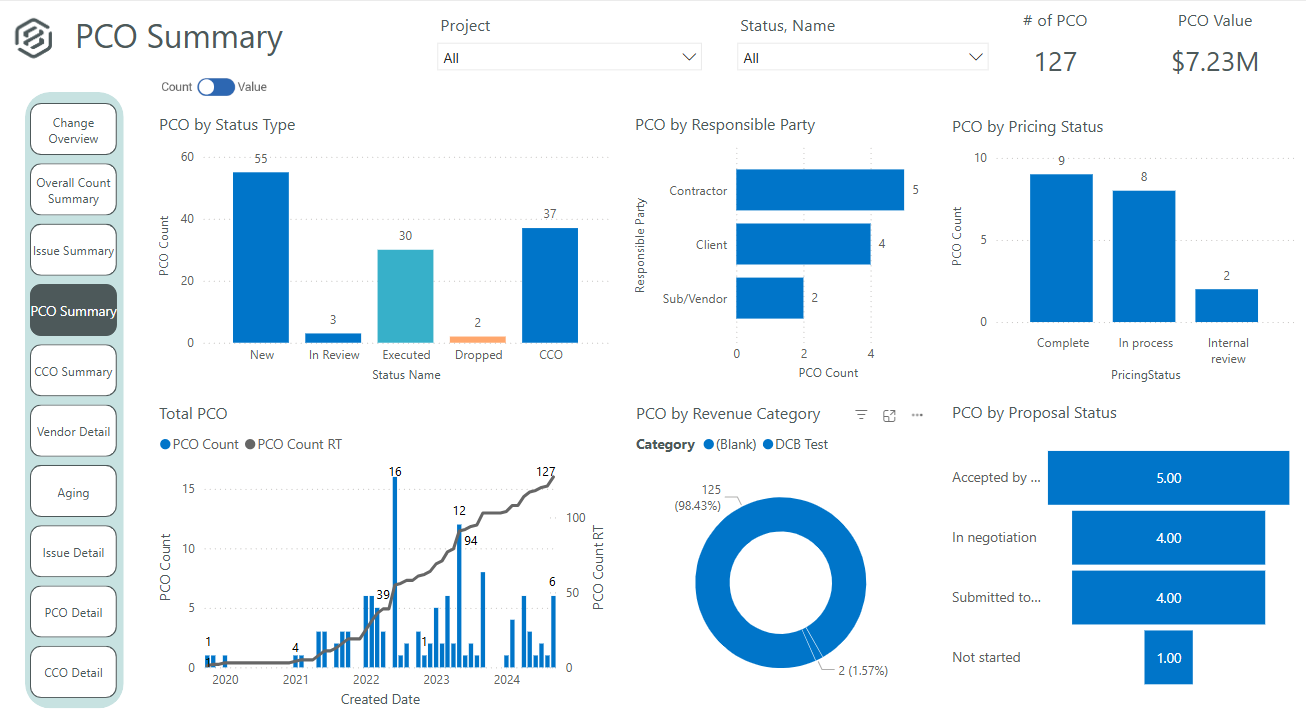
It's definitely a good tool for progress tracking, as well as time tracking. The ability to forecast quantities provide an even better scenario, closer to the reality, supporting even change management. The change management is also a good method, besides the fact of rework if you think in the whole process of issue creation, promoting to PCO, promote to CCO, execute the issue, move to change in controls, and so on... just now I think having all in a single place would minimize the manual work and maybe increase the engagement on it. About a negative point, I'd use a feature that appears to be in all modules. It's pretty much a cosmetic, but it impact in the productivity, a lot. For all fields you will fill with information, whenever your mouse hover over it, a tooltip appears, impeding you to continue, so you have to walk around, click in a place that's not being covered by that tooltip, go back to your keyboard and continue... again, it's a cosmetic, but having this in a Monday, with a full job to plan, claim quantities, and whatever else, it's annoying.
It works great for project management and putting all job-specific documents in one place. We are able to share drawings, submittals, and forms with our customers and subcontractors in a safe and reliable platform. However, getting reporting data is somewhat lacking, so if your business needs advanced options, you might try and find a better product.
The company has made a commitment to the use of the Vista products and continue to move forward trying to implement more with the Vista HR Management. From timekeeping to onboarding in the near future we strive to look for better ways to utilize the products for our accounting and payroll purposes.
User defined views and descriptions for all screens.
Customizable ribbons to provide an efficient use of the software.
Multiple layers/dependents to allow for an extreme drill down of the work and the ability to roll up to a more useful level for upper management review.
You can bid the work as you would build it, in detail.
Provide a simpler version (cliff notes) of the knowledge database
Offer versions of InEight for smaller companies, i.e. less than 20 emplyees, under $5M in revenue
When an estimate is complete, offer a dialog box to ask if the job was won, lost, or still in progress. We tend to leave most of our estimates in the bidding column. This is a user error, but the prompt would be helpful.
Their payroll module is terribly slow and very clunky.
Job costing parameters are very strict and limited.
Each module interface has too many forms and screens.
There is too much flexibility regarding where to put information into the system. There isn't one place to do anything, which creates confusion for staff.
Some features with InEight's TeamBinder are worthy of single use, however the review feature and subsequent revision and version numbering could be improved. We will be aiming to roll out the package to encompass our internal documentation in the near future and will be in a better position to judge the usability after that point in time.
We will undoubtedly renew Procore as it has proven itself to be a means to better track and improve upon our efficiency and communications between job sites and their project managers as well as all other departments. Procore has made an incredible impact on how we, as a company, do our job on all levels; it is one of our most powerful and effective resources.
It is extremely customizable and tracks so many complicated costs very well, more-so than other construction software programs out there that we've used in the past. It is also not an easy program to use for those even slightly not comfortable with a computer. The help sections/knowledge base could be better organized and updated more. It is a very powerful software program for our business and we rely on it hugely to see how our projects are running in real-time.
I would give it an 8 out of 10 because the software can be a bit cumbersome to new users. It also takes a long time to set up the library and input all of your companies needs so that the software will provide the level of service required to estimate projects. However, once the software is set up it is a powerful tool. We only use a portion of what the software is capable of delivering
90% of Procore is very intuitive and any user can pick it up and go. There are a few elements, more so on the Financials side that need some prior knowledge of systems in order to understand how and why it functions as it does. Once this is understood, it flows effortlessly
I think that Vista's is an easy program to use very user friendly with lots of help features to allow the user to fix an issue without having to put a support call into Vista. The reporting and exporting capability's are strong.
If you are working in an area with little to no signal, Procore will still allow you to get in the system and use it fully and will then update once you are at a place with a strong enough signal. Whether it be with wifi or LTE cell phone reception.
Only issue is when there is an upgrade - it takes several times to get back logged in. Otherwise no issues with getting on to the program. We are set up on lap top or on the remote desk top. Works 90% of the time
No issue downloading the reports - I do find sometimes it is easier to export and save than it is to print to a pdf. Options on the different reports not consistent. You can print a couple projects on the JC Contract Status Report - but you have to do each project for the JC Cost by contract item - when neither one is a drill down - not a big deal
We are new to the use of the system, and so far, we have not reached out for any support. The only support we have requested so far is the development of a training program that involves other staff - some are to learn the use of the program, and some are for informational purposes in understanding the capabilities of InEight.
General Support for Project Management and Financials is consistent. The ERP support is never consistent and I do end up at times in a black hole. I have to continually reach out to get the issue resolved or get an update. The ERP support needs more of Procore's attention
When privately owned, it was very good, then dropped when owned by Bane Capital Investments. Now that it has been bought by Trimble and has a home, support is back up again. Response time is better than most software companies, and the information provided is good. They have Chat support for quick answers, and a good Knowledge Base and video libraries.
Procore's Implementation Team does a great job of ensuring users are confident in using the system. They run through a process of training sessions based on the tools you have purchased, and lay ou ta plan to help the power users configure the tool to suit the company's needs. They provide useful resources for certifications, support and ongoing training as well.
Procore's certification program and focused how-to training videos allowed for easy training that did not feel overwhelming. The way the certification programs were broken up into small parts made it seem much less daunting to complete. The training feels focused and does not overload users with too much information all at once.
Excellent training! They keep you on track to insure your implementation is going as planned. There are ample ways to receive additional training and training can be provided by position type. If you put on the effort, the training is there.
Since the original inception, I have been required to overhaul the system so that it is more user friendly and combines both aspects of our business, documentation and drawings. Being able to control revision and version numbering has been a key struggle that only staff training has been able to mark this as complete.
Iron out your cost code list in your accounting software before you link with Procore. Once the link is established that list is more or less permanent. Review the permission matrix carefully. It controls so much. You want to ensure the information provided to your users adequate but you also want to protect your sensitive data. Procore Financials are organized in a total contract value style. Any markup or Profit will need to be sent somewhere on your budget. This may be significantly different than the Cost budgeting that many contractors do
The trainer Viewpoint sent did not understand the processes, he only knew where the modules were located. He had no understanding of the actual process itself.
We looked at HCSS and Bid 2 Win but chose Ineight due to the fact that it seemed more user friendly, plus I had used it at a former company when it was available from the Grantlun Corporation and was very familiar with it in its ease of use and reliability.
Procore has a clearer user interface and a wider variety of tools than any program I've used. Procore also lives up to their name in terms of helpful and fast customer service. There is always a Procore rep. that is available to contact, making any problems just a mini hurdle.
I personally have not used another ERP system other than Viewpoint Vista. I am sure there are others out there, but from listening to my managers experiences before Great Basin Industrial implemented Viewpoint, the other options were less superior to what Viewpoint offers. I think if you are looking for an ERP system in the construction industry, then Viewpoint is the way to go
InEight is a good system that has scaled nicely as the company has grown. the tools are still readily available and applicable for our larger scope of work. It has kept up with the growth of the company very nicely
For a small business - this program is well used in the accounting and operations. The two different work plans are set up for success. Alot of the programs we do not use - but like the reports that are generated - one disadvantage if you do not know crystal reports you cannot edit your form to meet your needs so there is a lot of printing different several forms to get all the information you need.
Not sure I can speak to this as the company moved to Viewpoint before I began here. I think it is helpful for the Project Management and Superintendent staff to easily review how specific job items went, which we do in the PM contract drilldown analysis