
Chose Paychex
Paychex vs. Paycom vs. QuickBooks Desktop Premier
Paychex vs. Paycom vs. QuickBooks Desktop Premier
| Product | Rating | Most Used By | Product Summary | Starting Price |
|---|---|---|---|---|
 Paychex | N/A | Paychex Flex, of Paychex' Online Payroll Services, is a cloud-based human resource management and payroll platform. Paychex offers core and specialized services, and scales to meet the needs of small businesses, SMBs, and large enterprises. | N/A | |
 Paycom | N/A | Paycom is an automated HCM platform, built on a single database that eliminates redundant data entry through automation. A payroll and HR software solution, Paycom is used by organizations of all sizes to access employee data without navigating multiple systems. | N/A | |
 QuickBooks Desktop Premier | N/A | QuickBooks Desktop Premier is an installed version of QuickBooks for general business, contractors, manufacturing and warehouse accounting, as well as nonprofits, professional services, and retail. | N/A |
| Paychex | Paycom | QuickBooks Desktop Premier | ||||||||||||||||||||||
|---|---|---|---|---|---|---|---|---|---|---|---|---|---|---|---|---|---|---|---|---|---|---|---|---|
| Editions & Modules |
| No answers on this topic | No answers on this topic | |||||||||||||||||||||
| Offerings |
| |||||||||||||||||||||||
| Entry-level Setup Fee | Required | No setup fee | No setup fee | |||||||||||||||||||||
| Additional Details | — | — | — | |||||||||||||||||||||
| More Pricing Information | ||||||||||||||||||||||||
| Paychex | Paycom | QuickBooks Desktop Premier | |
|---|---|---|---|
| Considered Multiple Products | Paychex  Kenda Haines Office Manager Chose Paychex I do not recall the names of the software systems but they didn't compare in ease of use or functionality.  Jeff Looby, CPA Senior Associate Chose Paychex  Darla Shaw Human Resources Manager Chose Paychex They both have their pros and cons. Paychex Flex is much easier to use when processing payroll.  Daniel Miles Office Manager & Bookkeeper Chose Paychex I was not here when the decision was made to move to the Paychex Flex system. I had used Paychex as a payroll processing company at a previous job, so it has been interesting and beneficial to see the other things they can offer. It is also a much better team behind it than … | Paycom  Andrea Miedema Human resource director Chose Paycom Paycom seems to be more robust than Paylocity and offers more of the features we need and could use. Paychex Flex didn't offer all the areas we were looking for and doesn't have the features we want. We were looking for a system that could perform well in several areas of HR, …  Kristi Roney Manager of Human Resources and Safety Chose Paycom Paycom is very user-friendly. Managers can review and approve employee timecards easily. The entire HRIS system allows information to flow together seamlessly. Your general ledger is tailored to your payroll and reporting needs. You no longer need multiple systems, you can do …  Walter Reyes, MBA EVP and Chief Admin Officer Chose Paycom By far, comparable to Workday, but built for smaller-sized organizations; however, capabilities are on par.  Bailey (Gaither) Potucek Human Resources Manager Chose Paycom Paycom has far exceeded our expectations. Its ease of use and the overall cost is mind blowing. They have thought of almost everything a company might encounter and have built a system around it. All of their staff is readily available and will do what they can when they can …  Evan York Charter Sales and Acquisitions Chose Paycom Much less problems. When I was using Paychex at a previous company, every pay period there was a problem with my direct deposit. I was either over, or underpaid probably 6-7 times. While using Paycom, I have not had a single issue with anything related to payment or any … |  QuickBooks Desktop Premier No answer on this topic |
| Paychex | Paycom | QuickBooks Desktop Premier | |||||||||||||||||||||||||||||||||||||||||||||||||||||||||||||||||||||||||||||||||||||||
|---|---|---|---|---|---|---|---|---|---|---|---|---|---|---|---|---|---|---|---|---|---|---|---|---|---|---|---|---|---|---|---|---|---|---|---|---|---|---|---|---|---|---|---|---|---|---|---|---|---|---|---|---|---|---|---|---|---|---|---|---|---|---|---|---|---|---|---|---|---|---|---|---|---|---|---|---|---|---|---|---|---|---|---|---|---|---|---|---|---|
| Human Resource Management |
| ||||||||||||||||||||||||||||||||||||||||||||||||||||||||||||||||||||||||||||||||||||||||
| Payroll Management |
| ||||||||||||||||||||||||||||||||||||||||||||||||||||||||||||||||||||||||||||||||||||||||
| Leave and Attendance Management |
| ||||||||||||||||||||||||||||||||||||||||||||||||||||||||||||||||||||||||||||||||||||||||
| Employee Self Service |
| ||||||||||||||||||||||||||||||||||||||||||||||||||||||||||||||||||||||||||||||||||||||||
| Asset Management |
| ||||||||||||||||||||||||||||||||||||||||||||||||||||||||||||||||||||||||||||||||||||||||
| HR Reporting |
| ||||||||||||||||||||||||||||||||||||||||||||||||||||||||||||||||||||||||||||||||||||||||
| Onboarding |
| ||||||||||||||||||||||||||||||||||||||||||||||||||||||||||||||||||||||||||||||||||||||||
| Recruiting / ATS |
| ||||||||||||||||||||||||||||||||||||||||||||||||||||||||||||||||||||||||||||||||||||||||
| Performance and Goals |
| ||||||||||||||||||||||||||||||||||||||||||||||||||||||||||||||||||||||||||||||||||||||||
| Performance Management |
| ||||||||||||||||||||||||||||||||||||||||||||||||||||||||||||||||||||||||||||||||||||||||
| Succession Planning |
| ||||||||||||||||||||||||||||||||||||||||||||||||||||||||||||||||||||||||||||||||||||||||
| Customization |
| ||||||||||||||||||||||||||||||||||||||||||||||||||||||||||||||||||||||||||||||||||||||||
| Security |
| ||||||||||||||||||||||||||||||||||||||||||||||||||||||||||||||||||||||||||||||||||||||||
| Reporting & Analytics |
| ||||||||||||||||||||||||||||||||||||||||||||||||||||||||||||||||||||||||||||||||||||||||
| General Ledger and Configurable Accounting |
| ||||||||||||||||||||||||||||||||||||||||||||||||||||||||||||||||||||||||||||||||||||||||
| Inventory Management |
| ||||||||||||||||||||||||||||||||||||||||||||||||||||||||||||||||||||||||||||||||||||||||
| Order Management |
|
| Paychex | Paycom | QuickBooks Desktop Premier | |
|---|---|---|---|
| Small Businesses |  Dayforce Powerpay Score 9.3 out of 10 | Dayforce Powerpay Score 9.3 out of 10 |  QuickBooks Self-Employed (discontinued) Score 5.9 out of 10 |
| Medium-sized Companies |  Paypro Workforce Management Score 9.1 out of 10 | Paypro Workforce Management Score 9.1 out of 10 |  Zoho Books Score 9.1 out of 10 |
| Enterprises |  PeopleStrong Score 10.0 out of 10 | PeopleStrong Score 10.0 out of 10 |  Oracle Fusion Cloud Enterprise Performance Management Score 7.5 out of 10 |
| All Alternatives | View all alternatives | View all alternatives | View all alternatives |
| Paychex | Paycom | QuickBooks Desktop Premier | |
|---|---|---|---|
| Likelihood to Recommend | 6.2 (321 ratings) | 8.7 (562 ratings) | 8.3 (75 ratings) |
| Likelihood to Renew | 1.2 (44 ratings) | 7.2 (24 ratings) | 7.5 (14 ratings) |
| Usability | 6.7 (264 ratings) | 9.0 (86 ratings) | 8.9 (26 ratings) |
| Availability | 5.5 (12 ratings) | 9.1 (2 ratings) | 10.0 (6 ratings) |
| Performance | 7.1 (12 ratings) | 9.1 (2 ratings) | 9.0 (5 ratings) |
| Support Rating | 6.1 (264 ratings) | 9.1 (52 ratings) | 4.0 (13 ratings) |
| In-Person Training | 4.5 (1 ratings) | 6.4 (1 ratings) | - (0 ratings) |
| Online Training | 8.3 (4 ratings) | 3.7 (3 ratings) | 1.0 (1 ratings) |
| Implementation Rating | 5.3 (13 ratings) | 8.2 (7 ratings) | 7.2 (7 ratings) |
| Configurability | 5.0 (9 ratings) | 9.1 (2 ratings) | 9.0 (2 ratings) |
| Ease of integration | 9.1 (3 ratings) | 5.5 (1 ratings) | 7.0 (1 ratings) |
| Product Scalability | 5.9 (12 ratings) | 9.1 (2 ratings) | 9.0 (5 ratings) |
| Vendor post-sale | 2.2 (33 ratings) | 9.0 (4 ratings) | 6.0 (1 ratings) |
| Vendor pre-sale | 3.2 (34 ratings) | 9.0 (4 ratings) | 6.0 (2 ratings) |
| Paychex | Paycom | QuickBooks Desktop Premier | |
|---|---|---|---|
| Likelihood to Recommend | Paychex Inc.
| Paycom
| Intuit
|
| Pros | Paychex Inc.
| Paycom
| Intuit
|
| Cons | Paychex Inc.
 Phil Knapp Quality Manager | Paycom
| Intuit
|
| Likelihood to Renew | Paychex Inc.
| Paycom
 Lori Ellingson Payroll & Benefits administrator | Intuit
 Tracie Jones Accounting Manager |
| Usability | Paychex Inc.
| Paycom
| Intuit
|
| Reliability and Availability | Paychex Inc.
| Paycom
 Elizabeth Garvin HR & Accounting Manager | Intuit
 Silvia Evans President |
| Performance | Paychex Inc.
| Paycom
| Intuit
|
| Support Rating | Paychex Inc.
| Paycom
| Intuit
 Phillip Li Chief Operating Officer |
| In-Person Training | Paychex Inc.
| Paycom
Elizabeth Garvin HR & Accounting Manager | Intuit No answers on this topic |
| Online Training | Paychex Inc.
| Paycom
 Samuel Rodriguez Payroll Specialist | Intuit No answers on this topic |
| Implementation Rating | Paychex Inc.
 Teresa McLaughlin Staff Accountant | Paycom
Samuel Rodriguez Payroll Specialist | Intuit
 Cristine Delos Santos Accounting Associate |
| Alternatives Considered | Paychex Inc.
 John Santoemma CFO (Chief Financial Officer) | Paycom
| Intuit
 Andrea Campbell, CPA,CITP President |
| Scalability | Paychex Inc.
| Paycom
Elizabeth Garvin HR & Accounting Manager | Intuit
|
| Return on Investment | Paychex Inc.
| Paycom
| Intuit
|
| ScreenShots | Paychex Screenshots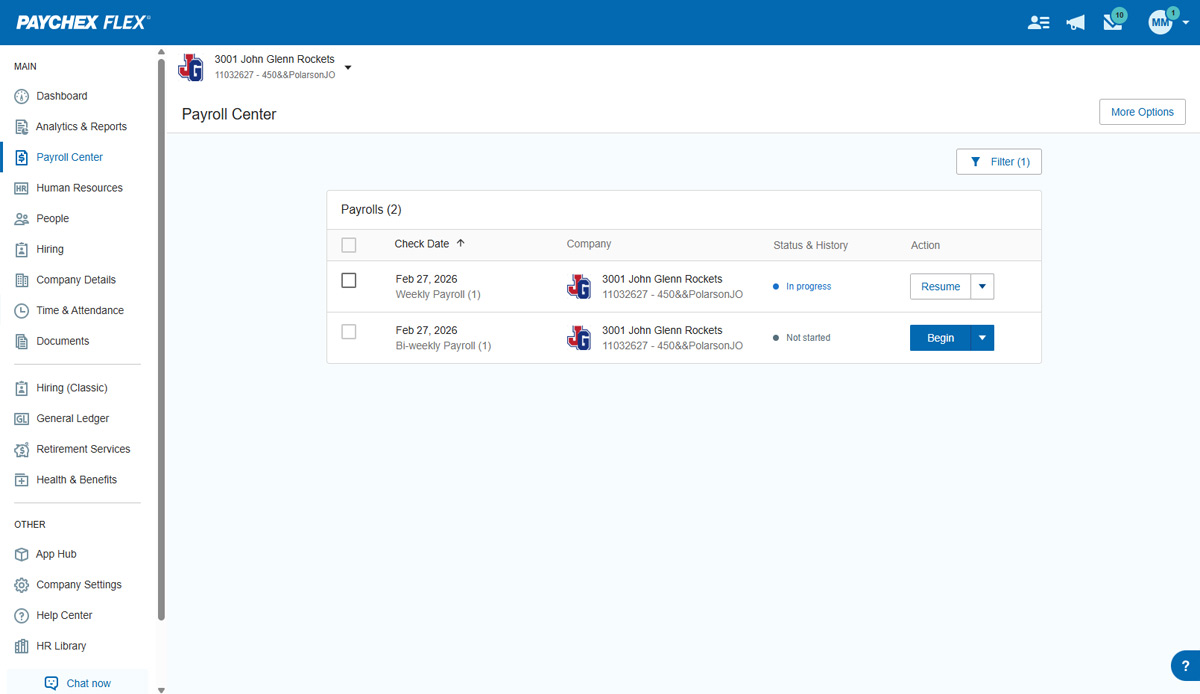  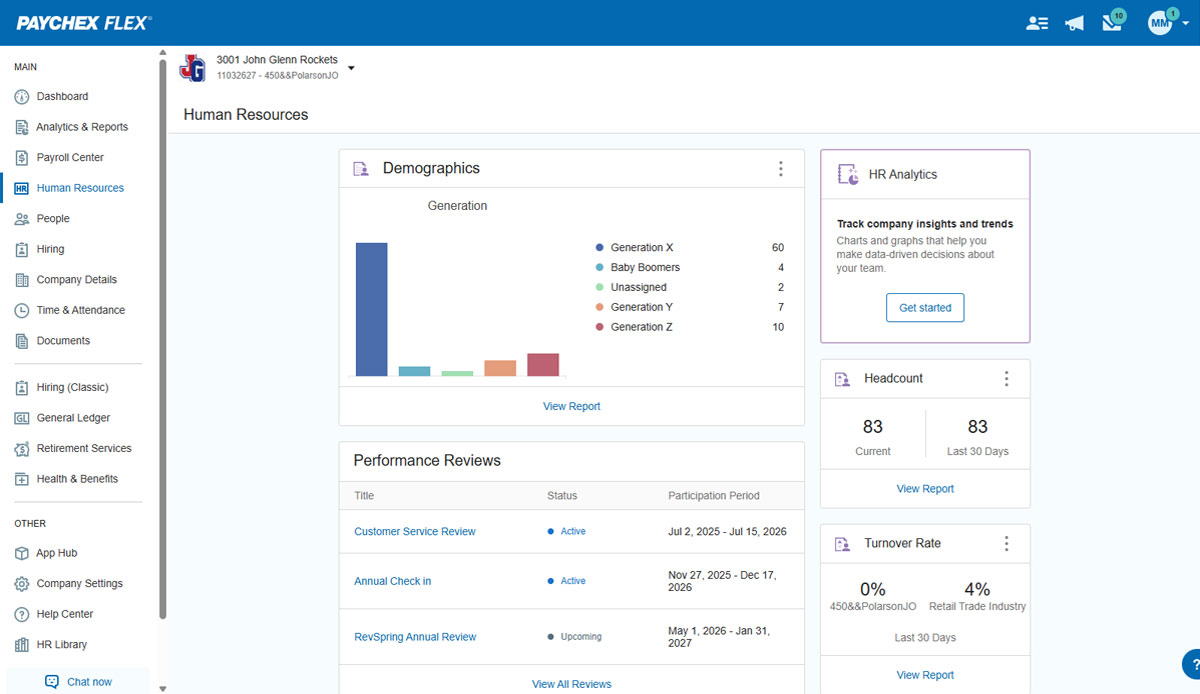  | Paycom Screenshots   |