Salesforce Starter vs. Sugar Sell (SugarCRM)

Overview
ProductRatingMost Used ByProduct SummaryStarting Price
Salesforce Starter
Score 9.0 out of 10
Small Businesses (1-50 employees)
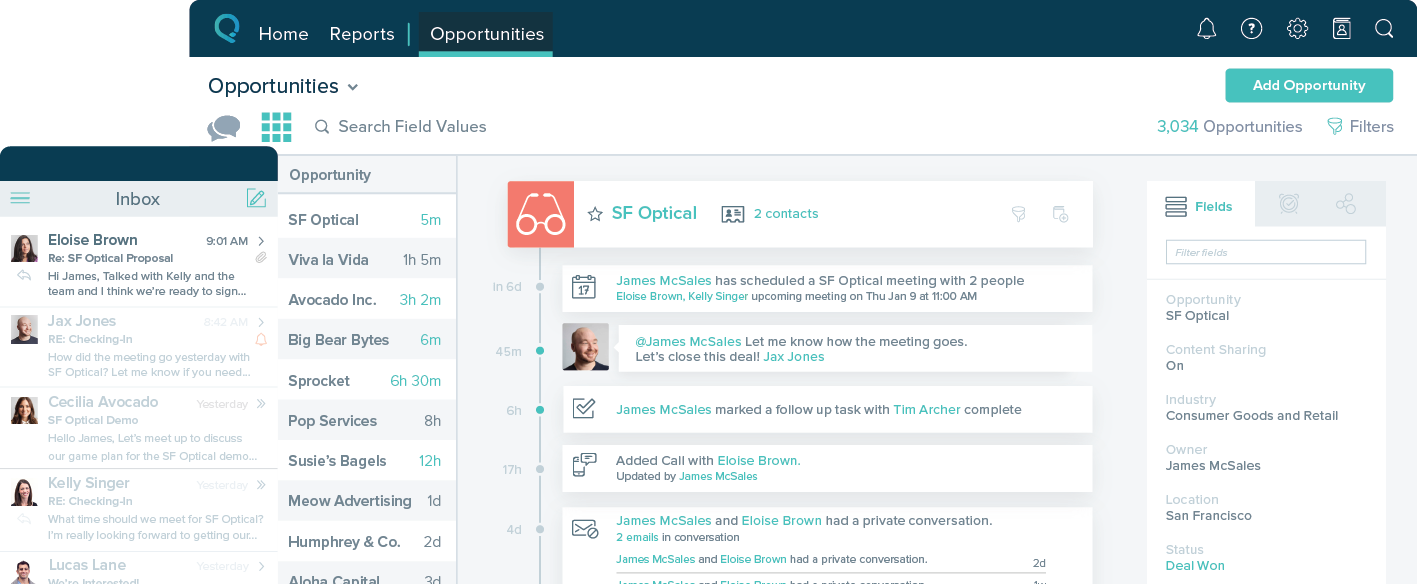
Salesforce Starter (formerly Salesforce Essentials) is a small business CRM that replaces the former SalesforceIQ product. It is priced at $35 per user, on a monthly basis, or at $25 per month for if billed annually ($300) and can be tried free for 14 days on a trial.
$35
per month per user
Sugar Sell (SugarCRM)
Score 7.9 out of 10
N/A
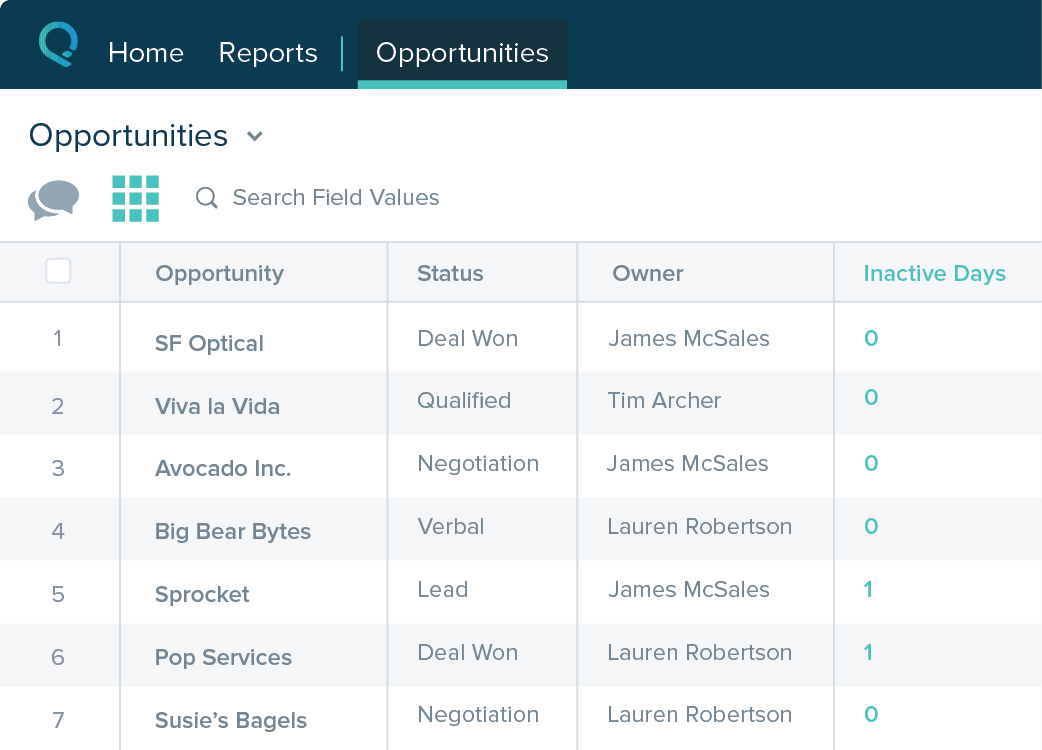
Sugar Sell from SugarCRM is a collaborative CRM, allowing users to track and monitor activities, map each customer’s journey. Sugar Sell replaces former editions of the SugarCRM product, including the SugarCRM Community Edition, the open source edition, which is discontinued.
$19
per month per user (3 users minimum, billed annually)
Pricing
Salesforce StarterSugar Sell (SugarCRM)
Editions & Modules
No answers on this topic
Essentials
$19
per month (billed annually) per user (3 user minimum, 9 user maximum)
Standard
$59
per month (billed annually) per user (10 User Minimum)
Advanced
$85
per month (billed annually) per user (10 user minimum)
Premier
$135
per month (billed annually) per user (10 user minimum)
Offerings
Pricing Offerings
Salesforce StarterSugar Sell (SugarCRM)
Free Trial
YesYes
Free/Freemium Version
NoNo
Premium Consulting/Integration Services
YesNo
Entry-level Setup FeeNo setup feeNo setup fee
Additional Details
More Pricing Information
Community Pulse
Salesforce StarterSugar Sell (SugarCRM)
Considered Both Products
Salesforce Starter

No answer on this topic

Sugar Sell (SugarCRM)
Chose Sugar Sell (SugarCRM)
Sugar Sell is the only product we found that met the needs of everyone involved in the evaluation process. It can be customized to accomplish just about anything you need, and trust me....we pushed the limits on that. It is a product that our users actually enjoy using which in …
Features
Salesforce StarterSugar Sell (SugarCRM)
Sales Force Automation
Comparison of Sales Force Automation features of Product A and Product B
Salesforce Starter
8.7
7 Ratings
10% above category average
Sugar Sell (SugarCRM)
4.8
33 Ratings
48% below category average
Customer data management / contact management7.57 Ratings5.032 Ratings
Territory management7.67 Ratings6.026 Ratings
Opportunity management9.07 Ratings7.026 Ratings
Integration with email client (e.g., Outlook or Gmail)9.66 Ratings7.029 Ratings
Quote & order management9.45 Ratings4.024 Ratings
Interaction tracking8.46 Ratings3.030 Ratings
Channel / partner relationship management9.75 Ratings2.025 Ratings
Workflow management00 Ratings6.028 Ratings
Contract management00 Ratings3.026 Ratings
Marketing Automation
Comparison of Marketing Automation features of Product A and Product B
Salesforce Starter
7.6
6 Ratings
2% below category average
Sugar Sell (SugarCRM)
5.5
25 Ratings
34% below category average
Lead management7.66 Ratings6.022 Ratings
Email marketing00 Ratings5.023 Ratings
CRM Project Management
Comparison of CRM Project Management features of Product A and Product B
Salesforce Starter
8.3
5 Ratings
8% above category average
Sugar Sell (SugarCRM)
3.0
28 Ratings
88% below category average
Task management9.55 Ratings4.026 Ratings
Billing and invoicing management6.75 Ratings3.018 Ratings
Reporting8.85 Ratings2.024 Ratings
CRM Reporting & Analytics
Comparison of CRM Reporting & Analytics features of Product A and Product B
Salesforce Starter
9.0
5 Ratings
15% above category average
Sugar Sell (SugarCRM)
3.3
28 Ratings
80% below category average
Forecasting9.05 Ratings3.024 Ratings
Pipeline visualization8.85 Ratings2.025 Ratings
Customizable reports9.25 Ratings5.027 Ratings
Customization
Comparison of Customization features of Product A and Product B
Salesforce Starter
7.2
6 Ratings
6% below category average
Sugar Sell (SugarCRM)
5.5
29 Ratings
33% below category average
Custom fields7.56 Ratings6.029 Ratings
Custom objects7.55 Ratings5.026 Ratings
Scripting environment6.25 Ratings6.019 Ratings
API for custom integration7.65 Ratings5.025 Ratings
Security
Comparison of Security features of Product A and Product B
Salesforce Starter
8.8
6 Ratings
4% above category average
Sugar Sell (SugarCRM)
5.5
27 Ratings
42% below category average
Single sign-on capability8.86 Ratings5.021 Ratings
Role-based user permissions8.86 Ratings6.026 Ratings
Social CRM
Comparison of Social CRM features of Product A and Product B
Salesforce Starter
8.5
5 Ratings
13% above category average
Sugar Sell (SugarCRM)
3.0
19 Ratings
86% below category average
Social engagement8.55 Ratings3.016 Ratings
Social data00 Ratings3.019 Ratings
Integrations with 3rd-party Software
Comparison of Integrations with 3rd-party Software features of Product A and Product B
Salesforce Starter
8.1
5 Ratings
8% above category average
Sugar Sell (SugarCRM)
4.5
19 Ratings
50% below category average
Marketing automation8.35 Ratings5.019 Ratings
Compensation management8.05 Ratings4.013 Ratings
Platform
Comparison of Platform features of Product A and Product B
Salesforce Starter
8.3
6 Ratings
8% above category average
Sugar Sell (SugarCRM)
4.0
20 Ratings
62% below category average
Mobile access8.36 Ratings4.020 Ratings
Customer Service & Support
Comparison of Customer Service & Support features of Product A and Product B
Salesforce Starter
-
Ratings
Sugar Sell (SugarCRM)
2.3
24 Ratings
108% below category average
Case management00 Ratings3.024 Ratings
Call center management00 Ratings2.019 Ratings
Help desk management00 Ratings2.017 Ratings
Best Alternatives
Salesforce StarterSugar Sell (SugarCRM)
Small Businesses
Salesmate
Salesmate
Score 10.0 out of 10
Salesmate
Salesmate
Score 10.0 out of 10
Medium-sized Companies
Creatio
Creatio
Score 9.0 out of 10
Creatio
Creatio
Score 9.0 out of 10
Enterprises
Creatio
Creatio
Score 9.0 out of 10
Creatio
Creatio
Score 9.0 out of 10
All AlternativesView all alternativesView all alternatives
User Ratings
Salesforce StarterSugar Sell (SugarCRM)
Likelihood to Recommend
9.0
(7 ratings)
2.0
(59 ratings)
Likelihood to Renew
4.0
(1 ratings)
8.2
(26 ratings)
Usability
8.5
(4 ratings)
3.0
(10 ratings)
Availability
-
(0 ratings)
10.0
(1 ratings)
Performance
-
(0 ratings)
10.0
(1 ratings)
Support Rating
-
(0 ratings)
9.1
(12 ratings)
In-Person Training
-
(0 ratings)
9.0
(1 ratings)
Online Training
-
(0 ratings)
8.0
(1 ratings)
Implementation Rating
-
(0 ratings)
9.0
(3 ratings)
Configurability
-
(0 ratings)
10.0
(1 ratings)
Ease of integration
-
(0 ratings)
10.0
(2 ratings)
Product Scalability
-
(0 ratings)
9.0
(1 ratings)
Vendor post-sale
-
(0 ratings)
9.0
(1 ratings)
Vendor pre-sale
-
(0 ratings)
9.0
(1 ratings)
User Testimonials
Salesforce StarterSugar Sell (SugarCRM)
Likelihood to Recommend
Salesforce
If you own a business that has complex selling processes or requires integrations with 3rd party tools/systems, you should look at Professional, Enterprise, or Unlimited editions. Salesforce operates very well across pretty much every industry, but not all sales, marketing, and operational processes are created equal. If your marketing process requires a long list of sendable contacts then I would recommend adding on Pardot or Hubspot. Always start small and scale up, to avoid boxing yourself in down the road.
Read full review
SugarCRM
Sugar CRM is a good tool, but it's complex to customize. It often requires expensive 3rd partners to implement more complex scenarios that SugarCRM struggles to support; coming back with explanations was usually time-consuming and unsupported. The back end is overly complex in terms of what it needs to be, with many redundant database tables and columns.
Read full review
Pros
Salesforce
  • Tracking phone calls is extremely easy when using the app on the iphone. After a phone call is complete it prompts the user to enter in call details.
  • SalesforceIQ also automatically logs emails for us. This has saved us time from entering in information manually.
  • SalesforceIQ was easy to set up and allowed us customization for fields that were relevant to our business.
Read full review
SugarCRM
  • Great way to keep myself organized. I do not miss appointments with clients since within the system I can input my appointment time and also send out a reminder to my clients.
  • It has a nice layout [that] does not seem to be cluttered. I find it to be very user friendly.
  • It has customizable dashboards which I find beneficial
Read full review
Cons
Salesforce
  • Table views can be sorted by column. Filters can be applied, but only to one column. Multi-column filtering like Excel allows would be extremely useful and a big improvement.
  • The ability to quick copy data in a table view would also be helpful, like (ctrl ') in excel.
Read full review
SugarCRM
  • The back-end programming (logical hooks) for advanced customizations could benefit from a more user-friendly interface
  • General layout could be improved by the addition of modern templates to customize the standard look and feel
  • Support communities could be further improved with the addition of videos on how to do specific configuration, modules.
Read full review
Likelihood to Renew
Salesforce
No answers on this topic
SugarCRM
Our organization will continue to use Sugar as long as it remains cost effective and it addresses the majority of our needs. I will, however, recommend looking into other options once our needs increase and there is additional budget for some bigger named and more robust platform options. I feel if the application was friendlier to end users we would get better productivity as well.
Read full review
Usability
Salesforce
The system is very user-friendly on a desktop but lacks mobile friendliness. The Customer relationship manager disappears after the deal is signed. We struggled to get the system in a usable format, which was not cost-effective. The CRM system on desktop was great but way more complicated than it should be.
Read full review
SugarCRM
There's a learning curve associated with Sugar. Right away, it's not as easy as an out-of-the-box CRM. Once you learn how to use Sugar, the system fits what your needs are. With any other CRM, you'd be trying to figure out how your company can best fit the CRM. You don't want to change your business cycle for your CRM, the CRM should fit your business cycle.
Read full review
Reliability and Availability
Salesforce
No answers on this topic
SugarCRM
SugarCRM has never been down for us.
Read full review
Performance
Salesforce
No answers on this topic
SugarCRM
No response time issues ever. Very productive due to its ease of use.
Read full review
Support Rating
Salesforce
No answers on this topic
SugarCRM
The support overall at least for us has been phenomenal. Anytime that the system has any Issues at all IT gets in contact from someone from support to get the system back up and running. Have never gone more than 30 minutes with the system not working. So overall I will be definetely recommending this system in any other company that I may work for in the future.
Read full review
In-Person Training
Salesforce
No answers on this topic
SugarCRM
We feel clasroom training is essential to ensure user adoption and buy-in. Video and on-line training courses gave their place but being in a classroom setting enables the Team to make any potential CRM issues visble right up front.
Read full review
Online Training
Salesforce
No answers on this topic
SugarCRM
Only part of an implemementation as noted previously.
Read full review
Implementation Rating
Salesforce
No answers on this topic
SugarCRM
Study, study, and study. Be prepared to train everyday until all processes are flowing nicely. The CRM is the elephant and figuring out where to take the first bite can be a challenge. But there is only one way to eat this elephant, one bite at a time. Systematic planning is very important.
Read full review
Alternatives Considered
Salesforce
more expensive but as an industry leader and go, the learning curve pays for itself in ROI in lost time in onboarding
Read full review
SugarCRM
SugarCRM is a lot better in many ways then LogicsCRM which I started using when I started as a sales rep at Community Tax. Yet there is still room for a lot of improvements to accommodate a steady workflow. They integration of old CRM files seems to have worked great from Logics to Sugar.
Read full review
Scalability
Salesforce
No answers on this topic
SugarCRM
Works from 2-300 Users in our experience.
Read full review
Return on Investment
Salesforce
  • It made the job more efficient for staff so they can spend time doing other tasks rather than configuring and maintaining Salesforce Starter.
Read full review
SugarCRM
  • Overall seems to be more expensive than other subscription based CRMs.
  • Has positively impact our sales team to make more efficient and accountability among sales teams. Also allows for high level aggregated reporting
  • Has been impactful for all teams, not only sales to track individual activity on a daily, weekly, monthly and quarterly basis
Read full review
ScreenShots

Salesforce Starter Screenshots

Screenshot of Screenshot of Screenshot of Screenshot of

Sugar Sell (SugarCRM) Screenshots

Screenshot of a view of Sugar Sell's contacts listScreenshot of Sugar Sell's analyticsScreenshot of a Sugar Sell dashboard