Overview
ProductRatingMost Used ByProduct SummaryStarting Price
SmartSuite
Score 10.0 out of 10
N/A
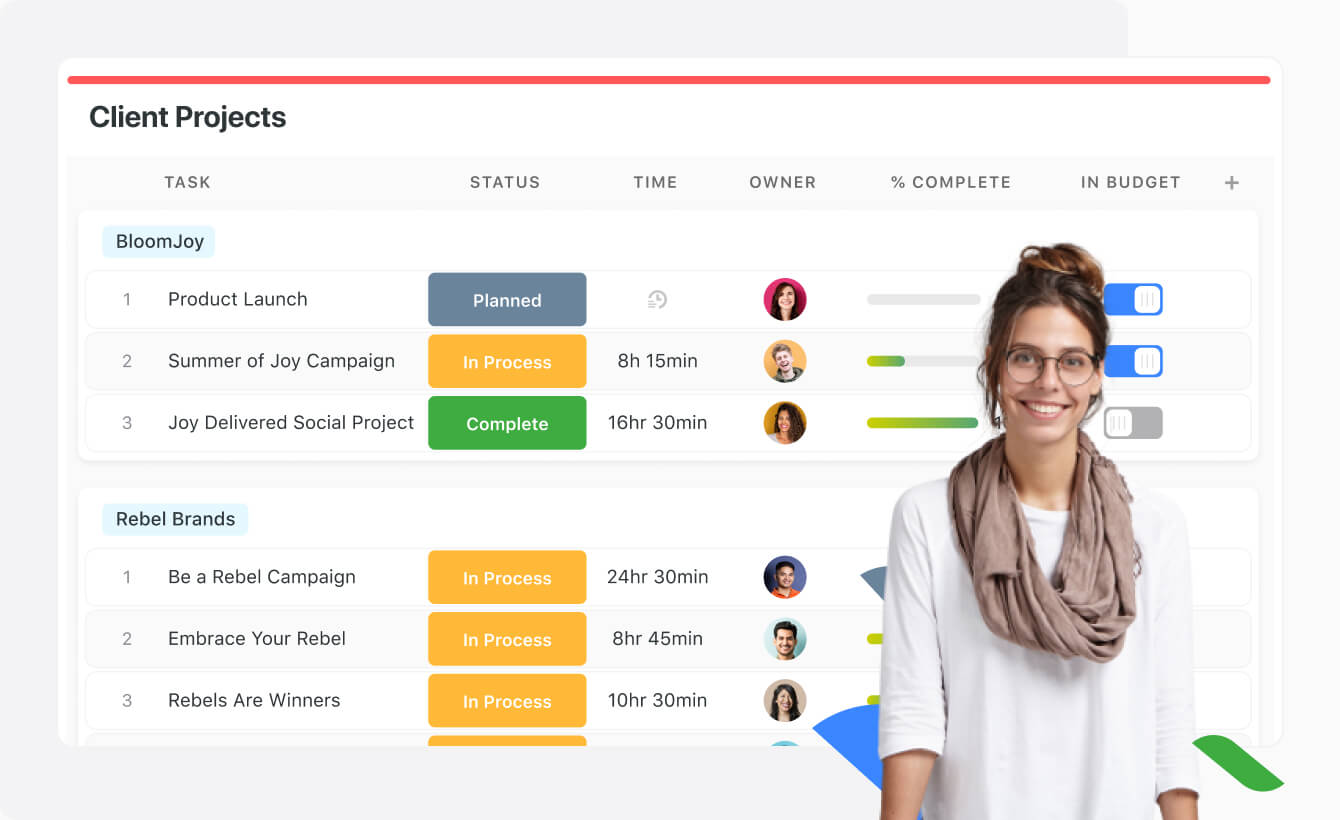
SmartSuite provides a collaborative Work Management platform that enables teams to plan, track and manage workflows - whether it be a project, an ongoing process or routine everyday tasks. SmartSuite helps coordinate people and work across all levels of an organization to ensure that team members have the information they need to accomplish the work that matters most. Team members can create a workflow, or choose from over 200 templates that can be tailored to their exact needs.
$10
per month per user
Webex App
Score 8.5 out of 10
N/A
The Webex App brings together Webex Calling, Meetings, and Messaging into a single application, fostering collaboration and unlocking more productive ways to work.
$0
user/month
Zoom Workplace
Score 8.5 out of 10
N/A
Zoom Workplace, Zoom’s open collaboration platform with an AI Companion, empowers teams to be more productive, and strengthen customer relationships throughout the customer lifecycle with Zoom’s Business Services for sales, marketing, and customer experience teams, including Zoom Contact Center.
$16.99
per month per user
Pricing
SmartSuiteWebex AppZoom Workplace
Editions & Modules
No answers on this topic
Basic Plan
$0.00
user/month
Meet Plan
$13.50
user/month
Meet + Call Plan
$25.00
user/month
Enterprise Plan
Contact Sales
Add-On Zoom Translated Captions
$5
per month per license
Pro
$16.99
per month per user
Business
$21.99
per month per user
Add-On - Conference Room Connector
$499
per year
Basic
Free
Enterprise
Custom
Add-On - Zoom Whiteboard
starting at $2.49
per month per user
Add-On - Large Meetings
starting at $600
per year
Add-On - Cloud Storage
starting at $120
per year
Add-On Audio Conferencing
starting at $1200
per year
Add-On Zoom Phone Power Pack
Starting at $300
per year per user
Add-On - Quality of Service Subscription
Contact Sales
Offerings
Pricing Offerings
SmartSuiteWebex AppZoom Workplace
Free Trial
YesYesYes
Free/Freemium Version
NoYesYes
Premium Consulting/Integration Services
NoYesYes
Entry-level Setup FeeNo setup feeOptionalNo setup fee
Additional DetailsDiscount available for annual billing.
More Pricing Information
Community Pulse
SmartSuiteWebex AppZoom Workplace
Considered Multiple Products
SmartSuite

No answer on this topic

Webex App
Chose Webex App
I feel the storage, Webex has more cloud storage.
Chose Webex App
the video was not clear and latency was high even when the bandwidth is 500mbps and if the number of users increased in a meeting, then its impossible for us to use cameras. this is the reason why we shifted to Webex App
Chose Webex App
Webex stands out for its comprehensive features and enterprise level security that cater well to hybrid work environments. Webex app is a unified communication tool unlike other platforms.
Chose Webex App
Zoom and Google Meet are cheaper in costing but Webex App is more efficient in handling team wise meetings, sending email notifications about the meeting and notifying people just before the meeting. Zoom and good meet are advised if the costing is to be considered as a …
Chose Webex App
Compared with Webex, Microsoft Teams has a more intuitive interface and better integration with Outlook. My organization was using Webex before the COVID-19 pandemic and continues to use it. We have now fully transitioned over to Microsoft Teams for smaller team meetings, with …
Chose Webex App
Built in msft features and more professional usage
Chose Webex App
Comprehensive Hybrid Work Support: Webex App was specifically designed with hybrid and remote work in mind. It brings together messaging, meetings, and calling in one unified experience, which is especially useful for organizations looking to simplify their tech stack.

High-Quali…
Chose Webex App
Webex App is easily integrated, especially for companies that are already using unified communications and collaboration equipment. Compared to Zoom, which is mostly targeted to "fresh" users as it does not need a baseline footprint on the company. We also already use a lot of …
Chose Webex App
Cisco Jabber is competitive against Microsoft Teams, Zoom and Slack, all 3 of which we also use. However, I can expect t to cede more ground in the future as more organisations embrace the other 3 applications.
Chose Webex App
Better security and advanced features, configuration and centralized management, more intuitive features during meetings, integration with audio, video and hardware.
Webex App provides best in class solutions in security and automations while keeping a friendly and easy to use …
Chose Webex App
Webex is superior to Microsoft in video collaboration. Webex Meetings interface has come a long way, and the functionality and usability are superior. Where Webex is not so useful is document management. The interface for MS SharePoint/Onedrive is there, but it has been …
Chose Webex App
Webex App is primarily utilized in our company for Executive-Level meetings and occasionally internal meetings on a department level.
Chose Webex App
Lately, Webex is adopting many features of MS Teams. Both platforms can be used interchangeably, really depends on the participants and which platform is more compatible with all so that we can expect [fewer] problems for the planning and also during the execution of the meeting.
Chose Webex App
Albeit being slightly less intuitive to use, I would consider Webex App is more "professional" or formal than Zoom, and we preferred to use Webex App because it was readily available and already used by most people.
Chose Webex App
We selected Webex because we are a Cisco partner and Cisco products are known to be the best. When we evaluated it, several requirements were brought up but the one we were more concerned was security. Cisco showed us how secure it was and it was enough for us to decide to …
Chose Webex App
Webex is better than Skype. But need to improve to compete with zoom. Zoom user base is growing rapidly with its simple design and easy-to-use interface. WebEx needs to be simplified further.
Chose Webex App
WebexApp is reliable for getting connectivity with Telecom vendors in North America and Latin America for technical support sessions. It is compatible with various PC /OS systems of end-users. I like to engage customers using Cisco Webex App because it demonstrates that my …
Chose Webex App
First, I liked the stable platform Webex provides. Call dropping never happened and this provides high reliability for meetings. Second easy to start and schedule meetings. Integration with Gmail or outlook helped to keep track of scheduled meetings. Second, secured platforms …
Chose Webex App
Skype had its limitations and to support PSTN calls with not very intuitive. Slack is a beast. That's the reason why we have a campus agreement today. My central IT folks love it. Sure WebEX teams can do what Slack can do but Slack was first out the day and landed fairly easy.
Zoom Workplace
Chose Zoom Workplace
Zooms overall layout is far better than others. User friendly and the options/settings are placed in a methodical way. Also, the ease of use between devices is good, going from computer to phone and vice versa is easy.
Chose Zoom Workplace
Ultimately it comes down to Zoom Workplace being more intuitive, the layout of the various buttons such as chat, sharing screen etc
Chose Zoom Workplace
I think Zoom Workplace is about equivalent to the Webex suite. However, Microsoft has the edge due to the breadth of capabilities packaged with Microsoft 365/Entra.
Chose Zoom Workplace
Zoom Workplace is superior
Chose Zoom Workplace
I think Zoom Workplace is more intuitive than the others.
Chose Zoom Workplace
I wouldn't say I like Teams; it's complicated, and it lacks functionality; often, clients use Teams, so im forced to use it, but during meetings, I end up sending them Zoom links so we can continue on Zoom.
Chose Zoom Workplace
We've selected Zoom because it integrates easily with our CRM and allowed to port our phone number. Unfortunately, their billing and tech support are really bad.
Chose Zoom Workplace
Zoom over Webex, while nothing against Webex, Zoom is much easier to understand and use right out of the gate. It provides simple functionality for a nice, clean video conference and also has the bandwidth that we needed to host a lot of people (500+) while Webex could not …
Chose Zoom Workplace
Zoom's more cost-effective compared to the competitors. Initially, Zoom also offers a free option for the first 40 minutes of use. Zoom is easier to install and implement compared to other competitors. Even Microsoft Teams offers a Zoom plug-in to allow for Teams to access …
Chose Zoom Workplace
Compared to its competitors, Zoom is more cost-effective, as well as simpler to install and use. It's also more reliable, as Google Meet's call quality has been poor for meetings larger than one-on-one. Even Microsoft Teams has a Zoom plug-in for teams to use. I chose Zoom, so …
Chose Zoom Workplace
Zoom is easy to use. No conflict tools, bright video, and good quality of audio. I can also use it on my mobile phone.
Chose Zoom Workplace
Zoom is a high-performing video conferencing app [that] is a good option for conferencing meetings. It has all the options that a normal user needs from such an application. But here are some pros that other software offer which Zoom lacks:1. Skype for example has a web client …
Chose Zoom Workplace
Zoom is a lighter, more focused utility. Teams wants to cram everything into one app, and you end up fenced in a jumbled, cluttered workspace. Zoom could benefit from better integrations, though. My experience with Webex is limited, but the interface, especially with email …
Chose Zoom Workplace
Zoom provided cost savings, so SJSU switched from Webex to Zoom.
Chose Zoom Workplace
Considerably better and more professional.
Chose Zoom Workplace
Zoom has simply been easier to use and better quality product compared to Cisco WebEx. Meetings run smoother, video and audio delay is minimal, sharing content is done with a click of a single button, and on top of that, there is also great chat build right into the Zoom client.
Chose Zoom Workplace
Cisco has the end to end product line that includes the endpoint and Webex meeting. Most notably, the Cisco Room Kits Suite of products are high quality and easy to install/use. They look professional too, whereas the 3rd-party product by Zoom lacks that kind of professional …
Chose Zoom Workplace
I've used them all, and there's no competition. It just works! I used to work at Netflix and we used Google Hangouts. It was terrible and had limited features and we did everything possible to hack it to have the features Zoom natively has. Organizations big and small will love …
Chose Zoom Workplace
Costs have been cut by switching to a dedicated Cloud-based Soft Codec.
Chose Zoom Workplace
Cisco WebEx is a very similar product and experience. However, Zoom is more cost-efficient and a better option for smaller organizations.
Features
SmartSuiteWebex AppZoom Workplace
Project Management
Comparison of Project Management features of Product A and Product B
SmartSuite
9.1
18 Ratings
16% above category average
Webex App
8.0
621 Ratings
3% above category average
Zoom Workplace
-
Ratings
Task Management9.218 Ratings7.7352 Ratings00 Ratings
Resource Management9.117 Ratings00 Ratings00 Ratings
Gantt Charts9.114 Ratings7.2166 Ratings00 Ratings
Scheduling9.016 Ratings8.6487 Ratings00 Ratings
Workflow Automation9.117 Ratings7.9238 Ratings00 Ratings
Team Collaboration9.218 Ratings00 Ratings00 Ratings
Support for Agile Methodology9.118 Ratings00 Ratings00 Ratings
Document Management9.117 Ratings00 Ratings00 Ratings
Email integration9.117 Ratings00 Ratings00 Ratings
Mobile Access9.017 Ratings8.6584 Ratings00 Ratings
Timesheet Tracking9.214 Ratings00 Ratings00 Ratings
Change request and Case Management9.016 Ratings00 Ratings00 Ratings
Budget and Expense Management9.215 Ratings00 Ratings00 Ratings
Search00 Ratings8.0497 Ratings00 Ratings
Visual planning tools00 Ratings8.0270 Ratings00 Ratings
Professional Services Automation
Comparison of Professional Services Automation features of Product A and Product B
SmartSuite
9.2
15 Ratings
17% above category average
Webex App
-
Ratings
Zoom Workplace
-
Ratings
Quotes/estimates9.214 Ratings00 Ratings00 Ratings
Project & financial reporting9.114 Ratings00 Ratings00 Ratings
Integration with accounting software9.29 Ratings00 Ratings00 Ratings
Communication
Comparison of Communication features of Product A and Product B
SmartSuite
-
Ratings
Webex App
7.7
664 Ratings
4% below category average
Zoom Workplace
-
Ratings
Chat00 Ratings8.9654 Ratings00 Ratings
Notifications00 Ratings8.5645 Ratings00 Ratings
Discussions00 Ratings8.4597 Ratings00 Ratings
Surveys00 Ratings7.9336 Ratings00 Ratings
Internal knowledgebase00 Ratings8.1300 Ratings00 Ratings
Integrates with GoToMeeting00 Ratings8.5152 Ratings00 Ratings
Integrates with Gmail and Google Hangouts00 Ratings2.2175 Ratings00 Ratings
Integrates with Outlook00 Ratings8.9381 Ratings00 Ratings
File Sharing & Management
Comparison of File Sharing & Management features of Product A and Product B
SmartSuite
-
Ratings
Webex App
7.9
574 Ratings
2% below category average
Zoom Workplace
-
Ratings
Versioning00 Ratings8.0348 Ratings00 Ratings
Video files00 Ratings8.3495 Ratings00 Ratings
Audio files00 Ratings8.5494 Ratings00 Ratings
Document collaboration00 Ratings8.3460 Ratings00 Ratings
Access control00 Ratings8.1363 Ratings00 Ratings
Advanced security features00 Ratings8.6376 Ratings00 Ratings
Integrates with Google Drive00 Ratings4.7171 Ratings00 Ratings
Device sync00 Ratings8.5350 Ratings00 Ratings
Performance & Compatibility of Online Events Software
Comparison of Performance & Compatibility of Online Events Software features of Product A and Product B
SmartSuite
-
Ratings
Webex App
-
Ratings
Zoom Workplace
8.4
1002 Ratings
1% above category average
High quality audio00 Ratings00 Ratings8.7994 Ratings
High quality video00 Ratings00 Ratings8.8994 Ratings
Screen Sharing
Comparison of Screen Sharing features of Product A and Product B
SmartSuite
-
Ratings
Webex App
-
Ratings
Zoom Workplace
8.6
1002 Ratings
3% above category average
Desktop sharing00 Ratings00 Ratings9.31001 Ratings
Online Meetings / Events
Comparison of Online Meetings / Events features of Product A and Product B
SmartSuite
-
Ratings
Webex App
-
Ratings
Zoom Workplace
8.6
1008 Ratings
2% above category average
Calendar integration00 Ratings00 Ratings8.8920 Ratings
Meeting initiation00 Ratings00 Ratings9.0982 Ratings
Record meetings / events00 Ratings00 Ratings9.1957 Ratings
Online Events Collaboration
Comparison of Online Events Collaboration features of Product A and Product B
SmartSuite
-
Ratings
Webex App
-
Ratings
Zoom Workplace
8.3
871 Ratings
2% above category average
Live chat00 Ratings00 Ratings9.0853 Ratings
Online Events Security
Comparison of Online Events Security features of Product A and Product B
SmartSuite
-
Ratings
Webex App
-
Ratings
Zoom Workplace
8.8
860 Ratings
12% above category average
User authentication00 Ratings00 Ratings8.7754 Ratings
Participant roles & permissions00 Ratings00 Ratings8.6825 Ratings
Cloud PBX
Comparison of Cloud PBX features of Product A and Product B
SmartSuite
-
Ratings
Webex App
-
Ratings
Zoom Workplace
7.9
234 Ratings
5% below category average
Hosted PBX00 Ratings00 Ratings7.9111 Ratings
Multi-level Interactive Voice Response (IVR)00 Ratings00 Ratings7.6136 Ratings
Directory of employee names00 Ratings00 Ratings8.2217 Ratings
Call Management
Comparison of Call Management features of Product A and Product B
SmartSuite
-
Ratings
Webex App
-
Ratings
Zoom Workplace
8.0
263 Ratings
6% below category average
Answering rules00 Ratings00 Ratings8.3191 Ratings
Call recording00 Ratings00 Ratings8.7240 Ratings
Call park00 Ratings00 Ratings7.6147 Ratings
Call screening00 Ratings00 Ratings7.7164 Ratings
Message alerts00 Ratings00 Ratings8.0208 Ratings
Business SMS/External Messaging00 Ratings00 Ratings7.9130 Ratings
Voicemail Transcription00 Ratings00 Ratings7.5183 Ratings
Mobile apps
Comparison of Mobile apps features of Product A and Product B
SmartSuite
-
Ratings
Webex App
-
Ratings
Zoom Workplace
8.7
290 Ratings
1% above category average
Mobile app for iOS00 Ratings00 Ratings8.6256 Ratings
Mobile app for Android00 Ratings00 Ratings8.8175 Ratings
Unified Communications Platform and Collaboration
Comparison of Unified Communications Platform and Collaboration features of Product A and Product B
SmartSuite
-
Ratings
Webex App
-
Ratings
Zoom Workplace
8.4
247 Ratings
2% above category average
Centralized communications management00 Ratings00 Ratings8.6198 Ratings
Team messaging00 Ratings00 Ratings8.5214 Ratings
Team document sharing00 Ratings00 Ratings8.2191 Ratings
Call and meeting analytics00 Ratings00 Ratings8.3200 Ratings
Best Alternatives
SmartSuiteWebex AppZoom Workplace
Small Businesses
Stackby
Stackby
Score 9.0 out of 10
Stackby
Stackby
Score 9.0 out of 10
Broadvoice | GoContact
Score 9.3 out of 10
Medium-sized Companies
InEight
InEight
Score 8.5 out of 10
Troop Messenger
Troop Messenger
Score 9.8 out of 10
Cisco Unified Communications Manager (Call Manager)
Score 8.6 out of 10
Enterprises
InEight
InEight
Score 8.5 out of 10
HCL Connections
HCL Connections
Score 9.0 out of 10
Cisco Unified Communications Manager (Call Manager)
Score 8.6 out of 10
All AlternativesView all alternativesView all alternativesView all alternatives
User Ratings
SmartSuiteWebex AppZoom Workplace
Likelihood to Recommend
9.2
(18 ratings)
8.5
(711 ratings)
8.8
(1019 ratings)
Likelihood to Renew
9.1
(1 ratings)
8.4
(34 ratings)
7.6
(25 ratings)
Usability
9.1
(1 ratings)
8.5
(390 ratings)
8.7
(45 ratings)
Availability
-
(0 ratings)
9.1
(12 ratings)
9.1
(2 ratings)
Performance
-
(0 ratings)
6.8
(11 ratings)
9.0
(3 ratings)
Support Rating
9.1
(1 ratings)
8.7
(395 ratings)
6.1
(46 ratings)
In-Person Training
-
(0 ratings)
9.0
(4 ratings)
9.1
(1 ratings)
Online Training
-
(0 ratings)
8.5
(6 ratings)
-
(0 ratings)
Implementation Rating
9.1
(1 ratings)
6.8
(15 ratings)
6.3
(11 ratings)
Configurability
-
(0 ratings)
7.1
(14 ratings)
9.1
(2 ratings)
Contract Terms and Pricing Model
-
(0 ratings)
-
(0 ratings)
8.0
(13 ratings)
Ease of integration
-
(0 ratings)
8.5
(11 ratings)
7.3
(2 ratings)
Product Scalability
-
(0 ratings)
7.6
(11 ratings)
9.7
(3 ratings)
Professional Services
-
(0 ratings)
-
(0 ratings)
9.2
(8 ratings)
Vendor post-sale
-
(0 ratings)
8.6
(10 ratings)
9.1
(2 ratings)
Vendor pre-sale
-
(0 ratings)
8.6
(12 ratings)
7.3
(2 ratings)
User Testimonials
SmartSuiteWebex AppZoom Workplace
Likelihood to Recommend
SmartSuite
It is best suited to be a google alternative for a google drive due to its multiple functions. Can add action items, upload multiple types of files and assign people responsibilities and tasks. It combines resource platform abilities with project management functionality in order to unite all your needs in one area.
Read full review
Cisco
It can be useful for organizations which uses hybrid and work from home model. By using this application we can seamlessly connect with each and every person in the organization. Used to conduct meetings about progress of project and can be able to present our data to others by screensharing option.
Read full review
Zoom
In most cases, and I mean almost all, Zoom is vastly superior to Teams in terms of functionality and ease of use. Case in point: I recently tried to join a Teams meeting in the web browser, and it took me multiple attempts to access it. This NEVER happens with a Zoom link.
Read full review
Pros
SmartSuite
  • SmartSuite is a good collaboration tool
  • The capabilities of the platform are immense
  • The customization features allow users to set up the report type and view it exactly as they want
  • The choice of the fields to be used in the records and reports is really wide
Read full review
Cisco
  • The online meeting within the internal team using Webex App is always a good experience as it helps well in sharing screen, and any content for that matter.
  • It helps in arranging online interviews and it is also very good experience using the web version of Webex App.
  • It also helps in arranging online training sessions and webinars which generally involve huge number of participants generally over 200+ participants and Webex App handles it very well.
Read full review
Zoom
  • Audio quality of phone calls is spot on. Calls are clear and crisp.
  • Video quality of video meetings are clear and there aren't any pixelization artifacts that some systems can have.
  • Having AI summaries have been life changing for us. We no longer have to concentrate on note taking, like we did in the past. The summaries are accurate and enable us to put our efforts in the meeting or conversation. Plus, we can save them into our practice management system as required.
Read full review
Cons
SmartSuite
  • A little better home screen, which is already in the works!
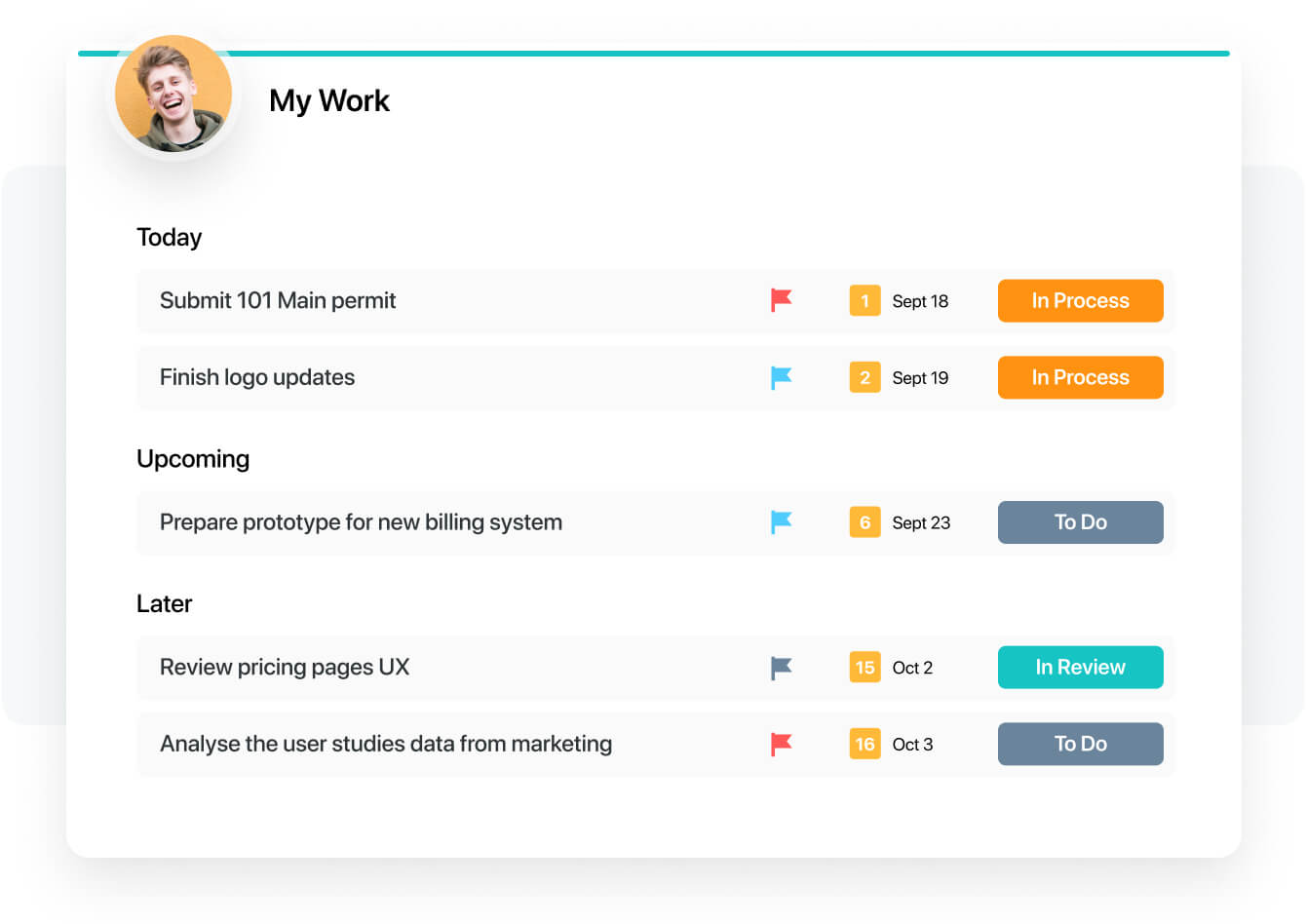
  • Better experience in the my work panel, which is also in the works already!
Read full review
Cisco
  • Compared to zoom, I think the user experience is not as good.
  • I am not familiar with more detailed options; maybe they are too hidden: how do I integrate Slido better?
  • Not a fan of a mobile app. Maybe needs some improvement.
Read full review
Zoom
  • Love notes - allow insertion of table or grid
  • Allow admin to turn off DND
  • Allow a way to group individual people chats - not channels just individual peeps into groups for ease of finding - like how you can group shared calendars into sections in Outlook
Read full review
Likelihood to Renew
SmartSuite
I have a great expereance
Read full review
Cisco
While Webex has strong adoption on the administrative side, the LTI tool for Webex is lacking some important support for teaching and learning. Therefore, faculty do not see much value in Webex and prefer to use other tools that are easier to access and more likely to benefit their students within the LMS. Webex has not been the easiest to work with for identifying pedagogical roadmap improvements, especially compared to competitors who work closely in the education space
Read full review
Zoom
We're sticking with Zoom for the foreseeable future--given its compelling feature set, ease of use, and advanced technology, there's just no other competition to be excited about. Plus it's a Gartner-recognized industry leader, so it's a rather easy choice.
Read full review
Usability
SmartSuite
The product is usability friendly, easy to use, flexible and has all functions I need for my purposes
Read full review
Cisco
Webex is quite usable, and it is, in fact very easy to use as well. You don't need a lot of documentation to learn how to use the app as it's mostly self-explanatory. The user interface is easy on the eyes, and people can see buttons without issues. Overall, WebEx's front-end design is great and I don't have much issue with it.
Read full review
Zoom
Zoom is made for the non tech office. It has features that can be made to do what you need to run things on a day to day basis. Immediately we we able to get meetings going with remote employees. The ability to be able to add smartphone connected people was a big plus. Zoom met our needs at the time.
Read full review
Reliability and Availability
SmartSuite
No answers on this topic
Cisco
I would say every time I open it, it is there, there are times that our users have to sign out and back in to get it to work or even do a full exit as the app will disconnect from the controlling the desk phone, but some easy steps to sign-out or fully exit the app gets the user back up and running quickly.
Read full review
Zoom
There have been less than a handful of outages during our two years with Zoom, and whenever there was one, an email informing us of the outage went out immediately, and they had the issue resolved shortly thereafter.
Read full review
Performance
SmartSuite
No answers on this topic
Cisco
On standalone it works fine, it used to consume a considerable amount of system resources in the past, but with updates and upgrades, this has improved quite a lot. As far as integrations with other systems, we have not come across any critical issues with the app.
Read full review
Zoom
Zoom has among the best performance of any video conference platform, as I've mentioned several times. Besides that, their Chat platform works great, and their back end always runs smooth. It's unfortunate that reporting can now only be done by one month at a time, but nonetheless, it only takes a second to run any kind of Zoom report, whether it's an attendee report, Poll results, a user report, a list of meetings from the past month, etc.
Read full review
Support Rating
SmartSuite
They have a great tutorial and a lot of hits during the work process
Read full review
Cisco
Talking about Webex App technical support is talking about the quality because they are always attentive and willing to attend to our needs, and the response is immediate; every time we have needed help to solve a problem or find out a function, they have not responded quickly, Cisco has always been characterized by being efficient and deserving 10 points.
Read full review
Zoom
Because I got a response right away, and was assigned one specific individual to work with me from the beginning to the resolution. I had an actual email address and direct contact with this person without having to start over and over every time I contacted Zoom - this singular individual remained attentive and was well informed on the subject matter and quite able to resolve my needs.
Read full review
In-Person Training
SmartSuite
No answers on this topic
Cisco
I am very satisfied with my experience with Webex App in online training. The creation of the event is very easy with the possibility of scheduling it in advance. The management of participants, organizers, and animators is complete. The invitations are automated and by simply using emails we can create all the schedules of the training session
Read full review
Zoom
No answers on this topic
Online Training
SmartSuite
No answers on this topic
Cisco
I would rate the online training 8/10. It provided clear and well-structured content, making it easy to understand the core features of Webex. However, I believe it could have been more interactive, with practical exercises or real-life scenarios to enhance user engagement. More advanced topics or troubleshooting guides could also be helpful for deeper learning.
Read full review
Zoom
No answers on this topic
Implementation Rating
SmartSuite
That's easy. Just try
Read full review
Cisco
There was quite a bit of back and forth with TAC and Cisco Reps to get it fully up and running but we did get there. Some of which had to do with documentation was not fully understandable. But with Cisco TAC we were able to get fully up and running.
Read full review
Zoom
If you receive any pushback from higher ups, point to any of the various positive reviews like this one. Or show Zoom's excellent Gartner report, or articles describing Zoom's partnership with Sequoia capital. It's not difficult to show how Zoom is a trustworthy industry leader with best-in-class technology.
Read full review
Alternatives Considered
SmartSuite
For our team, SmartSuite contains all features that we need. Before we use Asana, Trello and tried to use Airtable. But all of these management systems did not satisfy us. Then we started using SmartSuite, got to know all the possibilities and decided to switch to it
Read full review
Cisco
Microsoft Teams, while being built for more file sharing, completely misses the mark. I prefer Webex App which focuses on being a great chat tool, rather than trying to become something it is not. Slack is preferred over Webex App, but just barely, and it is only because Slack has a slightly more intuitive group discussion function.
Read full review
Zoom
Zoom Workplace is typically on the more expensive end against other options, but it's the industry leader for a reason. It has the most brand credibility by far, but that doesn't mean it's perfect. There are limitations when it comes to technical performance, customization and video/audio quality. I prefer Slack myself for communication apps, but Zoom Workplace is a good alternative.
Read full review
Contract Terms and Pricing Model
SmartSuite
No answers on this topic
Cisco
No answers on this topic
Zoom
The billing and price model is really fair for so many functions that they offer, our remote work requires each of the features that Zoom offers, so accepting payment for a tool like this is the least we can do. I like that billing arrives on time and that they offer opportunities and payment times.
Read full review
Scalability
SmartSuite
No answers on this topic
Cisco
Once everything is in place on the back end getting Webex on a user's PC is now very easy and with single sign-on, users are able to sign in without having to remember another password. Just make sure you have all the user settings in CUCM, CUC set right, and that they have the needed licenses in Webex Control Hub.
Read full review
Zoom
Because the Basic licenses are completely free, and because it's very easy to configure and install Zoom, and because anyone can join Zoom from a link without needing an account, scaling is a Breeze. There are absolutely no roadblocks. My company keeps adding more Zoom Pro license every week since it's so in demand. We were able to convert users from several different platforms onto Zoom with no trouble at all.
Read full review
Professional Services
SmartSuite
No answers on this topic
Cisco
No answers on this topic
Zoom
Zoom is perfect for our business. We use it to video chat with prospective clients. The name recognition alone gives us credibility and it is very easy to screen share and send content out.
Read full review
Return on Investment
SmartSuite
  • We have to spend less time on checking where the project is at
  • We can have less PM's in the business
  • Our clients are happier thus leading to more business
Read full review
Cisco
  • Comfort in switching multiple OS platforms, when there is similar UI design.
  • HD video quality and HD screen share, make up presentations look more professional and standardized.
  • Less call/meeting drops as seen in other platforms applications.
  • Builds a level of trust, when we connect on Cisco's application platform with customers who are having their whole communication infrastructure shifted to Cisco Webex App.
Read full review
Zoom
  • We have not lost much productivity in our teamwork during the pandemic because of the ability to have Zoom video calls and keep everyone in touch. This is definitely a positive.
  • We are able to have more people participate in coaching sessions (described earlier) because we don't have room space limitations. This is a big positive.
  • Being able to start a meeting instantly is great when we are doing support and/or training with a client over the phone and need to be able to share a visible
Read full review
ScreenShots

SmartSuite Screenshots

Screenshot of Screenshot of Screenshot of Screenshot of Screenshot of Screenshot of

Zoom Workplace Screenshots

Screenshot of an example collaboration feature. These are used to:
Transcribe, summarize, and capture action items with AI Companion from your in-person meetings.
Improve visibility and alignment by sharing emails to chats
Elevate a chat to a meeting or phone call to get to resolution faster. 
Continue meeting conversations and easily access shared information in Team Chat.Screenshot of an example of Zoom's productivity features. These features are used to:
Improve productivity across teams, locations, and time zones.
Organize project deliverables and assets in a centralized, collaborative doc.
Collaborate and map out projects visually on a whiteboard.
Jumpstart brainstorming sessions using AI and templates.
Gather valuable team input for well-informed decision-making with surveys and polls.
Stay on top of action items surfaced from across Zoom Workplace.Screenshot of some additional collaboration features. These are used to:
Optimize office experiences and in-person time.
Make sure remote participants feel connected with what is going on in the room.
Collaborate across remote and in-person teams on a virtual whiteboard.
Easily know and identify who is in the room and who is speaking in a Zoom Room with smart name tags and smart speaker tags.Screenshot of an example of Zoom's AI companion. This feature is used to streamline communications, improve productivity, increase employee engagement, and optimize flexible work.Screenshot of additional AI Companion features. The tools is also used to:
Launch internal campaigns.
Deliver visually rich updates with live streams, billboards, and videos.
Ensure critical comms are never missed with read receipts.
Send updates to deskless workers with Workvivo TV and Chat.