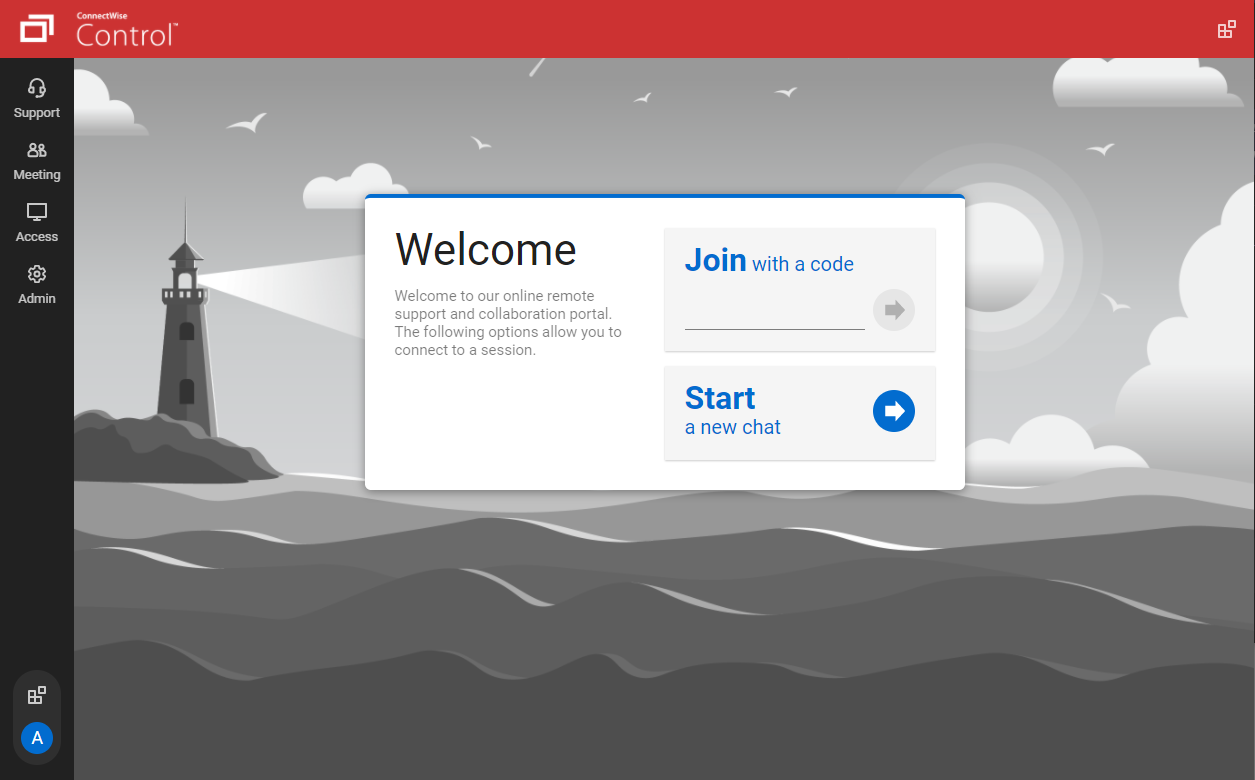
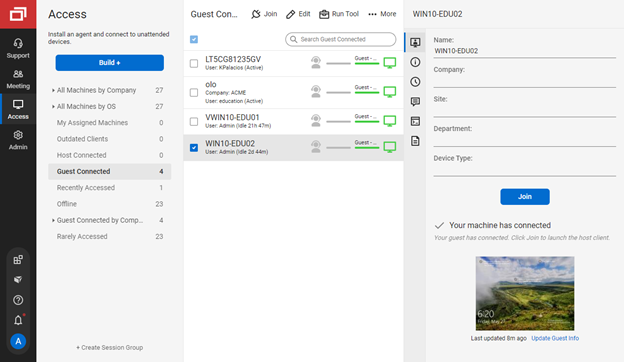
ConnectWise ScreenConnect is a remote support, access, and meeting solution. With it, users can utilize remote support and access to repair computers, provide updates, and manage machines. Users can also conduct online seminars and presentations using remote meetings.
$39
per month
Kaseya VSA
Score8.3 out of 10
N/A
Kaseya Virtual System Administrator (VSA) is a cloud-based Remote Monitoring and Management software. VSA unifies the monitoring of system infrastructure and endpoints and is designed for use by IT teams and MSP’s. It offers a robust crowd-source automation scripts library, as well as antivirus and malware capabilities with real-time threat alerts.
N/A
TeamViewer
Score8.6 out of 10
N/A
Teamviewer offers secure remote access, IT support and device management on a scalable platform. It speeds up problem resolution, reduces downtime and enhances control through automation, unattended access and complete visibility of every device and location.
Its lightweight and it is slightly cheaper than TeamViewer at least at the time of buying ScreenConnect. But we are exploring any desk and splash top again.
A de minimis incentive was given to thank the reviewer for their time. The incentive was not used to bias or drive a particular response, nor was the incentive contingent on a positive endorsement. More Info
Verified User
Chose ScreenConnect
TeamViewer is more more limited than what ConnectWise ScreenConnect offers. ConnectWise ScreenConnect has more trust built into it by installing running processes on the client computers. The tools work reliably and TeamViewer is not the better choice for use across multiple …
A de minimis incentive was given to thank the reviewer for their time. The incentive was not used to bias or drive a particular response, nor was the incentive contingent on a positive endorsement. More Info
Verified User
Chose ScreenConnect
ConnectWise Control was more reliable and cheaper than TeamViewer and LogMeIn however the support wasn't as good when there was an issue. ConnectWise Control is a faster solution however we did experience crashes every now and again.
A de minimis incentive was given to thank the reviewer for their time. The incentive was not used to bias or drive a particular response, nor was the incentive contingent on a positive endorsement. More Info
Verified User
Chose ScreenConnect
TeamViewer is great functionality-wise, but for new users, it's difficult to install and start using it. Also it turns out to be very pricey.
A de minimis incentive was given to thank the reviewer for their time. The incentive was not used to bias or drive a particular response, nor was the incentive contingent on a positive endorsement. More Info
A de minimis incentive was given to thank the reviewer for their time. The incentive was not used to bias or drive a particular response, nor was the incentive contingent on a positive endorsement. More Info
Computer and Information Systems Manager in Information Technology at DSI Solutions (Information Technology and Services, 11-50 employees)
Chose ScreenConnect
Interestingly, TeamViewer was unexpectedly difficult for our clients to get downloaded and running. ConnectWise control allows us to just email them a link to click on.
A de minimis incentive was given to thank the reviewer for their time. The incentive was not used to bias or drive a particular response, nor was the incentive contingent on a positive endorsement. More Info
Verified User
Chose ScreenConnect
We prefer ScreenConnect as it is much better for an MSP with thousands of client machines, the other options don't provide an easy way of accessing a machine quickly enough. We have also had an issue with the other software's reliability to connect. ScreenConnect's integration …
A de minimis incentive was given to thank the reviewer for their time. The incentive was not used to bias or drive a particular response, nor was the incentive contingent on a positive endorsement. More Info
Verified User
Chose ScreenConnect
Although ScreenConnect is more expensive than the competition, you get what you pay for. ScreenConnect is easy to use as an admin, and end user. It is easy to set up and configure, and it allows you to quickly view the status of devices and access them remotely from one dashboard
A de minimis incentive was given to thank the reviewer for their time. The incentive was not used to bias or drive a particular response, nor was the incentive contingent on a positive endorsement. More Info
Owner at Grand Valley PC Partners (Computer Software, 1-10 employees)
Chose ScreenConnect
For cost and management capabilities, I found ScreenConnect to be the best option. Some of the other services offered easier connection opportunities for my clients, but overall, I liked the tools and price point of ScreenConnect.
A de minimis incentive was given to thank the reviewer for their time. The incentive was not used to bias or drive a particular response, nor was the incentive contingent on a positive endorsement. More Info
Verified User
Chose ScreenConnect
I think ConnectWise ScreenConnect is by far the superior product to all of these. It is way ahead and does do not even come close. It has way more options and features and is much easier to use and manage.
A de minimis incentive was given to thank the reviewer for their time. The incentive was not used to bias or drive a particular response, nor was the incentive contingent on a positive endorsement. More Info
A de minimis incentive was given to thank the reviewer for their time. The incentive was not used to bias or drive a particular response, nor was the incentive contingent on a positive endorsement. More Info
Owner in Corporate at Nelson Technology Partners (Computer Networking, 1-10 employees)
Chose ScreenConnect
ConnectWise Control is far superior just on price alone. Logmein Rescue's pricing is ridiculous in comparison. The ease of use from the end user is similar with both products. However, the technician side of the software is significantly better on the ConnectWise Control …
A de minimis incentive was given to thank the reviewer for their time. The incentive was not used to bias or drive a particular response, nor was the incentive contingent on a positive endorsement. More Info
IT Infrastructure Manager in Information Technology at Pace Supply (Wholesale, 1001-5000 employees)
Chose ScreenConnect
ConnectWise Control gives you a lot of the features that the other products provide, but nothing that you won't use. Nothing is worse than a clunky remote session where you are fighting for CPU/RAM resources, and ConnectWise Control beats them all hands down. This product is …
A de minimis incentive was given to thank the reviewer for their time. The incentive was not used to bias or drive a particular response, nor was the incentive contingent on a positive endorsement. More Info
A de minimis incentive was given to thank the reviewer for their time. The incentive was not used to bias or drive a particular response, nor was the incentive contingent on a positive endorsement. More Info
Sr. System Admin in Information Technology at Anritsu Company (Electrical & Electronic Manufacturing, 1001-5000 employees)
Chose ScreenConnect
ConnectWise is easy to implement, the software functions and feature support our users equipments. Deployment agents is simple, can be run on demand with url and email. Agent could be pre-install and provide constantly remote access to user PC or equipment. It also offer a …
A de minimis incentive was given to thank the reviewer for their time. The incentive was not used to bias or drive a particular response, nor was the incentive contingent on a positive endorsement. More Info
Level 2 Support Analyst in Information Technology at Springthrough Consulting (Information Technology & Services, 11-50 employees)
Chose ScreenConnect
RDP is fine for what it is, but there's a lot you can't usually do like connect from outside the network without opening up the firewall. As for Kaseya, I can't recall what their remote options were, but they left a lot to be desired. One method was similar to an RDP session and …
A de minimis incentive was given to thank the reviewer for their time. The incentive was not used to bias or drive a particular response, nor was the incentive contingent on a positive endorsement. More Info
Verified User
Chose ScreenConnect
There's no comparison. ConnectWise Control is the clear winner. The interface is much more intuitive and easy to use.
A de minimis incentive was given to thank the reviewer for their time. The incentive was not used to bias or drive a particular response, nor was the incentive contingent on a positive endorsement. More Info
Engineering Technician in Information Technology at Hogan's Systems Consulting, LLC (Information Technology & Services, 1-10 employees)
Chose ScreenConnect
We used a few other products before we found ConnectWise Control. While the other products worked well for us, the vendors kept raising the prices to the point that they became unaffordable for a small company like mine.
A de minimis incentive was given to thank the reviewer for their time. The incentive was not used to bias or drive a particular response, nor was the incentive contingent on a positive endorsement. More Info
A de minimis incentive was given to thank the reviewer for their time. The incentive was not used to bias or drive a particular response, nor was the incentive contingent on a positive endorsement. More Info
A de minimis incentive was given to thank the reviewer for their time. The incentive was not used to bias or drive a particular response, nor was the incentive contingent on a positive endorsement. More Info
A de minimis incentive was given to thank the reviewer for their time. The incentive was not used to bias or drive a particular response, nor was the incentive contingent on a positive endorsement. More Info
Verified User
Chose ScreenConnect
The price, features, connection quality, level of control, and ease of use are far better than the alternatives that I've tried.
A de minimis incentive was given to thank the reviewer for their time. The incentive was not used to bias or drive a particular response, nor was the incentive contingent on a positive endorsement. TR verified that a representative sample of customers was invited. More Info
Kaseya
Verified User
Chose Kaseya VSA
Kaseya is the worst remote desktop software I have ever used. I could never understand why I constantly was unable to connect to our remote desktops. Not being able to do my work, the lackluster customer service, and the constant complaints from my workers is the reason why we …
A de minimis incentive was given to thank the reviewer for their time. The incentive was not used to bias or drive a particular response, nor was the incentive contingent on a positive endorsement. More Info
IT Technician in Information Technology at Clark Computer Services (Information Technology and Services, 1-10 employees)
Chose Kaseya VSA
The way LabTech integrates with ScreenConnect and TeamViewer is just SO much better than Kaseya. I feel like Kaseya is a bit more intuitive though as opposed to LabTech that you should probably get some real training for. Scripting in LabTech is more reliable. I've never had a …
A de minimis incentive was given to thank the reviewer for their time. The incentive was not used to bias or drive a particular response, nor was the incentive contingent on a positive endorsement. More Info
Verified User
Chose Kaseya VSA
We looked at several options besides Kaseya in the beginning of our research process. We preferred the layout, support, and overall feature rich platform of Kaseya to some of their competitors. We also liked the ability to grow with Kaseya as needed and the ability to add …
A de minimis incentive was given to thank the reviewer for their time. The incentive was not used to bias or drive a particular response, nor was the incentive contingent on a positive endorsement. More Info
Verified User
Chose Kaseya VSA
ConnectWise didn't offer all of the features that we required and was more expensive than VSA.
A de minimis incentive was given to thank the reviewer for their time. The incentive was not used to bias or drive a particular response, nor was the incentive contingent on a positive endorsement. More Info
CIO in Information Technology at Massachusetts Municipal Association (Non-profit Organization Management, 51-200 employees)
Chose TeamViewer
Apple Remote Desktop requires a VPN connection to the LAN to be useful, but it is still necessary to use it when TeamViewer will not connect. Datto RMM seems very solid, and I like it, though I only have access to it from our MPS. It can often connect when the TV cannot. Screen…
A de minimis incentive was given to thank the reviewer for their time. The incentive was not used to bias or drive a particular response, nor was the incentive contingent on a positive endorsement. TR verified that a representative sample of customers was invited. More Info
Verified User
Chose TeamViewer
For mobile, TeamViewer was much better, especially since some of them don't support mobile devices at all. Performance seems to be generally better than AnyDesk and on par with ScreenConnect in both performance and the feature set. One system not in the list above is RustDesk. …
A de minimis incentive was given to thank the reviewer for their time. The incentive was not used to bias or drive a particular response, nor was the incentive contingent on a positive endorsement. TR verified that a representative sample of customers was invited. More Info
Verified User
Chose TeamViewer
ConnectWise's screenconnect was the biggest contender to TeamViewer as they are shaking up the industry with their web-based interface, super easy installation, and one-click remote support capabilities. Their pricing blew TeamViewer out of the water, and they were able to do …
A de minimis incentive was given to thank the reviewer for their time. The incentive was not used to bias or drive a particular response, nor was the incentive contingent on a positive endorsement. TR verified that a representative sample of customers was invited. More Info
A de minimis incentive was given to thank the reviewer for their time. The incentive was not used to bias or drive a particular response, nor was the incentive contingent on a positive endorsement. TR verified that a representative sample of customers was invited. More Info
Verified User
Chose TeamViewer
After discovering the options that we had we decided to go with TeamViewer since we thought it would fit better our needs and we thought it was more trustworthy due to many yrs in the market. We checked the reviews of other users online and we read good things about this …
A de minimis incentive was given to thank the reviewer for their time. The incentive was not used to bias or drive a particular response, nor was the incentive contingent on a positive endorsement. TR verified that a representative sample of customers was invited. More Info
Network Administrator/ IT Operations in Information Technology at Automated Products Inc. (Construction, 51-200 employees)
Chose TeamViewer
TeamViewer stacked up very well. Has most of the same type of features and It also has a free personal version to use. I like all the features and the direction TeamViewer is heading. We picked TeamViewer because of its ease of use and its secure connection. And the many …
A de minimis incentive was given to thank the reviewer for their time. The incentive was not used to bias or drive a particular response, nor was the incentive contingent on a positive endorsement. TR verified that a representative sample of customers was invited. More Info
Verified User
Chose TeamViewer
ConnectWise appears to be less frustrating; we will evaluate it prior to renewing our TeamViewer license.
A de minimis incentive was given to thank the reviewer for their time. The incentive was not used to bias or drive a particular response, nor was the incentive contingent on a positive endorsement. TR verified that a representative sample of customers was invited. More Info
owner in Information Technology at the pc manager llc (Information Technology & Services, 1-10 employees)
Chose TeamViewer
I have partnered with another company from time to time, and he uses it. I am not a big fan based on having to install their app on clients' computers and their lack of features or security.
A de minimis incentive was given to thank the reviewer for their time. The incentive was not used to bias or drive a particular response, nor was the incentive contingent on a positive endorsement. More Info
Verified User
Chose TeamViewer
TeamViewer is known for its user-friendly interface, making it accessible for both technical and non-technical users. The ease of use contributes to faster adoption and smoother remote collaboration experiences. The ability to establish unattended access allows for remote …
A de minimis incentive was given to thank the reviewer for their time. The incentive was not used to bias or drive a particular response, nor was the incentive contingent on a positive endorsement. TR verified that a representative sample of customers was invited. More Info
A de minimis incentive was given to thank the reviewer for their time. The incentive was not used to bias or drive a particular response, nor was the incentive contingent on a positive endorsement. TR verified that a representative sample of customers was invited. More Info
Engineering Technician in Information Technology at Hogan's Systems Consulting, LLC (Information Technology & Services, 1-10 employees)
Chose TeamViewer
ConnectWise Control is much easier to use than TeamViewer. It is much easier to set up a "one-off" remote support session and much much much easier to set up a "permanent" remote support connection. ConnectWise also provides a lot more information about the computers …
A de minimis incentive was given to thank the reviewer for their time. The incentive was not used to bias or drive a particular response, nor was the incentive contingent on a positive endorsement. More Info
Verified User
Chose TeamViewer
TeamViewer is the middle-man between the enterprise tool Kaseya NOC Services and the lightweight tool LogMeIn Pro. TeamViewer provides the functionality of monitoring and reporting while easy to use and easy to deploy - sometimes with one click on a button you're connected. …
A de minimis incentive was given to thank the reviewer for their time. The incentive was not used to bias or drive a particular response, nor was the incentive contingent on a positive endorsement. More Info
Verified User
Chose TeamViewer
Mac users prefer TeamViewer over both of these hands down, and it is only slightly better on windows. TeamViewer is still far easier to use and more robust. Also, Kaseya suffered a significant breach. Splashtop is more difficult to establish connections with, especially on …
A de minimis incentive was given to thank the reviewer for their time. The incentive was not used to bias or drive a particular response, nor was the incentive contingent on a positive endorsement. More Info
Sr. Systems Technician in Information Technology at Air Vent, Inc (Building Materials, 1001-5000 employees)
Chose TeamViewer
We are currently using LogMeIn Rescue now, whereas we were using TeamViewer. Our company changed due to Multi-factor authentication and more secure performance. To tell you the truth, I like all of the remote desktop support assistance apps to help others equally as far as …
A de minimis incentive was given to thank the reviewer for their time. The incentive was not used to bias or drive a particular response, nor was the incentive contingent on a positive endorsement. More Info
Verified User
Chose TeamViewer
The all-in-one aspect seemed great at first and looked like it could justify its price tag. The product's easy setup and great performance were definitely there, and our teams got up to speed really quickly. Unfortunately, after a year or so, we migrated to ConnectWise because …
A de minimis incentive was given to thank the reviewer for their time. The incentive was not used to bias or drive a particular response, nor was the incentive contingent on a positive endorsement. TR verified that a representative sample of customers was invited. More Info
Help Desk Analyst, IT in Information Technology at Absolute Software (Information Technology and Services, 501-1000 employees)
Chose TeamViewer
Many times while using ConnectWise Control I can't find users laptops, the user has to reboot a few times or restart services which can be a tough task if the user is not very tech savy. TeamViewer's connection using ID and password makes it easy and comfortable to the user to …
A de minimis incentive was given to thank the reviewer for their time. The incentive was not used to bias or drive a particular response, nor was the incentive contingent on a positive endorsement. More Info
Senior Web Developer in Information Technology at Europe Web Media (Information Technology and Services, 11-50 employees)
Chose TeamViewer
I use the above-mentioned options when there is a need for connecting on a lower bandwidth internet or if the budget is stringent. Two more good alternatives I use are: AnyDesk and Ammyy Admin which works great. I wonder why these two software packages are not available in the …
A de minimis incentive was given to thank the reviewer for their time. The incentive was not used to bias or drive a particular response, nor was the incentive contingent on a positive endorsement. More Info
General Manager in Information Technology at PC Outlet (Information Technology and Services, 1-10 employees)
Chose TeamViewer
TeamViewer is the gold standard.
It is relatively easy for the end user to install the application on their PC if they have not already. Pricing is fair however we would like to see more perpetual licensing model come back not year to year, we would use it more organizational …
A de minimis incentive was given to thank the reviewer for their time. The incentive was not used to bias or drive a particular response, nor was the incentive contingent on a positive endorsement. TR verified that a representative sample of customers was invited. More Info
Co-Owner in Engineering at Dawn till Dusk Tek (Information Technology and Services, 1-10 employees)
Chose TeamViewer
I selected TeamViewer over another provider because the cost is still less than most, and it's well known to my clients. It's not as cheap as ConnectWise ScreenConnect, but it's still very good and works well as my back-up remote client for my clients when recovery needs to be …
A de minimis incentive was given to thank the reviewer for their time. The incentive was not used to bias or drive a particular response, nor was the incentive contingent on a positive endorsement. More Info
Verified User
Chose TeamViewer
TeamViewer is probably more dependable than the other software I tried. I had some issues with all the alternatives I tested but TeamViewer ran the best with almost no issues. I also liked that the free version can act as a trial if you are looking to test things out. It is a …
A de minimis incentive was given to thank the reviewer for their time. The incentive was not used to bias or drive a particular response, nor was the incentive contingent on a positive endorsement. More Info
Verified User
Chose TeamViewer
TeamViewer is simple but it also doesn't come with all the security that paid for services have to offer. We tend to use it for smaller projects and for our personal use.
I have enjoyed ScreenConnect for its easy to use interface and the ability to copy/transfer files. I …
A de minimis incentive was given to thank the reviewer for their time. The incentive was not used to bias or drive a particular response, nor was the incentive contingent on a positive endorsement. More Info
Principle and Narrator in Information Technology at Satyr Productions (Information Technology and Services, 11-50 employees)
Chose TeamViewer
Frankly, TeamViewer does not stack up against these other options, it competes with them to some degree but is, in my opinion, the least of the four. Where it does excel is in its advanced feature set - in that it has many features available - even though those features are …
A de minimis incentive was given to thank the reviewer for their time. The incentive was not used to bias or drive a particular response, nor was the incentive contingent on a positive endorsement. More Info
IT Helpdesk Technician in Information Technology at BambooHR (Computer Software, 201-500 employees)
Chose TeamViewer
TeamViewer is much more responsive than ScreenConnect when we tested them both out. I will say ScreenConnect did have better multiple monitor support but it is harder to get things done because the controlling of the endpoint isn't as responsive.
A de minimis incentive was given to thank the reviewer for their time. The incentive was not used to bias or drive a particular response, nor was the incentive contingent on a positive endorsement. TR verified that a representative sample of customers was invited. More Info
Service Manager in Information Technology at Accellis Technology Group (Information Technology and Services, 11-50 employees)
Chose TeamViewer
LogMeIn Central remains the go-to product for remote desktop. Splashtop is on the same level as TeamViewer. GoToMyPC is more of a temporary, attended remote support application. VNC Connect is very basic, but also stable and feature-rich.
A de minimis incentive was given to thank the reviewer for their time. The incentive was not used to bias or drive a particular response, nor was the incentive contingent on a positive endorsement. More Info
Verified User
Chose TeamViewer
For bigger companies, oven the Option to go for. In my case, the decision was made before.
A de minimis incentive was given to thank the reviewer for their time. The incentive was not used to bias or drive a particular response, nor was the incentive contingent on a positive endorsement. More Info
We often need to create an ad-hoc session with a device that is not under our management. We find ourselves doing this more than ever in the COVID world. Many people are working from home on personal machines with their employer, our client's permission and we are facilitating more support for these personal machines. Connectwise Control [(formerly ScreenConnect)] gives us a robust resource to control the device, navigate anywhere we need, execute various commands, and engage in an on-screen chat with the client. The session is very simple to create and very user-friendly to initiate. We do not recommend it for Android, Apple, or Chromebook applications. There is little to no support for these platforms.
A de minimis incentive was given to thank the reviewer for their time. The incentive was not used to bias or drive a particular response, nor was the incentive contingent on a positive endorsement. More Info
If the software functioned as it was intended, it would be probably a 7 out of 10. It lacks the majority of customization that SolarWinds N-central supplies, but also supports some customization that other solutions we have tried do not. Again, if the software didn't consistently break, the ability to implement automated scripting via PowerShell and the capacity to manage 10+ endpoints at once in different windows is great.
I think it works well for IT management and help desk support of end users. I find it very useful to help users and send files to their desktop. Remote Workers still run into some problems with MFA and updates, both to the TV Host app and OS updates. However, it does give us secure direct access without the need of a VPN.
A de minimis incentive was given to thank the reviewer for their time. The incentive was not used to bias or drive a particular response, nor was the incentive contingent on a positive endorsement. TR verified that a representative sample of customers was invited. More Info
The interface is easy to use and makes sense. It's easy to understand how to organize a large number of machines involving multiple clients. But, it's also applicable for smaller set of machines too.
The connection speed is very quick. I've used solutions in the past that take a variable amount of time to connect, or they just take a long time every time. Control is quick every time. It doesn't get in the way of being able to support the machines on the other end.
The connections are reliable. I haven't experienced random disconnects throughout hundreds of instances. It was a breath of fresh air coming from the previous solution we used. I consider Control a gold standard for what a great remote connection solution can be.
A de minimis incentive was given to thank the reviewer for their time. The incentive was not used to bias or drive a particular response, nor was the incentive contingent on a positive endorsement. More Info
Being able to see systems that are not within the local network allows us to be able to troubleshoot and work with the end users no matter where they are or where we are as it is cloud based.
Several functions can be "automated" so staff do not have to keep going back and scanning for updates, push Windows updates and or push sensor updates.
VSA offers a variety of system information about all of the assets that have the endpoints installed on them so we can easily see the system specs without having to actually connect to them and pull up the SysInfo on each unit.
A de minimis incentive was given to thank the reviewer for their time. The incentive was not used to bias or drive a particular response, nor was the incentive contingent on a positive endorsement. More Info
A de minimis incentive was given to thank the reviewer for their time. The incentive was not used to bias or drive a particular response, nor was the incentive contingent on a positive endorsement. TR verified that a representative sample of customers was invited. More Info
I'd like to see the ability to selectively log off the remote machine via a button on the toolbar. Currently it's a setting to always lock on disconnect, or never lock on disconnect, requiring the tech to manually lock the machine if called for at the end of a session. Its a small time save that would add up!
The chat feature could be expanded to be a lot more useful. Allowing clients to start conversations, and have conversations ping an email address if no one is monitoring the dashboard would be extremely valuable.
Some clarity on licensing when providing host-passes to guest technicians would be a boon, especially for one-off support sessions with vendors.
A de minimis incentive was given to thank the reviewer for their time. The incentive was not used to bias or drive a particular response, nor was the incentive contingent on a positive endorsement. More Info
Support - Like all other competitors support is OK but the product is robust enough to reduce support requirements.
Customer Service - another team that is a bit poor especially when the issue involves multiple departments. Otherwise, the direct rep is very friendly and professional.
A de minimis incentive was given to thank the reviewer for their time. The incentive was not used to bias or drive a particular response, nor was the incentive contingent on a positive endorsement. More Info
With an iPad, you can't take control of the device, so you have to tell someone what to do. Which can be a challenge because the end user doesn't know what to do
With the free version of TeamViewer you cant enter Admin credentials because TeamViewer blocks the windows to fill in the credentials
The free version can be really limited which can be putting off people because they don't see the full potential of TeamViewer
A de minimis incentive was given to thank the reviewer for their time. The incentive was not used to bias or drive a particular response, nor was the incentive contingent on a positive endorsement. TR verified that a representative sample of customers was invited. More Info
I would recommend this product for both internal remote control of end user workstations and remote access to other clients over the internet. It provides a secure and feature rich product that allows me to complete any necessary tasks without ever leaving the office. I will continue to renew as I'm eager to see what they do next. I would however wish the cloud service had a better API to work in conjunction with team collaboration or chat services to make it easier to connect with end users who use multiple workstations. (Slack or Stride provide this functionality)
A de minimis incentive was given to thank the reviewer for their time. The incentive was not used to bias or drive a particular response, nor was the incentive contingent on a positive endorsement. More Info
A de minimis incentive was given to thank the reviewer for their time. The incentive was not used to bias or drive a particular response, nor was the incentive contingent on a positive endorsement. More Info
We need this tool in our day to day business. It is what we do all day remoting into clients devices. In this day and age we can access devices all over the world as long as we have secure internet connection. It certainly saves money in gas, and even if you are away you can help.
A de minimis incentive was given to thank the reviewer for their time. The incentive was not used to bias or drive a particular response, nor was the incentive contingent on a positive endorsement. TR verified that a representative sample of customers was invited. More Info
On the whole SC is a very powerful tool that is a vital part of the IT service arsenal. On-site visits are an "emergency" only type of scenario. Just "showing your face" is not winning any browny points for me. If my client sees my face, it's usually just to upgrade hardware or to deal other aspects of business. SC provides me and my client the bulk of the info I need to get projects done.
A de minimis incentive was given to thank the reviewer for their time. The incentive was not used to bias or drive a particular response, nor was the incentive contingent on a positive endorsement. More Info
I think this is a solid tool for enterprise IT, however it would be higher if Kaseya VSA addresses the areas raised around recent stability, their support team, multiple session & screen support etc. It does do it's main job and allows an easy way for IT to operate and is mostly fine.
A de minimis incentive was given to thank the reviewer for their time. The incentive was not used to bias or drive a particular response, nor was the incentive contingent on a positive endorsement. More Info
TeamViewer is a reliable and really strong tool for accessing remote IT platforms secure and fast. We don't know any product that provide us such strong functionality to make our life as a internationally recognized MES provider with DIAMES with an international clientele so easy. We look forward for any new TeamViewer functionality that supports us even more.
A de minimis incentive was given to thank the reviewer for their time. The incentive was not used to bias or drive a particular response, nor was the incentive contingent on a positive endorsement. More Info
A de minimis incentive was given to thank the reviewer for their time. The incentive was not used to bias or drive a particular response, nor was the incentive contingent on a positive endorsement. More Info
TeamViewer has always been available when we needed to use it. We have not noticed any outages or periods where the software functions were unavailable.
A de minimis incentive was given to thank the reviewer for their time. The incentive was not used to bias or drive a particular response, nor was the incentive contingent on a positive endorsement. More Info
It performs well. It also has full control over windows security and does not get hung up like GoToMeeting when trying to install remote software at the prompt to install as admin / override. I have used TeamViewer, WebEx, LogMeIn and GoToMeeting. This is by far the best at spontaneous, remote control. It is also very easy to get a novice user connected to the session.
A de minimis incentive was given to thank the reviewer for their time. The incentive was not used to bias or drive a particular response, nor was the incentive contingent on a positive endorsement. More Info
TeamViewer performance has always been very good. Pages load quickly and we can see what the remote engineers are doing on the computer in real time. This is very beneficial for our own technicians and engineers and helps their learning curve. Troubleshooting is much easier with TeamViewer. We have not noticed and lagging of our computers while using TeamViewer.
A de minimis incentive was given to thank the reviewer for their time. The incentive was not used to bias or drive a particular response, nor was the incentive contingent on a positive endorsement. More Info
There have been two times when something has went wrong and I needed immediate assistance in order to be able to use Screenconnect to be able to help clients and response has not been immediate. The response time has been within 24 hours. Both times if there had been easier to navigate self help I would have been able to help myself. With better self help and a speedier response it would definitely be a 10 as they always respond and help. Just a little more difficult or slow than it should be at times
A de minimis incentive was given to thank the reviewer for their time. The incentive was not used to bias or drive a particular response, nor was the incentive contingent on a positive endorsement. More Info
It was lots of back and forth email communication whenever I tried to solve my connection issues. I would send them detailed logs of the date, time, computer, and more of when I was experiencing connection issues. All I would get is an email back a few days later saying that they didn't find an issue in the service
A de minimis incentive was given to thank the reviewer for their time. The incentive was not used to bias or drive a particular response, nor was the incentive contingent on a positive endorsement. More Info
the few times i have had to contact teamviewer support, they were very responsive and give me quick answers and seemed to understand my problems quickly and easily. I did not have to sit on the phone for hours on hold or get passed around to multiple phone support techs before finding a solution to my issues, so i would rate their support very highly.
A de minimis incentive was given to thank the reviewer for their time. The incentive was not used to bias or drive a particular response, nor was the incentive contingent on a positive endorsement. More Info
As expected without any problem! Alternate in-person training is another efficient way to learn how a product works. There are many third party supporters for TeamViewer courses available that can give additional ideas how to use TeamViewer for specific functions and features as we did require in respect of our usage.
A de minimis incentive was given to thank the reviewer for their time. The incentive was not used to bias or drive a particular response, nor was the incentive contingent on a positive endorsement. More Info
I find ScreenConnect to be very simple and effective overall, with the main problem being that a number of my clients can't download the app due to existing firewalls and so on. Otherwise it does its job well, and I'm happy with it.
A de minimis incentive was given to thank the reviewer for their time. The incentive was not used to bias or drive a particular response, nor was the incentive contingent on a positive endorsement. More Info
I have never used the online training either. I have watched a few informational videos that were helpful when learning how to do a specific procedure within TeamViewer and get the most out of the software by utilizing one of the many features that are available with the software. Again, 5 if for neutral.
ConnectWise has done everything they could to help us in any situation. Great support team and their new updates are always providing features that we need. Its a simple solution that works the way we need it to. Their legacy pricing model is still much better than their subscription based model however it is still fair pricing
A de minimis incentive was given to thank the reviewer for their time. The incentive was not used to bias or drive a particular response, nor was the incentive contingent on a positive endorsement. More Info
TeamViewer installation and deployment to other devices is pretty straightforward and does not require much technical know-how. This makes ease of use attractive when supporting both new and existing clients with limited technical knowledge. I think ease of use is a huge factor in getting new clients. TeamViewer handles that extremely well.
A de minimis incentive was given to thank the reviewer for their time. The incentive was not used to bias or drive a particular response, nor was the incentive contingent on a positive endorsement. TR verified that a representative sample of customers was invited. More Info
I have worked with Citrix, AnyDesk, LogMeIn, VNC Connect, and many others. I ultimately installed ConnectWise as a self-hosted solution, based on the incredible list of features and capabilities, and the pricing at the time. I continue to use the product as it is still one of the best solutions out there and is certainly capable of growing and expanding to meet the needs of my business.
A de minimis incentive was given to thank the reviewer for their time. The incentive was not used to bias or drive a particular response, nor was the incentive contingent on a positive endorsement. More Info
There are other products that do some of what Kaseya does, but I've not personally worked with another product that does everything Kaseya does. Sure there are plenty of remote control products, but products that do as much as Kaseya are few and far between. Hard to go wrong with the sheer scope of functionality!
A de minimis incentive was given to thank the reviewer for their time. The incentive was not used to bias or drive a particular response, nor was the incentive contingent on a positive endorsement. More Info
TeamViewer's cost is much lower than that of other solutions, and its security is far superior to RemotePC's. TeamViewer is also a request-based remote session manager, unlike other software that allows indefinite connection time. TeamViewer's free version makes it even better for one end of the group to find support, while the other end has the paid version.
A de minimis incentive was given to thank the reviewer for their time. The incentive was not used to bias or drive a particular response, nor was the incentive contingent on a positive endorsement. TR verified that a representative sample of customers was invited. More Info
I have used multiple remote desktop support software in the past (Bomgar, Team Viewer, Logmein and Join.me) and this is far the easiest of the bunch to use. It is very easy to create a session and easy to maintain remote desktops from their access view (where you install the software and can get in at any time) I highly recommend this product from ConnectWise!
A de minimis incentive was given to thank the reviewer for their time. The incentive was not used to bias or drive a particular response, nor was the incentive contingent on a positive endorsement. More Info
A de minimis incentive was given to thank the reviewer for their time. The incentive was not used to bias or drive a particular response, nor was the incentive contingent on a positive endorsement. More Info
Instead of waiting 30+ seconds to initiate sessions, they initiate and display a desktop in two or three seconds. The amount of frustration this avoids is immeasurable.
Once installed it doesn't need more handholding, i.e., having the remote enter a username/password. It is always just there.
A de minimis incentive was given to thank the reviewer for their time. The incentive was not used to bias or drive a particular response, nor was the incentive contingent on a positive endorsement. More Info
A de minimis incentive was given to thank the reviewer for their time. The incentive was not used to bias or drive a particular response, nor was the incentive contingent on a positive endorsement. More Info
A de minimis incentive was given to thank the reviewer for their time. The incentive was not used to bias or drive a particular response, nor was the incentive contingent on a positive endorsement. TR verified that a representative sample of customers was invited. More Info