Chose EZ Texting
did the Mailchimp trial, but see no reason to switch

| Product | Rating | Most Used By | Product Summary | Starting Price |
|---|---|---|---|---|
 EZ Texting | N/A | EZ Texting provides businesses and organizations with a text marketing solution, including features and integrations to keep conversations going. The solution can be used by businesses to connect with their audiences. It can be used to send promotions, promote a new product, build brand awareness, or drive traffic to websites or storefronts. EZ Texting Key Features EZ Texting's features are designed to enhance the effectiveness of text marketing… | $25 per month | |
 Intuit Mailchimp | N/A | Mailchimp is an email marketing and marketing automation platform. Beyond just tracking how campaigns perform, Mailchimp takes it a step further by analyzing data from over half a billion emails to show why campaigns perform, driving informed decisions. | $0 per month | |
 WordPress | N/A | Wordpress is an open-source publishing platform popular with bloggers, and a content management system, known for its simplicity and modifiability. Websites may host their own blogging communities, controlling and moderating content from a single dashboard. | $3 per month 6 GB storage |
| EZ Texting | Intuit Mailchimp | WordPress | ||||||||||||||||||||||
|---|---|---|---|---|---|---|---|---|---|---|---|---|---|---|---|---|---|---|---|---|---|---|---|---|
| Editions & Modules |
|
|
| |||||||||||||||||||||
| Offerings |
| |||||||||||||||||||||||
| Entry-level Setup Fee | No setup fee | No setup fee | No setup fee | |||||||||||||||||||||
| Additional Details | LAUNCH PLAN: Recommended for up to 500 contacts. Local EZ Textable Number. Max Speed: up to 500/day. Cost Per Msg:$0.030. Delivery Rate: 95% Includes 500 free msg/mo or 6k annually. BOOST PLAN: Recommended for 501-2,000 contacts. Local EZ High-Volume Number. Max Speed: up to 2,000/day. Cost Per Msg: $0.025. Delivery Rate: 95% Includes 500 free msg/mo or 6k annually. SCALE PLAN: Recommended for 2,000-50,000 contacts. Local EZ High-Volume, High-Speed Number. Max Speed: up to 50,000/day. Cost Per Msg: $0.020. Delivery Rate: 95%. Includes 500 free msg/mo or 6k annually. ENTERPRISE PLAN: Recommended for 50,000+ contacts. This Plan offers. Dedicated Short Codes. Max Speed: up to 1 MM/day. Cost Per Msg: $0.010. Delivery Rate: 99%. Includes 200k msg/mo. Pricing information for EZ Texting is supplied by the software provider or retrieved from publicly accessible pricing materials. Final cost negotiations to purchase EZ Texting must be conducted with the seller. Included in All Plans: Unlimited Incoming Messages, Contacts, & Keywords. New Features: Realize ROI faster with AI Compose & Team Inbox with AI Reply. Live Support Chat: Monday-Friday 8am-8pm ET and Saturday-Sunday 9am-5pm ET. Growth Tools: QR Codes, Keywords & Signup Forms. MMS Edge: Enhanced Image Library + Editor powered by Shutterstock. CRM-Lite: Upload, Management, Groups & Personalization. | — | Pricing for Business and Commerce plans vary on number of GB. | |||||||||||||||||||||
| More Pricing Information | ||||||||||||||||||||||||
| EZ Texting | Intuit Mailchimp | WordPress | |
|---|---|---|---|
| Considered Multiple Products | EZ Texting  Floyd Bobo Cheif Technology Officer Chose EZ Texting Best tool that I have used so far.  Roman Velazquez Owner Chose EZ Texting I haven't used similar so I will skip  Fredrick Doss, M.A. Legislative Director Chose EZ Texting I have not used another mass texting service.  Rob Gilliam Founder Chose EZ Texting AWS Texting. We built our own tool and primarily use this for mass text now. It is a lot cheaper and the tool we built has the same core functionality.  John Druckenmiller Owner, publisher Chose EZ Texting None as yet. |  Intuit Mailchimp  Edgar Romero Maciel Franchise Director Chose Intuit Mailchimp  Michelle Messenger Garrett Writer/Content Creator/Public Relations Consultant Chose Intuit Mailchimp I really haven't tried any others...I started out with Mailchimp and it's been so easy to use and met all my needs. I wouldn't have a need to go with any others unless/until my list grows much larger. I might consider it then. Emma is one I've heard about that I might look at.  Megan Russell Owner and Head Baker Chose Intuit Mailchimp I use Campaign Monitor for our software company. I did not get to make the buying decision on that, but we use a very advanced version of their software. I use a very basic level of MailChimp. But based on the features available to me in the basic MailChimp option, It stands up …  Jessica Meadows Rich Curriculum Coordinator Chose Intuit Mailchimp We haven't used or researched other similar products.  Dan Hanna Owner Chose Intuit Mailchimp Each solution has its pros and cons. I feel like we have had more success using Mailchimp plugins on our website to attract more customers to our email Lists. Both solutions offer similar deliverability so it is hard to say if one is better than the other. I prefer …  Ben Caplan Risk Manager, and Insurance Agent Chose Intuit Mailchimp For us, Mailchimp was the right choice because of a variable of reasons but ultimately price. For the features that Mailchimp has, we weren't able to find a comparable solution within our price range. Our decision was also influenced by our experience with Mailchimp using its …  Daniel J. Canto Bonilla Senior Network Manager Chose Intuit Mailchimp For price, integration and reliability.  Robert Allen WordPress Developer Chose Intuit Mailchimp Constant Contact is awful. The site is archaic, the templates are just as bad, their best templates were apparently bought from MailChimp, their pricing is average, their reporting is terrible, and their list management is virtually nonexistent. MailChimp is what Constant …  Meredith Hutcheson Website and Social Media Manager, Development and Administrative Coordinator Chose Intuit Mailchimp Hands down MailChimp over Vertical Response. The end result is more responsive, more modern-looking, and easier to read. The creation process is faster and involves less coding. The templates are more up-to-date. The analytics are much easier to interact with. The list …  Sherri Kesinger Principal Chose Intuit Mailchimp MailChimp and Constant Contact are on a similar level as far as functionality and cost. A few differences to note: MailChimp is more strict on bounce and spam rates than Constant Contact. MailChimp is free for up to 2000 contacts (excluding auto responder functionality). … |  WordPress  John Dykstra Small Business Owner Chose WordPress I like that WordPress sites can be backed up and moved to new servers if needed. Some of the other template sites lock you in because their back-end code is what makes it run.  François Lavallée president Chose WordPress I use a lot of business software. Some I use for a short while. Some I never stop using. WordPress has been part of my business life for 15 years and has never disappointed me. It has always improved and I never felt the "upgrade" were a downgrade... this is one of the few …  Sebastian Correa Marsico Digital Content Lead Chose WordPress It's the best option for hosting a blog on a website where you can also integrate all major marketing tools and platforms. WordPress gives you [the] freedom to use whatever tool works best for you and integrate it with your website and blog. It makes tracking, measuring, and …  Adam Montgomery Energy Efficiency Consultant Chose WordPress  Shelle Pourmanafzadehardabili Principal Chose WordPress Squarespace is great to use if you do not want to do any coding and do not particularly care about SEO, but you are paying for convenience. WordPress it is likely you will need to purchase hosting and will want to invest in a theme that you can use as a base of design and … |
| EZ Texting | Intuit Mailchimp | WordPress | |||||||||||||||||||||||||||||||||||||||
|---|---|---|---|---|---|---|---|---|---|---|---|---|---|---|---|---|---|---|---|---|---|---|---|---|---|---|---|---|---|---|---|---|---|---|---|---|---|---|---|---|---|
| Email & Online Marketing |
| ||||||||||||||||||||||||||||||||||||||||
| Lead Management |
| ||||||||||||||||||||||||||||||||||||||||
| Campaign Management |
| ||||||||||||||||||||||||||||||||||||||||
| Social Media Marketing |
| ||||||||||||||||||||||||||||||||||||||||
| Reporting & Analytics |
| ||||||||||||||||||||||||||||||||||||||||
| Platform & Infrastructure |
| ||||||||||||||||||||||||||||||||||||||||
| Security |
| ||||||||||||||||||||||||||||||||||||||||
| Web Content Creation |
| ||||||||||||||||||||||||||||||||||||||||
| Web Content Management |
|
| EZ Texting | Intuit Mailchimp | WordPress | |
|---|---|---|---|
| Small Businesses |  OneSignal Score 8.0 out of 10 |  Vbout Score 9.9 out of 10 |  ManageWP Score 10.0 out of 10 |
| Medium-sized Companies |  Flurry Analytics (discontinued) Score 9.0 out of 10 |  PFL Direct Mail Platform Score 9.0 out of 10 |  RWS Tridion Sites Score 9.0 out of 10 |
| Enterprises | Flurry Analytics (discontinued) Score 9.0 out of 10 | PFL Direct Mail Platform Score 9.0 out of 10 | RWS Tridion Sites Score 9.0 out of 10 |
| All Alternatives | View all alternatives | View all alternatives | View all alternatives |
| EZ Texting | Intuit Mailchimp | WordPress | |
|---|---|---|---|
| Likelihood to Recommend | 9.0 (278 ratings) | 8.6 (565 ratings) | 8.6 (203 ratings) |
| Likelihood to Renew | 10.0 (12 ratings) | 10.0 (53 ratings) | 4.8 (38 ratings) |
| Usability | 9.1 (116 ratings) | 8.5 (434 ratings) | 8.1 (50 ratings) |
| Availability | 9.9 (3 ratings) | 9.5 (6 ratings) | 9.5 (3 ratings) |
| Performance | 9.0 (3 ratings) | 8.9 (7 ratings) | 8.6 (2 ratings) |
| Support Rating | 9.6 (112 ratings) | 8.9 (19 ratings) | 10.0 (11 ratings) |
| In-Person Training | - (0 ratings) | - (0 ratings) | 7.0 (1 ratings) |
| Online Training | - (0 ratings) | - (0 ratings) | 10.0 (1 ratings) |
| Implementation Rating | 7.0 (5 ratings) | 7.4 (22 ratings) | 9.0 (10 ratings) |
| Configurability | 8.0 (3 ratings) | 10.0 (2 ratings) | 10.0 (1 ratings) |
| Contract Terms and Pricing Model | 9.0 (2 ratings) | - (0 ratings) | - (0 ratings) |
| Ease of integration | 8.0 (5 ratings) | 8.0 (4 ratings) | 8.0 (1 ratings) |
| Product Scalability | 8.9 (3 ratings) | 9.5 (6 ratings) | 10.0 (1 ratings) |
| Professional Services | 8.1 (2 ratings) | - (0 ratings) | - (0 ratings) |
| Vendor post-sale | 9.0 (3 ratings) | 10.0 (2 ratings) | 10.0 (1 ratings) |
| Vendor pre-sale | 8.1 (3 ratings) | 10.0 (2 ratings) | 10.0 (1 ratings) |
| EZ Texting | Intuit Mailchimp | WordPress | |
|---|---|---|---|
| Likelihood to Recommend | CallFire
| Intuit
 Irfan Ahmad Software Engineer | Automattic
 Maria Clara Daly Director of Interactive Strategy |
| Pros | CallFire
| Intuit
 Faisal Darbar Sales & Customer Services Manager | Automattic
|
| Cons | CallFire
| Intuit
| Automattic
|
| Likelihood to Renew | CallFire
 Christopher Payne Digital Sales Manager | Intuit
 Harrison Pershing Digital Marketing Strategist | Automattic
 Daniel Cetina Founder |
| Usability | CallFire
| Intuit
 Maria Sergeeva UX and Content Designer | Automattic
|
| Reliability and Availability | CallFire
| Intuit
Ben Caplan Risk Manager, and Insurance Agent | Automattic
 Martin Aranovitch Founder, WPTrainMe.com - WordPress Training Plugin |
| Performance | CallFire
 Stacy Medema Marketing + Creative Manager | Intuit
Ben Caplan Risk Manager, and Insurance Agent | Automattic
Martin Aranovitch Founder, WPTrainMe.com - WordPress Training Plugin |
| Support Rating | CallFire
| Intuit
 Valie Robbins Owner | Automattic
 Mathew Riexinger VP of Online Marketing |
| In-Person Training | CallFire No answers on this topic | Intuit No answers on this topic | Automattic
|
| Online Training | CallFire No answers on this topic | Intuit No answers on this topic | Automattic
 Lori Berkowitz Web Developer |
| Implementation Rating | CallFire
| Intuit
 Vicki Lesage Digital Marketing Specialist | Automattic
|
| Alternatives Considered | CallFire
| Intuit
| Automattic
 Daniel Berry Marketing Manager |
| Contract Terms and Pricing Model | CallFire
Stacy Medema Marketing + Creative Manager | Intuit No answers on this topic | Automattic No answers on this topic |
| Scalability | CallFire
Stacy Medema Marketing + Creative Manager | Intuit
Ben Caplan Risk Manager, and Insurance Agent | Automattic
Martin Aranovitch Founder, WPTrainMe.com - WordPress Training Plugin |
| Professional Services | CallFire
 Wendy Royston Owner | Intuit No answers on this topic | Automattic No answers on this topic |
| Return on Investment | CallFire
| Intuit
John Dykstra Small Business Owner | Automattic
|
| ScreenShots | EZ Texting Screenshots 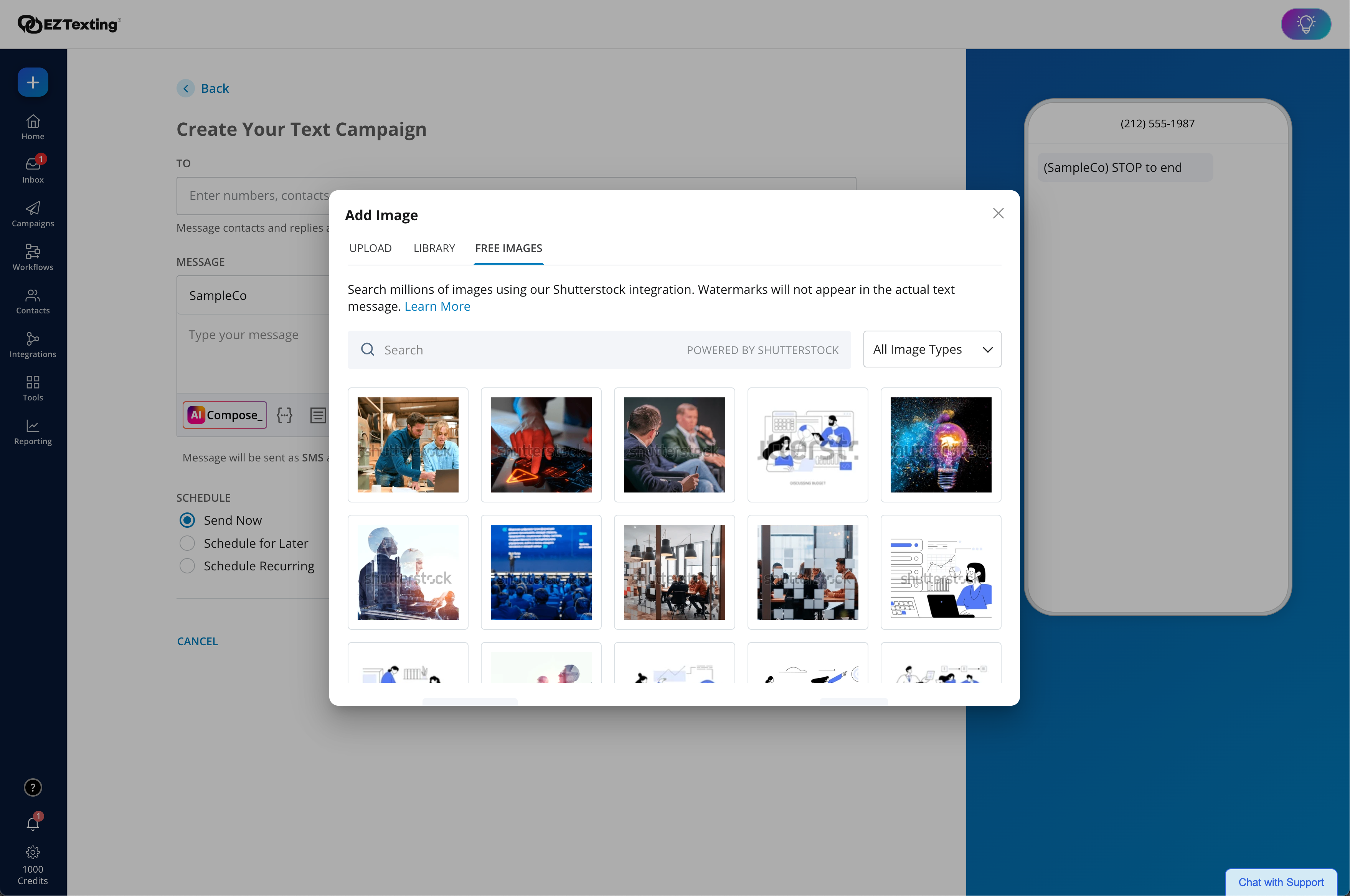     | Intuit Mailchimp Screenshots      |