Google Analytics vs. Salesforce Agentforce Marketing vs. Webtrends Optimize

Overview
ProductRatingMost Used ByProduct SummaryStarting Price
Google Analytics
Score 8.2 out of 10
N/A
Google Analytics is perhaps the best-known web analytics product and, as a free product, it has massive adoption. Although it lacks some enterprise-level features compared to its competitors in the space, the launch of the paid Google Analytics Premium edition seems likely to close the gap.
$0
per month
Agentforce Marketing
Score 7.7 out of 10
N/A
Marketing Cloud is a cloud-based digital marketing platform, used by marketers can segment their audience, deliver personalized messages, track campaign performance, engage leads and accounts, and optimize strategies based on real-time insights.
$1,250
per month per installation
Webtrends Optimize
Score 9.7 out of 10
N/A
Webtrends Optimize is a web optimization platform and is offered by the company of the same name. The product competes most often with Adobe Test and Target, Maxymiser, SiteSpect, and Optimizely.N/A
Pricing
Google AnalyticsSalesforce Agentforce MarketingWebtrends Optimize
Editions & Modules
Google Analytics 360
150,000
per year
Google Analytics
Free
Account Engagement
$1,250
per month
Engagement
$1,250
per month
Intelligence
$3,000
per month
Loyalty Management
$20,000
per month
Personalization
$100,000
per year
Data Cloud for Marketing
$108,000
per year
No answers on this topic
Offerings
Pricing Offerings
Google AnalyticsAgentforce MarketingWebtrends Optimize
Free Trial
NoYesYes
Free/Freemium Version
YesNoNo
Premium Consulting/Integration Services
NoYesYes
Entry-level Setup FeeNo setup feeNo setup feeNo setup fee
Additional DetailsThere is no tiering and no different prices for different tools. The entire feature set is available to all users as standard at one price, agreed up front.
More Pricing Information
Community Pulse
Google AnalyticsSalesforce Agentforce MarketingWebtrends Optimize
Considered Multiple Products
Google Analytics
Chose Google Analytics
Google Analytics is the only tool of its kind (that I'm aware of). Other tools, like website builders, may have built-in analytics, but they're nothing compared to what Google Analytics offers.
Chose Google Analytics
I have used Moz and Google Analytics. They provide overlapping information, but they also provide unique information. I like that Moz shares broken images and links and points out problems on the site that are slowing down the site and effecting the site's performance and …
Chose Google Analytics
We also use Pardot to monitor traffic to our site. Google Analytics gives you a lot more data. Pardot is more focused on once the traffic to our site identifies themselves (by filling out a form) and how they engage with us after that (email opens, website views, etc.).
Agentforce Marketing
Chose Salesforce Agentforce Marketing
Pardot out-ranks the competition in regards to the integration with Salesforce. It is hard to beat the ability to use your already-made customer profiles and contact information in your marketing campaigns. Where it is lacking is the usability. MailChimp is a much more user …
Chose Salesforce Agentforce Marketing
We have only ever used Pardot. I was not in charge of purchasing Pardot but I believe our company also looked into Marketo.
Chose Salesforce Agentforce Marketing
The only other product we evaluated was HubSpot. We felt that for the cost, Pardot was a better option for us.
Chose Salesforce Agentforce Marketing
I have used Bitly to track the performance of social media links. I found Pardot to be superior because of its capability to identify and track individuals. I prefer using Pardot to Adobe because it provides details about individual customers. I also prefer Pardot over Google …
Chose Salesforce Agentforce Marketing
We used HubSpot before and it performed well. However, as we were planning to adopt NetSuite as our ERP, we needed a marketing solution that integrated well with it. That's where HubSpot fell short. Pardot had a built in integration with NetSuite via a Pardot connector. Also, …
Chose Salesforce Agentforce Marketing
Eloqua, Marketo, Genius.

Eloqua was too expensive. Marketo, is a very slick product, and the pricing they offered us for the lowest-level version (Small and Medium Business) was competitive, but still about $3,000 per year more than Pardot. One big issue with Marketo though was …
Webtrends Optimize
Chose Webtrends Optimize
There's a LOT of B2B software out there. It's easy to get lost in all of the incoherent noise, between different programs. Webtrends is constantly updating and working with their users to create the best experience possible. I would highly recommend webtrends, and as a second …
Chose Webtrends Optimize
Webtrends, Qubit and Maxymiser were all excellent companies to work with. There's honestly not much between them in my experience. I selected Webtrends based on the quality of their consultants.
Chose Webtrends Optimize
Webtrends Optimize definitely gave me a more comphrensive overview of the product
Features
Google AnalyticsSalesforce Agentforce MarketingWebtrends Optimize
Web Analytics
Comparison of Web Analytics features of Product A and Product B
Google Analytics
8.4
11 Ratings
4% above category average
Salesforce Agentforce Marketing
-
Ratings
Webtrends Optimize
-
Ratings
Lead Conversion Tracking8.110 Ratings00 Ratings00 Ratings
Bounce Rate Measurement8.410 Ratings00 Ratings00 Ratings
Device and Browser Reporting9.211 Ratings00 Ratings00 Ratings
Pageview Tracking9.011 Ratings00 Ratings00 Ratings
Event Tracking8.311 Ratings00 Ratings00 Ratings
Reporting in real-time7.910 Ratings00 Ratings00 Ratings
Referral Source Tracking8.510 Ratings00 Ratings00 Ratings
Customizable Dashboards7.910 Ratings00 Ratings00 Ratings
Email & Online Marketing
Comparison of Email & Online Marketing features of Product A and Product B
Google Analytics
-
Ratings
Salesforce Agentforce Marketing
7.5
171 Ratings
2% below category average
Webtrends Optimize
-
Ratings
WYSIWYG email editor00 Ratings7.6122 Ratings00 Ratings
Dynamic content00 Ratings8.0153 Ratings00 Ratings
Ability to test dynamic content00 Ratings6.8112 Ratings00 Ratings
Landing pages00 Ratings7.6121 Ratings00 Ratings
A/B testing00 Ratings7.3151 Ratings00 Ratings
Mobile optimization00 Ratings6.9111 Ratings00 Ratings
Email deliverability reporting00 Ratings7.6132 Ratings00 Ratings
List management00 Ratings8.2129 Ratings00 Ratings
Triggered drip sequences00 Ratings7.595 Ratings00 Ratings
Lead Management
Comparison of Lead Management features of Product A and Product B
Google Analytics
-
Ratings
Salesforce Agentforce Marketing
8.1
124 Ratings
4% above category average
Webtrends Optimize
-
Ratings
Lead nurturing automation00 Ratings8.6109 Ratings00 Ratings
Lead scoring and grading00 Ratings8.1110 Ratings00 Ratings
Data quality management00 Ratings7.6116 Ratings00 Ratings
Automated sales alerts and tasks00 Ratings8.3101 Ratings00 Ratings
Campaign Management
Comparison of Campaign Management features of Product A and Product B
Google Analytics
-
Ratings
Salesforce Agentforce Marketing
7.5
114 Ratings
1% above category average
Webtrends Optimize
-
Ratings
Calendaring00 Ratings7.6103 Ratings00 Ratings
Event/webinar marketing00 Ratings7.497 Ratings00 Ratings
Social Media Marketing
Comparison of Social Media Marketing features of Product A and Product B
Google Analytics
-
Ratings
Salesforce Agentforce Marketing
7.5
88 Ratings
2% above category average
Webtrends Optimize
-
Ratings
Social sharing and campaigns00 Ratings7.583 Ratings00 Ratings
Social profile integration00 Ratings7.639 Ratings00 Ratings
Reporting & Analytics
Comparison of Reporting & Analytics features of Product A and Product B
Google Analytics
-
Ratings
Salesforce Agentforce Marketing
7.8
124 Ratings
6% above category average
Webtrends Optimize
-
Ratings
Dashboards00 Ratings8.2118 Ratings00 Ratings
Standard reports00 Ratings7.7123 Ratings00 Ratings
Custom reports00 Ratings7.5100 Ratings00 Ratings
Platform & Infrastructure
Comparison of Platform & Infrastructure features of Product A and Product B
Google Analytics
-
Ratings
Salesforce Agentforce Marketing
7.6
124 Ratings
2% above category average
Webtrends Optimize
-
Ratings
API00 Ratings6.990 Ratings00 Ratings
Role-based workflow & approvals00 Ratings6.989 Ratings00 Ratings
Customizability00 Ratings7.0111 Ratings00 Ratings
Integration with Salesforce.com00 Ratings7.8113 Ratings00 Ratings
Integration with Microsoft Dynamics CRM00 Ratings8.814 Ratings00 Ratings
Integration with SugarCRM00 Ratings8.211 Ratings00 Ratings
Third-party software integrations00 Ratings7.324 Ratings00 Ratings
Testing and Experimentation
Comparison of Testing and Experimentation features of Product A and Product B
Google Analytics
-
Ratings
Salesforce Agentforce Marketing
-
Ratings
Webtrends Optimize
8.3
1 Ratings
1% below category average
a/b experiment testing00 Ratings00 Ratings9.11 Ratings
Split URL testing00 Ratings00 Ratings8.21 Ratings
Multivariate testing00 Ratings00 Ratings8.21 Ratings
Multi-page/funnel testing00 Ratings00 Ratings8.21 Ratings
Cross-browser testing00 Ratings00 Ratings8.21 Ratings
Mobile app testing00 Ratings00 Ratings8.21 Ratings
Test significance00 Ratings00 Ratings8.21 Ratings
Visual / WYSIWYG editor00 Ratings00 Ratings8.21 Ratings
Advanced code editor00 Ratings00 Ratings8.21 Ratings
Page surveys00 Ratings00 Ratings8.21 Ratings
Visitor recordings00 Ratings00 Ratings8.21 Ratings
Preview mode00 Ratings00 Ratings8.21 Ratings
Test duration calculator00 Ratings00 Ratings8.21 Ratings
Experiment scheduler00 Ratings00 Ratings8.21 Ratings
Experiment workflow and approval00 Ratings00 Ratings8.21 Ratings
Dynamic experiment activation00 Ratings00 Ratings8.21 Ratings
Client-side tests00 Ratings00 Ratings9.11 Ratings
Server-side tests00 Ratings00 Ratings8.21 Ratings
Mutually exclusive tests00 Ratings00 Ratings8.21 Ratings
Audience Segmentation & Targeting
Comparison of Audience Segmentation & Targeting features of Product A and Product B
Google Analytics
-
Ratings
Salesforce Agentforce Marketing
-
Ratings
Webtrends Optimize
8.2
1 Ratings
7% below category average
Standard visitor segmentation00 Ratings00 Ratings9.11 Ratings
Behavioral visitor segmentation00 Ratings00 Ratings8.21 Ratings
Traffic allocation control00 Ratings00 Ratings7.31 Ratings
Website personalization00 Ratings00 Ratings8.21 Ratings
Results and Analysis
Comparison of Results and Analysis features of Product A and Product B
Google Analytics
-
Ratings
Salesforce Agentforce Marketing
-
Ratings
Webtrends Optimize
8.1
1 Ratings
6% below category average
Click analytics00 Ratings00 Ratings9.11 Ratings
Scroll maps00 Ratings00 Ratings7.31 Ratings
Form fill analysis00 Ratings00 Ratings7.31 Ratings
Conversion tracking00 Ratings00 Ratings8.21 Ratings
Goal tracking00 Ratings00 Ratings8.21 Ratings
Test reporting00 Ratings00 Ratings8.21 Ratings
Results segmentation00 Ratings00 Ratings8.21 Ratings
CSV export00 Ratings00 Ratings8.21 Ratings
Experiments results dashboard00 Ratings00 Ratings8.21 Ratings
Best Alternatives
Google AnalyticsSalesforce Agentforce MarketingWebtrends Optimize
Small Businesses
StatCounter
StatCounter
Score 9.0 out of 10
Vbout
Vbout
Score 9.9 out of 10
Convert Experiences
Convert Experiences
Score 9.9 out of 10
Medium-sized Companies
Siteimprove
Siteimprove
Score 9.1 out of 10
PFL Direct Mail Platform
Score 9.0 out of 10
Dynamic Yield
Dynamic Yield
Score 9.0 out of 10
Enterprises
Optimal
Optimal
Score 9.1 out of 10
PFL Direct Mail Platform
Score 9.0 out of 10
Dynamic Yield
Dynamic Yield
Score 9.0 out of 10
All AlternativesView all alternativesView all alternativesView all alternatives
User Ratings
Google AnalyticsSalesforce Agentforce MarketingWebtrends Optimize
Likelihood to Recommend
8.5
(192 ratings)
8.0
(328 ratings)
7.4
(17 ratings)
Likelihood to Renew
9.0
(51 ratings)
8.1
(114 ratings)
5.3
(5 ratings)
Usability
7.4
(19 ratings)
8.4
(37 ratings)
7.0
(2 ratings)
Availability
10.0
(4 ratings)
10.0
(11 ratings)
10.0
(1 ratings)
Performance
10.0
(2 ratings)
9.6
(9 ratings)
10.0
(1 ratings)
Support Rating
7.0
(42 ratings)
7.0
(36 ratings)
9.1
(2 ratings)
In-Person Training
-
(0 ratings)
5.0
(4 ratings)
-
(0 ratings)
Online Training
10.0
(2 ratings)
8.1
(7 ratings)
6.0
(1 ratings)
Implementation Rating
9.0
(7 ratings)
3.0
(17 ratings)
7.0
(1 ratings)
Configurability
6.0
(2 ratings)
-
(0 ratings)
-
(0 ratings)
Contract Terms and Pricing Model
-
(0 ratings)
5.0
(1 ratings)
-
(0 ratings)
Ease of integration
10.0
(1 ratings)
7.0
(2 ratings)
-
(0 ratings)
Product Scalability
10.0
(2 ratings)
7.3
(39 ratings)
-
(0 ratings)
Vendor post-sale
10.0
(1 ratings)
8.0
(3 ratings)
-
(0 ratings)
Vendor pre-sale
9.0
(1 ratings)
7.0
(3 ratings)
-
(0 ratings)
User Testimonials
Google AnalyticsSalesforce Agentforce MarketingWebtrends Optimize
Likelihood to Recommend
Google
Google Analytics is particularly well suited for tracking and analyzing customer behavior on a grocery e-commerce platform. It provides a wealth of information about customer behavior, including what products are most popular, what pages are visited the most, and where customers are coming from. This information can help the platform optimize its website for better customer engagement and conversion rates. However, Google Analytics may not be the best tool for more advanced, granular analysis of customer behavior, such as tracking individual customer journeys or understanding customer motivations. In these cases, it may be more appropriate to use additional tools or solutions that provide deeper insights into customer behavior.
Read full review
Salesforce
I think the product, by definition, is meant for marketing — and we use it exactly for that, for running campaigns. That’s the best-suited use case for the product. I don’t think it’s really meant to be used for anything else — that’s just not how it’s designed.
Read full review
Webtrends Optimize
Webtrends optimize is a marketing solution aimed squarely at transactional and eCom based websites. I would only recommend a colleague to engage with the solution once the marketing dept is at a point where their website is fully optimized in regards to SEO and all the other fundamentals in order to truly build upon what Webtrends can offer. This shows you an easier way of measuring your ROI and the money you will invest with the tool-moving forward.
Read full review
Pros
Google
  • Multiple reports to see website use and behavior
  • Allows you to customize reports with days, weeks, months, and years
  • You can build out a dashboard to easily view stats from multiple websites in one place
  • You can share analytics reports via the dashboard, automatically emailed PDFs or in other formats
Read full review
Salesforce
  • Filter relevant content so you can priorize those that are more relevant and resolve it first
  • Measure the traffic in the different social networks, as well as the response rate, average response time and other relevant metrics
  • Configure automation rules to order the work of those who must interact with the customer
Read full review
Webtrends Optimize
  • Intuitive test set-up makes for a low learning curve.
  • Ability to create custom data tables which enable exporting of visitor level data for more in-depth analysis outside of the Webtrends Optimize platform.
  • Visual Editor WYSIWYG interface enables non-technical users to easily execute basic tests.
Read full review
Cons
Google
  • Data sampling is somewhat inaccurate on the free tier - this is addressed in premium but is expensive.
  • Some of the UI is very similar in naming when presenting different data, some in-situ information might be useful.
  • Gotchas around filtering and data validation.
  • Implementation can be tricky, it can take a lot of time and expertise to get a full, accurate picture of your metrics.
Read full review
Salesforce
  • The email builder does not offer any way to catch/check bugs across different email service providers
  • Creating SQL is not as easy as drag-and-drop; a lot of technical knowledge is required
  • Salesforce Marketing Cloud is sold as a marketing tool, but to be honest, you need a LOT of technical IT support to run the tool
  • Einstein metrics are across the board; if you have multiple audiences in one instance of Salesforce Marketing Cloud you can't segment the data.
Read full review
Webtrends Optimize
  • The cost is a factor. When you're trying to save money, particularly as a startup (a lot of our clients are up-and-comers) it has to be seen as an investment...but the cost to implement the system is fairly large.
  • There's a bit of a steep learning curve, you can't just dive into the program.
  • It's not impossible but it's not as easy as snapping your fingers to easily implement the program cross-platform.
Read full review
Likelihood to Renew
Google
We will continue to use Google Analytics for several reasons. It is free, which is a huge selling point. It houses all of our ecommerce stores' data, and though it can't account for refunds or fraud orders, gives us and our clients directional, real time information on individual and group store performance.
Read full review
Salesforce
As of right now we have not seen any other program that integrates as seamlessly into our Salesforce platform. We have barely scratched the surface of all the features and use cases. It would be irresponsible to make a move to another platform in the near future. We have not come up against any limitations that would prompt a need to switch
Read full review
Webtrends Optimize
Difficulty was getting business units to take the time and spend the money to test, and then implement, best options.
Read full review
Usability
Google
Google Analytics provides a wealth of data, down to minute levels. That is it's greatest detriment: find the right information when you need it can be a cumbersome task. You are able to create shortcuts, however, so it can mitigate some of this problem. Google is continually refining Analytics, so I do not doubt there will be improvements
Read full review
Salesforce
You won't find another solution that has as many features as Salesforce Marketing Cloud Interaction Studio. We all know Salesforce, we all know how big they are and it's not for nothing... Their tools do most of the things you want, need and even imagine. Using it is complicated, but the usability is infinite.
Read full review
Webtrends Optimize
Set up of basic tests that do not use segmentation or targeting is an intuitive experience that can be learned quickly by new users. However, as the need for segmentation and other more advanced capabilities arise, the experience begins to degrade.
Read full review
Reliability and Availability
Google
We all know Google is at top when it comes to availability. We have never faced any such instances where I can suggest otherwise. All you need is a Google account, a device and internet connection to use this super powerful tool for reporting and visualising your site data, traffic, events, etc. that too in real time.
Read full review
Salesforce
Upgrades and timing of the upgrades were communicated well and planned during off hours for our work. If we did have a campaign scheduled during that time, it would kick-off after the system was back active. There were a few unplanned system down times, but it was a rare occurrence and those times were also short in duration.
Read full review
Webtrends Optimize
zero complaints. I'm not aware of it ever failing.
Read full review
Performance
Google
This has been a catalyst for improving our site's traffic handling capabilities. We were able to identify exit% from our sites through it and we used recommendations to handle and implement the same in our sites. We have been increasing the usage of Google Analytics in our sites and never had any performance related issues if we used Analytics
Read full review
Salesforce
Though the make up of MA apps is not built this way today, it would be nice to see them become more real-time. The integration between Salesforce and Pardot is not a true real-time integration. If I modify something in Salesforce, those changes are not automatically reflected in Pardot immediately. There is a delay of about 15 minutes before the systems sync. This delay, although not long, is less than ideal We would love the systems to be integrated real time such that changes are propagated from one system to the other immediately.
Read full review
Webtrends Optimize
Zero complaints. It seemed to do its job quickly and accurately.
Read full review
Support Rating
Google
The Google reps respond very quickly. However, sometimes they can overly call you to set up an apportionment. I'm very proficient and sometimes when I talk to reps, they give beginner tutorials and insights that are a waste of time. I wish Google would understand my level of expertise and assign me to a rep (long-term) that doesn't have to walk me through the basics.
Read full review
Salesforce
They are really responsive and more than not solve the problem or give you insight to how you can manage the solution yourself. I do find however sometimes a long delay on the more complex issues when they need to loop in other departments. but overall a good experience with support
Read full review
Webtrends Optimize
The support from the team at Webtrends Optimize is unparalleled. There is always someone to consult should there be any issues.
Read full review
In-Person Training
Google
No answers on this topic
Salesforce
The trainers at the Pardot user conference (Elevate and Connections) were very knowledgeable and presented the material well. Again, the content was targeted to more of a new user audience, and was not really relevant for folks who had been using the product for 2+ years.
Read full review
Webtrends Optimize
No answers on this topic
Online Training
Google
love the product and training they provide for businesses of all sizes. The following list of links will help you get started with Google Analytics from setup to understanding what data is being presented by Google Analytics.
  1. How to Use Google Analytics for Beginners – Mahalo’s how-to guide for beginners.
  2. A beginner’s guide to Google Analytics – A free eBook walking you through Google Analytics from setup to understanding what data is being presented.
  3. Getting to Know Your Google Analytics Dashboard – The title says it all! This is a brief post with one goal: to introduce you to the Google Analytics dashboard.
  4. Google Analytics for Beginners: How to Make the Most of Your Traffic Reports– This guide doesn’t cover setup, but it does a great job of helping you to better understand the data being presented.
  5. Google Analytics Video Tutorial 1: Setup – A video presentation that walks you through Google Analytics setup.
  6. Google Analytics Video Tutorial 2: Essential Stats – A video presentation that introduces you to some of the most important data being presented in Google Analytics.
Read full review
Salesforce
Pardot's online training touches on all topics briefly and vaguely without much indepth exploration into how a final outcome could look, such as Nurturing Campaigns, Email templates, landing page templates, etc... The only true way to uncover Pardot's full capabilities is to have Front End design and coding experience. Without this key skill set, I would not recommend Pardot to another business.
Read full review
Webtrends Optimize
Online training was ok. Because every test is a custom test, there's only so much that can be covered in a generic lesson.
Read full review
Implementation Rating
Google
I think my biggest take away from the Google Analytics implementation was that there needs to be a clear understanding of what you want to achieve and how you want to achieve it before you start. Originally the analytics were added to track visitors, but as we became more savvy with the product, we began adding more and more functionality, and defining guidelines as we went along. While not detrimental to our success, this lack of an overarching goal resulted in some minor setbacks in implementation and the collection of some messy data that is unusable.
Read full review
Salesforce
From an IT perspective, once you set up the Javascript beacon and start collecting data there is a waiting game. During this time you can start labeling your site actions which can be labor intensive for a single person, but you don't really have the final end-users on the platform yet. We did a lot of training so users were experienced, but it wasn't until they had their first tasks to accomplish that they started using the system and had questions. I'd recommend setting up some immediate goals for an end-user to start segmenting for the purpose of displaying message campaigns so you can jump start end-user action.
Read full review
Webtrends Optimize
Implementation was pretty straightforward
Read full review
Alternatives Considered
Google
I have not used Adobe Analytics as much, but I know they offer something called customer journey analytics, which we are evaluating now. I have used Semrush, and I find them much better than Google Analytics. I feel a fairly nontechnical person could learn Semrush in about a month. They also offer features like competitive analysis (on content, keywords, traffic, etc.), which is very useful. If you have to choose one among Semrush and Google Analytics, I would say go for Semrush.
Read full review
Salesforce
We use Salesforce Marketing Cloud for lead management, generating reports, tracking customer and dealer information, inputting orders, and more. I prefer HubSpot for email marketing and automation because it is easier to use and the emails are designed much better. We currently use Salesforce and HubSpot, and we are very happy to have both, as they have different pros/cons.
Read full review
Webtrends Optimize
Webtrends Optimize can be used for much more complex tests, allows better conversion tracking and data collection. Visual Website Optimizer (VWO) is suitable for smaller, simple projects. Webtrends Optimize comes with an excellent consultancy that could save you a lot of time and resources
Read full review
Contract Terms and Pricing Model
Google
No answers on this topic
Salesforce
was not involved with this part but i have not heard about clompaints
Read full review
Webtrends Optimize
No answers on this topic
Scalability
Google
Google Analytics is currently handling the reporting and tracking of near about 80 sites in our project. And I am not talking about the sites from different projects. They may have way more accounts than that. Never ever felt a performance issue from Google's end while generating or customising reports or tracking custom events or creating custom dimensions
Read full review
Salesforce
Prior to this, we had no solution and literally were doing things on paper in a world where technology is outpacing paper. Having this process optimized has made it easier for the sales and marketing people to change information. From the training perspective, it has allowed us to see holes in where we could create additional support training, so the ROI here has been a lot more than just the optimization of a process.
Read full review
Webtrends Optimize
No answers on this topic
Return on Investment
Google
  • It has helped us gain understanding of what is going on on our website.
  • It has helped us determine areas that need fixing (i.e. pages with extremely high bounce rates may need to be redone).
  • It has helped us understand our biggest avenues for bringing traffic to the website and business in general.
  • It has helped guide our website redesign.
Read full review
Salesforce
  • Salesforce Marketing Cloud allows us to more efficiently reach out to a higher number of prospects.
  • Salesforce Marketing Cloud allows us to nimbly communicate important messages in a timely fashion to facilitate conversion.
  • Salesforce Marketing Cloud allows us to track who is opening our messages so that we can stop sending to those not interested and focus on the most engaged audiences.
Read full review
Webtrends Optimize
  • So far we haven't seen an ROI that we can accurately measure due to only running a couple of tests that haven't resulted in direct, site wide changes. However, we have learnt a lot about how to set up the right processes and documentation.
Read full review
ScreenShots

Agentforce Marketing Screenshots

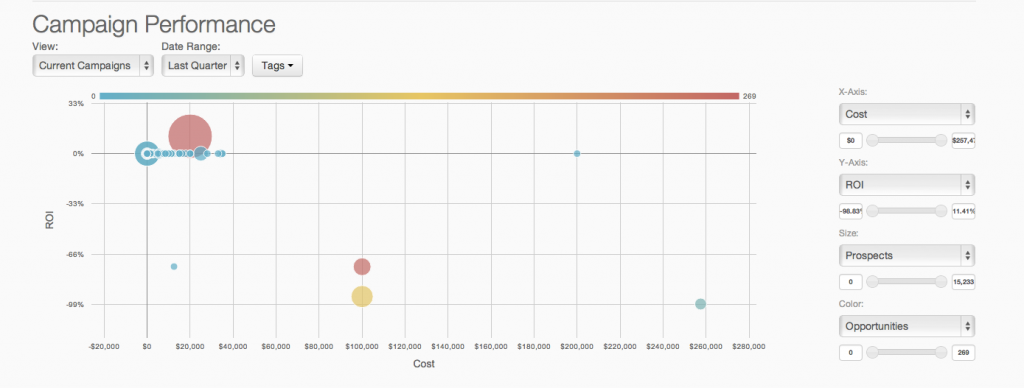
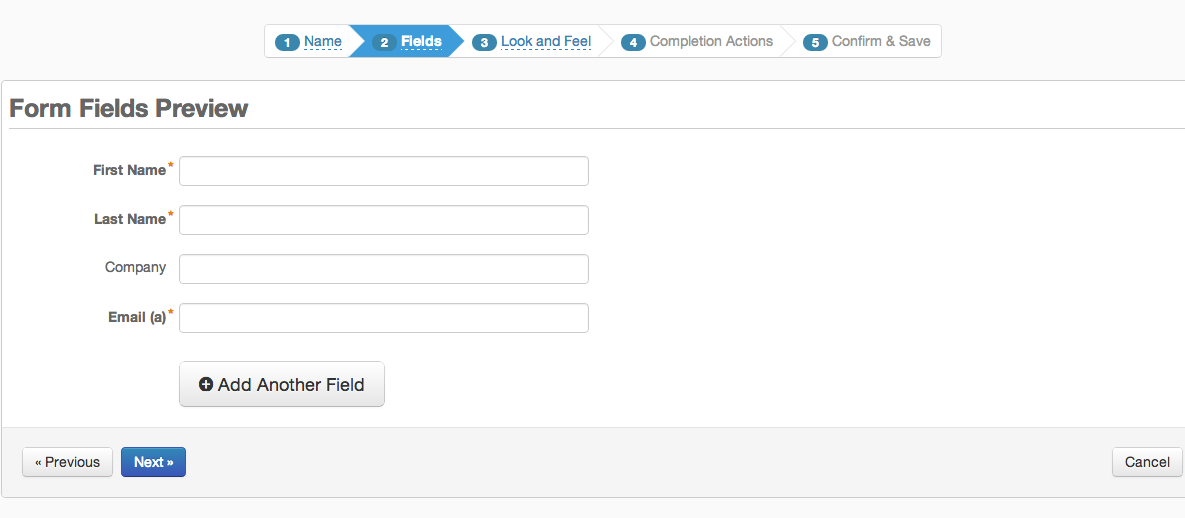
Screenshot of Pardot Analytics - Pardot's reporting and analytics can be used to perform true revenue impact analysis and closed-loop reporting.Screenshot of Pardot Email Analytics - The reach and impact of  email marketing efforts are displayed in real-time with advanced reporting and analytics by device, and email client.Screenshot of Pardot Forms and Landing Pages - Pardot's form and landing page builders are used to turn online traffic to leads with targeted offers and content marketing.Screenshot of Pardot Email Marketing - Lead nurturing flows are defined via an interface that enables definition of the simplest or most complex segmented and targeted campaigns.

Webtrends Optimize Screenshots

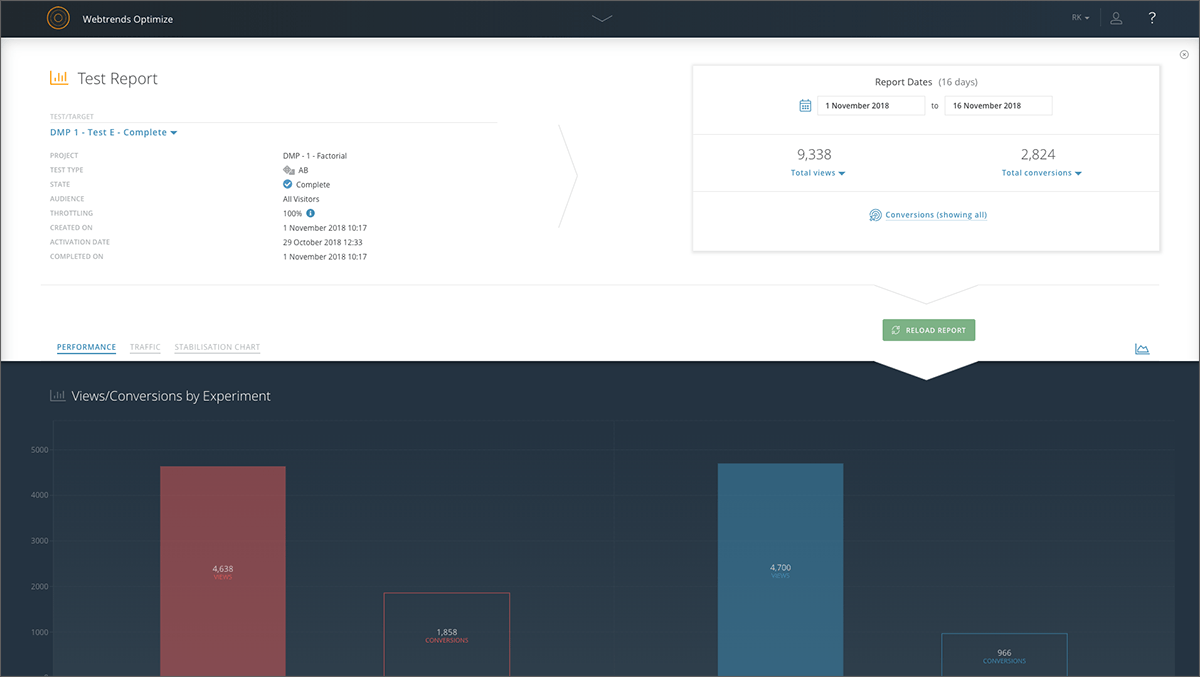
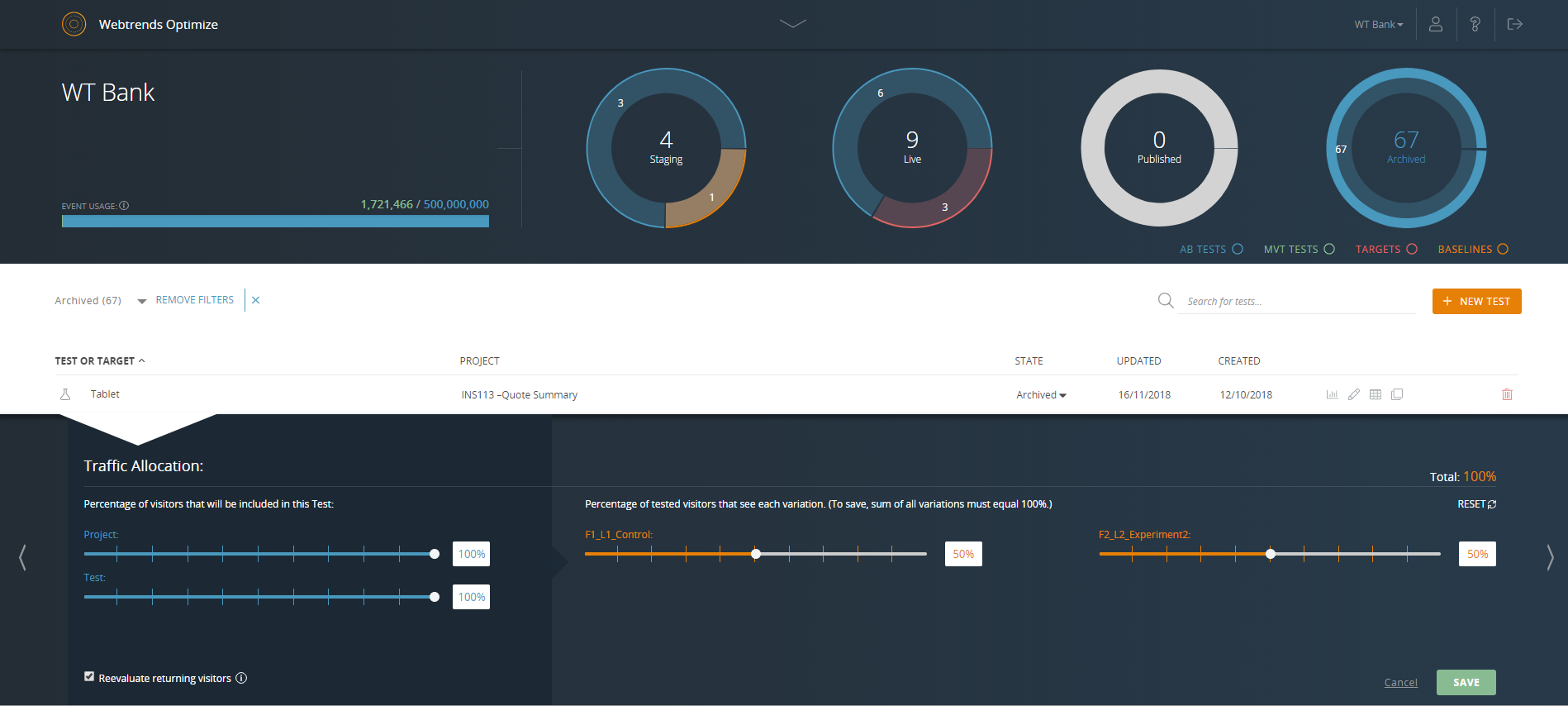
Screenshot of Reporting dashboard - default viewScreenshot of Specific experiment report - top level overviewScreenshot of Drag & drop segmentation moduleScreenshot of Point & click WYSIWYG Visual EditorScreenshot of Reporting dashboard - specific test or target overviewScreenshot of Reporting dashboard - specific test or target throttle settings