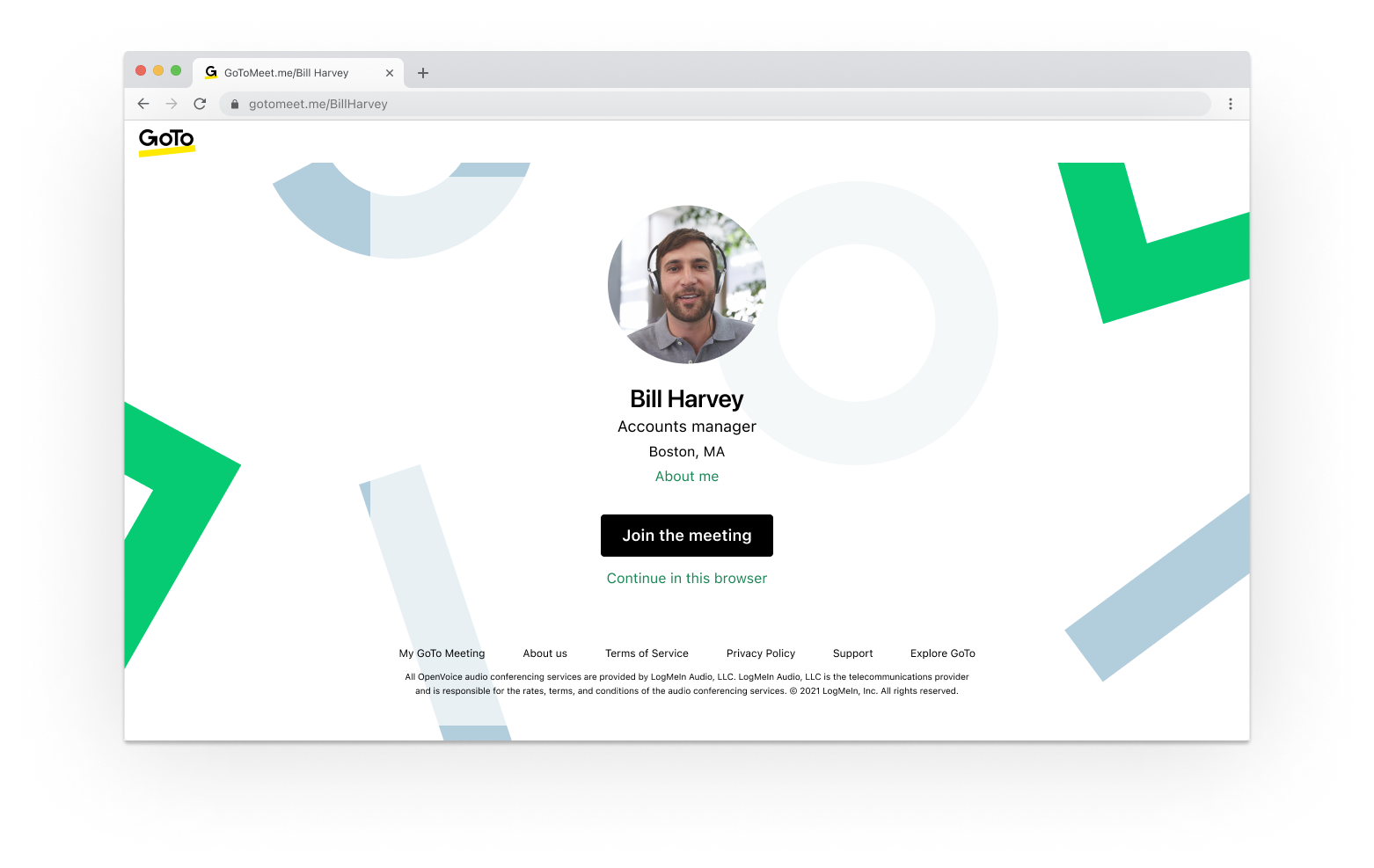
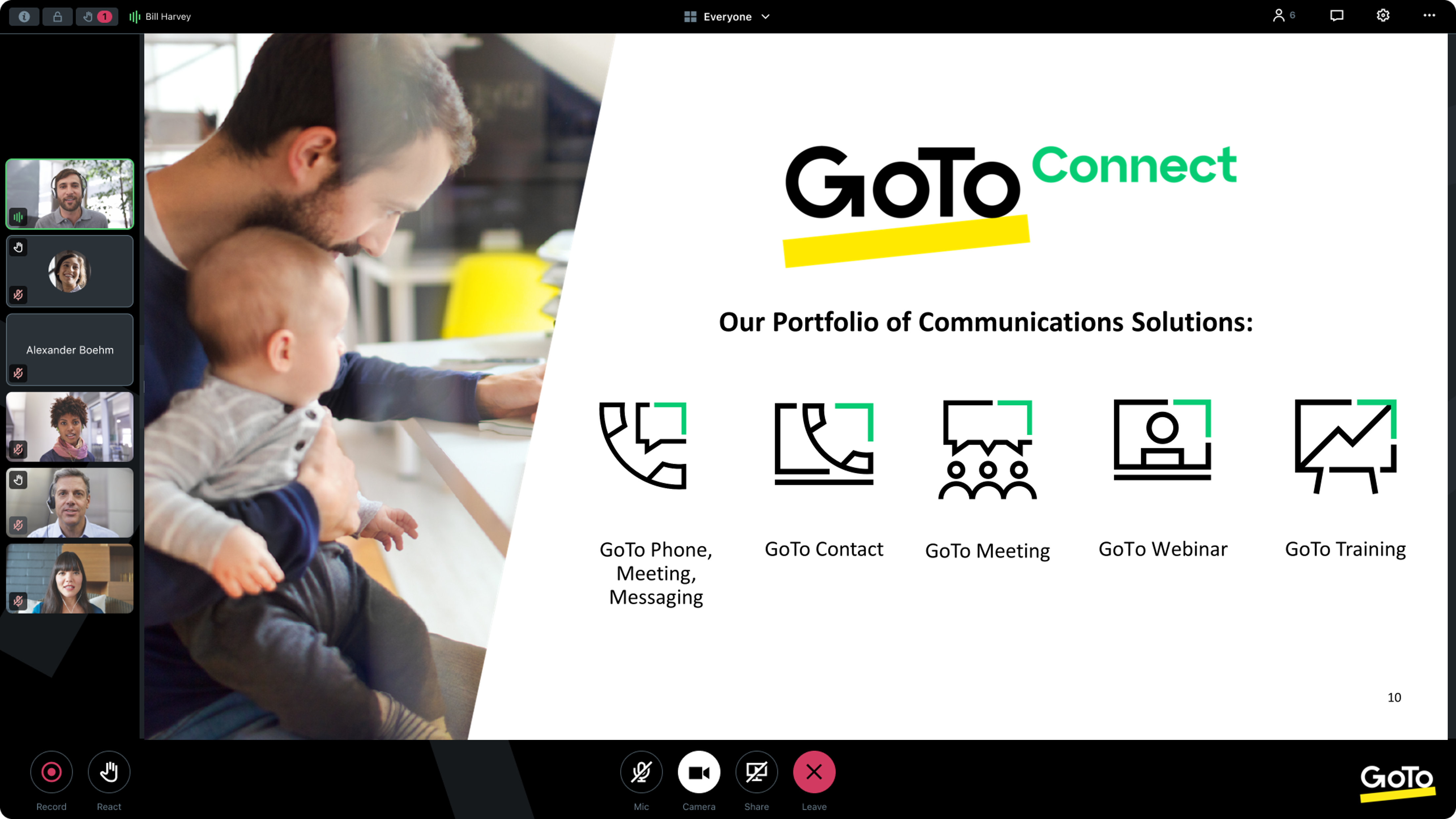
From GoTo (formerly LogMeIn), GoToMeeting is an online meeting, desktop sharing, and video conferencing software that enables users to connect via the internet. It hosts a suite of online meeting tools, including real-time screen sharing and integrated audio.
$12
per month
GoTo Webinar
Score8.7 out of 10
N/A
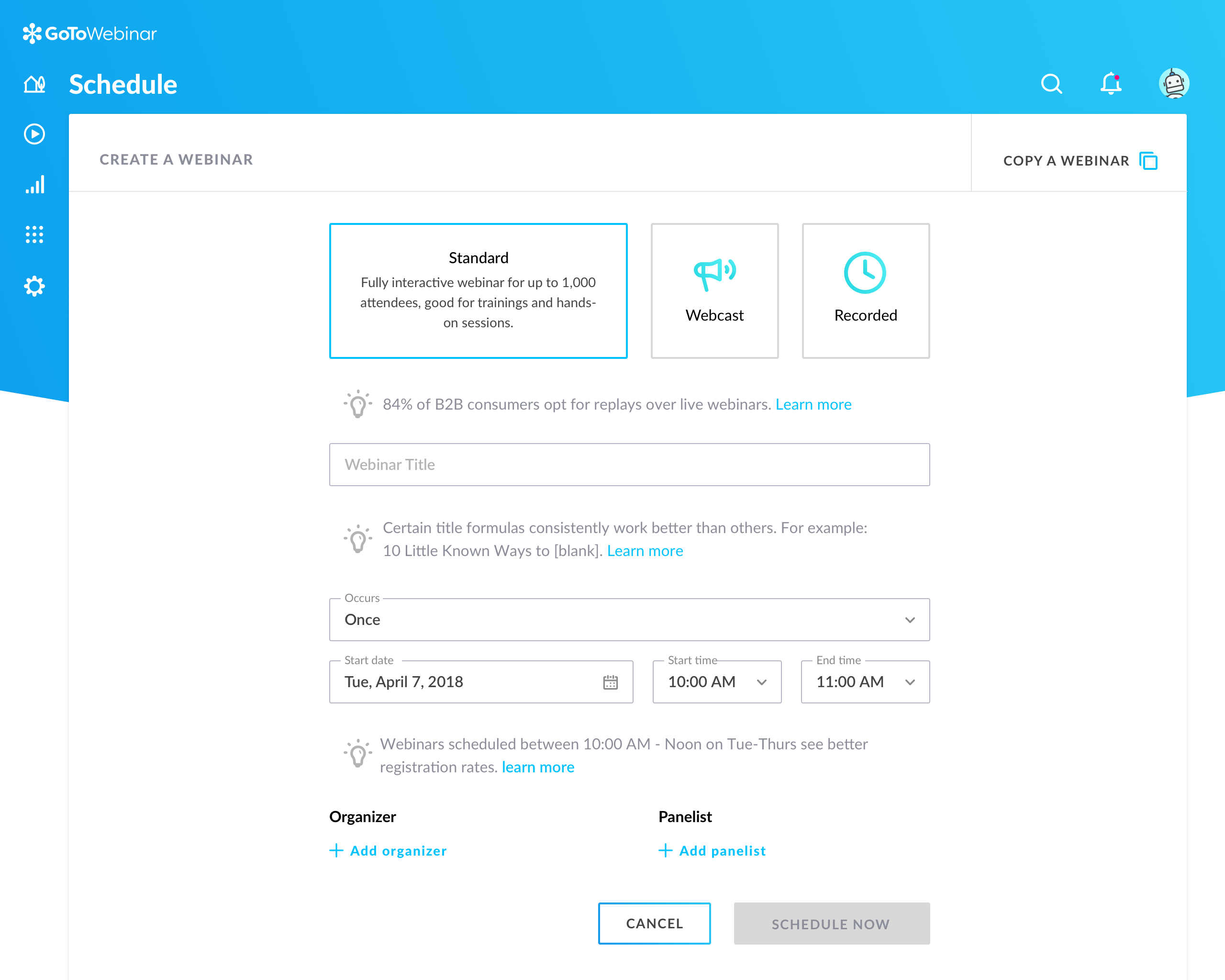
GoToWebinar is GoTo’s webinar and online conferencing solution, and offers features like audience polling and Q&A, flexible scheduling experiences, and webinar templates. It offers CRM integrations and reporting & analytics tools to help engage clients’ audiences.
$49
per month per organizer
Skype (discontinued)
Score7.1 out of 10
N/A
Skype (the personal edition or Skype free) was a web meeting, video conferencing, and VoIP software, now superseded by Microsoft Teams' free edition and unsupported from May 2025.
$2.99
per month
Pricing
GoTo Meeting
GoTo Webinar
Skype (discontinued)
Editions & Modules
Professional
$12.00
Per Organizer / Per Month for 150 Participants [billed annually]
Business
$16.00
Per Organizer / Per Month for 250 Participants [billed annually]
Enterprise
Custom Pricing
3,000 Participants
Lite
$49/month
per month per organizer
Standard
$99/month
per month per organizer
Pro
$199/month
per month per organizer
Enterprise
$399/month
per month per organizer
United States Subscription
$2.99
per month
North America Subscription
$6.99
per month
India Subscription
$7.99
per month
Offerings
Pricing Offerings
GoTo Meeting
GoTo Webinar
Skype (discontinued)
Free Trial
Yes
Yes
No
Free/Freemium Version
No
Yes
No
Premium Consulting/Integration Services
Yes
Yes
No
Entry-level Setup Fee
No setup fee
No setup fee
No setup fee
Additional Details
Pricing available by monthly or annual subscription, with discounts for annual commitments.
A de minimis incentive was given to thank the reviewer for their time. The incentive was not used to bias or drive a particular response, nor was the incentive contingent on a positive endorsement. More Info
A de minimis incentive was given to thank the reviewer for their time. The incentive was not used to bias or drive a particular response, nor was the incentive contingent on a positive endorsement. More Info
IT Asset and Configuration Analyst, Service Catalog Manager, Knowledge Manager in Information Technology at Eprocess ISA (Information Technology & Services, 501-1000 employees)
Chose GoTo Meeting
GoTo Meeting was the choice at the time as it was less costly when we moved away from Skype for business.
A de minimis incentive was given to thank the reviewer for their time. The incentive was not used to bias or drive a particular response, nor was the incentive contingent on a positive endorsement. More Info
Verified User
Chose GoTo Meeting
GoToMeeting focuses on delivering a reliable and feature-rich meeting experience, while Skype and Google Meet offer broader communication capabilities. For our business, GoTO meeting has been the cheaper and more efficient option.
A de minimis incentive was given to thank the reviewer for their time. The incentive was not used to bias or drive a particular response, nor was the incentive contingent on a positive endorsement. TR verified that a representative sample of customers was invited. More Info
Software Developer in Information Technology at Sanatana (Information Technology & Services, 11-50 employees)
Chose GoTo Meeting
It is easy to use and works well for small meetings. Zoom has more features, but GoTo Meeting is simpler and cheaper. We chose it because it’s a good fit for our needs.
A de minimis incentive was given to thank the reviewer for their time. The incentive was not used to bias or drive a particular response, nor was the incentive contingent on a positive endorsement. More Info
Verified User
Chose GoTo Meeting
At first, I never thought that this platform is existing because I have been exposed to different platform before, not until I was employed in my current company and I can say that it helps me to communicate with my colleague . If there's an urgent concern regarding the task, I …
A de minimis incentive was given to thank the reviewer for their time. The incentive was not used to bias or drive a particular response, nor was the incentive contingent on a positive endorsement. More Info
System Administrator in Customer Service at The Planning Council (Non-profit Organization Management, 11-50 employees)
Chose GoTo Meeting
GoTo Meetings has no time limit for sessions with more than x attendees. GoTo Meetings provides an easy way to allow attendees to share their screens. GoTo Meeting does not require membership/license/registration attendees; they are not required to download the desktop …
A de minimis incentive was given to thank the reviewer for their time. The incentive was not used to bias or drive a particular response, nor was the incentive contingent on a positive endorsement. More Info
Engineer in Information Technology at Novatech (Information Technology & Services, 501-1000 employees)
Chose GoTo Meeting
Many times, it seems like GoTo Meeting requires less bandwidth to run. We noticed with a few test machines that if you have over twenty video streams, this product could handle the load better than if we used Microsoft Teams and had many video streams.
A de minimis incentive was given to thank the reviewer for their time. The incentive was not used to bias or drive a particular response, nor was the incentive contingent on a positive endorsement. More Info
Verified User
Chose GoTo Meeting
I also love that GoTo Meeting has a mobile app for working on the go. If your WiFi isn't working well, you can also dial in to listen to the meeting. Additionally, if you are not able to join at all, there is a recording feature to ensure you are not missing out.
A de minimis incentive was given to thank the reviewer for their time. The incentive was not used to bias or drive a particular response, nor was the incentive contingent on a positive endorsement. TR verified that a representative sample of customers was invited. More Info
Verified User
Chose GoTo Meeting
GoTo Meeting's privacy, security, and hacking protection are much better than Zoom. Aside from that, Zoom also gave us too many technical issues using it and we didn't feel comfortable hosting important meetings or conducting interviews while worrying that some random person …
A de minimis incentive was given to thank the reviewer for their time. The incentive was not used to bias or drive a particular response, nor was the incentive contingent on a positive endorsement. More Info
Domain Expert in Product Management at Omega Healthcare Management Services Private Limited (Accounting, 10,001+ employees)
Chose GoTo Meeting
We have 15 15-day trial version to get complete usage learning about the meeting before getting a paid login. User-friendly and has all the options to conduct or setup and meeting.
A de minimis incentive was given to thank the reviewer for their time. The incentive was not used to bias or drive a particular response, nor was the incentive contingent on a positive endorsement. TR verified that a representative sample of customers was invited. More Info
Verified User
Chose GoTo Meeting
GoTo Meeting was the one, which in the period of pandemic and thus need, offered the best price. Not absolutely, but it was not necessary to reorganize the structure and require a great effort from IT. Moreover it was immediately accepted by the teams and well implemented in …
A de minimis incentive was given to thank the reviewer for their time. The incentive was not used to bias or drive a particular response, nor was the incentive contingent on a positive endorsement. More Info
Verified User
Chose GoTo Meeting
Zoom is definitely GoTo Meeting's biggest competitor in terms of similar features and overall functionality. I have read about security issues with Zoom in the past, but haven't seen GoTo Meeting make any headlines regarding security. That might be something to consider for …
A de minimis incentive was given to thank the reviewer for their time. The incentive was not used to bias or drive a particular response, nor was the incentive contingent on a positive endorsement. More Info
A de minimis incentive was given to thank the reviewer for their time. The incentive was not used to bias or drive a particular response, nor was the incentive contingent on a positive endorsement. TR verified that a representative sample of customers was invited. More Info
Verified User
Chose GoTo Meeting
GoTo Meeting closely stacks up to other video conference platforms. That being said, Zoom seems to have the best integration for businesses, while GoTo Meeting has some of the best security I have seen in a video conferencing platform. GoTo Meeting is fairly seamless in …
A de minimis incentive was given to thank the reviewer for their time. The incentive was not used to bias or drive a particular response, nor was the incentive contingent on a positive endorsement. More Info
Game Programmer in Engineering at Scale AI (Computer Software, 201-500 employees)
Chose GoTo Meeting
When exploring virtual meeting solutions, we evaluated alternatives such as Zoom and Microsoft Teams. GoTo Meeting stood out for its user-friendly interface, robust features, and a reputation for reliability, making it the preferred choice for our organization's diverse virtual …
A de minimis incentive was given to thank the reviewer for their time. The incentive was not used to bias or drive a particular response, nor was the incentive contingent on a positive endorsement. More Info
A de minimis incentive was given to thank the reviewer for their time. The incentive was not used to bias or drive a particular response, nor was the incentive contingent on a positive endorsement. TR verified that a representative sample of customers was invited. More Info
FAA Repair Station Training Coordinator in Quality Assurance at Aerolearn, Inc. (Aviation & Aerospace, 1-10 employees)
Chose GoTo Meeting
Just for the fact that we are still using GoTo Meeting after all these years speaks for itself. All the platforms I mentioned above have their positatives and negatives like most software and applications but after years of continued use of GoTo Meeting we've learned work …
A de minimis incentive was given to thank the reviewer for their time. The incentive was not used to bias or drive a particular response, nor was the incentive contingent on a positive endorsement. TR verified that a representative sample of customers was invited. More Info
IT Administrator / Creative Director in Information Technology at VANTAGE Surgical Solutions (Hospital & Health Care, 51-200 employees)
Chose GoTo Meeting
GoTo Meeting has basically the same toolset as the others. Teams fits better with our organization's structure, but GoTo Meeting allows us to accommodate external contacts who consistently use GoTo Meeting. I do carpentry when I'm not wearing my IT hat. I have several hammers. …
A de minimis incentive was given to thank the reviewer for their time. The incentive was not used to bias or drive a particular response, nor was the incentive contingent on a positive endorsement. More Info
Verified User
Chose GoTo Meeting
Right there with some of the other top video-conferencing platforms as it has great visual clarity and the sound/audio is high-quality. It doesn't have any lagging issues and it doesn't cut in-and-out regardless of how many users in on on video-conference. GoTo Meeting is easy …
A de minimis incentive was given to thank the reviewer for their time. The incentive was not used to bias or drive a particular response, nor was the incentive contingent on a positive endorsement. More Info
Placement Specialist in Professional Services at 2U, Inc (E-Learning, 1001-5000 employees)
Chose GoTo Meeting
GoTo Meeting definitely has better security. I often have meetings where sensitive information is being discussed and it's often a concern that these meetings may be "zoom bombed"". I do not have that concern with GoTo Meeting. I also feel that GoTo Meeting's functionality is …
A de minimis incentive was given to thank the reviewer for their time. The incentive was not used to bias or drive a particular response, nor was the incentive contingent on a positive endorsement. More Info
Verified User
Chose GoTo Meeting
We use Microsoft Teams internally and while that does allow internal teams to collaborate and chat, it has less functionality overall. Teams is not as user friendly and doesn't have things like a whiteboard or a good Q&A for meetings. Teams works well but we use Go To with …
A de minimis incentive was given to thank the reviewer for their time. The incentive was not used to bias or drive a particular response, nor was the incentive contingent on a positive endorsement. More Info
Managing Editor in Corporate at Mayumi Publishing (Marketing & Advertising, 1-10 employees)
Chose GoTo Meeting
All of these options are all very similar to GoTo Meeting. They all work very well for enterprise-size applications to fill different needs such as 2-person calls, training sessions or larger-scale webinars. When coordinating a meeting with multiple speakers, we would usually …
A de minimis incentive was given to thank the reviewer for their time. The incentive was not used to bias or drive a particular response, nor was the incentive contingent on a positive endorsement. TR verified that a representative sample of customers was invited. More Info
Verified User
Chose GoTo Meeting
It works well; it has a nice feature list and good quality; the reason we chose the tool was that it was out of the normal rotation of the tool.
A de minimis incentive was given to thank the reviewer for their time. The incentive was not used to bias or drive a particular response, nor was the incentive contingent on a positive endorsement. More Info
GoTo formerly LogMeIn
Verified User
Chose GoTo Webinar
We used TeamViewer and Skype for Business before this and we had a tough time conducting webinars when the target audience was huge. Lack of integrations with 3rd party platforms, and no analytics capabilities limited ourselves from going to the next level in both sales and …
A de minimis incentive was given to thank the reviewer for their time. The incentive was not used to bias or drive a particular response, nor was the incentive contingent on a positive endorsement. TR verified that a representative sample of customers was invited. More Info
Verified User
Chose GoTo Webinar
We tried GoTo Meeting before and I think that GoTo Webinar stacks up against GoTo Meeting by being quite similar. They both share a lot of similar features but I beleive Goto Webinar targets those who have larger groups within the meeting. GoTo Webinar also allows for …
A de minimis incentive was given to thank the reviewer for their time. The incentive was not used to bias or drive a particular response, nor was the incentive contingent on a positive endorsement. More Info
Office Coordinator in Corporate at Washington Health Alliance (Non-profit Organization Management, 1-10 employees)
Chose GoTo Webinar
We needed more participant seats. Plus you can either buy a GoTo Meeting, or buy a GoTo Webinar and get a free GoTo Meeting with it. It is more cost effective that way.
A de minimis incentive was given to thank the reviewer for their time. The incentive was not used to bias or drive a particular response, nor was the incentive contingent on a positive endorsement. More Info
A de minimis incentive was given to thank the reviewer for their time. The incentive was not used to bias or drive a particular response, nor was the incentive contingent on a positive endorsement. More Info
Verified User
Chose GoTo Webinar
Compared to other big-name video conferencing software, GoTo Webinar stands out as it serves to cater to large events whereas the competition can not. Zoom, Microsoft Teams, and Skype, for example, have all garnered much attention due to the need for virtual meetings but none …
A de minimis incentive was given to thank the reviewer for their time. The incentive was not used to bias or drive a particular response, nor was the incentive contingent on a positive endorsement. More Info
Verified User
Chose GoTo Webinar
GoTo Webinar simply looks much much more professional - it is the standard and professional go-to (quite literally) when it comes to presenting information in an easy, secure, accessible way. We also attempted to/used to following: Vimeo, GoTo Meeting, Google Hangouts Meet, …
A de minimis incentive was given to thank the reviewer for their time. The incentive was not used to bias or drive a particular response, nor was the incentive contingent on a positive endorsement. More Info
Verified User
Chose GoTo Webinar
I think Skype for Business is also a great option for connecting large numbers of people virtually, as it serves groups of over 25 (the free version stops at 25 attendees), but GoToWebinar is much better for presentations as it has better functionality for multiple video …
A de minimis incentive was given to thank the reviewer for their time. The incentive was not used to bias or drive a particular response, nor was the incentive contingent on a positive endorsement. More Info
Verified User
Chose GoTo Webinar
Zoom Video Webinar is probably the only one that comes close. And it is probably a toss-up between the two. Long term I see Zoom winning because their tech is newer. Blue Jeans, Slack, and Skype don't have the sophistication needed to run a webinar. WebEx is the worst. …
A de minimis incentive was given to thank the reviewer for their time. The incentive was not used to bias or drive a particular response, nor was the incentive contingent on a positive endorsement. More Info
Verified User
Chose GoTo Webinar
We used to use Skype a lot, but never again. GTW knows what its business users need, and supplies those features in a well supported, functional package, Google Hangouts or Slack meetings just don't have the functionality and ease of use. We will continue using GTW for the …
A de minimis incentive was given to thank the reviewer for their time. The incentive was not used to bias or drive a particular response, nor was the incentive contingent on a positive endorsement. TR verified that a representative sample of customers was invited. More Info
Solutions Consultant in Customer Service (Information Technology and Services, 11-50 employees)
Chose GoTo Webinar
It stacks up very well for what it is designed for. I found no alternative that I could do as good of job at registration, conferencing, and capturing responses in one platform. I prefer the join.me interface and desktop UI to gotomeeting, but they do not have a competing tool …
A de minimis incentive was given to thank the reviewer for their time. The incentive was not used to bias or drive a particular response, nor was the incentive contingent on a positive endorsement. More Info
Business Development in Sales at Silver Ant Marketing (SAM) (Marketing & Advertising, 51-200 employees)
Chose GoTo Webinar
GoTo Webinar has a more custom approach towards the user who is specifically looking to manage a Webinar or Digital Event with a larger capacity of participants.
A de minimis incentive was given to thank the reviewer for their time. The incentive was not used to bias or drive a particular response, nor was the incentive contingent on a positive endorsement. More Info
Verified User
Chose GoTo Webinar
I was only introduced to GoTo Webinar in my current role, I would always give this a 10/10 rating because it is a work from home workers friendly, easy to use and to set up. I am encountering any trouble using it. Just clicking the generated link and there, I am already in the …
A de minimis incentive was given to thank the reviewer for their time. The incentive was not used to bias or drive a particular response, nor was the incentive contingent on a positive endorsement. More Info
Senior Account Manager in Marketing at Koddi (Marketing & Advertising, 201-500 employees)
Chose GoTo Webinar
All of the tools above are great but we’ve found they are only good for internal meetings and not external clients. The ease of use with GoTo Webinar is unmatched by any of the competitors so we choose to have 2 tools - 1 for internal engagement and 1 for external client use.
A de minimis incentive was given to thank the reviewer for their time. The incentive was not used to bias or drive a particular response, nor was the incentive contingent on a positive endorsement. More Info
EHSSQ Specialist and Site Security Officer in Manufacturing at Evonik (Chemicals, 10,001+ employees)
Chose GoTo Webinar
Super-smooth video and fantastic audio with an extended range of volume control. Other vendors can claim their product is a superior choice; however, in my history of experiencing multiple options, GoTo Webinar gets my highest marks!
A de minimis incentive was given to thank the reviewer for their time. The incentive was not used to bias or drive a particular response, nor was the incentive contingent on a positive endorsement. More Info
A de minimis incentive was given to thank the reviewer for their time. The incentive was not used to bias or drive a particular response, nor was the incentive contingent on a positive endorsement. More Info
Senior Marketing Manager in Marketing at Wiley University Services (Education Management, 10,001+ employees)
Chose GoTo Webinar
GoToWebinar was a familiar brand name and people in the education industry were using it daily. It was easy to use and we were able to host large-scale webinars. The video quality was superior and we were able to edit it easily and publish it externally. Overall, a simple …
A de minimis incentive was given to thank the reviewer for their time. The incentive was not used to bias or drive a particular response, nor was the incentive contingent on a positive endorsement. More Info
Verified User
Chose GoTo Webinar
GoTo Webinar is a dedicated platform for webinars and covers the entire lifecycle of webinar compared to players like zoom which have limited features. You can accommodated any audience size and support both recorded as well as live session. Recorded sessions have same …
A de minimis incentive was given to thank the reviewer for their time. The incentive was not used to bias or drive a particular response, nor was the incentive contingent on a positive endorsement. More Info
Verified User
Chose GoTo Webinar
GoToWebinar has quite a few competitors however the pre-, during, and post-webinar features that GoToWebinar offers helps it to soar over these other options. GoToWebinar's email reminders to clients, Q/A during the session, and post-survey follow-up keep your client engaged …
A de minimis incentive was given to thank the reviewer for their time. The incentive was not used to bias or drive a particular response, nor was the incentive contingent on a positive endorsement. TR verified that a representative sample of customers was invited. More Info
Marketing & Course Creation Assistant in Marketing at Wilmette Institute (E-Learning, 1-10 employees)
Chose GoTo Webinar
We preferred the GoToWebinar interface over WizIQ. GoToWebinar controls are simple and intuitive. Our teaching staff are scattered around the globe, so we have to have a platform that is super easy to use. We don't have resources for a lot of face-to-face training. We haven't …
A de minimis incentive was given to thank the reviewer for their time. The incentive was not used to bias or drive a particular response, nor was the incentive contingent on a positive endorsement. More Info
A de minimis incentive was given to thank the reviewer for their time. The incentive was not used to bias or drive a particular response, nor was the incentive contingent on a positive endorsement. TR verified that a representative sample of customers was invited. More Info
Verified User
Chose GoTo Webinar
Never used any other product besides Skype, and I wouldn't say they compete against each other...
A de minimis incentive was given to thank the reviewer for their time. The incentive was not used to bias or drive a particular response, nor was the incentive contingent on a positive endorsement. More Info
Verified User
Chose GoTo Webinar
I've used GoToWebinar at multiple different organizations, and it continues to be the most affordable, functional and easy to use remote desktop tool on the market. Webex has grown more and more expensive over the last decade, and BlueJeans is complicated and confusing to use.
A de minimis incentive was given to thank the reviewer for their time. The incentive was not used to bias or drive a particular response, nor was the incentive contingent on a positive endorsement. More Info
Projects Manager in Professional Services at Clean Fuels Ohio (Environmental Services, 1-10 employees)
Chose GoTo Webinar
I have used BlueJeans' video conferencing service for some of our work with other agencies. BlueJeans, unlike GoToWebinar, requires a separate software download, which is quite cumbersome. The sharing of controls is also far more difficult and often leads to long pauses while …
A de minimis incentive was given to thank the reviewer for their time. The incentive was not used to bias or drive a particular response, nor was the incentive contingent on a positive endorsement. More Info
Professional network marketer in Marketing at Rain International (Marketing and Advertising, 10,001+ employees)
Chose GoTo Webinar
I selected gotowebinar as it was offering trial mode and I liked it. But I still think with number of participants that gotowebinar is allowing comparing to others they will need to think about lowering price and extending their capacities.
A de minimis incentive was given to thank the reviewer for their time. The incentive was not used to bias or drive a particular response, nor was the incentive contingent on a positive endorsement. More Info
English Interpreter & Translator in Corporate at Self Employed (Information Technology and Services, 1-10 employees)
Chose Skype (discontinued)
Skype has more solid features and more stability than Net2Phone, although Net2Phone is more focused on phone calls. Skype is a bit behind Avaya Communicator, again because Avaya Communicator is more focused on phone calls, and Skype is everywhere. Skype is not at the same level …
A de minimis incentive was given to thank the reviewer for their time. The incentive was not used to bias or drive a particular response, nor was the incentive contingent on a positive endorsement. More Info
Verified User
Chose Skype (discontinued)
Skype is a great tool and it is better than the others, Zoom, GoToMeeting, Appear.in because it is widely used around the world. The other applications require new users to sign up and download software, where most people I work with already have Skype and are ready to go and …
A de minimis incentive was given to thank the reviewer for their time. The incentive was not used to bias or drive a particular response, nor was the incentive contingent on a positive endorsement. TR verified that a representative sample of customers was invited. More Info
Business Analyst in Information Technology at Bowling Green State University (Higher Education, 1001-5000 employees)
Chose Skype (discontinued)
It's very difficult to compare Skype to the other tools listed above that are in the database. Skype is much more fully featured and easy to use with many users than Google Hangouts or Google Duo. WebEx and GoToMeeting are better conference call style set ups but not really …
A de minimis incentive was given to thank the reviewer for their time. The incentive was not used to bias or drive a particular response, nor was the incentive contingent on a positive endorsement. More Info
Verified User
Chose Skype (discontinued)
As a business messaging solution, Skype for Business has been replaced by Microsoft Teams which has been a significant upgrade. But the normal Skype hasn't really changed or developed much over the years leading to a steady decline in its customer base as well. A few years back …
A de minimis incentive was given to thank the reviewer for their time. The incentive was not used to bias or drive a particular response, nor was the incentive contingent on a positive endorsement. More Info
Verified User
Chose Skype (discontinued)
Skype was used literally only cause it was included in the Microsoft Suite and we did not need to pay for another service. However, after using it for some time and constantly running into audio/video issues (especially during client presentations when sharing powerpoint, …
A de minimis incentive was given to thank the reviewer for their time. The incentive was not used to bias or drive a particular response, nor was the incentive contingent on a positive endorsement. More Info
Verified User
Chose Skype (discontinued)
They both have their pros and cons. They work well--easy to use and operate. I don’t have a lot of negative things to say about either of them. I have enjoyed both systems and learned about the nuances of each one. I think it’s important to keep up with technology to say ahead …
A de minimis incentive was given to thank the reviewer for their time. The incentive was not used to bias or drive a particular response, nor was the incentive contingent on a positive endorsement. More Info
CMO (Chief Marketing Officer) in Marketing at tuskys supermarket (Retail, 5001-10,000 employees)
Chose Skype (discontinued)
Skype is very fast compared to the others. It has an easy user interface where no special training is required.
It has a very supportive team that helps immediately when we need help. Compared to other software, Skype is very cheap in both purchasing cost and maintenance cost …
A de minimis incentive was given to thank the reviewer for their time. The incentive was not used to bias or drive a particular response, nor was the incentive contingent on a positive endorsement. More Info
Verified User
Chose Skype (discontinued)
Zoom costs more to use than Skype. However similar in features and has more support in the current business environment. WhatsApp is free but not at all as integrated into your system like Skype, It's not multi-platform like Skype is. It works on the PC but it has to be …
A de minimis incentive was given to thank the reviewer for their time. The incentive was not used to bias or drive a particular response, nor was the incentive contingent on a positive endorsement. More Info
Chief Operating Officer in Corporate at All-In Staffing, Ltd (Staffing and Recruiting, 501-1000 employees)
Chose Skype (discontinued)
I would say that Skype and Go To Meeting are very similar. Not sure that I can say which one is better than the other but they are both time savers. Not quite sure if Go To Meeting offers a mobile login so that might be an advantage in using Skype.
A de minimis incentive was given to thank the reviewer for their time. The incentive was not used to bias or drive a particular response, nor was the incentive contingent on a positive endorsement. More Info
A de minimis incentive was given to thank the reviewer for their time. The incentive was not used to bias or drive a particular response, nor was the incentive contingent on a positive endorsement. More Info
Verified User
Chose Skype (discontinued)
Skype is much more professional and international to use. The login is shared by the administrative staff which allows all of us to take turns doing interviews, it also helps that Skype is available with Microsoft Office so that parents can have teacher conferences via Skype …
A de minimis incentive was given to thank the reviewer for their time. The incentive was not used to bias or drive a particular response, nor was the incentive contingent on a positive endorsement. More Info
Senior Database Administrator in Information Technology at Ericsson (Telecommunications, 10,001+ employees)
Chose Skype (discontinued)
We use Microsoft Windows and products a lot here and Skype is our choice since it is compatible and easy to maintain for the IT Support Team. Everyone is familiar with this product across different countries due to the global reach and support from Microsoft.
A de minimis incentive was given to thank the reviewer for their time. The incentive was not used to bias or drive a particular response, nor was the incentive contingent on a positive endorsement. More Info
Sr. SAP Business Process Analyst/Team Lead HR/FICO COE in Information Technology at Haworth (Furniture, 5001-10,000 employees)
Chose Skype (discontinued)
WebEx can be used if it is a formal setting but sometimes it is not necessary to have a formal call that you have to pay for the time used. Skype is quick, you can have a quick informal meeting to discuss issues if you are both online and can work together to see what each …
A de minimis incentive was given to thank the reviewer for their time. The incentive was not used to bias or drive a particular response, nor was the incentive contingent on a positive endorsement. More Info
A de minimis incentive was given to thank the reviewer for their time. The incentive was not used to bias or drive a particular response, nor was the incentive contingent on a positive endorsement. More Info
Lead Consultant in Professional Services at Best Methods (Information Technology and Services, 1-10 employees)
Chose Skype (discontinued)
We are a consulting firm that implements and recommends IBM Sametime for our customers. However, we use Skype internally due to not having to maintain an investment in hardware/networking/etc... to provide IM capabilities to our team. IBM Sametime, as an on-premises or …
A de minimis incentive was given to thank the reviewer for their time. The incentive was not used to bias or drive a particular response, nor was the incentive contingent on a positive endorsement. More Info
I provide regular training as a big portion of my job. There is weekly training with an infinite number of users in attendance on any given date—GoTo Meeting is not the best option for this because I would have to mute users as they join the meeting. However, I also provide frequent training sessions to a small number of users that feature more individualized content, and having them able to mute/unmute at will is a better fit for a smaller group with in-depth materials.
A de minimis incentive was given to thank the reviewer for their time. The incentive was not used to bias or drive a particular response, nor was the incentive contingent on a positive endorsement. More Info
It is great for big events like training or product demos. It's good for marketing webinars with features like polls and Q&A. It's not ideal for small, casual meetings. It can be too expensive for some businesses. For smaller events, other tools might be better.
Having interacted with a new replacement tool, Microsoft Teams, it is challenging to recommend Skype, as it lacks some essential features, such as being less equipped with the latest updates, and it is not platform-independent, causing issues on PCs and phones, as well as during calls that might hinder work.
A de minimis incentive was given to thank the reviewer for their time. The incentive was not used to bias or drive a particular response, nor was the incentive contingent on a positive endorsement. TR verified that a representative sample of customers was invited. More Info
A de minimis incentive was given to thank the reviewer for their time. The incentive was not used to bias or drive a particular response, nor was the incentive contingent on a positive endorsement. More Info
A de minimis incentive was given to thank the reviewer for their time. The incentive was not used to bias or drive a particular response, nor was the incentive contingent on a positive endorsement. TR verified that a representative sample of customers was invited. More Info
The instant chat function is great. Very straightforward, easy to use, easy to learn, no technical issues.
Video calls are pretty easy also, user friendly and a mostly stable connection with no issues.
Voice calls are easy also, eliminates the need for an external landline or the need to use your cell phone. Clear connections, not really any dropped calls.
A de minimis incentive was given to thank the reviewer for their time. The incentive was not used to bias or drive a particular response, nor was the incentive contingent on a positive endorsement. More Info
A de minimis incentive was given to thank the reviewer for their time. The incentive was not used to bias or drive a particular response, nor was the incentive contingent on a positive endorsement. More Info
Can't schedule recurring webinars twice per week or every other week--must manually add or delete instances.
Can't schedule recurring webinars more than 'x' number of instances (less than a year's worth).
If you want a recurring webinar to continue past the last instance (in order to keep the same link), your only option is to manually add future instances before the last one occurs. If the last instance occurs, the webinar (and corresponding link) are archived with no recourse and you must recreate it from scratch and update every bit of external collateral with a new link. So I have to have reminders on my calendar every 6 months to go in and add additional dates for all my recurring webinars in order to keep my links active.
Canceling/changing seats is a huge pain.
The default 'join' screen is app-based rather than web based, so registrants often have to download GTW. I have a lot of clients whose computers are locked down from unapproved apps and have missed the webinar because the ability to join on the web is very unintuitive.
A de minimis incentive was given to thank the reviewer for their time. The incentive was not used to bias or drive a particular response, nor was the incentive contingent on a positive endorsement. TR verified that a representative sample of customers was invited. More Info
A de minimis incentive was given to thank the reviewer for their time. The incentive was not used to bias or drive a particular response, nor was the incentive contingent on a positive endorsement. More Info
We used other software like goto meetings but found it best because of its user friendly interface and easy interfacing. It helped us in COVID and now we can say we are depending on it and love it. We recommend it to our friends company and they are also using it. It is very affordable and easy to integrate with system
A de minimis incentive was given to thank the reviewer for their time. The incentive was not used to bias or drive a particular response, nor was the incentive contingent on a positive endorsement. More Info
Our largest issue with GoTo have been the limitations on recording and using recordings to host a webinar, and the biggest of those is the ability to record. We have had most of our webinars recorded successfully, but when it failed to save, it failed in a big way. Their customer service team was there to help, but they were unable to truly fix the problem. There are, of course, other providers, but as we are still seeing where hosted webinars fit in our marketing strategy, cost is an important factor. Since our company already uses GoToMeeting, it makes more sense for us to stay with the entire suite of products, especially while we are testing the strategy as a whole.
The simplicity of GoToMeetings desktop, mobile, and web-based applications make it a very robust and user-friendly meeting solution. At times, it may be more complex than needed, but it is nice to have so many features that can be used if needed. Once installed, it is very easy to use and navigate.
A de minimis incentive was given to thank the reviewer for their time. The incentive was not used to bias or drive a particular response, nor was the incentive contingent on a positive endorsement. More Info
This is very easy to set up, configure, onboard, and use. The features can be explored without much ado. In-webinar and post-webinar features are also used seamlessly. Any new person can self-train in minutes and be hands-on. I love the overall usability of this tool.
A de minimis incentive was given to thank the reviewer for their time. The incentive was not used to bias or drive a particular response, nor was the incentive contingent on a positive endorsement. TR verified that a representative sample of customers was invited. More Info
Skype is not as good as Facetime in terms of ease to glance at it and figure out how it works. I think that's a result of Skype trying to be too many things at once. A lot of the menu and UI could be streamlined, and I would jettison some of the additional functions that have been tacked on over the years to simplify. That being said, while some options are slightly hard to find, they all work flawlessly once found.
A de minimis incentive was given to thank the reviewer for their time. The incentive was not used to bias or drive a particular response, nor was the incentive contingent on a positive endorsement. More Info
A de minimis incentive was given to thank the reviewer for their time. The incentive was not used to bias or drive a particular response, nor was the incentive contingent on a positive endorsement. More Info
I rated GoTo Webinar a 9 out of 10 for availability because it generally performs reliably, with minimal application errors or unplanned outages. The platform’s high uptime ensures that it’s usually accessible when needed, supporting a seamless experience for scheduling and conducting webinars. While occasional minor issues may arise, they are infrequent and typically well-managed, contributing to a strong overall rating for availability.
A de minimis incentive was given to thank the reviewer for their time. The incentive was not used to bias or drive a particular response, nor was the incentive contingent on a positive endorsement. More Info
A de minimis incentive was given to thank the reviewer for their time. The incentive was not used to bias or drive a particular response, nor was the incentive contingent on a positive endorsement. More Info
I rated GoTo Webinar an 8 out of 10 for performance due to its generally robust capabilities. Pages load quickly, and reports are generated efficiently, even for complex data sets. The platform’s integration with other systems typically doesn’t introduce significant latency or performance issues. However, during peak usage times or when handling very large data volumes, there can be occasional slowdowns. Despite these instances, GoTo Webinar consistently provides strong performance and reliability in its core functions.
A de minimis incentive was given to thank the reviewer for their time. The incentive was not used to bias or drive a particular response, nor was the incentive contingent on a positive endorsement. More Info
When we have issues, they seem to respond quickly and do everything they can to help us. They have even tried to find other ways we could get more use out of their product, or improve the way we are currently using it. Overall, their support has been fairly good for us.
A de minimis incentive was given to thank the reviewer for their time. The incentive was not used to bias or drive a particular response, nor was the incentive contingent on a positive endorsement. More Info
I was always able to get someone on the phone when I needed to. They were very thorough and ensuring my questions were answered. And if I was asking for a solution or request that they didn't offer, they told me so I could at least stop trying to search for it.
A de minimis incentive was given to thank the reviewer for their time. The incentive was not used to bias or drive a particular response, nor was the incentive contingent on a positive endorsement. More Info
I am not aware of the current support level for Skype for business, as I have never used even though I have the product. However, the support for Skype's personal paid users is not where it could be. Users who pay for Skype features do not have a clear path to reach out to support. So, rating 6, can be better as soon as I need to use Skype for business support and get a good experience. I will say that I will renew Skype for Business subscription, which is a significant inconsistency on my end. The explanation is that Skype for Business comes bundled with Office for Business, with no additional cost, so why not.
A de minimis incentive was given to thank the reviewer for their time. The incentive was not used to bias or drive a particular response, nor was the incentive contingent on a positive endorsement. More Info
A de minimis incentive was given to thank the reviewer for their time. The incentive was not used to bias or drive a particular response, nor was the incentive contingent on a positive endorsement. More Info
I didn't participate in the implementation nor did my company. As far as I know we have an IT office running alla these projects and we just use the final products for our educational purposes. I also didn't notice implementation at any level while using the desktop interface, but would immediately recognize it, if so.
A de minimis incentive was given to thank the reviewer for their time. The incentive was not used to bias or drive a particular response, nor was the incentive contingent on a positive endorsement. More Info
A de minimis incentive was given to thank the reviewer for their time. The incentive was not used to bias or drive a particular response, nor was the incentive contingent on a positive endorsement. More Info
Many times, it seems like GoTo Meeting requires less bandwidth to run. We noticed with a few test machines that if you have over twenty video streams, this product could handle the load better than if we used Microsoft Teams and had many video streams.
A de minimis incentive was given to thank the reviewer for their time. The incentive was not used to bias or drive a particular response, nor was the incentive contingent on a positive endorsement. More Info
GoToWebinar has a user-friendly interface and intuitive controls. When comparing it with other platforms, assess how easily you can navigate through features, set up events, and engage with participants. Connection stability, audio and video quality seem pretty much ok. Interactive polls, Q&A sessions, recording options are also working fine and provide to the user experience
A de minimis incentive was given to thank the reviewer for their time. The incentive was not used to bias or drive a particular response, nor was the incentive contingent on a positive endorsement. TR verified that a representative sample of customers was invited. More Info
We use Skype in combination with Grasshopper. While Grasshopper acts as a routing toll free number with extensions, if we are making calls directly, we do it through Skype. Skype's desktop and mobile apps are easier to use, and provide unlimited local calls at a flat, affordable rate. Allowing our team to use their existing mobile or desktop devices without additional hardware for business office phone calls is important, and Skype makes that possible
A de minimis incentive was given to thank the reviewer for their time. The incentive was not used to bias or drive a particular response, nor was the incentive contingent on a positive endorsement. More Info
I rated GoTo Webinar an 8 out of 10 for scalability because it effectively supports deployment across multiple departments and sites with its flexible features. It allows for easy management of large-scale webinars and integration with various systems, accommodating a growing number of users and sessions. However, some users might find limitations in advanced customization or specific integration needs as their requirements become more complex. Overall, its robust capabilities and adaptability make it a strong choice for scalable webinar solutions.
A de minimis incentive was given to thank the reviewer for their time. The incentive was not used to bias or drive a particular response, nor was the incentive contingent on a positive endorsement. More Info
Any collaboration app these days are now a great addition for those organizations which have more than one office and they need to collaborate with each other.
GoTo Meeting can contribute to cost savings by reducing the need for extensive travel, accommodation, and related expenses associated with in-person meetings especially in case like us as we have multiple branches.
A de minimis incentive was given to thank the reviewer for their time. The incentive was not used to bias or drive a particular response, nor was the incentive contingent on a positive endorsement. More Info
A de minimis incentive was given to thank the reviewer for their time. The incentive was not used to bias or drive a particular response, nor was the incentive contingent on a positive endorsement. More Info