Chose LogMeIn Rescue
LogMeIn Rescue replaced TeamViewer and RealVNC for our companies. We had all of the tools at our disposal and updating is easier then it was with other products.

| Product | Rating | Most Used By | Product Summary | Starting Price |
|---|---|---|---|---|
 LogMeIn Rescue | N/A | LogMeIn Rescue is a remote support solution for PCs, Macs, and mobile devices. LogMeIn Rescue is designed to help IT teams to offer fast technical support and ensure a secure remote support session for both the IT professional and the end user. From small teams of IT helpdesk technicians to enterprise-level organizations, LogMeIn Rescue… | $1,299 per year | |
 Splashtop | N/A | Splashtop is a software solution for both remote access and remote support. Boasting 30+ million customers worldwide and users among both large and small organizations across the globe, Splashtop presents their solution as secure, high-performing, and fit to specific use-cases. Splashtop is ISO certified, SOC 2 and GDPR compliant. Splashtop Remote Access provides remote desktop connections for business professionals and teams to work from anywhere, using any device.… | $99 per year per user | |
 RealVNC Connect | N/A | RealVNC® Connect is a secure remote access solution from RealVNC. It can be used to connect to a remote device anywhere in the world to view its desktop in real-time and take control as though sitting in front of it. | $99 per year (one concurrent session) |
| LogMeIn Rescue | Splashtop | RealVNC Connect | ||||||||||||||||||||||
|---|---|---|---|---|---|---|---|---|---|---|---|---|---|---|---|---|---|---|---|---|---|---|---|---|
| Editions & Modules | No answers on this topic |
|
| |||||||||||||||||||||
| Offerings |
| |||||||||||||||||||||||
| Entry-level Setup Fee | No setup fee | No setup fee | No setup fee | |||||||||||||||||||||
| Additional Details | — | — | Plans work on a Per Concurrent Session basis. Each plan gives access to a bundled number of devices, but limits apply to the amount of devices that can be connected at any given time. The Premium plan includes On-Demand Assist, a useful tool for providing just-in-time remote support to end-users without them needing RealVNC Connect installed on their device. | |||||||||||||||||||||
| More Pricing Information | ||||||||||||||||||||||||
| LogMeIn Rescue | Splashtop | RealVNC Connect | |
|---|---|---|---|
| Considered Multiple Products |  LogMeIn Rescue  Ramprasad Rangachary, PMP® Senior Business Analyst Chose LogMeIn Rescue Customer Service was our number one deciding factor. LogMeIn support teams are top-notch. We never had issues getting product updates, technical support, additional license purchases, and any product-related queries. The ability to run macro & micro level reporting is another …  Mark Yanney Senior Director, Technical Services Chose LogMeIn Rescue Have used TeamViewer, Bomgar, GoToAssist, GoToMeeting. LogMeIn Rescue is a light application that is easy to use in comparison to the other competitors. However, it's a bit pricey.  Jermaine Rodriguez Business Intelligence Consultant Chose LogMeIn Rescue LogMeIn Rescue is an invaluable tool in my IT tool belt. I don't have to install any software on the client's computer, and they cut my access off whenever they want. In other new client's offices, I tend to see the previous IT guy left himself a few backdoors open using TeamVie… | Splashtop  Trent Weber Managing Director Chose Splashtop After evaluating several possible remote support products, Splashtop SOS represented the best value for money to a small business owner. This was largely due to its tiered licensing structure, with the base Splashtop SOS solution providing all the features I needed. This …  Nick Simpson IT Manager Chose Splashtop AnyDesk, VNC, Webex, Team Viewer, LogMeIn as well as others I can't recall at the moment.  Dan Henry Owner Chose Splashtop I find that Splashtop SOS is as easy or easier to use. LogMeIn was a very great deal more expensive and I would not be able to regain much return on that investment.  Rick Camp Owner Chose Splashtop Splashtop On-Demand Support is easier to use and significantly less expensive. |  RealVNC Connect  Kurt Ferguson Lead Desktop Analyst Chose RealVNC Connect VNC works really well. It gives a superior level of access compared to far more expensive products such as GoToAssist or WebEx Support Center, and does so at a tiny fraction of the cost. It also consumes far fewer resources than either of those two competing products. It's an …  Shon Lindsay Computer Analyst Engineer Chose RealVNC Connect Real VNC number 1.. Bombgar number 2.. Logmein 123.. number 3 .. Real VNC is more secure and quicker in a Domain and that's why it's number 1.  Stephen Hinzman IT Engineer Chose RealVNC Connect Real VNC is free although not supported on Windows 7 which I must use TightVNC. |
| LogMeIn Rescue | Splashtop | RealVNC Connect | |||||||||||||||||||||||||||||||||||||||||||||||||||||||||||
|---|---|---|---|---|---|---|---|---|---|---|---|---|---|---|---|---|---|---|---|---|---|---|---|---|---|---|---|---|---|---|---|---|---|---|---|---|---|---|---|---|---|---|---|---|---|---|---|---|---|---|---|---|---|---|---|---|---|---|---|---|---|
| Remote Administration |
|
| LogMeIn Rescue | Splashtop | RealVNC Connect | |
|---|---|---|---|
| Small Businesses |  Getscreen.me Score 9.6 out of 10 | Getscreen.me Score 9.6 out of 10 | Getscreen.me Score 9.6 out of 10 |
| Medium-sized Companies |  Remote Desktop Manager Score 9.5 out of 10 | Remote Desktop Manager Score 9.5 out of 10 | Remote Desktop Manager Score 9.5 out of 10 |
| Enterprises | Remote Desktop Manager Score 9.5 out of 10 | Remote Desktop Manager Score 9.5 out of 10 | Remote Desktop Manager Score 9.5 out of 10 |
| All Alternatives | View all alternatives | View all alternatives | View all alternatives |
| LogMeIn Rescue | Splashtop | RealVNC Connect | |
|---|---|---|---|
| Likelihood to Recommend | 8.2 (219 ratings) | 8.8 (563 ratings) | 8.1 (38 ratings) |
| Likelihood to Renew | 7.0 (23 ratings) | 9.3 (40 ratings) | 8.0 (8 ratings) |
| Usability | 8.5 (74 ratings) | 8.8 (28 ratings) | 8.0 (4 ratings) |
| Availability | 9.1 (1 ratings) | 9.1 (6 ratings) | - (0 ratings) |
| Performance | 9.1 (1 ratings) | 9.1 (6 ratings) | - (0 ratings) |
| Support Rating | 9.1 (39 ratings) | 8.8 (522 ratings) | 8.0 (2 ratings) |
| Online Training | - (0 ratings) | - (0 ratings) | 7.0 (2 ratings) |
| Implementation Rating | 9.0 (3 ratings) | 8.8 (18 ratings) | 8.0 (2 ratings) |
| Configurability | 8.2 (1 ratings) | 9.0 (3 ratings) | - (0 ratings) |
| Contract Terms and Pricing Model | - (0 ratings) | 9.1 (2 ratings) | - (0 ratings) |
| Ease of integration | - (0 ratings) | 10.0 (2 ratings) | - (0 ratings) |
| Product Scalability | 9.1 (1 ratings) | 9.8 (5 ratings) | - (0 ratings) |
| Professional Services | - (0 ratings) | 9.1 (1 ratings) | - (0 ratings) |
| Vendor post-sale | - (0 ratings) | 9.1 (4 ratings) | - (0 ratings) |
| Vendor pre-sale | - (0 ratings) | 9.0 (4 ratings) | - (0 ratings) |
| LogMeIn Rescue | Splashtop | RealVNC Connect | |
|---|---|---|---|
| Likelihood to Recommend | GoTo (formerly LogMeIn)
| Splashtop
 Terrell Tucker Volunteer | RealVNC
|
| Pros | GoTo (formerly LogMeIn)
 Jennifer Glover Administrator | Splashtop
| RealVNC
 Paul Li Senior Associate |
| Cons | GoTo (formerly LogMeIn)
 Wagner Lopez Information Technology Audit Manager | Splashtop
| RealVNC
|
| Likelihood to Renew | GoTo (formerly LogMeIn)
 Kenneth Cameron Principal Managing Partner | Splashtop
 Alex Gorga Consulente informatico | RealVNC
|
| Usability | GoTo (formerly LogMeIn)
 Carlos Alvarez Information Technology Director | Splashtop
| RealVNC
|
| Reliability and Availability | GoTo (formerly LogMeIn)
| Splashtop
 Dana Friedman CEO, Chief cook and bottle washer, madam. | RealVNC No answers on this topic |
| Performance | GoTo (formerly LogMeIn)
| Splashtop
Dana Friedman CEO, Chief cook and bottle washer, madam. | RealVNC No answers on this topic |
| Support Rating | GoTo (formerly LogMeIn)
| Splashtop
| RealVNC
|
| Online Training | GoTo (formerly LogMeIn) No answers on this topic | Splashtop No answers on this topic | RealVNC
 Matt Medley Systems Analyst |
| Implementation Rating | GoTo (formerly LogMeIn)
 Michael Craven Owner/President/CEO | Splashtop
| RealVNC
 Michael Mei Senior Web & Database developer |
| Alternatives Considered | GoTo (formerly LogMeIn)
| Splashtop
| RealVNC
|
| Contract Terms and Pricing Model | GoTo (formerly LogMeIn) No answers on this topic | Splashtop
Dana Friedman CEO, Chief cook and bottle washer, madam. | RealVNC No answers on this topic |
| Scalability | GoTo (formerly LogMeIn)
| Splashtop
Dana Friedman CEO, Chief cook and bottle washer, madam. | RealVNC No answers on this topic |
| Professional Services | GoTo (formerly LogMeIn) No answers on this topic | Splashtop
 Tim Hern CEO and President- Muskoka Information Radio Inc. | RealVNC No answers on this topic |
| Return on Investment | GoTo (formerly LogMeIn)
 Stachel Stanziola Service Desk Manager | Splashtop
 Marc Tompkins IT consultant | RealVNC
 William Waks Partner |
| ScreenShots | LogMeIn Rescue Screenshots      | Splashtop Screenshots      | RealVNC Connect Screenshots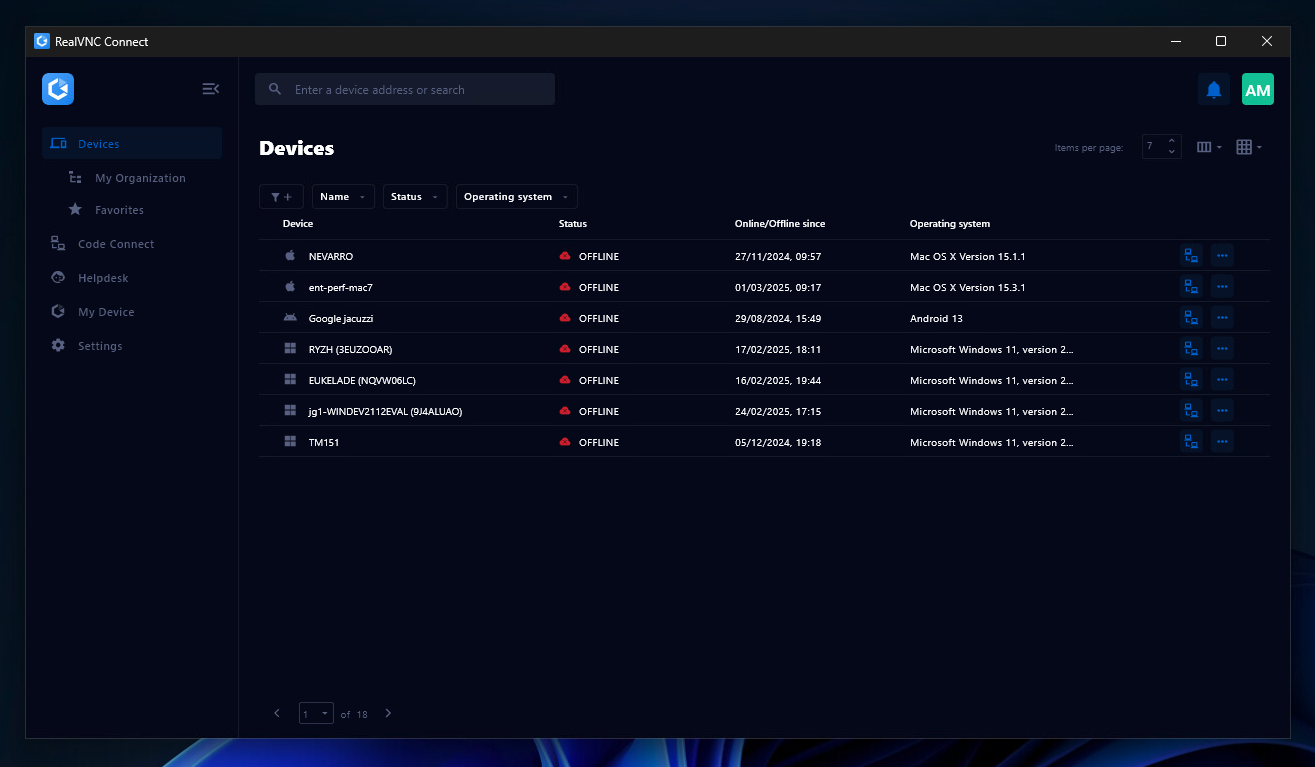  |