Lytho Workflow vs. Nuclino

Overview
ProductRatingMost Used ByProduct SummaryStarting Price
Lytho Workflow
Score 9.7 out of 10
N/A
Lytho Workflow is a creative project management software built specifically for the needs of creative and marketing teams. Combining elements of task and workflow management with the collaborative features of online proofing, Lytho Workflow helps teams get more content produced - faster. The key components of Lytho Workflow are Request Intake, Project Management, Review & Approval, and Reporting. From the initial creative brief, Lytho Workflow's request forms ensure…N/A
Nuclino
Score 7.1 out of 10
N/A
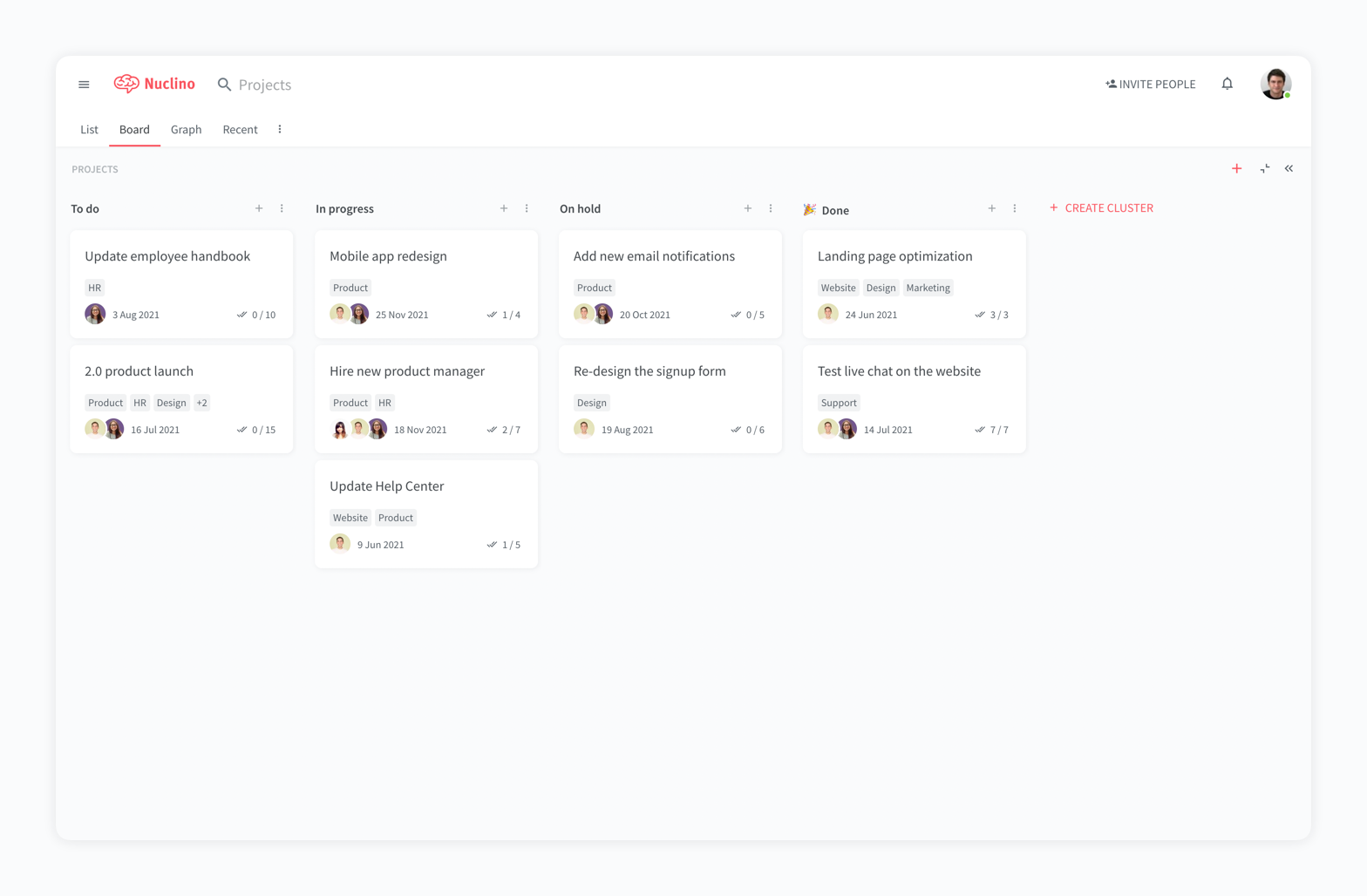
Nuclino is a unified workspace where teams can organize knowledge, manage projects, and share ideas. Progress can be tracked in a Kanban board, work structured in a hierarchical list, or data organized in a visual graph — Nuclino adapts to a team's workflow. Presented as simple and lightweight by design, Nuclino focuses on the essentials, doing away with clunky menus and rarely-used settings, to minimize the learning curve for new users. Teams from across the globe can use Nuclino…
$0
Pricing
Lytho WorkflowNuclino
Editions & Modules
No answers on this topic
Free
$0
per month per user
Starter
$8
per month per user
Business
$12
per month per user
Offerings
Pricing Offerings
Lytho WorkflowNuclino
Free Trial
NoYes
Free/Freemium Version
NoYes
Premium Consulting/Integration Services
NoNo
Entry-level Setup FeeNo setup feeNo setup fee
Additional DetailsNo two teams are alike. So why offer “one size fits all” pricing plans? They just don’t work – teams are locked out of features they need while they get features they don’t need. We do things differently. We create individual pricing based on your team’s specific needs and budget.Nuclino offers a free plan for up to 50 items and 2GB total storage. Commercial plans support unlimited items, advanced features, and 10GB storage per user. 25% discount for annual pricing.
More Pricing Information
Community Pulse
Lytho WorkflowNuclino
Features
Lytho WorkflowNuclino
Project Management
Comparison of Project Management features of Product A and Product B
Lytho Workflow
8.4
3 Ratings
8% above category average
Nuclino
8.3
13 Ratings
6% above category average
Task Management9.53 Ratings7.49 Ratings
Resource Management7.02 Ratings00 Ratings
Scheduling9.02 Ratings9.01 Ratings
Workflow Automation7.43 Ratings10.01 Ratings
Team Collaboration10.02 Ratings00 Ratings
Mobile Access8.02 Ratings8.010 Ratings
Timesheet Tracking7.01 Ratings00 Ratings
Change request and Case Management9.53 Ratings00 Ratings
Gantt Charts00 Ratings8.01 Ratings
Search00 Ratings8.012 Ratings
Visual planning tools00 Ratings7.411 Ratings
Communication
Comparison of Communication features of Product A and Product B
Lytho Workflow
-
Ratings
Nuclino
8.3
12 Ratings
4% above category average
Chat00 Ratings8.01 Ratings
Notifications00 Ratings7.49 Ratings
Discussions00 Ratings7.98 Ratings
Surveys00 Ratings9.01 Ratings
Internal knowledgebase00 Ratings8.412 Ratings
Integrates with GoToMeeting00 Ratings9.01 Ratings
Integrates with Gmail and Google Hangouts00 Ratings9.01 Ratings
Integrates with Outlook00 Ratings8.01 Ratings
File Sharing & Management
Comparison of File Sharing & Management features of Product A and Product B
Lytho Workflow
-
Ratings
Nuclino
7.2
12 Ratings
11% below category average
Versioning00 Ratings7.09 Ratings
Video files00 Ratings7.17 Ratings
Audio files00 Ratings7.46 Ratings
Document collaboration00 Ratings10.010 Ratings
Access control00 Ratings2.210 Ratings
Advanced security features00 Ratings8.03 Ratings
Integrates with Google Drive00 Ratings8.22 Ratings
Device sync00 Ratings8.19 Ratings
Best Alternatives
Lytho WorkflowNuclino
Small Businesses
Stackby
Stackby
Score 8.9 out of 10
Stackby
Stackby
Score 8.9 out of 10
Medium-sized Companies
InEight
InEight
Score 8.4 out of 10
Troop Messenger
Troop Messenger
Score 9.8 out of 10
Enterprises
InEight
InEight
Score 8.4 out of 10
HCL Connections
HCL Connections
Score 9.0 out of 10
All AlternativesView all alternativesView all alternatives
User Ratings
Lytho WorkflowNuclino
Likelihood to Recommend
9.0
(3 ratings)
7.1
(11 ratings)
Usability
-
(0 ratings)
7.8
(7 ratings)
Support Rating
-
(0 ratings)
10.0
(2 ratings)
User Testimonials
Lytho WorkflowNuclino
Likelihood to Recommend
Lytho
It's a flexible program that can be molded to fit most businesses. It's geared towards agencies but we've been able to use it successfully as an in-house solution. It's pretty intuitive for the most part and is easy for new hires or clients to get up and running pretty quickly.
Read full review
Nuclino
For game design - Perfect for personal notes, recipes, snippets - Perfect for storing some organized data (for example, links to resources) - Perfect for a content playground powered by AI - Very good for diagrams - Very good. Don't know any bad examples. Tool really great. Rich functionality. Especially love different views (table, graph).
Read full review
Pros
Lytho
  • Requests - Request forms are set up so that certain fields are required and there's a minimum turnaround time. This prevents others from submitting an incomplete request or requesting things last minute.
  • Proofing - Chasing after people to approve a proof is always a pain, but the simplicity of Lytho Workflow makes it less of a pain. I can quickly remind people in the route to review the proof by clicking a button.
  • Templates - I use templates so that a list of tasks is created for me when I accept a job. It also creates a timeline for when each task needs to be done.
Read full review
Nuclino
  • The system is extremely fast. The application loads and displays data in milliseconds. This makes the system easy to work with.
  • It's also easy to edit documentation and information, as information can be editing directly without the use of an "edit" button.
  • Pricing: Loading speed, ease of use and quick editing are its main advantage that makes it stand out from competitors. Having said that, the pricing is very good as well.
Read full review
Cons
Lytho
  • Not being able to permanently delete inactive/old users (i.e. employees that are no longer with the company).
  • Search filtering features are lacking.
  • Not being notified when someone replies to my comment without @ mentioning me.
Read full review
Nuclino
  • switching overe workspaces is bit tedious at the moment
  • more granular control over what users can edit inside workspace -> specific items or any item under a specific collection
  • currently its not clear who edited an item last -> footer that updates each time item has been edited and by whom
  • support for smartsheets. only because we use them ;)
  • on prem version? (easier to sell this to my boss)
Read full review
Usability
Lytho
No answers on this topic
Nuclino
It has a very clean UI for me, the multiple views are so so useful, we can collaborate freely, and fast. This app helped us to grow because now we are giving our time more on generating ideas and of course getting more projects and clients giving real ROI instead of focusing on organizing files. But just like all apps out there, it has some room for improvement
Read full review
Support Rating
Lytho
No answers on this topic
Nuclino
My team has an individual dedicated to content management and Nuclino is one of her job descriptions. It's nice knowing she is able to handle any issues that arise before we even realize they exist. We haven't had any technical issues since implementation so that's been a very pleasant experience.
Read full review
Alternatives Considered
Lytho
By consolidating the requests, project management, and proofing without features we didn't need like invoicing it was an easy fit for us. We were able to quickly develop a comprehensive workflow and the gains to efficiency were immediate. Pricing was competitive (at least at the time) and the implementation was very good as well.
Read full review
Nuclino
Nuclino is the clear winner when it comes to ease of use for both the administrator and user. Less setup time and less "training" time. The streamlined interface is quick and intuitive to learn and is not cluttered as compared to Confluence. Every tool you need to use to create a page or administer the workspace is available immediately on screen or by right-clicking. In contrast, Confluence buries many tools in administrative interfaces and only allows use of some features once you make several clicks to include a "macro" or "plug-in". We use both tools and I get complaints constantly from my team about how complicated Confluence can get just to author a quick page.
Read full review
Return on Investment
Lytho
  • I wasn't working for the company when they first started using Lytho Workflow workflow, so I can't say what impact it has had. However, I do see the product as a necessity in the fast-paced environment that is retail marketing. The introduction of the new "change request" feature has saved countless hours of miscommunication and confusion when project objectives change.
Read full review
Nuclino
  • We're able to more quickly develop processes and try things out
  • Our internal how-to guides are a real time saver, especially when paired with AI search
  • It's easier to collaborate on lightweight documents
  • Software architectures are easier to find and document
Read full review
ScreenShots

Nuclino Screenshots

Screenshot of a company wiki created in NuclinoScreenshot of the interface to manage projects and plan sprintsScreenshot of a knowledge graph