Accelo vs. Magnetic

Overview
ProductRatingMost Used ByProduct SummaryStarting Price
Accelo
Score 3.0 out of 10
Mid-Size Companies (51-1,000 employees)
Accelo is a Professional Services Automation (PSA) platform designed to provide visibility into operational risks for service-based organizations. While traditional tools often focus on historical data, Accelo is intended to surface real-time risks such as Project Overruns, Resource Overloading, and Scope Creep. The platform integrates the full client lifecycle, including CRM, Quoting, Project Delivery, Support Ticketing, Time and Expense Tracking, Retainer Management, and…N/A
Magnetic
Score 0.0 out of 10
Small Businesses (1-50 employees)
Magnetic is a workflow management platform designed and built for professional services firms. It combines essential project management capabilities into a single system: account management, business development, task management, project management, project finances, time tracking, billing, HR management and resource scheduling. Magnetic is designed to help businesses waste less time, manage projects smarter, and deliver on time and within budget. The system offers a bird’s eye…
$0
Pricing
AcceloMagnetic
Editions & Modules
No answers on this topic
Solo
$0
Essentials
$10
per month per user
Pro
$22
per month per user
Enterprise
Contact Sales
Offerings
Pricing Offerings
AcceloMagnetic
Free Trial
NoYes
Free/Freemium Version
NoYes
Premium Consulting/Integration Services
YesYes
Entry-level Setup FeeOptionalOptional
Additional Details20% discount available for annual billing.
More Pricing Information
Community Pulse
AcceloMagnetic
Best Alternatives
AcceloMagnetic
Small Businesses
HaloPSA
HaloPSA
Score 8.1 out of 10
HaloPSA
HaloPSA
Score 8.1 out of 10
Medium-sized Companies
Planview AdaptiveWork
Score 8.3 out of 10
Planview AdaptiveWork
Score 8.3 out of 10
Enterprises
Planview AdaptiveWork
Score 8.3 out of 10
Planview AdaptiveWork
Score 8.3 out of 10
All AlternativesView all alternativesView all alternatives
User Ratings
AcceloMagnetic
Likelihood to Recommend
8.0
(8 ratings)
-
(0 ratings)
Likelihood to Renew
9.0
(1 ratings)
-
(0 ratings)
Usability
7.0
(1 ratings)
-
(0 ratings)
Performance
10.0
(1 ratings)
-
(0 ratings)
Support Rating
8.2
(3 ratings)
-
(0 ratings)
User Testimonials
AcceloMagnetic
Likelihood to Recommend
Accelo
Accelo is a system that can do it all. It's extremely sophisticated. Depending on the sophistication of your organization, or specifically the abilities of the people you put in charge of the implementation, it can almost be too sophisticated. It all just depends on your situation. The more you use it, the more data you give it, the more you'll be able to see and do. It's incredibly powerful. But it's definitely not a tool that would be appropriate for smaller boutique type organizations that have only basic needs.
Read full review
Magnetic
No answers on this topic
Pros
Accelo
  • Timing Client Work: You are able to better manage your time on your clients.
  • Housing Client Info in one Area: You can view all you need for any given client in one area.
Read full review
Magnetic
No answers on this topic
Cons
Accelo
  • Accelo is excellent on the adaptation to its deep functionalities.
  • Managing multiple project is very challenging.
  • Not easy to collect multiple reports across platforms.
Read full review
Magnetic
No answers on this topic
Likelihood to Renew
Accelo
Looking forward to seeing more refinement of features provided and upcoming features promised :)
Read full review
Magnetic
No answers on this topic
Support Rating
Accelo
From the beginning the Accelo team has been very invested in ensuring our success and overall happiness with the platform. The initial implementation specialists and trainers did a fairly good job of learning our company and needs, and tried to tailor the trainings accordingly. However, once we made the formal switch to the platform, meaning we no longer were using our legacy systems, we found that we had a lot of questions....and a lot of ideas and recommendations. The support team is extremely responsive and seemingly happy to receive our continual feedback. And if we encounter an issue that seems to be a system issue, they work diligently to fix it (we've actually had an engineer join a call with us to learn of the issue - and subsequently fix it)
Read full review
Magnetic
No answers on this topic
Alternatives Considered
Accelo
Accelo doesn't really exceed any competitors in any one area of their product, but in 2015 when we made the move this was the best option that included all the tools we wanted. However, user adoption was low in some areas due to the UI, so we scaled back Accelo and added other tools.
Read full review
Magnetic
No answers on this topic
Return on Investment
Accelo
  • It substantially reduced the number of systems we use to run our business.
  • It reduced the need to train our staff on a variety of platforms.
  • It gave us the ability to have a client-facing portal that directly integrates with our backend systems.
Read full review
Magnetic
No answers on this topic
ScreenShots

Accelo Screenshots

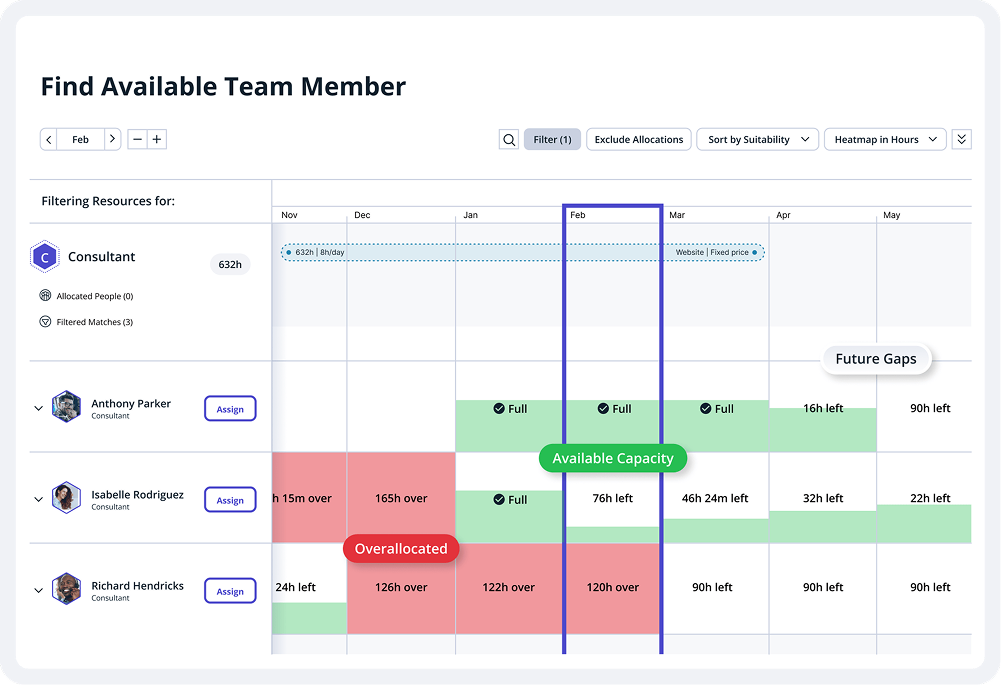
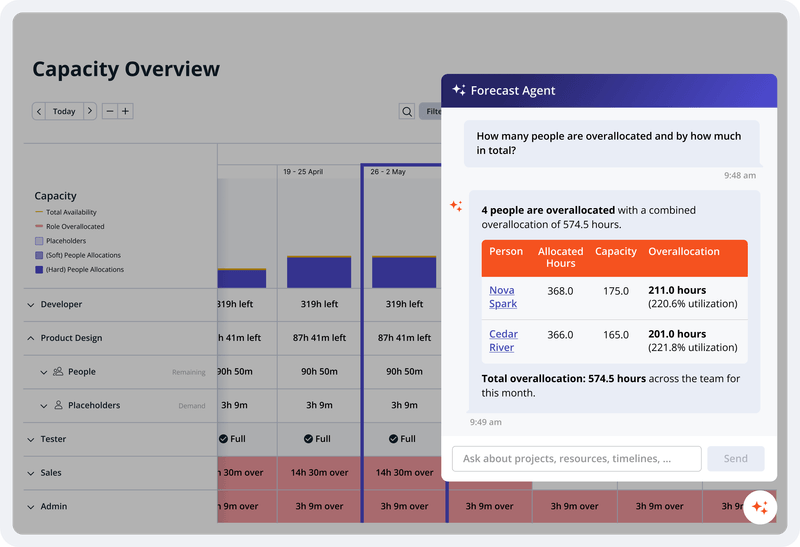
Screenshot of project analytics. Accelo keeps projects on track with templates, task management, Gantt charts, AI-predicted completion dates, portfolio views, and built-in client approvals.Screenshot of the scheduling interface. Accelo matches work to the right person by skill, workload, and availability — with utilization reports, capacity forecasting, and dynamic allocations that keep delivery and pipeline aligned.Screenshot of the revenue dashboard. Revenue leakage hides in unbilled hours, missed scope, and late invoices. Accelo captures time automatically, tracks budget and margin live, automates invoicing end-to-end, and manages retainers and scope creep before the damage is done.Screenshot of an overview of capacity. Most firms make decisions on data that's already a month old. Accelo delivers real-time reporting across utilization, profitability, and project financials — with custom dashboards that give every role the signal they need to act.

Magnetic Screenshots

Screenshot of the Project Dashboard, which is logically divided into 3 sections:

Budget
For tracking how a project is performing against what was agreed upon with the client, as well as key KPI’s such as Net Margin and Gross Margin.

Scheduling
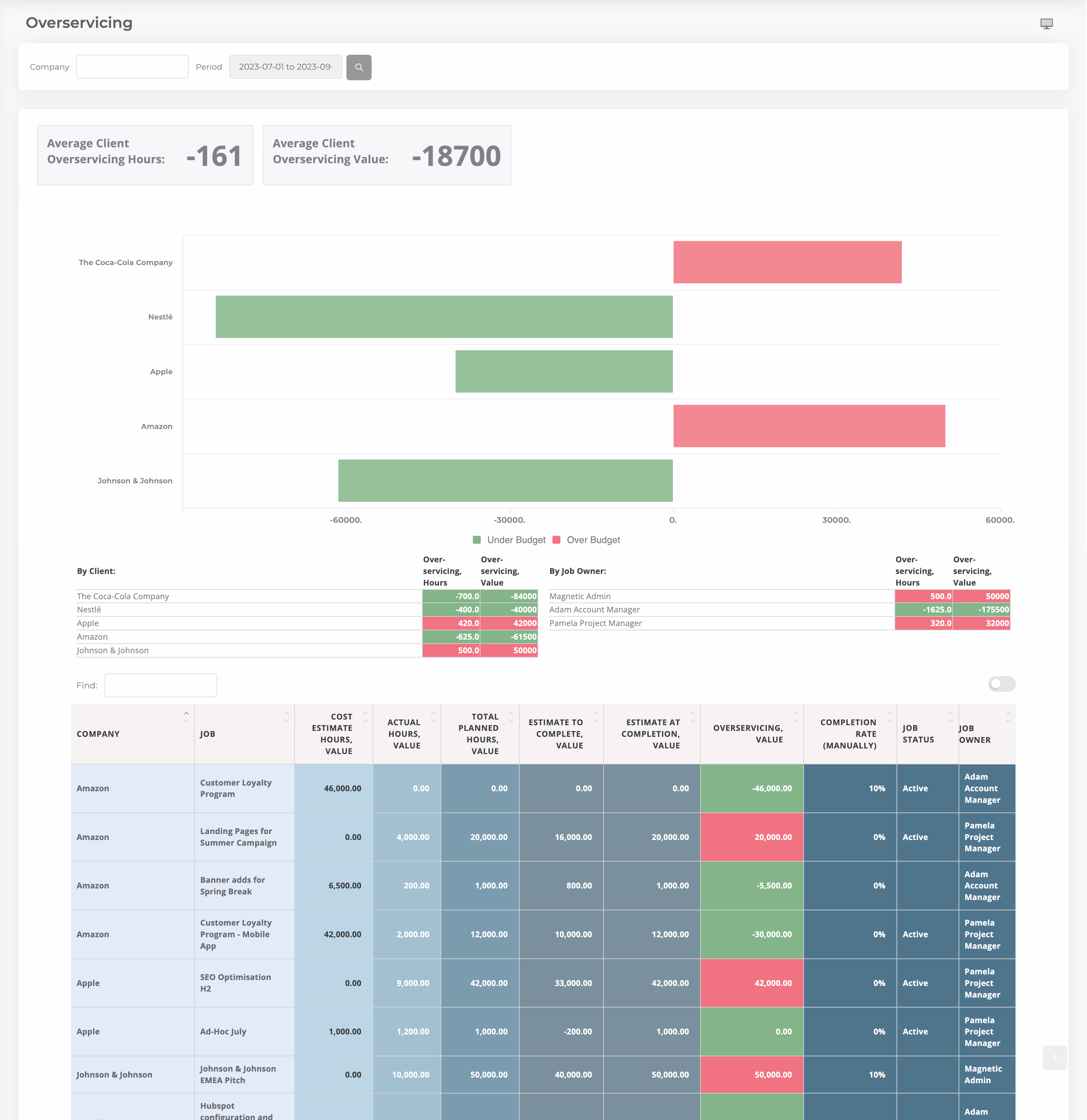
Magnetic will predict if a project is going over- or underservice. Through key metrics such as Estimate to Complete and Estimate at Complete, Magentic helps users to understand if a project is going to be on or off track.

Financials
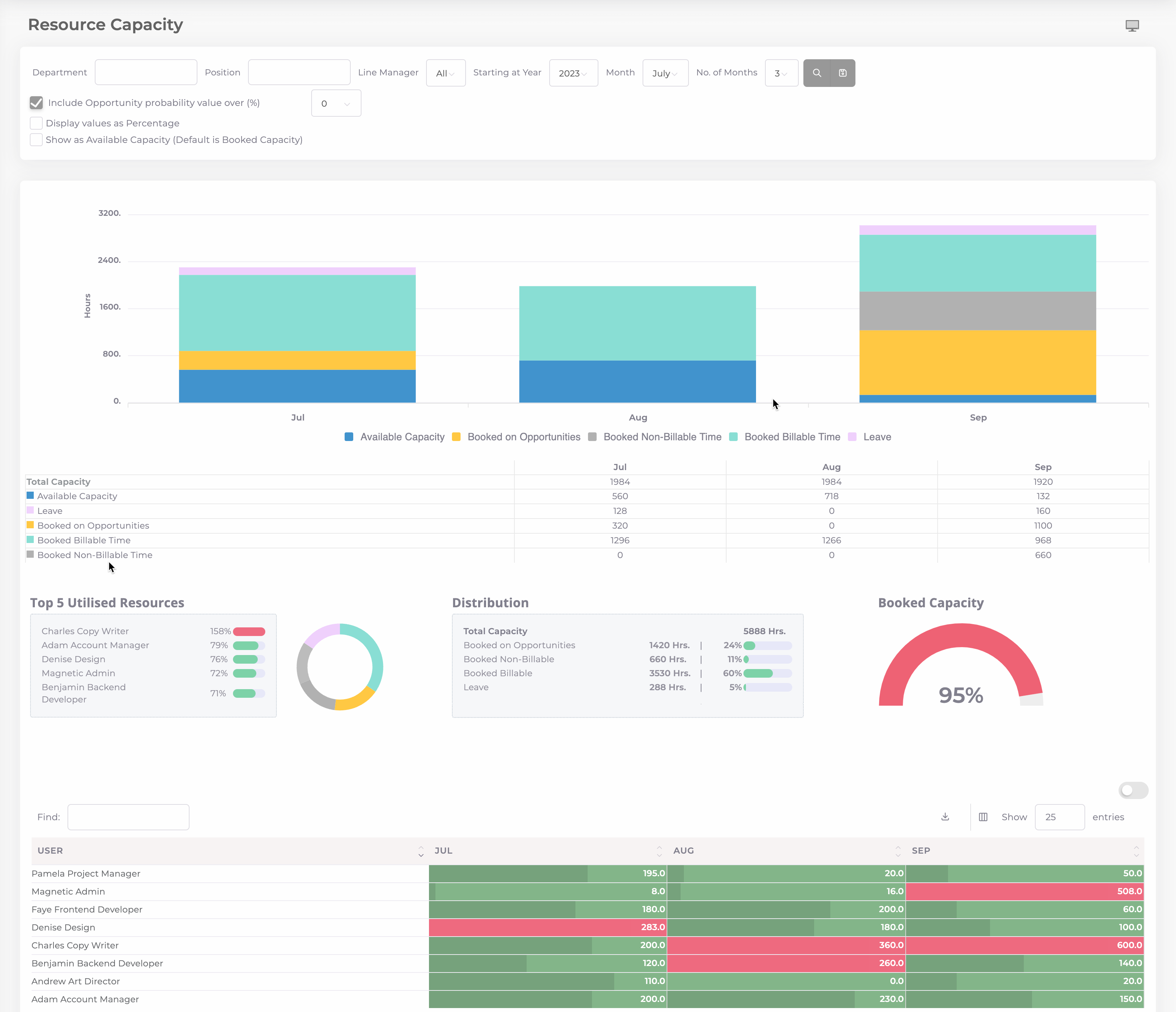
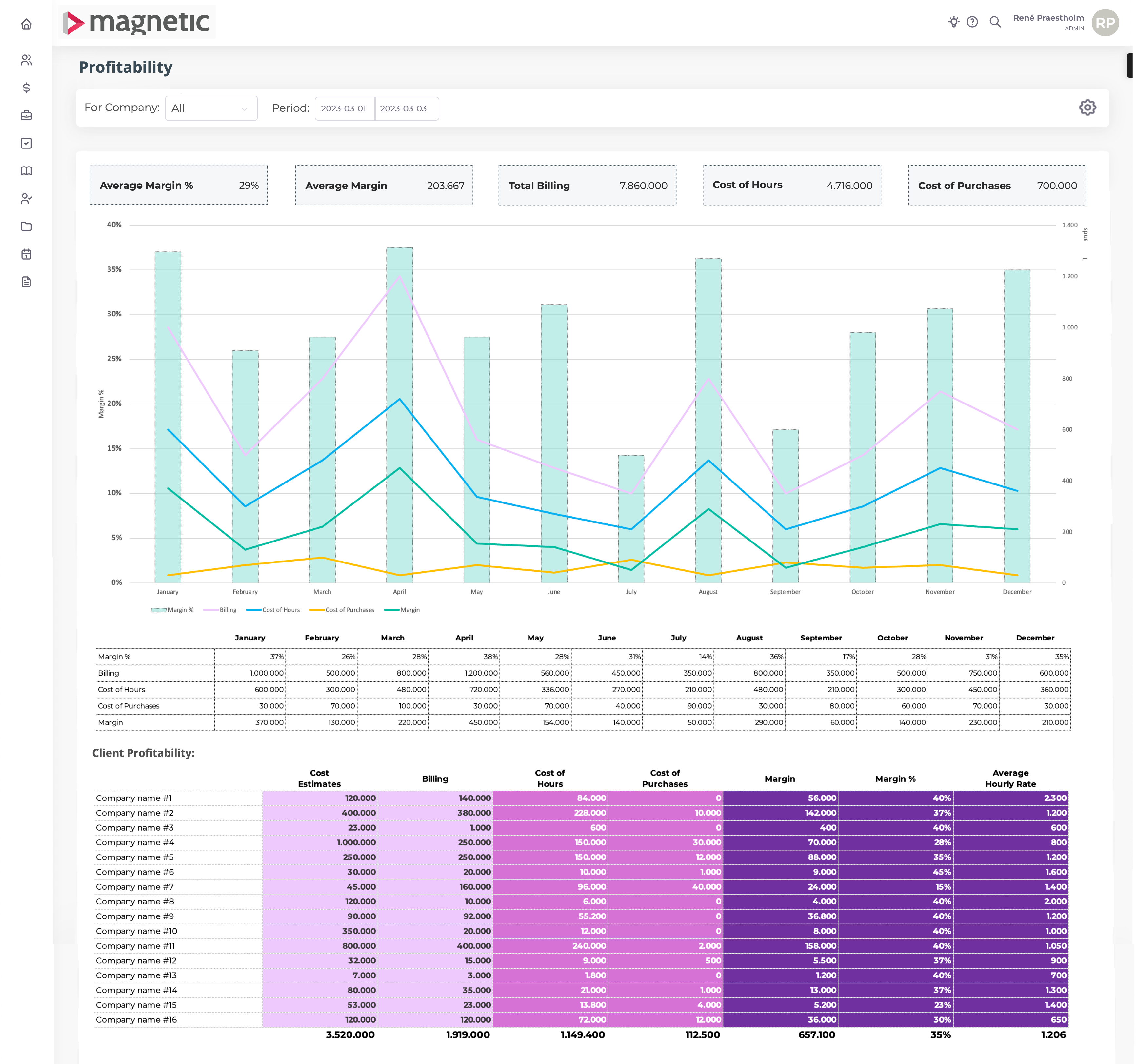
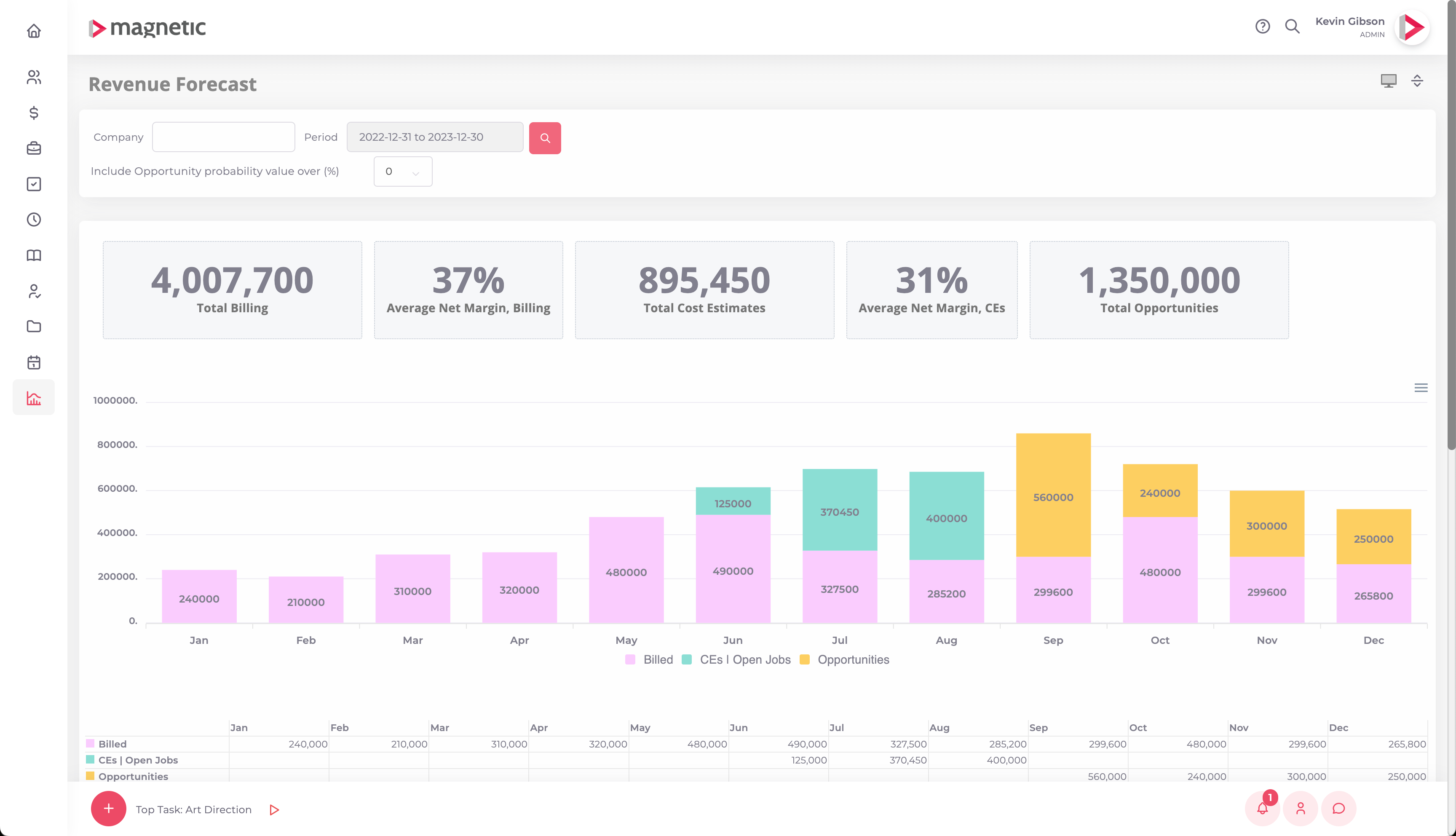
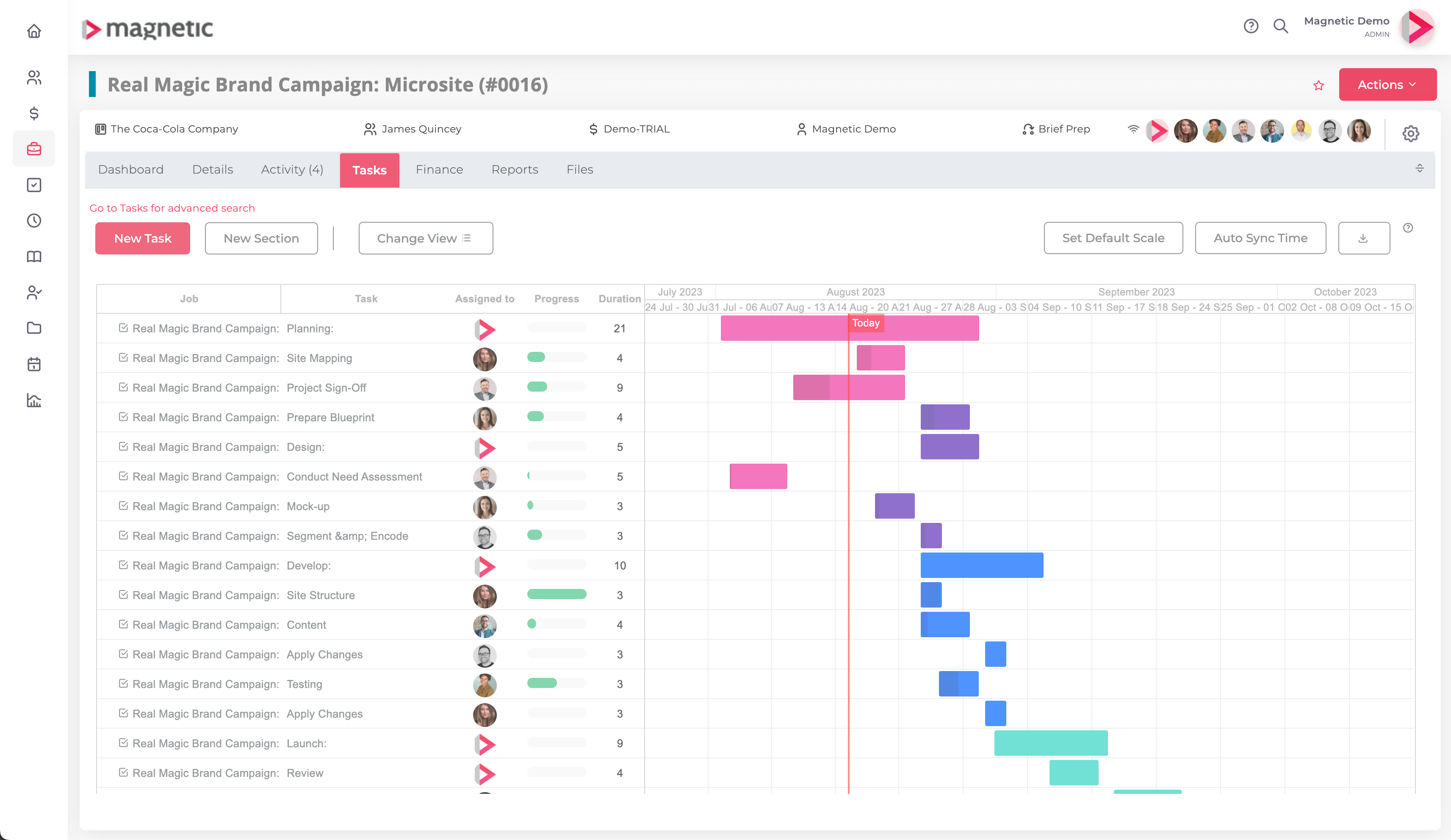
Displays projects’ financial performance through key financial indicators such as Actual Net/Gross Margin, un-billable work and supplier purchases.Screenshot of the navigable Resource Capacity dashboard in Magnetic, where users can apply filters based on department, position, or line manager. It provides instant visibility into available capacity, booked capacity across billable and non-billable work, opportunities, and leave time.Screenshot of the profitability dashboard financial tool, that offers a concise and real-time overview of a company's financial performance. It consolidates key metrics, providing a snapshot of revenue, costs, and profit margins. Customizable filters and dynamic charts enable stakeholders to analyze specific aspects of any business, fostering informed decision-making.Screenshot of Magnetic's comprehensive dashboard, providing tools to monitor and manage client engagements.

This helps users to stay informed and in control through Magnetic's interface, using valuable insights into a projects and client relationships for improved efficiency and client satisfaction.Screenshot of Magnetic's Revenue Forecast, used to monitor billings, monitor budgets for open projects, and factor in potential revenue from upcoming opportunities. With real-time tracking and analysis capabilities, Magnetic helps to drive informed decisions.Screenshot of customisable templates used to create precise cost estimates and time plans. This helps to ensure accurate client quotes and allocate tasks with optimal timings, maximising productivity and project success.