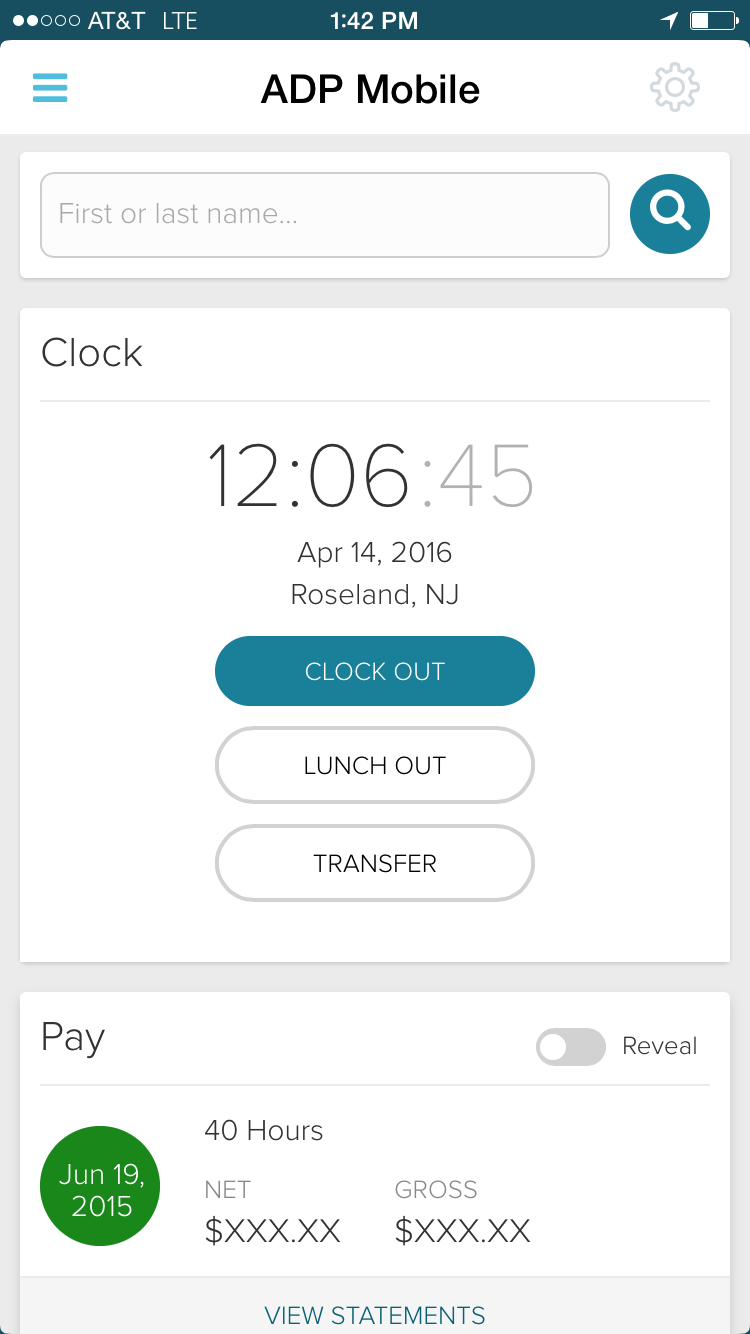
ADP Workforce Now is a cloud-based HR platform for mid-sized businesses. It features customizable modules of various HR services that businesses can tailor to their specific needs, as well as regulatory monitoring and alerts to help businesses remain compliant.
N/A
Paycom
Score 8.5 out of 10
N/A
Paycom is an automated HCM platform, built on a single database that eliminates redundant data entry through automation. A payroll and HR software solution, Paycom is used by organizations of all sizes to access employee data without navigating multiple systems.
N/A
Workday HCM
Score 8.1 out of 10
N/A
Workday Human Capital Management is a cloud-native system offering a globally
consistent user experience. Workday HCM is part of an intelligent, unified system with other
Workday products.
N/A
Pricing
ADP Workforce Now
Paycom
Workday Human Capital Management
Editions & Modules
Essential
Contact sales team
Enhanced
Contact sales team
Complete
Contact sales team
HR Pro
Contact sales team
Payroll Essentials
Contact sales team
HR Plus
Contact sales team
Hiring Advantage
Contact sales team
Performance Plus
Contact sales team
No answers on this topic
No answers on this topic
Offerings
Pricing Offerings
ADP Workforce Now
Paycom
Workday HCM
Free Trial
No
No
No
Free/Freemium Version
No
No
No
Premium Consulting/Integration Services
Yes
No
No
Entry-level Setup Fee
Required
No setup fee
No setup fee
Additional Details
Please contact ADP for a product demo and ask about a hands-on "test drive" of Workforce Now.
The splitting out of a person's fund sources. Paycom had better attendance tracking. We came back to ADP because of the fund source issue and the lack of support we received and are now kind of feeling from ADP
The employee facing app for Paycom is better than ADP but on the back side administration ADP is more robust and provides a better experience for the payroll professional.
Our company was with Paycom and while it was very customizable - it required a lot of manual entry / management - often in multiple places within the system. Paycom did not offer the ability to easily scale that we were looking for - they also did not have a clean solution for …
ADP Workforce Now stacks up pretty well however Paycom seems like it would be a lot easier to navigate and use. All the data is centralized in one platform section making searching and setting up a lot easier. Compared to ADP Workforce Now if you search in one area for data and …
ADP Workforce Now has a more robust reporting program, ADP has better hours for customer service, and was much easier to learn. I have used both Paycom and Paychex and both came with little to no training, and was a pain to learn. The reporting was less than desirable. ADP was …
I also used UltiPro (way back -- it didn't even appear in dropdown). Recommend ADP Workforce Now above all others. Paycor and Paycom were both very clunky. I even helped implement Paycom and could never get it to work how the business needed it to.
We stayed with ADP because it was what we were familiar with and were out of time to make a change at this point in the year for implementation before the new year. They also offered us a deal that couldn't be beat by the other companies at this time.
They pale compared to ADP because they each have broken systems that do not flow from beginning to end. Another system is required to support all of the functions needed to process payroll. That puts too much on me, the person, instead of the system. We should work smarter, not …
ADP Workforce Now is the best HR Software tool in the market because it offers multiple solutions. Other tools in the market only offer one tool and this one offers it all. This makes our HR departments jobs easier and they save a lot of money only have to purchase one tool …
Many of my friends use ADP Workforce in their company, and they are very happy with this HCM software. For me, ADP Workforce Now is easier to use and understand, they provide more great options for their customers, and you can use this HCM software for many different …
Between the different HRISs and ATSs I have had experience with, ADP is probably the most robust. It is pretty difficult to find a system that incorporates all the essential HR functions (people data, time and attendance, PM, ATS, etc) and does it all seamlessly for large …
We have Workday for other features like Time Off/Leave, organizational chart, personal information, and benefits information. ADP is how we handle the day to day with clocking in and out and being able to see our pay statements easily with ADP Workforce Now. Some features …
We selected ADP due to its value and included capabilities. I find it to be very similar to the majority of the major payroll providers and in hindsight [I] am not sure this is the route we [should] have gone. If you have a robust HR/Payroll team, I think the product is fine, …
Paycom's customer service model surpasses ADP's by leaps and bounds. I went from spending significant amounts of time on the phone with ADP customer service to contacting my Paycom specialist on as needed basis. Paycom is also far more intuitive to use that ADP Workforce Now …
Comparable. Decent. I'd say Paycom is a better product. Better interface. Alot of updates though that we don't always know about or just blame an issue on "fluke". Customer Service is sub-par with Paycom.
I mean I've used Paychex before. I've used ADP before. Paychex was nothing like this, not comparable in terms of the version I was using. I think I was using Paychex Flex, but this was much more comprehensive, much more coherent, and it did a lot more on the ADP side. I don't …
I've used BambooHR, which I loved, but they just didn't have a payroll side to it. I've used ADP, which I hate it, and wasn't interested in getting their HR side of it. We've used a product called Epicor, which it was mediocre at best. And those are the only products I'm …
Over all it came down to functionality and price. ADP didn't come well reviewed by other [...]'s and Paylocity didn't seem as intuitive as Paycom. Our Paycom rep also took a lot of time with us, explaining things and showing us how the system would help us. We felt like she …
ADP Workflow, Paylocity, BambooHR, Worklio - Paycom has a superior feature set and reporting tools. Rippling, Gusto, PlanSource - Paycom is less preferred due to its overly complex feature set.
Paycom was able to provide better customer service support as well as the data being a single database of information allowed for greater flexibility in report writing function. Additionally, being able to have different modalities of recording time worked, via the computer, …
Paycom is very user-friendly. Managers can review and approve employee timecards easily. The entire HRIS system allows information to flow together seamlessly. Your general ledger is tailored to your payroll and reporting needs. You no longer need multiple systems, you can do …
ADP did not provide all we needed easily. We had to fight to get reports. CS reps were almost none-existent. Invoices were not itemized so we know what we were paying for.
ADP is not user friendly unless you are familiar with the system. Our employees experienced issues with locating things because there are too many options for the user toolbar. ADP is very standardized unlike Paycom's customized/tailored system. We need a completely flexible …
Paycom is hands down way better for us. They helped us make our payroll simpler and more manageable. Paycom's dedicated staff was knowledgeable in all areas of the system not just one. ADP was to clunky for our payroll, which shouldn't be that difficult. ADP changed our …
We had numerous issues with ADP's customer support. Many times my payroll would error out and I would sit on hold for over an hour just to get someone to clear the error and send me the payroll register back. With Paycom I am in control of downloading my payroll registers, …
ADP was not fully integrated within the various categories for HR & payroll which meant we often had to work from several different software and system to accomplish simply task. This resulted in countless hours trying to complete things that are integrated within Paycom. It …
In my opinion, ADP is a clunky system that has many positives, but overall I think it is not user friendly and doesn't have the majority of the tools we want as we continued pushing our company forward. I believe Paycom has many more tools, is more user friendly and our …
We selected Paycom for its functional, user-friendly platform. They continue to make improvements and add features that are beneficial to HR and Payroll professionals.
Workday HCM helps my organization better align our corporate strategy with defined objectives and KPIs while managing the performance of team members to deliver results. The user interface and time tracking capabilities of Workday HCM are also best-in-class. The Workday cloud …
Verified User
Manager
Chose Workday Human Capital Management
I explained the differences in Workday and Concur in my previous answers. I did not select Workday, someone in Operations did. I liked Concur better from a expensing perspective. However, Workday is overall more robust since it has PTO functionality, org structure, …
The user interface is modern and quick to use, similar to Google and Amazon. The system works at a faster pace, allowing you to get more work done. There is a robust community of users that provide support, answers, and reporting templates (to name a few) when you have …
We liked that all customers are on the same version of the product and the minimum bi-annual updates. The customization is in the business processes you build within the delivered system. No "Bolt Ons". The visibility to managers to their teams was another big plus and we like …
The ease in which you can process payroll and year end (T4s). Ability to maintain payroll - enter upcoming changes (e.g. pay raises for a certain date) ahead of time. While we don't use it in my current company, in past ones the time & attendance integration with timesheets is fabulous. Our company uses a 3rd party scheduling & timesheet platform which also integrates with one click but is a little more work to maintain time off balances within ADP Workforce Now. We use the 3rd party platform (Evolia) for scheduling and timesheets as the management here wanted the ability to see salaried employees on site, have a chat feature, and some self-management on the employee side with the ability to swap shifts.
I've implemented at least 7 HRMS and/or performance suites over the years. I have no true complaints about the platform. We have found that for one of our client codes, the scheduling functionality doesn't accommodate the constant scheduling adjustments our transportation company requires. That said, our routes can change more than once an hour and start/end times often change with routes. We have found that managing the full employee life cycle is even more streamlined with the recent Position Seat updates. We also value that the platform is a native build - so no lagging API integrations to navigate.
I would say it's well suited in every environment because I think it does so much. It's like the holy grail of HRIS systems is what I like to call it because thinking about all parts of the employee lifecycle, it lives here in Workday Human Capital Management. So I love the fact that you can do the people data analytics, you can store employee records, the talent acquisition pieces there. I'm thinking I can't think of anything negative right now except for the fact that I can't drill down into the data for the people analytics side. Other than that, I think it's literally, yeah, the holy grail of HRIS systems, I love it and I would highly recommend it.
Before Paycom we were using Paylocity and in about six months of running payroll with Paylocity, we never once had 100% accuracy from a payroll standpoint. So we had disgruntled employees because either their time was off or their pay was off. With Paycom, we've never had a case where our payroll was not 100% accurate.
Groups employees in management hierarchies and creates Org Charts that are easy to navigate and allow for visualizing management chains regardless of employee locations
Intuitive and easy to use. The Workday search functionality works very much like Google; one can search for anything that they have access to in the database and drill down into the various details. All information is connected through hyperlinks and users can easily keep digging into the details for as far as their security access would take them.
Tasks such as to do, review or approve items are sent to the user's Workday Inbox, very much resembling email. Notifications about outstanding "to do" items are also sent to each the user's work email address on a daily basis.
I think that when we do need a response back, which is very unlikely from the contact about something that's happening or going on, it can take a little long to get back to us. Longer than we would like because obviously it's an emergency to us, but we understand they have tons of emergencies they have to solve. But I think that's the only aspect.
I know from a payroll standpoint, which I'm not really privy to because I don't work on the payroll side, there have been some little hiccups that about certain formulas used, certain credits being issued that we've already filed for tax credits that we filed for. So I know that my CFO's already on top of it and pay comes on top of it as well and it's getting resolved, but obviously that's a big issue that needs some work there.
Due to the lack of support from the sales and service center we are looking at other options outside of ADP. Again it is a good system, it just lacks the support it deserves from the company employees. It is just unimaginable that you will need to reach out to a service provider several times for the same issue and not get it resolved.
we are having no problems with how the system works and our support system at paycom is the best - we are learning more and using the system in more ways all the time the only thing that could be better is pricing on some things
It is work to make one system the source of truth for our data, but now that it is done, there is less work involved in staying on this path. This means for us that maintaining and/or implementing new modules like performance, finance, talent, etc. is simple. It's a no-brainer
I would give it a 10 however I do not like when ADP does facelifts in Workforce Now which does not add any value other than having to relearn navigation. I am also not a big fan of being forced to refer to the Bridge. We have Google which gives the same results. If I understood the answer I would not contact our Account Rep.
The interface is very intuitive, you can navigate it pretty well. Everything's pretty much spelled out and the features just flow really well. They make it easy for you to go back and forth with the UX/UI type of interface. So I think it was built pretty well.
Workday's on a great path in terms of user experience. Their goals is to deliver a use experience that doesn't require training or instruction, like Amazon on the consumer side for example. That's hard to do when you're talking about complex business processes and important and sensitive employee information, but they're doing it well
In 2014, Workday has changed the update process. There will be two updates a year; the updates will be delivered to customers typically in a 24 hour window during these two weekends a year. They also keep the Community up-to-date about any planned outages, etc. There is weekly scheduled downtime on Friday night.
Overall, I think the functionality of the program works pretty well. Sometimes, certain browsers do not work well for the policy function of ADP, but that is the only issue thus far
From my perspective, the system runs like a well oiled machine and I have not had any issues with customers complaining about speed. If a report is taking long to run, the report can run in the background and you can go about your business. For larger enterprises, there is additional space and machines to process the application in what Workday refers to it as Extended Configuration Tenant
Kelly La Rosa and Brian McLaughlin have been exceptional partners over the last few years and a tremendous source of support in my role. They are consistently solution‑oriented, highly responsive, and proactive in identifying opportunities to improve our processes. Both regularly brought forward thoughtful recommendations, including suggestions for new ADP products that aligned well with our evolving needs. Their expertise, reliability, and genuine commitment to client success have made a meaningful impact on my work and on our overall experience with ADP.
Have been bounced around alot in our 3 years of partnership. Wanted a dedicated rep but that did not provide us the care and attention we required. Work with a team first and then get to your representative. Sometimes an issue with time differences - representative working on different timebelt and not accessible, or we had to wait a day to move an issue along
Workday is still learning about the needs of higher education. I have seen rapid improvement in support and knowledge over the last year so am confident this will continue to improve. Overall however, I have found the Support Team to be extremely responsive and Workday offers the advantage of having support across several timezones so that we never wait more than a few hours for a response.
In-person training was pretty good - I think this significantly depends on the trainer. Our trainer was really good and showed what ADP can do - but I know that all trainers are not the same - and this truly makes such as difference. Overall, our training went pretty well.
Some training is offered online. Cost is per-person. This also gets quite expensive. Training doesn’t follow a logical path A to B. Starts in middle. When you try to do it afterwards at your desk, difficult. • Training scenarios are not very real
At the time training was not as expansive as it is now. If it could go wrong it did for me so the process was difficult and lengthy. I needed to have more in person walkthroughs of things to ensure the transition was done correctly. Not sure what else I can say, we were part of the initial move to Workforce Now when it was introduced.
All the online training modules were short and straight to the point. Every module teach you how to use the system. If there is one thing they know how to do is training. We did implementation during the pandemic so all had to be done online or via zoom meetings.
I have done for report writing and mass imports (EIBs). They give materials and you run through examples, i.e. you don’t just watch them do tasks, so that is helpful. Training is expensive – a single reporting writing class is $600 per person for virtual training
Either assign more than one specialist to the implementation process, or assign less clients to the implementation specialist. The process requires attention to detail and the ability to test and re-test as well as verify the information. It also requires a lot of back and forth between the client ant the implementation specialist, so they need to be readily available during the whole implementation process.
Not at all satisfied it was a nightmare we spent over 8 months with the implementation team having issues after issues all related to the Puerto Rico regulations (half my employees are in Puerto Rico) and at the end we were moved over from the implementation team to the production team without all the issues being resolved
It was implemented before my joining the company. At my last company, we used Workday professional services.
Based upon my experience at my last company, I would rate the implementation experience an 8/10. There are different ways to set things up and we had different people telling us different things. It set us back a couple of times.
Regarding configuration advice, we could set things up where every manager has supervisory organizations, or have it financially based i.e. aligned to cost center/department. We chose the individual manager path and I think we should have chosen a department route. Going down the individual manager path, to maintain the information, we have to inactivate a supervisory org whenever a manager changes/leaves.
I also used UltiPro (way back -- it didn't even appear in dropdown). Recommend ADP Workforce Now above all others. Paycor and Paycom were both very clunky. I even helped implement Paycom and could never get it to work how the business needed it to.
We really only had Paychecks and that was our biggest problem is that with several different companies, it was very hard If you had a salary employee and didn't terminate them in the prior company, they get paid twice, so this has really been definitely a big help for us.
Workday is an incomplete product, by this I mean it must work alongside other products and does not work by itself. Trying to make several different products work smoothly together becomes very challenging. As compared to ADP products, when purchased all together work very well all together. Also, ADP has extensive Training programs and extensive Customer Support. So ADP's products are far superior to Workday's products in my opinion.
We have several departments that utilize the reporting, utilize the timecards and the system. We also have self service that is nice for all of our employees. This system allows us to designate what each group can see, and what employees can change, or who can clock in and out offsite
Workday has released Financials and is continuing to develop it's Human Capital Management footprint with the addition of Workday Recruiting. I think customers will find that is easy to add on additional functionality in the system. Workday does make it easy for customers to make changes without relying on IT resources. The Business Process framework is a visual tool that allows functional resources to make changes and see the flow of the transaction
ADP WorkforceNow has provided a positive ROI for our company. It has saved me countless hours in the time I used to spend preparing reports, managing benefits, and annual enrollment, recruitment tracking, and much more.
The integration with Payscale has allowed our company to take every position in our organization and benchmark it to industries and job titles. This has allowed us to be more competitive on recruitment and retention.
We have used the new DE&I dashboard to provide valuable information on the landscape of our workforce, as well as areas of our organization that may not be as diverse.
I would think the most time would come from applicant tracking and I don't think that's a Paycom issue necessarily. I think it was a training issue during implementation. I would say that that has improved now that we had onsite training. But initially the applicant tracking piece can be difficult when you're used to just using an ATS. That's specifically for talent acquisition because there's a lot of nuances that goes into the system that Paycom bills.
Positive ROI, we were one of the first organizations that went with Workday HCM, and we received numerous discounts. Cloud systems are the way to go and we feel the system is stable for our growing work force.
The user conferences have been helpful to network and learn more deepness in the modules and functionality.
Right off the bat, our implementation costs were lower than budgeted and we had less 'billing' surprises.