Amazon Chime is a communications service from Amazon Web Services with a built-in VoIP solution. Amazon Chime can be used for online meetings, video conferencing, and business calling, and features pay-as-you-go pricing.
$0
per minute
ScreenConnect
Score 8.3 out of 10
N/A
ConnectWise ScreenConnect is a remote support, access, and meeting solution. With it, users can utilize remote support and access to repair computers, provide updates, and manage machines. Users can also conduct online seminars and presentations using remote meetings.
$39
per month
TeamViewer
Score 8.6 out of 10
N/A
TeamViewer provides software for both remote management and online collaborations. With TeamViewer, users have access to fully integrated online conference solutions for audio and video communication, including interactive screen sharing and remote access features.
We like the Amazon Chime versus Teams - more features and easy to use. We are able to use instant messages - create rooms and do instant training with screen sharing immediately when needed. All of our users have picked it up quickly and really like it. We quit using teams …
ConnectWise Control was more reliable and cheaper than TeamViewer and LogMeIn however the support wasn't as good when there was an issue. ConnectWise Control is a faster solution however we did experience crashes every now and again.
TeamViewer is more more limited than what ConnectWise ScreenConnect offers. ConnectWise ScreenConnect has more trust built into it by installing running processes on the client computers. The tools work reliably and TeamViewer is not the better choice for use across multiple …
Its lightweight and it is slightly cheaper than TeamViewer at least at the time of buying ScreenConnect. But we are exploring any desk and splash top again.
Verified User
Employee
Chose ScreenConnect
We prefer ScreenConnect as it is much better for an MSP with thousands of client machines, the other options don't provide an easy way of accessing a machine quickly enough. We have also had an issue with the other software's reliability to connect. ScreenConnect's integration …
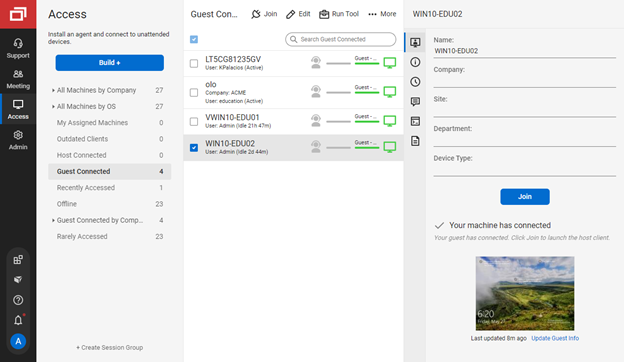
Although ScreenConnect is more expensive than the competition, you get what you pay for. ScreenConnect is easy to use as an admin, and end user. It is easy to set up and configure, and it allows you to quickly view the status of devices and access them remotely from one dashboard
For cost and management capabilities, I found ScreenConnect to be the best option. Some of the other services offered easier connection opportunities for my clients, but overall, I liked the tools and price point of ScreenConnect.
Verified User
Manager
Chose ScreenConnect
I think ConnectWise ScreenConnect is by far the superior product to all of these. It is way ahead and does do not even come close. It has way more options and features and is much easier to use and manage.
Used Logmein until it became too expensive to use. Used Teamviewer and again it is cost prohibitive for my company to use and afford. Labtech replace logmein, which was the last platform solution we used before moving to screenconnect.
ConnectWise Control is far superior just on price alone. Logmein Rescue's pricing is ridiculous in comparison. The ease of use from the end user is similar with both products. However, the technician side of the software is significantly better on the ConnectWise Control …
ConnectWise Control gives you a lot of the features that the other products provide, but nothing that you won't use. Nothing is worse than a clunky remote session where you are fighting for CPU/RAM resources, and ConnectWise Control beats them all hands down. This product is …
ConnectWise is easy to implement, the software functions and feature support our users equipments. Deployment agents is simple, can be run on demand with url and email. Agent could be pre-install and provide constantly remote access to user PC or equipment. It also offer a …
We used a few other products before we found ConnectWise Control. While the other products worked well for us, the vendors kept raising the prices to the point that they became unaffordable for a small company like mine.
I selected ConnectWise over these others for the ease of use to users first, and then for the ease of use and feature sets for myself. With every other solution I have listed, I ran into connection issues with the user not being able to initiate support, UAC issues, and a much …
ConnectWise's screenconnect was the biggest contender to TeamViewer as they are shaking up the industry with their web-based interface, super easy installation, and one-click remote support capabilities. Their pricing blew TeamViewer out of the water, and they were able to do …
For mobile, TeamViewer was much better, especially since some of them don't support mobile devices at all. Performance seems to be generally better than AnyDesk and on par with ScreenConnect in both performance and the feature set. One system not in the list above is RustDesk. …
Apple Remote Desktop requires a VPN connection to the LAN to be useful, but it is still necessary to use it when TeamViewer will not connect. Datto RMM seems very solid, and I like it, though I only have access to it from our MPS. It can often connect when the TV cannot. Screen…
TeamViewer stacked up very well. Has most of the same type of features and It also has a free personal version to use. I like all the features and the direction TeamViewer is heading. We picked TeamViewer because of its ease of use and its secure connection. And the many …
After discovering the options that we had we decided to go with TeamViewer since we thought it would fit better our needs and we thought it was more trustworthy due to many yrs in the market. We checked the reviews of other users online and we read good things about this …
I have partnered with another company from time to time, and he uses it. I am not a big fan based on having to install their app on clients' computers and their lack of features or security.
Chime seems more like a text chatting platform than a remote session platform. Microsoft Teams seems better streamlined, but it feels very memory heavy and I've seen it lag. Webex seems slightly better, but is very clunky and has a less than stellar User experience. It seems …
TeamViewer is known for its user-friendly interface, making it accessible for both technical and non-technical users. The ease of use contributes to faster adoption and smoother remote collaboration experiences. The ability to establish unattended access allows for remote …
TeamViewer is simple but it also doesn't come with all the security that paid for services have to offer. We tend to use it for smaller projects and for our personal use.
I have enjoyed ScreenConnect for its easy to use interface and the ability to copy/transfer files. I …
ConnectWise Control is much easier to use than TeamViewer. It is much easier to set up a "one-off" remote support session and much much much easier to set up a "permanent" remote support connection. ConnectWise also provides a lot more information about the computers …
The all-in-one aspect seemed great at first and looked like it could justify its price tag. The product's easy setup and great performance were definitely there, and our teams got up to speed really quickly. Unfortunately, after a year or so, we migrated to ConnectWise because …
We are currently using LogMeIn Rescue now, whereas we were using TeamViewer. Our company changed due to Multi-factor authentication and more secure performance. To tell you the truth, I like all of the remote desktop support assistance apps to help others equally as far as …
LogMeIn Central remains the go-to product for remote desktop. Splashtop is on the same level as TeamViewer. GoToMyPC is more of a temporary, attended remote support application. VNC Connect is very basic, but also stable and feature-rich.
Team Viewer is easier to use. Screen Connect offers a much better white label option. If your clients are going to have access to their remote computers as well, I recommend Screen Connect. If your team is the only one who needs access to remote computers, I recommend Team …
Many times while using ConnectWise Control I can't find users laptops, the user has to reboot a few times or restart services which can be a tough task if the user is not very tech savy. TeamViewer's connection using ID and password makes it easy and comfortable to the user to …
I use the above-mentioned options when there is a need for connecting on a lower bandwidth internet or if the budget is stringent. Two more good alternatives I use are: AnyDesk and Ammyy Admin which works great. I wonder why these two software packages are not available in the …
It is relatively easy for the end user to install the application on their PC if they have not already. Pricing is fair however we would like to see more perpetual licensing model come back not year to year, we would use it more organizational …
I selected TeamViewer over another provider because the cost is still less than most, and it's well known to my clients. It's not as cheap as ConnectWise ScreenConnect, but it's still very good and works well as my back-up remote client for my clients when recovery needs to be …
TeamViewer is probably more dependable than the other software I tried. I had some issues with all the alternatives I tested but TeamViewer ran the best with almost no issues. I also liked that the free version can act as a trial if you are looking to test things out. It is a …
Frankly, TeamViewer does not stack up against these other options, it competes with them to some degree but is, in my opinion, the least of the four. Where it does excel is in its advanced feature set - in that it has many features available - even though those features are …
TeamViewer is much more responsive than ScreenConnect when we tested them both out. I will say ScreenConnect did have better multiple monitor support but it is harder to get things done because the controlling of the endpoint isn't as responsive.
Amazon Chime is well suited for online video and audio meetings, IMs, and conducting training sessions using a whiteboard. It can be integrated well with Google Calendar and Microsoft outlook. With Amazon Chime mobile app you can attend meetings on the go as well. Meetings can be locked so that only legitimate participants can join the meeting. Amazon Chime is less suited in case you want meeting transcripts as well for your meetings. Given that Amazon Chime is not used by a larger audience so your client or customer may face some difficulties in join the meeting or accessing some of the features of the Chime.
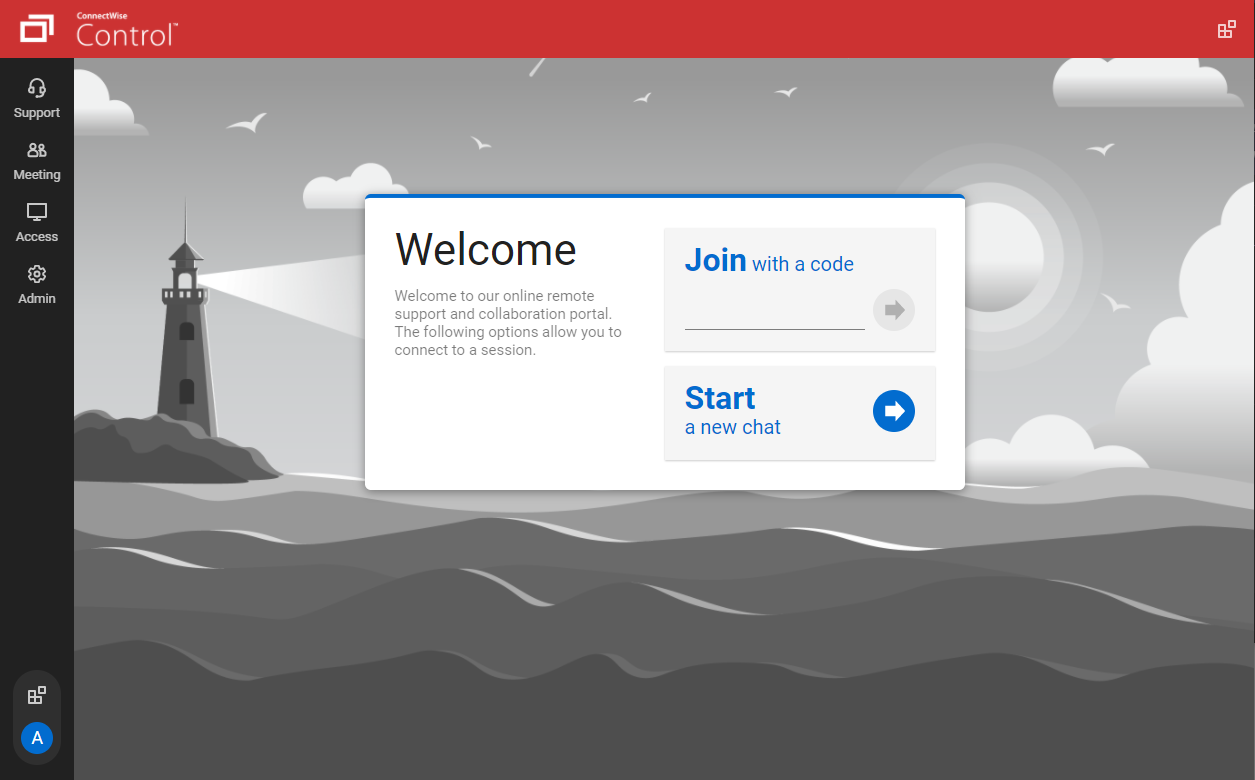
We often need to create an ad-hoc session with a device that is not under our management. We find ourselves doing this more than ever in the COVID world. Many people are working from home on personal machines with their employer, our client's permission and we are facilitating more support for these personal machines. Connectwise Control [(formerly ScreenConnect)] gives us a robust resource to control the device, navigate anywhere we need, execute various commands, and engage in an on-screen chat with the client. The session is very simple to create and very user-friendly to initiate. We do not recommend it for Android, Apple, or Chromebook applications. There is little to no support for these platforms.
I think it works well for IT management and help desk support of end users. I find it very useful to help users and send files to their desktop. Remote Workers still run into some problems with MFA and updates, both to the TV Host app and OS updates. However, it does give us secure direct access without the need of a VPN.
The interface is easy to use and makes sense. It's easy to understand how to organize a large number of machines involving multiple clients. But, it's also applicable for smaller set of machines too.
The connection speed is very quick. I've used solutions in the past that take a variable amount of time to connect, or they just take a long time every time. Control is quick every time. It doesn't get in the way of being able to support the machines on the other end.
The connections are reliable. I haven't experienced random disconnects throughout hundreds of instances. It was a breath of fresh air coming from the previous solution we used. I consider Control a gold standard for what a great remote connection solution can be.
More simplified dial-in numbers. The PIN for our conference line is long and easy to mistype.
You do not have to download the Chime app in order to join a conference, but if you want to do anything beyond join (schedule a conference, participate in a group chat, control participants), you have to have the app downloaded and installed. The app that you have to download in order to launch a conference is a memory hog, and slows down a computer's boot up time.
The add-in for Microsoft Outlook is particularly clunky. It helps you add scheduled conference calls/video conferences to your Outlook calendar, but it can cause Outlook to crash, and creates a really slow open time for Outlook. If you can avoid downloading the Outlook Add-In, I would.
I'd like to see the ability to selectively log off the remote machine via a button on the toolbar. Currently it's a setting to always lock on disconnect, or never lock on disconnect, requiring the tech to manually lock the machine if called for at the end of a session. Its a small time save that would add up!
The chat feature could be expanded to be a lot more useful. Allowing clients to start conversations, and have conversations ping an email address if no one is monitoring the dashboard would be extremely valuable.
Some clarity on licensing when providing host-passes to guest technicians would be a boon, especially for one-off support sessions with vendors.
With an iPad, you can't take control of the device, so you have to tell someone what to do. Which can be a challenge because the end user doesn't know what to do
With the free version of TeamViewer you cant enter Admin credentials because TeamViewer blocks the windows to fill in the credentials
The free version can be really limited which can be putting off people because they don't see the full potential of TeamViewer
I would recommend this product for both internal remote control of end user workstations and remote access to other clients over the internet. It provides a secure and feature rich product that allows me to complete any necessary tasks without ever leaving the office. I will continue to renew as I'm eager to see what they do next. I would however wish the cloud service had a better API to work in conjunction with team collaboration or chat services to make it easier to connect with end users who use multiple workstations. (Slack or Stride provide this functionality)
We need this tool in our day to day business. It is what we do all day remoting into clients devices. In this day and age we can access devices all over the world as long as we have secure internet connection. It certainly saves money in gas, and even if you are away you can help.
On the whole SC is a very powerful tool that is a vital part of the IT service arsenal. On-site visits are an "emergency" only type of scenario. Just "showing your face" is not winning any browny points for me. If my client sees my face, it's usually just to upgrade hardware or to deal other aspects of business. SC provides me and my client the bulk of the info I need to get projects done.
TeamViewer is a reliable and really strong tool for accessing remote IT platforms secure and fast. We don't know any product that provide us such strong functionality to make our life as a internationally recognized MES provider with DIAMES with an international clientele so easy. We look forward for any new TeamViewer functionality that supports us even more.
It performs well. It also has full control over windows security and does not get hung up like GoToMeeting when trying to install remote software at the prompt to install as admin / override. I have used TeamViewer, WebEx, LogMeIn and GoToMeeting. This is by far the best at spontaneous, remote control. It is also very easy to get a novice user connected to the session.
They were very supportive in answering all of our questions when we had problems. Their in-person calls but their support site also had a full set of information that can answer a good portion of your questions before you have to pick up the phone. But when you, you will get good service.
There have been two times when something has went wrong and I needed immediate assistance in order to be able to use Screenconnect to be able to help clients and response has not been immediate. The response time has been within 24 hours. Both times if there had been easier to navigate self help I would have been able to help myself. With better self help and a speedier response it would definitely be a 10 as they always respond and help. Just a little more difficult or slow than it should be at times
the few times i have had to contact teamviewer support, they were very responsive and give me quick answers and seemed to understand my problems quickly and easily. I did not have to sit on the phone for hours on hold or get passed around to multiple phone support techs before finding a solution to my issues, so i would rate their support very highly.
As expected without any problem! Alternate in-person training is another efficient way to learn how a product works. There are many third party supporters for TeamViewer courses available that can give additional ideas how to use TeamViewer for specific functions and features as we did require in respect of our usage.
I find ScreenConnect to be very simple and effective overall, with the main problem being that a number of my clients can't download the app due to existing firewalls and so on. Otherwise it does its job well, and I'm happy with it.
I have never used the online training either. I have watched a few informational videos that were helpful when learning how to do a specific procedure within TeamViewer and get the most out of the software by utilizing one of the many features that are available with the software. Again, 5 if for neutral.
ConnectWise has done everything they could to help us in any situation. Great support team and their new updates are always providing features that we need. Its a simple solution that works the way we need it to. Their legacy pricing model is still much better than their subscription based model however it is still fair pricing
TeamViewer installation and deployment to other devices is pretty straightforward and does not require much technical know-how. This makes ease of use attractive when supporting both new and existing clients with limited technical knowledge. I think ease of use is a huge factor in getting new clients. TeamViewer handles that extremely well.
Better than Skype for Business in terms of loading the application onto your device. Skype had crashing issues always and those are comparatively low when using Amazon Chime. Amazon chime is fast and easy to work with while collaborating and setting up meetings. The audio and video quality are better than Skype for Business.
I have worked with Citrix, AnyDesk, LogMeIn, VNC Connect, and many others. I ultimately installed ConnectWise as a self-hosted solution, based on the incredible list of features and capabilities, and the pricing at the time. I continue to use the product as it is still one of the best solutions out there and is certainly capable of growing and expanding to meet the needs of my business.
TeamViewer's cost is much lower than that of other solutions, and its security is far superior to RemotePC's. TeamViewer is also a request-based remote session manager, unlike other software that allows indefinite connection time. TeamViewer's free version makes it even better for one end of the group to find support, while the other end has the paid version.
I have used multiple remote desktop support software in the past (Bomgar, Team Viewer, Logmein and Join.me) and this is far the easiest of the bunch to use. It is very easy to create a session and easy to maintain remote desktops from their access view (where you install the software and can get in at any time) I highly recommend this product from ConnectWise!
The positive ROI is Amazon Chime helps make our sales reps more professional in their calls leading to an increase in closed/won deals.
Amazon Chime has increased overall morale across our sales team because it has greatly improved our call processes when compared to other tools we've used in the past.
Instead of waiting 30+ seconds to initiate sessions, they initiate and display a desktop in two or three seconds. The amount of frustration this avoids is immeasurable.
Once installed it doesn't need more handholding, i.e., having the remote enter a username/password. It is always just there.