Anaplan is a scenario planning and analysis platform designed to optimize decision-making in complex business environments so that enterprises can outpace their competition and the market. By building connections and collaboration across organizational silos, the Anaplan platform surfaces key insights.
N/A
Vena
Score8.1 out of 10
Mid-Size Companies (51-1,000 employees)
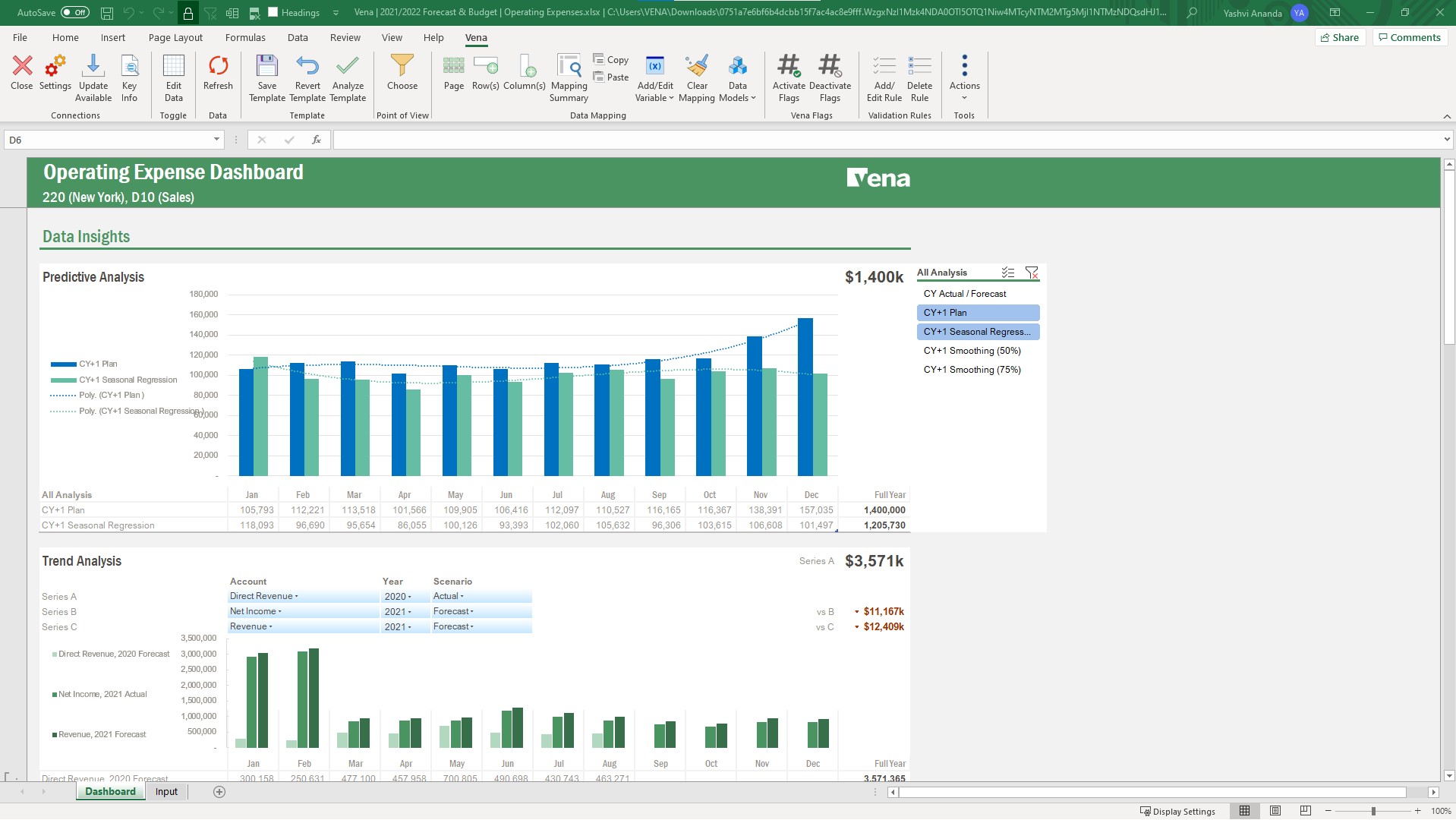
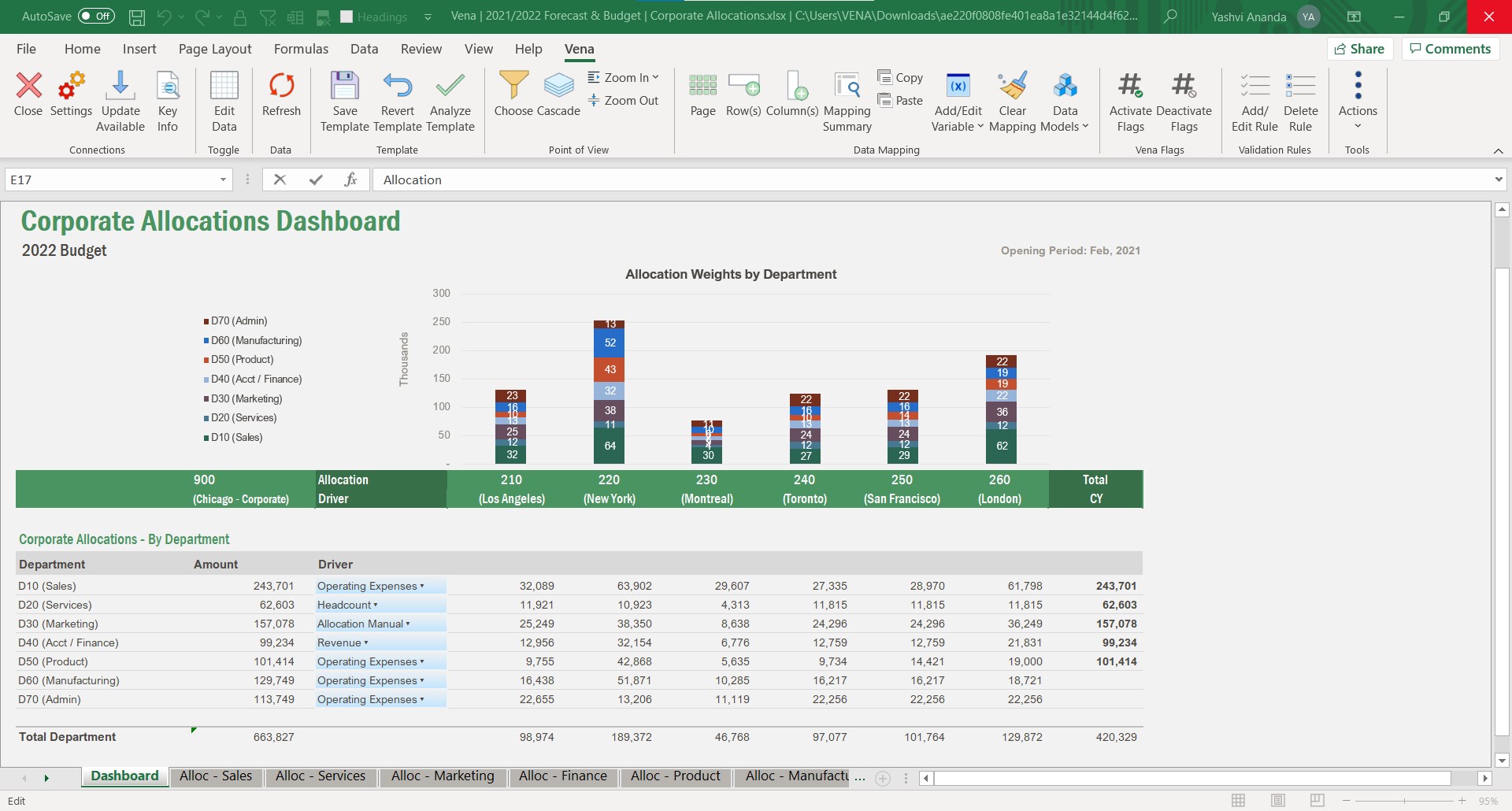
Vena Solutions provides a financial process automation solution to automate Corporate Performance Management, accounting and budgeting, Regulatory & Compliance, and other finance-related processes. It is scaled for medium to large-sized organizations.
N/A
Pricing
Anaplan
Vena
Editions & Modules
No answers on this topic
Professional
N/A
Complete
N/A
Offerings
Pricing Offerings
Anaplan
Vena
Free Trial
No
No
Free/Freemium Version
No
No
Premium Consulting/Integration Services
Yes
Yes
Entry-level Setup Fee
Optional
Optional
Additional Details
—
The Professional Plan is the most flexible way to get started quickly and can be added onto as a company grows. The plan includes: Vena Platform, Customer Success Manager, Standard Support and Customer Portal.
Complete Plan includes everything in Professional, plus: Vena Insights, Premium Support, Sandbox Environment, and Expert Managed Services.
For a limited time, new customers who use Microsoft Dynamics 365 Business Central (Online) as their primary ERP can get a free year of Vena and 40% off implementation costs.
Vena also offers special pricing for not for profit organizations. To learn more, speak to an expert.
Senior Anaplan Consultant in Information Technology at Keyrus (Information Technology & Services, 501-1000 employees)
Chose Anaplan
Compared to OneStream and Venna Anaplan offers a more modern look and feel of the platform. It is better situated and maintained in regards of platform updates as it's a full SaaS software there are never any issues with the system version as it's always automatically up to …
A de minimis incentive was given to thank the reviewer for their time. The incentive was not used to bias or drive a particular response, nor was the incentive contingent on a positive endorsement. More Info
in Information Technology at Mentat Technology (Information Technology & Services, 11-50 employees)
Chose Anaplan
Anaplan combines the best of both worlds, the flexibility, ease of use, and freedom of modeling of a spreadsheet and the control, calculation power, and reliability of the best planning, budgeting, and consolidation software vendors.
A de minimis incentive was given to thank the reviewer for their time. The incentive was not used to bias or drive a particular response, nor was the incentive contingent on a positive endorsement. More Info
Vice President of IT in Information Technology at PJT Partners (Banking, 501-1000 employees)
Chose Anaplan
Other platforms offer some scale vs Anaplan by adding great user interfaces and many out of the box functionality (Time filtering, versions, predefined tables (modeled sheet), chart of accounts (debit, credit)). However, very structured architecture makes edge use cases harder …
A de minimis incentive was given to thank the reviewer for their time. The incentive was not used to bias or drive a particular response, nor was the incentive contingent on a positive endorsement. More Info
System Integration Consultant in Engineering at JLL (Computer Software, 10,001+ employees)
Chose Vena
Vena is much faster than other such software which is available in market. If we talking about pricing $$$ so Vena is affordable to smaller companies also. it's help us quicker integrations with other software and User Interface is much better than other software. Vena gives …
A de minimis incentive was given to thank the reviewer for their time. The incentive was not used to bias or drive a particular response, nor was the incentive contingent on a positive endorsement. More Info
A de minimis incentive was given to thank the reviewer for their time. The incentive was not used to bias or drive a particular response, nor was the incentive contingent on a positive endorsement. More Info
Verified User
Chose Vena
Ultimately we decided on Vena because of the Excel interface which we knew would improve adoption. We also like the platform agnostic integration and easy-to-use web interface. The OLAP cube was also appealing to allow for a variety of pivoted reports.
A de minimis incentive was given to thank the reviewer for their time. The incentive was not used to bias or drive a particular response, nor was the incentive contingent on a positive endorsement. More Info
A de minimis incentive was given to thank the reviewer for their time. The incentive was not used to bias or drive a particular response, nor was the incentive contingent on a positive endorsement. More Info
Directeur Principal - Conseil en Management - Responsable Anaplan, Vena et SAP in Professional Services at Raymond Chabot Grant Thornton (Accounting, 1001-5000 employees)
A de minimis incentive was given to thank the reviewer for their time. The incentive was not used to bias or drive a particular response, nor was the incentive contingent on a positive endorsement. More Info
With its versions and native time features Anaplan is well suited for all activities around planning in time and scenarios. Tasks involving calculating across multiple dimensions make Anaplan shine - the easiness to build complex calculation and present results on customizable pages. With its access restrictions it's well suited also for working with sensitive data (employee and customers personal data).
Using Vena's tools for budgeting, forecasting, and budget variance reports, I have saved hundreds of hours of work, and that increases every year. Vena is perfect when there is a single report template that needs to go to every manager with their own department's data - rather than manually copying and pasting each of them, I create a template in Vena and assign security settings to show each manager only their data. No individual emailing needed either; I just let everyone know their report is in Vena. Days of work are now reduced to hours. When doing forecasting, all the budget and actual data is easily available and can be referenced by other reports. Vena eliminates needing to keep multiple Excel sheets in sync and manually updating each one when a change is made. All I need to do is click Refresh, and it's done.
A de minimis incentive was given to thank the reviewer for their time. The incentive was not used to bias or drive a particular response, nor was the incentive contingent on a positive endorsement. More Info
Anaplan removes the time consuming process of integrating the results of individual spreadsheets.
Anaplan facilitates the standardization of assumptions across all sub-processes
Anaplan provides full transparency of the calculations and source inputs
Anaplan allows us to automate certain planning processes that would have been impossible when relying on the computational capabilities of an individual computer.
The Admin function of Vena, being able to set up the users in the user categories and the different groups and assigning the groups and the task bindings, is particularly easy and very helpful because as we have so many different departments and disciplines in our organization, we do need to establish pretty specific user access so this process works really well for us.
Running reports in Vena is fairly easy, and we do enjoy being able to just push a button and get some budget versus actuals.
A de minimis incentive was given to thank the reviewer for their time. The incentive was not used to bias or drive a particular response, nor was the incentive contingent on a positive endorsement. More Info
Have another license between power user and contributor that allows building reports that aren't ad hoc, but don't have all the admin rights of a power user.
Have a session on best in class Workforce Planning prior to implementation.
A de minimis incentive was given to thank the reviewer for their time. The incentive was not used to bias or drive a particular response, nor was the incentive contingent on a positive endorsement. More Info
Anaplan is a very strong multi-dimensional modeling tool that provides a calculation engine to empower a complex planning process. It is fairly easy to learn for those with experience in similar tools, or excel. It forces structure and auditability that spread sheets do not have, along with extensive security capabilities
Vena has become an integral part of finance and our daily process. Without it we would take longer to prepare results and decisions will be delayed. Vena has given the whole organization more visibility of results and budgets so that all departments participate more actively in managing their budgets rather than it being the sole responsibility of finance.
A de minimis incentive was given to thank the reviewer for their time. The incentive was not used to bias or drive a particular response, nor was the incentive contingent on a positive endorsement. More Info
Anaplan's usability is dependent on who is implementing the project and how clear business processes are at the beginning of the implementation. Complex business processes with many inputs and reviews will still be complicated in Anaplan; however, the UX is very flexible in how to help people through the process and there are also other items such as Workflow that can help people move through the system.
I love this product. We integrate all of our financial needs between finance and the operations team so that we have real time data being looked at all of the time. Our operations can reach out and be able to discuss possible issues or variances at any time of the month and leads us to be able to have smoother month end closes.
A de minimis incentive was given to thank the reviewer for their time. The incentive was not used to bias or drive a particular response, nor was the incentive contingent on a positive endorsement. More Info
There are very few outages. Maintenance is scheduled on two or three Saturdays per month, so as not to affect businesses. When there is an outage, users are kept informed of progress to restore the platform and typically this takes no more than an hour. Anaplan customer support is very responsive if we ever have questions about platform issues
Vena is seemingly always available. They plan maintenance windows well in advance and always off hours (typically over a weekend) and communicate clearly throughout maintenance about what will be affected. Over 5 years of using the product, I can only remember one time when the platform was unavailable (I believe due to an underlying server hosting issue from their provider), and they resolved the issue and had everything up and running again within 8 hours.
A de minimis incentive was given to thank the reviewer for their time. The incentive was not used to bias or drive a particular response, nor was the incentive contingent on a positive endorsement. More Info
Everything is calculated in memory in the cloud. It's nearly instantaneous updates when you make changes. The only time things get a little slow is when you have a massive model with very intricate calculations...but "slow" for Anaplan is not what I would call "slow" for something like Hyperion. We used to have Hyperion calcs that ran for 60 mins before you could use data. The equivalent would be 60 seconds in Anaplan.
A de minimis incentive was given to thank the reviewer for their time. The incentive was not used to bias or drive a particular response, nor was the incentive contingent on a positive endorsement. More Info
The performance is dependent on how much data and calculations are involved and how complex the security settings are. A simple template or report loads in seconds. A complex template or report can take a while. If there are many users with complex security settings, that will be a factor in the load time.
A de minimis incentive was given to thank the reviewer for their time. The incentive was not used to bias or drive a particular response, nor was the incentive contingent on a positive endorsement. More Info
Support quality has dropped since Thoma Bravo has taken over. I think some serious re-focus needs to happen here -- part of the beauty of being in the Anaplan community was how involved you felt in it before. Before I didn't dread sending a support ticket, now I am starting to.
If I had to rate the overall support for Vena based on my experiences, I would give it a 9 out of 10. The support team is very responsive, providing best assistance during both the implementation phase and ongoing use of the Vena. They have been proactive in offering training resources and addressing me very well, which significantly enhances the user experience and overall satisfaction with the Vena.
A de minimis incentive was given to thank the reviewer for their time. The incentive was not used to bias or drive a particular response, nor was the incentive contingent on a positive endorsement. More Info
In my opinion, in-person training is always the best if you have the option to do so. This allows real-time interactions with the instructions, whereas the online training I took required me to write-down questions, email them, and wait for responses. This slows down the process, as you can imagine. That said, in-person training is an extra cost and it likely isn't needed for everyone. I would suggest selecting a small number of people to take in-person training and then having them act as mentors to the rest of your team. That way, as the rest of the team takes the online training, they have a resource to help them in real time.
This is the best way to learn and buy-in. The in person effect gives students both a hands on approach but an instruction to be there to customize assistance and understanding. In person also builds greater buy in with your future team on creators. However if your audience is better at on line learning this is another good option.
A de minimis incentive was given to thank the reviewer for their time. The incentive was not used to bias or drive a particular response, nor was the incentive contingent on a positive endorsement. More Info
Anaplan training materials are clear, simple, easy to understand and to follow. Visuals are excellent. The vendor is good at updating training materials in a timely manner and encouraging users and administrators to keep coming back to Academy site for refresher courses or new feature courses. I really like their interactive diagrams
The training was structured as a group training to learn the basics of creating a data model and mapping a template. While we had nearly 10 participants, I was the only actual implementer so we probably didn't actually need the training and could have just learned the initial skills from the implementation consultant. Two years later, when we hired a new team member, they completed several modules in Vena Academy (a self paced learning course) which allowed them to get up to speed on the basics with just a bit of supplemental guidance from me as our existing admin.
A de minimis incentive was given to thank the reviewer for their time. The incentive was not used to bias or drive a particular response, nor was the incentive contingent on a positive endorsement. More Info
One key insight from implementing Anaplan is that success comes from focusing on designing the process, not just building the model. Anaplan is extremely flexible—there are very few planning scenarios it cannot support—but that flexibility means the project needs strong governance, clear ownership of requirements, and a well-defined data model. When those foundations are in place, implementations are fast, iterations are easy, and users can quickly see value. In our projects, both Financial Planning and Integrated Business Planning models were adopted smoothly because we involved business users early, kept the model design intuitive, and leveraged Anaplan’s Excel-like syntax and user-friendly dashboards. The result was more efficient day-to-day work, reduced manual tasks, and increased collaboration across teams. In short: when you combine Anaplan’s flexibility with a structured implementation approach, adoption and value realization happen quickly.
The Vena consultant had great knowledge of both the Vena solution and Excel and Excel functions. He was able to help suggest ways to build our templates that met our requirements using Excel functions we had not previously considered using. And we have been able to use the Excel information he provided in other ways outside of Vena. He was very patient and flexible as we learned the Vena tool and created templates
Anaplan is more powerful than Pigment considering that it is an Enterprise class system and is able to manage bigger data sets. Anaplan allows for advanced scenario modeling and formula capabilities along with custom reporting functionalities. Anaplan has proven its capabilities and stability across various use cases and across bigger enterprises when compared to Pigment which is still in earlier phases of its development
Prior to using Vena, I have worked with Excel-based budgeting and reporting processes, as well as other property management and financial reporting systems such as Yardi and Entrata. These tools provided access to financial data, but Vena has been more focused on streamlining budgeting, forecasting, and variance analysis by centralizing information and improving collaboration.
A de minimis incentive was given to thank the reviewer for their time. The incentive was not used to bias or drive a particular response, nor was the incentive contingent on a positive endorsement. More Info
We have managed to leverage Anaplan for financial planning and forecasting across the business. It is now used by almost every department, with more than 50 users (but I know of companies that have hundreds of users) and still the platform is quick and reliable. It is easy to make changes to divisions and departments or add users and apply different user settings - the core part of the model is not affected and end users can continue their work without any disruption
Vena solutios is a software that provides robust tools that help different departments in their statistics and we can visualize a lot of promising and visually attractive data. Vena Solutions' level of scalability is high and sustainable over time thanks to the fabulous technical support that is ready to help us at all times
A de minimis incentive was given to thank the reviewer for their time. The incentive was not used to bias or drive a particular response, nor was the incentive contingent on a positive endorsement. More Info
Anaplan's implementation led to a significant reduction in planning cycle errors and bugs, streamlining processes and improving overall accuracy in data inputs
Standardizing the planning process and enabling cross-functional collaboration through Anaplan enhanced our ability to adapt swiftly to changing business needs, resulting in improved agility in decision-making
The platform's capabilities, especially in Demand Planning and Supply Chain, positively impacted our ROI by optimizing resource allocation and solving complex business problems efficiently across multiple functions
Automated monthly financial statements saves us 3 hours a month.
Moving reporting away from IT has begun to save hours of IT involvement, which will only grow as we shift more reports to Vena. This frees up IT to work on more important IT initiatives.
Using budget templates saved hours of copy and paste time when gathering inputs from each department.
A de minimis incentive was given to thank the reviewer for their time. The incentive was not used to bias or drive a particular response, nor was the incentive contingent on a positive endorsement. More Info