Conductor vs. SEO PowerSuite

Overview
ProductRatingMost Used ByProduct SummaryStarting Price
Conductor
Score 9.2 out of 10
N/A
Conductor is an enterprise AEO platform that provides unified AEO & SEO intelligence, scaled AI content generation, and real-time website monitoring. From tracking visibility in LLMs to technical health and content optimization, Conductor’s platform empowers teams to increase authority and visibility in AI and traditional search and accelerate digital growth. Conductor states its current customers include global brands such as SAP, e.l.f Cosmetics, FedEx, and Mastercard.N/A
SEO PowerSuite
Score 9.0 out of 10
N/A
SEO PowerSuite is a SEO software tookit that includes 4 applications - Rank Tracker, WebSite Auditor, SEO SpyGlass, and LinkAssistant. Each application helps website owners and SEOs focus on a specific aspect of search engine optimization. With Rank Tracker, the user can set up rank monitoring, analyze competitors, look for new keyword ideas and organize them in relevant keyword groups. WebSite Auditor helps to run sitewide audits for technical issues, as well as get actionable recommendation…
$299
per year
Pricing
ConductorSEO PowerSuite
Editions & Modules
No answers on this topic
Free
$0
forever license
Professional
$299
per year license
Enterprise
$499
per year license
Offerings
Pricing Offerings
ConductorSEO PowerSuite
Free Trial
YesYes
Free/Freemium Version
NoYes
Premium Consulting/Integration Services
YesNo
Entry-level Setup FeeOptionalNo setup fee
Additional Details
More Pricing Information
Community Pulse
ConductorSEO PowerSuite
Considered Both Products
Conductor
Chose Conductor
Conductor is quite similar to BrightEdge in terms of features but very different in terms of user interface. BrightEdge might also be more focused on link building than Conductor is. Other tools don't really compete against Conductor and BrightEdge, with perhaps the exception …
SEO PowerSuite

No answer on this topic

Features
ConductorSEO PowerSuite
SEO
Comparison of SEO features of Product A and Product B
Conductor
8.7
268 Ratings
12% above category average
SEO PowerSuite
8.9
15 Ratings
14% above category average
Keyword analysis9.5267 Ratings8.015 Ratings
Backlink management8.494 Ratings9.014 Ratings
SERP ranking tracking9.0252 Ratings7.015 Ratings
Page grader9.2122 Ratings10.015 Ratings
Competitive analysis8.0265 Ratings10.015 Ratings
Site audit / diagnostics9.8239 Ratings10.015 Ratings
Site recommendations7.8253 Ratings8.013 Ratings
Task management8.2102 Ratings9.08 Ratings
SEO Channels
Comparison of SEO Channels features of Product A and Product B
Conductor
8.8
241 Ratings
15% above category average
SEO PowerSuite
9.2
15 Ratings
19% above category average
Local SEO9.1197 Ratings9.014 Ratings
Social SEO7.835 Ratings8.012 Ratings
Mobile SEO9.8217 Ratings10.014 Ratings
Global SEO8.5202 Ratings10.014 Ratings
SEO Platform & Account Management
Comparison of SEO Platform & Account Management features of Product A and Product B
Conductor
9.7
254 Ratings
14% above category average
SEO PowerSuite
10.0
15 Ratings
17% above category average
Multi-domain support9.6225 Ratings10.012 Ratings
Integration with web analytics tools9.7238 Ratings10.014 Ratings
Best Alternatives
ConductorSEO PowerSuite
Small Businesses
Nozzle
Nozzle
Score 10.0 out of 10
Nozzle
Nozzle
Score 10.0 out of 10
Medium-sized Companies
Advanced Web Ranking
Score 8.2 out of 10
Advanced Web Ranking
Score 8.2 out of 10
Enterprises
Google Search Console
Score 9.0 out of 10
Conductor
Conductor
Score 9.2 out of 10
All AlternativesView all alternativesView all alternatives
User Ratings
ConductorSEO PowerSuite
Likelihood to Recommend
8.6
(269 ratings)
9.0
(16 ratings)
Likelihood to Renew
8.7
(14 ratings)
9.0
(2 ratings)
Usability
6.4
(149 ratings)
-
(0 ratings)
Availability
10.0
(1 ratings)
-
(0 ratings)
Performance
7.0
(1 ratings)
-
(0 ratings)
Support Rating
8.8
(230 ratings)
10.0
(1 ratings)
In-Person Training
10.0
(1 ratings)
-
(0 ratings)
Online Training
-
(0 ratings)
9.0
(1 ratings)
Implementation Rating
3.7
(7 ratings)
-
(0 ratings)
Configurability
9.0
(1 ratings)
-
(0 ratings)
Ease of integration
9.0
(1 ratings)
-
(0 ratings)
Product Scalability
9.0
(1 ratings)
-
(0 ratings)
Vendor post-sale
9.6
(2 ratings)
-
(0 ratings)
Vendor pre-sale
7.8
(2 ratings)
-
(0 ratings)
User Testimonials
ConductorSEO PowerSuite
Likelihood to Recommend
Conductor
Conductor is a great tool to use when we're planning and optimizing content around specific trends. It also helps us track our on-going performance as well, which is great to help us improve. Conductor is less ideal for content that has a quick turnaround time or pieces where SEO isn't a priority, also if you're looking to manage content publishing directly. It's more useful when it comes to strategy and optimization for in-depth pieces.
Read full review
LinkAssist.Com
After starting your online business, you have to use SEO PowerSuite to start up. You want to know where you have to go in terms of SEO journey, what keywords you need to use, who your competition is and which locations are the most important to you. Also, you need to know the power of your website, how well it performs now and how it can be improved. If you just want to start blogging for fun, about stuff that interests you and only you, you might find this program a bit over the top. It has way too many features to "just" see how many visitors you get on your website. A simple plugin will probably do the job.
Read full review
Pros
Conductor
  • When I need to quickly determine what Google features our keywords are ranking for: Featured Snippets, Carousels, Rich Snippets, Sitelinks, PAA boxes, etc.
  • The ability to create highly customizable dashboards that provide a one-page view of insights for the specific web properties you are tracking.
  • A content guidance tool that is unmatched by any other product available in the market.
Read full review
LinkAssist.Com
  • Finds keyword opportunities with the best chance to rank
  • Finds your most ominous competitors
  • Finds the opportunities for content changes that make a difference in ranking
  • Checks your site for technical issues and suggest fixes for them
  • Finds backlinks for your site and opportunities to go for
  • Helps you with all four areas of SEO: On-page, Off-Page, Technical and Experiential
  • Helps your organize project data and tasks in easy to use columns and filters
  • Helps you setup automatic checks on all aspects of your SEO campaigns to stay up to date
Read full review
Cons
Conductor
  • Backlink tracking/reporting (would like to see backlinks more easily and maybe backlink opportunities if possible)
  • Custom content briefs (right now I move the brief from the platform version into our own in-house Word doc template because it is more detailed. Would love to be able to customize the brief that is set up within Conductor so that we can do it all in one place.)
Read full review
LinkAssist.Com
  • The software is not strong with processing large amounts of data. So, it is really good for small and medium size businesses, but can be cumbersome for large projects.
  • Due to large number of settings it takes time to learn it.
  • Need to purchase proxies or captcha solution. I think those can be provides as part of the package already.
Read full review
Likelihood to Renew
Conductor
Conductor enables high-value SEO activity. There are a lot of moving parts in SEO and I'm always open to products that fit our requirements, but Conductor has built a stronger argument for its value after we subscribed than it had when we subscribed -- that's rare.
Read full review
LinkAssist.Com
I gave SEO PowerSuite a two because our company did not renew our subscription. The pricing was too complicated and having multiple platforms made it more difficult to use. We dropped our subscription to SEO PowerSuite and implemented Moz. Moz gave us a full view of all of the metrics we were looking for on one web-based platform. Plus, the pricing model was simple so it was easier to get senior management to cosign on.
Read full review
Usability
Conductor
I check features like the InsightStream every Monday to monitor any major losses or gains in performance. These are easily digested and save me tons of time searching for these insights manually. If there's anything "worth calling home about" I can easily add insights into a workspace and create a report to communicate these results. It's super easy to use Conductor with a team and across departments.
Read full review
LinkAssist.Com
Overall, the documentation makes SEO PowerSuite easy to use; however, if someone was just starting off, it will take a bit of a higher learning curve as there are a lot of tools to work with. Starting off can be overwhelming, but once you get the hang of it, it's fairly intuitive
Read full review
Reliability and Availability
Conductor
Always works when I've needed it
Read full review
LinkAssist.Com
No answers on this topic
Performance
Conductor
Sometimes reports can take some time to load
Read full review
LinkAssist.Com
No answers on this topic
Support Rating
Conductor
The Conductor support team is excellent, especially our Customer Success manager. Our monthly calls to review our wins, losses, and key takeaways for the next steps are incredibly helpful, and Conductor's platform provides not only an organic search tool for our company but also a learning resource via our Customer Success calls.
Read full review
LinkAssist.Com
I have had several interactions with support at SEO PowerSuite. Each time I have been quite pleased with the response. I have interacted with billing and tools support and have found them to both be on top of things. they follow up well and they get the issue resolved in a timely manner. I have no complaints here.
Read full review
In-Person Training
Conductor
Our in house SEO manager trained everyone. It was easy to learn and he was well versed with the product. Any questions we had he was able to answer or reach out to support to find the answer
Read full review
LinkAssist.Com
No answers on this topic
Online Training
Conductor
No answers on this topic
LinkAssist.Com
SEO Powersuite has a lot of training videos online, combined with some live streaming tutorials. Also, they have a guide that comes with their software to outline the basics of your SEO workflow. This will get you on the right track right from the start. Their guides and tutorials are easy to follow and detail every possible option you have when doing work with SEO Powersuite. Even if you want to switch to different software, the courses are easy to implement in all other tools too! Very recommended if you want to get started in the SEO world, or want to expand your knowledge.
Read full review
Implementation Rating
Conductor
I definitely recommend their professional services for getting started. It got our account 90% of the way to where we needed to be in order to gain value from it. In fact, I'd suggest that with few exceptions (such as, you have a staff that is already familiar with the platform and doesn't need any help), the quick start services over the first 30-90 days should be a standard part of onboarding with any new client. It definitely got us to the point of gaining ROI from the solution and, in turn, will make it easier to justify renewal and continued investment in it.
Read full review
LinkAssist.Com
No answers on this topic
Alternatives Considered
Conductor
We didn't use another product previously, we used an agency that did everything for us, so bringing Organic SEO in-house was why we went with Conductor. I have used other products in other roles and at other companies and each has its strengths. Conductor is good for large enterprises
Read full review
LinkAssist.Com
It works in combination with all of them, the closest would be a combination of Ahrefs, Majestic, and Screaming Frog. However, where this tool steps up its game, is when you integrate it with Google Search Console and then tie them both into Google Data Studio. When you get this right, you can show your client how much money they would need to spend on PPC to get the same 'value' of traffic. This changes the way they look at optimization, now the cost of a term in PPC is also used as a reason to optimize the customer journey.
Read full review
Scalability
Conductor
Many features
Read full review
LinkAssist.Com
No answers on this topic
Return on Investment
Conductor
  • Conductor helped us aim at low hanging fruits for quick wins, which increased our traffic
  • With Conductor's tool, it was easy to look at general keywords where we were already ranking, but not good enough, and then focus around what we could do to increase our positioning
  • All this extra traffic, gave us more leads, therefore more sales!
Read full review
LinkAssist.Com
  • SEO PowerSuite is a one-time payment SEO software which shortens the time it takes for you to optimize websites in terms of SEO, content, visibility and conversions which can improve your ROI if used wisely.
  • Can be used on multiple platforms and scales nicely. An Enterprise license allows multiple people to run the software, and it's easy to set up. It's updated regularly which means zero maintenance.
  • BuzzBundle and LinkAssistant can increase your brands reach, potentially increasing the number of prospects and leads.
Read full review
ScreenShots

Conductor Screenshots

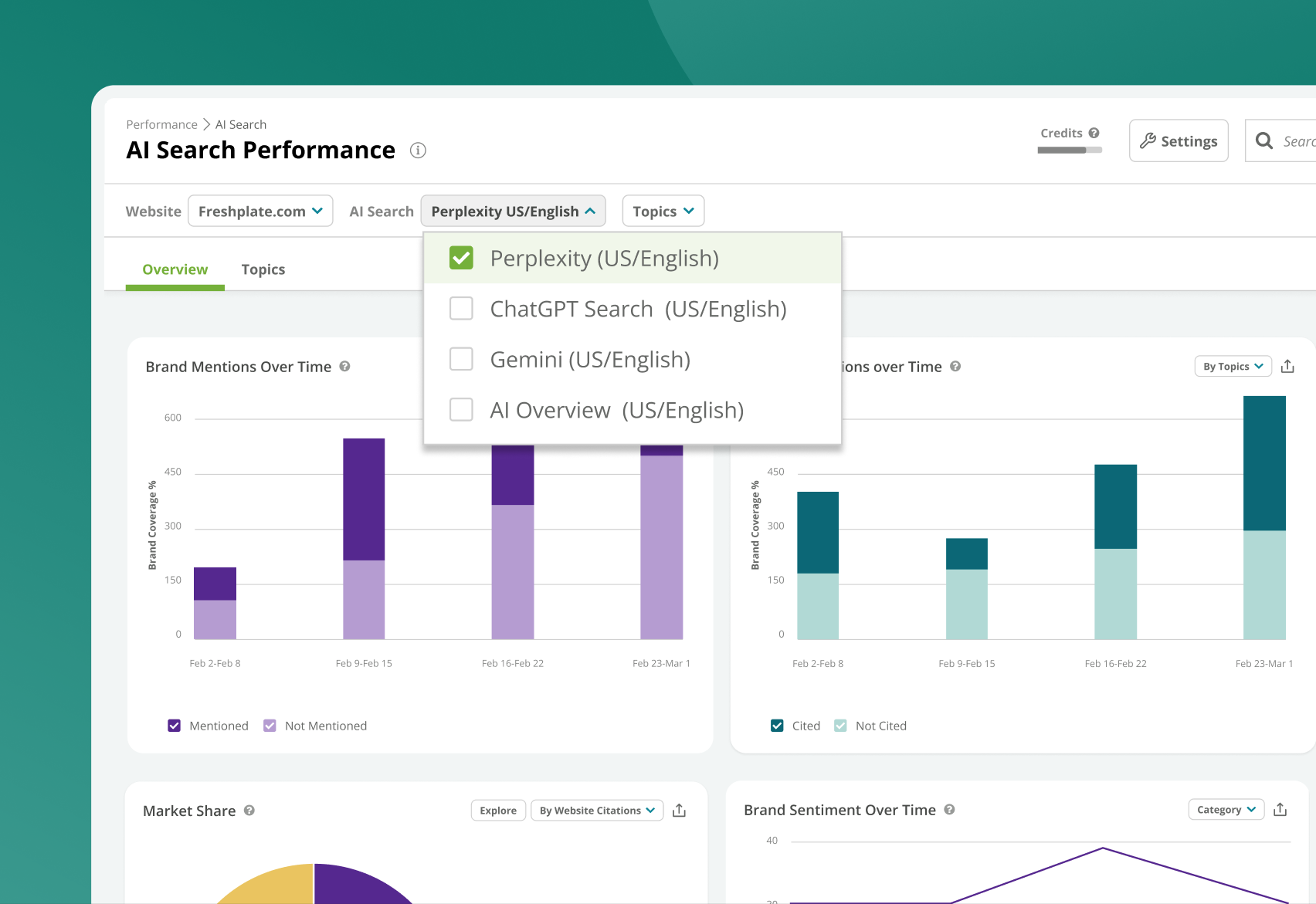
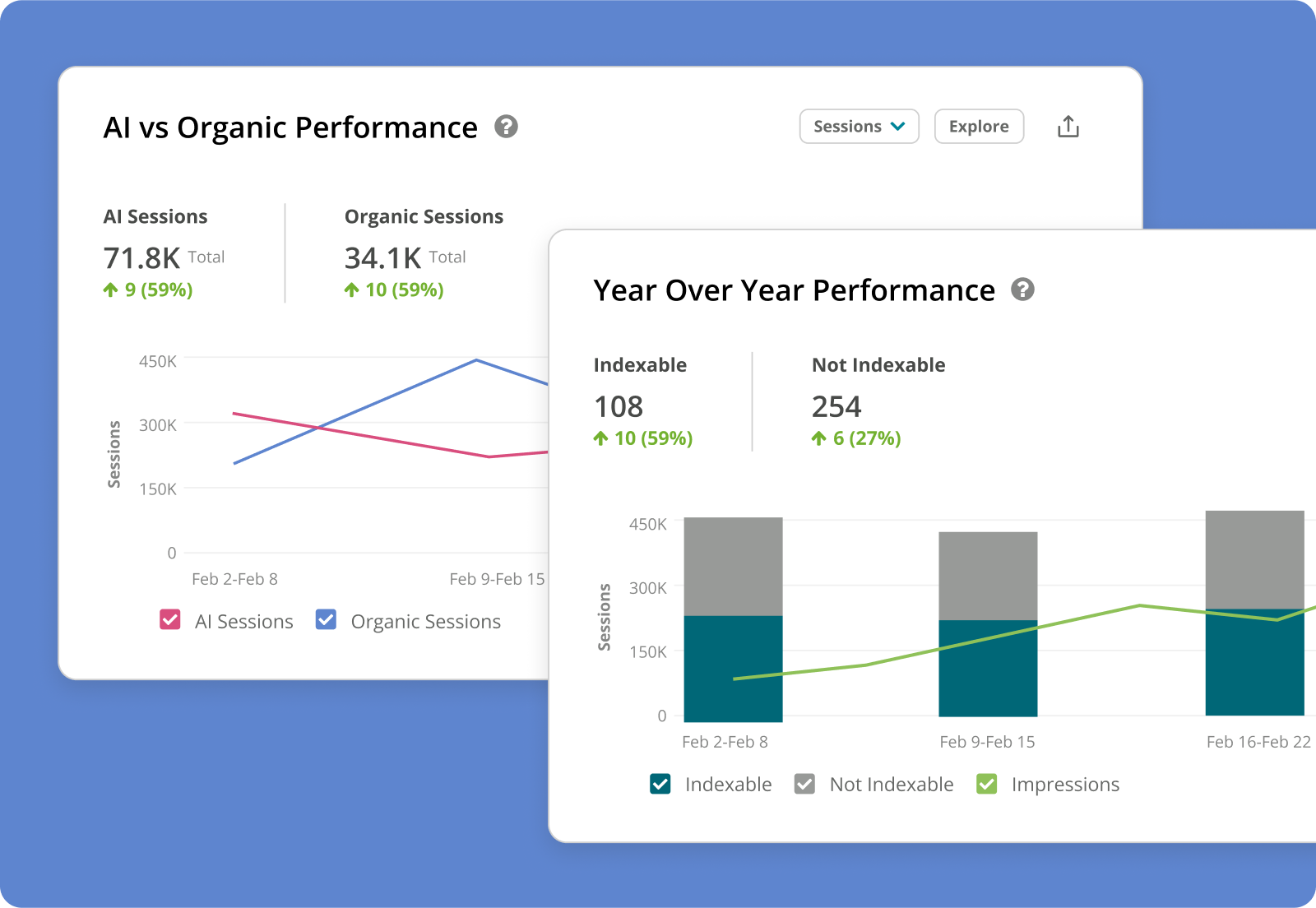
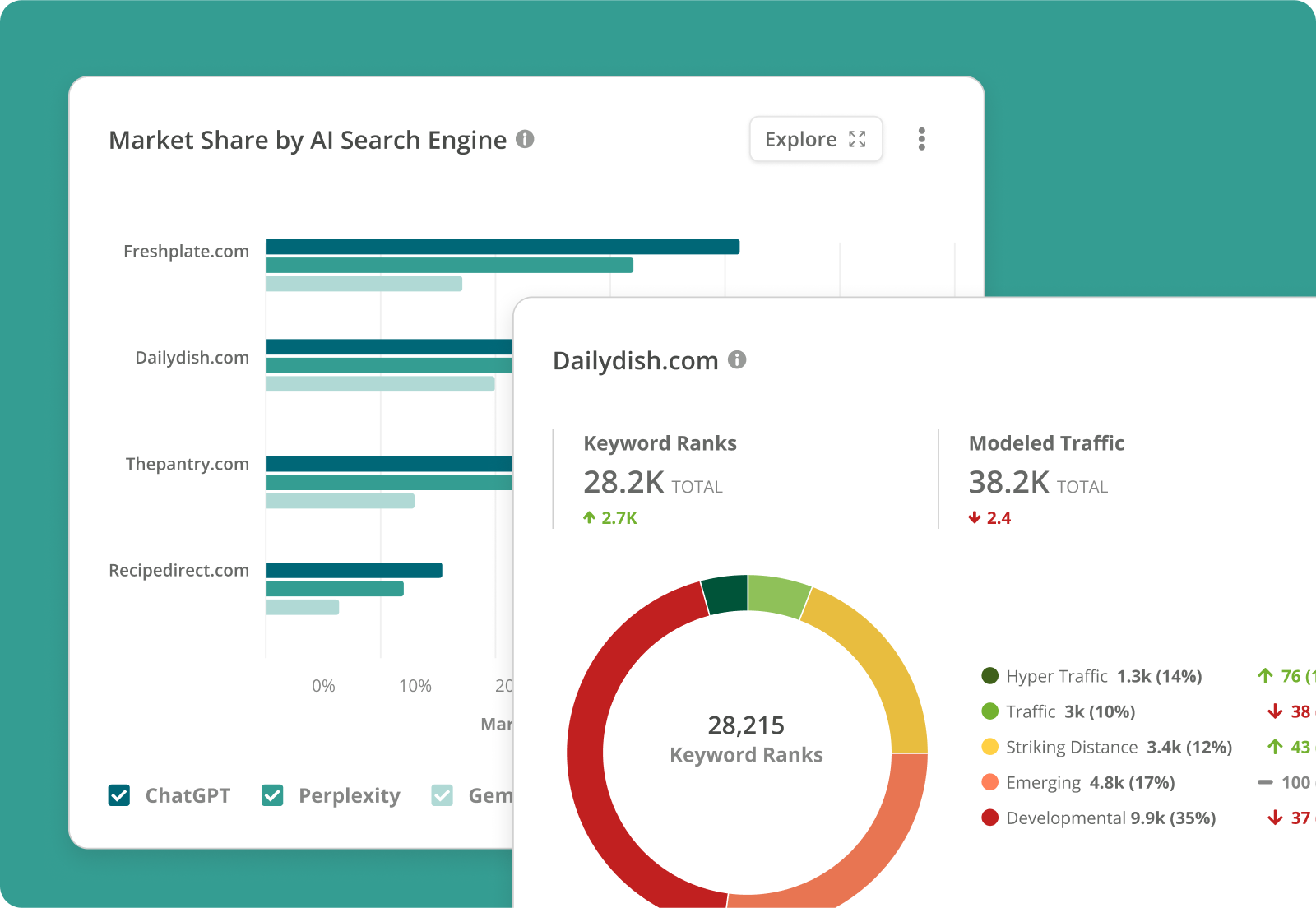
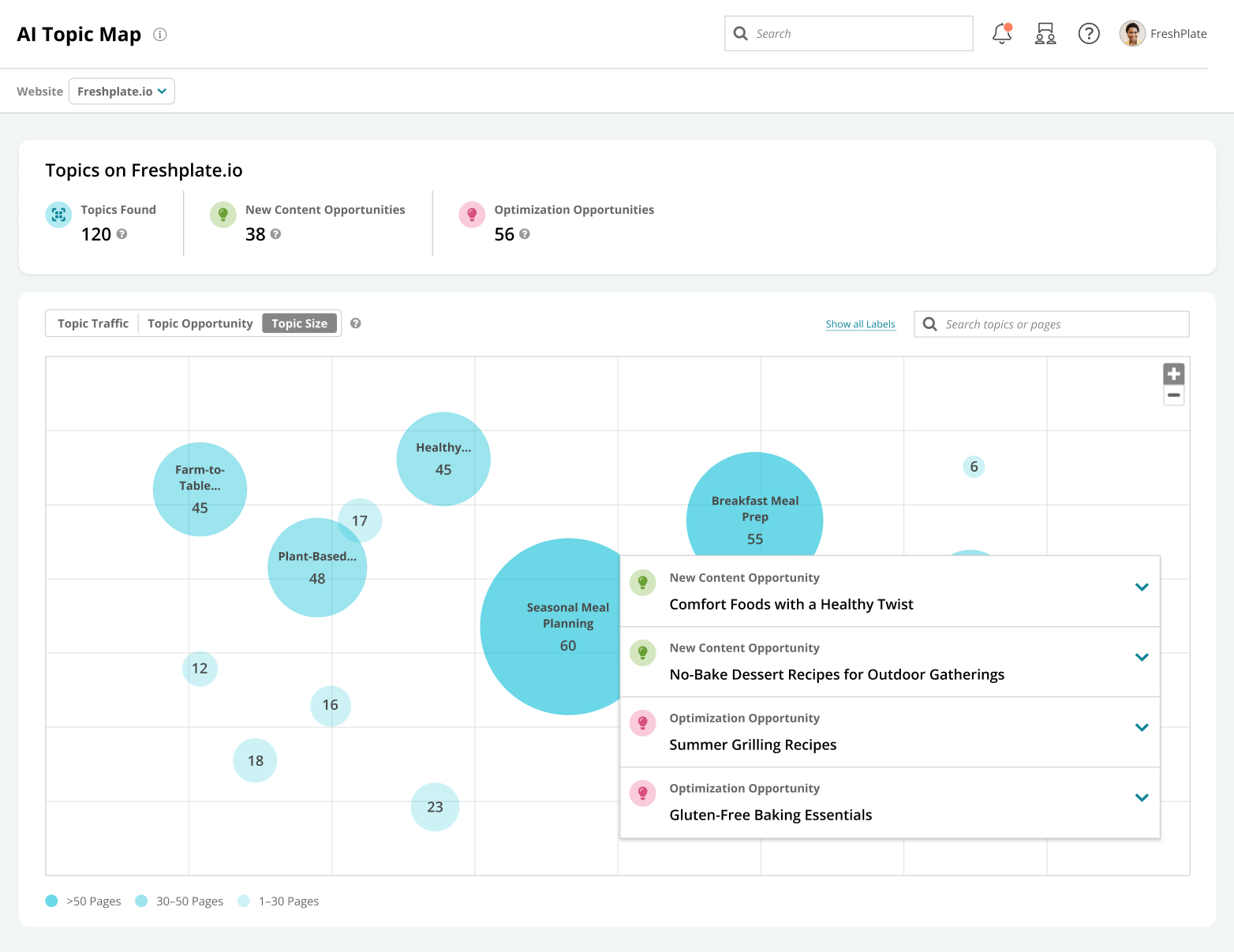
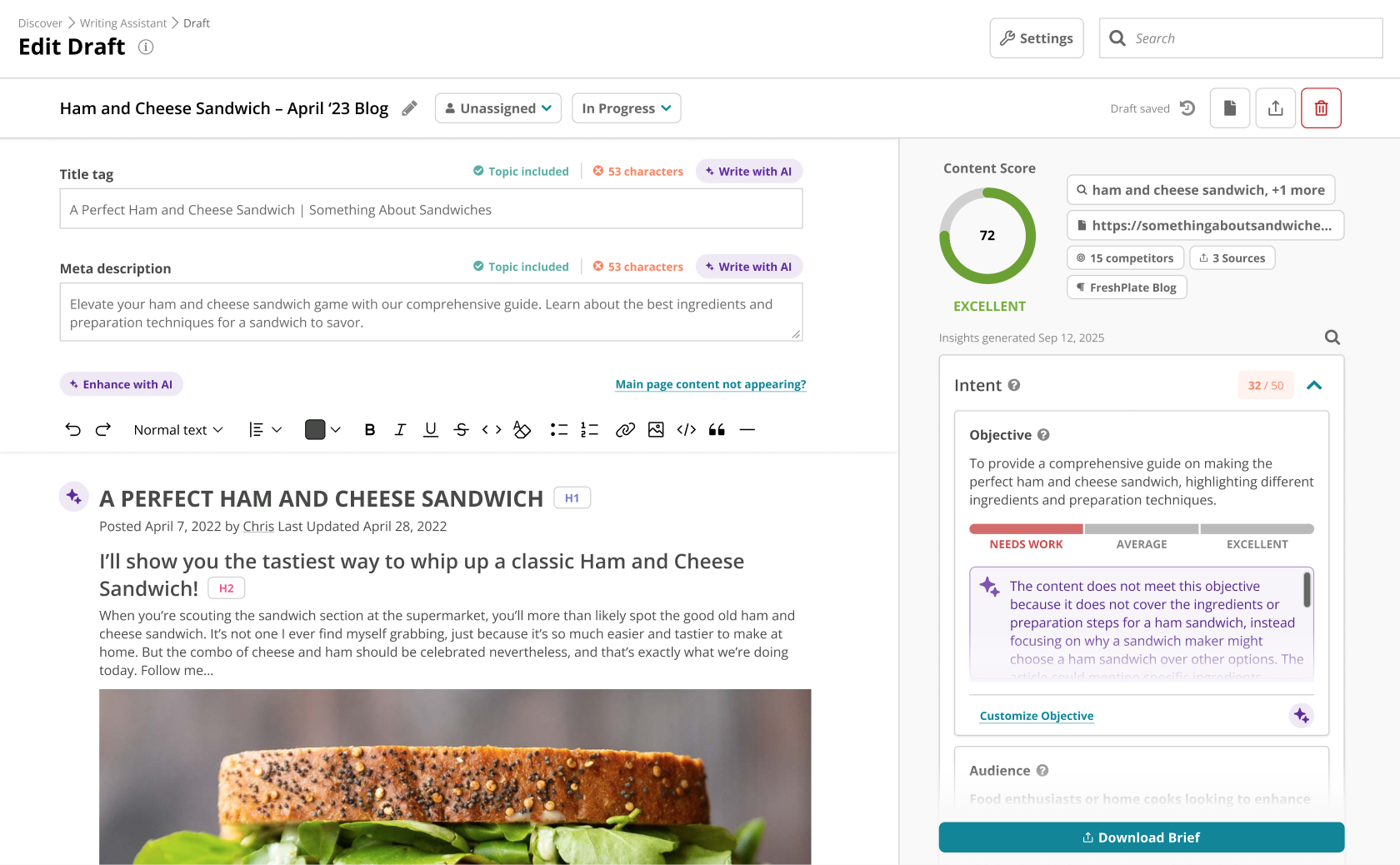
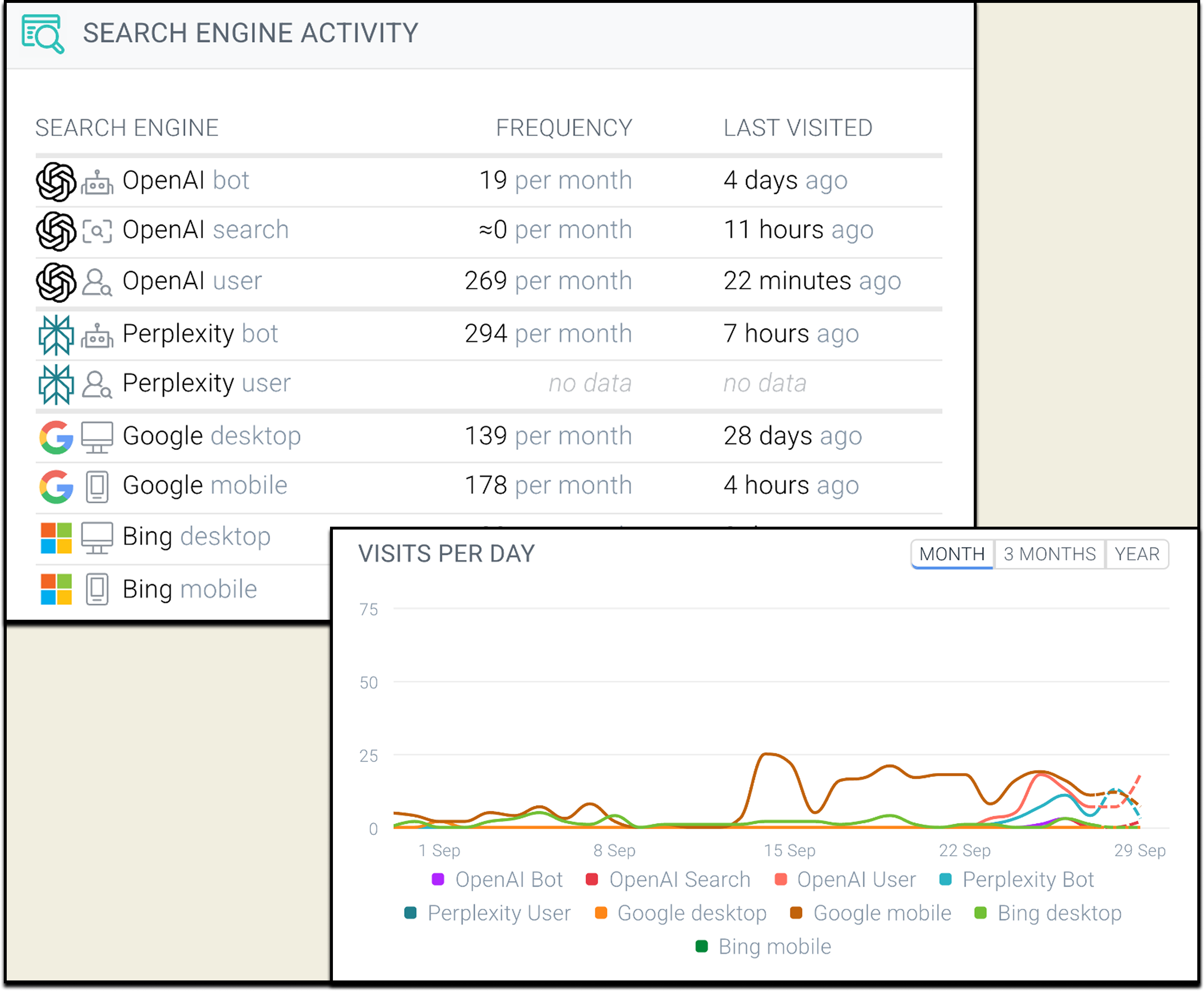
Screenshot of Conductor's AI search performance metrics. Conductor helps to ensure a brand appears everywhere audience searches—from ChatGPT and Perplexity to Google AIO and AI Mode.Screenshot of website performance analytics that tie AI and search performance together and create visibility into how search impacts business goals. Viewers can analyze AI traffic alongside engagement and conversion metrics.Screenshot of an example of the available competitive intelligence. Viewers can analyze the competition's strategy and compare market share in both AI and traditional search to identify opportunities.Screenshot of the AI Topic Map, used to automate content strategy. As AI generation becomes a commodity, knowing what content to create becomes an competitive advantage. The AI Topic Map can be used to spot where to create or optimize content for the biggest impact.Screenshot of the AI Writing Assistant. The Writing Assistant orchestrates personalized content that fuses brand guidelines, competitors, knowledge sources, and real-time search insights to produce content that’s strategically designed to win with audiences and AI answer engines.Screenshot of AI Bot Crawling Analysis, used to find and fix the errors that make a site invisible to AI. Viewers can diagnose the technical errors that make the best pages invisible to LLMs. This dashboard transforms complex server logs into a simple workflow where viewers can monitor crawl frequency, optimize the crawl budget, and ensure that a brand's most valuable content is discoverable.

SEO PowerSuite Screenshots

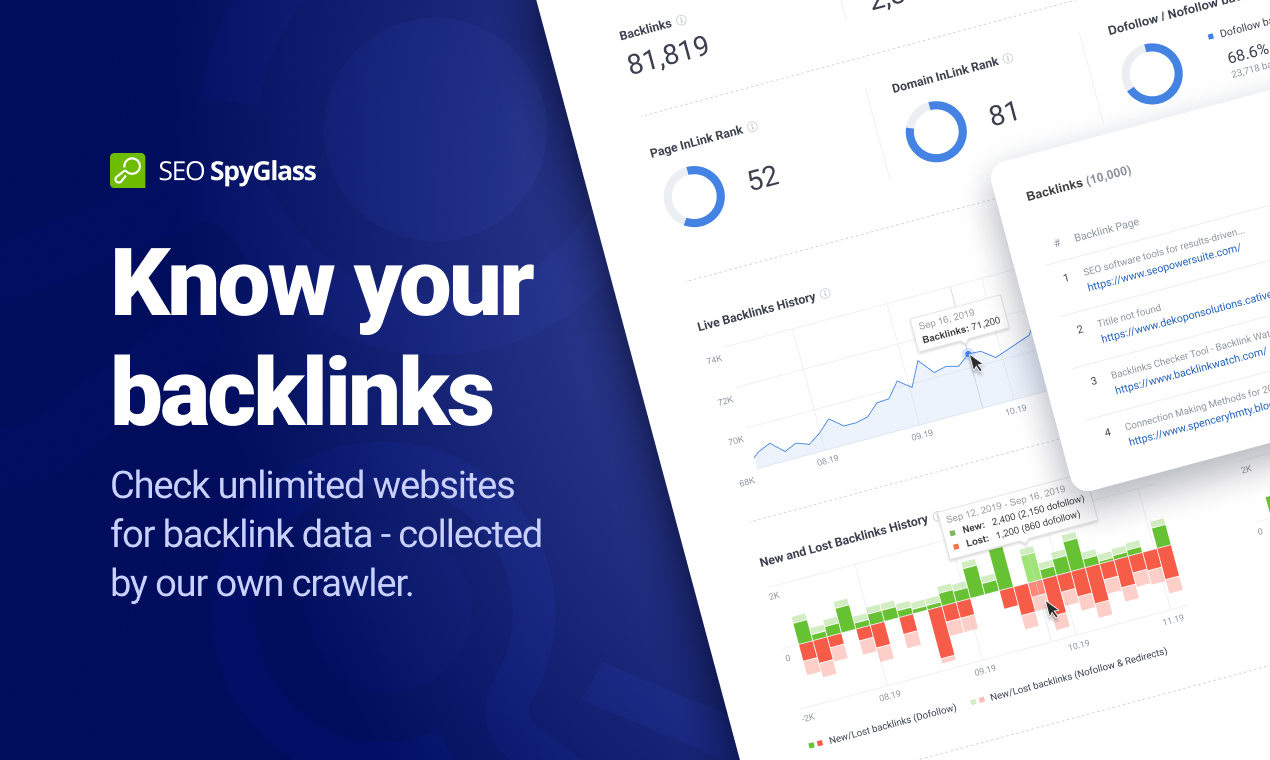
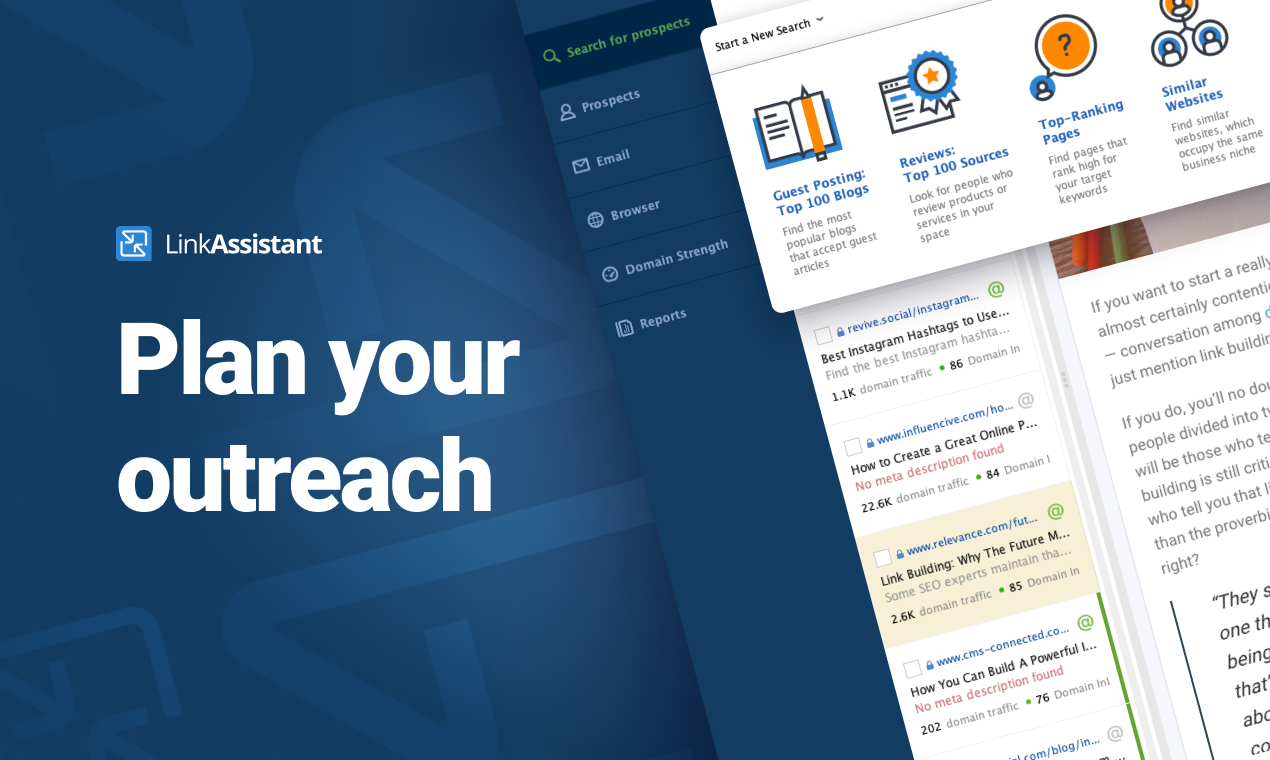
Screenshot of Rank Tracker is the most customizable rank checker tool you'll come across. Whether you need to check positions globally or in local search, in Google SERPs or any of the tool's 400+ search engines — Rank Tracker's got you covered. Whether you need to scan the top 50 or 1,000 search results, track keyword rankings once a week or daily, monitor Universal and Map listings, and track competitor keyword ranks — you can do that even with the software's free trial. Monitor your site average position and visibility score. Observe how your ranking position changes, notice when your keyword enters the top position or gets a featured snippet on Google SERPs. The best part is, everything is unlimited in this keyword position checker — including websites, search engines, and keywords to track.Screenshot of WebSite Auditor does more than analyzing your content. It lets you optimize pages in-app with step-by-step SEO advice as you type. In a separate tab, you can create and edit your pages' title and meta description tags, and preview your Google snippet right below. Done optimizing? A single click will save the SEO-perfect HTML to your hard drive, ready for upload.Screenshot of All your favorite keyword research tools are integrated right into the Rank Tracker keyword rank tool: Google Ads Keyword Planner; Competition research; Domain Research; Related Searches; Autocomplete tools; Related Questions; Google Analytics and Search Console for terms you already rank for. Used together, these sources will give you thousands of keywords you wouldn't have found elsewhere on the web. As you find keyword ideas, the tool will automatically group them by topic, so you can analyze and target entire keyword groups instead of going through bulks of terms one by one.Screenshot of WebSite Auditor will run an SEO audit and quickly reveal every issue on your site that can affect search engine indexation, rankings, and user experience. The audit tool looks for tech SEO issues such as broken links and images, duplicate content, crawling errors, poor mobile usability, site speed, redirect chains, internal linking problems, heavy pages and scripts, W3C validation errors, thin content, and more.Screenshot of Check the exact backlinks your site has — or spy on your competitor's backlinks with SEO SpyGlass. In a matter of minutes, this smart tool will calculate the total number of backlinks the site has and show the exact URL of each and every backlink. Since today's search engines place a huge value on links, this is the number one factor for ranking well.Screenshot of Acquiring that new backlink is often a numbers game — you need link building tools that will provide tons of link suggestions that will serve as a foundation for your link building campaigns. And LinkAssistant is simply the best tool for sheer volume. With 7.1 billion pages crawled on a daily basis, the software will give you backlink opportunities in hundreds and even thousands.