ScreenConnect vs. LogMeIn Central by GoTo vs. TeamViewer

Overview
ProductRatingMost Used ByProduct SummaryStarting Price
ScreenConnect
Score 8.3 out of 10
N/A
ConnectWise ScreenConnect is a remote support, access, and meeting solution. With it, users can utilize remote support and access to repair computers, provide updates, and manage machines. Users can also conduct online seminars and presentations using remote meetings.
$39
per month
LogMeIn Central by GoTo
Score 6.3 out of 10
N/A
Central is a cloud-based remote monitoring and endpoint management solution enabling IT professionals to monitor, manage, and secure their endpoint infrastructure. Whether it is used for remote employees or endpoints scattered across the globe, the vendor promises that Central provides IT organizations with the speed, flexibility, and insight needed to increase productivity, reduce IT costs, and mitigate risk.
$80
per month
TeamViewer
Score 8.6 out of 10
N/A
TeamViewer provides software for both remote management and online collaborations. With TeamViewer, users have access to fully integrated online conference solutions for audio and video communication, including interactive screen sharing and remote access features.
$299
per year
Pricing
ScreenConnectLogMeIn Central by GoToTeamViewer
Editions & Modules
One
$39
per month
Standard
$59
per month
Premium
$69
per month
LogMeIn Central
$80
per month (minimum 25 computers)
Remote Access
$24.90
per month (billed annually) 1 Licensed User
Business
$50.90
per month (billed annually) 1 Licensed User
Premium
$102.90
per month (billed annually) 15 Licensed Users
Corporate
$206.90
per month (billed annually) 30 Licensed Users
Offerings
Pricing Offerings
ScreenConnectLogMeIn Central by GoToTeamViewer
Free Trial
YesNoYes
Free/Freemium Version
NoNoYes
Premium Consulting/Integration Services
YesNoYes
Entry-level Setup FeeNo setup feeNo setup feeOptional
Additional Details
More Pricing Information
Community Pulse
ScreenConnectLogMeIn Central by GoToTeamViewer
Considered Multiple Products
ScreenConnect
Chose ScreenConnect
ConnectWise Control was more reliable and cheaper than TeamViewer and LogMeIn however the support wasn't as good when there was an issue.
ConnectWise Control is a faster solution however we did experience crashes every now and again.
Chose ScreenConnect
TeamViewer is great functionality-wise, but for new users, it's difficult to install and start using it. Also it turns out to be very pricey.
Chose ScreenConnect
TeamViewer is more more limited than what ConnectWise ScreenConnect offers. ConnectWise ScreenConnect has more trust built into it by installing running processes on the client computers. The tools work reliably and TeamViewer is not the better choice for use across multiple …
Chose ScreenConnect
Its lightweight and it is slightly cheaper than TeamViewer at least at the time of buying ScreenConnect. But we are exploring any desk and splash top again.
Chose ScreenConnect
Very inexpensive for agent licences annual, no costs per device and no on-site hardware to maintain.
Chose ScreenConnect
We prefer ScreenConnect as it is much better for an MSP with thousands of client machines, the other options don't provide an easy way of accessing a machine quickly enough. We have also had an issue with the other software's reliability to connect. ScreenConnect's integration …
Chose ScreenConnect
Although ScreenConnect is more expensive than the competition, you get what you pay for. ScreenConnect is easy to use as an admin, and end user. It is easy to set up and configure, and it allows you to quickly view the status of devices and access them remotely from one dashboard
Chose ScreenConnect
For cost and management capabilities, I found ScreenConnect to be the best option. Some of the other services offered easier connection opportunities for my clients, but overall, I liked the tools and price point of ScreenConnect.
Chose ScreenConnect
I think ConnectWise ScreenConnect is by far the superior product to all of these. It is way ahead and does do not even come close. It has way more options and features and is much easier to use and manage.
Chose ScreenConnect
Used Logmein until it became too expensive to use.
Used Teamviewer and again it is cost prohibitive for my company to use and afford.
Labtech replace logmein, which was the last platform solution we used before moving to screenconnect.
Chose ScreenConnect
ConnectWise Control is far superior just on price alone. Logmein Rescue's pricing is ridiculous in comparison. The ease of use from the end user is similar with both products. However, the technician side of the software is significantly better on the ConnectWise Control …
Chose ScreenConnect
Selected Control because it was cheaper than LMI Central - features are comparable.
Chose ScreenConnect
ConnectWise Control gives you a lot of the features that the other products provide, but nothing that you won't use. Nothing is worse than a clunky remote session where you are fighting for CPU/RAM resources, and ConnectWise Control beats them all hands down. This product is …
Chose ScreenConnect
We like the functionality of ConnectWise and the ability to create custom groups and packages that help with deployment of the agent on our client workstations. Overall it's a more robust and flexible solution that suits our needs.
Chose ScreenConnect
ConnectWise is easy to implement, the software functions and feature support our users equipments. Deployment agents is simple, can be run on demand with url and email. Agent could be pre-install and provide constantly remote access to user PC or equipment. It also offer a …
Chose ScreenConnect
There's no comparison. ConnectWise Control is the clear winner. The interface is much more intuitive and easy to use.
Chose ScreenConnect
We used a few other products before we found ConnectWise Control. While the other products worked well for us, the vendors kept raising the prices to the point that they became unaffordable for a small company like mine.
Chose ScreenConnect
We had used LogMeIn for many years until they raised their prices dramatically; so that is when we started looking for an alternative, which I am glad we did. After using ScreenConnect, there is no comparison as it is so much better and faster.
LogMeIn Central by GoTo
Chose LogMeIn Central by GoTo
Dameware is a very good product and fantastic with server environments but personally doesn't come close to LogMeIn when talking about assisting users who are on different LANs all around the world. TeamViewer has a good product but prefer Logmein's dashboard and ease of use.
Chose LogMeIn Central by GoTo
TeamViewer is junk. TeamViewer is a free product trying to find its way into the enterprise world. GoToMyPC is slow and LogMeIn just bought them out. GoToMeeting works great for sessions but doesn't provide the central side of things and is a different type of product
Chose LogMeIn Central by GoTo
Logmein Central combined the abilities of all of these other services into one complete, intuitive user interface. Remote Desktop Services allowed me to remote into other computers, but users could not see what I was doing and behind the scenes, management was difficult to …
Chose LogMeIn Central by GoTo
Kaseya was too complicated and not user friendly, basically for enterprise corporations.
TeamViewer I'd have to say had an excellent user interface but had a bad inventory report in excel (not nearly as organized as LogMeIn)
LogMeIn topped off everything, by making all the …
Chose LogMeIn Central by GoTo
The three I've mentioned I am familiar with, along with many others. They all do the same basic thing—allow remote access of endpoints. LogMeIn Central specifically provides the most intuitive management portal out of these - that would be the greatest benefit. The level of …
Chose LogMeIn Central by GoTo
I did not like the Kaseya product, it was difficult to us and had constant connection issues. We currently utilize Endpoint Central and love it. However, we will maintain Central for the screen sharing product. TeamViewer is ok but is slow and clunky.
Chose LogMeIn Central by GoTo
Very similar to GoToMyPC (LogMeIn was rebranded as GoTo, hence the UI change I mentioned), Splashtop, and TeamViewer, as far as cost, usability, features.
Chose LogMeIn Central by GoTo
LogMeIn Central by GoTo, AnyDesk, and TeamViewer offer distinct advantages in the realm of remote access and IT management.

LogMeIn Central stands out for its balance between comprehensive features and user-friendly interface, with a strong emphasis on security.
Chose LogMeIn Central by GoTo
LogMeIn Central by GoTo generally outperforms TeamViewer and ConnectWise ScreenConnect in several key areas. While both alternatives have their merits, they come with drawbacks such as higher costs and performance issues over slow connections. A significant differentiator for …
Chose LogMeIn Central by GoTo
LogMeIn Central by GoTo for connecting remotely to PCs and servers stacks up really well. I find it more reliable and secure.
Chose LogMeIn Central by GoTo
LogMeIn Central by GoTo is better than Team Viewer in it's central management portal and it's remote installation by end users without needing to pass any kind of login or access codes back and forth to gain remote access.
Its remote control is much better than Splashtop in that …
Chose LogMeIn Central by GoTo
Essentially, it comes down to cost. Central has a higher-pricing point than other tools.
Chose LogMeIn Central by GoTo
In our quotations and evaluation of the suppliers the best proposal and best service was from Central. The company asks to quote 3 companies, and the best of them in our evaluation taking into account cost benefit was Central (LogMeIn). The access to computers in Central's …
Chose LogMeIn Central by GoTo
LogmeIn Central is the fastest RMM in terms of remote connection. It generally performs well on networks that have low bandwidth too. In terms of features, Datto RMM does best it because it offers such a good platform for integrations and also for scripting. The community is …
Chose LogMeIn Central by GoTo
Pricing with Central was more competitive and the feature set was close. We did prefer some features of Control however the pricing model was much better for us with Central.
Chose LogMeIn Central by GoTo
As mentioned already, Central is very flexible to remote share. So, we kept an auto-option, whenever user raise ticket, it should auto-capture the hostname based on his Employee ID. With that, no more asking user to provide AnyDesk/team viewer ID to beep in inside user machine …
Chose LogMeIn Central by GoTo
The most valuable or powerful or reliable feature I'd say it's simplicity and easy to access and complete tasks on time. Its single pane where we have all the control systems, tools and features. I also like how the remote connection is stable and fast. The support is very …
Chose LogMeIn Central by GoTo
We have always found that our clients preferred LogMeIn Central even if they had to pay a little more [for] it! The interface is simple to use, and it's available for so many different platforms.
Chose LogMeIn Central by GoTo
I find the quality of the screen display better in LogMeIn, and I prefer the LogMeIn Dashboard when used in a Browser.
Chose LogMeIn Central by GoTo
I’ve used many different kinds of remote software. There are cheaper ones out there that do the same thing but not many do it as well and for as long as LogMeIn has. I highly recommend them. Also, I rarely if ever give 10s so take the 9s as very high marks!
Chose LogMeIn Central by GoTo
I like LogMeIn the best over the others. My only complaint is that the price has increased considerably over the last few years.
TeamViewer
Chose TeamViewer
ConnectWise's screenconnect was the biggest contender to TeamViewer as they are shaking up the industry with their web-based interface, super easy installation, and one-click remote support capabilities. Their pricing blew TeamViewer out of the water, and they were able to do …
Chose TeamViewer
For mobile, TeamViewer was much better, especially since some of them don't support mobile devices at all. Performance seems to be generally better than AnyDesk and on par with ScreenConnect in both performance and the feature set. One system not in the list above is RustDesk. …
Chose TeamViewer
Seems more secure and cost-efficient experience, which is why our company chose to work with TeamViewer instead.
Chose TeamViewer
For our purposes, each is roughly equivalent in features and usability. I do actually use all three of them and have used TeamViewer primarily when jointly supporting clients with other contractors.
Chose TeamViewer
On the feature-rich front, from among all the remote tools that I've used, whether LogMeIn or VNC, TeamViewer has features as well as a very pleasing interface. Since IT support procedures for file sharing, screen transfer, and controlling remote gadgets are now made so much …
Chose TeamViewer
Before TeamViewer, our team tried out Microsoft Teams, and LogMeIn as tools for collaborating. While they both did well in their own individual right, TeamViewer managed to earn praise by showcasing some robust remote access and collaboration features.
Chose TeamViewer
TeamViewer stacked up very well. Has most of the same type of features and It also has a free personal version to use. I like all the features and the direction TeamViewer is heading. We picked TeamViewer because of its ease of use and its secure connection. And the many …
Chose TeamViewer
After discovering the options that we had we decided to go with TeamViewer since we thought it would fit better our needs and we thought it was more trustworthy due to many yrs in the market. We checked the reviews of other users online and we read good things about this …
Chose TeamViewer
ConnectWise appears to be less frustrating; we will evaluate it prior to renewing our TeamViewer license.
Chose TeamViewer
TeamViewer was preferred by the technicians and myself for ease of deployment, cost and minimal resources used.
Chose TeamViewer
I have partnered with another company from time to time, and he uses it. I am not a big fan based on having to install their app on clients' computers and their lack of features or security.
Chose TeamViewer
We tried the products by LogMeIn in the beginning and they were too cumbersome and slow compared to TeamViewer. We needed something straight forward, centralized and that we could do from anywhere in the world and the ease of use of TeamViewer helped achieve all of this.
Chose TeamViewer
Lower in price, since i've been using Teamviewer for so many years, I feel comfortable with configuration, and I trust the platform. Also, file transfers are safer and connections are more stable.
Chose TeamViewer
TeamViewer is known for its user-friendly interface, making it accessible for both technical and non-technical users. The ease of use contributes to faster adoption and smoother remote collaboration experiences. The ability to establish unattended access allows for remote …
Chose TeamViewer
TeamViewer is more simplified and works great for digital signage and for single use remote tech support for users who are not physically available to bring in their devices. LogMeIn is great for centrally managed network of computers on a more frequent basis. Both have similar …
Chose TeamViewer
TeamViewer works really well and is easy to use when all versions are in sync. So our choice for overall ease of use would be TeamViewer but due to version issues and pricing issues, it is not our primary remote support platform. Should they improve the versioning issues and …
Chose TeamViewer
We used LogMeIn years ago and found their progress in keeping pace with technology was not as good as with TeamViewer. We used both products for a while so we could ascertain which was best, and TeamViewer came out a clear winner. Security was also a big consideration of ours …
Chose TeamViewer
For bigger companies, oven the Option to go for. In my case, the decision was made before.
Chose TeamViewer
TeamViewer is simple but it also doesn't come with all the security that paid for services have to offer. We tend to use it for smaller projects and for our personal use. I have enjoyed ScreenConnect for its easy to use interface and the ability to copy/transfer files. I …
Chose TeamViewer
Teamviewer does everything the others do, if not more, but the cost was much better at the time of our purchase. I don't know what the price difference is currently.
Features
ScreenConnectLogMeIn Central by GoToTeamViewer
Remote Administration
Comparison of Remote Administration features of Product A and Product B
ScreenConnect
8.2
626 Ratings
4% above category average
LogMeIn Central by GoTo
8.7
96 Ratings
10% above category average
TeamViewer
8.5
535 Ratings
2% above category average
Screen sharing9.9596 Ratings9.988 Ratings00 Ratings
File transfer8.6569 Ratings9.193 Ratings8.8503 Ratings
Instant message8.2501 Ratings9.363 Ratings8.6463 Ratings
Secure remote access with Smart Card authentication7.074 Ratings9.014 Ratings00 Ratings
Access to sleeping/powered-off computers6.5311 Ratings6.866 Ratings7.3354 Ratings
Over-the-Internet remote session10.0602 Ratings9.994 Ratings00 Ratings
Initiate remote control from mobile7.2389 Ratings8.078 Ratings00 Ratings
Remote management of servers & workstations9.1517 Ratings9.486 Ratings00 Ratings
Remote Active Directory® management8.9172 Ratings8.934 Ratings00 Ratings
Centralized management dashboard7.9479 Ratings8.583 Ratings00 Ratings
Session record7.9316 Ratings8.146 Ratings8.3362 Ratings
Annotations7.7266 Ratings8.735 Ratings7.9127 Ratings
Monitoring and Alerts8.7188 Ratings8.258 Ratings00 Ratings
Multi-platform remote control8.0399 Ratings8.163 Ratings00 Ratings
Security
Comparison of Security features of Product A and Product B
ScreenConnect
-
Ratings
LogMeIn Central by GoTo
-
Ratings
TeamViewer
8.6
49 Ratings
2% above category average
Role-based user permissions00 Ratings00 Ratings8.649 Ratings
Platform & Infrastructure
Comparison of Platform & Infrastructure features of Product A and Product B
ScreenConnect
-
Ratings
LogMeIn Central by GoTo
-
Ratings
TeamViewer
8.0
35 Ratings
2% above category average
Third-party software integrations00 Ratings00 Ratings8.035 Ratings
Remote Access
Comparison of Remote Access features of Product A and Product B
ScreenConnect
-
Ratings
LogMeIn Central by GoTo
-
Ratings
TeamViewer
8.3
60 Ratings
6% above category average
Attended device access00 Ratings00 Ratings9.159 Ratings
Unattended device access00 Ratings00 Ratings8.455 Ratings
Mobile device access00 Ratings00 Ratings7.752 Ratings
Virtual device access00 Ratings00 Ratings8.349 Ratings
Multiple-display support00 Ratings00 Ratings8.250 Ratings
Multiple concurrent sessions00 Ratings00 Ratings8.349 Ratings
Best Alternatives
ScreenConnectLogMeIn Central by GoToTeamViewer
Small Businesses
Getscreen.me
Getscreen.me
Score 9.6 out of 10
Getscreen.me
Getscreen.me
Score 9.6 out of 10
Getscreen.me
Getscreen.me
Score 9.6 out of 10
Medium-sized Companies
Remote Desktop Manager
Score 9.5 out of 10
Remote Desktop Manager
Score 9.5 out of 10
Action1
Action1
Score 9.5 out of 10
Enterprises
Remote Desktop Manager
Score 9.5 out of 10
Remote Desktop Manager
Score 9.5 out of 10
Remote Desktop Manager
Score 9.5 out of 10
All AlternativesView all alternativesView all alternativesView all alternatives
User Ratings
ScreenConnectLogMeIn Central by GoToTeamViewer
Likelihood to Recommend
8.9
(626 ratings)
8.3
(96 ratings)
8.7
(557 ratings)
Likelihood to Renew
10.0
(40 ratings)
9.0
(4 ratings)
10.0
(64 ratings)
Usability
8.9
(55 ratings)
9.8
(84 ratings)
9.1
(57 ratings)
Availability
10.0
(5 ratings)
9.9
(82 ratings)
9.1
(5 ratings)
Performance
10.0
(9 ratings)
-
(0 ratings)
9.1
(5 ratings)
Support Rating
8.2
(63 ratings)
9.0
(5 ratings)
9.6
(50 ratings)
In-Person Training
-
(0 ratings)
-
(0 ratings)
9.1
(2 ratings)
Online Training
7.5
(24 ratings)
-
(0 ratings)
9.1
(4 ratings)
Implementation Rating
10.0
(20 ratings)
9.0
(3 ratings)
8.9
(119 ratings)
Configurability
10.0
(5 ratings)
-
(0 ratings)
9.1
(4 ratings)
Ease of integration
-
(0 ratings)
-
(0 ratings)
9.1
(5 ratings)
Product Scalability
10.0
(16 ratings)
-
(0 ratings)
9.1
(5 ratings)
Vendor post-sale
10.0
(4 ratings)
-
(0 ratings)
8.5
(5 ratings)
Vendor pre-sale
5.0
(4 ratings)
-
(0 ratings)
9.1
(5 ratings)
User Testimonials
ScreenConnectLogMeIn Central by GoToTeamViewer
Likelihood to Recommend
ConnectWise
We often need to create an ad-hoc session with a device that is not under our management. We find ourselves doing this more than ever in the COVID world. Many people are working from home on personal machines with their employer, our client's permission and we are facilitating more support for these personal machines. Connectwise Control [(formerly ScreenConnect)] gives us a robust resource to control the device, navigate anywhere we need, execute various commands, and engage in an on-screen chat with the client. The session is very simple to create and very user-friendly to initiate. We do not recommend it for Android, Apple, or Chromebook applications. There is little to no support for these platforms.
Read full review
GoTo (formerly LogMeIn)
LogMeIn Central by GoTo is well suited for easy, direct access to specific, perhaps mission critical, machines. Its remote control functionality and speed is very good - best in class, really. However, it simply can't replace a true and traditional RMM product in terms of robustness and overall ability (or lack thereof).
Read full review
TeamViewer
I think it works well for IT management and help desk support of end users. I find it very useful to help users and send files to their desktop. Remote Workers still run into some problems with MFA and updates, both to the TV Host app and OS updates. However, it does give us secure direct access without the need of a VPN.
Read full review
Pros
ConnectWise
  • The interface is easy to use and makes sense. It's easy to understand how to organize a large number of machines involving multiple clients. But, it's also applicable for smaller set of machines too.
  • The connection speed is very quick. I've used solutions in the past that take a variable amount of time to connect, or they just take a long time every time. Control is quick every time. It doesn't get in the way of being able to support the machines on the other end.
  • The connections are reliable. I haven't experienced random disconnects throughout hundreds of instances. It was a breath of fresh air coming from the previous solution we used. I consider Control a gold standard for what a great remote connection solution can be.
Read full review
GoTo (formerly LogMeIn)
  • IT professionals can explore and use the platform more easily because to its intuitive interfaces and user-friendly features.
  • It keeps an eye on the functionality and health of the gadgets, sending out notifications in real time if anything seems wrong.
  • It expands to meet the demands of expanding companies and can handle a higher volume of devices.
Read full review
TeamViewer
  • It is secure and eliminates the need for VPN for remote users.
  • It offers a 2FA to insure that security is strong for our system.
  • Can save time with file transfer syncs for labels, batches and other files.
  • It supports multi device and cross platform usage within our warehouse.
Read full review
Cons
ConnectWise
  • I'd like to see the ability to selectively log off the remote machine via a button on the toolbar. Currently it's a setting to always lock on disconnect, or never lock on disconnect, requiring the tech to manually lock the machine if called for at the end of a session. Its a small time save that would add up!
  • The chat feature could be expanded to be a lot more useful. Allowing clients to start conversations, and have conversations ping an email address if no one is monitoring the dashboard would be extremely valuable.
  • Some clarity on licensing when providing host-passes to guest technicians would be a boon, especially for one-off support sessions with vendors.
Read full review
GoTo (formerly LogMeIn)
  • It could pull up the user's login in addition to the hostname
  • Employee shortcuts like "win+r", "Ctrl+shitf+dell", on the computer that is connected remotely. This is needed
  • Being able to minimize the bar in the top corner of the screen that is left when you are connected to a remote computer
Read full review
TeamViewer
  • With an iPad, you can't take control of the device, so you have to tell someone what to do. Which can be a challenge because the end user doesn't know what to do
  • With the free version of TeamViewer you cant enter Admin credentials because TeamViewer blocks the windows to fill in the credentials
  • The free version can be really limited which can be putting off people because they don't see the full potential of TeamViewer
Read full review
Likelihood to Renew
ConnectWise
I would recommend this product for both internal remote control of end user workstations and remote access to other clients over the internet. It provides a secure and feature rich product that allows me to complete any necessary tasks without ever leaving the office. I will continue to renew as I'm eager to see what they do next. I would however wish the cloud service had a better API to work in conjunction with team collaboration or chat services to make it easier to connect with end users who use multiple workstations. (Slack or Stride provide this functionality)
Read full review
GoTo (formerly LogMeIn)
What I dont like is when I run out of licenses that the only way to get more is to buy large amounts. this is very frustrating and as a small business I need to watch how much i am spending. smaller license packs would be better
Read full review
TeamViewer
We need this tool in our day to day business. It is what we do all day remoting into clients devices. In this day and age we can access devices all over the world as long as we have secure internet connection. It certainly saves money in gas, and even if you are away you can help.
Read full review
Usability
ConnectWise
On the whole SC is a very powerful tool that is a vital part of the IT service arsenal. On-site visits are an "emergency" only type of scenario. Just "showing your face" is not winning any browny points for me. If my client sees my face, it's usually just to upgrade hardware or to deal other aspects of business. SC provides me and my client the bulk of the info I need to get projects done.
Read full review
GoTo (formerly LogMeIn)
It is wonderful after the initial setup and implementation.It's fairly intuitive and easy to use for more of our tech and users. These types of products have come a long way. I've been in tech for 20+ years, and thinking back to tools like PC anywhere things have become just so much more user friendly on both ends of the device.
Read full review
TeamViewer
TeamViewer is a reliable and really strong tool for accessing remote IT platforms secure and fast. We don't know any product that provide us such strong functionality to make our life as a internationally recognized MES provider with DIAMES with an international clientele so easy. We look forward for any new TeamViewer functionality that supports us even more.
Read full review
Reliability and Availability
ConnectWise
In my 5 years of using the product, I am only aware of one time when the service was down and is was due to a backbone outage upstream.
Read full review
GoTo (formerly LogMeIn)
During our 6 years of use, we [have] never seen any downtime from their side. The application simply works. We have had incidents when we were not able to connect to remote servers by any means, but LogMeIn Central always worked. It has saved us trips to other offices. We have few users are who live in rural areas where internet speeds are not great. Supporting these users is a big challenge, but LogMeIn Central was always a lifesaver.
Read full review
TeamViewer
Always available if setup correctly.
Read full review
Performance
ConnectWise
It performs well. It also has full control over windows security and does not get hung up like GoToMeeting when trying to install remote software at the prompt to install as admin / override. I have used TeamViewer, WebEx, LogMeIn and GoToMeeting. This is by far the best at spontaneous, remote control. It is also very easy to get a novice user connected to the session.
Read full review
GoTo (formerly LogMeIn)
No answers on this topic
TeamViewer
The application is built on VNC which is a very stable technology.
Read full review
Support Rating
ConnectWise
There have been two times when something has went wrong and I needed immediate assistance in order to be able to use Screenconnect to be able to help clients and response has not been immediate. The response time has been within 24 hours. Both times if there had been easier to navigate self help I would have been able to help myself. With better self help and a speedier response it would definitely be a 10 as they always respond and help. Just a little more difficult or slow than it should be at times
Read full review
GoTo (formerly LogMeIn)
Every time I called in with a question or concern, your support team always provided the right information. It's great to call in to support and everyone that answers is very knowledgeable of the product.
Read full review
TeamViewer
the few times i have had to contact teamviewer support, they were very responsive and give me quick answers and seemed to understand my problems quickly and easily. I did not have to sit on the phone for hours on hold or get passed around to multiple phone support techs before finding a solution to my issues, so i would rate their support very highly.
Read full review
In-Person Training
ConnectWise
No answers on this topic
GoTo (formerly LogMeIn)
No answers on this topic
TeamViewer
As expected without any problem! Alternate in-person training is another efficient way to learn how a product works. There are many third party supporters for TeamViewer courses available that can give additional ideas how to use TeamViewer for specific functions and features as we did require in respect of our usage.
Read full review
Online Training
ConnectWise
I find ScreenConnect to be very simple and effective overall, with the main problem being that a number of my clients can't download the app due to existing firewalls and so on. Otherwise it does its job well, and I'm happy with it.
Read full review
GoTo (formerly LogMeIn)
No answers on this topic
TeamViewer
I have never used the online training either. I have watched a few informational videos that were helpful when learning how to do a specific procedure within TeamViewer and get the most out of the software by utilizing one of the many features that are available with the software. Again, 5 if for neutral.
Read full review
Implementation Rating
ConnectWise
ConnectWise has done everything they could to help us in any situation. Great support team and their new updates are always providing features that we need. Its a simple solution that works the way we need it to. Their legacy pricing model is still much better than their subscription based model however it is still fair pricing
Read full review
GoTo (formerly LogMeIn)
I was not involved in the implementation of the product.
Read full review
TeamViewer
TeamViewer installation and deployment to other devices is pretty straightforward and does not require much technical know-how. This makes ease of use attractive when supporting both new and existing clients with limited technical knowledge. I think ease of use is a huge factor in getting new clients. TeamViewer handles that extremely well.
Read full review
Alternatives Considered
ConnectWise
I have worked with Citrix, AnyDesk, LogMeIn, VNC Connect, and many others. I ultimately installed ConnectWise as a self-hosted solution, based on the incredible list of features and capabilities, and the pricing at the time. I continue to use the product as it is still one of the best solutions out there and is certainly capable of growing and expanding to meet the needs of my business.
Read full review
GoTo (formerly LogMeIn)
LogmeIn Central is the fastest RMM in terms of remote connection. It generally performs well on networks that have low bandwidth too. In terms of features, Datto RMM does best it because it offers such a good platform for integrations and also for scripting. The community is very open with that software which really gives it a boost, and this is something LogMein Central could work on.
Read full review
TeamViewer
TeamViewer's cost is much lower than that of other solutions, and its security is far superior to RemotePC's. TeamViewer is also a request-based remote session manager, unlike other software that allows indefinite connection time. TeamViewer's free version makes it even better for one end of the group to find support, while the other end has the paid version.
Read full review
Scalability
ConnectWise
I have used multiple remote desktop support software in the past (Bomgar, Team Viewer, Logmein and Join.me) and this is far the easiest of the bunch to use. It is very easy to create a session and easy to maintain remote desktops from their access view (where you install the software and can get in at any time) I highly recommend this product from ConnectWise!
Read full review
GoTo (formerly LogMeIn)
No answers on this topic
TeamViewer
Stay up working. Easy to connect and disconnect. easy way to transfer files to another desktop
Read full review
Return on Investment
ConnectWise
  • Instead of waiting 30+ seconds to initiate sessions, they initiate and display a desktop in two or three seconds. The amount of frustration this avoids is immeasurable.
  • Once installed it doesn't need more handholding, i.e., having the remote enter a username/password. It is always just there.
Read full review
GoTo (formerly LogMeIn)
  • Its a very comprehensive and cost effective solution from Central that is very easy to use and user friendly.
  • Its compliant with many security policies. Hence boost security for our clients and end users.
  • The downtime was very low, hence making it more reliable and top-notch.
Read full review
TeamViewer
It took about 3 months.
  • Customer Support of our business has become more interactive with customers, leading to faster resolution of their problems.
  • Remotely accessing devices in our office allows employees to stay productive while working from home.
  • TeamViewer helps us to collaborate with other firms for projects we're doing.
Read full review
ScreenShots

ScreenConnect Screenshots

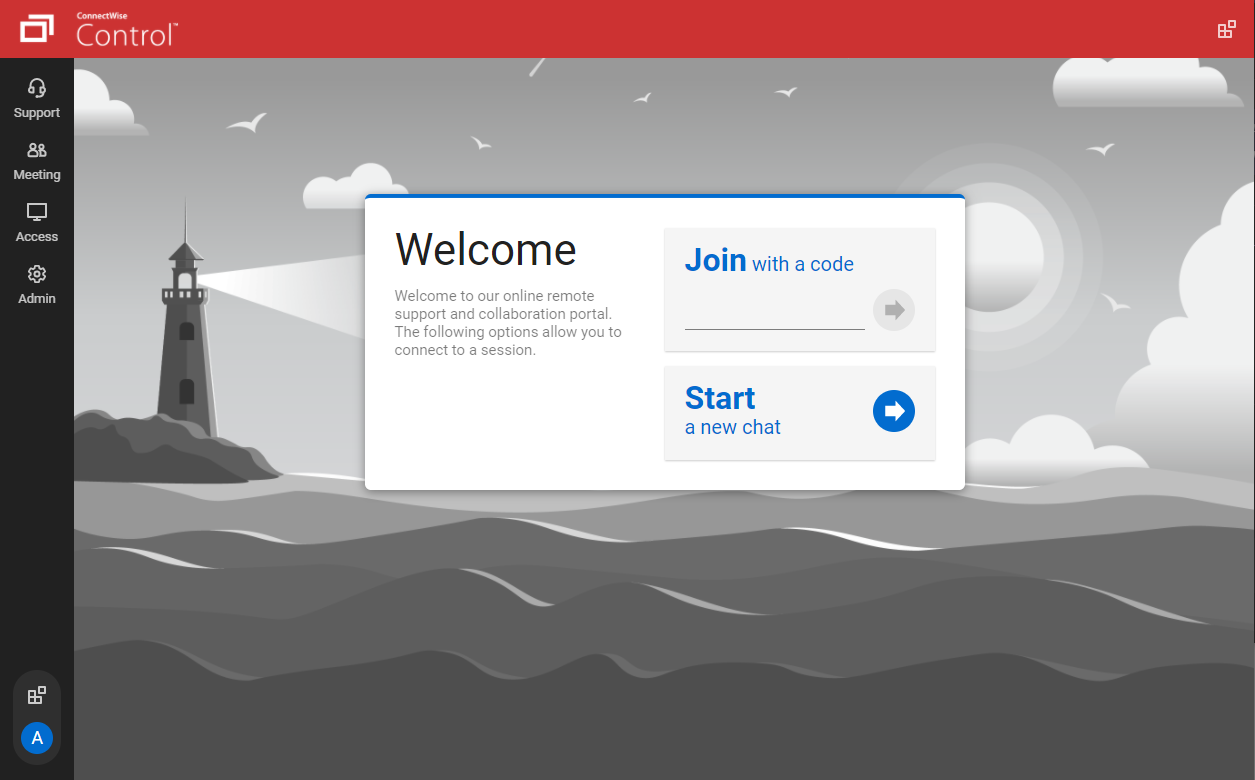
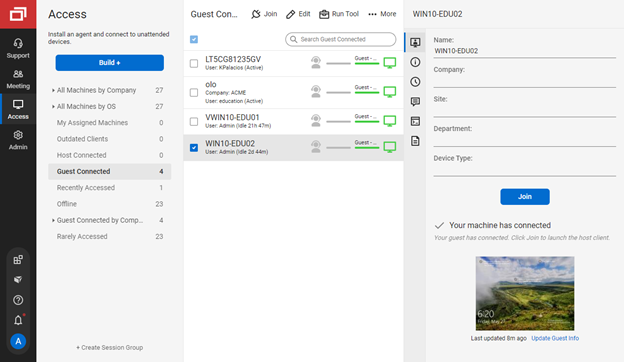
Screenshot of the guest page, where end-users enter a code to join a session with a technicianScreenshot of connecting from a Windows machine to a macOS machineScreenshot of the Extension Marketplace, where administrators can install and configure new features and integrationsScreenshot of the Access view of the Host page, where a technician can connect to unattended machinesScreenshot of the toolbox menu, which allows technicians to store and run executables, scripts, and other frequently-used filesScreenshot of the Host page, where a command can be run directly without connecting to the machine

TeamViewer Screenshots

Screenshot of how TeamViewer lets users connect to devices and provide remote support.Screenshot of AI, automation and remediation.Screenshot of the interface to monitor and manage devices proactively.Screenshot of some of TeamViewer's integrations.