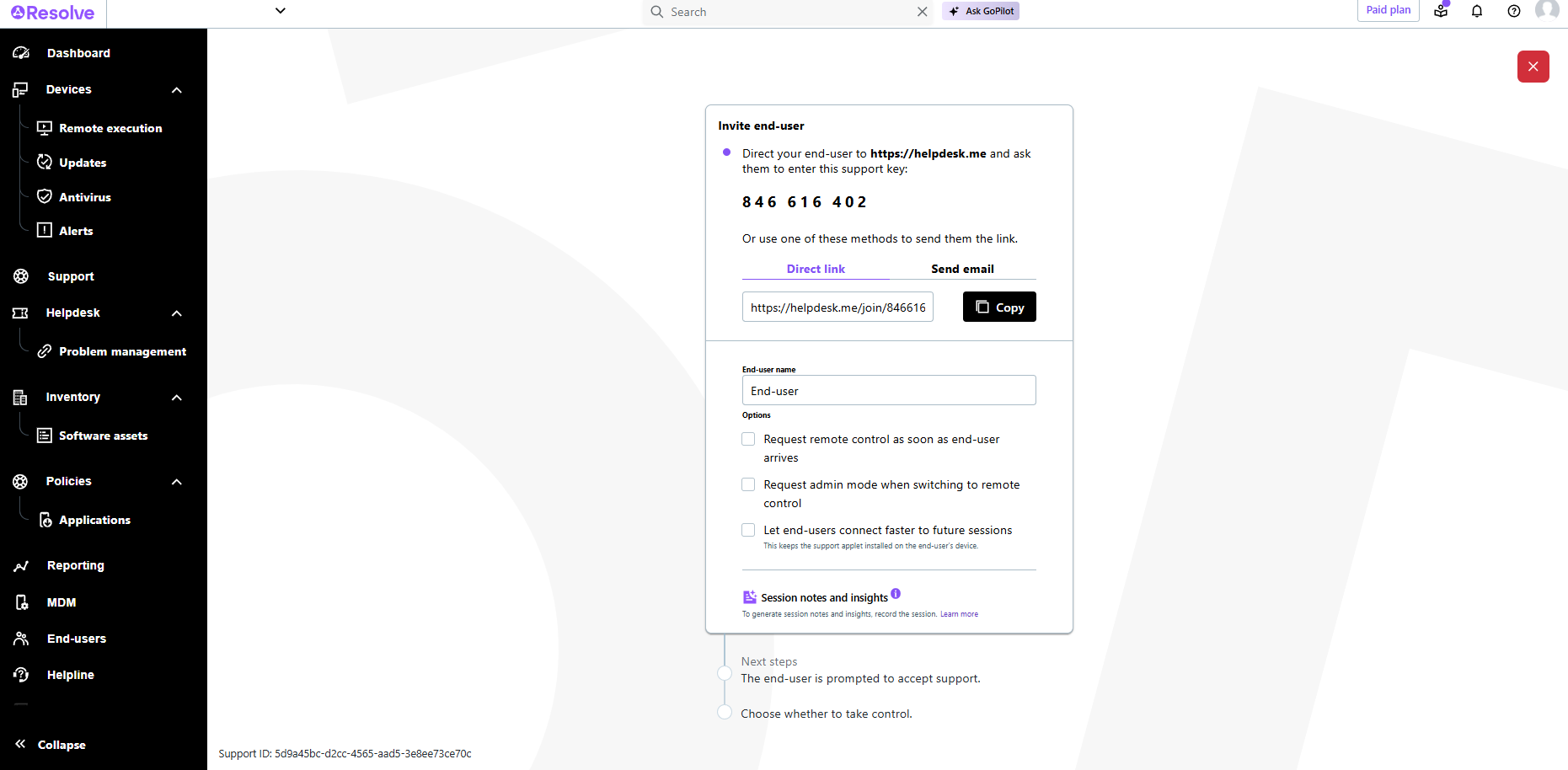
LogMeIn Resolve is an IT management and support solution designed to help organizations take control of their IT infrastructure. The platform combines features like remote monitoring, access, and support with tools such as ticketing, AI-assisted task automation, and patch management.
$29
per month
Splashtop
Score9.1 out of 10
N/A
Splashtop is a software solution for both remote access and remote support. Boasting 30+ million customers worldwide and users among both large and small organizations across the globe, Splashtop presents their solution as secure, high-performing, and fit to specific use-cases. Splashtop is ISO certified, SOC 2 and GDPR compliant. Splashtop Remote Access provides remote desktop connections for business professionals and teams to work from anywhere, using any device.…
$99
per year per user
TeamViewer
Score8.6 out of 10
N/A
Teamviewer offers secure remote access, IT support and device management on a scalable platform. It speeds up problem resolution, reduces downtime and enhances control through automation, unattended access and complete visibility of every device and location.
$299
per year
Pricing
LogMeIn Resolve
Splashtop
TeamViewer
Editions & Modules
Starter
$29
per month
Growth
$55
per month
Advanced
$78
per month
Premium Endpoint Management
$78
per month
Complete
$94
per month
Splashtop Remote Access Solo
$6.00
per month per user, billed annually
Splashtop Remote Access Pro
$8.25
per month per user, billed annually
Splashtop Remote Access Performance
$13.00
per month per user, billed annually
Splashtop Remote Support Enterprise
Contact Sales
per month per concurrent technician, billed annually
Splashtop Remote Access Enterprise
Contact Sales
per month per user, billed annually
Splashtop On-Prem
Contact Sales
Splashtop Autonomous Endpoint Management (AEM)
Contact Sales
per month per endpoint, billed annually
Splashtop Remote Support SOS
Starting at $22.00
per month per concurrent technician, billed annually
Remote Access
$24.90
per month (billed annually) 1 Licensed User
Business
$50.90
per month (billed annually) 1 Licensed User
Premium
$102.90
per month (billed annually) 15 Licensed Users
Corporate
$206.90
per month (billed annually) 30 Licensed Users
Offerings
Pricing Offerings
LogMeIn Resolve
Splashtop
TeamViewer
Free Trial
Yes
Yes
Yes
Free/Freemium Version
No
No
Yes
Premium Consulting/Integration Services
No
No
Yes
Entry-level Setup Fee
No setup fee
No setup fee
Optional
Additional Details
Volume discounts are available. MDM is available as a standalone or as an add-on. Discount available for annual billing.
A de minimis incentive was given to thank the reviewer for their time. The incentive was not used to bias or drive a particular response, nor was the incentive contingent on a positive endorsement. More Info
A de minimis incentive was given to thank the reviewer for their time. The incentive was not used to bias or drive a particular response, nor was the incentive contingent on a positive endorsement. More Info
IT Technician in Information Technology at Briarpatch Food Coop (Retail, 51-200 employees)
Chose LogMeIn Resolve
GoTo makes two of the three products we have/are using. LogMeIn and GoToAssist Expert are fairly good. LogMeIn's pricing structure is increasing, which made us move to GoToAssist Expert. TeamViewer was used years ago, and I barely remember it, but at the time, it wasn't as …
A de minimis incentive was given to thank the reviewer for their time. The incentive was not used to bias or drive a particular response, nor was the incentive contingent on a positive endorsement. More Info
Verified User
Chose LogMeIn Resolve
Transferring large files using TeamViewer is practically impossible. During unstable internet connectivity, GoTo Resolve behaves fairly well when compared to TeamViewer.
A de minimis incentive was given to thank the reviewer for their time. The incentive was not used to bias or drive a particular response, nor was the incentive contingent on a positive endorsement. More Info
Verified User
Chose LogMeIn Resolve
I chose GoTo Resolve over TeamViewer since it was bundled with our phone service and offered at no additional cost to us. The features of GoTo Resolve are vast and more than we ever need as a small company but having used TeamViewer in the past I felt GoTo Resolve covered all …
A de minimis incentive was given to thank the reviewer for their time. The incentive was not used to bias or drive a particular response, nor was the incentive contingent on a positive endorsement. TR verified that a representative sample of customers was invited. More Info
Software Engineer in Information Technology at ProfitSword, LLC (Hospitality, 51-200 employees)
Chose LogMeIn Resolve
GoToAssist provides support that other competitors that I have used such as TeamViewer and GoToMeeting does not. Moreover GoToAssist had a web based application but the others do not. GoToAssist is also fast and very easy to get connected to the client's PC, while other lag in …
A de minimis incentive was given to thank the reviewer for their time. The incentive was not used to bias or drive a particular response, nor was the incentive contingent on a positive endorsement. More Info
A de minimis incentive was given to thank the reviewer for their time. The incentive was not used to bias or drive a particular response, nor was the incentive contingent on a positive endorsement. More Info
Verified User
Chose LogMeIn Resolve
It is better in every way. Intuitively designed, great UI, easy to install and go live, great out of box training videos and features are constantly being improved and supported
A de minimis incentive was given to thank the reviewer for their time. The incentive was not used to bias or drive a particular response, nor was the incentive contingent on a positive endorsement. TR verified that a representative sample of customers was invited. More Info
A de minimis incentive was given to thank the reviewer for their time. The incentive was not used to bias or drive a particular response, nor was the incentive contingent on a positive endorsement. More Info
Verified User
Chose LogMeIn Resolve
We traditionally utilize all related products to support our end users in a remote environment. This requires that we have access to their systems, typically monitored, via a screen share session where we can use built in functionality such as file sharing. This allows us to …
A de minimis incentive was given to thank the reviewer for their time. The incentive was not used to bias or drive a particular response, nor was the incentive contingent on a positive endorsement. TR verified that a representative sample of customers was invited. More Info
A de minimis incentive was given to thank the reviewer for their time. The incentive was not used to bias or drive a particular response, nor was the incentive contingent on a positive endorsement. More Info
Verified User
Chose LogMeIn Resolve
GoTo Resolve has more features that are easier to use.
A de minimis incentive was given to thank the reviewer for their time. The incentive was not used to bias or drive a particular response, nor was the incentive contingent on a positive endorsement. More Info
Brokerage operations specialist in Sales at Colliers International (Real Estate, 1001-5000 employees)
Chose LogMeIn Resolve
GoTo Resolve is not necessarily an app that I personally chose to use in my organization; this is just one of many that I have interacted with and experienced through the different organizations that I have worked at over the years. However, I will say that I enjoy the engaging …
A de minimis incentive was given to thank the reviewer for their time. The incentive was not used to bias or drive a particular response, nor was the incentive contingent on a positive endorsement. TR verified that a representative sample of customers was invited. More Info
System Administrator in Information Technology at Ungerboeck (Events Services, 501-1000 employees)
Chose LogMeIn Resolve
GoTo Resolve is more reliable compared to some of the others listed. They all have their pros and cons, but GoTo Resolve is more well-rounded for our use case. You will not be disappointed in GoTo Resolve.
A de minimis incentive was given to thank the reviewer for their time. The incentive was not used to bias or drive a particular response, nor was the incentive contingent on a positive endorsement. TR verified that a representative sample of customers was invited. More Info
Verified User
Chose LogMeIn Resolve
GoTo Resolve is quicker and easier tool to use for remote support.
A de minimis incentive was given to thank the reviewer for their time. The incentive was not used to bias or drive a particular response, nor was the incentive contingent on a positive endorsement. More Info
A de minimis incentive was given to thank the reviewer for their time. The incentive was not used to bias or drive a particular response, nor was the incentive contingent on a positive endorsement. More Info
Verified User
Chose LogMeIn Resolve
GoTo Resolve does great when stacked up against similar software. One of the key aspects its how user friendly it is. I also like the fact that the agent has a small digital footprint and doesnt hogg up customer resources. One other thing that is important, is how transparent …
A de minimis incentive was given to thank the reviewer for their time. The incentive was not used to bias or drive a particular response, nor was the incentive contingent on a positive endorsement. More Info
A de minimis incentive was given to thank the reviewer for their time. The incentive was not used to bias or drive a particular response, nor was the incentive contingent on a positive endorsement. More Info
A de minimis incentive was given to thank the reviewer for their time. The incentive was not used to bias or drive a particular response, nor was the incentive contingent on a positive endorsement. More Info
Verified User
Chose LogMeIn Resolve
As a software platform, it's nice to have this dedicated tool to know that the job will get done.
A de minimis incentive was given to thank the reviewer for their time. The incentive was not used to bias or drive a particular response, nor was the incentive contingent on a positive endorsement. More Info
Verified User
Chose LogMeIn Resolve
RescueAssist is a good solution, as it is a standalone solution, whereas some other remote assistance programs are integrated within another program. These would be Skype for Business or Microsoft SCCM. You actually have to buy licensing for those pieces of software, and …
A de minimis incentive was given to thank the reviewer for their time. The incentive was not used to bias or drive a particular response, nor was the incentive contingent on a positive endorsement. More Info
Senior IT Supporter in Information Technology at Vertic (Marketing and Advertising, 51-200 employees)
Chose LogMeIn Resolve
All of the different remote support applications can do much of the same. We went with RescueAssist as it's still the only application we have been able to find that has the option to finish the setup of a Mac user account without disconnecting the session. As we still don't …
A de minimis incentive was given to thank the reviewer for their time. The incentive was not used to bias or drive a particular response, nor was the incentive contingent on a positive endorsement. More Info
A de minimis incentive was given to thank the reviewer for their time. The incentive was not used to bias or drive a particular response, nor was the incentive contingent on a positive endorsement. More Info
Verified User
Chose LogMeIn Resolve
Generally compared to other softwares we either used full time or evaluated partially the feature set of GoToAssist really attracted us. I don't think any one software (except perhaps LogMeIn) offered everything that GoToAssist did. The pricing was pretty acceptable as well. I …
A de minimis incentive was given to thank the reviewer for their time. The incentive was not used to bias or drive a particular response, nor was the incentive contingent on a positive endorsement. More Info
Verified User
Chose LogMeIn Resolve
Overpriced and expensive. Ultimately we left GoToAssist for a competitor.
A de minimis incentive was given to thank the reviewer for their time. The incentive was not used to bias or drive a particular response, nor was the incentive contingent on a positive endorsement. More Info
IT Technician in Information Technology at Computer Geeks (Information Technology & Services, 11-50 employees)
Chose Splashtop
I prefer TeamViewer but it costs a lot more. We do also use TeamViewer for unattended access but the cost is so great that we might look at alternatives when our license expires. If the price was not an issue I would pick TeamViewer Quick Support over Splashtop SOS but for …
A de minimis incentive was given to thank the reviewer for their time. The incentive was not used to bias or drive a particular response, nor was the incentive contingent on a positive endorsement. More Info
A de minimis incentive was given to thank the reviewer for their time. The incentive was not used to bias or drive a particular response, nor was the incentive contingent on a positive endorsement. More Info
Owner in Corporate at Self-employed (Information Technology & Services, 1-10 employees)
Chose Splashtop
[In my experience] TeamViewer is just too expensive for what I consider marginal benefit. Splashtop SOS works incredibly well, and while [I feel] TeamViewer does have a performance edge, I just can't justify the massive increase in cost. Plus, to my knowledge, TeamViewer's …
A de minimis incentive was given to thank the reviewer for their time. The incentive was not used to bias or drive a particular response, nor was the incentive contingent on a positive endorsement. More Info
Verified User
Chose Splashtop
Simply put, Splashtop SOS works. The remote control feature of SOTI's MobiControl just didn't work for us. We spent countless hours working with SOTI to get additional apps to support remote control for various Lenovo tablets. It was a huge burden and it just didn't work. TeamV…
A de minimis incentive was given to thank the reviewer for their time. The incentive was not used to bias or drive a particular response, nor was the incentive contingent on a positive endorsement. More Info
Principal in Corporate at TML Consulting (Consumer Services, 1-10 employees)
Chose Splashtop
I have not looked at TeamViewer in quite some time but I found Splashtop SOS for me to be at least a 1 to 1 feature switch. And right now connecting to mobile devices to see a customers screen is included with Splashtop SOS and it is a real value add. I hope it says that way. …
A de minimis incentive was given to thank the reviewer for their time. The incentive was not used to bias or drive a particular response, nor was the incentive contingent on a positive endorsement. More Info
A de minimis incentive was given to thank the reviewer for their time. The incentive was not used to bias or drive a particular response, nor was the incentive contingent on a positive endorsement. More Info
Owner/Consultant in Information Technology at EH Consulting LLC (Information Technology & Services, 1-10 employees)
Chose Splashtop
Initially, it was the cost but, I almost went with TeamViewer because at the time of evaluation Splashtop [SOS] did not support user switching while staying connected (running as a service). This was a deal-breaker for me due to my clients not being an admin. I was going to go …
A de minimis incentive was given to thank the reviewer for their time. The incentive was not used to bias or drive a particular response, nor was the incentive contingent on a positive endorsement. More Info
Owner at FlyDragon Consulting (Professional Training & Coaching, 1-10 employees)
Chose Splashtop
Splashtop SOS compares fairly well to TeamViewer, however, I feel that TVs features are superior and overall feel more polished. That said, SplashTop has less lag time - if that's even possible. The biggest difference that made the decision to switch a no brainer is that being …
A de minimis incentive was given to thank the reviewer for their time. The incentive was not used to bias or drive a particular response, nor was the incentive contingent on a positive endorsement. More Info
A de minimis incentive was given to thank the reviewer for their time. The incentive was not used to bias or drive a particular response, nor was the incentive contingent on a positive endorsement. More Info
Managing Director in Information Technology at Ecosite Web Hosting (Information Technology & Services, 1-10 employees)
Chose Splashtop
After evaluating several possible remote support products, Splashtop SOS represented the best value for money to a small business owner. This was largely due to its tiered licensing structure, with the base Splashtop SOS solution providing all the features I needed. This …
A de minimis incentive was given to thank the reviewer for their time. The incentive was not used to bias or drive a particular response, nor was the incentive contingent on a positive endorsement. More Info
Verified User
Chose Splashtop
Competitors did not have the same great level of performance. Had more disconnects with those as well.
A de minimis incentive was given to thank the reviewer for their time. The incentive was not used to bias or drive a particular response, nor was the incentive contingent on a positive endorsement. More Info
in Professional Services at Lakeland Electronics (Facilities Services, 11-50 employees)
Chose Splashtop
It's certainly not as feature rich or the same level of remote management system, but Splashtop SOS is a fraction of the cost and does exactly what I need it to do.
A de minimis incentive was given to thank the reviewer for their time. The incentive was not used to bias or drive a particular response, nor was the incentive contingent on a positive endorsement. More Info
A de minimis incentive was given to thank the reviewer for their time. The incentive was not used to bias or drive a particular response, nor was the incentive contingent on a positive endorsement. More Info
President in Engineering at Cursed Network Corporation (Computer Networking, 1-10 employees)
Chose Splashtop
Splashtop SOS is significantly more affordable than its competitors for smaller operations like ours. The base subscription is more than adequate for our use, whereas most competitors overkill single-user capacity. Additionally, competitive products frequently restrict the …
A de minimis incentive was given to thank the reviewer for their time. The incentive was not used to bias or drive a particular response, nor was the incentive contingent on a positive endorsement. More Info
A de minimis incentive was given to thank the reviewer for their time. The incentive was not used to bias or drive a particular response, nor was the incentive contingent on a positive endorsement. More Info
Verified User
Chose Splashtop
Splashtop ease of use is the best that I have experienced. It works for the needs of our organization. The implementation compared to other products I have tried is better. The added mobile device app is a plus. The ability to SOS into a machine that doesn't have the client …
A de minimis incentive was given to thank the reviewer for their time. The incentive was not used to bias or drive a particular response, nor was the incentive contingent on a positive endorsement. More Info
TeamViewer
Verified User
Chose TeamViewer
Found TeamViewer expensive compared to other services, but it does work efficiently. LogMeIn has become incredibly expensive, hence moving away from them. Splashtop is more cost-effective but perhaps not quite so reliable.
A de minimis incentive was given to thank the reviewer for their time. The incentive was not used to bias or drive a particular response, nor was the incentive contingent on a positive endorsement. TR verified that a representative sample of customers was invited. More Info
IT Director in Information Technology at Cornerstone Computing (Computer Hardware, 1-10 employees)
Chose TeamViewer
Team Viewer connect quicker. Team Viewer does not handle multiple displays as well as Splashtop (which fully mimics a remote 3 screen setup with a single click). Splashtop is much cheaper for basic connectivity, roughly 1/3 of what TeamViewer charges.
A de minimis incentive was given to thank the reviewer for their time. The incentive was not used to bias or drive a particular response, nor was the incentive contingent on a positive endorsement. TR verified that a representative sample of customers was invited. More Info
Verified User
Chose TeamViewer
TeamViewer is unique that is allows you access content. similarly to Splashtop which allows for the same qaaccessibiity and content.
A de minimis incentive was given to thank the reviewer for their time. The incentive was not used to bias or drive a particular response, nor was the incentive contingent on a positive endorsement. More Info
Verified User
Chose TeamViewer
I find Splashtop more intuitive and more stable. I have also found Splashtop to work better when only needed to connect to a few computer from potentially a large number of computers (i.e. connecting to your office computer from a home desktop, and hope laptop, or home ipad). …
A de minimis incentive was given to thank the reviewer for their time. The incentive was not used to bias or drive a particular response, nor was the incentive contingent on a positive endorsement. TR verified that a representative sample of customers was invited. More Info
Verified User
Chose TeamViewer
TeamViewer works similar to the Splashtop application. We do find that performance for both tools is pretty closely matched.
A de minimis incentive was given to thank the reviewer for their time. The incentive was not used to bias or drive a particular response, nor was the incentive contingent on a positive endorsement. TR verified that a representative sample of customers was invited. More Info
IT Technician in Information Technology at SeaQuest LLC (Education Management, 501-1000 employees)
Chose TeamViewer
Teamviewer was an organizational decision, not one that I made. Splashtop was integrated with NinjaRMM, which is based on ZenDesk; it performed all of the same functionality and had some features that I really appreciated, such as dragging and dropping from my desktop to the …
A de minimis incentive was given to thank the reviewer for their time. The incentive was not used to bias or drive a particular response, nor was the incentive contingent on a positive endorsement. More Info
Verified User
Chose TeamViewer
TeamViewer has an easier deployment and setup. Also the interface is more intuitive with more features that can be used. Keep in mind I have not used Splashtop in years and may have changed a lot and also is still a good product. TeamViewer over Splashtop is just my preference.
A de minimis incentive was given to thank the reviewer for their time. The incentive was not used to bias or drive a particular response, nor was the incentive contingent on a positive endorsement. TR verified that a representative sample of customers was invited. More Info
Managing Partner in Customer Service at IPE (Information Technology & Services, 1-10 employees)
Chose TeamViewer
TeamViewer does as much, if not more, for client connectivity. Both allow copious notes for each support connection. Client-based MDM would be a valuable addition for our specific needs.
A de minimis incentive was given to thank the reviewer for their time. The incentive was not used to bias or drive a particular response, nor was the incentive contingent on a positive endorsement. More Info
Verified User
Chose TeamViewer
TeamViewer is a go-to product for almost all newbies and smaller organizations, allowing multiple simultaneous connections and the ability to transfer files, letting you serve multiple clients at once.
A de minimis incentive was given to thank the reviewer for their time. The incentive was not used to bias or drive a particular response, nor was the incentive contingent on a positive endorsement. TR verified that a representative sample of customers was invited. More Info
A de minimis incentive was given to thank the reviewer for their time. The incentive was not used to bias or drive a particular response, nor was the incentive contingent on a positive endorsement. TR verified that a representative sample of customers was invited. More Info
Verified User
Chose TeamViewer
TeamViewer is a little more robust than many of the other options that we have compared it to. The patching and package deployment option alone sets it apart. The ability to conduct file transfers from machine to machine also gives it an edge where other options have come up …
A de minimis incentive was given to thank the reviewer for their time. The incentive was not used to bias or drive a particular response, nor was the incentive contingent on a positive endorsement. More Info
Engineering in Engineering at Wrex Products Inc of Chico (Plastics, 11-50 employees)
Chose TeamViewer
TeamViewer's cost is much lower than that of other solutions, and its security is far superior to RemotePC's. TeamViewer is also a request-based remote session manager, unlike other software that allows indefinite connection time. TeamViewer's free version makes it even better …
A de minimis incentive was given to thank the reviewer for their time. The incentive was not used to bias or drive a particular response, nor was the incentive contingent on a positive endorsement. TR verified that a representative sample of customers was invited. More Info
CEO in Information Technology at RIO3 Consulting (Computer Software, 1-10 employees)
Chose TeamViewer
TeamViewer is a good product for individuals and smaller businesses. As needs get more complex and integrated, we shift to platforms like NinjaOne and Atera to manage routines, run group scripts, and policies. I would say TeamViewer competes well in pure remote access, but the …
A de minimis incentive was given to thank the reviewer for their time. The incentive was not used to bias or drive a particular response, nor was the incentive contingent on a positive endorsement. TR verified that a representative sample of customers was invited. More Info
Verified User
Chose TeamViewer
Back in the day TeamViewer was great, but the company changed ownership and, in my opinion, things have gone downhill.
A de minimis incentive was given to thank the reviewer for their time. The incentive was not used to bias or drive a particular response, nor was the incentive contingent on a positive endorsement. More Info
Business Development Manager in Information Technology at Iksula Services Pvt. Ltd (Information Technology & Services, 501-1000 employees)
Chose TeamViewer
TeamViewer was selected primarily due to its broader range of features for larger teams and complex support needs including multi user sessions, Comprehensive remote support, Device Management Tools, Cross Platform Support, integration with other business systems. For business …
A de minimis incentive was given to thank the reviewer for their time. The incentive was not used to bias or drive a particular response, nor was the incentive contingent on a positive endorsement. More Info
President, Owner in Professional Services at Computer Community Hospital (Information Technology & Services, 1-10 employees)
Chose TeamViewer
Easier access faster than some of the others. We love the mobile feature where you can use the app to connect when on the road. Also it has the ability to access cell phones as well, which many times helps us help a client with their iphones. Great feature. There have been …
A de minimis incentive was given to thank the reviewer for their time. The incentive was not used to bias or drive a particular response, nor was the incentive contingent on a positive endorsement. TR verified that a representative sample of customers was invited. More Info
Verified User
Chose TeamViewer
After discovering the options that we had we decided to go with TeamViewer since we thought it would fit better our needs and we thought it was more trustworthy due to many yrs in the market. We checked the reviews of other users online and we read good things about this …
A de minimis incentive was given to thank the reviewer for their time. The incentive was not used to bias or drive a particular response, nor was the incentive contingent on a positive endorsement. TR verified that a representative sample of customers was invited. More Info
Network Administrator/ IT Operations in Information Technology at Automated Products Inc. (Construction, 51-200 employees)
Chose TeamViewer
TeamViewer stacked up very well. Has most of the same type of features and It also has a free personal version to use. I like all the features and the direction TeamViewer is heading. We picked TeamViewer because of its ease of use and its secure connection. And the many …
A de minimis incentive was given to thank the reviewer for their time. The incentive was not used to bias or drive a particular response, nor was the incentive contingent on a positive endorsement. TR verified that a representative sample of customers was invited. More Info
Verified User
Chose TeamViewer
Remote collaborative capability is much better in TeamViewer as oppose to competition and fast connection makes TeamViewer as better choice
A de minimis incentive was given to thank the reviewer for their time. The incentive was not used to bias or drive a particular response, nor was the incentive contingent on a positive endorsement. More Info
Senior Software Engineer in Information Technology at Cloudwerx (Computer Software, 51-200 employees)
Chose TeamViewer
TeamViewer has better support and features such as multiplatform support and file sharing. It is great for collaborations in multi national companies. Quality vise as well it is a great tool and the refresh rate is also quite good.It has great number of communication tools and …
A de minimis incentive was given to thank the reviewer for their time. The incentive was not used to bias or drive a particular response, nor was the incentive contingent on a positive endorsement. TR verified that a representative sample of customers was invited. More Info
Verified User
Chose TeamViewer
We tried the products by LogMeIn in the beginning and they were too cumbersome and slow compared to TeamViewer. We needed something straight forward, centralized and that we could do from anywhere in the world and the ease of use of TeamViewer helped achieve all of this.
A de minimis incentive was given to thank the reviewer for their time. The incentive was not used to bias or drive a particular response, nor was the incentive contingent on a positive endorsement. TR verified that a representative sample of customers was invited. More Info
Office Manager at Integrative Dentistry (Medical Practice, 11-50 employees)
Chose TeamViewer
TeamViewer is a bit simpler to use, and just as secure as the other options we reviewed. The price is a little higher, and maybe one day that could be a factor, but for now while it helps us keep our day going in the event of an IT crisis, that price is the least concerning …
A de minimis incentive was given to thank the reviewer for their time. The incentive was not used to bias or drive a particular response, nor was the incentive contingent on a positive endorsement. TR verified that a representative sample of customers was invited. More Info
A de minimis incentive was given to thank the reviewer for their time. The incentive was not used to bias or drive a particular response, nor was the incentive contingent on a positive endorsement. TR verified that a representative sample of customers was invited. More Info
Verified User
Chose TeamViewer
TeamViewer in my experience had better performance on slow links, as AnyDesk showed latency and difficulties for remote assist depending on the internet connection. TeamViewer has been easier for non-technical users in our uses.
A de minimis incentive was given to thank the reviewer for their time. The incentive was not used to bias or drive a particular response, nor was the incentive contingent on a positive endorsement. TR verified that a representative sample of customers was invited. More Info
Technical Support Engineer in Customer Service at viastore SYSTEMS North America (Logistics & Supply Chain, 201-500 employees)
Chose TeamViewer
Well, those these other programs are useful in their own ways, TeamViewer is the most well known and not for no reason. TeamViewer provides the ability to have the unattended access, the chat support, the mobile usage if necessary, and the speed at which you can connect to …
A de minimis incentive was given to thank the reviewer for their time. The incentive was not used to bias or drive a particular response, nor was the incentive contingent on a positive endorsement. TR verified that a representative sample of customers was invited. More Info
LogMeIn is well-suited for scenarios where remote support is needed. For example, a user submits a ticket about having an issue with Microsoft Word being unable to open documents on their PC. Since this is just a software issue on the device, LogMeIn is great for being able to fix the issue. Scenarios, I would say LogMeIn Resolve is not as well-suited for inventory management. But that's only because my organization has a proprietary system to manage assets.
A de minimis incentive was given to thank the reviewer for their time. The incentive was not used to bias or drive a particular response, nor was the incentive contingent on a positive endorsement. More Info
Well suited for any MSP, MSSP, or IT Manager who needs access to a broad array of machines and values their time. Great for an individual who just needs access to their work computer from home. It might not be suited for environments where national security is involved.
A de minimis incentive was given to thank the reviewer for their time. The incentive was not used to bias or drive a particular response, nor was the incentive contingent on a positive endorsement. More Info
I would definitely recommend it, and that's why I've stuck with it so long: continuous improvement. Now AI has fully embraced it to help with faster monitoring and Troubleshooting, saving me a huge amount of time and effort. Affordable to use for both personal and Professional work to assist colleagues from different workstations.
Allows easy, comprehensive access to Apple products via web-based applet. (It does require customer input and cooperation.)
It allows me to resolve issues remotely, most times within minutes instead of hours, without a physical location visit.
It allows the customer to view my activity, giving them peace of mind that nothing untoward occurs during my interaction. I also use the record feature so all sessions are recorded, especially on rare occasions when there is an issue or question from the session.
A de minimis incentive was given to thank the reviewer for their time. The incentive was not used to bias or drive a particular response, nor was the incentive contingent on a positive endorsement. TR verified that a representative sample of customers was invited. More Info
Seamless RMM Integration - Splashtop’s integration into Syncro is functionally invisible, but in a good way. I don't have to manage a separate contact list or worry about syncing credentials between my RMM and my remote tool. I click "Remote Desktop" in Syncro, and Splashtop launches instantly.
High Performance Graphics & Low Latency - The frame rate and refresh speed are consistently superior to competitors I’ve used in the past. Even when connecting to a client with a dual monitor setup or a slower upload speed, the lag is minimal. The picture quality is crisp enough that I can read fine print on error logs without squinting.
"SOS" Ad-Hoc Workflow - r clients who aren't on a managed contract (my "break/fix" customers), the SOS feature is a lifesaver. I don't have to walk a non-technical user through a complex installation. I just tell them to go to the site, give me the 9-digit code, and I'm in!
A de minimis incentive was given to thank the reviewer for their time. The incentive was not used to bias or drive a particular response, nor was the incentive contingent on a positive endorsement. More Info
A de minimis incentive was given to thank the reviewer for their time. The incentive was not used to bias or drive a particular response, nor was the incentive contingent on a positive endorsement. TR verified that a representative sample of customers was invited. More Info
The user interface is clunky and difficult to use in terms of CRITICAL functions that lie at the core of any remote access solution.
ctrl + key combos are currently terribly implemented and difficult to use - since this is one of the most common keys used in Windows - this presents MASSIVE usability issues that impede my workflow all day every single day.
And now - in a recent development - SHIFT + key combos are currently terribly implemented and difficult to use - since this is one of the most common keys used in Windows - this presents MASSIVE usability issues that impede my workflow all day every single day.
Things like frequently used key combos and shortcuts should work the same via remote access solutions as they do on a hardware keyboard. Anything else is an annoyance and an impediment to workflow and productivity.
A de minimis incentive was given to thank the reviewer for their time. The incentive was not used to bias or drive a particular response, nor was the incentive contingent on a positive endorsement. More Info
Compared to our prior solution, Splashtop does not "organize" devices nearly as well. They need some some sort of tagging solution so that you can, say, pull up a list of "all machines at this campus" or "All Macs at this site"
The Business App that runs locally feels clunky, and is presented in a weirdly-sized window
A de minimis incentive was given to thank the reviewer for their time. The incentive was not used to bias or drive a particular response, nor was the incentive contingent on a positive endorsement. More Info
MFA could be a lot better when connecting to the remote device. If a phone is added to security for the remote worker, then the admin cannot use Easy Access to access the device without interaction with the remote worker. Admins should have access to remote devices via other MFA methods.
App updates sometimes cause unstable status and computer must be restarted.
OS updates often require additional user interaction before completing the sign-in process, leaving TeamViewer in an incomplete startup state and preventing the Remote Worker from accessing the device. An admin then has to remote into the device using another remote desktop access tool (Apple Remote Desktop, for instance) and bypass the user interaction screens, which allows the login process to complete and TeamViewer to start up fully. It would be best if the TeamViewer Host could connect even when the OS is prompting for user interaction (e.g., clicking OK on modal dialog boxes post-update).
A de minimis incentive was given to thank the reviewer for their time. The incentive was not used to bias or drive a particular response, nor was the incentive contingent on a positive endorsement. TR verified that a representative sample of customers was invited. More Info
I would say yes, we would definitely renew, everyone likes it in the IT dept, and there are more features we have yet to put to use. I am expanding the Windows update / Endpoint features as I get time, and the remote PowerShell console is unbeatable for me at present when facing remote computers that are not letting create a new remote PSSession.
A de minimis incentive was given to thank the reviewer for their time. The incentive was not used to bias or drive a particular response, nor was the incentive contingent on a positive endorsement. More Info
Splashtop has been one of the best investments our firm has made, and we have become proud partners. The ROI is off the charts for a law firm since more time can be billed now. This is aside from all the quality of life improvements Splashtop has rolled out in the past couple of years that makes IT administration notably easier in multiple ways on a daily basis.
A de minimis incentive was given to thank the reviewer for their time. The incentive was not used to bias or drive a particular response, nor was the incentive contingent on a positive endorsement. More Info
We need this tool in our day to day business. It is what we do all day remoting into clients devices. In this day and age we can access devices all over the world as long as we have secure internet connection. It certainly saves money in gas, and even if you are away you can help.
A de minimis incentive was given to thank the reviewer for their time. The incentive was not used to bias or drive a particular response, nor was the incentive contingent on a positive endorsement. TR verified that a representative sample of customers was invited. More Info
The interface is clean, intuitive, and easy to navigate. Common actions are easy to locate and exactly where I would expect them to be. Starting a remote session is quick and smooth, which reduces the time users need to wait before receiving support. I also appreciate the single-pane dashboard showing remote access, session details, and device information.
A de minimis incentive was given to thank the reviewer for their time. The incentive was not used to bias or drive a particular response, nor was the incentive contingent on a positive endorsement. TR verified that a representative sample of customers was invited. More Info
It's hard to find any significant faults with Splashtop. It offers a very responsive remote access experience with clear and simple interface. There's very little learning curve as it's toolbar mimics other popular remote access solutions graphical user interface. It's gives you access to your remote computer quickly and stays out of your way
A de minimis incentive was given to thank the reviewer for their time. The incentive was not used to bias or drive a particular response, nor was the incentive contingent on a positive endorsement. More Info
TeamViewer is a reliable and really strong tool for accessing remote IT platforms secure and fast. We don't know any product that provide us such strong functionality to make our life as a internationally recognized MES provider with DIAMES with an international clientele so easy. We look forward for any new TeamViewer functionality that supports us even more.
A de minimis incentive was given to thank the reviewer for their time. The incentive was not used to bias or drive a particular response, nor was the incentive contingent on a positive endorsement. More Info
Usually available without a problem, although sometimes calls get dropped or users sit in empty meeting rooms while waiting for an admin to arrive, while the call is actually going on.
I recall one outage, and it wasn't very long. We use QuickAssist when someone's having a problem connecting with Splashtop on a Windows machine. Fortunately, that doesn't happen very often. QuickAssist is for the QUICK Assist. Splashtop is far better for addressing more complex support needs.
A de minimis incentive was given to thank the reviewer for their time. The incentive was not used to bias or drive a particular response, nor was the incentive contingent on a positive endorsement. More Info
TeamViewer has always been available when we needed to use it. We have not noticed any outages or periods where the software functions were unavailable.
A de minimis incentive was given to thank the reviewer for their time. The incentive was not used to bias or drive a particular response, nor was the incentive contingent on a positive endorsement. More Info
If you are connected to someone with proper bandwidth, there are no issues at all. With all things, if you connect to someone with dial-up (yes, it still exists), the performance is terrible.
I've raved and rambled about Splashtop's utterly shocking performance nearly endlessly. One of the key reasons our firm adopted Splashtop was because I could demonstrate the unbelievable performance to our Tech Committee. Before finding Splashtop, the thought of being able to start a remote connection to another PC and smoothly watch a full 1080p video through that remote connection was unthinkable. Yet, Splashtop achieved this. I was blown away, and our committee was impressed. In fact, in my testing environment prior to onboarding, I was have 2 PC's next to each other on different networks and internet sources with a Splashtop connection from one to the other with a 1080p YouTube video playing. I was astounded that the audio I was hearing on the "connect from" PC matched in perfect synch with the "connect to" PC. Unbelievable!! And keep this between us, but when I was working late one night at the office waiting for some server to finish a long upgrade, I was able to actually Splashtop to my home gaming PC and play a full-quality FPS with no lag through the connection. Shocked, astounded, flabbergasted! The adjectives could be endless!
A de minimis incentive was given to thank the reviewer for their time. The incentive was not used to bias or drive a particular response, nor was the incentive contingent on a positive endorsement. More Info
TeamViewer performance has always been very good. Pages load quickly and we can see what the remote engineers are doing on the computer in real time. This is very beneficial for our own technicians and engineers and helps their learning curve. Troubleshooting is much easier with TeamViewer. We have not noticed and lagging of our computers while using TeamViewer.
A de minimis incentive was given to thank the reviewer for their time. The incentive was not used to bias or drive a particular response, nor was the incentive contingent on a positive endorsement. More Info
Ive used their tech support a handful of times, and each time they have been able to help me sort out any hiccups or kinks that arise. They have a resourceful knowledge base, and have experts available for training and troubleshooting. I often recommend them to my other coworkers and colleagues because of the ease of use and security
A de minimis incentive was given to thank the reviewer for their time. The incentive was not used to bias or drive a particular response, nor was the incentive contingent on a positive endorsement. More Info
The phone number is in the top right of each page of the website and app and when called, the person who picks up (before any automation delays the call) is ready to assist or immediately recognize the appropriate place for a transfer. If transferred to a different department, that department picks up immediately and each person is fully trained to help resolve a (typically user error) call.
A de minimis incentive was given to thank the reviewer for their time. The incentive was not used to bias or drive a particular response, nor was the incentive contingent on a positive endorsement. More Info
the few times i have had to contact teamviewer support, they were very responsive and give me quick answers and seemed to understand my problems quickly and easily. I did not have to sit on the phone for hours on hold or get passed around to multiple phone support techs before finding a solution to my issues, so i would rate their support very highly.
A de minimis incentive was given to thank the reviewer for their time. The incentive was not used to bias or drive a particular response, nor was the incentive contingent on a positive endorsement. More Info
A de minimis incentive was given to thank the reviewer for their time. The incentive was not used to bias or drive a particular response, nor was the incentive contingent on a positive endorsement. More Info
As expected without any problem! Alternate in-person training is another efficient way to learn how a product works. There are many third party supporters for TeamViewer courses available that can give additional ideas how to use TeamViewer for specific functions and features as we did require in respect of our usage.
A de minimis incentive was given to thank the reviewer for their time. The incentive was not used to bias or drive a particular response, nor was the incentive contingent on a positive endorsement. More Info
A de minimis incentive was given to thank the reviewer for their time. The incentive was not used to bias or drive a particular response, nor was the incentive contingent on a positive endorsement. More Info
I have never used the online training either. I have watched a few informational videos that were helpful when learning how to do a specific procedure within TeamViewer and get the most out of the software by utilizing one of the many features that are available with the software. Again, 5 if for neutral.
GoToAssist SeeIt was very easy to implement. As long as your techs have a basic understanding of most remote support tools they will be able to understand this product easily.
A de minimis incentive was given to thank the reviewer for their time. The incentive was not used to bias or drive a particular response, nor was the incentive contingent on a positive endorsement. More Info
It couldn't have been any easier to setup and I have had no issues with it since it was implemented. It's a great product and makes remotely connecting to another device so simple and quick. I can't recommend it enough
A de minimis incentive was given to thank the reviewer for their time. The incentive was not used to bias or drive a particular response, nor was the incentive contingent on a positive endorsement. TR verified that a representative sample of customers was invited. More Info
TeamViewer installation and deployment to other devices is pretty straightforward and does not require much technical know-how. This makes ease of use attractive when supporting both new and existing clients with limited technical knowledge. I think ease of use is a huge factor in getting new clients. TeamViewer handles that extremely well.
A de minimis incentive was given to thank the reviewer for their time. The incentive was not used to bias or drive a particular response, nor was the incentive contingent on a positive endorsement. TR verified that a representative sample of customers was invited. More Info
Although the SolarWinds help desk worked well for our help desk and inventory purposes, it did not provide remote access ability or remote execution of executable files or scripts. We were looking for a product that integrated all of these tasks in order to simplify our day to day IT functions.
A de minimis incentive was given to thank the reviewer for their time. The incentive was not used to bias or drive a particular response, nor was the incentive contingent on a positive endorsement. More Info
I have not looked at TeamViewer in quite some time but I found Splashtop SOS for me to be at least a 1 to 1 feature switch. And right now connecting to mobile devices to see a customers screen is included with Splashtop SOS and it is a real value add. I hope it says that way. TeamViewer is just too expensive in comparison.
TeamViewer's cost is much lower than that of other solutions, and its security is far superior to RemotePC's. TeamViewer is also a request-based remote session manager, unlike other software that allows indefinite connection time. TeamViewer's free version makes it even better for one end of the group to find support, while the other end has the paid version.
A de minimis incentive was given to thank the reviewer for their time. The incentive was not used to bias or drive a particular response, nor was the incentive contingent on a positive endorsement. TR verified that a representative sample of customers was invited. More Info
A de minimis incentive was given to thank the reviewer for their time. The incentive was not used to bias or drive a particular response, nor was the incentive contingent on a positive endorsement. More Info
A colleague got a significantly better deal that did not allow him to use Groups. His savings/pricing was far more attractive than mine was. I tried to get that from sales, and they told me it was not an option. That was disappointing.
A de minimis incentive was given to thank the reviewer for their time. The incentive was not used to bias or drive a particular response, nor was the incentive contingent on a positive endorsement. More Info
A de minimis incentive was given to thank the reviewer for their time. The incentive was not used to bias or drive a particular response, nor was the incentive contingent on a positive endorsement. More Info
I bought service for 250 unattended machines. I anticipate the next level will be very expensive, so I may stop at 250. It works very well for our needs. Only recently have I needed to add a second team to add a group of computers, but it's all been great.
A de minimis incentive was given to thank the reviewer for their time. The incentive was not used to bias or drive a particular response, nor was the incentive contingent on a positive endorsement. More Info
A de minimis incentive was given to thank the reviewer for their time. The incentive was not used to bias or drive a particular response, nor was the incentive contingent on a positive endorsement. More Info
A de minimis incentive was given to thank the reviewer for their time. The incentive was not used to bias or drive a particular response, nor was the incentive contingent on a positive endorsement. More Info
A de minimis incentive was given to thank the reviewer for their time. The incentive was not used to bias or drive a particular response, nor was the incentive contingent on a positive endorsement. More Info
LogMeIn Resolve has increased productivity for our support teams with the addition of camera share. Not only are we able to remote into workstations, but with camera share we can utilize end user and customer phones to visually see physical setups to troubleshoot some situations on the fly.
Unattended support now requires the agent to enter in a signature key as an extra layer of security before accessing a device, which further improves the safety of all devices registered for unattended.
A de minimis incentive was given to thank the reviewer for their time. The incentive was not used to bias or drive a particular response, nor was the incentive contingent on a positive endorsement. More Info
Remote support makes my business possible, period.
Switching from TeamViewer to Splashtop has made a huge difference to my operation: the cost is both lower and more predictable, and getting from "answering the phone from a client in trouble" to "satisfied client" is much faster and easier.
I apologize that I don't actually have hard numbers, but I can sincerely recommend Splashtop and Splashtop SOS. It will make your life and business better!
A de minimis incentive was given to thank the reviewer for their time. The incentive was not used to bias or drive a particular response, nor was the incentive contingent on a positive endorsement. More Info
A de minimis incentive was given to thank the reviewer for their time. The incentive was not used to bias or drive a particular response, nor was the incentive contingent on a positive endorsement. TR verified that a representative sample of customers was invited. More Info