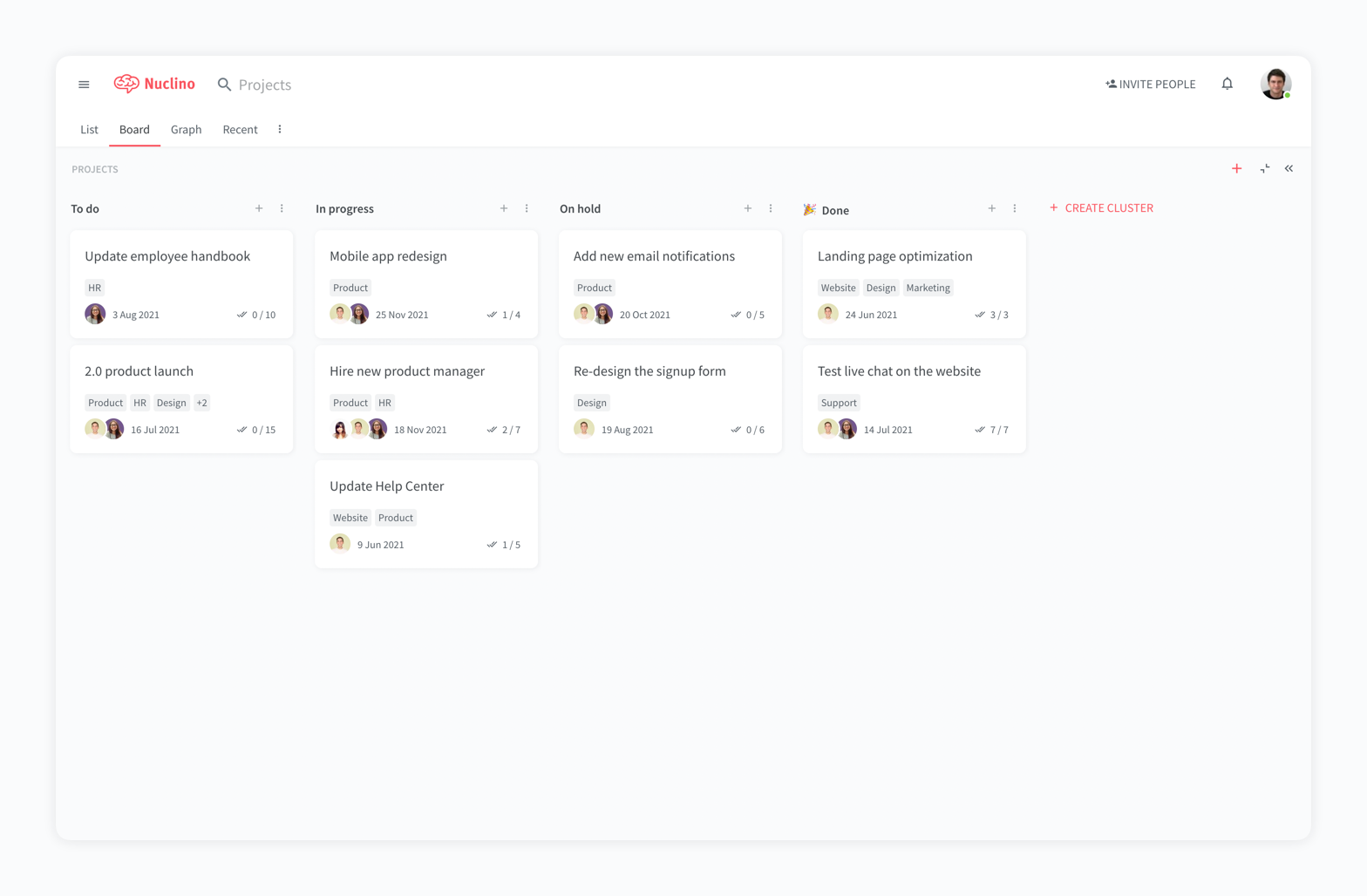
Nuclino is a unified workspace where teams can organize knowledge, manage projects, and share ideas. Progress can be tracked in a Kanban board, work structured in a hierarchical list, or data organized in a visual graph — Nuclino adapts to a team's workflow. Presented as simple and lightweight by design, Nuclino focuses on the essentials, doing away with clunky menus and rarely-used settings, to minimize the learning curve for new users. Teams from across the globe can use Nuclino…
$0
per month per user
Slack
Score 9.0 out of 10
N/A
Slack is a group messaging or team collaboration app that aims to simplify communication for businesses. Features include open discussions, private groups, and direct messaging, as well as deep contextual search and message archiving, and file sharing. Slack integrates with a number of other tools, such as MailChimp, Dropbox, and Google Drive. Slack was acquired by Salesforce in December 2020.
The product is free to use, and also has paid plans with more features and greater controls.
The…
$0
Pricing
Nuclino
Slack
Editions & Modules
Free
$0
per month per user
Starter
$8
per month per user
Business
$12
per month per user
Free
$0
Pro
$7.25*
per month per user
Business+
$12.50*
per month per user
Enterprise
Contact Sales
Offerings
Pricing Offerings
Nuclino
Slack
Free Trial
Yes
Yes
Free/Freemium Version
Yes
Yes
Premium Consulting/Integration Services
No
No
Entry-level Setup Fee
No setup fee
No setup fee
Additional Details
Nuclino offers a free plan for up to 50 items and 2GB total storage. Commercial plans support unlimited items, advanced features, and 10GB storage per user. 25% discount for annual pricing.
*Per active user, per month, when paying once a year.
Pro is $8.75 USD per active user when paying month to month. Business+ is $15.00 USD per active user when paying month to month.
More Pricing Information
Community Pulse
Nuclino
Slack
Considered Both Products
Nuclino
Verified User
Anonymous
Chose Nuclino
Well Nuclino really for me is a middle ground, between notion and trello, and unlike the rest, its not complex and too customizable to the point of productivity paralysys that sometimes opponent of actual time-saving and real productivity. This make it more suitable for us busy …
Nuclino has both advantages and disadvantages compared to other products. Its main strength is ease of use and speed. It works very well for teams that prioritize efficiency and progress. We have found that it's important to use the right tools in the right parts of the …
It's faster and lighter weight than Notion and requires less clicking. Canvasses integrated into notes let us keep our documentation in one spot rather than spreading it between tools
I like Nuclino because the user experience has been the best by far. It's extremely user friendly and laid out simply and elegantly. I've really enjoyed using it and implementing it for my team. It's been useful getting all of our tribal knowledge in one database that we can …
Nuclino is the clear winner when it comes to ease of use for both the administrator and user. Less setup time and less "training" time. The streamlined interface is quick and intuitive to learn and is not cluttered as compared to Confluence. Every tool you need to use to create …
Slack was more of a company directive. Teams has its strengths. But Slack definitely seems more mature in terms of features that engineering teams love. Video conferencing is much better in teams.
I think it stacks. I haven't seen those products in the last few years, but I feel like the way Slack has evolved and how much integration it has with Salesforce. I don't think any of the other tools I've seen do that.
In my opinion, the closest to Slack in terms of UI is Discord. But Slack is much more professional with more functionalities that doesn't require very technical knowledge (good for our older staff who began their digital journey within the last decade). In terms of workflow …
better price and less spam with Slack. It was the best decision to switch to this communication platform for our company. We would do it again if given the opportunity.
Teams has an edge over Slack as teams is also a meeting platform Copilot by teams is very well integrated tot eams making it super easy to use AI without extra steps and additional integrations Teams is also great with long messages / rewording messages and any vocabulary …
The other platforms have valuable features (like progress kanbans and storage for big files) but none of them work on their own. Slack is the central hub that we use for all communications, discussions, and meetings.
Slack excels at versatility and ease-of-use. Everyone knows …
In comparison to Teams, I think Slack is a much nicer platform to use. If your technology department allows you to integrate third party applications, it can work really well paired with zoom, sharepoint etc. I think for many mid sized businesses it can be a good fit to enhance …
Slack is better suited for actual work teams rather than communities, so it wins against Discord. About HipChat - in my opinion, it was a dinosaur that is not discounted, and it's obvious why, considering the type of product Slack delivered!
From a corporate standpoint, I don’t really have another example. On a personal level, the closest comparisons would be WhatsApp, Messenger, or KakaoTalk. To me, it feels like — as I said — the corporate WhatsApp. Not that Salesforce wants it to be compared that way or used …
No, I use many. I use Google Meet, I use teams, I use many others. Again, it's the same, not many things, but if I'm repeating myself, it's all about sharing the information, how quickly it's effective, the quality is good, the huddle is fine, you can share all the, so all the …
Microsoft Teams feels clunky in comparison to Slack. Slack feels more versatile and intuitive, and much more tech minded then Microsoft Teams does. I would say Microsoft Teams may have the advantage if your business is fully with Microsoft (ie the full Office suite), but other …
I've dabbled with Microsoft Teams and Zoom's chat features in past roles at startups. Teams integrates well with Office but feels clunky for quick searches and daily chats. Zoom is great for video but lacks robust file sharing and app integrations.
Slack wins for us with its …
Teams and Slack both have Pros and Cons. We use both for communicating. Microsoft Teams is good from the prospective that you can set up Distribution Groups and Private Groups for sharing out links from One Drive and Sharepoint. The integration is built in so that all the …
Slack holds up fairly well with the others. They all have the same basic features. Where they do differ is the execution. You can tell that for Teams and Discord, they had Slack in mind when they were designing their system. These two would be the closest to Slack, even in …
The applications i have used earlier is not much user friendly, I can not do video calls in groups and tagging system is not available accross the company. Feedback and survey or process updated delivery feature makes Slack different than other companies. Slack is really time …
I like Slack better than ClickUp, because I would spend 30-60 minutes a day updating my ClickUp tasks. The way ClickUp was used was very micromanaging. I billed by the hour, so I was willing to put in the time to alert the boss what tasks I was working on.
Teams is better to schedule meetings with and integrates with Outlook well, but that leads to duplicate notifications for things, which is distracting and a waste of time. Messaging in Teams not great compared to Slack, and has the potential to have people outside your …
Ease of use is a game-changer. Slack works so intuitively. People started collaborating automatically, and digital communities started to appear. We haven't seen that kind of engagement with other tools or workflows. It makes working together fun, and that is something that …
It's just an actual messaging soft ware to use, compard to other that can be underwhelming or just not useful when your company is growing, Slack keep unity and option for communication that caters anyone, depending on what they feel comfortable and with what type or works they …
Slack offers great user interface that is easy to navigate through. Customer support team are very user freindly and helpful. The pricing of Slack is fairly affordable compared to other product. Great integration capabilities with other products and the search feature is …
For game design - Perfect for personal notes, recipes, snippets - Perfect for storing some organized data (for example, links to resources) - Perfect for a content playground powered by AI - Very good for diagrams - Very good. Don't know any bad examples. Tool really great. Rich functionality. Especially love different views (table, graph).
Slack is ideal for Scrum and agile teams that need continuous communication during sprint planning, daily stand-ups, backlog refinement, testing, and retrospectives. Slack is well-suited for maintaining team knowledge through searchable conversations and dedicated channels, where experienced team members help onboard new QA analysts.
Would love a better integration with GitHub. For example, notifications when your PR is updated, when review is requested, @-mention in comments, etc.
Improved "Later" tab, for example the ability to create to-do lists or making the "Later" tab into a more powerful to-do list (annotate items with notes)
More powerful integrations, e.g. Google Calendar could render a calendar view within Slack, rather than sending the daily schedule
Slack sitll lacks in functionality. It's better than Skype for Business in many ways, but it is still another chat/message board app. It has limits in free version and paid versions. Also Windows app has errors that bother me, for example, I see number on one of my team's icons. It suggests that one of channels has unread messages; I check all channels - no unread messages, but that "1" still appears
i honestly think Nuclino is a great product, and has a chance to dominate the market very soon , everyone i have recommended Nucliono to has positive things to say, i started using it first, now i have onboarded all my team mates
My rating was 7. Its intuitive interface and user-friendly features like channels, threads, and integrations make it excellent for team communication and onboarding. However, its usability is held back by the resource-intensive desktop app and cluttered feeling in large workspaces. The mobile app's performance and unreliable notifications have also been noted as weaknesses.
Yes, the app works 24/7. I don't even recall having any period that we could not use since the implementation. Even the maintenance periods are barely noticeable and our work is not impacted by it when it happens.
Slack is a soft app, we don't have many issues with it. I recall one or two people complaining about something during our usage period, but I didn't have a bad experience. When the app is slow, usually the problem is with my computer or my internet. The app works just fine.
My team has an individual dedicated to content management and Nuclino is one of her job descriptions. It's nice knowing she is able to handle any issues that arise before we even realize they exist. We haven't had any technical issues since implementation so that's been a very pleasant experience.
Whenever I've had to troubleshoot an issue with Slack (which, to be honest, has not happened very often), their online documentation has been easy to locate, easy to understand, and effective in resolving my issue. Slack's ever-growing popularity also means that there's a large community of practice out there that can be depended upon.
Nuclino has both advantages and disadvantages compared to other products. Its main strength is ease of use and speed. It works very well for teams that prioritize efficiency and progress. We have found that it's important to use the right tools in the right parts of the organization. Nuclino works well for some teams, but not for large-scale initiatives or parts of the organization that require very robust and more feature-rich solutions. It’s not for everyone, and for large or complex organizations, it’s not a one-size-fits-all solution. Use it where it fits best, and it certainly stacks up well with clear strengths.
Teams and Slack both have Pros and Cons. We use both for communicating. Microsoft Teams is good from the prospective that you can set up Distribution Groups and Private Groups for sharing out links from One Drive and Sharepoint. The integration is built in so that all the Microsoft apps run natively with each other. Slack benefits from organizing different topics in channels that are all under one overarching project. These channels are easily created or destroyed depending on the coding issue at hand.