Adobe Marketo Engage (acquired by Adobe in 2018) is a marketing automation platform whose basic features include email marketing, drip nurturing, landing pages, and lead scoring, but other editions offer additional advanced features. Typical customers are B2B firms with complex sales cycles.
N/A
Constant Contact
Score 7.9 out of 10
N/A
Constant Contact is a full-featured email marketing solution with capabilities such as social media integration, drag-and-drop editing, and real-time reporting. It is a bulk email tool designed for SMB customers. Since 2019, Constant Contact also offers marketing automation features, a website and landing page builder, and other tools to support midsize businesses.
$12
per month
Coveo Qubit
Score 6.0 out of 10
Enterprise companies (1,001+ employees)
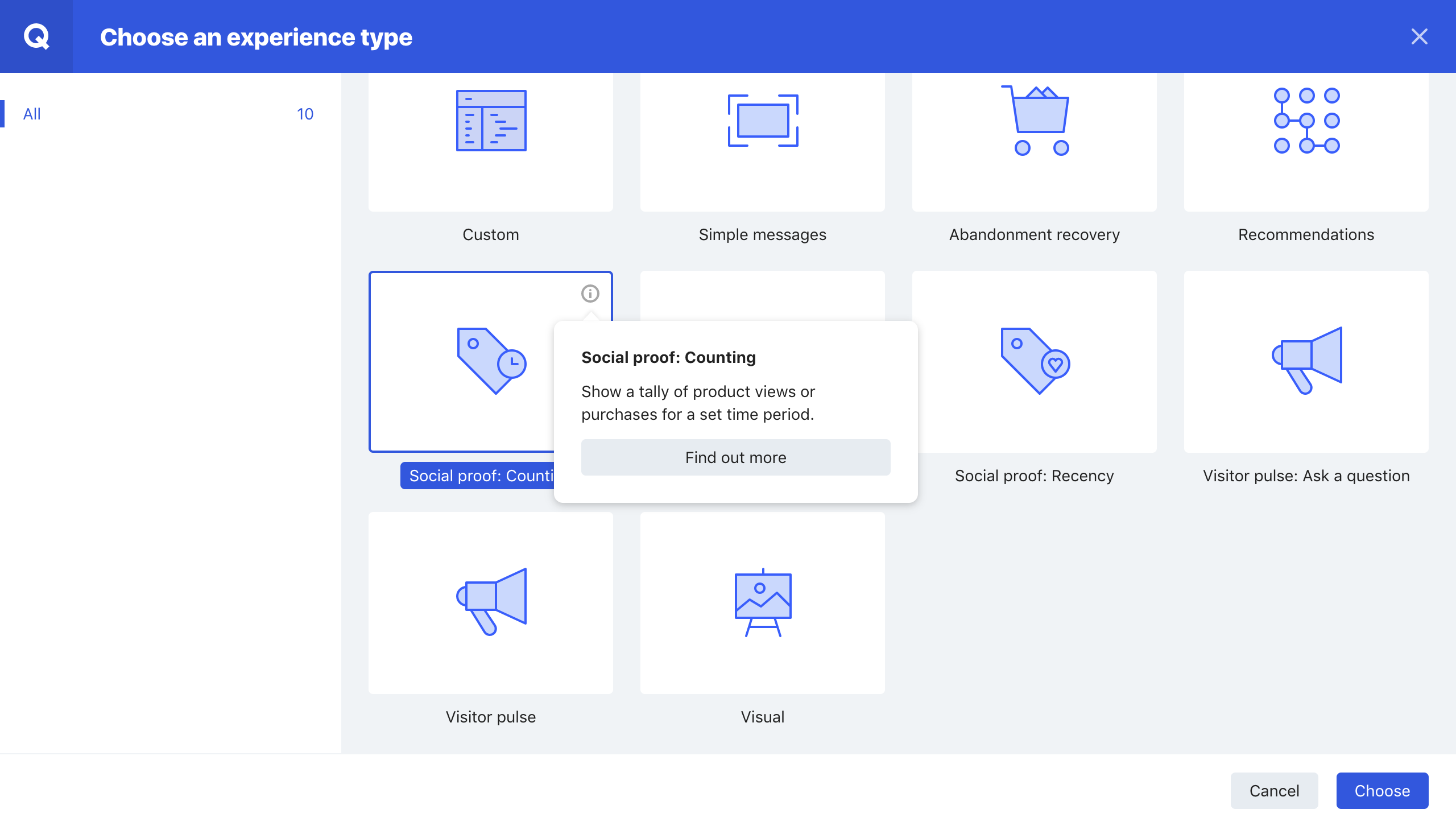
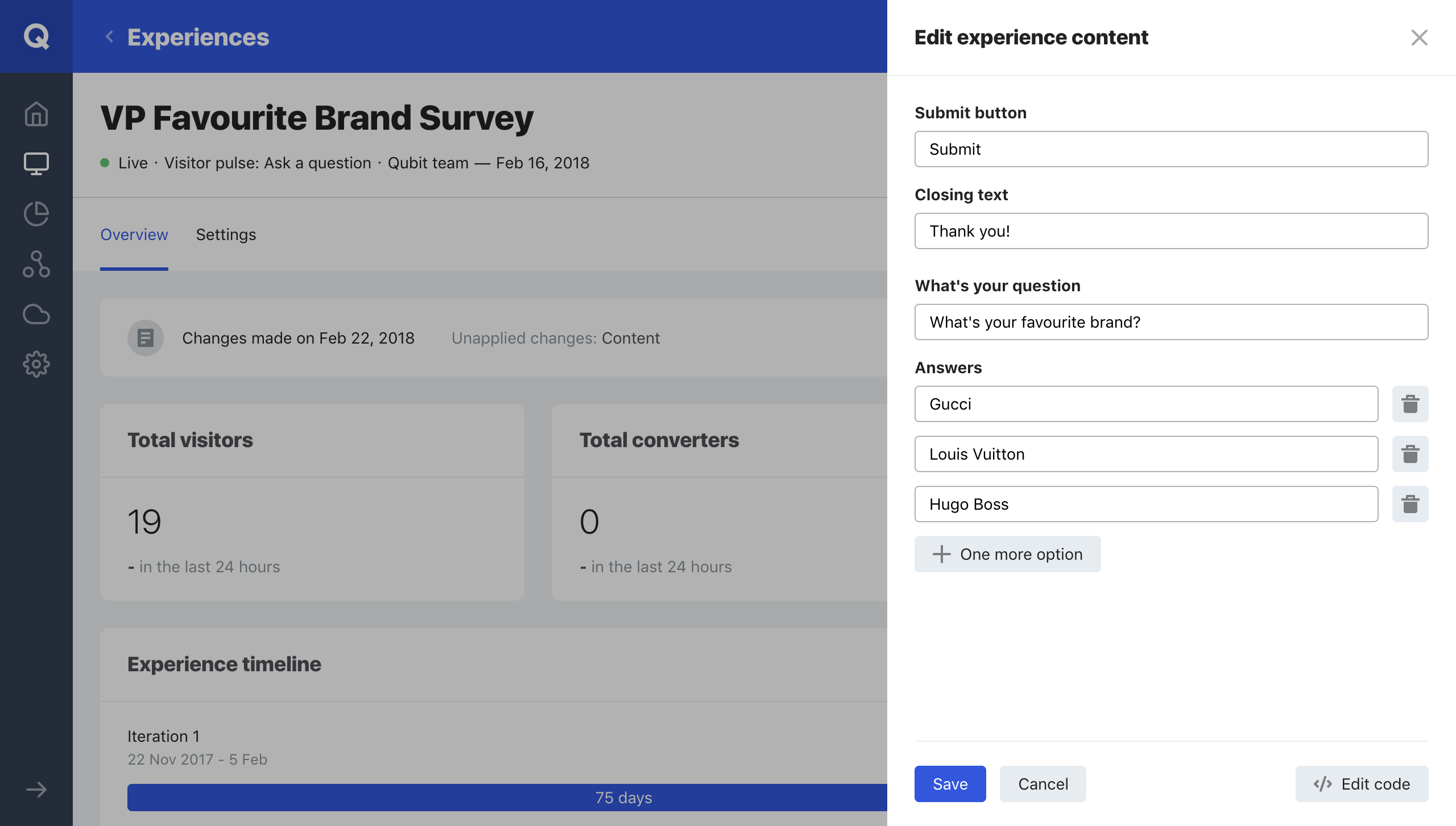
Qubit, now from Coveo (acquired October 2021) uses visitor history data to understand different user segments and serve personalized messages to segments using JavaScript. It is available as either a managed or self-service model. Data is collected using Qubit's own Universal Variable data model, or by integrating the user's existing model via our API. It combines quantitative data with qualitative visitor feedback to give Qubit users the ability to detect areas for optimization.
Using…
N/A
Pricing
Adobe Marketo Engage
Constant Contact
Coveo Qubit
Editions & Modules
Growth
Pricing based on database size.
per month
Select
Pricing based on database size.
per month
Prime
Pricing based on database size.
per month
Ultimate
Pricing based on database size.
per month
Lite
Starting at $12.00
per month
Standard
Starting at $35.00
per month
Premium
Starting at $80.00
per month
No answers on this topic
Offerings
Pricing Offerings
Adobe Marketo Engage
Constant Contact
Coveo Qubit
Free Trial
Yes
Yes
No
Free/Freemium Version
No
No
No
Premium Consulting/Integration Services
Yes
No
No
Entry-level Setup Fee
Optional
No setup fee
No setup fee
Additional Details
—
The SMS Marketing tool can be added to any Standard or Premium Constant Contact account. SMS is only available in the US for Standard and Premium paid plans. SMS can be added when logged in to an account after purchase. Plans start at $10/month for up to 500 messages.
Marketo blows Constant Contact out of the water! When we used it, we had to upload our larger lists in separate batches since it would only let you import 10k at a time. When we send mass emails to our clients, it will have well over 60k contacts for a single email. It also …
They are much more robust when it comes to keeping tabs on leads and customers. The ability to ensure no-duplication is fantastic in Marketo and the design and WYSIWYG editor is much more powerful and correct than Constant Contact. However, it is very reflective of these …
Most other products are just email send tools and do not offer comprehensive marketing automation or email orchestration. Sendgrid is highly customizable, but requires developers to create integration. MailChimp and Constant Contact are very easy to use, but have limited …
Marketo, in my opinion, is better than the others when working for a B2B or tech company. I felt like it gave us more control over how we distributed messaging to our customers and prospects that helped them easily understand complex tech and software products. Alternatives …
Pardot/Account Engagement/Salesforce Marketing Cloud is a close second to Adobe Marketo Engage. I have some experience in Hubspot, but I have not spent enough time in Hubspot to give it a fair shake.
I think Adobe Marketo Engage is great. I might be slightly biased because it …
Marketo is more powerful and gives you better tools and analytics. Marketo is a long set up compared to the others, but we made the investment to create a better experience for us and our clients.
Marketo provides email marketing services but does so much more. While Hubspot, SFMC, and ActiveCampaign have more automation, they do not come close to the customization that Marketo allows you to create.
Marketo Engage is definitely the most powerful marketing automation tool I've used. Its robust features and integration with other common CRM tools makes it the leader for email marketing software.
Adobe Marketo Engage is way more efficient and time-saving. I used to have to create every single email we sent. Now I can automate almost all of them and just fill in the tokens.
Marketo is robust and effective - it can be daunting to learn but once you learn something you get ahold of things in the system quickly over time. Marketo has a cleaner interface, it is nice to be able to have everything rolled into one spot and not have to figure out how to …
Marketo is much more complex than these others. That's a double-edge sword because there seem to be a lot more intricate campaigns and workflows that can be developed, but it is not turnkey at all. So working with an expert to get set up with Marketo will likely be necessary to …
I did not select Marketo; it's an optional suggestion we make to the customer based on their needs. If I have to say overall: Marketo is behind most of the other tools out there: Price, looks, and outdated functions. For most clients, we suggest other tools. BUT if you want a …
Marketo is best for enterprise companies that want to create complex campaigns and robust communications, with analytics tracking, etc., while other options are less robust.
Marketo far exceeded Act-On's capabilities and is much easier to use. Pardot is comparable to Marketo, but ultimately my prior experience and satisfaction with Marketo led me to choose Marketo.
Verified User
Employee
Chose Adobe Marketo Engage
I have used MailChimp, Eloqua, and Constant Contact. They do not offer the same powerful integration and innovation as Marketo. Companies struggle to get everything in one place (records, behaviors, demographic data and marketing communications). Teams then struggle to generate …
Verified User
Strategist
Chose Adobe Marketo Engage
Marketo looked easier to use and their functionality was way better at the time.
Verified User
Administrator
Chose Adobe Marketo Engage
We have only used Marketo for automation, after previously using constant contact which was to email our clients, and prospect. Marketo is automated and holds our database, where Constant Contact did not.
I've used smaller alternatives, like Constant Contact and Act-On, and evaluated larger competitors like Pardot. Marketo worked both at my current and former company because it was always malleable enough to meet every requirement, and because the ecosystem was strong enough …
Unlike the alternatives listed above, Marketo is more than just an email marketing provider. It's lead management feature allows you to create audience lists using filters instead of bulk imports and score the engagement level of each contact with Lead Scoring.
Marketo is easy to learn and easy to use. It has a lot of integrations with other platforms like GoToWebinar, Facebook Ads, and LinkedIn Ads. You can set up complex nurtures for cross marketing. Lead scoring is intuitive. Email reports are basic and easy to read. Making website …
This depends on how large your firm is and how complex your needs are. Medium and large firms with the ability to dedicate time and resources to a marketing automation system will see a myriad of benefits from using a robust tool such as Marketo. Smaller firms without the …
Personally I've used Hubspot, Constant Contact, Infusionsoft and MailChimp. Each one had good and poor features. Hubspot was probably most equivalent to Marketo in its lead management and email tools. As mentioned earlier I like how MailChimp allows users to do a final check of …
it is the youngest sibling compared to the much more competent and capable older brother that is Marketo Engage. The reports, database management, and complete control of email designs, and interaction of recipients does not compare. Constant Contact is a great entry-level …
Quite simply, Constant Contact offers a great bang for your buck when compared to these other products. It isn't an extreme amount of capabilities, features, or bells and whistles that convinced us with this product. We simply wanted to try something that was cost-effective, …
Qubit is probably the most powerful tool that we reviewed. The challenge is that with the power comes a large responsibility to make sure you are doing it right and not having issues. With digital tools, power and complexity seem to go together so you have to make sure that you …
Adobe Marketo Engage is an excellent tool for hosting registration forms and sending out tokenized emails based on a particular person's information within your database. For example, if someone attends an event or webinar and indicates that they'd like to learn more about your product, then Adobe Marketo Engage can easily trigger a specific email template to that person that will be personalized with tokens about them. The pixel tracking that can be applied to any web page is also very helpful. If you want to focus on a more 1:1 type of follow up with a Lead, then the automated emails are not going to be as useful.
Constant Contact is an excellent tool for sending out flyers and newsletters. However, I feel the content's appearance is typically all the same. When I receive an email from Constant Contact, I can immediately identify it - the templates usually all look the same. When sending out communications with images, it is easy to use Constant Contact and link webpages. However, the email layout is always vertical and can get very lengthy. I prefer a more flip-book approach with options to flip the page.
Coveo Qubit is a very helpful platform mainly for organizations that need to provide a solid business model before carrying out any implementation or new functionality. In addition, it is a very good tool to generate changes and show different content to different types of clients, with their personalization and segmentation criteria.It is ideal for simultaneous testing and customization, only one of these activities individually is not recommended.
It keeps all of our very important lead data in one place. It's very flexible, allows us to do a lot of different things around list building and segmentation. It deploys our email campaigns for us and it's also where our landing pages are built. So it does a lot of the things that we need to do from a data and deployment perspective.
Market segmentation is great: my main segmentation is by region because that's how our sales team is divided.
Lists: making customized email lists is easy and intuitive; the custom fields allow some flexibility in case our fields don't exactly line up with Constant Contact's.
Campaigns: creating campaigns is quick and simple. I especially appreciate the 'resend to non-openers' option. I am constantly using this feature.
Subject line generator: I like using the recommended subject lines. I'm able to plug in their recommended ideas, or sometimes, this feature helps me generate my own ideas.
Qubit platform uses solid testing algorithms and delivers reliable reporting and analytics of testing campaigns. The dashboard section is easy to use and provides a good high level overview of the core campaign metric performances.
On-boarding and implementation of Qubit technology was painless and well handed throughout the entire process even with more complicated platforms.
Turn-around time for development and testing of campaigns is extremely fast. This enables the business to have a much higher throughput of tests and allows for quick validation of ideas rather than having to wait for months before a test is ready to go live on production site.
Adobe Marketo Engage crashes a lot or freezes. We don't have many users and less than 300k contacts so there's no reason it should ever crash.
It's really expensive! It would be nice to pick which features we want a la cart versus being stuck paying more for a feature and not using the others in the package.
Because of our integration with Dynamics, we had to use a 3rd party tool called Scribe for field matching. No one at Adobe will help us now that we have a 3rd party tool
It would be nice if we had more customizable options for emails - like moving around pictures and text boxes, rather than a set spot for everything to go.
I would like it if multiple people could work on a document at one time. So if I'm in charge of graphics, I can get those updated while someone else is entering content, etc.
While they do work very closely with us, especially our success manager, more involvement on a technical level or a dedicated engineer, would be a great advantage. We develop a lot of experiences in house and, like all companies that dev in house, we have our own way of working. A dedicated engineer that got to know us better as well and understood how we work could only help. Sometimes, a few errors can get through QA due to this.
There is no doubt that we are going to renew Constant Contact. We have not just invested a lot of time in learning and creating a great looking product but we have developed a strong database of information that allows us to track how we are doing for each newsletter. This supports our goals of creating products that residents desire and are excited to receive.
Qubit is currently providing resources and support we do not have internally. Our relationship managers are exceptional and I feel well informed and well supported by their team. The tool is nice, but our contacts from the company are the real reason to maintain our relationship. They work hard for clarity and continue to help us push for additional opportunities.
In some aspects, the tool can feel quite clunky in parts. But with the rich feature set it has, it's understandable. There is a lot of room for improvement for the user interface. The system itself doesn't have a slick or modern feel, so the usability could feel nicer to use with these areas considered.
There is always room for improvement. I don't know how they test their systems, but they should invite not-so computer savvy people to test it. If I, as an expert have problems, they need to think like the technophobe. Since I've used Constant Contact in the past as part of my former employment, I have not viewed any of the tutorials and just jumped in to work on my client's newsletter. With that said, I found some areas easy and some a bit cumbersome
Very simple user interface, built on top of advanced functionality, makes the platform easy to use. The team at Qubit are also very open to feedback and introduce new and useful features fairly often. On the reporting side, the inbuilt dashboard reports are good for a top-level view of test results, and Qubit have made a lot of their output data available should you wish to run your own analysis
Marketo provides different way and abilities to connect. If you are having product support or unexplained errors you can get someone on Marketo support 24 hours a day. One of Marketo's greatest assets in my opinion however would be the community. Often times our company is just looking for case success stories from someone else. In the community you can search for problems you are currently facing and see others having the same issue and solutions for those issues. If not, you can pose a question to the whole community and champions of the product and others can chime in to provide suggestions to fix your needs. The community is truly a 24/7 place to get your answers quickly.
I would say that the Qubit account managers are always available for any request. We have a lot of different promotions that could always do with last minute optimizing or changes and Qubit can be relied on to get this changes up and running in an impressive amount of time, so that we don't need to patch live or wait for the next IT sprint. Invaluable to our business.
There are times when it is slightly slow for us, where we sit on a screen waiting for it to load. This could be our internet since we have had the same issue occasionally with other systems, but it is enough to make you crazy.
The system seemed quite slow sometimes. Specifically, there was sometimes a delay in sends if it was during a high traffic period. There were time-outs when uploading new code for an email, and a lag in reporting analytics which was sometimes as long as 72 hours
Technology is good for A/B testing and personalisation - allowing any team with a dedicated developer to create test relatively easily and to report/analyse them in a fair amount of details. Some advanced features, especially on the set up of test cells, are dearly missing. Unfortunately, new features are often not free of bugs... Also, support is sub-par, which means new features are realised without proper documentation, example or training (but of our Qubit counterparts and internally).
On multiple occasions we've had Marketo support (technical and license based) issues. Technical issues were minor and resolved within a day. License based issues (even things encouraged by Marketo for partners, like provisioning another license) took WEEKS. They actually took so long to respond that the client we were working with withdrew from the contract because they were no longer convinced Marketo was capable of supporting their business. As an agency trying to sell the software, you can only explain away so much before they just made us look silly.
I think the overall support for Constant Contact has always been incredible; I have nothing negative to say. Our customer support representative was attentive, easy to understand, and very knowledgeable. I never felt like I wasn't a priority of his and my issues, while very small, were fixed in a very short time frame.
Qubit are supportive and flexible in providing support. They are happy working out of usual hours, even on weekends and if I have any doubts about the set up of an experience they’re quick to respond and willing to check my work. On particularly big revenue days they monitor our account and they’re quick to identify and problem solve any issues.
Our account rep stopped out in Lincoln, NE to ensure we were properly set up and running. This was very much appreciated. I was very, very new at this point, so I can't comment very much on the extent of what was taught because I was still brand new to the company and the system
The training was great, but would be great to have a script or PDF with some explanations of the qubit JS layer. Without the script you can just try to learn on your own, so the training is not as powerfull as it could be. On the other hand - would be great to have training related to reading statistics or personalisation.
I had never used Marketo prior to taking this job so online training was my starting point. I was able to follow along, it was interesting and quickly and efficiently taught me what I needed to know without a lot of fluff. It was far from boring and really helped me get my hands dirty with Marketo.
1. Have a content marketing plan to run in parallel with the marketing automation installation--you'll need a lot of content to make full use of Marketo's capabilities. 2. Work with sales (and ISRs) to define and document a workflow--build your Marketo installation around how you do business--not figure out how to apply your business to the tools 3. Spend time of data cleaning--both an initial project as well as a strategy for ongoing data management. We found some change manaement issues (no more appending ZZZ to the first name to identify contacts who have left the company, for example, or prohibiting the entry of "info@company.com" email addresses). 4. Find some champions in the sales and ISR teams. You'll have both fans and detractors--work with the fans to build some success stories
Implementation is very easy for someone who wants to send out the “batch and blast” type newsletters. If you want to use their templates with no customizations, the product works fine. However, the more customizations you get into involving link color, etc, that’s where things can get tricky for someone who may not be familiar with coding
Implementation couldn't be easier. All we needed to do was insert the tag. (easy) and set up the data layer. (dev required) This was pretty smooth in comparison to some of the other tools we use on our site, and was done in less than a day. Note : Data needs to be collected for a set period of time before you can accurately rely on the data that you are receiving. This is normal though with everyone else that we have used
Adobe Marketo Engage is one of the best email sending platforms I have worked with, because there is so much you can do on a lead scoring area and also then connect this to other platforms such as Salesforce. It allows for seamless reporting and working alongside sales colleagues. We chose Adobe Marketo Engage because it allows for more sophisticated audience segmentation and management of ongoing large scale nurture flows across a number of complex criteria.
Constant Contact is much more intuitive for people who are not tech-savvy. Also, while sendgrid offered more options in it's drag and drop interface, it displayed differently across different email clients, which made it very cumbersome to use. It also took much longer to upload contact lists and it was harder to manage existing contacts. Performance in sendgrid was much slower as well, and the Preview feature was quite buggy. Our team initially chose sendgrid because of the integration options that it's API offered, but we ultimately switched to Constant Contact because it was much easier to build campaigns and better suited our requirements.
At the time of taking the product, we found no comparable alternatives. Since then, the product has only grown from strength to strength, so it still does not have any comparable competitors that offer both the technical product and business knowledge that Qubit can. Google appear to offering a competing product which may be one to watch in future, and something for Qubit to keep an eye on
We look at scaleability in a few different ways. First, the speed while using Marketo has remained relatively the same as our database has grown. Though I would say Marketo is slow at times, it has not gotten slower over the last few years. If anything, it has improved, and they are working to improve it. Second, the amount of programs we have developed in Marketo has exponentially grown as well. Marketo has allowed us to drastically increase our output without having to drastically increase our headcount.
Very reliable in sending email campaigns and controlling the recipients so that no contact is sent the same email more than once, even if they are on a resent list
Our requirements change throughout the year like most E Commerce retailers. At Christmas and Peak we're dealing with around ten times the usual traffic on the site. Qubit had no problems with this at all, tests continued to fire, and stats were still reported accurately. I don't think that it is the most server intensive .js anyway, but we have seen no issues at all.
I have had nothing but positive impacts from using Constant Contact.
The church is large, and there are many subgroups and axillary groups within the church. Setting up specific groups based on responsibility, interest, member goals, and service needs allows me to send information quickly, saving valuable time for other tasks.
Constant Contact allows leadership to stay personally engaged with the members I work with, without over-taxing my time. It feels so seamless.