The Alfresco platform, from Hyland, delivers comprehensive cloud-native content services. It is used to intelligently activate processes and content to accelerate the flow of business.
N/A
Kissflow
Score 6.4 out of 10
Small Businesses (1-50 employees)
KiSSFLOW is a cloud-based business process management and workflow management software designed to enable users to create an unlimited number of automated business applications with a through a simple user interface.
Easy integration with the external APIs Workflows can be invoked via REST call Wonderful swagger documentation for process REST APIs REST, MULE, CAMEL, Google Drive, and Box features are available with Alfresco Process Services The micro-service version deployment should be well documented and needs improvement
Workflow. I would absolutely, 100% recommend it for a school, in Admissions, and I would recommend it to any small company who has an issue with workflow. The best thing about the program is that it knows what it is, and knows what it wants to be. You aren't going to sit down to work with KiSSFLOW and end up being sold an HR program. To make it work just right, find the person who truly understands how your business works. Have them build a workflow which takes care of the tedious tasks, and then let them train others on the process. You will find that your productivity increases, and that your paper costs decrease.
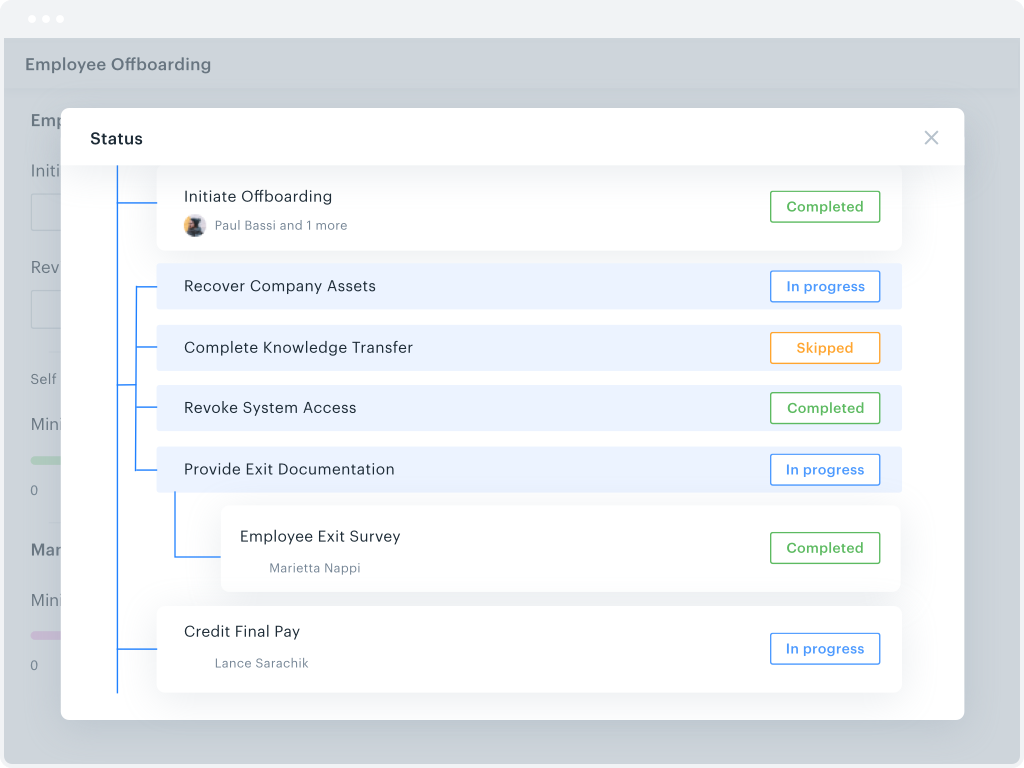
Ease of Use: It's easier to use and see workflow tasks that are assigned to you, workflows that you've participated in, or workflows that are pending other peoples approvals. From a development side, it's easy to pick up and begin creating processes if you know Excel formulation, which is easily researched as well.
Ease of Access: Since KiSSFLOW is hosted in the cloud, you can access the site from any internet connected device. All you have to do is sign in with your account, as opposed to needing to be on the network to access like our previous system.
The App: This is a feature we really hope to get a lot of use out of. With the way our business is structured, there are a lot of Regional positions that are always on the go. Because our current system requires a user to be on the network to access, this makes it hard for these roles to respond to tasks, causing bottlenecks. With an app available, along with push notifications, we can keep these tasks responses on pace with the associates required in that task.
Alfresco Process Services and Alfresco Application Development Framework integration makes for best functionality/application of ECM.
Use case alignment - Marketing content and documentation of specific business requirements and user stories being available as reference material/documentation.
The reporting could use some improvement. The actual reports are OK, it is access to the reports that is the problem. This is related to the permission schema. It really just has user, admin, and nothing in-between. There really needs to be something like report admin or something. Excel exports for data are needed as well.
The user workflow selection UI is not the best. There is a big red + sign in the lower right of the browser window that is not labeled. That is not clear. Also the selection list is just a pop-up window, it really should be a full page.
The mobile app does not have all the features that the browser version has, especially admin tools.
As per the current market and the line of products that are available for content and document management system, Alfresco is a very good option compared to other systems in terms of features and cost. Plus the community support is great. Also since the product is open source, it can be extended or understood in a better way.
Alfresco Content Services' UI has never been its strength from the beginning. Therefore, rating it from a usability standpoint, I will not rank it high. However, Alfresco Content Services can easily be integrated with any application and leveraged as a backend CMS or DM system. With the new Angular-based UI approach, it's very much possible to create custom UI on top of it as required.
I am not big fan of Alfresco Content Services' support; it works on its own speed and sometimes it becomes challenging to achieve business needs. However, I appreciate regular delivery of security patches and updates
I haven't encountered a need for support with KiSSFLOW. It's not a perfect platform, but it's functional, dependable, and reasonably intuitive. I can't fault a support team just because their product works!
Process was relatively smooth and overall, downtime minimal. MSI was very responsive to our needs and made the transition easier than it otherwise might have been.
All software has some pros and some cons. Alfresco has some good pluses, and suits our environment very well. It fit perfectly in the place that we are working on. That is why we decided to go with this software. Overall, the kind of content management that needs to be done in an organization is what would determine which software to use.
KiSSFLOW is much easier to set up, less coding and easier to explain to those that are being trained. The company already had SharePoint, but it is a very difficult system to set up. A class had to be taken, along with getting books in order to understand the process of the workflow. With KiSSFLOW, it is simple to understand, the helpdesk is quick with their response, help topics are laid out simply and you can even talk with someone on that side to ask your questions. Overall, KiSSFLOW is a much easier workflow and system to use.