
Maxio vs. Salesforce Revenue Cloud
Maxio vs. Salesforce Revenue Cloud
| Product | Rating | Most Used By | Product Summary | Starting Price |
|---|---|---|---|---|
 Maxio | N/A | Maxio helps B2B SaaS companies maximize their revenue operations. The financial operations platform is designed to meet the unique financial challenges of B2B SaaS, including billing, subscription management, revenue & expense recognition, and SaaS metrics & analytics. | $599 per month | |
 Salesforce Revenue Cloud | Mid-Size Companies (51-1,000 employees) | Salesforce Revenue Cloud (formerly Salesforce CPQ or SteelBrick) is built and delivered on the Salesforce Platform and Salesforce1 Mobile App which enables users to create accurate sales quotes quickly and submit error-free orders on the fly from any device. | $30 Per User per Month |
| Maxio | Salesforce Revenue Cloud | |||||||||||||||
|---|---|---|---|---|---|---|---|---|---|---|---|---|---|---|---|---|
| Editions & Modules |
|
| ||||||||||||||
| Offerings |
| |||||||||||||||
| Entry-level Setup Fee | No setup fee | Optional | ||||||||||||||
| Additional Details | Build Plan - Developer-friendly sandbox where you can try out billing for free for 30 days. Grow Plan - Complete B2B subscription management platform with billing, revenue recognition, and reporting. Scale Plan - Tailored solution to support high billing volumes and advanced requirements. Talk with Sales about available volume-based discounts. | — | ||||||||||||||
| More Pricing Information | ||||||||||||||||
| Maxio | Salesforce Revenue Cloud |
|---|
| Maxio | Salesforce Revenue Cloud | ||||||||||||||||||||||||||||||||||||
|---|---|---|---|---|---|---|---|---|---|---|---|---|---|---|---|---|---|---|---|---|---|---|---|---|---|---|---|---|---|---|---|---|---|---|---|---|---|
| CPQ |
|
| Maxio | Salesforce Revenue Cloud | |
|---|---|---|
| Small Businesses |  WooCommerce Subscriptions Score 8.6 out of 10 |  QuoteWerks Score 9.9 out of 10 |
| Medium-sized Companies |  Sage Intacct Score 8.6 out of 10 | QuoteWerks Score 9.9 out of 10 |
| Enterprises | Salesforce Revenue Cloud Score 8.7 out of 10 |  SAP Sales Cloud Score 8.5 out of 10 |
| All Alternatives | View all alternatives | View all alternatives |
| Maxio | Salesforce Revenue Cloud | |
|---|---|---|
| Likelihood to Recommend | 1.0 (23 ratings) | 8.7 (51 ratings) |
| Likelihood to Renew | 9.1 (1 ratings) | 9.1 (1 ratings) |
| Usability | - (0 ratings) | 7.7 (6 ratings) |
| Availability | - (0 ratings) | 9.1 (1 ratings) |
| Performance | - (0 ratings) | 8.2 (1 ratings) |
| Support Rating | 8.0 (2 ratings) | 7.9 (12 ratings) |
| Product Scalability | - (0 ratings) | 8.2 (1 ratings) |
| Maxio | Salesforce Revenue Cloud | |
|---|---|---|
| Likelihood to Recommend | Maxio (previously SaaSOptics + Chargify)
|  Salesforce
|
| Pros | Maxio (previously SaaSOptics + Chargify)
 Mindy Molisee Vice President of Accounting and Finance | Salesforce
|
| Cons | Maxio (previously SaaSOptics + Chargify)
| Salesforce
|
| Likelihood to Renew | Maxio (previously SaaSOptics + Chargify)
| Salesforce
 Marcus Sandelowsky, CLSSBB Business Process Analyst |
| Usability | Maxio (previously SaaSOptics + Chargify)
 Aviva Rosman Head of Revenue | Salesforce
|
| Support Rating | Maxio (previously SaaSOptics + Chargify)
| Salesforce
 Prashant Choudhary Business Development Manager |
| Alternatives Considered | Maxio (previously SaaSOptics + Chargify)
| Salesforce
 Nathaniel Sintros Sales Operations Manager |
| Return on Investment | Maxio (previously SaaSOptics + Chargify)
 Nikhil George Product Manager | Salesforce
|
| ScreenShots | Salesforce Revenue Cloud Screenshots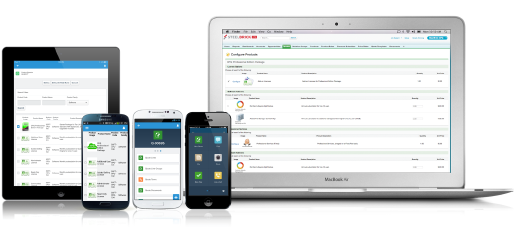 |