BigTime IQ is time and expense tracking software from Chicago-based BigTime Software.
$20
User per Month
When I Work
Score 7.1 out of 10
N/A
When I Work is a way for businesses to schedule, track time and attendance, and communicate with their hourly employees. The schedule and time clock is placed in every employee's pocket with When I Work's iOS and Android apps. It can be used to keep track of time off, employee availability, and manage shift swaps with a few clicks. When I Work integrates with payroll providers to streamline the process and avoid human error.
I'd like to start by saying, I rarely give 10's on anything, almost always 9's, the main reason for my 10 rating is the support I've received from this team/company. BigTime Software has been well suited for our company b/c it's giving a window into the project budget and time frames to our Project Managers to proactively manage their projects and look for areas to improve and celebrate with support staff. I would say efficiency in time management. BigTime Software is not an accounting software and I love that about it. We were looking for a tool for staff to manage their projects and stay on budget and track time and generate invoices all in one place and we've found that with BigTime Software.
I recommend When I Work to those companies that are looking for a way to manage work schedules and want to increase the productivity of all employees. This is an important platform that would bring excellent results to small, medium and large companies. This is a constant monitoring system which allows employees to complete their tasks in the indicated time, When I Work sends automated alerts when an employee is not complying with their tasks and this allows us to know exactly the productivity we are having in each one of the sectors. It is an excellent platform for planning and administration of working hours, it has a very easy-to-use UI that allows schedules to be easily managed. Without a doubt, When I Work would be a perfect implementation for any sector or company, since it has a lot of potential to collect exact data on compliance with working hours.
When I Work allowed me to color-code each employee's schedule.
When I Work allowed me to show who was "off" during what time of day. This was essential for morale, as our event included 16-18 hour days, and I wanted to show that everyone had down time each day.
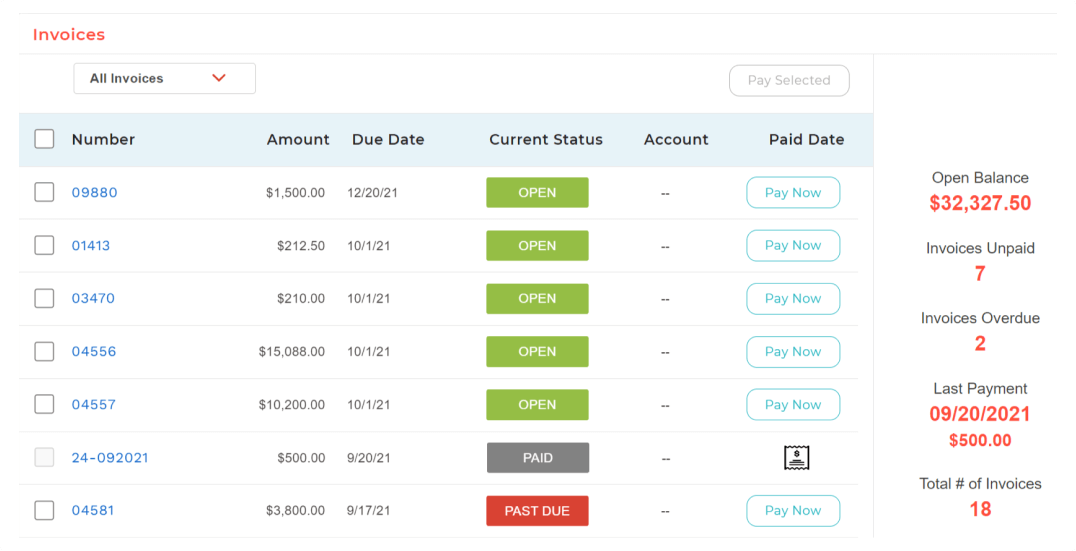
For some types of projects, we are unable to use BigTime's invoicing feature. It would be nice if we could further customize invoices to fit our needs. We still have to use Quickbooks to complete certain invoices.
Being able to create Purchase Orders in BigTime would be extremely useful to us. We currently use Quickbooks for this.
When pulling up the schedule on the app, it defaults to Tuesday when the screen is done loading.
If you pull up an individual's schedule it removes your default settings. For example, I have mine set to just my store, but if I need to see an employee's schedule it resets those defaults. You're always looking at the last schedule you pulled up.
Overall most areas of the software are easy to use. I tend to spend a lot of time in analytics and reports. Those are not as user friendly, in my opinion, and could use some improvements. I think it just takes time to get familiar with where items are stored in the program and what changes affect what.
The support is amazing! They are always available through the chat interface in the program. Each support person has fully answered my questions the first time. I have had a positive experience with each inquiry. It is very important to me that I am able to get instant access to help so that I can make the most of the software and all of its capabilities.
Every time I contact When I Work staff with an issue, someone is there with a quick solution to my problem. I love the chat feature. I can continue to work on other things while the When I Work representative assists me.
I touched on this briefly, in another survey section, but my implementation manager, Kevin, was exceptional. The actual implementation process took 3 months, not 1 before I was comfortable rolling it out to staff. We also had to wait/schedule time and coordinate for our custom xml. invoice to be generated and in a place we felt comfortable sending it out to clients. In the end I was very satisfied, but during the first few months it was challenging.
I liked the client management, but it didn't do time tracking, billing or syncing with quickbooks. It was too robust for my needs. I tried it for the client management and thought I might use it along with bigtime, but it was too cumbersome and would involve too much double entry. And it didn't track time or bill which are necessary functions
When I Work seemed a bit easier to implement for our team and employees. When I Work had all the things we needed without a lot of the bells and whistles that we wouldn't really utilize. When I Work was also a bit more affordable for our budget. Overall, it was the better choice.
The product is useful for faster billing and efficient timesheet logs. I do like the report features however there are many options and can be overwhelming for the user. It is most helpful to set up reports speaking to an agent to ensure the right fields are set, etc.
Before BigTime, we were using Excel to track everything, creating invoices, and run reports. Getting on BigTime has saved us tons of time and effort which equates to dollars saved on labor.
From a legal standpoint, BigTime has allowed us to be organized and prepared in the event we would need to present financial details to anyone.