MSPs
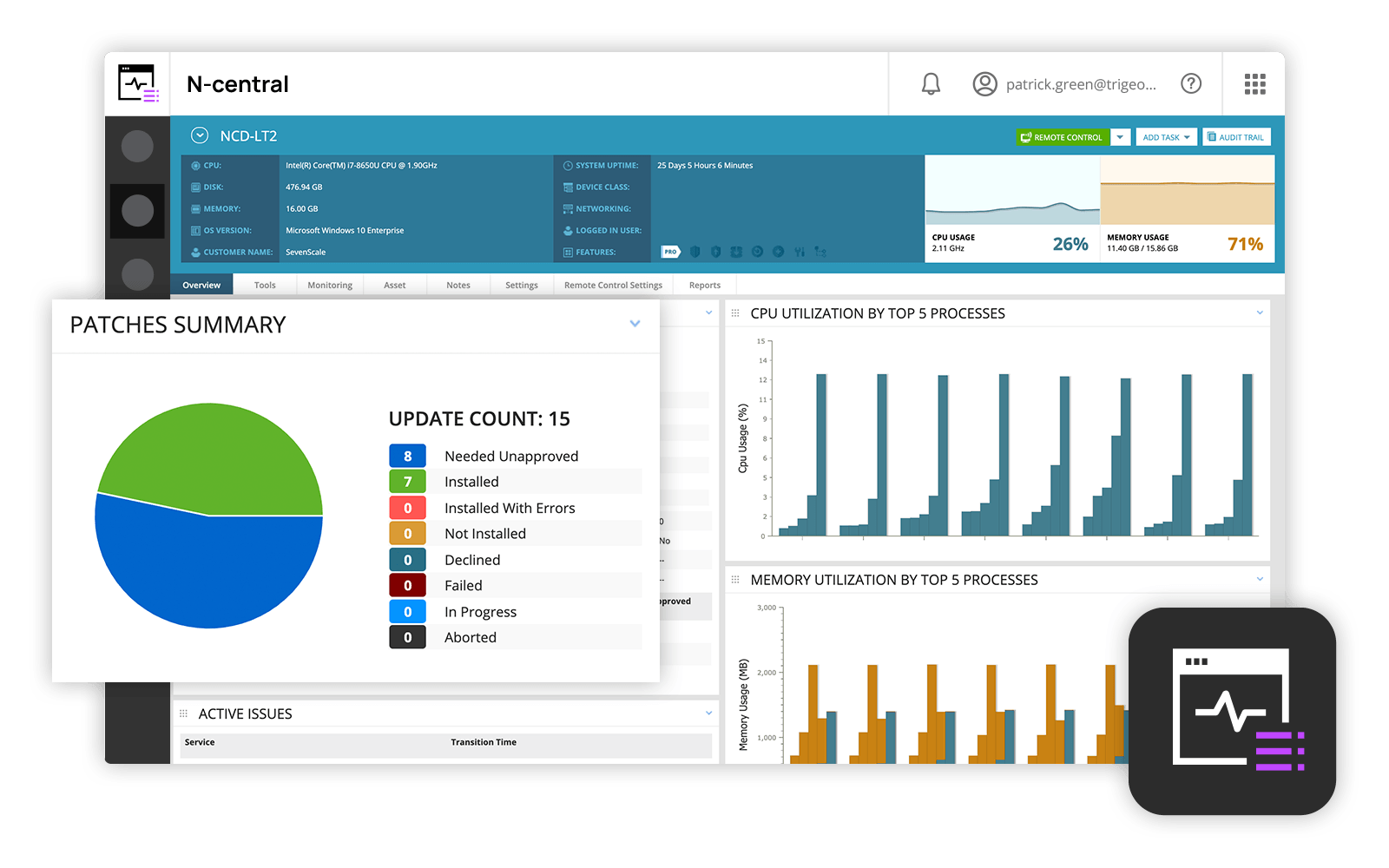
and IT professionals use N-able™ N-central® to monitor and manage devices and complex
networks remotely. N-central provides
visibility and efficiency as the user's needs scale. N-central can help users:
1. Proactively monitor everything on a customer network—not just servers
and workstations—and troubleshoot.
2. Stay on top of threats with features like MFA, antivirus, integrated endpoint
detection and response, data backup, disk encryption, email protection,…
N/A
SolarWinds NPM
Score 8.3 out of 10
N/A
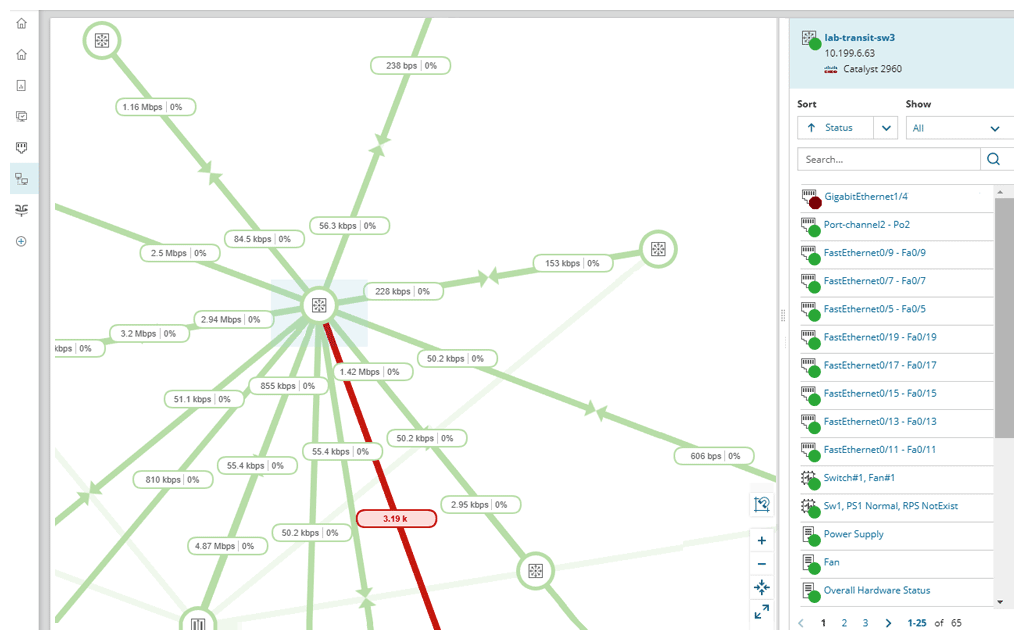
SolarWinds NPM is a monitoring and performance management platform. It provides performance troubleshooting support, auto network discovery, customizable thresholds, and can be rapidly deployed.
$1,638
per year
Pricing
N-able N-central
SolarWinds Network Performance Monitor (NPM)
Editions & Modules
No answers on this topic
NPM
$1,638
per year
Offerings
Pricing Offerings
N-able N-central
SolarWinds NPM
Free Trial
No
Yes
Free/Freemium Version
No
No
Premium Consulting/Integration Services
No
No
Entry-level Setup Fee
No setup fee
Optional
Additional Details
—
—
More Pricing Information
Community Pulse
N-able N-central
SolarWinds Network Performance Monitor (NPM)
Considered Both Products
N-able N-central
Verified User
Technician
Chose N-able N-central
Our version of SolarWinds was old and running on old hardware, but it was way easier to setup and do things with. It did not do everything N-able does such as patch management, or at least we didn't have a module to do so if one existed. However it definitely seemed easier to …
Most have been SolarWinds products for either monitoring and management. As I mentioned, the top usage now is for alerting on up/down. Performance monitoring is mostly on an ad-hoc basis.
In my opinion, N-able N-central is a good "learn your lesson and move onto something better" tool. I've used many RMM tools over the years and I feel that this one is slow, does a terrible job with reporting, alerting, monitoring, software deployments, etc. The ability to turn on services like AV, backup, etc easily is cute, but you're not going to be able to use your own tools with this easily. In my experience, if you do turn those tools on for testing during the trial, you'll be charged later (despite it being a trial). They also turn off your ability to monitor these increased costs or to turn them off yourself. As a company, I found that they were impossible to work with. The sales team is right there if you want to buy something - but if you need anything other than to buy something, in my experience, they take days or weeks to navigate. I found that they are not a terribly ethical company and are more concerned with making a few dollars than creating a partnerships with MSPs. I can see value is in the advertised price of $99 for a hundred endpoints. However, you need to remember to not trial any other tools (like AV, backup, etc).
Solarwinds NPM is well suited for medium to large networks, it may be a bit heavy for the SOHO environment as most of the tools and reports are designed for monitoring KPIs which may not be critical for a small shop. NPM can handle large networks with several sites and mixed technologies ranging from networks, server systems, storage devices and SLA reporting.
Remote tasks - entry-level techs can run basic tasks without physically touching a piece of equipment.
Remote support - remote controlling user devices is easy and saves a lot of time with having to initiate a remote session.
Management of devices, particularly patch management and anti-virus management - you can automatically approve and deploy patches and schedule automatic AV scans.
Overall we have liked our solar winds experience, however, as our company has grown to support larger enterprises, this product does not have the functionality that our teams need in order to fully support them. The lack of granularity with backups and lack of ability to support nutanix environments is slowly drawing us into the use of other tools.
The entire IT staff relies on NPM in its daily operations. It would be impossible for us to maintain our level of service without it. If SolarWinds gets to proud of their product and begins to over charge for it, we would be forced to reconsider and use a different product. But as it stands it is worth the price to renew it.
The user interface is fairly straight forward, with logic groupings for objects. I did not deploy this software, but am one of the daily administrators. Once you get the correct agent package (Which can be a challenge) the integration into AD is not bad. The UI could be more customized, but that may have been a design choice.
SolarWinds Network Performance Monitor (NPM) is quite an extensive product, covering all our bases and requirements. There are a lot of customizable options and features which you can work with for their alerting which is really useful. I haven't found anything yet which I thought SolarWinds Network Performance Monitor (NPM) could do, but it actually couldn't so overall it works nicely and does the job.
Every time we have reached out to SolarWinds they are quick to respond, even offering support chat 24/7. Their support team is great and works with you to find solutions to issues. They have taken items we had issues with before and used those to create updates so that the issue is handled better in the future.
In all of the times that we called support, someone at SolarWinds had the answer for us in a timely manner. Through thwack and other internet searching, we have been able to resolve all of our issues that arose to our satisfaction. The support staff have always been knowledgeable of their products or had a fellow support staff member to rely on to get the needed answers.
The training is good but during the implementation, you can get situations not learned during the training. The trainer was very open to hearing the questions about use cases and always sharing his experience. I really recommend having official training to take advantage of all features that the NPM can bring.
Make sure your inventory is accurate. Stand up some virtual machines for testing prior to installation. Make sure your database and its credentials are setup. Think about things you want to monitor that may not be obvious - UPS units, Door hardware, PBX systems, Fabric Channel switches, firewalls, routers, switches. Try to setup SNMP on these devices and have an IP that you will assign to the new server. If you do that it will go well.
Our version of SolarWinds was old and running on old hardware, but it was way easier to setup and do things with. It did not do everything N-able does such as patch management, or at least we didn't have a module to do so if one existed. However it definitely seemed easier to use and possibly more stable.
We selected SolarWinds Network Performance Monitor because of the capabilities of the product versus the price. The tools also work well with their other products and support is fairly good. We have never had a problem when we needed to make a call.
SolarWinds allows us to proactively address hardware issues before they impact the business. We recently had a server that was experiencing issues sporadically and we were able to use the data from SolarWinds to track down and correct the issue before it tanked the server.
SolarWinds gives our IT department some piece of mind knowing that they'll be alerted of any issues real time.
We can use SolarWinds data to justify needed to replace or upgrade certain equipment that is key to our core business.