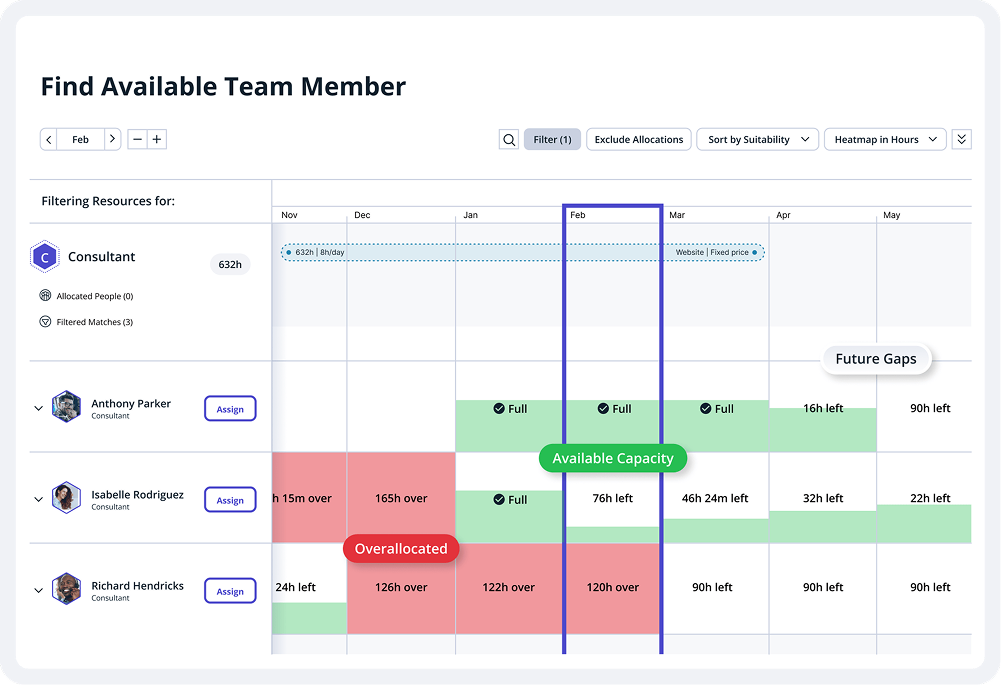
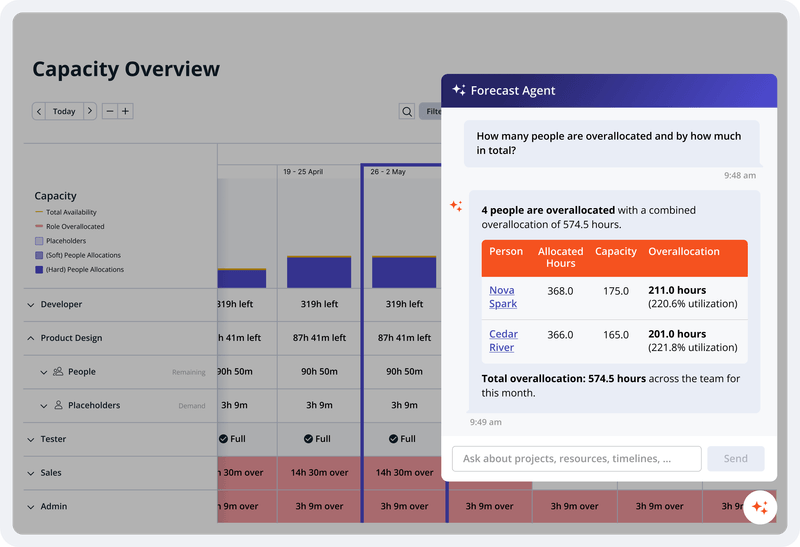
Accelo is a Professional Services Automation (PSA) platform designed to provide visibility into operational risks for service-based organizations. While traditional tools often focus on historical data, Accelo is intended to surface real-time risks such as Project Overruns, Resource Overloading, and Scope Creep. The platform integrates the full client lifecycle, including CRM, Quoting, Project Delivery, Support Ticketing, Time and Expense Tracking, Retainer Management, and…
N/A
Stackby
Score 8.8 out of 10
N/A
Stackby is designed to bring together the simplicity of spreadsheets, the functionality of databases and integrations with best business APIs to let anyone build their own tools, the way they want. No coding needed. Users can build a database from scratch, import data from pre-existing sources like spreadsheets or Google Sheets, or choose from over 100 pre-built templates across multiple categories. Stackby offers over 25 unique column types like text,…
Accelo is a system that can do it all. It's extremely sophisticated. Depending on the sophistication of your organization, or specifically the abilities of the people you put in charge of the implementation, it can almost be too sophisticated. It all just depends on your situation. The more you use it, the more data you give it, the more you'll be able to see and do. It's incredibly powerful. But it's definitely not a tool that would be appropriate for smaller boutique type organizations that have only basic needs.
Based on my experience, I can provide specific scenarios where Stackby is well suited and others where it may be less appropriate: Project Management: Stackby is an excellent choice for project management scenarios. Its ability to create custom databases, track tasks, assign responsibilities, and collaborate in real-time makes it highly effective for managing and monitoring project progress. CRM and Sales: Stackby is well suited for managing customer relationships and sales processes. Its customizable database structure allows for organizing customer information, tracking leads, managing deals, and generating reports. The ability to integrate with other tools further enhances its usefulness in CRM and sales workflows. Content Planning: Stackby is a great fit for content planning scenarios. Users can create databases to manage editorial calendars, track content ideas, assign tasks to team members, and monitor content performance. Collaboration features facilitate seamless content collaboration and ensure timely publishing.
Implement the same views available on desktop into the mobile app
Internal automations (like Airtable)
Ability to implement and display info as a dashboard (like Airtable)
Polish up the formatting of formulas, inputting them causes user frustration due to the formula input cursor jumping around
Better intelligence and ease of inputting data in bulk i.e have the fields automatically identify what data is being input and format appropriately (like Airtable does)
Stackby is overall pretty easy to use, especially if you're used to something like Airtable or SmartSuite. Some of the pages seem like near exact clones (though they put their own creative spin on things). I'd prefer a slighty fresher interface (like SmartSuite), but I'm willing to sacrifice that for the better price and great customer service.
From the beginning the Accelo team has been very invested in ensuring our success and overall happiness with the platform. The initial implementation specialists and trainers did a fairly good job of learning our company and needs, and tried to tailor the trainings accordingly. However, once we made the formal switch to the platform, meaning we no longer were using our legacy systems, we found that we had a lot of questions....and a lot of ideas and recommendations. The support team is extremely responsive and seemingly happy to receive our continual feedback. And if we encounter an issue that seems to be a system issue, they work diligently to fix it (we've actually had an engineer join a call with us to learn of the issue - and subsequently fix it)
Accelo doesn't really exceed any competitors in any one area of their product, but in 2015 when we made the move this was the best option that included all the tools we wanted. However, user adoption was low in some areas due to the UI, so we scaled back Accelo and added other tools.
I have also tried Ora.Pm. Infinity has better graphical interface, but nowhere near as many features and the UI isn't as effective (i.e, moving around with keys). Grist has a much more technical interface and it comes from being more of a database/interactive spreadsheet vs Stackby. Grist has much more functionality in terms of formulas, but is much harder to learn to use and less other functionalities. Ora.PM is more of a test at a task management app, and doesn't compare - Stackby is much better.