The Acquia Digital Experience Platform is an "Open DXP" with its two core pillars being content and data. Built on top of one of the largest open-source content management systems, Drupal, it aims to provide the flexibility and interoperability a modern organization needs. With its customer data platform, it allows organizations to understand who their customers are and deliver personalized experiences. Acquia's DXP offers variety of other tools including digital asset management,…
N/A
WebWave
Score 9.5 out of 10
N/A
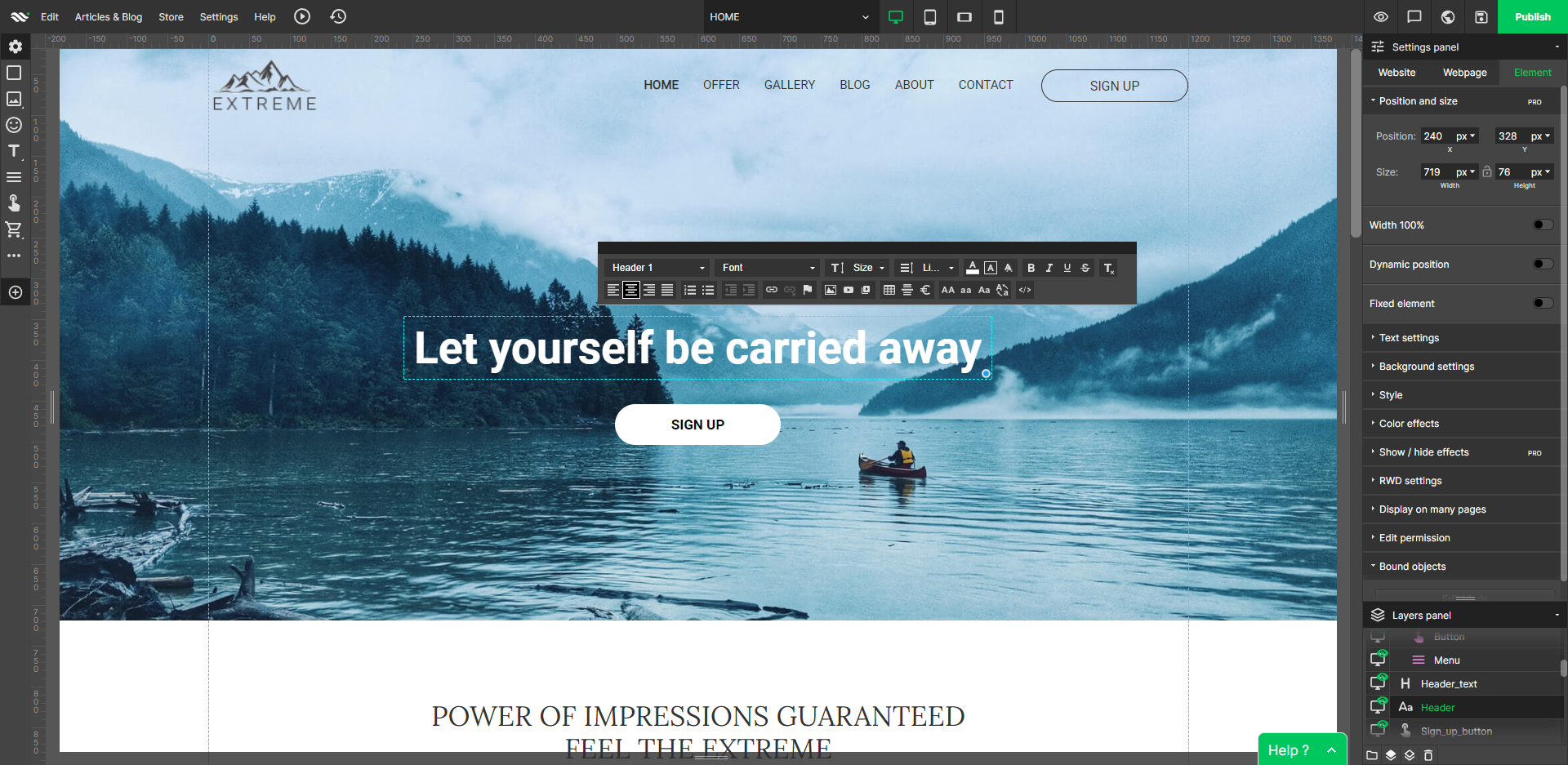
WebWave — an alternative for agencies and freelancers for creating custom websites for clients with the support of CMS. Using CMS with no sacrifices WebWave is a CMS platform that gives a designer precision up to 1 px in every single detail just like in more sophisticated graphic programs such as Photoshop while remaining a drag and drop software. This is to make creating websites much faster without loosing on details. Spend less time talking WebWave…
N/A
Pricing
Acquia Digital Experience Platform
WebWave
Editions & Modules
No answers on this topic
No answers on this topic
Offerings
Pricing Offerings
Acquia Digital Experience Platform
WebWave
Free Trial
No
Yes
Free/Freemium Version
Yes
Yes
Premium Consulting/Integration Services
No
Yes
Entry-level Setup Fee
No setup fee
$7 per month
Additional Details
—
—
More Pricing Information
Community Pulse
Acquia Digital Experience Platform
WebWave
Features
Acquia Digital Experience Platform
WebWave
Security
Comparison of Security features of Product A and Product B
Acquia Digital Experience Platform
8.0
49 Ratings
1% below category average
WebWave
-
Ratings
Role-based user permissions
8.049 Ratings
00 Ratings
Platform & Infrastructure
Comparison of Platform & Infrastructure features of Product A and Product B
Acquia Digital Experience Platform
7.7
41 Ratings
5% below category average
WebWave
-
Ratings
API
7.839 Ratings
00 Ratings
Internationalization / multi-language
7.632 Ratings
00 Ratings
Web Content Creation
Comparison of Web Content Creation features of Product A and Product B
Acquia Digital Experience Platform
7.9
43 Ratings
9% above category average
WebWave
-
Ratings
WYSIWYG editor
7.331 Ratings
00 Ratings
Code quality / cleanliness
8.134 Ratings
00 Ratings
Admin section
7.942 Ratings
00 Ratings
Page templates
8.030 Ratings
00 Ratings
Library of website themes
8.226 Ratings
00 Ratings
Mobile optimization / responsive design
7.828 Ratings
00 Ratings
Publishing workflow
7.934 Ratings
00 Ratings
Form generator
7.924 Ratings
00 Ratings
Web Content Management
Comparison of Web Content Management features of Product A and Product B
Acquia Digital Experience Platform
7.1
35 Ratings
5% above category average
WebWave
-
Ratings
Content taxonomy
7.728 Ratings
00 Ratings
SEO support
6.029 Ratings
00 Ratings
Bulk management
6.931 Ratings
00 Ratings
Availability / breadth of extensions
7.432 Ratings
00 Ratings
Community / comment management
7.226 Ratings
00 Ratings
Best Alternatives
Acquia Digital Experience Platform
WebWave
Small Businesses
Bloomreach - The Agentic Platform for Personalization
It made it super easy to upgrade 300+ Drupal sites to the latest major version in 12 weeks, end to end. It is easy to deploy legal changes and updates to components at scale. Turnkey service to deploy new environments and to clone sites. There are no ecosystem lock-in principles for Customer service/success services and professional services for new approaches.
Well suited: Small businesses and entrepreneurs: WebWave is an excellent option for small businesses and entrepreneurs who need a professional-looking website without spending a lot of time and money. It's easy to use, customizable, and offers fast load times and responsive design. Less appropriate: Large e-commerce websites: If you're looking to create a large e-commerce website with a vast number of products and advanced features, WebWave may not be the best option. Its e-commerce functionality is limited compared to other website builders, and it may not be able to accommodate the needs of a large-scale online store. Also, if you need much coding, you would rather have it with something that is wordpress-based.
Exceptionally good support. When there's a problem, you reach out to your account manager who either fixes the issue or gets you to the right person. We've had no downtime.
Platform is very accessible to those who know how to manage the back end software.
WebWave's site builder is the platform's truly innovative feature. I've never come across another service that deploys a layer-based approach in web design, as most of them usually deploy a grid-based system. This is an incredible alteration that ensures WebWave behaves much like a traditional graphic design tool, thereby resulting in an experience that is a lot more intuitive and instinctive. I believe this has the potential to radically change the way people approach no-code web design.
WebWave provides automatic, daily backups and a free SSL certificate for every website. This results in excellent security.
WebWave's support team is first-class! I had some teething-issues in the beginning, but the support team quickly got me back on track.
WebWave's community/forum is an excellent place to vote and request new features. This proves the development team is committed to making WebWave better by listening to their users.
Support responds pretty quickly to critical tickets, but they can be slow to respond on non-urgent items. Some of what we experienced may have been related to a newer ticketing system recently implemented.
Standard support covers business days/hours but only critical support is available outside those times. We typically schedule our website updates for the weekend or "off" hours when only critical support is available.
Some scope for improvement in UX (colors are not very appealing). It is simple to use but design is a little dated. Especially in the builder section, I'd like to see modern design for buttons and maybe gradients also: as this is where visual motivation is also important
Some edits take effect only after pressing OK. That should be eliminated as it's an unnecessary addition. It's also kind of annoying to do that again and again, which can add up to a lot as we do so many small tweaks while building the website.
Few things (maybe glitches) in design. The rectangle below the footer was uneditable for me. I spent quite some time trying to figure it out so I'm convinced it's a glitch.
We're moving away from Drupal as a platform. Drupal 8 and 9 were simply too overburdened and difficult to maintain compared to other offerings. PHP seems like a dying language so we are currently in the process of migrating all of our Drupal 7 functionality and custom modules to a Python/Django/Wagtail platform. This doesn't mean Acquia isn't a great service, they are professional and top-knotch, but the only way we'd say with them is if I didn't complete the migration.
Every time we have had an issue, Acquia support has responded promptly and worked with us as a team to solve the problem. The Acquia support team is global and we have literally had interactions with all of their support offices, yet the experience has been the same - top notch
1. The support person does not seem to understand the issues, and seems like they go off to talk to somebody and revert back every 5 to 10 minutes. It takes up a lot of time. 2. There is a lack of reading material to address simple issues like changing the website name in the dashboard, pasting a code, etc.
We chose Acquia for a much better UI that gave non-analytical marketers and easy to use tool where they could create their own reports. The campaign side of things also had an easier to use UI as well, that made the targeting of audiences much easier.
WordPress is a more flexible and adaptive content management system than Webwave. In addition to the functionalities that are already built-in, I am unable to add any customizable plugins or add-ons. However, in the majority of cases, the inherent features of Webwave are sufficient for developing a website that serves its intended purpose. Webwave also makes it possible for you to add animations and the appearance of each of your design elements, whereas WordPress builders require additional plugins in order for users to access most of such capabilities. Webwave has several essential design features available internally, thus saving money and time.
The DXP tools can handle millions of requests and can scale automatically to fit your needs. We have clients that use only part of the DXP tools and have a small usage, but even in these cases they see great value in using tools like personalization and CDP.
Acquia has helped us to stabilize and optimize our website performance, lowering page load times and dramatically decreasing the frequency of issues experienced by end-users.
Acquia SOLR search provided a much-improved search experience on our website.
Acquia's PCI-compliant hosting has helped us to remain compliant and cyber-secure.
We are working to implement Acquia Site Studio and Acquia Personalization now and expect those to improve our operation agility and ability to drive more relevant experiences to our various website visitors.