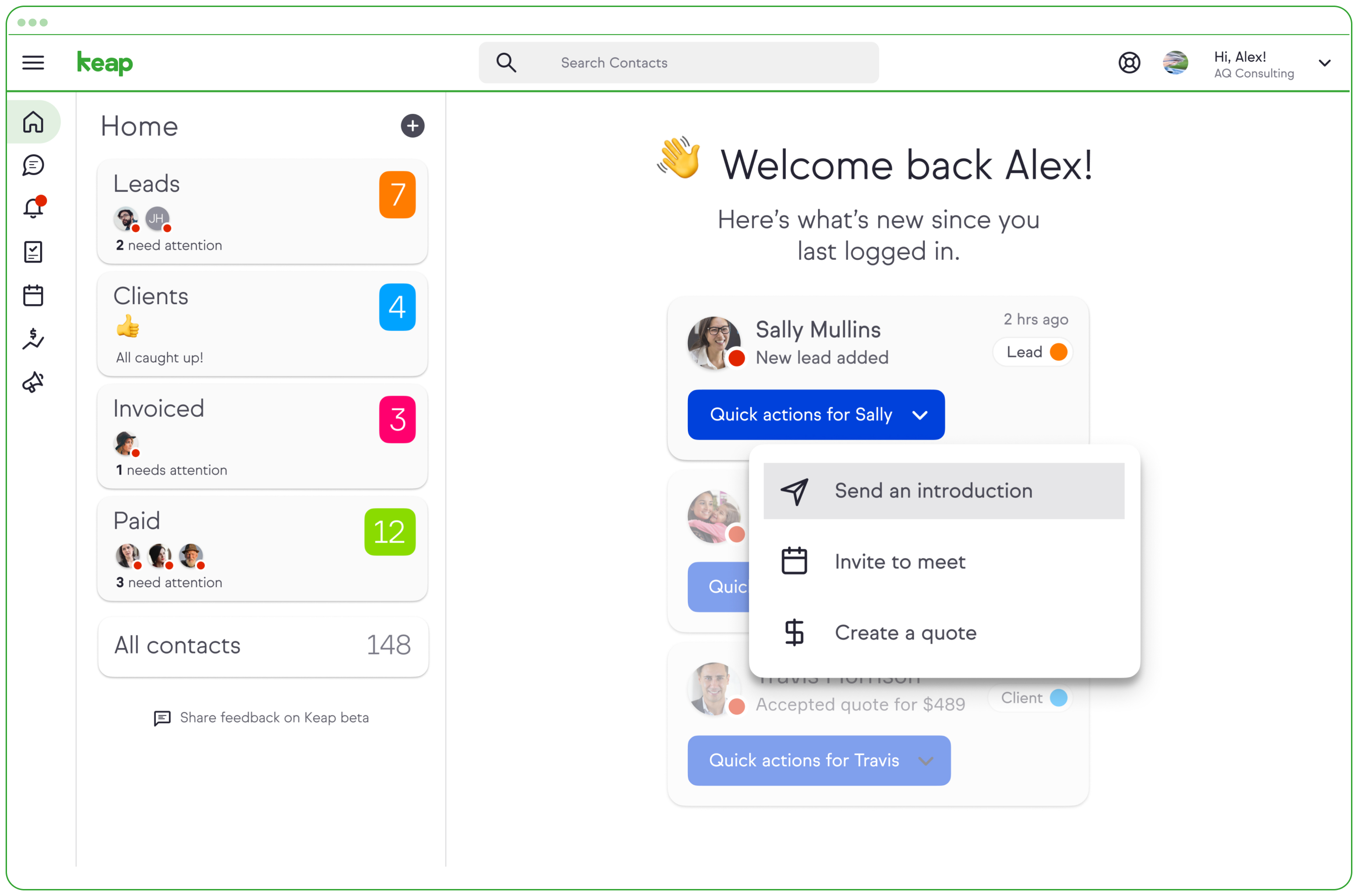
Keap is a small business-focused, comprehensive sales and marketing platform which combines basic contact management, CRM, marketing automation, and e-commerce capabilities into a single, subscription-based SaaS product.
$199
per month
Intuit Mailchimp
Score 8.3 out of 10
N/A
Mailchimp is an email marketing and marketing automation platform. Beyond just tracking how campaigns perform, Mailchimp takes it a step further by analyzing data from over half a billion emails to show why campaigns perform, driving informed decisions.
$0
per month
Robly
Score 9.0 out of 10
N/A
Robly is an email marketing solution designed for small businesses. It's key features are its ability to auto-resend unopened emails, pop-up widgets, and proprietary AI-powered software that sends emails based on schedules specific to each recipient.
$19
per month
Pricing
Keap
Intuit Mailchimp
Robly
Editions & Modules
Pro
$199.00
per month
Max
$289.00
per month
Max Classic
Contact Us
per year
Free
$0
Essentials
starts at $13
per month
Standard
starts at $20
per month
Premium
starts at $350
per month
Robly
$19
per month
Offerings
Pricing Offerings
Keap
Intuit Mailchimp
Robly
Free Trial
Yes
Yes
Yes
Free/Freemium Version
No
Yes
No
Premium Consulting/Integration Services
Yes
Yes
No
Entry-level Setup Fee
Optional
No setup fee
No setup fee
Additional Details
All plans with 1 user and 500 contacts. The price is $30.00 for each additional user.
Aside from cost, they all sell you on the same concepts. The differences come in how you approach the programs. If you are a visual person, Infusionsoft is better for you. If you just like seeing the numbers and don't care about creativity, then use iContact. If you have the …
Infusionsoft was one of the most popular marketing automation platforms, however we did need to supplement it with Mailchimp in an effort to send one-off marketing campaign sends.
We moved to Keap/InfusionSoft from Mailchimp. We like Keap better - the one feature that Mailchimp had that Keap doesn't is the HTML page of the email newsletters. We've been looking at Salesforce as a possible option instead of Keap since it has the functionality we are …
All of these apps really work in conjunction with Keap (formerly Infusionsoft), not necessarily a competitor. The only app I would say would compete (partially) would be Mailchimp since it sends broadcast emails. I used Mailchimp briefly several years ago and do remember it …
Automation is the game-changer here, none of the other products I've used has capabilities anywhere close at the price point in which Keap (formerly Infusionsoft) serves for us. Zoho can be very powerful if you chain their multiple products together, but it becomes a handful …
Constant Contact is very good but limited to one or two uses compared to multiple uses for Keap. Pipedrive is even more limited and not as user-friendly. Hubspot is great but way overpriced compared to the value delivered by Keap. Mailchimp is just, well... cheap in my view. …
Verified User
Employee
Chose Keap
I prefer Keap over Mailchimp for email marketing because I found it to be way more user-friendly. I'm not sure if I was just using an older and outdated version of Mailchimp at a prior company but I didn't like the software. All of my email campaigns were just in a list or …
Keap, compared to Mailchimp, AWeber, and SendFox, is a complete solution. The latter 3 are primarily for email and don't have the same flexibility by themselves for a campaign or email automation. Keap, compared to Typeform, is similar, but Typeform does form building better. …
Keap is much more affordable than HubSpot, and while it perhaps does not provide quite as much detail, you can get all the detail you really need for a small to medium-sized business with Keap. It provides so many more options as a CRM than Constant Contact or Mailchimp did …
Keap stacks up well against similar software I've used. They are definitely the most user-friendly platform I've encountered, but not at the loss of good functionality. All the processes we need to work on/automate are available to us in Keap, it has been a wonderful growth …
Keap is fast. The learning curve is shorter and they have an academy for learning with videos quite extensive that explain a lot of different scenarios, specially when you need to customize scenarios of automations and segments. Is cheaper if you consider that this services CRM …
Keap has better automation workflows and advanced campaign capabilities. I also find it easy to get my questions answered when I need help. The multiple integrations available also make it easy for me to continue to use other systems that I need in conjunction with KEAP.
As a past Active Campaign and Constant Contact partner, I can say that the marketing automation and end results are far better in the Keap Software. I have used many other email platforms with clients over the years and this is the only one I want to run my business on to date.
Holistic Health Practitioner / Personal Trainer / Essential Oil Expert
Chose Keap
The only one that even comes close would be ONTRAPORT, as none of the others do everything in terms of CRM, e-commerce, affiliate, autoresponder, etc. I chose Infusionsoft since I already knew and trusted them through use with another business.
Keap is an all-in-one platform for sending bulk emails, managing contacts, tasks management, creating workflows in email marketing, actions-based tasks, creating task reminders, managing tasks with team members, and better reporting with the analytics used in Keap. The landing …
Keap is a cost-effective, powerful CRM and marketing automation tool for those who have the time and resources to learn all of its intricacies. For any other system, you will be paying for a better user interface, better reporting and visualizations, more intuitive everything, …
Leadpages still has the best and easiest landing page integration. The landing page interface on Keap is clunky and outdated. Infusionsoft crushes against Active campaign and Mail chimp regarding campaign building, reporting, and emailing as well as making changes down the …
Keap functionality and ease of use are better for me - being able to tie everything into one package and not have the laborious task of repeat data entry, maintaining several places where information needs to be stored and updated increase my business accuracy of the …
To be honest, these days they all seem so similar. It really comes down to getting an account with each and trying them out and see what works best for you and your team. Keap is a great product, but so are the others. We use them all uniquely based on the needs and the clients …
As an agency, we use all of these tools for various clients. Keap is our preferred solution because it has the most customization for any business model, makes marketing automation so easy, and keeps ample customer data that can be used for marketing and sales alike. It has …
I actually prefer to use some of these other platforms over Keap/Infusionsoft, however for this particular client we had implemented Keap more than 5 years ago when it was the only platform available to choose from. The problem now is that there are over 200,000 people on the …
We looked a number of different products designed for email distribution. MailChimp had the best over all combination of cost/function/usability. Our second choice was Infusionsoft, but it was a bit more costly and had functions we didn't need. In general, I wish more software …
Mailchimp has offered more quality in its products, offering more tools. Instead, Robly has only provided basic tools at a high price, this is mainly what is sought, to obtain good quality at a good price.
MailChimp would be my third choice, when SharpSpring and Keap are also options. Some of our clients opt to use MailChimp because it is generally cheaper. From a marketing automation tool standpoint, it's feature set is much more limited. However, for simple email marketing and …
Mailchamp is accepted by Google, and their email templates transfer correctly to email users, whereas Robly does not as easily which was a big factor that set it apart from Robly in our opinion. I felt that Robly's template editor was a little bit easier to navigate, and the …
Mailchimp is a great introductory email marketing system that offers more than just email marketing. If you're looking for more of a well rounded system that you can use for your website, basic ads, and email marketing, Mailchimp is a great platform that offers a little of …
I would still recommend Mailchimp to most people starting out. It's easy to use and set up and doesn't require a lot of extra support to get started. Other than ActiveCampaign or Keap, which are for larger lists and more complicated, Mailchimp is a good choice. If you …
As stated previously, I use Mailchimp as a secondary autoresponder (for transitions between platforms or in case of performance issues with the primary). My primary autoresponders are ConvertKit for marketing, and Kajabi for digital product delivery and support, although I am …
Mailchimp usually wins because it has a very nice free option to begin exploring the world of contact gathering / lead generation. While it doesn't have all the tools available to you via Hubspot, Keap, or Constant Contact, Mailchimp still provides a good launching point to …
Mailchimp is undoubtedly an expensive tool, the most expensive we have used so far, previously we had not dared to use it and now that we have done it we are sorry we did not do it before, our email marketing is more professional than that had been, customer acquisition has …
If you need a program that allows you to visualize your content in a way which is easier to manipulate, then you will do well with this program. The lists and the automation aspects will be hard for a new learner of the program, and they do dive too much into their own hubris …
I love that MailChimp is just fun. A lot of times working on email campaigns can be boring. MailChimp's charming and fun "personality" stands out compared to the relatively dry and utilitarian user interfaces of the competitors. MailChimp has added the ability to create …
MailChimp and Constant Contact are on a similar level as far as functionality and cost. A few differences to note:
MailChimp is more strict on bounce and spam rates than Constant Contact.
MailChimp is free for up to 2000 contacts (excluding auto responder functionality). …
Robly
Verified User
Employee
Chose Robly
When trying to find an email platform to use with our company, we tried out three major softwares: Robly, Mailchimp, and Constant Contact. The price of Robly is what initially made it stand out to us, but upon using it, we also fell in love with the simplicity of the editing …
In comparison to Robly, Mailchimp can also be considered very user friendly for both marketing professionals and amateurs. It offers many of the same features including creative designs and analytics. We prefer to use Robly for our newsletter and bulk marketing messages because …
Keap is very good at contact management and automation creation but weaker at email campaign creation. I was particularly interested in a function where when manually entering a new contact, you are then able to email that contact using a premade HTML template. It will currently not do this. There is a workaround, but it is unnecessarily ponderous.
For any E-commerce related needs, like you need to see a list of customers who have added products to cart but did not purchase, this can be done really easily, but if your e-commerce provider provides integration, then it is best suited. Most of the systems in the Market provide out-of-the-box integration. Their API is also very easy it can be integrated to any language. You can integrate it into your custom developed system and use the features, like adding customers to specific lists. Also, if your lists become really big, then their system can get a bit slow to respond via API, so you might need a strategy for how you are gonna fetch the data using API.
I would absolutely recommend Robly to my colleagues. I have used Robly for over six years now and have found so many positives over my years of using it! It provides an easy way for us to keep our contacts organized, and we can easily embed forms into our website. When comparing Robly's pricing options with other email platforms, it won by a landslide. Some small aspects of the program may seem a little outdated, but I have everything I need and more!
Mailchimp allows you to manage your mailing list really well. You can subscribe people, unsubscribe people manage the mailing list directly into segments, and what not.
Mailchimp has features where you can create campaigns based on your mailing lists and send out newsletters to your subscribers based on a multitude of parameters that you can setup. Such as send email daily, weekly, monthly and they also have event based mails that you can send out.
Mailchimp also has a feature where you can design your emails. The look and aesthetics are very important when sending emails to your subscribers and all those needs are addressed here.
Robly constantly updates the status information of each email that is sent from its platform, which helps to ensure that there are no problems reviewing the number of people among the targets that could be interested in our service or product, and become customers, when it is necessary to identify them from those who are not, and that otherwise would cause high error margins in the reports.
The software has a visual power that is very easy to extend through third-party platforms, allowing us to create content in services such as Photoshop, which we can then include in mailings, although it is also feasible to import the content in the traditional way, through image formats. Among these, the best one to work with is PNG, which allows us to remove the background content so that the important section of the image fits better with the format of the e-mails.
Robly works with services based on the optimization of group projects, whose integration serves to send emails to all participants equally, and that these are kept constantly notified about updates to the work, and can be coupled well in advance to these updates, so that no confusion arises at the time of unifying the work sent and points within the same should not be exposed.
In reality, Robly's technical support is something we have never had the opportunity to interact with, as the platform is not so buggy that we would need to contact them for advice. In any case, they are likely to show promising results considering the quality of the service.
It has been very easy to get familiar with the functions Robly has to work with advanced email address database configurations without losing track of the progress of each campaign, and this is thanks to the well-optimized structure of the platform.
More articles and videos on how to use the various functions of Keap
Having representatives designated to certain regions or companies for a point of contact when help is needed
More options when building the emails. While the click and drop options can be a plus, they can also be negative because you are limited to image and text sizing and positions
I don't have many cons for Robly. One thing that would be helpful is concerning adding a set of emails to the contact list. It would be nice to receive a list of emails that are not added and a reason why (e.g., duplicate, etc.).
I have noticed that when I am editing an email campaign, at times it will unexpectedly stop showing me the text editing menu bar, and there doesn't seem to be a way to call it back up. This can be resolved by saving and exiting the campaign and then reopening, but it breaks into my work flow and is an inconvenience. I have not been able to find a pattern for the occurrence of the glitch.
We have invested a lot into Infusionsoft and are using it to automate our processes and marketing. Changing CRMs would have a HUGE cost for us and based on our evaluations, the grass isn't greener elsewhere. Infusiosoft fits most of our needs and is slowly getting better each year. Their support is great and we will continue to use them until something much better comes around or our company outgrows a small business CRM.
We've had Mailchimp for about ten years, I want to say. I started with the company about four years ago, and I don't see us ever diverting to another source. It's easy for us to use, and we have all our clients already built into the database. I imagine we'll use them for as long as we have the company.
Because we like the price and value. The annual subscription model allows us to maximize usage without worrying too much about cost, being a small mom and pop outfit.
You do need to spend some time on-boarding and implementing the software in order to have full functionality. We were lucky - we had colleagues at the university with experience with Keap and then hired an intern familiar with the software to get us set up and ready to use it. We've had some functionality issues with it along the way and that has frustrated myself and the other uses in our department.
The interface is a bit complicated, and I need to spend some time to learn new functions and understanding how it works. I don't like working with email templates because of the limited customization options. However, functions like AI for generating emails, segmentation, and analytics still work well and are very useful.
Overall Robly's usability can be considered easy and intuitive. For experienced marketing professionals this program would not be challenging to navigate even on the first uses. There may be a slight learning curve for amateur users but overall it is fairly simple and easy to use and creates professional results.
I have, in the 4+ years that I've used Mailchimp, never seen an issue that restricted the use of their software/tools. I don't know of a single time when they're system crashed or went down. I could be wrong, but I honestly haven't experienced any issues with outages, errors or unplanned downtime
OMG, it's all in one and that compromises everything, fundamentally. If you want a race car, invest in a race car. If you want a dune buggy, get that. If you want a boat that floats, go for it.
I haven't noticed any slow speeds from Mailchimp or their tools. I think the landing pages load quickly and look nice. The email reports and editing operates smoothly and doesn't take time to load. Additionally, when I use Mailchimp in conjunction with Zapier + Hubspot I don't notice any drag between any of these tools
Generally, very responsive support for even our more complicated issues. We do have some open issues that we need resolutions on and that I understand are complicated and will take longer to resolve but the open issues are significantly impacting to our business.
Website tools were easy to use and understand so a novice can easily meet or exceed their client's expectations! Loved that we were able to totally customize so that the e-mail we created conveyed our client's overall messaging consistent with their branding! Client love that we can provide turnkey services to support their sales and marketing teams!
I have been to a number of in-person training sessions over the years with Keap and all of them have been FANTASTIC. They really put a lot of time and effort into these sessions. Staff and facilitators go out of their way to ensure that participants are getting what they need.
The results of training online are often based on how people learn. The training was great but with feature updates, you just have to get in there sometimes and do it! The training definitely lays a firm enough foundation for you to be successful even if its can't be updated with every feature update.
Don't let the fear of implementing a new software solution keep you from unleashing the power of automation that Infusionsoft provides. With the right implementation partner, the process can not only be smooth and painless, it can actually help you get a better understanding for how your current communication process can be improved upon.
It's pretty easy to get up and running! There's a slight learning curve on a few things, but once you find where everything is located, you can import your list and send your first email. It really makes our clients feel great to see how quickly they can get that first email out.
Keap is fast. The learning curve is shorter and they have an academy for learning with videos quite extensive that explain a lot of different scenarios, specially when you need to customize scenarios of automations and segments. Is cheaper if you consider that this services CRM + Mailing don´t come often in one package and the realiability to send mails is quite good.
I don't think they are comparable; we use Google Ads to put our website at the top of the list when someone googles certain words. We use meta business to manage our social media. Google aims to gain customers, while Mailchimp is used to interact with both existing and new customers.
Robly has much of the same functionality as Constant Contact. I find Robly's interface to be more intuitive. Robly allows us to upload as many images and documents as we want, without charging us extra. Robly's subscription price is lower than Constant Contact. Their newsletter archiving is also more robust. With Constant Contact, I felt "nickled and dimed." Not only is Robly's base price lower, it's the price! You can upgrade to unlock more sophisticated features.
You get a lot of features included, but you don't need to use them all at once to start seeing an effect. When you are ready to use them, they are there. It also scales without costing too much money.
Mailchimp over the years I've used it has grown in leaps and bounds. They have added so many additional features than were previously available. They are truly an all-in-one marketing platform now. If you're a small operation and just want to add email to your marketing efforts, they're there for you. If you're a larger operation and want to start sending postcard advertisements, they can do that. If you'd good with that and want to kick up your marketing by going social, you can do that on their platform. They are truly able to be as small as you need, but also get quite large in whatever it is you'd like to do through their system.
Automation has allowed us to be more engaged and invested in our customers by reminding us about birthdays and other important events in their lives so that we can celebrate with them.
We lacked the manpower to sell and distribute orders online before setting up the payments and automation features. We now collect $5k+ a week in lost sales through online ordering.
List cleaning functionality and engagment settings have allowed us to run a 40-50% email open rate that allows us to create an engaged community around local events and opportunities as well as sales and special offerings.
One of my retail web store clients was sending out email specials and notices about once a month. After clicking the send button, we would watch Google Analytics and the current site users would light up immediately. Often, the current site visitors would pop up to 20, 30 or more after the email was sent. On a normal day, seeing 1 or 2 online users would be OK.
Pretty much in all cases, we could see an uptick in positive activity after sending out a Intuit Mailchimp email to a list.