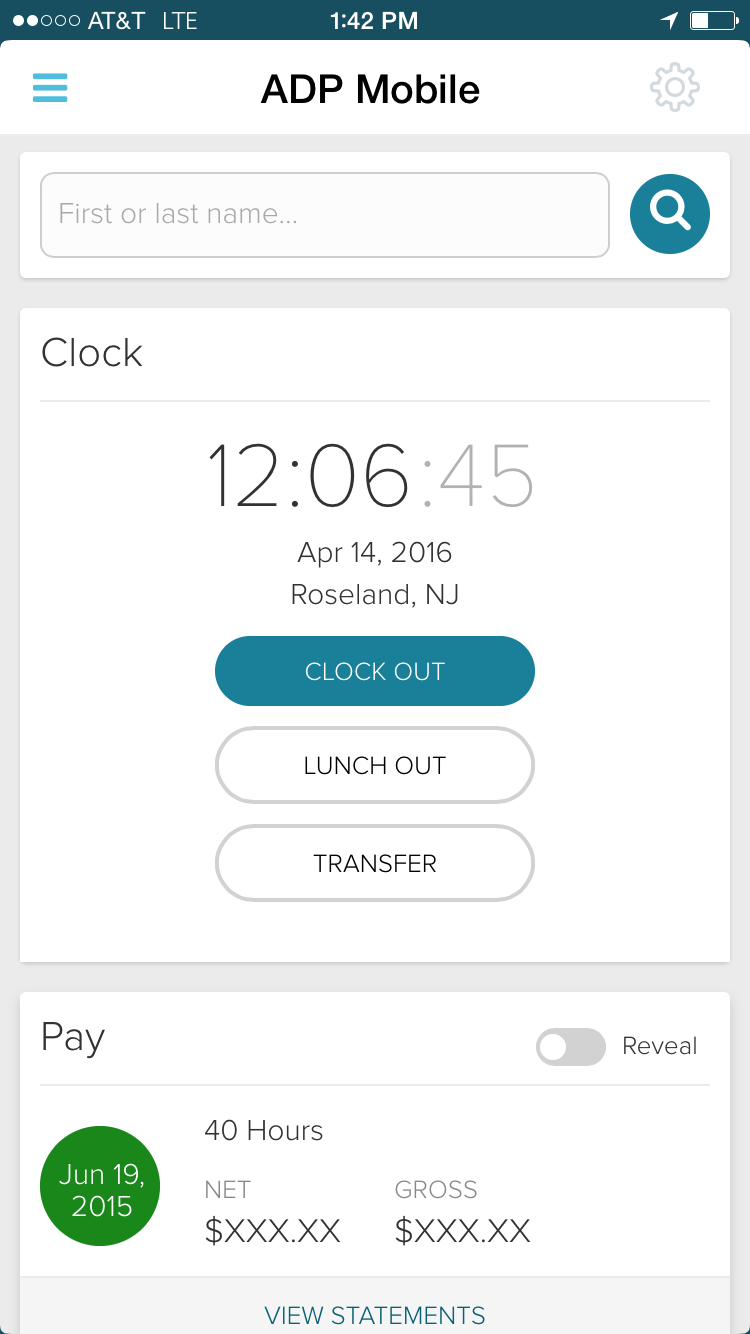
ADP Workforce Now is a cloud-based HR platform for mid-sized businesses. It features customizable modules of various HR services that businesses can tailor to their specific needs, as well as regulatory monitoring and alerts to help businesses remain compliant.
N/A
Dayforce
Score 8.0 out of 10
Enterprise companies (1,001+ employees)
Dayforce is a people platform that simplifies HR operations. As a unified HCMS, it delivers HR, payroll, benefits, workforce management, talent, and analytics—helping organizations boost productivity, stay compliant, and make smarter decisions with embedded intelligence and personalized experiences.
N/A
OnPay
Score 9.9 out of 10
N/A
OnPay's payroll and HR is designed for people who want to spend more time running their business, and less on back-office tasks. The application aims to enable users to: • Run payroll • Automate taxes • Let employees do more themselves • Simplify HR processes • Offer benefits in any state OnPay starts at $49 plus $6 per person each month. The monthly fee includes integrations with QuickBooks, Xero, and time-tracking software, as well as all quarterly and…
$49
per month +$6 per month, per person
Pricing
ADP Workforce Now
Dayforce
OnPay
Editions & Modules
Essential
Contact sales team
Enhanced
Contact sales team
Complete
Contact sales team
HR Pro
Contact sales team
Payroll Essentials
Contact sales team
HR Plus
Contact sales team
Hiring Advantage
Contact sales team
Performance Plus
Contact sales team
No answers on this topic
No answers on this topic
Offerings
Pricing Offerings
ADP Workforce Now
Dayforce
OnPay
Free Trial
No
No
Yes
Free/Freemium Version
No
No
No
Premium Consulting/Integration Services
Yes
Yes
No
Entry-level Setup Fee
Required
Optional
No setup fee
Additional Details
Please contact ADP for a product demo and ask about a hands-on "test drive" of Workforce Now.
—
First month free, then $49 + $6 per employee each month.
Back in the 1980s, I used ADP (Resource?) and it was very antiquated and time-consuming. I remember having a stack, and I mean a stack of maybe 20 floppy discs, that had to be inserted to copy the file in case of loss.
We had a Ceridian demo and decided to stay with ADP because we felt like the customer/client support we would receive from ADP was better, and is probably the best in the business. At the end of the day your Human Capital Management system is only has good as the …
Ceridian is a superior product. They seem more expensive at first than ADP but the amount of time spent with customer service when they could help is time wasted.
TMS timekeeping was more user friendly and could be customized. ADP timecards are laid out poorly and require too …
Verified User
Professional
Chose ADP Workforce Now
ADP at the time was lacking in keeping up with technology enhancements 18 years ago when I used Ceridian. Since ADP has stepped up to meet or exceed the everchanging technology that will continue to be the reason why or why not an organization stays with their HRIS system.
Dayforce was used for a previous acquisition. We only used it for a few months, but I was so glad we didn't need to continue using it. It was not an easy platform to use at the time. Not sure if it has gotten any better since we were required to use it.
In our evaluation of HRIS/Payroll systems we found ADP to be the most robust platform with the greatest number of features, fair pricing, quality, knowledgeable staff and so forth. None of the other systems offered as many features or options at the right price point for our …
I would rank ADP at the top, purely because of its scalability and reasonable cost structure. ADP generally should have all features that a company would need for HR & payroll needs, although not every module is the best-in-class. For instance, we've never used ADP for …
ADP is a lot more user friendly both on the administrator and employee side and the reports can be converted to Excel to help when doing various projects for the company. Ceridian is the only one that I have used [in] respect to benefits, so I can't compare any of the other …
Although I didn't select ADP Workforce Now for our company, I can say that it stacks up a lot better than other systems I've used or evaluated in the past. The payroll module is user-friendly and very intuitive. It didn't take my team very long at all to get the process down …
Paylocity seems to be the only platform that I would consider over ADP. It seems to be more "whole" when adding a module. But WFN is more advanced and easier than the others.
VICE PRESIDENT OF HUMAN RESOURCES, LEGAL AND CORPORATE COMMUNICATION
Chose ADP Workforce Now
This system is far better than its competitors in the market space. It has greater functionality, stronger integration capabilities and it is priced lower than the competition. We have used UltiPro and Paycom in the past and have found that ADP Workforce Now is easier for our …
ADP Workforce Now is the system we used prior and that I still use for other consulting services, and this system falls far inferior to the functionality of Ceridian Dayforce especially in terms of payroll processing and delivery but also in other aspects like benefits, …
Having Payroll, HR, Time, and Benefits all in a single application with Dayforce has significantly improved efficiency and accuracy. Unlike other solutions with third-party integrations, Dayforce eliminates data silos, reduces errors, and saves time by streamlining processes, …
ADP has a lot of system errors, especially on Mondays. I haven't noticed anything like that working with Dayforce. But I like that you can easily access employee's timecard via ADP, by just searching an employee and open its timecard. In case of Dayforce, you have to open …
By having a single application we have seen an increase in our efficiency and an accuracy in our data. Our previous system had third party modules for many systems and they didn't do a good job "talking" to each other. Our data was often incorrect, charging employees the wrong …
Processes flow nicely having all in one system and there is one contact (Dayforce) in case there in an issue. Once you understand how the system works, you will understand how the system flows. I have worked in another payroll system where we had to upload timecards. While it …
Verified User
Contributor
Chose Dayforce
the ease of use in unmatched in my experience with other vendors. We are able to use Ceridian Dayforce to accomplish many goals without the need for other vendors. However, we do have other outside vendors we are required to use that we are able to integrate successfully with …
Every module within Ceridian Dayforce talks to each other. The real time live data is beneficial to the team when trying to troubleshoot. And the ability to ease integrations
It's been wonderful having payroll, HR, Time, and Benefits all in a single application. I don't have to guess which system I need to use for these because they're all together on Ceridian Dayforce.
We are still integrating our benefits from a third-party module, but having all other modules in a single application has led to cleaner data and more accurate information in one centralized location, which is a definite time saver.
All of the info for Payroll, HR updates, employee updates, Time worked and PTO are in a single application, with a single login, updated in every screen or module in real time. There is no lag in data from screen to screen or from user to user, its almost instant.
Time saving...UKG systems do not speak to each other well and it makes for time wasted and headaches. To get something done in ADP you need to make multiple calls and waste time speaking to multiple people. ADP GL creation is so complicated that I as never able to really make …
We have less issues with importing and spend less time on data entry now that we left ADP for Dayforce. The features that ADP had were not even comparable to what Dayforce has to offer and it has created such a change in culture here. It really has been a game changer and such …
The only difference that I have seen is that I no longer have to import the timesheets, although we do still import from a third party for one particular specialized group.
My experience with the other companies I have used is very similar. ADP also had a single platform with modules like Ceridian Dayforce has and it worked better with the tax integration. However, Ceridian Dayforce does have a very easy-to-use and simple payroll processing …
I love having a "one stop shop." Using other payroll softwares where you have to use many different systems to gather the information you need to solve payroll inquiries or to pay employees can get time consuming and confusing. I love how Ceridian Dayforce integrated all of …
Dayforce has allowed us to have one employee record, one area for tombstone data, which in turn means that one change will take effect over the whole system. One single update will update all areas of the employees life in the company, from payroll, time and benefits. This …
Verified User
Manager
Chose Dayforce
The impact is huge and very hard to put into words. It has eliminated extra work, allowed for timely operations and fewer errors.
Having everything in one place and all of the data "talking" to each other has allowed for a lot less time locating information. It also ensure that data is correct across multiple areas - payroll, job info, and benefits. We don't have to spend extra time making sure data is …
While different payroll software options cater to various business needs, OnPay's standout features in terms of usability, affordability, accuracy, scalability, and support often place it favorably among businesses seeking a reliable and user-friendly payroll solution.
Great value and easy to use without a masters degree in payroll. Great customer service, not having to wait on hold or chat for hours in the hope someone can help you.
Features
ADP Workforce Now
Dayforce
OnPay
Human Resource Management
Comparison of Human Resource Management features of Product A and Product B
ADP Workforce Now
7.8
1072 Ratings
4% below category average
Dayforce
8.1
602 Ratings
0% below category average
OnPay
-
Ratings
Employee demographic data
8.5947 Ratings
8.8525 Ratings
00 Ratings
Employment history
8.3988 Ratings
9.0559 Ratings
00 Ratings
Job profiles and administration
8.2938 Ratings
9.1549 Ratings
00 Ratings
Workflow for transfers, promotions, pay raises, etc.
7.5964 Ratings
9.1553 Ratings
00 Ratings
Organizational charting
7.2676 Ratings
6.7502 Ratings
00 Ratings
Organization and location management
7.6740 Ratings
6.8548 Ratings
00 Ratings
Compliance data (COBRA, OSHA, etc.)
7.1680 Ratings
7.4370 Ratings
00 Ratings
Payroll Management
Comparison of Payroll Management features of Product A and Product B
ADP Workforce Now
8.0
1085 Ratings
2% below category average
Dayforce
8.6
602 Ratings
6% above category average
OnPay
9.6
66 Ratings
15% above category average
Pay calculation
8.91045 Ratings
9.1588 Ratings
9.062 Ratings
Support for external payroll vendors
7.8414 Ratings
7.2295 Ratings
00 Ratings
Off-cycle/On-Demand payment
8.2336 Ratings
9.0154 Ratings
00 Ratings
Benefit plan administration
7.5825 Ratings
8.3475 Ratings
9.924 Ratings
Direct deposit files
9.01032 Ratings
9.1574 Ratings
9.461 Ratings
Salary revision and increment management
7.3813 Ratings
8.3456 Ratings
10.046 Ratings
Reimbursement management
7.5498 Ratings
8.9309 Ratings
10.030 Ratings
Leave and Attendance Management
Comparison of Leave and Attendance Management features of Product A and Product B
ADP Workforce Now
8.0
890 Ratings
2% below category average
Dayforce
8.9
547 Ratings
9% above category average
OnPay
-
Ratings
Approval workflow
7.7810 Ratings
9.2515 Ratings
00 Ratings
Balance details
8.1844 Ratings
9.0529 Ratings
00 Ratings
Annual carry-forward and encashment
8.1686 Ratings
8.5434 Ratings
00 Ratings
Employee Self Service
Comparison of Employee Self Service features of Product A and Product B
ADP Workforce Now
7.8
1064 Ratings
5% below category average
Dayforce
8.2
615 Ratings
0% above category average
OnPay
-
Ratings
View and generate pay and benefit information
8.41026 Ratings
8.5586 Ratings
00 Ratings
Update personal information
8.51015 Ratings
8.4599 Ratings
00 Ratings
View company policy documentation
8.0819 Ratings
7.6419 Ratings
00 Ratings
Employee recognition
6.5386 Ratings
8.9219 Ratings
00 Ratings
View job history
7.732 Ratings
7.6492 Ratings
00 Ratings
Asset Management
Comparison of Asset Management features of Product A and Product B
ADP Workforce Now
6.0
12 Ratings
29% below category average
Dayforce
8.3
103 Ratings
3% above category average
OnPay
-
Ratings
Tracking of all physical assets
6.012 Ratings
8.3103 Ratings
00 Ratings
HR Reporting
Comparison of HR Reporting features of Product A and Product B
ADP Workforce Now
6.9
988 Ratings
9% below category average
Dayforce
6.3
601 Ratings
18% below category average
OnPay
-
Ratings
Report builder
7.6971 Ratings
6.5592 Ratings
00 Ratings
Pre-built reports
7.2966 Ratings
6.4592 Ratings
00 Ratings
Ability to combine HR data with external data
5.7575 Ratings
6.0416 Ratings
00 Ratings
Onboarding
Comparison of Onboarding features of Product A and Product B
ADP Workforce Now
7.3
150 Ratings
9% below category average
Dayforce
8.6
394 Ratings
8% above category average
OnPay
-
Ratings
New hire portal
7.6146 Ratings
9.0384 Ratings
00 Ratings
Manager tracking tools
6.9118 Ratings
8.2338 Ratings
00 Ratings
Performance and Goals
Comparison of Performance and Goals features of Product A and Product B
ADP Workforce Now
6.8
335 Ratings
17% below category average
Dayforce
8.4
257 Ratings
5% above category average
OnPay
-
Ratings
Corporate goal setting
6.9261 Ratings
7.9215 Ratings
00 Ratings
Individual goal setting
6.6313 Ratings
8.9236 Ratings
00 Ratings
Line-of sight-visibility
6.8258 Ratings
8.3201 Ratings
00 Ratings
Performance tracking
7.0308 Ratings
8.6241 Ratings
00 Ratings
Performance Management
Comparison of Performance Management features of Product A and Product B
ADP Workforce Now
6.5
432 Ratings
19% below category average
Dayforce
8.1
283 Ratings
3% above category average
OnPay
-
Ratings
Performance plans
6.5389 Ratings
8.6262 Ratings
00 Ratings
Performance improvement plans
6.3332 Ratings
8.3225 Ratings
00 Ratings
Review status tracking
6.2392 Ratings
7.4265 Ratings
00 Ratings
Review reminders
7.0408 Ratings
8.2260 Ratings
00 Ratings
Multiple review frequency
6.5341 Ratings
7.7234 Ratings
00 Ratings
Succession Planning
Comparison of Succession Planning features of Product A and Product B
ADP Workforce Now
6.0
7 Ratings
26% below category average
Dayforce
8.2
131 Ratings
5% above category average
OnPay
-
Ratings
Create succession plans/pools
5.86 Ratings
9.1104 Ratings
00 Ratings
Candidate ranking
5.86 Ratings
7.8113 Ratings
00 Ratings
Candidate search
6.37 Ratings
7.8118 Ratings
00 Ratings
Candidate development
6.26 Ratings
8.2106 Ratings
00 Ratings
Recruiting / ATS
Comparison of Recruiting / ATS features of Product A and Product B
The ease in which you can process payroll and year end (T4s). Ability to maintain payroll - enter upcoming changes (e.g. pay raises for a certain date) ahead of time. While we don't use it in my current company, in past ones the time & attendance integration with timesheets is fabulous. Our company uses a 3rd party scheduling & timesheet platform which also integrates with one click but is a little more work to maintain time off balances within ADP Workforce Now. We use the 3rd party platform (Evolia) for scheduling and timesheets as the management here wanted the ability to see salaried employees on site, have a chat feature, and some self-management on the employee side with the ability to swap shifts.
I think Dayforce is a great option for a large and/or Global organization. I do not think it would be the best fit for a very small company or business. It really shines for enterprise organizations with multi-locations. While a small business could use it, I would say it has too many bells and whistles that might feel overwhelming to a smaller organization.
OnPay is well-suited for small nonprofits or organizations new to payroll that want clear guidance and responsive customer support. OnPay may be less ideal for large or highly complex organizations that need extensive customization, very advanced reporting, or deep integrations with a wide range of enterprise systems.
Communication - From my first call I was so impressed at the level of care and compassion OnPay expressed. I was assigned specific employees who were available in the sign up process to walk me through each step and to answer all my questions. I know some of my questions were probably "stupid" but OnPay never minded answering them and I was always treated with respect.
On Boarding - The nightmare I had experienced with a competitor became a dream with OnPay. They said if I would authorize them to sign onto my account they would take care of the sign up process. And they did!!! They also did it correctly. All of the numbers and information was error free. The only information I was required was input was direct deposit bank information.
Resolving an Issue - I have only had one issue that needed to be resolved. The person I talked to had to check with another person for an answer but she stayed on the line with me to make sure the problem was resolved. Then I received a follow up email outlining exactly what action they had taken.
Ease of using the website - I can find what I am looking for! I like the verification code. And every time I sign on to my account the red heart by our company name makes me smile.
There have been a few instances of users being locked out of Ceridian due to recent upgrades. Not ideal when an employee wants to see their paystub and is suddenly have login issues.
Not the best for when an employee is transferred to another country as their employee number is locked to their SIN or SSN. And, we are required to create a new user record with a new employee number for the new country.
You can add additional additions or benefit items such as a car allowance. The process required me to contact a representative as that wasn't as easy to navigate.
The process for handling additional withholdings for pre-payed taxes required support to ensure the calculations were accurate.
Process for on-boarding is a little tricky if you don't start the process from the point of hire. You can add various things easily but it reflects differently in terms of completion of an Employee file.
Due to the lack of support from the sales and service center we are looking at other options outside of ADP. Again it is a good system, it just lacks the support it deserves from the company employees. It is just unimaginable that you will need to reach out to a service provider several times for the same issue and not get it resolved.
We are highly invested in Ceridian's Dayforce product. It give us the flexibility and scaling that our growing company needs. Its potential reaches beyond the basic HR functions to the decision making that our Management Team needs. Ceridian is always innovating the employee and employee experiences to offer cutting edge options.
We have used OnPay for a few years now and we do continue to renew our annual use of OnPay. We are only a small organization and although OnPay provides a lot of additional services that larger organizations might ind useful, OnPay still meets our limited requirements of running bi-weekly payroll and submitting our quarterly state and federal tax documents, and at a price that we still find affordable.
I would give it a 10 however I do not like when ADP does facelifts in Workforce Now which does not add any value other than having to relearn navigation. I am also not a big fan of being forced to refer to the Bridge. We have Google which gives the same results. If I understood the answer I would not contact our Account Rep.
I think it's very usable for the employee. I don't think it is as easy for the HR/PR admins - especially if there is an issue. There are so many setup screens that need to be looked at to try to figure out why payroll isn't calculating properly, hours aren't feeding over correctly, or benefits are not calculating properly. For the most part, they can't do their own troubleshooting. The same is true for the managers. Our managers find it cumbersome to go into make any schedule changes after the schedules have been generated.
OnPay is very easy to use. The computer interface is setup very well. You can quickly add people, enter your Payroll, print reports, etc. If your Payroll doesn't change from pay period to pay period (example, salaried employees) it takes mere seconds to enter in your Payroll.
Dayforce's high availability ensures that our HR processes are supported around the clock, which is critical for a global organization like ours. The platform is cloud-based, offering reliable access from any location at any time, allowing our employees, managers, and HR teams to stay connected regardless of time zones or geographic locations. This level of availability ensures that payroll processing, employee self-service, and real-time data access continue uninterrupted, even during peak periods or unforeseen disruptions. The system’s robust infrastructure minimizes downtime, which is vital for operations that span multiple regions. Additionally, having a centralized platform that’s always available helps keep our teams aligned, ensures compliance, and facilitates timely decision-making across all our locations.
Overall, I think the functionality of the program works pretty well. Sometimes, certain browsers do not work well for the policy function of ADP, but that is the only issue thus far
We haven't noticed any slow-down due to the integration of Dayforce WFM with our Ceridian HPL products (HRIS and Payroll). The new HTML view of the timesheets don't load as quickly as the old Silverlight view - however, we have gotten used to the change.
Kelly La Rosa and Brian McLaughlin have been exceptional partners over the last few years and a tremendous source of support in my role. They are consistently solution‑oriented, highly responsive, and proactive in identifying opportunities to improve our processes. Both regularly brought forward thoughtful recommendations, including suggestions for new ADP products that aligned well with our evolving needs. Their expertise, reliability, and genuine commitment to client success have made a meaningful impact on my work and on our overall experience with ADP.
Most of the time the support is great; it's not always super efficient but I always get the help I need. Occasionally it takes a lot longer than we had hoped or get conflicting responses. We had one ticket recently where we were told we would have to pay the service team to support us on the project and then another person called the next day with the solution to our query and was able to find a solution easily. Generally, though, the response is great and they either walk me though how to do something via a Zoom Meeting or they email step-by-step instructions on how to do it and say if I have questions we can set up a meeting to discuss further.
As mentioned previously, I appreciate the Chat feature and have used it several times. I've also used the help database and found it wonderful. And I've had many email support interactions. Every time I've interacted with many individuals from the support team including...(who has helped me a number of times). The interactions have been professional and courteous and extremely helpful. Often they're able to resolve my problems and questions very quickly. OnPay has provided great support to our team here at Strike Visuals.
In-person training was pretty good - I think this significantly depends on the trainer. Our trainer was really good and showed what ADP can do - but I know that all trainers are not the same - and this truly makes such as difference. Overall, our training went pretty well.
At the time training was not as expansive as it is now. If it could go wrong it did for me so the process was difficult and lengthy. I needed to have more in person walkthroughs of things to ensure the transition was done correctly. Not sure what else I can say, we were part of the initial move to Workforce Now when it was introduced.
The courses are very interactive and informative. There are classes for every topic, which allows you to make the most of the system. There are also some "go at your own pace" course which is a great option for a busy schedule.
Either assign more than one specialist to the implementation process, or assign less clients to the implementation specialist. The process requires attention to detail and the ability to test and re-test as well as verify the information. It also requires a lot of back and forth between the client ant the implementation specialist, so they need to be readily available during the whole implementation process.
Have a strong internal team. Communicate with your implementation team - they are there to make it work for you. Take the time to really think about how you want the system to work for you - in some cases, you may need to rethink your own business practices to see if you are working harder when the system could do it for you
I also used UltiPro (way back -- it didn't even appear in dropdown). Recommend ADP Workforce Now above all others. Paycor and Paycom were both very clunky. I even helped implement Paycom and could never get it to work how the business needed it to.
I can't speak much to how it would be if we had all of these features separately since I started with Dayforce all being integrated and have no other experience, but having it all in one place has made the completion of all of these HR tasks seamless. We can direct all of our energies into the same system, and it makes it easier to field employee inquiries and to troubleshoot when we need to
OnPay is tremendously less expensive and technically superior to Quickbooks in my opinion. OnPay is less expensive and offered the ease of managing a restaurant payroll that was better in my opinion than When I Work. My experience when evaluating all of the payroll products that I felt the company could afford was that OnPay had a superior staff of professionals who knew their product and could explain how to use it most clearly.
We have several departments that utilize the reporting, utilize the timecards and the system. We also have self service that is nice for all of our employees. This system allows us to designate what each group can see, and what employees can change, or who can clock in and out offsite
Overall, we are extremely happy with the Dayforce WFM module. Our biggest pain point is concerning the twice annual software upgrades - which is the only reason I haven't rated them as a '10'. Because every customer is configured differently, the upgrades can sometimes have adverse effects on our current configured policies/rules. And although they roll-out the upgraded version in a test environment several weeks before go-live, not all testing is accurate in that environment. Some issues do not present themselves until you are working with live punches.
ADP WorkforceNow has provided a positive ROI for our company. It has saved me countless hours in the time I used to spend preparing reports, managing benefits, and annual enrollment, recruitment tracking, and much more.
The integration with Payscale has allowed our company to take every position in our organization and benchmark it to industries and job titles. This has allowed us to be more competitive on recruitment and retention.
We have used the new DE&I dashboard to provide valuable information on the landscape of our workforce, as well as areas of our organization that may not be as diverse.
Performance Reviews/Comp used to be handled via paper and tracking/reporting was a nightmare - having all of that in the system is so much more efficient and provides huge ROI
Our organization used to have big problems with hiring managers going rogue and hiring positions that aren't approved by Finance - we built an approval workflow in the system that triggers before any req is approved which has completely solved this problem
Dayforce Wallet has been a huge perk for our employees - it's heavily used and our crew love it