Piwik is an open source analytics platform that enables users to measure web and mobile apps as well as intranet portals. It protects the privacy of users through advanced privacy features and its approach to data ownership. Piwik offers On-premises and Cloud deployment options.
Available in over 50 languages, it is fully customisable and vendor-independent. Piwik offers over 70 integrations with Content Management Systems, Ecommerce solutions, Forums as well as other mobile and web platforms.…
$0
Pricing
Crazy Egg
Matomo Analytics
Editions & Modules
Crazy Egg
$24.00
per month
Free download (open source)
$0
Free 30 day trial
$0
limited to 30 days
Essential
$9
number of pageviews (monthly traffic)
Business
$29
number of pageviews (monthly traffic)
Enterprise
$199
your requirements and monthly traffic
Content Optimization Bundle
$579
per installation
Growth Bundle
$1,149
per installation
Premium Bundle
$1,499
per installation
Email Support Subscription
$2,090
per installation
Offerings
Pricing Offerings
Crazy Egg
Matomo Analytics
Free Trial
No
Yes
Free/Freemium Version
No
Yes
Premium Consulting/Integration Services
No
Yes
Entry-level Setup Fee
No setup fee
Optional
Additional Details
—
On-premise Edition is free to download and install on one's own servers.
+ I strongly believe that this tool helps when a firm has good user count (depends on business model) as most of these tools are data friends. More data - more valuable insights+ Best fit if someone who is looking for deeper insights of individual page - Not suggested for very fewer visits of a website. Suggested toimprove better visit count
A de minimis incentive was given to thank the reviewer for their time. The incentive was not used to bias or drive a particular response, nor was the incentive contingent on a positive endorsement. More Info
If you want to balance data-driven marketing and a privacy-minded approach to analytics, Matomo Analytics is for you. It's easy to be compliant with GDPR and other regulations while still having detailed (anonymized) analytics that help inform what content is resonating vs what content is not resonating. And of course you also get all of the rich referral, campaign, and goal conversion data to help you optimize your marketing.
A de minimis incentive was given to thank the reviewer for their time. The incentive was not used to bias or drive a particular response, nor was the incentive contingent on a positive endorsement. More Info
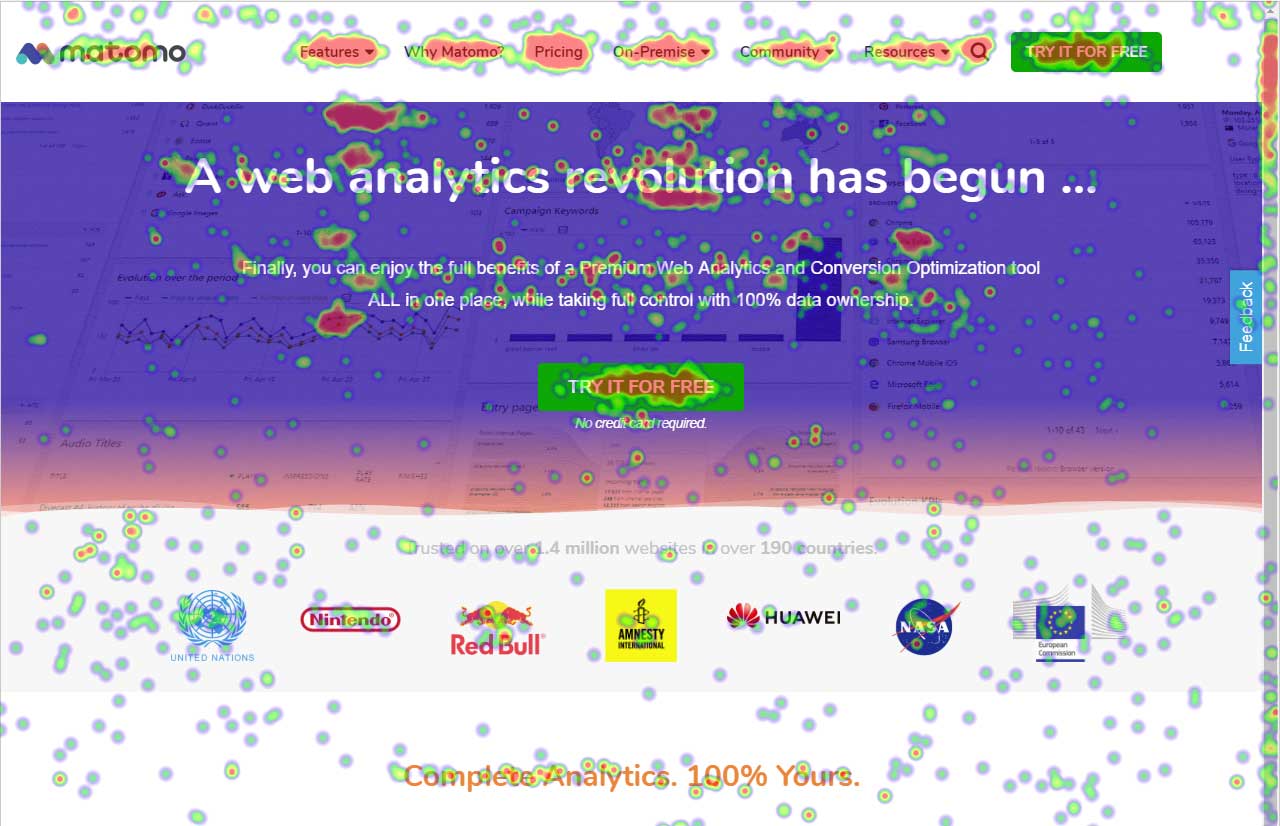
Provides heatmaps that shows you the elements on your site that are and aren't performing well.
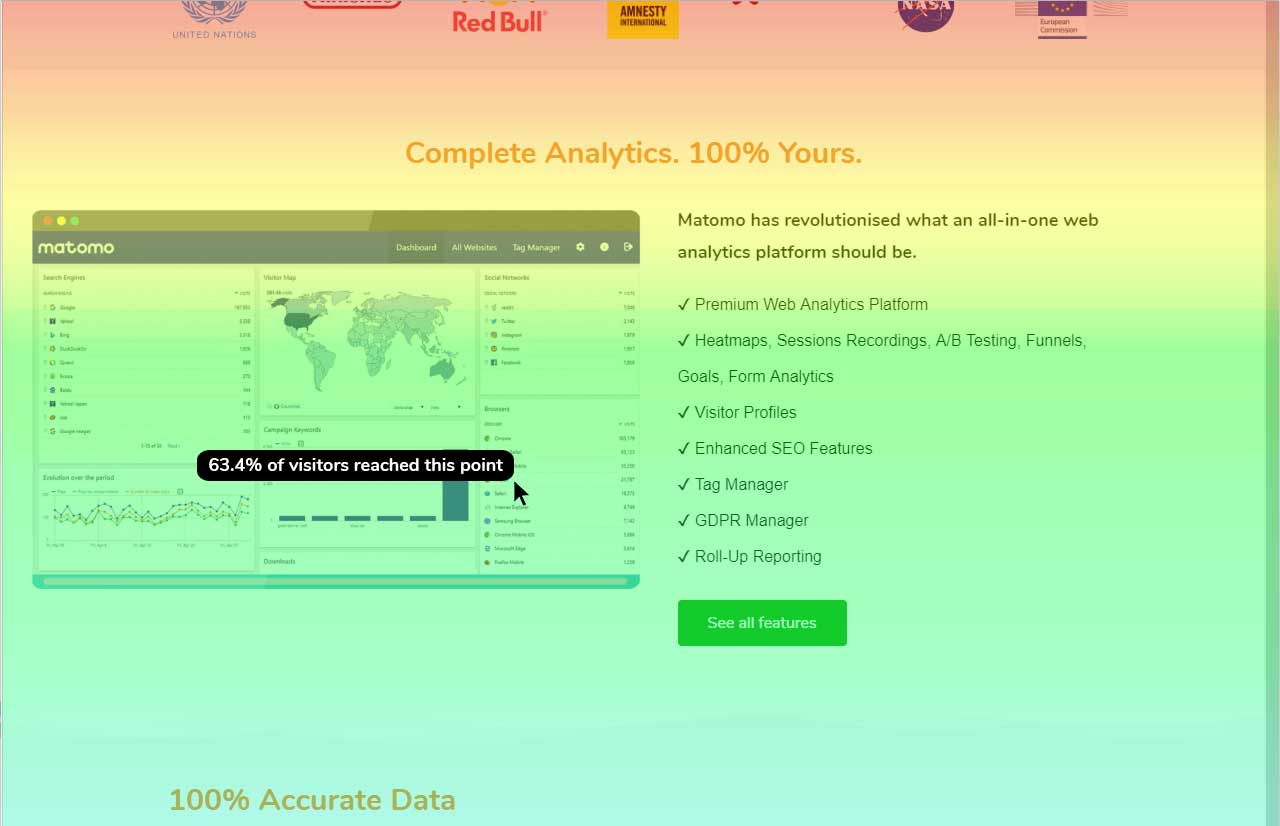
Provides scrollmaps so you can see how far down a page users are scrolling and which content never gets seen.
Screenshots show you how your website looks across a variety of different devices.
Provides a type of clickmap called confetti that enables you visualise clicks by segments - device, new/returning visitors, campaigns and other metrics.
A de minimis incentive was given to thank the reviewer for their time. The incentive was not used to bias or drive a particular response, nor was the incentive contingent on a positive endorsement. More Info
One of Piwik's strengths is the provision of customizable widgets for different bits of analytics data. The ability to add and remove them, change dates and more makes this a flexible way to visualize data.
The visitor log section is also rich, providing date, keywords, actions and more in a single table, which makes it easy to identify your most effective content.
And the visitor actions table includes both bounce rate and time on site, so you can quickly tell which pages have the most engagement.
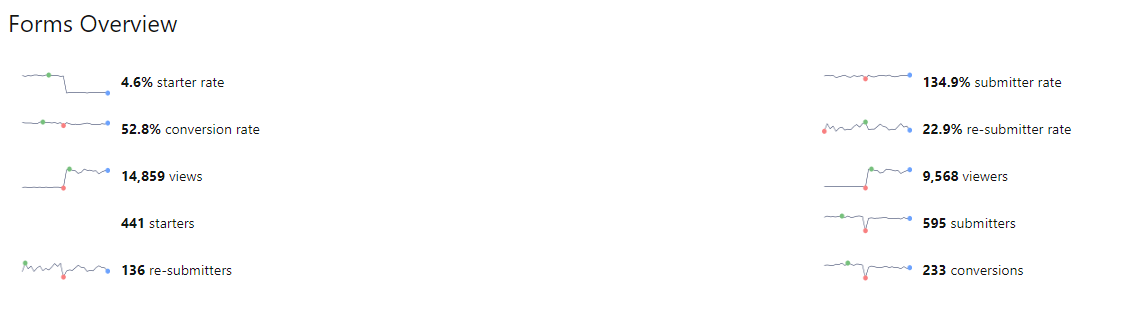
Data display is a strength for Piwik, as you have access to overview charts while simultaneously being able to drill deeper.
The largest thing we've struggled with is the Optimizely integration. I've contacted customer service a few times to get it properly setup. Customer Service is always friendly and helpful; they provide clear steps to get it setup. Unfortunately despite clear instructions, they are tedious, and if not completed in the correct order, the integration with Optimizely does not work. My success rate with the integration is less than 55%.
A de minimis incentive was given to thank the reviewer for their time. The incentive was not used to bias or drive a particular response, nor was the incentive contingent on a positive endorsement. More Info
From a user security standpoint it would be useful to provide users the ability to have two-factor authentication. While stats data is not necessarily sensitive in aggregate, some users may feel that certain portions need to be more secure.
It would be nice if there was a tighter integration with the Google search/referrer API so that "keyword not defined" would be replaced more often with the actual keyword that is being used to send a visitor to a site.
An easier branding method, maybe in the form of an API function set, that pulled branding URLs from a set of database fields would be great as well.
It's a great tool considering how inexpensive it is. If used correctly and you have a plan for tracking your websites, this tool can make a world of a difference. If you are not going to sit down and take the time to make a plan for how to use this tool, I would say it is not worth your time. Yes, you can look at items on your website that need to be changed, but without a consistent plan, other important items that need changing can be lost in the mix. Make sure you have enough time and energy to invest in this and it will be well worth it
At this point, there is not a single conceivable reason as to why we would not renew and continue to use Piwik Analytics. Especially since it is a free program and open source. The product will only get better over time as more people look into it and donate to cause so that development can continue.
Crazy Egg is extremely easy to set up and use, and very well done from a user experience standpoint. It is really helpful that I can give stakeholders access to the interface and get them interacting with it with minimal training. The A/B testing is the easiest I have ever used, with minimal performance impact to the website.
A de minimis incentive was given to thank the reviewer for their time. The incentive was not used to bias or drive a particular response, nor was the incentive contingent on a positive endorsement. More Info
Piwik succeeds in presenting me (and my associates and my clients...) large amounts of data in a user friendly way. The interface and functionality can easily be customized. While some enhancements do need technical background (API calls by programming language from the webserver or javascript), others are easy to use (goal / event tracking)
It's slow to post data, and slow to get a snapshot to finally be active (i.e. not pending). Not intolerable, but would be nice to see data within a couple hours. Often have to wait to the next day.
I think support is an area where Crazy Egg is lacking. I would love to have a quarterly check-in with a Crazy Egg rep to understand what kinds of changes have been made to the platform and what is on the horizon. I also think a quick consulting sessions with a rep could be extremely beneficial, as I'm sure there are ways to use the tool that we haven't even thought about yet that would be extremely insightful for our team.
A de minimis incentive was given to thank the reviewer for their time. The incentive was not used to bias or drive a particular response, nor was the incentive contingent on a positive endorsement. More Info
The best thing about the Matomo support is that they have a forum which basically you can find the answer to almost all of your questions and most of the time you don't need to contact them regarding your questions and problems but if you need help they will answer in a reasonable time slots.
A de minimis incentive was given to thank the reviewer for their time. The incentive was not used to bias or drive a particular response, nor was the incentive contingent on a positive endorsement. More Info
I will say that I didn't evaluate or select Crazy Egg, it's been a legacy tool that has been at the company before me. Honestly, we're not even sure of all of the features/functionality that we can use. Me, as a UXR, I think there are some other tools that would help me more in gaining visibility into what our users are doing on our website. I've evaluated other tools that are more aligned with UXR. However, if we properly paired it with experimentation, this might be more of a valuable tool for us.
A de minimis incentive was given to thank the reviewer for their time. The incentive was not used to bias or drive a particular response, nor was the incentive contingent on a positive endorsement. More Info
It is much more robust out of the box, easier to set up and more intuitive to use. The reports are set up already and it requires little to no setup after installation to start gathering insights.
Its reliability (not scaleability, as the question asks for, sorry) is pretty good but through our testing we know that some clicks do not get recorded. It doesn't bother us a lot because we look at the aggregate of thousands of visits, but we do know it misses things. As for scaleability, it's about right. You really don't want zillions of clicks per snapshot - the screen just turns to 100% dots and you lose the ability to differentiate different screen areas. We find that 25,000 clicks for a page gives us a really good view.
A de minimis incentive was given to thank the reviewer for their time. The incentive was not used to bias or drive a particular response, nor was the incentive contingent on a positive endorsement. More Info
A de minimis incentive was given to thank the reviewer for their time. The incentive was not used to bias or drive a particular response, nor was the incentive contingent on a positive endorsement. More Info