ClickUp is a productivity platform that brings together work apps, data, and workflows. Also presented as a Converged AI Workspace, ClickUp eliminates work sprawl to provide context and a single place for humans and agents to work together. The platform currently boasts over 20 million users worldwide. ClickUp Brain² is deeply embedded into the workspace, offering conversational intake for project scoping and autonomous task generation. It can transform brainstorming docs…
$0
per month per seat
Freedcamp
Score 8.3 out of 10
N/A
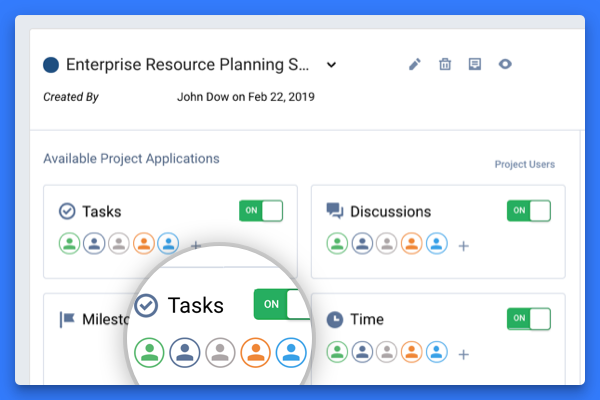
The vendor states Freedcamp helps tens of thousands of teams around the world manage their work. Their free plan contains tasks(in list and kanban view), milestones, discussions, calendar,
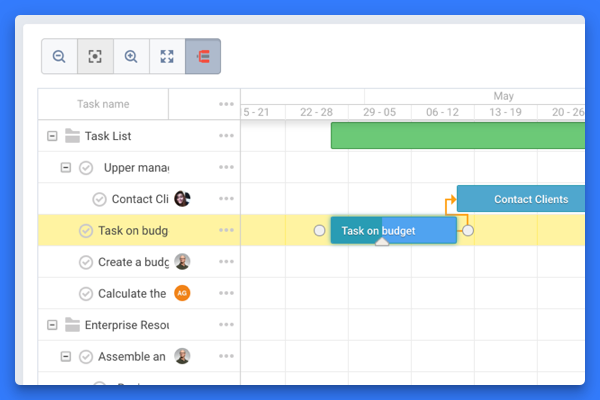
time-tracking and password management. On their premium plans, they also offer Gantt charts, Wikis, Issue Tracking, CRM and Invoices+.
We love ClickUp because it is packed with features! I tested several programs and each one has certain limitations around templates, automation, and custom fields. The price is honestly one of the biggest differentiators and is very affordable for the feature set that ClickUp …
I think it is great for task management and project management. It allows for much easier cross-team collaboration. Personally, I found it useful as a project and team manager to better keep track of all the deliverables that have been assigned to various members of the team. It is less appropriate to use as a CRM even though the website mentions it can be used as one, it still lacks many features which a full-fledged CRM would provide.
I have used a number of different Project Management Tools and this is the one I always make the team come back to, it's easy to use, has great support, and can be used by people of various levels of technical ability. When planning a complicated network, that needs to be sold to a customer, all people within the company have needs that have to be addressed, from the obvious technical, but also legal, regulatory, finance, and ordering of equipment and all these have different milestones, that interconnect, this is where Freedcamp shines, it allows all of the company to work together to achieve the technical sale.
Task Management - you can easily track details and notes of the tasks, deadlines and important dates, and notes and key links for the task. This has really leveled up how we manage projects and tasks.
Operational efficiency - by tracking where time goes the most or which tasks go the most, it enables you to identify areas where the most time is being spent and if that process needs to be improved or changed to streamline workflow.
SOP/Document storage - it is easy to create documents for standard operating procedures and processes and have a file to easily locate and reference them.
Files for projects or clients - ClickUp allows you to create separate files, folders, and subfolders to easily store and locate any corresponding tasks, projects, or important documents for that specific project or client.
AI overview - for tasks or documents with longer note sections or that have spanned more time and have more notes involved, ClickUp has an AI overview tool that helps with summarizing.
It has been a game-changer in terms of project tracking, as animation is a demanding product that requires multiple layers of analysis, revisions, tracking, scheduling, etc. ClickUp simplifies many approvals as anyone can easily add items, and you can tag the people who need to look at them.
ClickUp is generally very usable once the workspace is properly organized. The flexibility of views, custom fields, task structure, dashboards, and automations makes it easy to adapt the platform to different teams and workflows. The main reason I would no rate it a 10 is that the amount of functionality can make the interface overwhelming, specially for new users. large workspaces with many custom fields, notifications, views, and hierarchy levels can also require some training and ongoing governance.
It basically provides everything we need in terms of functionality. No tool is perfect and this one can improve in the visual department and maybe doesn't offer quite as much as the most advanced project management tools out there.
For over a year ClickUp was unavailable to us just twice for a couple of hours. I would say for a system this big and working globally that was a minor issue. They managed to fix all the issues within a couple hours and then it was back up and running perfectly fine.
The speed of ClickUp is average to be honest. This is one of the biggest flaws of the system, sometimes it's also lagging a little bit but we also have a lot of documents, lists etc. on our workspace. However, with the next version of ClickUp I've seen they are planning to increase the speed by almost 500%, probably by changing the technology, so I am more than looking forward to it.
I started using ClickUp when it was what most would consider a baby company. There were the occasional bugs that made working in ClickUp a little bit of a headache, but the support feature allowed me to chat with a real persona and communicate my issues. I would always get prompt support and someone willing to really help me, not just point me to FAQ pages. Not feeling like a number really makes a difference.
Especially a few years ago when Freedcamp was first starting, I needed support, sometimes, I'd find a bug as a heavy user, Igor and Angel are great people who are quick to reply and help you as well as the other great staff. Freedcamp's support is the best of any software product I use.
There are multiple guides on literally all of the functions you can find within the system, therefore it's easy to learn anything you'd really like to use, starting from project and people management, down to Gantts, mind maps, time tracking, inviting Clients as guests to work with you on the projects and so much more.
Start small. Don’t try to build the most elaborate plans first. Resist the urge to get into Gantt charts if no one is used to them. Just get work written, add dates and assignees, and start getting used to it. If you did not use a work management tool before, you need to be gracious with yourself about the fact that you likely do not have the muscle memory for working this way yet. But you will get there.
And leverage people who know it if possible. Look for ClickUp experts and vendors. They can really supercharge your effectiveness at building the tool out and speed up the process.
ClickUp is more robust and customizable than the ones we tried. I like Notion's user interface but seems more powerful to track progress. We didn't need the timetracker part of Monday and Asana seemed a little too cumbersome. So ultimately we went with ClickUp because it had the most potential... potential that we still have yet to harness.
Maybe not as good and visually appealing as Jira and Trello. But it offers a much better free tier and better prices for a small organisation as we are. Freedcamp and Kanbanchi is quite similar but Kanbanchi lacks the wide range of functionality in its free tier and makes it difficult to start up in a team.
Scaling with ClickUp is superb. If you create a workflow best suited for your organization then it's all about creating new accounts and teaching the new employees the workflow you're using. It's that simple. There is no black magic when it comes to Clickup.