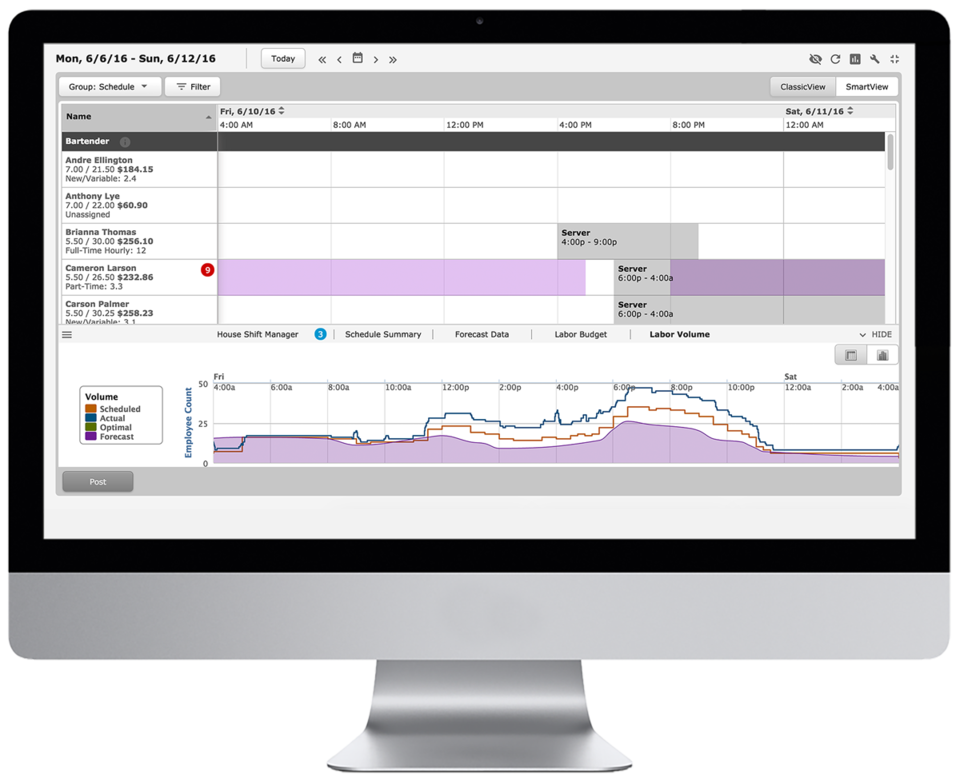
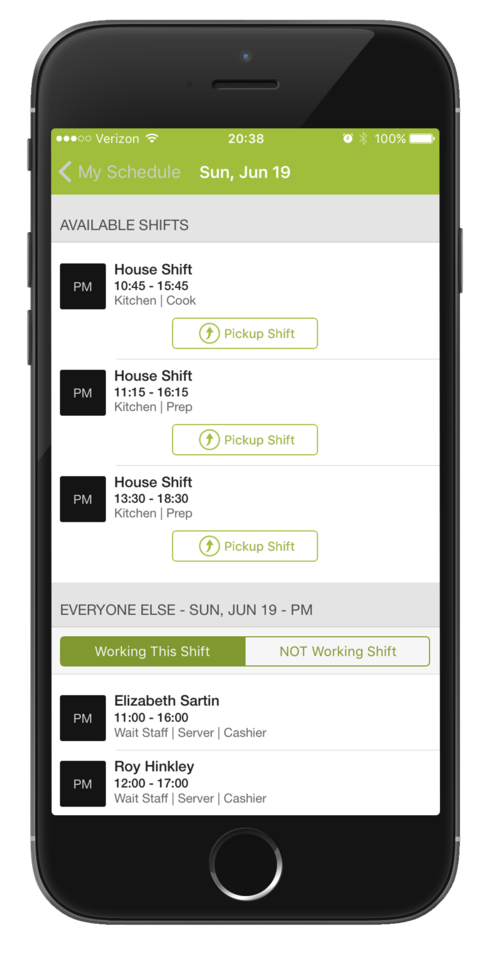
HotSchedules is a cloud-based scheduling, labor and communication management software solution serving the restaurant and hospitality industry. According to the vendor, key benefits include: Build & Communicate Schedules The scheduling and labor management software reduces the time it takes managers to create and communicate schedules. All scheduling and employee information is stored in one central location, so managers have access to time-off requests,…
$2
per month per employee
Verint Workforce Management
Score8.3 out of 10
N/A
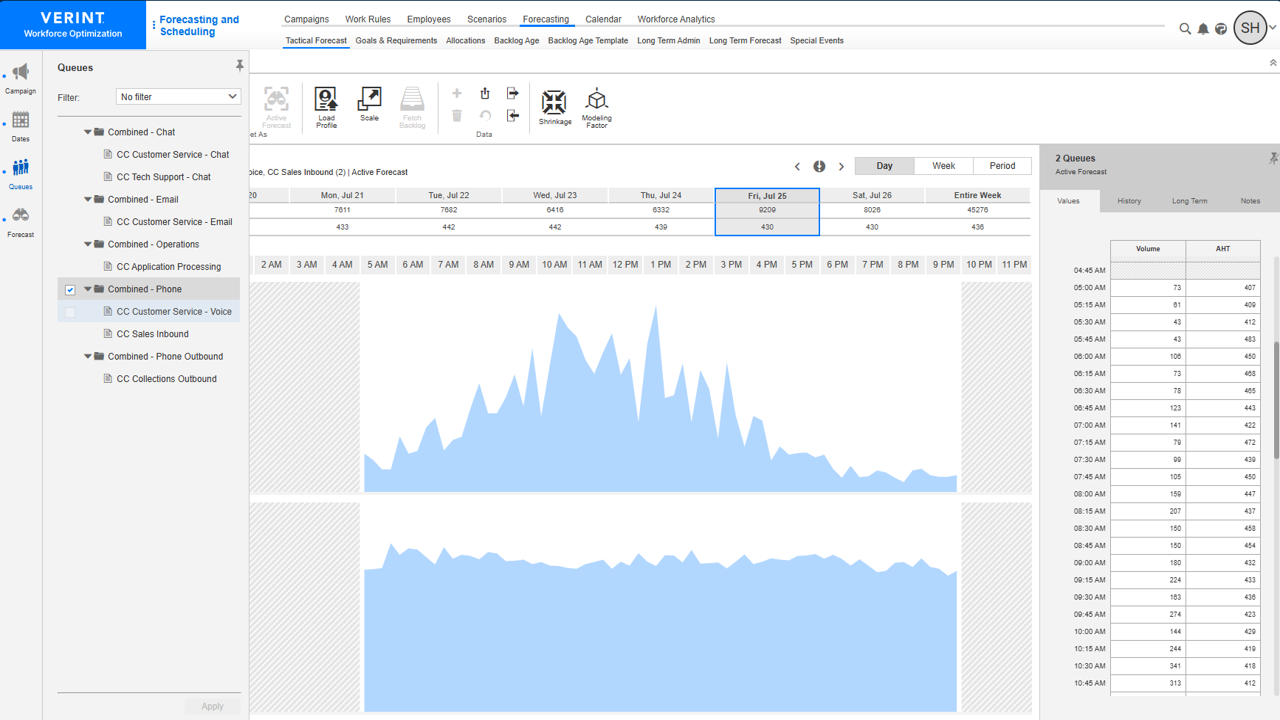
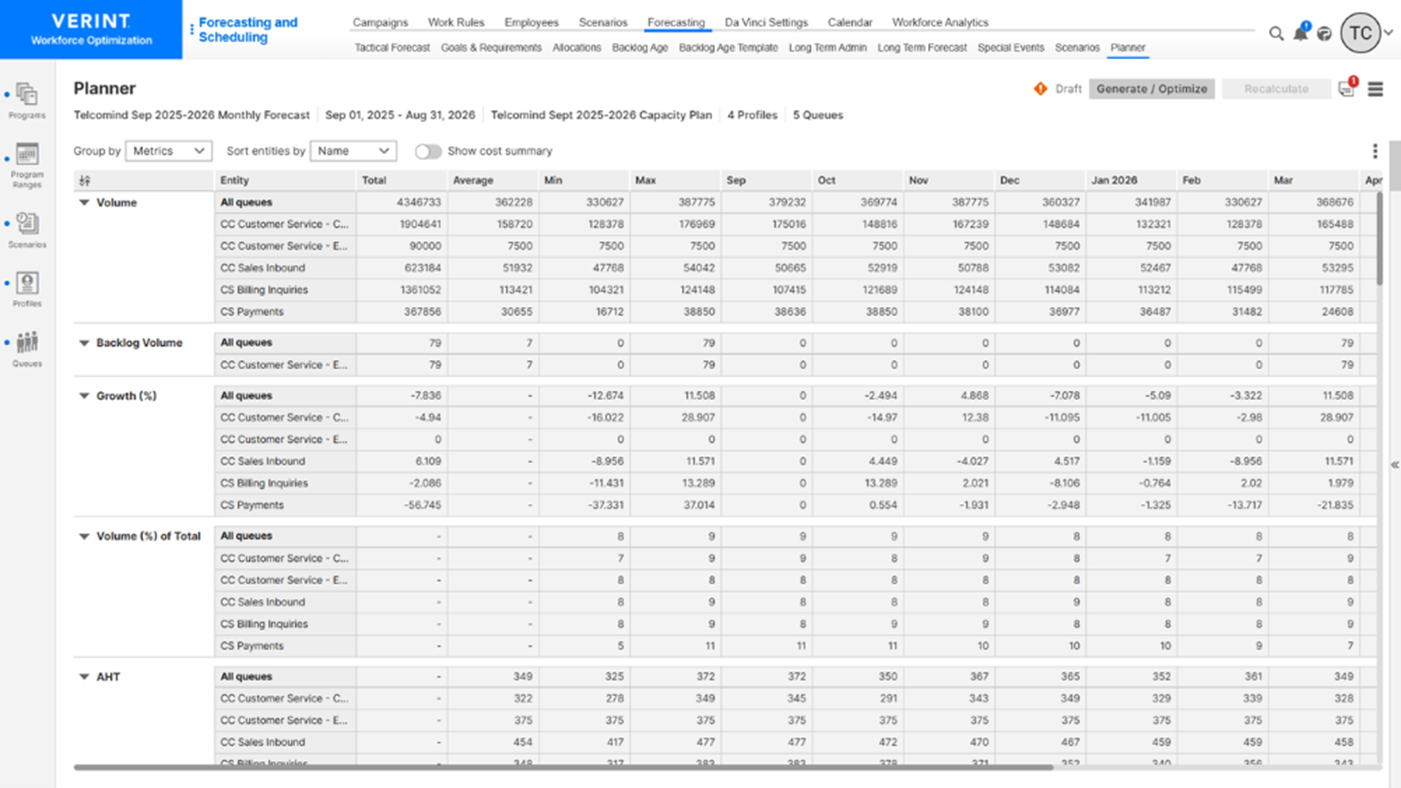
Verint Workforce Management is a solution that
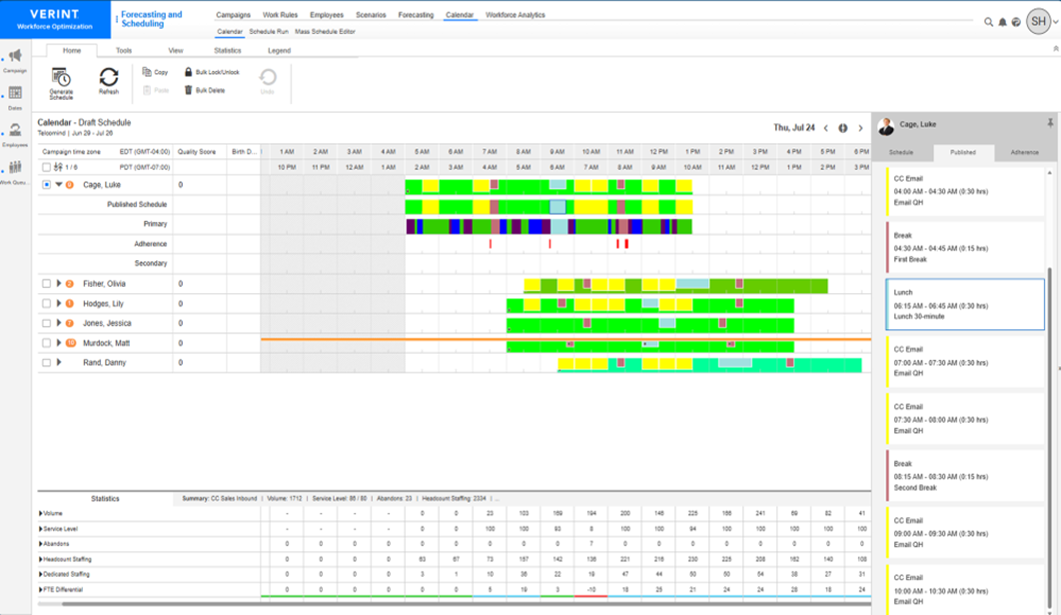
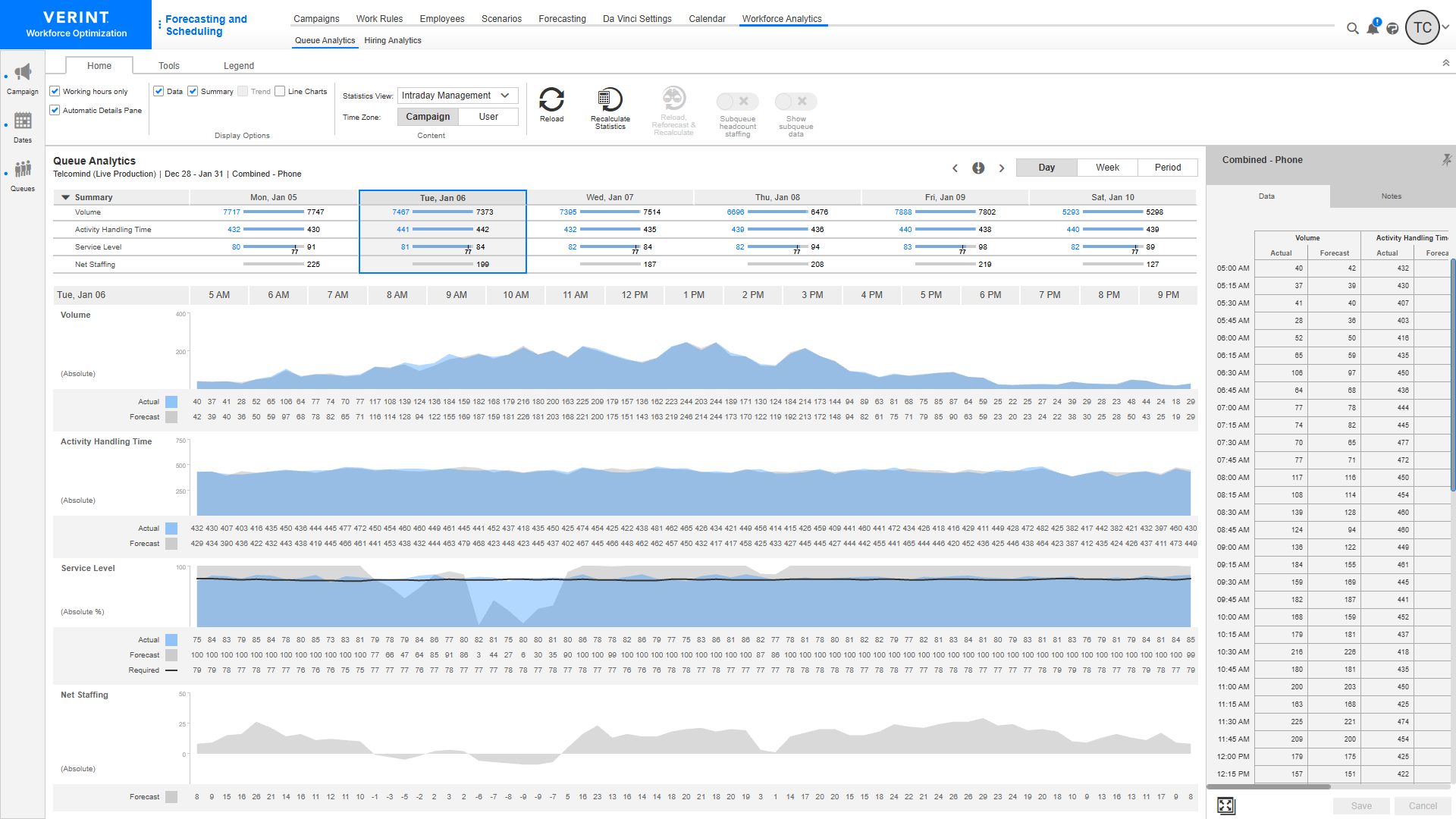
forecasts customer demand, analyzes and predicts the number of employees
needed, and optimizes employee schedules to align with demand across contact
center and back-office operations, to help organizations to meet CX and efficiency
goals.
Verint WFM is part of Verint Open Platform,
which helps organizations' customer service operations to lower costs and elevate EX and CX
with AI-powered bots that automate CX workflows. The…
N/A
Pricing
HotSchedules
Verint Workforce Management
Editions & Modules
Essentials
$2
per month per employee
Plus
$4
per month per employee
Quote-Based
Quote-based pricing
WFM Enterprise
-
per month per user
WFM Enterprise SaaS
-
per month per user
Offerings
Pricing Offerings
HotSchedules
Verint Workforce Management
Free Trial
Yes
No
Free/Freemium Version
No
No
Premium Consulting/Integration Services
No
Yes
Entry-level Setup Fee
No setup fee
No setup fee
Additional Details
—
Verint offers a named user pricing model with SaaS and on-premise delivery methods.
For small to medium-sized companies HotSchedules works great when business is very static. If you are simply using HotSchedules for a schedule writing tool, it is phenomenal. However, it does miss the mark as a labor control software. Needs more controls to keep managers aware of spending versus historical sales data.
A de minimis incentive was given to thank the reviewer for their time. The incentive was not used to bias or drive a particular response, nor was the incentive contingent on a positive endorsement. More Info
I think Verint Workforce Managementi s well suited for all scenarios. No system is perfect, but understanding the gaps allow you to be effective considering those gaps. The one scenario I can think of is if you don't need to forecast. We have some departments where volume is controlled (example Outbound). Because of the business model we have staffing on a given day or hour isn't important. Only agents are working 40 hours a week.
A de minimis incentive was given to thank the reviewer for their time. The incentive was not used to bias or drive a particular response, nor was the incentive contingent on a positive endorsement. More Info
Communication is so simple on HotSchedules. Whether it is communicating a new schedule release, or a quick note about tonight's shift we as managers are able to easily communicate and know that it will reach our team through text notifications, or email notifications.
The Meal Break planning tool is very useful in being able to help our floor leaders clearly understand and plan for what breaks are needed throughout the shift. This allows them to come up with a strategic game plan quickly and spend more time with our guests.
Shift Swaps and Releases are so seamless. This is our favorite tool as it makes helping our team cover shifts extremely easy and painless. On the flip side it also makes staff who want more hours be able to find what is available in real time.
A de minimis incentive was given to thank the reviewer for their time. The incentive was not used to bias or drive a particular response, nor was the incentive contingent on a positive endorsement. More Info
A de minimis incentive was given to thank the reviewer for their time. The incentive was not used to bias or drive a particular response, nor was the incentive contingent on a positive endorsement. More Info
Clocking In and out can be a little slow. It takes longer to clock in then our previous method. Before we just had a card you swiped and it would clock you in. Took 2 seconds. Now with the Hotschdules method we use it take 30 seconds or so. Not a huge issue but it can add up if you have one computer and a line of employees waiting to clock in.
Time Cards. It does not allow you to view someones current time until the "punch" has ended. If the manager would like to check what time the employee clocked in/out from lunch they have to wait until the employee has clocked out for the day before the record is generated. As a shift lead you may send and employee to lunch but forget to note what time you sent them. Awhile passes and you feel like they should be back by now, so you want to go in and see what time they left for lunch but it does not show you that punch record because the employee is still "clocked in" they are just on their "Meal Break"
The ability to customize the restrictions for Clocking in and out. You can set it up so that employees can only clock in from a specific location, however if you have a manager who is allowed to work from home they would not be able to clock in without being at the same location as set in the software. It would be nice to see it able to be customized per user.
A de minimis incentive was given to thank the reviewer for their time. The incentive was not used to bias or drive a particular response, nor was the incentive contingent on a positive endorsement. More Info
Usability from the end user. Our leaders in particular struggle with navigation and getting the information they need
Forecasting solutions outside of the basic call center. We do forecasting for back office groups and need to use different models than what is offered today, This requires us to do forecasting outside of Verint Workforce Management.
Improved Schedule Change request. Our business has a more flexible model for SCR. While we use the shift bid for other purposes, we need more flexible way to allow reps to submit for SCR
A de minimis incentive was given to thank the reviewer for their time. The incentive was not used to bias or drive a particular response, nor was the incentive contingent on a positive endorsement. More Info
A de minimis incentive was given to thank the reviewer for their time. The incentive was not used to bias or drive a particular response, nor was the incentive contingent on a positive endorsement. More Info
Whilst Verint Workforce Management is doing much of the work we were hoping it would do, there are some limitations that cause hesitancy when deciding if it is the tool for the future. No further exploration has taken place to seek alternatives to date. It is good for the Contact element of our business but not for the rest of the business, meaning we have to use two planning tools currently.
6 Years of Experience provides me the insight on the upgrades and changes that HotSchedules has done to improve the experience of its users. There are so many features that we still have not started or used to the fullest, but we believe that we are currently getting a strong value out of the money that is paid for this product.
A de minimis incentive was given to thank the reviewer for their time. The incentive was not used to bias or drive a particular response, nor was the incentive contingent on a positive endorsement. More Info
As someone who was new to the WFM world just over 2 years ago but very tech savvy I found it very not user friendly. The interface is not intuitive from a rep perspective or an administrator perspective. While Verint Workforce Management could benefit many organizations at our company the user interface is holding back other organizations from wanting to implement it.
A de minimis incentive was given to thank the reviewer for their time. The incentive was not used to bias or drive a particular response, nor was the incentive contingent on a positive endorsement. More Info
On rare occasions a phone call has been required to find the solution to a problem, the HotSchedules response staff have been helpful, courteous, and genuinely seem to care for their clients and take pride in what they do. The consistent development and fine tuning of the platform, interface, and mobile environment shows that this is not a program full of people who rest on their laurels.
A de minimis incentive was given to thank the reviewer for their time. The incentive was not used to bias or drive a particular response, nor was the incentive contingent on a positive endorsement. More Info
The team always work diligently to provide answers to my questions and fixes to my issues. The support team has remained consistent and is familiar with our business needs and that is something that is very beneficial as we grow and change
A de minimis incentive was given to thank the reviewer for their time. The incentive was not used to bias or drive a particular response, nor was the incentive contingent on a positive endorsement. More Info
Training was covered in full day sessions that went very fast with no way of recording the information for later review. This made it hard to capture & retain all the details of information.
A de minimis incentive was given to thank the reviewer for their time. The incentive was not used to bias or drive a particular response, nor was the incentive contingent on a positive endorsement. More Info
Training is more broad on specific use cases. It would be good to have training based on our current situations as we deal with so many unique setups & client needs.
A de minimis incentive was given to thank the reviewer for their time. The incentive was not used to bias or drive a particular response, nor was the incentive contingent on a positive endorsement. More Info
The team helping us did a great job training our WFM leaders on how to use the tool from forecasting, to schedule updates to maintenance. They allowed us to be involved in implementation but also did a lot of the initial heavy lifting allowing us to stay focussed on the tasks at hand. It was a great experience and one I would hope occurs again should we ever need to implement a new tool again.
A de minimis incentive was given to thank the reviewer for their time. The incentive was not used to bias or drive a particular response, nor was the incentive contingent on a positive endorsement. More Info
I have not used any other Scheduling software for employees. As a campground manager in the summer season, we are using campground master for reservations. it is very similar in process to employee scheduling. the ability to the user of that program to set up their own parameters for time and reservations is something that would benefit the employee scheduling software.
A de minimis incentive was given to thank the reviewer for their time. The incentive was not used to bias or drive a particular response, nor was the incentive contingent on a positive endorsement. More Info
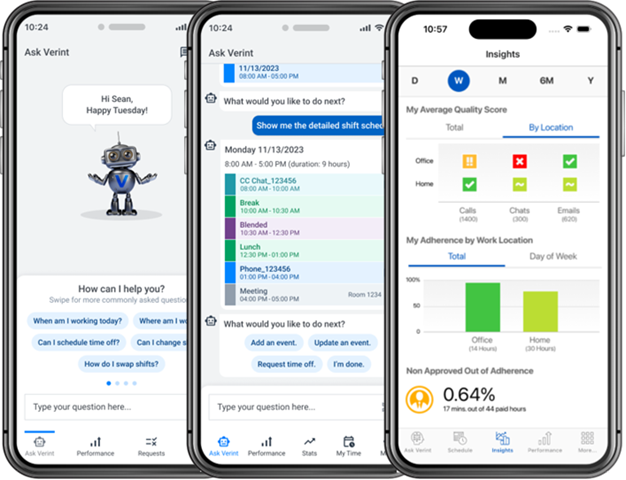
I find that Verint wants to give you a lot of customisation options, but this can potentially lead to a lot of work, but is also offers us something that we didn't have before, the opportunity to give benefits back to our employees with tools like request leave, shift swap, shift bidding, timeflex, etc. This is why we chose Verint Workforce Management.
A de minimis incentive was given to thank the reviewer for their time. The incentive was not used to bias or drive a particular response, nor was the incentive contingent on a positive endorsement. More Info
Saving time on scheduling means our managers can focus more on guest experience, managing the floor and other areas that contribute to the success of our business.
A de minimis incentive was given to thank the reviewer for their time. The incentive was not used to bias or drive a particular response, nor was the incentive contingent on a positive endorsement. More Info
Staffing optimization - With the Verint tool, we have been able to optimize our workforce, reduce our staff and centralize our processes.
Employee Engagement - Our employees always know where their performance stands so they can take ownership in their performance.
We have implemented WFM in several areas of the company and have been able to improve those departments which have never had a tool to help in back office operations.
A de minimis incentive was given to thank the reviewer for their time. The incentive was not used to bias or drive a particular response, nor was the incentive contingent on a positive endorsement. TR verified that a representative sample of customers was invited. More Info