Payoneer headquartered in New York offers a global payment solution enabling business to manage international payments, bill or request payments from clients, receive payments through popular marketplaces, and pay freelance workers no matter where they are.
N/A
Tipalti
Score 7.7 out of 10
Mid-Size Companies (51-1,000 employees)
Tipalti automates critical financial processes to drive efficiency, including accounts payable, mass payments, procurement, and expenses, all on one global finance automation platform that grows with the organization, automating, de-risking and simplifying finance.
$129
per month
Pricing
Payoneer
Tipalti
Editions & Modules
No answers on this topic
No answers on this topic
Offerings
Pricing Offerings
Payoneer
Tipalti
Free Trial
No
No
Free/Freemium Version
No
No
Premium Consulting/Integration Services
No
Yes
Entry-level Setup Fee
No setup fee
Required
Additional Details
—
Pricing starts at $149 per month for the platform fee. Users can upgrade to Tipalti's more advanced capabilities as their businesses gets more complex.
The Tipalti pricing model is designed to grow with the user's company. Advanced features such as W-8 tax forms, international tax IDs, or multi-entity payables are available as needed.
Through Payoneer's payment solution, it is easy to send funds to numerous countries across the globe. Payoneer will help pay people from more than 85 countries around the world. One of the things I love about Payoneer is the simplicity that they offer.
With Tipalti the vendor can choose between more payment options + can change between payment details/methods at any time without the need to have the payer doing so.
Except Tipalti, we are using only traditional bank accounts for some other payments towards companies and PayPal and BlacCat cards for some small non-significant payments online. Tipalti's advantages in our case are in ease access for payments of individuals and in possibility …
Although the withdrawal is limited to the ACH US accounts, as they aren't real bank accounts, it's a convenient way to get paid fast from Stripe, although if there is a small fee or a chargeback as these are way in payments only, it becomes a nightmare to fix those problems. It does allow the bank accounts to be accepted with Stripe. For any kind of ACH payment to vendors, the service is way too limited, I wasn't able to pay anyone, unless I use the card to do it, as any regular card. In my experience, I think Import export, international trade transactions or high ticket items are impossible due to the small upper limits, for instance I can't use it to pay a vendor for a regular inventory of the latest iPhones(more than a million dollars for just a few items), nor to get paid by an overseas buyer(for instance my clients in Dubai), that buy these items on a daily basis, for these operations is just not suited.
I would tell them that it manually syncs to ERPS. Additionally I would include the fact that you can pay multiple entities in one pay run allowing to be very efficient. I would also include that they can add rules to bill approvals or set up auto payments for certain vendors. Lastly, there are many reports you can run providing you will very informational data in seconds.
The report that provides the "Not payable" vendors does not work well for us, particularly because the sync to our ERP goes both ways, which means all of the employees also sync over to Tipalti and remain as Not Payable. So the list is very long, and I don't find a good use for it.
Solid system performance. Suits our needs and solution provider very inclined to accept feedback and involve users in developing the solution to serve both the provider and the ultimate user. Tipalti has streamlined our process that was previously very manual and prone to error. Now there is transparency of information and role.
Two-time Tipalti selector, implementor, and user. The payment features in the app saves many steps in the payment process. No longer do you have to set-up or upload payment information to your bank and then go back to your accounting system and mark items as paid. Tipalti does all of this with a click of a mouse. The payment feature is the stand out feature. Many vendors can process your invoices. Look at how at the payment process of others.....you will see.
The support is really awful. They send you generic answers, and actually don't really understand what is going on. For example, when our re-verification was stuck, support agents told me that the account is active and you can send a payment. I did that, my card was charged, but the payment was declined, because the account was not active
Since I also work in customer support, I often have to contact Tipalti's team with questions from our users. Tipalti's support team has always been exceptionally helpful and it was a pleasure to communicate with them. I have always received prompt responses to any inquiries and they are excellent at solving our customers' issues within a short time
Payoneer has outperformed them all, with speedier payments, a larger network, and international business accounts. We first tried a few different payment service providers before settling on this one, like PayPal, Payeer, and Skrill. But after all these years, Payoneer continues to provide us with the best services, features, and safety overall.
From initial implementation through to user experience, Tipalti has been able to exceed our expectations in terms of its functionality and useability. We have found with other systems implemented in the past they did not match our expectations which resulted in us terminating these services.
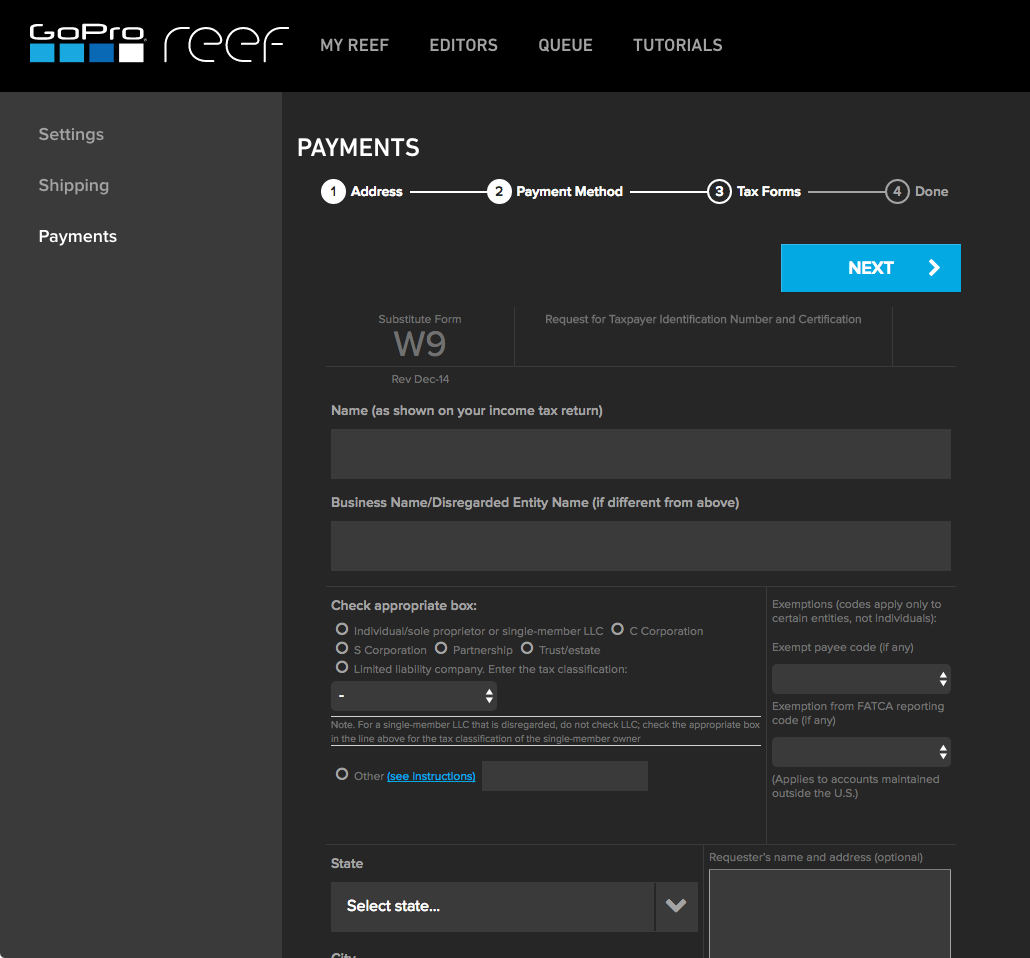
Vendor onboarding has taken the responsibility from one person to the Vendor directly. This provides the vendor with the ability to enter their own banking information for payments and upload their Federal W9 form.
Vendors can upload their own invoices to the system, taking the possibility that our AP team did not receive an emailed or mailed invoice to upload. This also increases payment efficiency as the vendor's invoice is processed in a more timely manner.
AP can review invoices for accuracy and concentrate on how to code an invoice, rather than be a paper pusher or a data entry clerk. AP doesn't spend time searching for invoices that might be a duplicate, the system will communicate this on the software review process and if AP has uploaded by email the same invoice multiple times, an email will be sent to AP to indicate that the invoice was not uploaded due to duplication.