Chose Acumatica
We selected Acumatica because it is more configurable and more adaptable than Dynamics.

| Product | Rating | Most Used By | Product Summary | Starting Price |
|---|---|---|---|---|
 Acumatica | N/A | Acumatica delivers a set of cloud-based business software applications with dashboards, reporting tools, integrated document management, centralized security, and customization tools. | N/A | |
 QuickBooks Self-Employed (discontinued) | N/A | A now discontinued accounting solution, QuickBooks Self-Employed featured tools to help the self-employed drive growth and financial stability. It is replaced by the more advanced QuickBooks Solopreneur. | N/A |
| Acumatica | QuickBooks Self-Employed (discontinued) | |||||||||||||||
|---|---|---|---|---|---|---|---|---|---|---|---|---|---|---|---|---|
| Editions & Modules | No answers on this topic | No answers on this topic | ||||||||||||||
| Offerings |
| |||||||||||||||
| Entry-level Setup Fee | No setup fee | No setup fee | ||||||||||||||
| Additional Details | Pricing is always consumption-based with no five-year lock-ins or termination penalties. The Acumatica ERP pricing structure allows adding casual users, suppliers, and customers without paying for additional licenses. The cost is based on the features and resources utilized, not on the number of users who access the system. An Acumatica partner works with users to understand specific requirements, determine the proper resources and modules for the company, and presents a price for the license. | — | ||||||||||||||
| More Pricing Information | ||||||||||||||||
| Acumatica | QuickBooks Self-Employed (discontinued) | |
|---|---|---|
| Considered Both Products |  Acumatica  Hardik Thacker Financial research analyst Chose Acumatica Acumatica excels well against other tools due to its rich set of capabilities like deep integrated project management, financial management, scalable unlimited users, robust real-time visibility and strong customisation, outperforming Odoo's variable modules and QuickBook's …  Darren Francis Chief Risk & Compliance Officer Chose Acumatica Acumatica beats them hands down. No comparison  Brian Flaten It Director Chose Acumatica The go live time is better in Acumatica. The developer learning path is better in Acumatica. The Acumatica community is so strong |  QuickBooks Self-Employed (discontinued)  Jonathan Palance Owner Chose QuickBooks Self-Employed (discontinued) Freshbooks limited my ability to categorize transactions, specifically removing duplicates or excluding them. I selected QuickBooks Self-Employed because it allowed me to be in control of items. Sometimes accounting is just making sure things are organized the way YOU think, …  Paul Lipman Headhunter / Managing Director - IT Infrastructure Solutions and Services Chose QuickBooks Self-Employed (discontinued) I selected Quickbooks because it was free for a year when I had TurboTax.  Aaron Metzger Founder Chose QuickBooks Self-Employed (discontinued) Honestly, this was the only option for me when I launched my business. I didn't even look at different companies for account services, since QuickBooks Self-Employed had the features and benefits that I needed to run daily operations of my business. Eventually, I will need to …  Tim Vahsholtz Producer Chose QuickBooks Self-Employed (discontinued) Alternatively, I use Quicken to manage bank entries and create reports for tax purposes.  Benjamin E. Jerew Senior Content Manager Chose QuickBooks Self-Employed (discontinued) To be honest, I haven't shopped around for a bookkeeping package. I've been using TurboTax for well over a decade, and adding on QuickBooks Self-Employed (once I made the switch to freelancing) was a no-brainer. I probably could have used the program to help me keep track of …  Nathanial Holt Co-owner Chose QuickBooks Self-Employed (discontinued) We just trust QuickBooks more than CloudBooks because it's been on the market longer and it's not a net-based service.  Lawson Brooks III President/Client Strategy Partner, Business Development/Government Relations Services Chose QuickBooks Self-Employed (discontinued) I selected QBSE because no other system fit my needs as a freelancer and as of now, I've not become aware of a program like this that I would opt out for. |
| Acumatica | QuickBooks Self-Employed (discontinued) | ||||||||||||||||||||||||||||||||||||||||||||||||||||||||||||||||||
|---|---|---|---|---|---|---|---|---|---|---|---|---|---|---|---|---|---|---|---|---|---|---|---|---|---|---|---|---|---|---|---|---|---|---|---|---|---|---|---|---|---|---|---|---|---|---|---|---|---|---|---|---|---|---|---|---|---|---|---|---|---|---|---|---|---|---|---|
| Payroll Management |
| ||||||||||||||||||||||||||||||||||||||||||||||||||||||||||||||||||
| Customization |
| ||||||||||||||||||||||||||||||||||||||||||||||||||||||||||||||||||
| Security |
| ||||||||||||||||||||||||||||||||||||||||||||||||||||||||||||||||||
| Reporting & Analytics |
| ||||||||||||||||||||||||||||||||||||||||||||||||||||||||||||||||||
| General Ledger and Configurable Accounting |
| ||||||||||||||||||||||||||||||||||||||||||||||||||||||||||||||||||
| Inventory Management |
| ||||||||||||||||||||||||||||||||||||||||||||||||||||||||||||||||||
| Order Management |
| ||||||||||||||||||||||||||||||||||||||||||||||||||||||||||||||||||
| Subledger and Financial Process |
| ||||||||||||||||||||||||||||||||||||||||||||||||||||||||||||||||||
| Project Financial Management |
| ||||||||||||||||||||||||||||||||||||||||||||||||||||||||||||||||||
| Project Execution Management |
| ||||||||||||||||||||||||||||||||||||||||||||||||||||||||||||||||||
| Grants Management |
| ||||||||||||||||||||||||||||||||||||||||||||||||||||||||||||||||||
| Procurement |
| ||||||||||||||||||||||||||||||||||||||||||||||||||||||||||||||||||
| Risk Management |
| ||||||||||||||||||||||||||||||||||||||||||||||||||||||||||||||||||
| Logistics |
| ||||||||||||||||||||||||||||||||||||||||||||||||||||||||||||||||||
| Manufacturing |
| ||||||||||||||||||||||||||||||||||||||||||||||||||||||||||||||||||
| Supply Chain |
| ||||||||||||||||||||||||||||||||||||||||||||||||||||||||||||||||||
| Product Lifecycle Management |
|
| Acumatica | QuickBooks Self-Employed (discontinued) | |
|---|---|---|
| Small Businesses |  Zoho One Score 9.2 out of 10 |  Zoho Books Score 9.0 out of 10 |
| Medium-sized Companies |  Infor VISUAL Score 7.3 out of 10 | Zoho Books Score 9.0 out of 10 |
| Enterprises |  24SevenOffice Score 9.0 out of 10 |  Oracle Fusion Cloud Enterprise Performance Management Score 7.4 out of 10 |
| All Alternatives | View all alternatives | View all alternatives |
| Acumatica | QuickBooks Self-Employed (discontinued) | |
|---|---|---|
| Likelihood to Recommend | 8.8 (0 ratings) | 10.0 (0 ratings) |
| Likelihood to Renew | 9.5 (0 ratings) | 10.0 (0 ratings) |
| Usability | 8.2 (0 ratings) | 9.4 (0 ratings) |
| Availability | 9.0 (0 ratings) | - (0 ratings) |
| Performance | 7.7 (0 ratings) | - (0 ratings) |
| Support Rating | 7.6 (0 ratings) | 10.0 (0 ratings) |
| In-Person Training | 6.6 (0 ratings) | - (0 ratings) |
| Online Training | 7.7 (0 ratings) | - (0 ratings) |
| Implementation Rating | 6.9 (0 ratings) | - (0 ratings) |
| Configurability | 7.6 (0 ratings) | - (0 ratings) |
| Ease of integration | 7.1 (0 ratings) | - (0 ratings) |
| Product Scalability | 8.0 (0 ratings) | - (0 ratings) |
| Vendor post-sale | 5.2 (0 ratings) | - (0 ratings) |
| Vendor pre-sale | 6.9 (0 ratings) | - (0 ratings) |
| Acumatica | QuickBooks Self-Employed (discontinued) | |
|---|---|---|
| Likelihood to Recommend |
|
 Ayo Bamgbose Assoc CIPD MSc Online digital business coach |
| Pros |
|
Aaron Metzger Founder |
| Cons |
|
Lawson Brooks III President/Client Strategy Partner, Business Development/Government Relations Services |
| Likelihood to Renew |
| No answers on this topic |
| Usability |
|
 Shannon Allen Independent Recruiter |
| Reliability and Availability |
 DANYEL SULLIVAN-MARRERO, CPA, MBA Controller | No answers on this topic |
| Performance |
| No answers on this topic |
| Support Rating |
|
Ayo Bamgbose Assoc CIPD MSc Online digital business coach |
| In-Person Training |
DANYEL SULLIVAN-MARRERO, CPA, MBA Controller | No answers on this topic |
| Online Training |
 Julie Weber Director of Finance & Accounting | No answers on this topic |
| Implementation Rating |
 Scott Rutkowski, CLP CIO (Chief Information Officer) | No answers on this topic |
| Alternatives Considered |
Hardik Thacker Financial research analyst |
Benjamin E. Jerew Senior Content Manager |
| Scalability |
DANYEL SULLIVAN-MARRERO, CPA, MBA Controller | No answers on this topic |
| Return on Investment |
|
Tim Vahsholtz Producer |
| ScreenShots | Acumatica Screenshots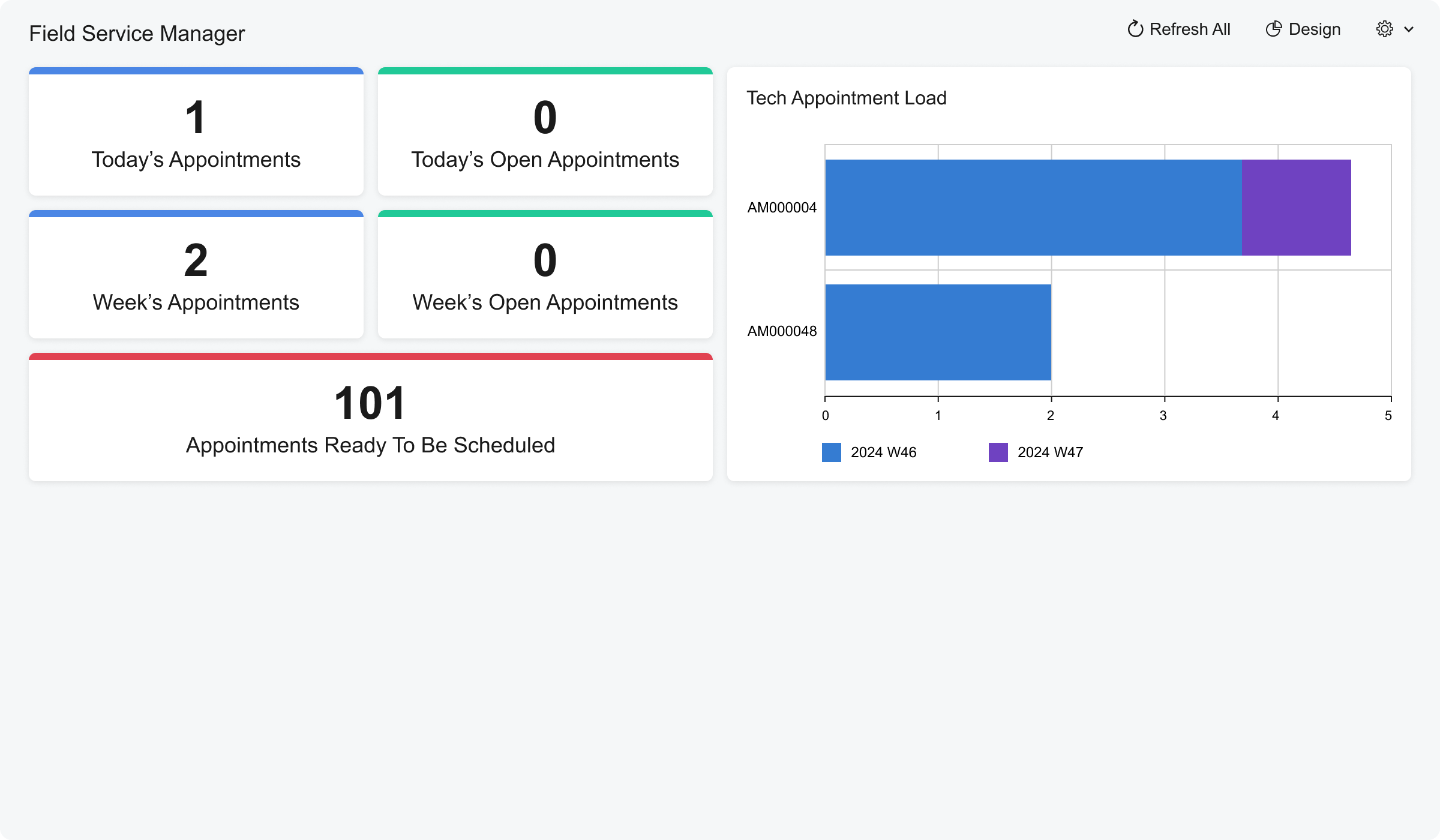 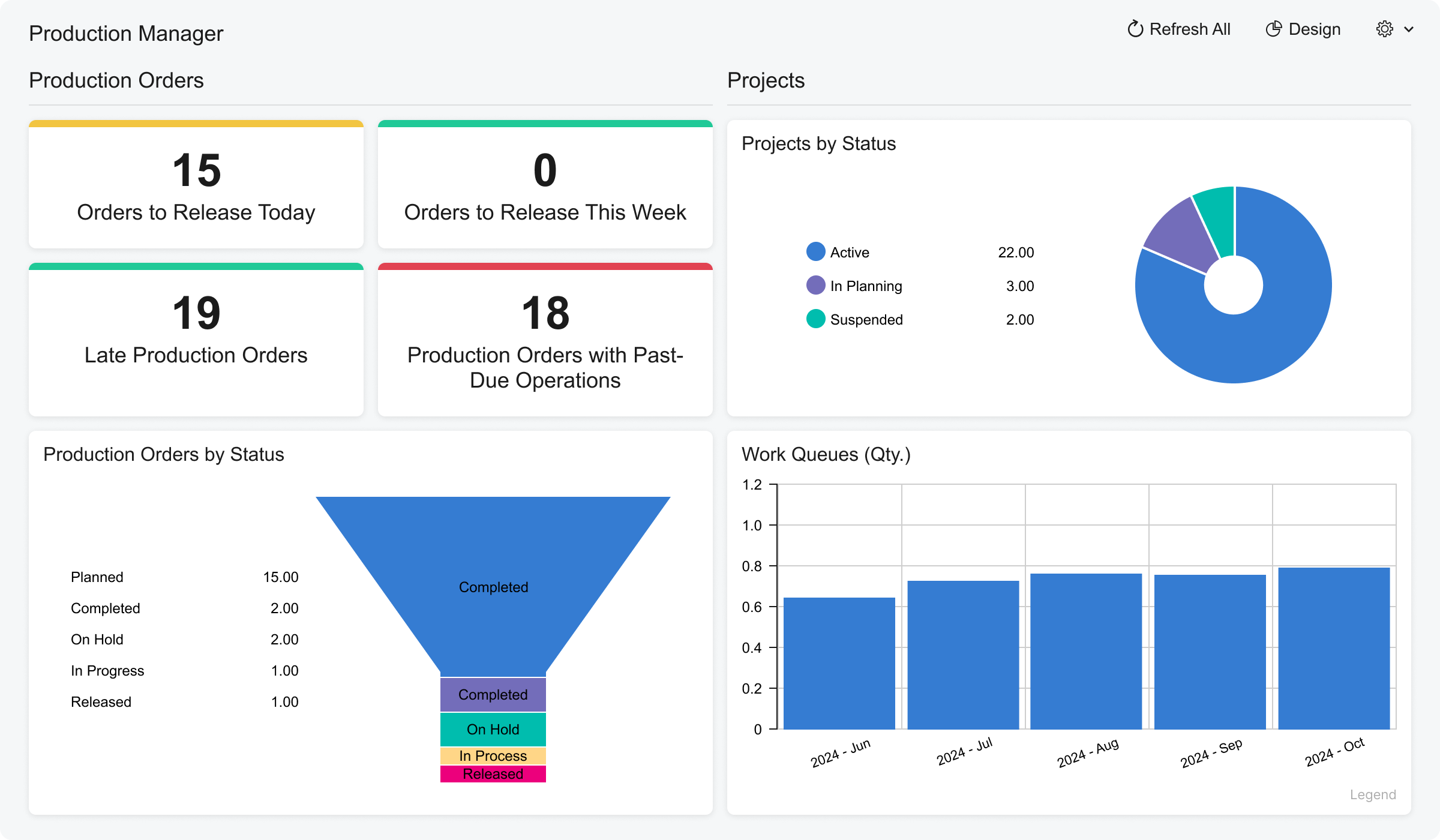 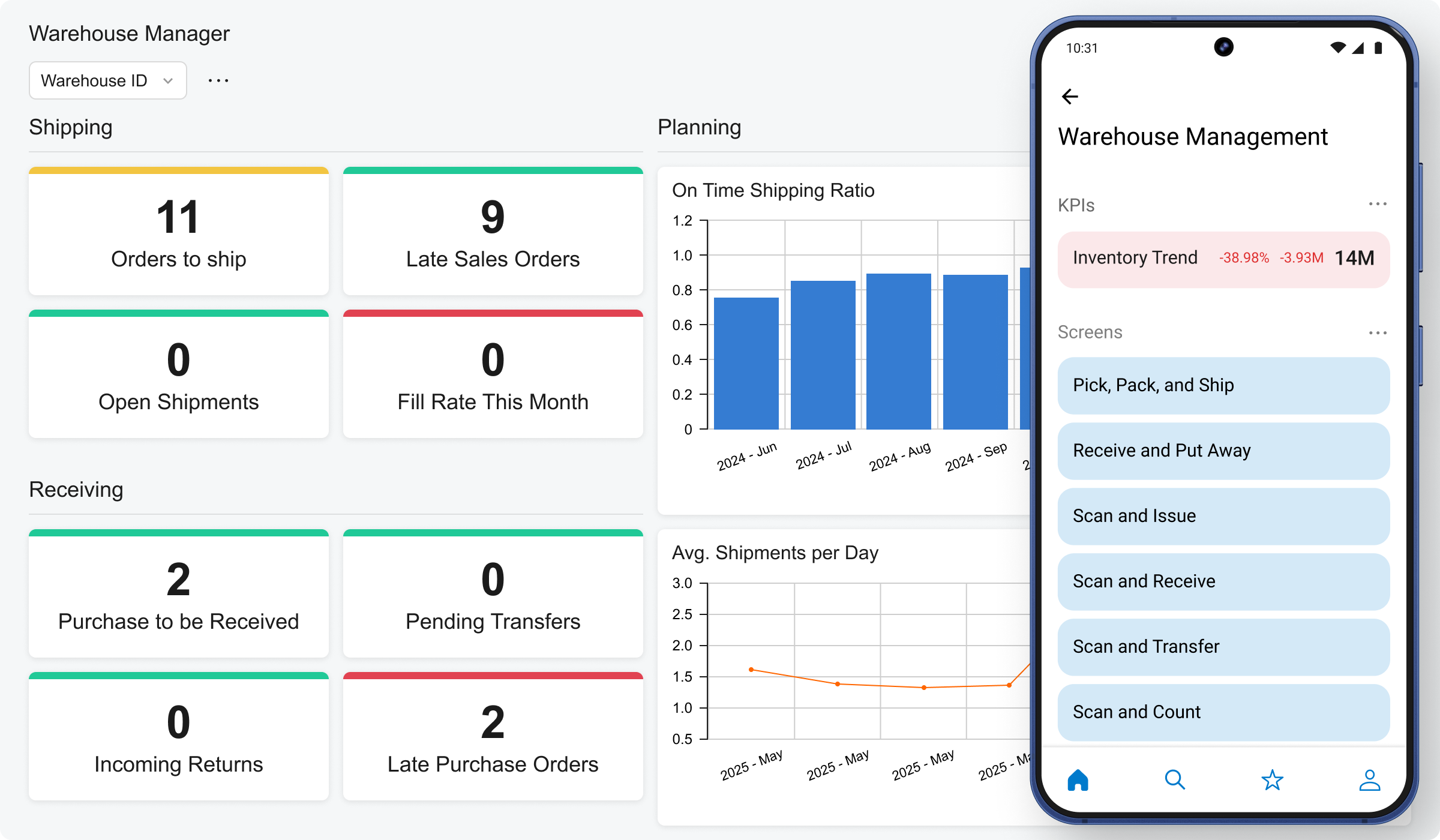 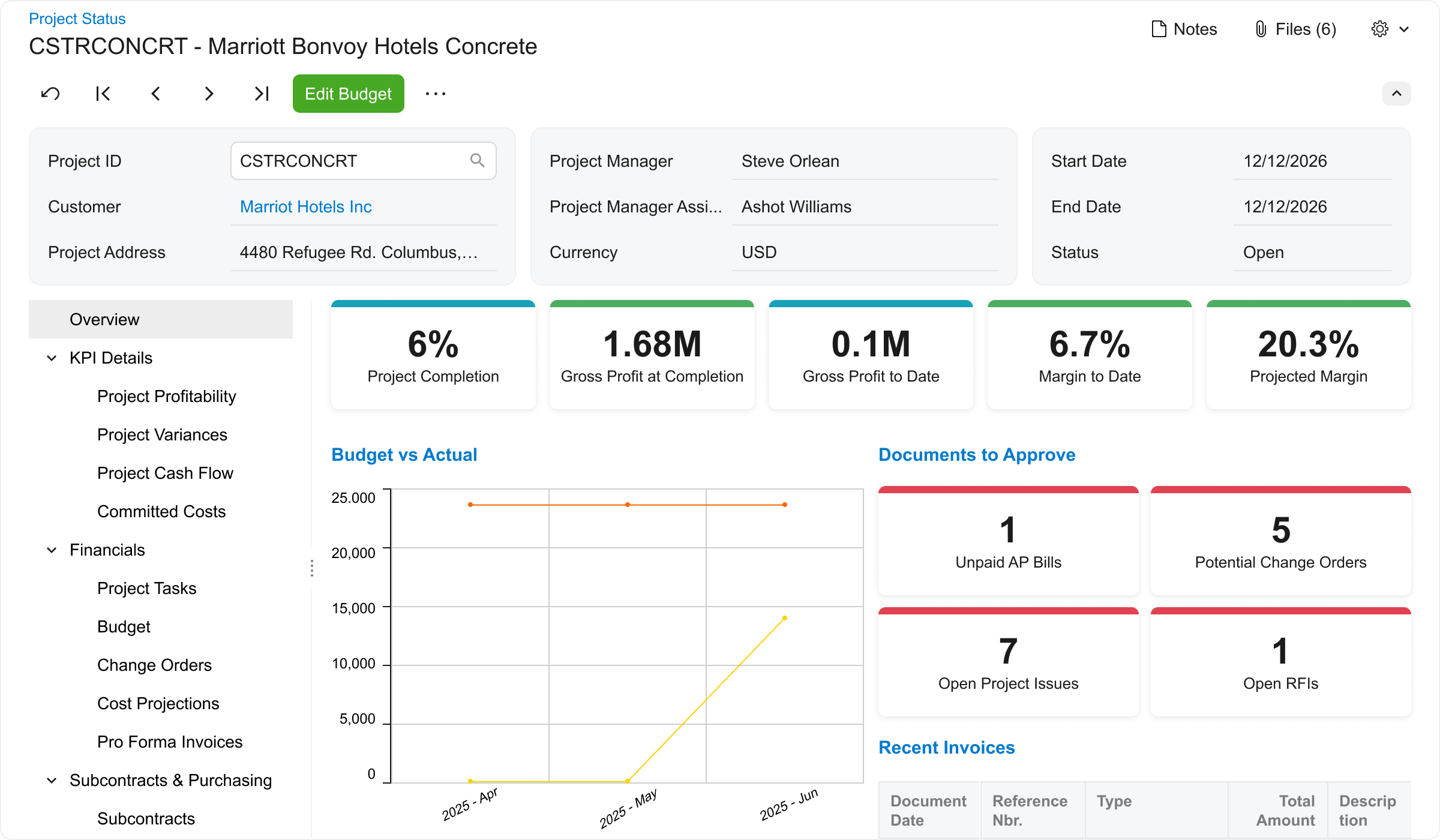 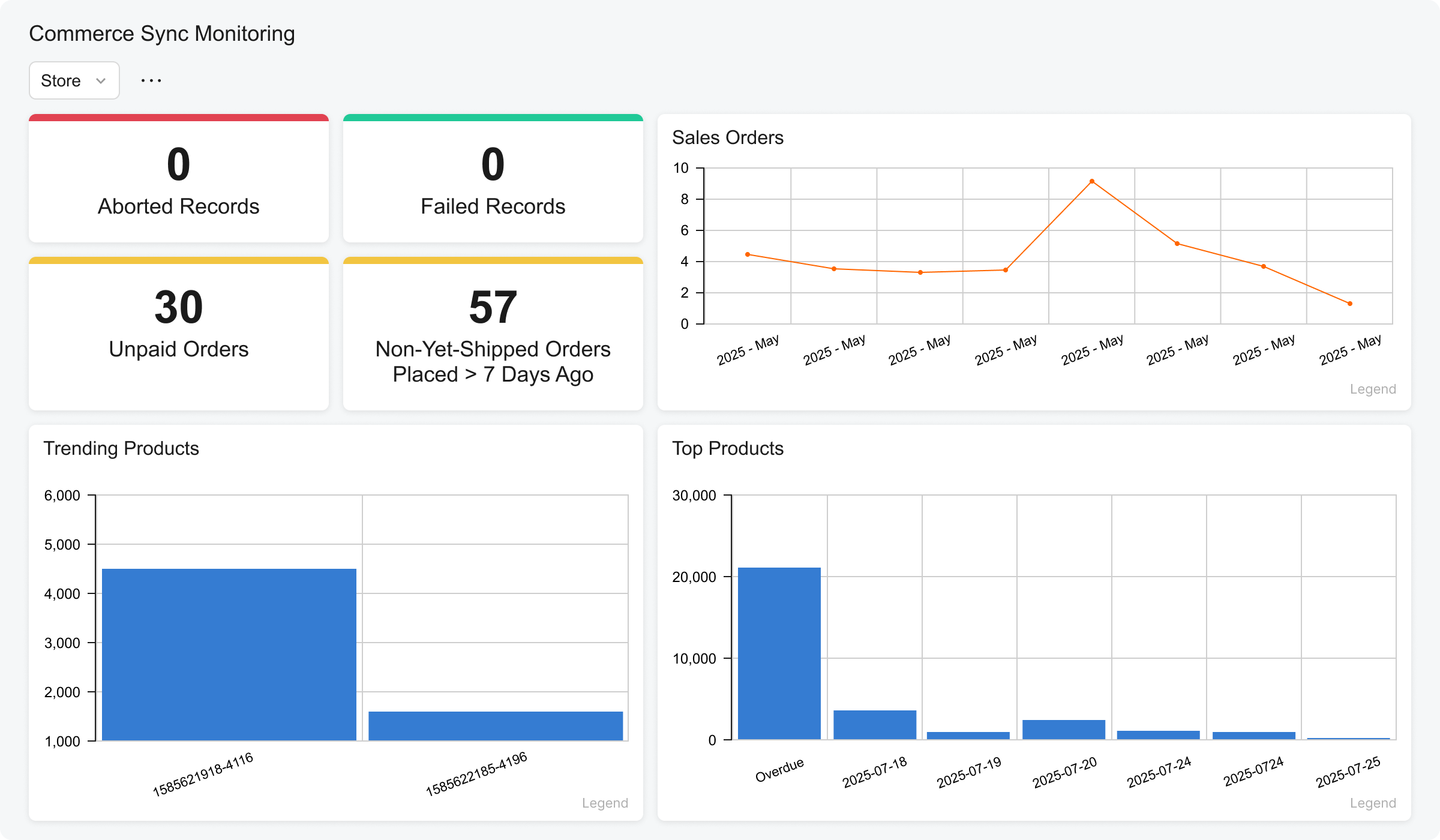 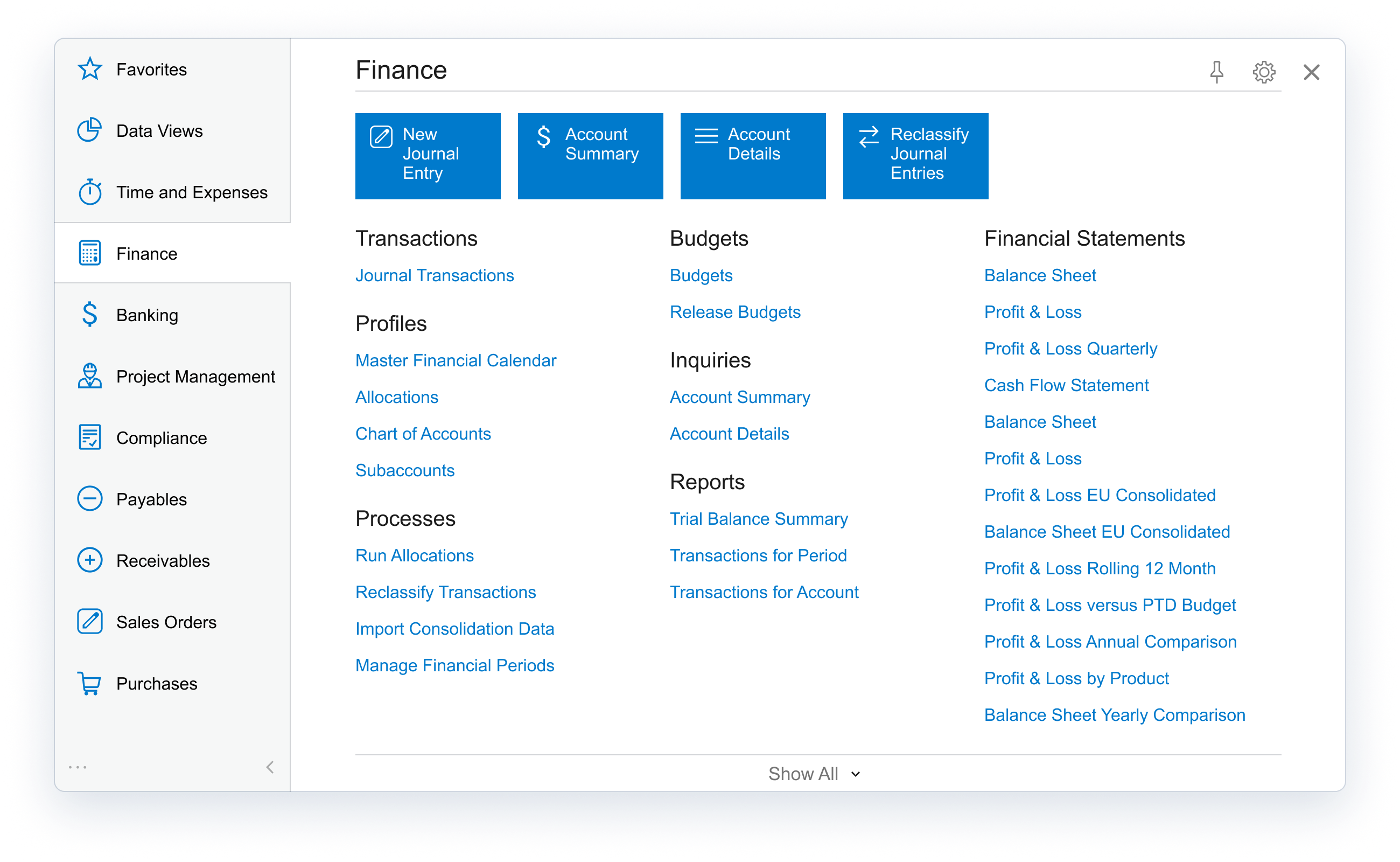 |