Fortra's GoAnywhere MFT vs. SolarWinds Serv-U

Overview
ProductRatingMost Used ByProduct SummaryStarting Price
Fortra's GoAnywhere MFT
Score 7.8 out of 10
N/A
Fortra's GoAnywhere MFT is a secure file transfer solution that automates and encrypts data using industry standard protocols (e.g. OpenPGP, SFTP, HTTPS). With auditing and reporting, GoAnywhere can help organizations meet compliance regulations like PCI DSS and HIPAA. GoAnywhere can be deployed on-premises or in the cloud. As a VMware-validated product, it also runs in several virtualized environments including VMware, Amazon AWS, and Microsoft Azure. GoAnywhere exchanges batch and ad…N/A
SolarWinds Serv-U
Score 9.0 out of 10
N/A
SolarWinds® Serv-U® is presented by the vendor as an easy-to-use FTP or MFT server software designed to deliver security, automation, and centralized control for file transfers in an organization. Deployed within a data center, Serv-U FTP or MFT Server can help users safely exchange files within your organization and with your business partners. Do not risk file transfer data getting exposed in the cloud and compromise security. Serv-U software is built to be an effective self-hosted…N/A
Pricing
Fortra's GoAnywhere MFTSolarWinds Serv-U
Editions & Modules
No answers on this topic
Offerings
Pricing Offerings
Fortra's GoAnywhere MFTSolarWinds Serv-U
Free Trial
YesYes
Free/Freemium Version
YesNo
Premium Consulting/Integration Services
NoNo
Entry-level Setup FeeOptionalNo setup fee
Additional Details
More Pricing Information
Community Pulse
Fortra's GoAnywhere MFTSolarWinds Serv-U
Best Alternatives
Fortra's GoAnywhere MFTSolarWinds Serv-U
Small Businesses
DataMotion
DataMotion
Score 9.3 out of 10
DataMotion
DataMotion
Score 9.3 out of 10
Medium-sized Companies
DataMotion
DataMotion
Score 9.3 out of 10
DataMotion
DataMotion
Score 9.3 out of 10
Enterprises
Control-M
Control-M
Score 9.3 out of 10
Fortra's GoAnywhere MFT
Score 7.8 out of 10
All AlternativesView all alternativesView all alternatives
User Ratings
Fortra's GoAnywhere MFTSolarWinds Serv-U
Likelihood to Recommend
10.0
(11 ratings)
8.2
(6 ratings)
Likelihood to Renew
10.0
(1 ratings)
-
(0 ratings)
Usability
10.0
(3 ratings)
-
(0 ratings)
Availability
9.0
(1 ratings)
-
(0 ratings)
Performance
10.0
(1 ratings)
-
(0 ratings)
Support Rating
8.6
(6 ratings)
7.4
(6 ratings)
Implementation Rating
10.0
(1 ratings)
-
(0 ratings)
Configurability
8.0
(1 ratings)
-
(0 ratings)
Product Scalability
9.0
(1 ratings)
-
(0 ratings)
Vendor post-sale
10.0
(1 ratings)
-
(0 ratings)
Vendor pre-sale
10.0
(1 ratings)
-
(0 ratings)
User Testimonials
Fortra's GoAnywhere MFTSolarWinds Serv-U
Likelihood to Recommend
Fortra
Go Anywhere is perfect for moving data between systems. It is great for pulling data and emailing it or sending it to another server. However, Go Anywhere is limited as an ETL tool. It is not good for large datasets. When we had to move millions of rows from one server to another, it totally choked.
Read full review
SolarWinds
For anyone who needs to receive/send files between themselves and others, in an organized fashion, I would strongly recommend Serv-U as a great tool at a sensible cost. In our line of work, we can get several customers signed in at once, each sending in hundreds of Megabytes of data simultaneously. Serv-U has never struggled with this. We don't use the Quota set up for sending/receiving data but I can see it is useful where an exchange of information is the point.
Read full review
Pros
Fortra
  • For an FTP server it is robust but very easy to use and configure.
  • For a project manager for file transfers, it allows you to do nearly anything, from simple file move to file rename, move, zip, and create a new folder location to drop the file in.
  • GoAnywhere has a gateway device that allows for securing the traffic coming from outside your network in without exposing too much of your network.
Read full review
SolarWinds
  • The Wizard allows us to create new user accounts very easily and quickly. We do not have a formal IT department so those of us "mere mortals" can use this easily.
  • Using the Web Client has made it very simple to set up and instruct our customers on getting to the server from any device with a minimum of fuss. We have many customers with ESL, and school students including middle and high school. Most of them are not computer experts, just regular users so the simplicity allows to do the whole setup over the phone in minutes.
  • The newer version of Serv-U does not appear to be very resource-hungry so our computer runs nice and fast, without having to be a top of the range powerbox. We concentrated on large storage to cope with the file sizes we receive daily.
Read full review
Cons
Fortra
  • In the beginning, when implementing, it can take a while to understand how it works thoroughly.
  • Due to the added abilities learning to configure the software can take some time.
  • Training for this product will cost extra. The training is also not excellent.
  • The software seems glitchy at times, sometimes being slow or corrupting jobs.
Read full review
SolarWinds
  • The user interface on large screens becomes tiny and nearly unreadable without the aid of Windows Magnifier.
  • Active Directory integration is either absent or not straightforward.
  • Settings and configuration aren't always intuitive.
Read full review
Usability
Fortra
Since using it and having time to work with it, its process and actions are growing on me and once a project is created one can implement across numerous location or platforms
Read full review
SolarWinds
No answers on this topic
Support Rating
Fortra
They would help us to identify the problem and provide a solution every time. Support also will answer questions about what the application can do and how, and it would allow you to submit enhancements requests for consideration to be included in future versions.
Read full review
SolarWinds
Support was the biggest hurdle for us. It definitely needs improvement, but not to the point of being a deal breaker.
Read full review
Implementation Rating
Fortra
Implementation was straight forward. We paid for 50 hours of professional service in case, we need help. We end using only 10 hours. I have only 1 month to convert over 120 scripts from FTP voyager to goanywhere. Old script was had written using bat files. Some of the batch file were written by some other person, who passed away. Documents for old script was not in details. With the professional service, I was able to convert all script within windows
Read full review
SolarWinds
No answers on this topic
Alternatives Considered
Fortra
At the time we were evaluating a managed file transfer system, we initially looked at Ipswitch. It did not have a web based interface and the overall price was extremely higher than GA MFT. The solutions offered by GA MFT were significantly more attractive for our needs as an organization.
Read full review
SolarWinds
Previously we have used FileZilla and Microsoft FTP services, but neither out-performed Serv-U. although it was easy to use, FileZilla required constant attention from IT staff and did not live up to security protocol in place. The Windows Server FTP was difficult to configure for clients due to the tight integration with Active Directory. This also limited who could help administer the server.
Read full review
Return on Investment
Fortra
  • GA has made life easier for our employees. Many processes that used to take a lot of time are now automated or semi-automated using GA.
  • GA has helped our IT team be far more productive. It would take weeks to put together code that we can do in GA in a day or less.
Read full review
SolarWinds
  • I have been using it for over 10 years so the ROI was there for sure.
  • It is not a constant attention needing program.
  • Set up and it does its job.
Read full review
ScreenShots

Fortra's GoAnywhere MFT Screenshots

Screenshot of The GoAnywhere Dashboard, where users can access features and choose customizable Gadgets that display vital system statistics and file transfer activity

SolarWinds Serv-U Screenshots

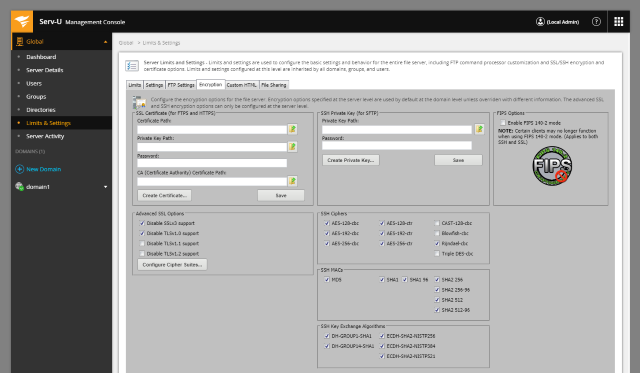
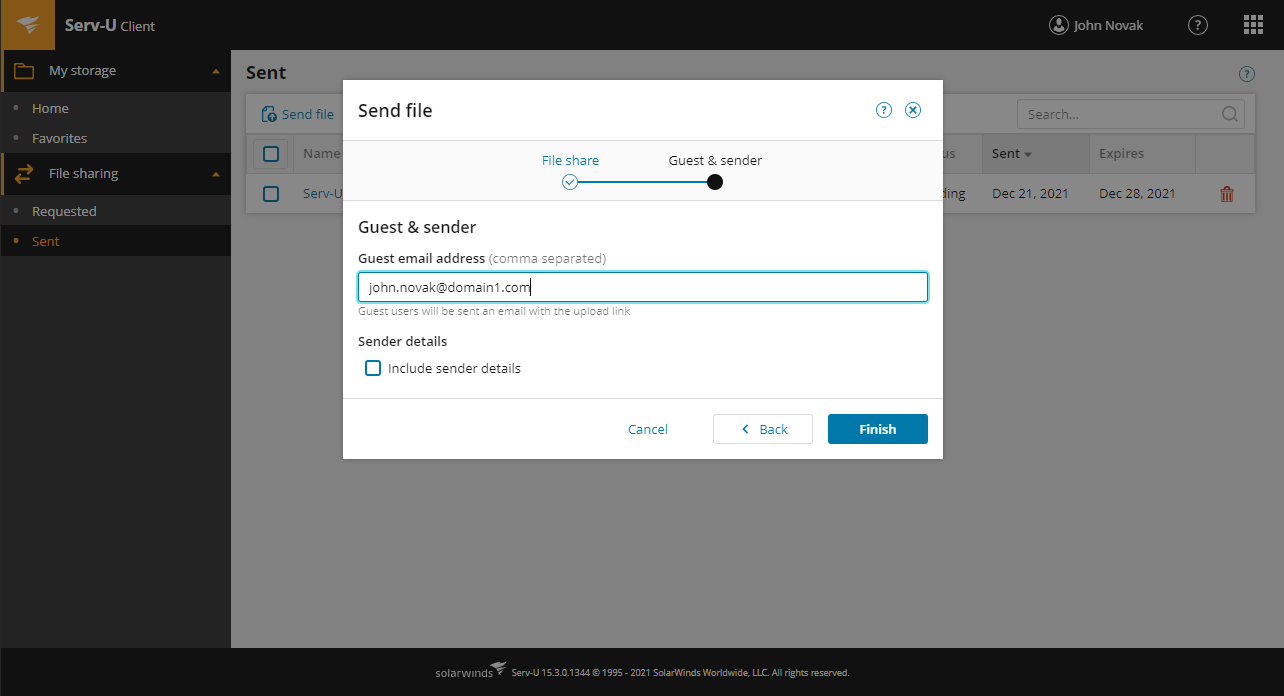
Screenshot of Easily manage file transfer settings and permissionsScreenshot of Enhance security and control over file transfers in and outside your organization with Serv-U MFTScreenshot of Send large files easily from the Web Client