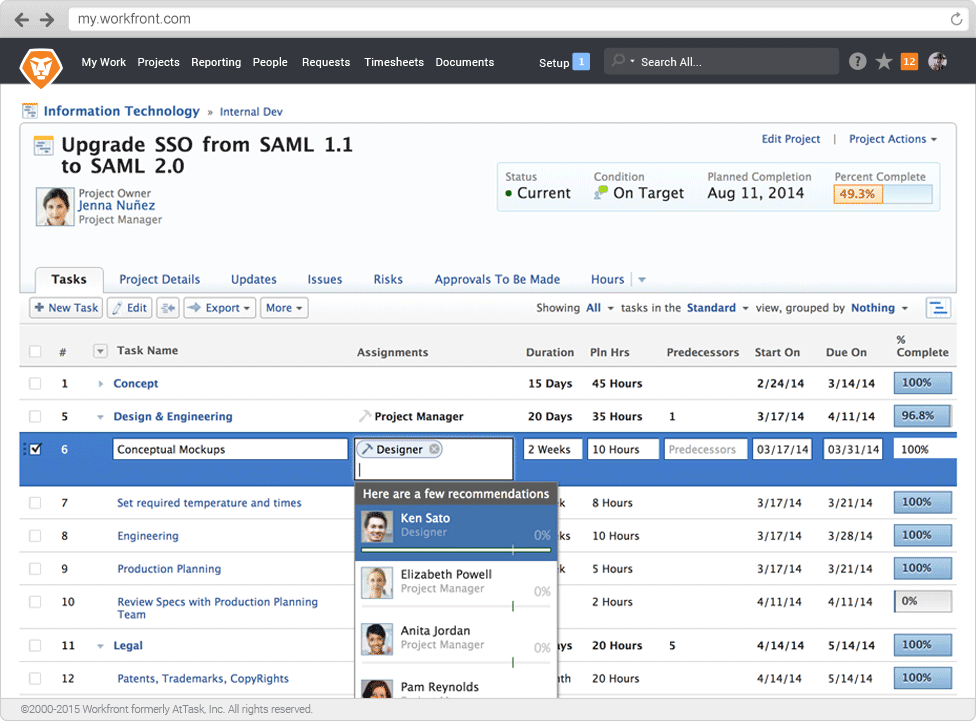
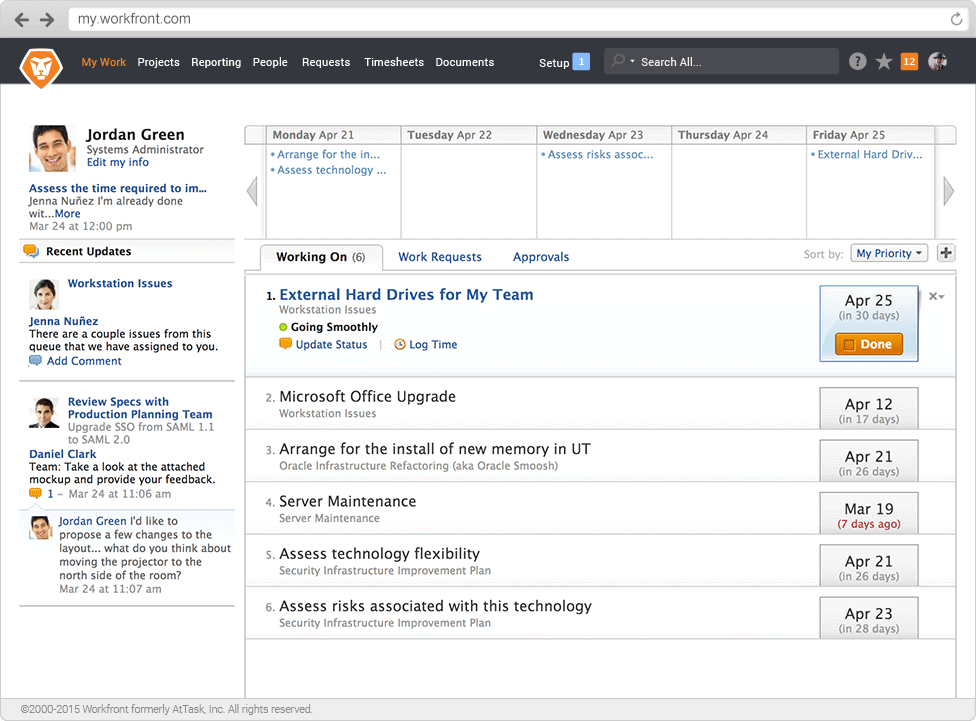
Adobe Workfront, acquired by Adobe in late 2020, is a web-based project-management tool. It is designed for both IT and marketing teams, but can be implemented for any kind of project. Workfront offers all the features standard to project management platforms, as well as resource allocation, automation, and agile workflow.
N/A
Bynder
Score 6.5 out of 10
Enterprise companies (1,001+ employees)
Bynder helps brands to distribute their marketing materials, manage creations and facilitate brand consistency.
Bynder is a solution for marketing that comes with best in class digital asset management, creative project management, brand identity guidelines, product information management and web-to-publish modules.
N/A
Pricing
Adobe Workfront
Bynder
Editions & Modules
No answers on this topic
Enterprise Brand Portal
$0
User/Storage/Modules/Add-Ons
Offerings
Pricing Offerings
Adobe Workfront
Bynder
Free Trial
Yes
Yes
Free/Freemium Version
No
No
Premium Consulting/Integration Services
Yes
Yes
Entry-level Setup Fee
Required
Optional
Additional Details
—
The cost of Bynder depends on the number of users, amount of storage, and the modules needed.
I write music and sound design for multiple projects at the same time, all within the same company, sometimes as much as 8-10. It can be hard to keep track of and stay on top of notes and changes, but Adobe Workfront is great at keeping everything organized, and informing you of deadline changes as they occur.
We have numerous renderings for some of our properties that are constantly being updated. It was hard to keep track of the most current rendering since it lived in multiple locations with various employees. Creating a central location where we can regularly update the renderings without having to add a new file and re-upload solved the issue of questioning whether the rendering you were looking at was correct.
Extracting content is where Bynder shines. My previous EverNote account reminded me of the last scene in Raiders of the Lost Ark -- warehouse full of stuff where clearly everything was lost once it was put in there. Bynder makes it easy to find and extract information especially because of the thumbnail views aided by the categorization tools. Since you can use these in combination everything is basically a complex Boolean search without needing to know how to write a complex Boolean Search.
Easy I/O. Getting information into and out of Bynder is really easy -- follows the "don't make me think" rule. visual cues and clear buttons, etc. In fact, since I use multiple systems, I find it easiest to actually do file transfer TO MYSELF via Bynder rather than download or email files between my PC and Mac for example. That's how easy it is.
Categories, tagging, last-used, most-frequent, hide/show -- there's a lot of flexibility in organizing your content. Technically, this kind of thing exists in every tool I've ever used... but it's the implementation that matters. UI design is vital to making this a valuable tool as opposed to a dreary step of "file retrieval".
Link Sharing: One thing I wish Bynder had was quick link sharing for images or collections of images to share outside of Bynder. Currently you have to create a collection and send it via email to the person you want to view it. Otherwise you can make it public and share a link but then that collection technically can be viewed or downloaded by anyone. Since I'm used to the functionality of Dropbox, this is one thing that I feel is lacking.
Public Media Center: Along the lines of the last comment about link sharing; one thing that would be helpful is a public media center. If we were able to tag what photos we would want to include there, along with downloadable logos, guidelines, PR, etc. There are workarounds but the functionality doesn't quite exist.
Automatic Translations: We opted to keep all of our metadata and tagging in English, as most of our International partners do speak some English; however, it would have been nice to have an option to automatically translate any metadata/tagging for certain languages. We did have the option of automatically translating the main menu buttons but that wasn't much help. If we wanted metadata/tagging in other languages we'd have to input it manually for thousands of assets.
All that I've said already is why. I suppose the clearest way to say it is that at this point? I cannot imagine running the 300+ active projects in eMarketing without AtTask; it simply wouldn't be possible and even more; I wouldn't imagine why we'd try to find an alternative tool when we have one meeting our needs.
I gave a rating of 10 on overall usability because Workfront is cloud based and very easy to use. Workfront also provides collaboration on projects which is critical to a projects success. The tool gives everyone high level visibility in their projects down to the smallest detail. Wonderful project management system, allows you to cut down on emails, meetings and no more spreadsheets for tracking your projects.
It is incredibly user-friendly and easy to navigate. Once you poke around, you intuitively learn how to use the platform. Our company provided training sessions for all employees during our official roll-out, and everyone seemed to have a good grasp on how to navigate this platform. We have yet to hear about an employee having difficulty using Bynder, which is a big win
Maintenance is required, but usually after work hours, Some days the proofing tool function is not operational, but this is a new function of the tool that WF is working out. the kinks on. Chrome is the best browser to use the system in and we find Firefox and Explorer lose some view functionality - Gantt Chart, Resource Grid
Workfront's performance has been very good. Everything always feels very fast and snappy in my experience. We have integrated it with custom scripts to create folder structure for media managing our projects. It works very well.
It would be nice if the support forms were more dynamic so you could add more information to the support ticket when you enter it to reduce back and forth with the support team member. Also communication on escalated tickets isn't always great. It's gotten better over the years but still needs improvement. Other than that, initial response on support tickets is really quick and the people I've dealt with have always been very professional.
When we were getting ready to switch vendors, WebDAM wasn't very responsive to my questions or my needs. They also sent me all the files on an external drive that was formatted for Mac and didn't even think to verify whether I had a PC (which I did) so the external drive was useless and I had to wait another week to get the updated external drive that was formatted for a PC that I could then use.
The training is very easy to use and you can simply choose the topics included in the course(s) that are most important to your training needs. After each training course, you are tested on what you have learned. If you need a refresher course, they provide Course Catalogs as well as instructor-led courses & workshops.
Most people learn as you go, a lot of this stuff requires trial and error throughout so my suggestion is to provide as much information in the upfront and keep it as simple as possible. You can add other tools and features as you go but everyone should have the basics down so no bad habits can start to develop. Be persistent with everyone, and don't be afraid to correct and talk through steps again so everyone is on the same page
Jira is mostly used as a bug locking tool or to track any new development for any specific region/EPIC. But Workfront has a lot of other features which are beneficial in project management. I still consider Jira and Workfront my top two options for project management and believe both have some of the other useful features which are required to manage any team.
WebDAM and Bynder merged, so we didn't have to choose between them. We found these two had the best templating functions, which was a must have for our clients. Their permissions and user group management also seem to be the most robust. We found their support, including site, documents and staff to be the most responsive
As I stated earlier, I didn't have to pay for Workfront myself- I'm a user under a large organization. I know it's not cheap to implement, I don't know how the price scales for a small-business, but I do like the product enough that I'm going to look into it in the future for my own company.
Our organization has thousands of users that use Workfront and it seems to hold up very well. I have not encountered any issues using it and I think it makes it very easy for multiple people to be involved in a project and keep things organized and clear for everyone involved.
Workfront allowed our company to have multiple offices and work remote and still have projects continually move through the agency
The platform allowed streamlined project management needs so PMs could look at a higher level of timing for resourcing needs for a given team
Workfront's ease of integration with other tech allowed for a lot of flexibility to meet the needs of individual wants/needs so that each person could do their best work