TrustRadius: an HG Insights company

Kintone

Score9.7 out of 10

65 Reviews and Ratings

What is Kintone?

Kintone is a customizable digital workplace platform used to manage data, tasks, and communication. The no-code drag-and-drop interface can be used to create custom applications.

Read more details.

Media

Screenshot of a view of apps from the portal
Screenshot of 4 ways to build an app
Screenshot of the drag and drop interface
Screenshot of business app views
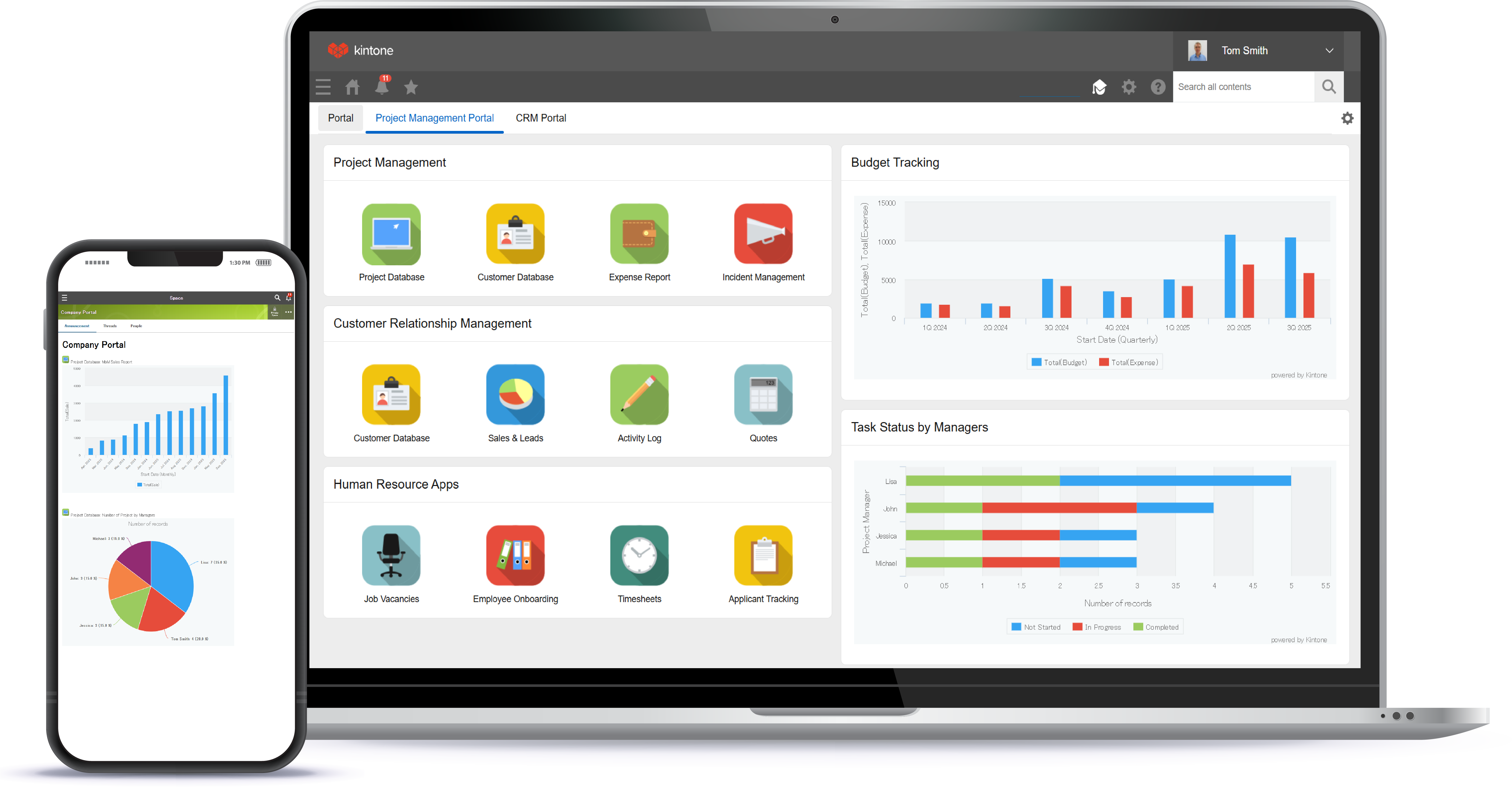
Screenshot of Kintone appearing across desktop, and mobile

1 / 5

Screenshot of a view of apps from the portal

Top Performing Features

  • API for custom integration

    An API (application programming interface) provides a standard programming interface for connecting third-party systems to the software for data creation, access, updating and/or deletion.

    Category average: 8.1

  • Customer data management / contact management

    The software acts as a single source for all customer data and enables users to access that data efficiently.

    Category average: 8.6

  • Case management

    This includes incident/ticket creation, routing, escalation, and resolution.

    Category average: 8.3

Areas for Improvement

  • Contract management

    Users can manage contracts, with features such as digital signatures, automated alerts, invoicing, and automated workflow for contract review and approvals.

    Category average: 7.9

  • Integration with email client (e.g., Outlook or Gmail)

    Users can perform tasks within their inbox, such as logging emails, creating contacts, and creating events.

    Category average: 8.3

  • Quote & order management

    Users can create, process and fulfill price quotations and sales transactions.

    Category average: 8

Who Buys & Uses Kintone

Pros

  • User-friendly design with a simple interface
  • Robust app creation and customization capabilities
  • Ability to build clear, customizable reports from stored data

Cons

  • Limited granular control over visual presentation and layout
  • Customization options for interface personalization can be restrictive

Kintone was our perfect solution

Use Cases and Deployment Scope

We are using Kintone to manage an internal service ticket database, as well as to manage our contacts and integrate contacts into email lists. We are still new to the platform and these are the main ways in which we are using it for now, but see potential for greater scope in the future.

Pros

  • Simple, user friendly interface
  • Report building from stored data
  • Easy to update and add new functionality to apps

Cons

  • Would love to be able to easily link records within a single app. For example, in our contact database app, it would be great to be able to have a link on one contact's record to the record of their associate. We have been over this with Kintone support and have not found a suitable way to do this.
  • Greater customisation of the layout would be nice.
  • Ability to change the placement of field labels

Return on Investment

  • It has allowed us to move entirely to a cloud based system, accessible from anywhere, eliminating the need to maintain on site servers.
  • Allows us to customise our data storage to our unique needs, which helps improve productivity and reduce redundancy.
  • It is still early in our experience with Kintone, but we expect to see monetary savings from the switch to using our custom built Kintone apps.

Usability

Alternatives Considered

Zendesk Suite, monday CRM and Microsoft Access

Other Software Used

Microsoft 365, Adobe Acrobat, Slack

Great versatility

Use Cases and Deployment Scope

We use Kintone to collect individuals' reports of work completed. It works perfectly with our organization because we perform a variety of different tasks for different companies. Kintone allows us to provide reporting options in many ways, such as multiple-choice, drop-down, text for descriptions, etc.

Pros

  • Allows you to create apps.
  • Variety of presentation choices.
  • User friendly.

Cons

  • Allow for an employee friendly option without raising the cost so much.
  • Allow apps to be archived.

Return on Investment

  • Easily collect company data at a glance.
  • Users can access from mobile.

Usability

Other Software Used

QuickBooks Online

Kintone is amazing

Use Cases and Deployment Scope

Being a dispute resolution center, case management is critical. Kintone provides customized and adaptive solutions for our ever changing workflow. With Kintone, we are able to track and manage any and all case notes and data points.

Pros

  • Amazing customer service!
  • Flexibility in system configuration
  • Integration options for most any other architecture.

Cons

  • External communication capabilities
  • AI integration
  • Cheaper options for 3rd party integration tools

Return on Investment

  • Organization
  • Reporting
  • Resource referral

Usability

A great catch-all.

Use Cases and Deployment Scope

Our business is international and utilizes several applications across each office. However, this left us without tools for matters that apply only to our local office. Kintone is a fantastic resource for us, enabling us to create our own workflows and audit trails and reducing the number of spreadsheets we rely on in our everyday work! My favorite application we developed was an inventory tracker that allows people to pull up a pivot table chart for each warehouse and see exactly how much of each material type. The possibilities for different applications you can develop for whatever use cases you might have are extraordinarily broad. I highly recommend Kintone for its ease of use and its great versatility.

Pros

  • Makes workflows/permission flows easy.
  • Tracks changes and history automatically.
  • Consolidates information in an easy to access format.
  • Allows import/export of information easily.
  • Very simple no-code app development.

Cons

  • No independent 'today' variable - come on!
  • A bit more inline customization would be nice, without using 3rd-party CSS/Java applications.
  • More customization for reminder/notification emails.

Return on Investment

  • Integration between processes (linking applications/data).
  • Better top-down visualization of situations.
  • The ability to create something quickly when needed.

Usability

Other Software Used

SAP HANA Cloud

Kintone Review from Small Regional EDO.

Use Cases and Deployment Scope

We use Kintone primarily as a CRM for our business retention program. Additionally, we have found it useful for tracking our grant hours. We wanted something that would let us track metrics we could report back on without breaking the bank. Kintone has worked really well for us as we customize the various apps within it to meet our needs.

Pros

  • Keep all of our notes in one place.
  • Customize forms so we can easily track our KPIs.
  • Share tasks and to do lists.

Cons

  • Sometimes it's a little challenging to know which fields to enter and where. There is a little bit of a learning curve with creating your own apps.
  • More visuals would be great! I love seeing the data visually, and so does my board.
  • That's all I can think of - I really do enjoy the program.

Return on Investment

  • We have reduced the amount of time it takes to prepare metric reports significantly.
  • We can easily track client and investor status, so we can follow up appropriately and have the information readily available before our meeting.
  • We are able to better track our to-do list - another way we are able to improve efficiencies across the organization.

Usability

Alternatives Considered

Salesforce Data 360

Other Software Used

Google Workspace, Microsoft 365, Jotform