Overview
ProductRatingMost Used ByProduct SummaryStarting Price
Paycom
Score 8.5 out of 10
N/A
Paycom supports HR and payroll with automated, employee-first technology that supports every stage of employment. Its single database enables seamless data management, to reduce errors, endless data entry and time-consuming administrative tasks.N/A
Access PeopleHR
Score 6.9 out of 10
N/A
With users among 7,000+ companies, Access PeopleHR is a cloud-based HR and payroll software designed for small and medium-sized businesses. Its features enable SMBs to manage their workforce and automate more of their HR processes.
$3
per month per user
Pricing
PaycomAccess PeopleHR
Editions & Modules
No answers on this topic
Starter
£3
per month
Core
£5.50
per month
Pro
£8
per month
Elite
£9.50
per month
Offerings
Pricing Offerings
PaycomAccess PeopleHR
Free Trial
NoYes
Free/Freemium Version
NoNo
Premium Consulting/Integration Services
NoNo
Entry-level Setup FeeNo setup feeNo setup fee
Additional Details
More Pricing Information
Community Pulse
PaycomAccess PeopleHR
Considered Both Products
Paycom
Chose Paycom
Paycom is more reliable compared to the ADP Enterprise HR, Paycom is more user-friendly and simple to use compared to ADP Enterprise HR. Paycom online feedback and customer reviews are also good compared to any other HR management software. Paycom is a reliable software you do …
Access PeopleHR

No answer on this topic

Features
PaycomAccess PeopleHR
Human Resource Management
Comparison of Human Resource Management features of Product A and Product B
Paycom
8.0
443 Ratings
1% below category average
Access PeopleHR
6.6
7 Ratings
21% below category average
Employee demographic data8.9401 Ratings6.16 Ratings
Employment history7.9385 Ratings5.97 Ratings
Job profiles and administration8.1388 Ratings7.06 Ratings
Workflow for transfers, promotions, pay raises, etc.7.8388 Ratings9.55 Ratings
Organizational charting7.4301 Ratings4.76 Ratings
Organization and location management7.9339 Ratings5.27 Ratings
Compliance data (COBRA, OSHA, etc.)8.2324 Ratings8.03 Ratings
Payroll Management
Comparison of Payroll Management features of Product A and Product B
Paycom
8.4
451 Ratings
3% above category average
Access PeopleHR
5.8
5 Ratings
34% below category average
Pay calculation8.9438 Ratings5.05 Ratings
Support for external payroll vendors6.447 Ratings4.15 Ratings
Off-cycle/On-Demand payment8.713 Ratings9.01 Ratings
Benefit plan administration8.4380 Ratings4.15 Ratings
Direct deposit files9.3438 Ratings7.02 Ratings
Salary revision and increment management8.3365 Ratings6.45 Ratings
Reimbursement management8.4248 Ratings5.04 Ratings
Leave and Attendance Management
Comparison of Leave and Attendance Management features of Product A and Product B
Paycom
8.4
398 Ratings
3% above category average
Access PeopleHR
6.1
7 Ratings
29% below category average
Approval workflow8.7379 Ratings6.37 Ratings
Balance details8.2379 Ratings6.07 Ratings
Annual carry-forward and encashment8.4315 Ratings6.06 Ratings
Employee Self Service
Comparison of Employee Self Service features of Product A and Product B
Paycom
8.5
452 Ratings
3% above category average
Access PeopleHR
6.1
7 Ratings
29% below category average
View and generate pay and benefit information9.0445 Ratings5.77 Ratings
Update personal information8.9448 Ratings6.77 Ratings
View company policy documentation8.0399 Ratings6.47 Ratings
Employee recognition8.6217 Ratings5.65 Ratings
View job history8.1359 Ratings6.07 Ratings
Asset Management
Comparison of Asset Management features of Product A and Product B
Paycom
4.9
26 Ratings
48% below category average
Access PeopleHR
7.3
4 Ratings
9% below category average
Tracking of all physical assets4.926 Ratings7.34 Ratings
HR Reporting
Comparison of HR Reporting features of Product A and Product B
Paycom
7.1
391 Ratings
6% below category average
Access PeopleHR
5.3
7 Ratings
35% below category average
Report builder7.8384 Ratings6.37 Ratings
Pre-built reports7.7381 Ratings4.77 Ratings
Ability to combine HR data with external data5.855 Ratings5.05 Ratings
Onboarding
Comparison of Onboarding features of Product A and Product B
Paycom
8.1
387 Ratings
1% above category average
Access PeopleHR
7.7
6 Ratings
4% below category average
New hire portal8.2384 Ratings6.46 Ratings
Manager tracking tools8.1334 Ratings9.03 Ratings
Performance and Goals
Comparison of Performance and Goals features of Product A and Product B
Paycom
6.2
225 Ratings
26% below category average
Access PeopleHR
7.1
5 Ratings
12% below category average
Corporate goal setting4.236 Ratings5.75 Ratings
Individual goal setting7.9208 Ratings5.75 Ratings
Line-of sight-visibility4.835 Ratings9.02 Ratings
Performance tracking7.8220 Ratings8.02 Ratings
Performance Management
Comparison of Performance Management features of Product A and Product B
Paycom
7.8
281 Ratings
1% below category average
Access PeopleHR
7.3
6 Ratings
8% below category average
Performance plans7.9260 Ratings9.05 Ratings
Performance improvement plans7.6245 Ratings9.04 Ratings
Review status tracking8.0253 Ratings5.35 Ratings
Review reminders7.9258 Ratings8.03 Ratings
Multiple review frequency7.5231 Ratings5.34 Ratings
Succession Planning
Comparison of Succession Planning features of Product A and Product B
Paycom
8.3
44 Ratings
6% above category average
Access PeopleHR
8.0
1 Ratings
3% above category average
Create succession plans/pools9.124 Ratings8.01 Ratings
Candidate ranking6.830 Ratings9.01 Ratings
Candidate search8.742 Ratings7.01 Ratings
Candidate development8.539 Ratings8.01 Ratings
Recruiting / ATS
Comparison of Recruiting / ATS features of Product A and Product B
Paycom
7.4
280 Ratings
4% below category average
Access PeopleHR
6.0
6 Ratings
24% below category average
Job Requisition Management7.6249 Ratings6.36 Ratings
Company Website Posting7.3245 Ratings3.65 Ratings
Publish to Social Media6.8192 Ratings9.02 Ratings
Job Search Site Posting7.3227 Ratings3.65 Ratings
Duplicate Candidate Prevention7.2213 Ratings9.03 Ratings
Applicant Tracking7.4254 Ratings5.65 Ratings
Notifications and Alerts8.3263 Ratings5.16 Ratings
Best Alternatives
PaycomAccess PeopleHR
Small Businesses
Dayforce Powerpay
Dayforce Powerpay
Score 9.4 out of 10
Dayforce Powerpay
Dayforce Powerpay
Score 9.4 out of 10
Medium-sized Companies
Paypro Workforce Management
Score 9.7 out of 10
Paypro Workforce Management
Score 9.7 out of 10
Enterprises
PeopleStrong
PeopleStrong
Score 9.9 out of 10
PeopleStrong
PeopleStrong
Score 9.9 out of 10
All AlternativesView all alternativesView all alternatives
User Ratings
PaycomAccess PeopleHR
Likelihood to Recommend
8.6
(573 ratings)
4.6
(7 ratings)
Likelihood to Renew
7.3
(24 ratings)
-
(0 ratings)
Usability
9.0
(86 ratings)
-
(0 ratings)
Availability
9.1
(2 ratings)
-
(0 ratings)
Performance
9.1
(2 ratings)
-
(0 ratings)
Support Rating
9.1
(52 ratings)
-
(0 ratings)
In-Person Training
6.4
(1 ratings)
-
(0 ratings)
Online Training
4.8
(3 ratings)
-
(0 ratings)
Implementation Rating
8.2
(7 ratings)
-
(0 ratings)
Configurability
9.1
(2 ratings)
-
(0 ratings)
Ease of integration
5.5
(1 ratings)
-
(0 ratings)
Product Scalability
9.1
(2 ratings)
-
(0 ratings)
Vendor post-sale
9.0
(4 ratings)
-
(0 ratings)
Vendor pre-sale
9.0
(4 ratings)
-
(0 ratings)
User Testimonials
PaycomAccess PeopleHR
Likelihood to Recommend
Paycom
It's very mobile friendly, especially for people that aren't tech savvy. We have an aged workforce where we were really concerned about how they would adapt, going from the comfort of using paper to a mobile and online application. But the training was really easy and the adaptation has been simple for us as a company.
Read full review
The Access Group
It's simple to use even for non-technical employees, making it very simple to install even for a workforce that hasn't grown up in the digital age, and for that People HR is the best option to fit in. I haven't got in any situation yet where I see People HR as less appropriate except Applications Tracking Systems as I have never worked on that module much.
Read full review
Pros
Paycom
  • I would say the communication post-implementation is amazing. Allie is our representative. She's amazing. Caitlin is amazing. I just met Travis last week at the office. Amazing. The communication is great and helpful, so if one of the team members don't have the answer, they can just jump in. For instance, I was on a call with Caitlin yesterday and she was like, "I'm not really sure about this answer. Let me see if I can go run it byTravis." I know he's on another call and instead of him saying blah, blah, he came over and looked at the screen and was like, do this, do this. It's a little different. So I would say the customer service is the best.
Read full review
The Access Group
  • Complex reporting is made easy through the reporting capabilities of the system. We have been using reports for the past year and absolutely trust the accuracy of the data produced. The reports are generated easily through the system and can be exported into an editable Excel spreadsheet which is great.
  • The self-service of data is great for freeing up HR time. Employees can update their personal information themselves quickly and easily.
  • The App is a great feature of People HR. A large proportion of our employees work in our warehouse and as such don't have their own computer at work. The app allows those employees easy access to the system on the go.
Read full review
Cons
Paycom
  • I think that when we do need a response back, which is very unlikely from the contact about something that's happening or going on, it can take a little long to get back to us. Longer than we would like because obviously it's an emergency to us, but we understand they have tons of emergencies they have to solve. But I think that's the only aspect.
  • I know from a payroll standpoint, which I'm not really privy to because I don't work on the payroll side, there have been some little hiccups that about certain formulas used, certain credits being issued that we've already filed for tax credits that we filed for. So I know that my CFO's already on top of it and pay comes on top of it as well and it's getting resolved, but obviously that's a big issue that needs some work there.
Read full review
The Access Group
  • The UI could do with being more Up to date, i find it easy to use but is quite cartoon like.
  • More Details for skills is required, I have some certifications but the system does not recognise the Brand
  • Emails that are sent out could use an overhaul as they don't stand out as much as i think they should
Read full review
Likelihood to Renew
Paycom
Because it has everything that we need and as we grow, we are learning how robust Paycom can actually be but we need to be willing to spend the money. It's not expensive but we, as a company, are not used to spending that much on a system for HR and payroll.
Read full review
The Access Group
No answers on this topic
Usability
Paycom
The interface is very intuitive, you can navigate it pretty well. Everything's pretty much spelled out and the features just flow really well. They make it easy for you to go back and forth with the UX/UI type of interface. So I think it was built pretty well.
Read full review
The Access Group
No answers on this topic
Reliability and Availability
Paycom
They are very dependable and I have never experience any outages
Read full review
The Access Group
No answers on this topic
Performance
Paycom
Yes, Paycom's performance is excellent, no issues.
Read full review
The Access Group
No answers on this topic
Support Rating
Paycom
Our TSR has been wonderful to work with. Every step of the
way he was quick to respond and answer any questions we had. I knew I could
reach him at any time (day or night) and he would be available to assist.
Implementing a new HRIS system is obviously a huge task and I contribute all
our success to our rep Kurt! Of course, with any implementation, there were
bumps along the way and issues. But I always knew we would work as a team to
get those issues figured out. Working in the Paycom system has been smooth and
easy to learn and I enjoy the employee self-service interface. Our managers
have had positive things to say and are all excited about the changes we have
been able to make to our organization due to Paycom being implemented.
Read full review
The Access Group
No answers on this topic
In-Person Training
Paycom
They were a sales person and not really a good trainer.
Read full review
The Access Group
No answers on this topic
Online Training
Paycom
All the online training modules were short and straight to the point. Every module teach you how to use the system. If there is one thing they know how to do is training. We did implementation during the pandemic so all had to be done online or via zoom meetings.
Read full review
The Access Group
No answers on this topic
Implementation Rating
Paycom
Not at all satisfied it was a nightmare we spent over 8 months with the implementation team having issues after issues all related to the Puerto Rico regulations (half my employees are in Puerto Rico) and at the end we were moved over from the implementation team to the production team without all the issues being resolved
Read full review
The Access Group
No answers on this topic
Alternatives Considered
Paycom
We really only had Paychecks and that was our biggest problem is that with several different companies, it was very hard If you had a salary employee and didn't terminate them in the prior company, they get paid twice, so this has really been definitely a big help for us.
Read full review
The Access Group
Prior to initially taking out our PeopleHR contract i reviewed many HR systems and PeopleHR seemed the best option as it seemed to have the most functionality for the best price. However that was many years ago now and since being a customer of PeopleHR and now going with Timetastic, i wouldn't recommend PeopleHR. The costs have increased substantially but there hasn't been any significant improvements in the software that we've seen/utilised. There's also a lot of system issues that seem to occur frequently. Not to mention the service has taken a total nosedive since PeopleHR were taken over by Access. Whilst Timetastic is a much more basic system and really just a holiday planner, the cost is cheaper than anything I've seen on the market. For the more HRIS functionality, we've opted to utilise our O365 and create a Sharepoint HR Management Site which is much more cost effecitve us and we can avoid having to deal with Access which is a huge plus
Read full review
Scalability
Paycom
They are not able to meet our current needs
Read full review
The Access Group
No answers on this topic
Return on Investment
Paycom
  • I think our fiscal team who handles the ROI would say that it has had a negative impact just because a lot of stuff is a la carte and we weren't aware of that before we went into a business relationship with Paycom. So I think it's had a negative impact.
Read full review
The Access Group
  • PeopleHR has reduced the amount of holiday queries coming through to the HR Team. This has saved us around 2 hours per week.
  • PeopleHR has increased visibility to line managers of their team and indirect reports for holiday / time management.
  • The ATS has enabled us to automate responses/templates to all candidates applying for roles, send updates, reject, invite to interview etc. in a much quicker time frame. This has reduced hours of work writing emails per week.
  • PeopleHR has given more responsibility and ownership to our managers to do their roles.
Read full review
ScreenShots

Paycom Screenshots

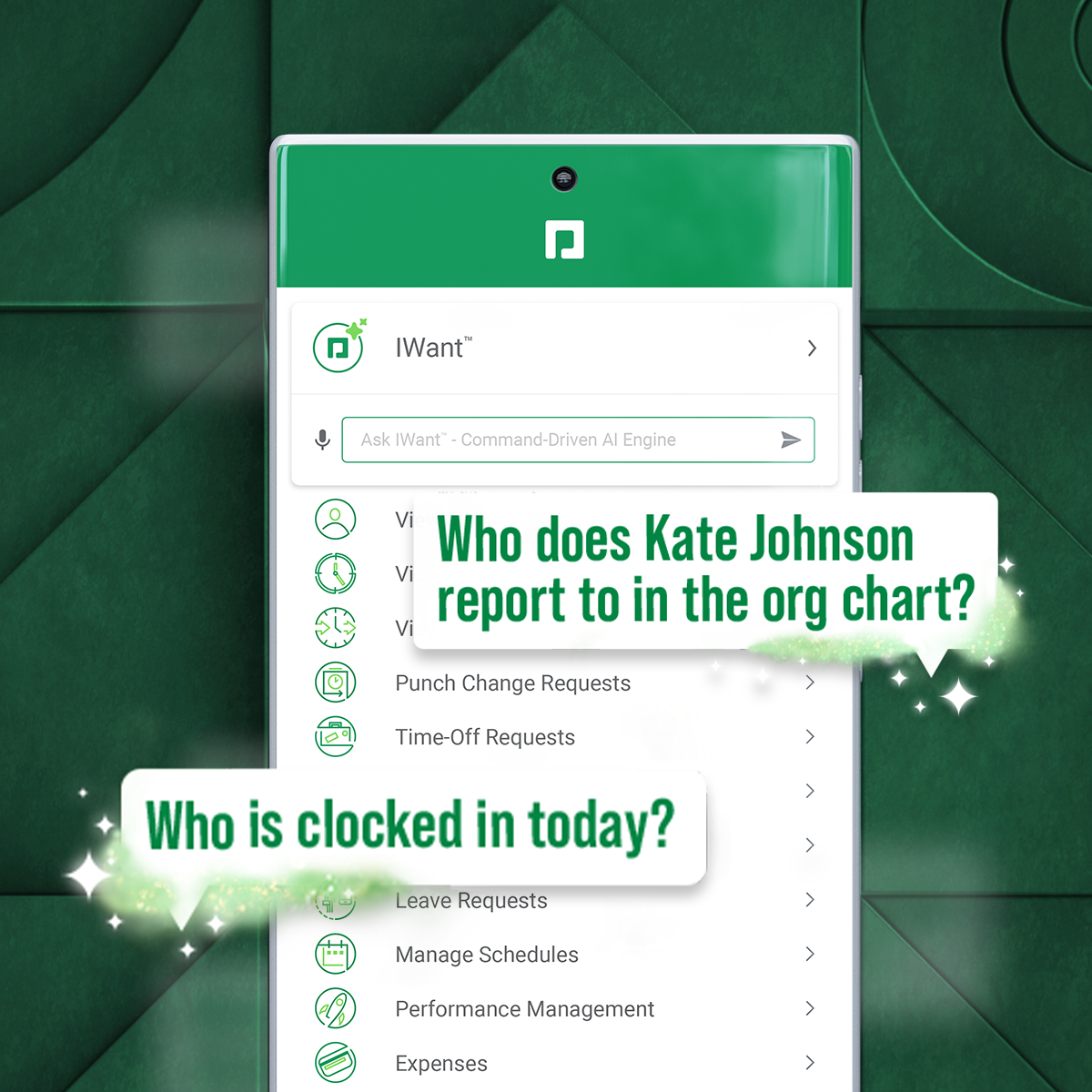
Screenshot of a new study that reveals that for a composite organization representative of interviewed clients, unifying HR and payroll in a single-database software with automation and streamlined workflows achieved a three-year 362% ROI and resulted in: $1.4M net present value*; over 45% total time saved by HR; 80% time saved on compliance work.Screenshot of IWant, which is a command-driven AI engine in a single database, for instant access to employee data.Screenshot of Direct Data Exchange®, which takes a detailed pulse of how employees interact with Paycom. It automatically assigns a dollar value of savings based on Ernst & Young research.

Access PeopleHR Screenshots

Screenshot of Access PeopleHR DashboardScreenshot of Screenshot of Screenshot of Screenshot of Screenshot of