TrustRadius: an HG Insights company

IBM Verify

Score8.9 out of 10

131 Reviews and Ratings

What is IBM Verify?

IBM Verify, formerly known as IBM Cloud Identity, is an identity-as-a-service (IDaaS) offering that aggregates dynamic user, device and environmental context to automate risk protection and continuously authenticate any user to any resource.

Read more details.

Media

Screenshot of IBM Verify (for CIAM) - Privacy and Consent
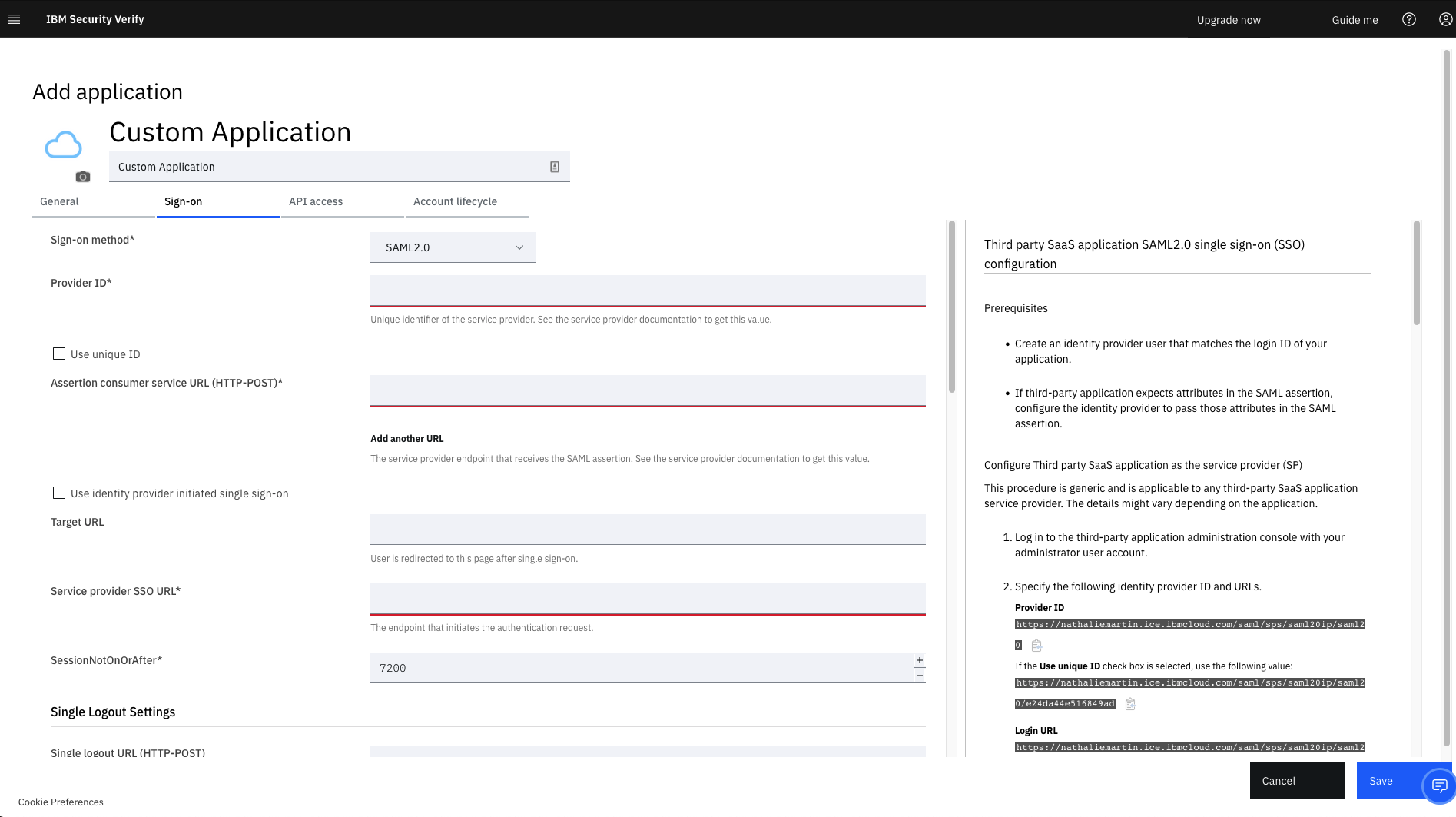
Screenshot of IBM Verify - Custom Application Template
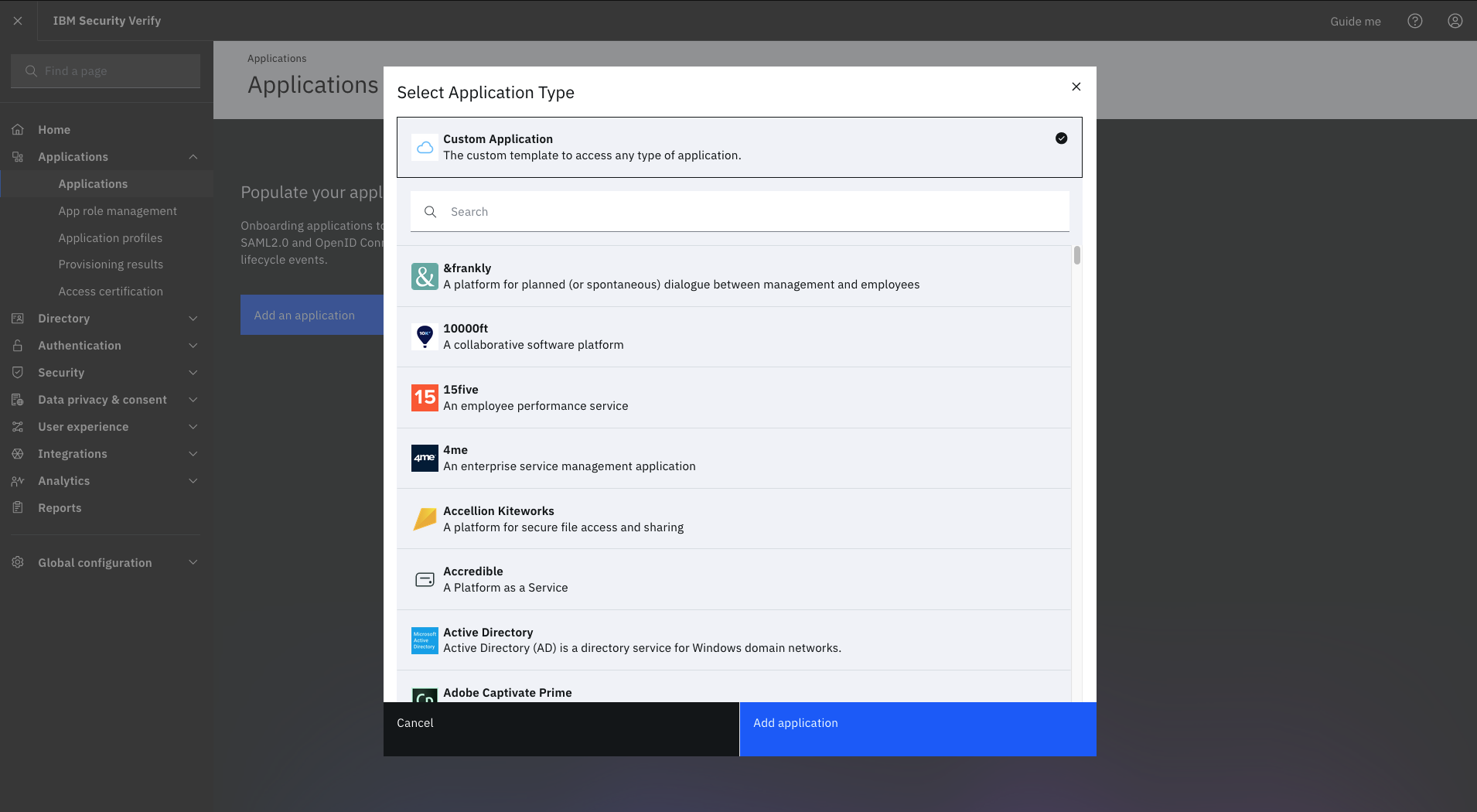
Screenshot of IBM Verify - Select Application Type
Screenshot of IBM Verify - Privacy Policy

1 / 4

Screenshot of IBM Verify (for CIAM) - Privacy and Consent

Top Performing Features

  • Multi-Factor Authentication

    Using multiple, independent components to gain access

    Category average: 8.8

  • ID Management Single-Sign On (SSO)

    The ability to login to the system once, gaining access to all systems without the need for logging in again

    Category average: 9.2

  • Password Management

    Self-help capabilities the help users recover forgotten passwords, etc.

    Category average: 8.3

Areas for Improvement

  • ID Management Workflow Automation

    Automated sequence of tasks to simplify processes

    Category average: 8.3

  • ID-Management Access Control

    Authorization or restriction of access to information depending on role

    Category average: 9

  • ID Risk Management

    Identification, evaluation, and prioritization of risks with procedures to minimize, impacts of unplanned consequences

    Category average: 8.4

Pros

  • Robust security features, including strong authentication and MFA
  • Streamlined Single Sign-On (SSO) for on-premise and cloud applications
  • Effective integration with third-party applications

Cons

  • Complex configuration and setup, especially with third-party integrations
  • Limited flexibility for customization and branding
  • Documentation is often incomplete or difficult to navigate

My experience with IBM Verify as a System Administrator.

Use Cases and Deployment Scope

IBM Verify is a modern identity and access management software. The product is AI-enabled and integrates well with hybrid environments. We use the software in our industry to manage access requests, monitor activities, manage passwords, and enhance identity governance. The software is intuitive and features reliable analytics and reporting.

Pros

  • The software is highly customizable and has quality vendor support services.
  • IBM Verify has strong authentication features that makes it standout.
  • Effectiveness of the product in real-time activity monitoring and alerts.

Cons

  • Software complexity in configuration and implementation.
  • Limited customization.

Return on Investment

  • Use of the software has enabled us to track access to our premises and systems, which has, in turn, reduced unauthorised access.
  • The software has enabled us to centralize identify and access management.
  • IBM Verify use in our organisation has reduced security risks by ensuring compliance, streamlining, and automating all critical identity management processes.

Other Software Used

Microsoft Access, Webex Engage, SAP Concur

Go password-less with IBM Verify

Use Cases and Deployment Scope

We mainly use this for single sign on for various applications used in the organisation and Multi factor authentication . It completely removes the hassle that we as users face remembering passwords . It’s very seamless

Pros

  • Single Sign on
  • Multi factor authentication
  • Highly secured
  • Very responsive

Cons

  • Occasional push notification drops
  • Experienced few time outs
  • Initial setup can be bit complex for new users

Return on Investment

  • Reduces help desk dependencies
  • Security and compliance

Alternatives Considered

Okta

Other Software Used

EDB Postgres Advanced Server, PyCharm, MobaXTerm, SAP Adaptive Server Enterprise (ASE), mRemoteNG, MySQL, Google Cloud CLI

4 years of experience with IBM Verify.

Use Cases and Deployment Scope

IBM Verify is a comprehensive platform whose main work is to help protect user accounts and control who can access systems and data. With IBM Verify you no longer need to save or remember passwords or change them regulary for security , what you do is just login once and the rest logins automatically.

Pros

  • It is reliable and secure solution managing access.
  • IBM Verify offers third party apps integration capability.
  • The product protects both data and apps to ensure privacy.
  • The software is easy to setup and customize.

Cons

  • One of the drawback is that IBM Verify lacks advanced features like backup which incase your phone is lost getting back your accounts can be very stressful.

Return on Investment

  • IBM Verify has been useful to us as an organisation by enabling us to protect our accounts and also the confidential information from our customers.
  • The product can be accessed offline, thus enabling us to get the verification code without Internet.
  • It has reduced our cost since no charges paid for verification, it just generate codes in the app automatically.
  • The software has saved time for us and reduced manuall work since it can automatically manage passwords and control access.

Other Software Used

F5 on IBM Cloud, Asana, Google Analytics

IBM Verify Review

Use Cases and Deployment Scope

In our organization, we use IBM Verify for Understanding the intelligence of our system operations

Pros

  • insights to intelligence
  • actualizing results from assumptions

Cons

  • In my opinion, there is room for improvement in IBM Verify with a simpler user interface with assumptions for direct input

Return on Investment

  • One impact IBM Verify has on our overall business objectives is Time Savings
  • Another impact IBM Verify has on our overall business objectives is Improved Compliance

Other Software Used

Oracle Access Management

IBM verify - the best in the market.

Use Cases and Deployment Scope

To authenticate different types of users in our system, we use multiple layers and methods of authentication, such as two-factor authentication and mobile- or email-based OTPs. The app has an option to define different types or roles of users who can access different parts and sections of the app according to their role or permission level.

Pros

  • User authentications.
  • Extra layer of authentications for certain users.
  • Roles based permissions.

Cons

  • Defining roles could be more elaborate.
  • UI could be better.
  • Costing could be more justifiable.

Return on Investment

  • No need to develop in-house user authentication system.
  • Provides secure access resulting in security for the company's sensitive data.
  • Add-ons such as 2-factor and OTP authentication provide the company with an extra layer of security.

Alternatives Considered

PingOne from Ping Identity

Other Software Used

PingOne from Ping Identity, Okta, Cisco Duo
